
Table of Contents
Some links on The Justifiable are affiliate links, meaning we may earn a small commission at no extra cost to you. Read full disclaimer.
Creating an online store for beginners can feel bigger than it really is. I’ve seen a lot of people delay for weeks because they think they need perfect branding, advanced tech skills, or a huge budget before they can start.
You do not. What you actually need is a clear path, a few smart decisions, and enough focus to get your first version live fast.
In this guide, I’ll walk you through the exact steps that matter most, explain the terms in plain English, and help you avoid the mistakes that usually waste time and money.
Start With A Simple Store Plan
Before you touch themes, apps, or payment settings, you need a basic plan. This is the part many beginners skip, and it usually creates problems later when pricing, product pages, and marketing all feel messy.
Step 1: Choose What You Will Sell And Who You Want To Sell It To
A beginner-friendly store usually works best when it is narrow, clear, and easy to explain. If you try to sell everything to everyone, your store will feel generic. If you sell one type of product to one type of customer, your messaging becomes much easier.
Start by answering three simple questions:
- What problem does the product solve?
- Who is most likely to buy it first?
- Why would they choose your store instead of a marketplace?
For example, “home décor” is too broad. “Minimal desk organizers for remote workers” is much easier to position. The second option instantly gives you a customer, a use case, and a product angle.
You should also decide what store model fits your situation:
- Product model: Physical products, digital products, print-on-demand, handmade goods, or curated resale.
- Inventory model: Hold stock yourself, dropship, or use a print partner.
- Margin model: Low-ticket products need volume, while higher-margin products can work with fewer sales.
In my experience, the easiest path for beginners is a small catalog with 3 to 10 products. That is enough to look like a real store without becoming hard to manage. One strong flagship product is often better than twenty average listings.
Imagine you are selling custom fitness journals. That idea is specific enough to build a brand around, simple enough to explain in one sentence, and flexible enough to expand later with templates, accessories, or bundles.
Step 2: Validate Demand Before You Build Too Much
This step saves beginners from building stores around products nobody really wants. You do not need expensive market research. You just need signals that real people care.
Start with search behavior and competitor patterns. Look at what people are already buying, what questions they ask, and how stores position similar products. You are not trying to copy. You are trying to see whether demand already exists.
A simple validation checklist looks like this:
- Search intent: Are people actively looking for this product type or solution?
- Competition quality: Are current stores weak, confusing, overpriced, or badly branded?
- Price tolerance: Does the product leave room for profit after fees, shipping, and returns?
- Repeat potential: Could customers come back for another purchase later?
Tools can help here when the goal is keyword and market research. For example, Semrush and Ahrefs can show what people search for, how competitive a topic is, and which pages already rank. You do not need them forever, but they can speed up your early validation.
Here is the mindset I recommend: do not ask, “Is this product good?” Ask, “Can I explain the value fast enough that a stranger would care within five seconds?” That one shift makes your validation process much more practical.
I believe most beginners do not fail because the product is terrible. They fail because they launch without proof of demand, then blame the platform, the theme, or the ads.
Pick The Right Platform Without Overcomplicating It
This is where beginners often get overwhelmed. Every platform claims to be easy, powerful, and scalable. In reality, the best one depends on how much control you want, how fast you want to launch, and how comfortable you are with setup.
Step 3: Choose A Store Platform You Can Actually Manage
The best platform for beginners is usually the one that removes friction, not the one with the most features. You are not choosing your forever setup. You are choosing the easiest reliable path to launch and learn.
If you want the fastest path, Shopify is usually the easiest to get live with. If you want more ownership and flexibility and do not mind a bit more setup, WooCommerce on WordPress.org can work very well. If design simplicity matters more than advanced store depth, Wix, Squarespace, or Square Online may feel friendlier at the beginning.
Here is a simple comparison:
| Platform | Best For | Setup Speed | Flexibility | Beginner Learning Curve |
|---|---|---|---|---|
| Shopify | Fast launch and simple management | Fast | Medium | Low |
| WooCommerce | More control and customization | Medium | High | Medium |
| Wix | Simple visual building | Fast | Medium | Low |
| Squarespace | Design-focused small stores | Fast | Medium | Low |
| Square Online | Small stores tied to simple selling | Fast | Low to Medium | Low |
What matters most is matching the platform to your current stage. If this is your first store, speed matters more than perfection. A platform you can confidently manage beats a “powerful” setup you avoid touching.
One warning here: Do not choose based only on monthly price. The real cost is your time, your errors, and how easy it is to maintain the store after launch.
Step 4: Decide Your Business Setup, Budget, And Basic Operations
Once the platform is chosen, you need a realistic operating plan. This is not the exciting part, but it is where your store becomes real.
Focus on these practical pieces:
- Business name: Keep it easy to spell, easy to remember, and not overly trendy.
- Domain: Match the brand name closely when possible.
- Fulfillment: Decide who packs and ships, or which partner prints or supplies products.
- Returns: Set a simple, clear return policy early.
- Taxes: Understand the basics for your region before launching.
- Budget: Know what you can spend in month one without panic.
A beginner store budget often looks like this:
| Cost Area | Lean Starter Range | Notes |
|---|---|---|
| Domain | Low | Usually one of the smallest costs |
| Platform | Low to Medium | Depends on chosen setup |
| Theme or Design Assets | Free to Medium | Start simple |
| Product Samples | Medium | Worth it for quality checks |
| Apps or Plugins | Low to Medium | Add only what solves a real need |
| Marketing Test Budget | Medium | Useful for first traffic experiments |
I suggest you build around a “survival budget,” not an optimistic one. That means planning for the version of your launch where sales start slowly. Most stores do not explode on day one, and that is completely normal.
If you are doing print-on-demand, platforms like Printful or Printify can simplify production and fulfillment. If you are shipping your own products, something like ShipStation can help once order volume grows. Early on, though, simplicity wins. You do not need an advanced logistics stack to get started.
Build A Store That Feels Trustworthy From Day One
A beginner store does not need to look expensive. It needs to look clear, reliable, and easy to buy from. Trust is what turns your early visitors into your first customers.
Step 5: Build The Core Pages And Product Listings Properly
Your homepage matters, but your product pages do the real selling. Beginners often spend hours adjusting colors and fonts while ignoring the actual information customers need to make a buying decision.
At minimum, your store should have these pages:
- Homepage: Explains what you sell, who it is for, and why it matters.
- Product pages: Show images, benefits, pricing, shipping details, and a clear call to action.
- About page: Gives your store a human story.
- Contact page: Makes you look reachable and real.
- Policy pages: Shipping, returns, privacy, and terms.
Your product page needs to answer the customer’s silent questions fast:
- What is this?
- Who is it for?
- Why is it better or different?
- How long does shipping take?
- What happens if I do not like it?
I recommend writing product copy around outcomes, not just features. For example, do not say only “stainless steel bottle.” Say “stainless steel bottle that keeps drinks cold through a full workday and fits standard backpack pockets.” That is clearer and more persuasive.
Images matter just as much. You need clean product photos, at least one close-up, one lifestyle image if possible, and enough visual detail to reduce hesitation. For simple graphics, banners, and lightweight brand visuals, Canva is one of the easiest starting points.
A realistic beginner win is not “beautiful design.” It is a store that feels obvious to navigate and safe to buy from.
Step 6: Set Up Payments, Shipping, And Basic Customer Confidence Signals
This is the operational layer that makes your store functional. You can have a gorgeous site, but if checkout feels risky or confusing, people will leave.
The first priority is getting payments right. Most beginner stores start with Stripe and PayPal because customers already know and trust them. That matters more than most people realize. Familiar payment options reduce friction.
Your shipping setup should also be simple enough that customers understand it immediately. Avoid vague language. Be direct:
- Processing time: How long before the order ships.
- Delivery estimate: Rough arrival window.
- Shipping cost: Flat rate, free threshold, or calculated cost.
- Return process: How customers request help.
Customer confidence also comes from small details that many beginners miss:
- A visible email or contact form
- Clear policy links in the footer
- Real product descriptions instead of copied supplier text
- Checkout badges or secure payment messaging
- Consistent branding across pages
Here is something I have noticed again and again: Beginners often think trust comes from flashy design. In reality, trust usually comes from clarity. If the pricing is clear, shipping is clear, policies are clear, and the store feels human, conversion gets easier.
A good beginner store removes uncertainty one step at a time. That is all trust-building really is.
Bring In Traffic Without Depending On Luck
Once your store is live, the next challenge is visibility. A lot of beginners assume “launching” means people will somehow appear. They usually do not.
You need a plan for getting the first right visitors to your pages.
Step 7: Use Beginner-Friendly SEO And Content To Get Found
SEO matters because it can bring people who are already looking for what you sell. It is slower than a paid campaign, but it often brings better long-term value.
For beginners, SEO should stay practical. You do not need to become an expert in technical search optimization on day one. Focus on relevance and page quality first.
Start with these essentials:
- Category and product keywords: Use plain phrases your buyers would search.
- Descriptive URLs: Keep them clean and readable.
- Unique titles and meta descriptions: Write for humans, not just search engines.
- Helpful copy: Add enough context that product and category pages are actually useful.
- Internal links: Connect related products, collections, and guides.
A smart beginner move is adding a few educational pages or blog posts tied to buying intent. For example, if you sell ergonomic desk accessories, topics like “how to set up a more comfortable home desk” can support both traffic and conversions.
For tracking how your store performs in search, Google Search Console is essential. It helps you see which queries bring impressions and clicks. For behavior and performance data inside the store, Google Analytics 4 gives useful insight into where visitors come from and what they do next.
The key is not stuffing keywords everywhere. It is making each important page the best answer for one clear intent. That is how creating an online store for beginners turns into a real traffic strategy instead of a random publishing habit.
Step 8: Add One Simple Marketing System So Visitors Do Not Disappear
Most first-time stores lose potential sales because they have no follow-up system. Someone visits, browses, leaves, and is gone. That is normal behavior online. The fix is not to panic. The fix is to create one simple way to reconnect.
Email is usually the most beginner-friendly option because it does not depend on algorithms in the same way social platforms do. A basic setup can do a lot:
- Welcome email: Introduces your brand and sets expectations.
- Abandoned cart email: Brings back shoppers who almost bought.
- Post-purchase email: Builds trust and encourages repeat orders.
- Simple campaign email: Shares launches, bundles, or seasonal offers.
If your platform supports integrations, Mailchimp, Klaviyo, and Omnisend are common choices for store email marketing. You do not need advanced flows on day one. One welcome sequence and one abandoned cart reminder are enough to start.
Social channels can help too, especially visual ones like Instagram or TikTok, but I would not build your entire beginner strategy around posting constantly unless you actually enjoy it and can stay consistent.
A helpful mindset here is this: your first marketing system should be repeatable, not impressive. One channel done consistently beats five channels done randomly. When you are creating an online store for beginners, consistency is a bigger advantage than complexity.
Improve What Works And Fix What Slows Sales Down
After launch, your job changes. You are no longer just building. You are observing, improving, and making smarter decisions based on what visitors and customers actually do.
Step 9: Optimize Conversion, Learn From Data, And Improve In Small Rounds
Optimization sounds advanced, but at the beginner level it is usually about removing obvious friction. You do not need complicated experiments yet. You need to notice where people hesitate and make the store easier to use.
Look for patterns in these areas:
- Traffic sources: Which visitors seem most engaged?
- Product page behavior: Which products get views but not sales?
- Checkout drop-off: Where do people leave?
- Mobile experience: Does the store feel easy on a phone?
- Refund reasons: What creates disappointment or confusion?
Some stores also use behavior tools like Hotjar or Lucky Orange to watch where users click and where they get stuck. That can be helpful later, but you can learn a lot even from basic analytics and customer emails.
Here are a few beginner-friendly optimization ideas:
- Rewrite product intros to make benefits clearer
- Add better product photos or comparison images
- Shorten long checkout distractions
- Test a free-shipping threshold
- Add simple FAQ sections to product pages
- Highlight your most popular product higher on the homepage
I suggest working in small rounds. Change one important thing, observe it, then improve again. That approach keeps you from making random edits that feel productive but teach you nothing.
The best stores are not built in one perfect launch. They get better because the owner keeps paying attention.
Common Mistakes That Slow Beginners Down
Most beginner mistakes are not technical. They are decision mistakes. That is good news, because decision mistakes are easier to fix than people think.
Trying To Launch Too Big
A huge catalog feels ambitious, but it usually creates more confusion than momentum. More products mean more descriptions, more images, more decisions, more support, and more distractions.
Start smaller than you think you should. A tight, focused store makes branding easier, SEO cleaner, and inventory less stressful. You can always expand once sales patterns become clear.
Copying Other Stores Instead Of Building Clear Positioning
There is nothing wrong with studying competitors. The problem starts when you copy their structure, tone, and offers without understanding why they work.
Your store needs its own angle. That might be:
- A clearer target customer
- Better product bundling
- Faster explanation of value
- Stronger educational content
- Simpler, more trustworthy presentation
When your message sounds like everyone else, price becomes the only thing customers compare.
Ignoring Mobile Experience
For many stores, mobile traffic becomes the majority very quickly. If your text is crowded, your buttons are awkward, or your product images load poorly on a phone, you are creating friction where most visitors first meet you.
Always test your homepage, collection pages, product pages, cart, and checkout on mobile before launch. Then test them again after a few edits. Small mobile problems can quietly damage conversion.
Adding Too Many Apps, Plugins, Or Features
This happens all the time. A beginner installs review apps, urgency timers, page builders, popups, chat tools, bundles, upsells, analytics layers, and five extra widgets before making the first sale.
The result is usually slower speed, messy design, conflicting code, and decision fatigue.
I recommend a simple rule: Every added tool must solve a visible problem. If it does not clearly help conversion, retention, design, or operations, leave it out for now.
A Practical First 30-Day Plan
At this point, you do not need more theory. You need a simple execution path. Here is how I would approach the first month if I were starting from scratch.
Days 1 To 7: Decide The Offer And Build The Core
Use the first week to narrow the product idea, validate demand, choose the platform, and set up the basic structure of the store. Do not waste this stage obsessing over visual perfection.
Focus on:
- Product selection
- Audience definition
- Brand name and domain
- Platform setup
- Core pages
- Initial product listings
Your goal by the end of week one is not “finished store.” It is “working draft with direction.”
Days 8 To 14: Improve Trust And Checkout Readiness
This is when you clean up the parts that affect buyer confidence most. Tighten your homepage copy. Improve product titles. Add policy pages. Set up payments and shipping.
You should also place a test order if possible. That simple check can reveal broken flows, confusing shipping language, or weird cart behavior before real customers find it.
Days 15 To 21: Add Traffic And Follow-Up Systems
Now start building discoverability. Write better metadata, organize collections, connect your analytics, and add your first email flow. Publish one or two useful content pages if they support your products.
This is also the stage where you can begin lightweight promotion through social posts, personal networks, or simple content distribution.
Days 22 To 30: Watch Behavior And Tighten The Store
In the final stretch of your first month, stop endlessly adding. Start observing. Which pages get attention? Which products are ignored? Which questions keep coming up?
Use that information to improve your copy, visuals, layout, and offers. The goal is momentum, not perfection.
How To Know If Your Store Is Actually Working
A lot of beginners judge the store too early or by the wrong signals. You do not need hundreds of sales to know whether the store is moving in the right direction.
Early signs of progress include:
- Visitors spend time on product pages
- People add items to cart
- Email signups start appearing
- Certain products get repeated attention
- Customers ask buying-related questions, not confused questions
- One traffic channel starts performing better than others
These signs tell you the store is generating interest, even if sales are still inconsistent.
The key metrics to watch first are simple:
| Metric | Why It Matters |
|---|---|
| Product Page Views | Shows what attracts interest |
| Add-To-Cart Rate | Indicates buying intent |
| Checkout Starts | Reveals deeper consideration |
| Conversion Rate | Measures actual purchase efficiency |
| Average Order Value | Helps you understand revenue per customer |
| Email Signup Rate | Shows whether your follow-up system is growing |
I would not obsess over every number in the first few weeks. Instead, use them to spot obvious weak points. If lots of people visit but nobody adds to cart, the offer or product page may be weak. If lots of carts start but few complete checkout, trust, pricing, or shipping could be the issue.
When You Are Ready To Scale
Scaling does not mean doing everything at once. It means adding systems after the basics are working.
Once you have a stable beginner store, you can expand in smart ways:
- Add bundles to increase average order value
- Create repeat-purchase email sequences
- Launch complementary products
- Improve content for higher-intent search terms
- Test paid traffic in small controlled campaigns
- Build referral or creator partnerships
- Use automation with tools like Zapier only when manual work starts slowing you down
This is where patience becomes an advantage. Many people want advanced tactics before they have basic proof. I think that is backwards. First get sales with a simple system. Then scale the parts already showing signs of life.
A store that converts modestly can usually be improved. A store built on guesses is much harder to fix.
Final Thoughts
Creating an online store for beginners is not about learning every eCommerce tactic before you begin. It is about starting with a focused product, choosing a platform you can manage, building a store people trust, and improving it step by step.
If I could give you one piece of advice, it would be this: launch the simple version that solves the real customer problem clearly. That is almost always better than waiting to launch a version that feels more impressive in your head.
You do not need a giant catalog, a complicated funnel, or dozens of apps to get started. You need a believable offer, a clean store, a way to get traffic, and the discipline to keep improving. That is how beginner stores become real businesses.

I’m Juxhin, the voice behind The Justifiable.
I’ve spent 6+ years building blogs, managing affiliate campaigns, and testing the messy world of online business. Here, I cut the fluff and share the strategies that actually move the needle — so you can build income that’s sustainable, not speculative.
Related posts:
 GoDaddy Ecommerce: What Makes It Easy for Beginners?
 How To Start An Ecommerce Website With No Experience and Get Sales
 How To Start A Dropshipping Business With No Money
 Dropshipping How to Start: Your Complete Beginner’s Guide
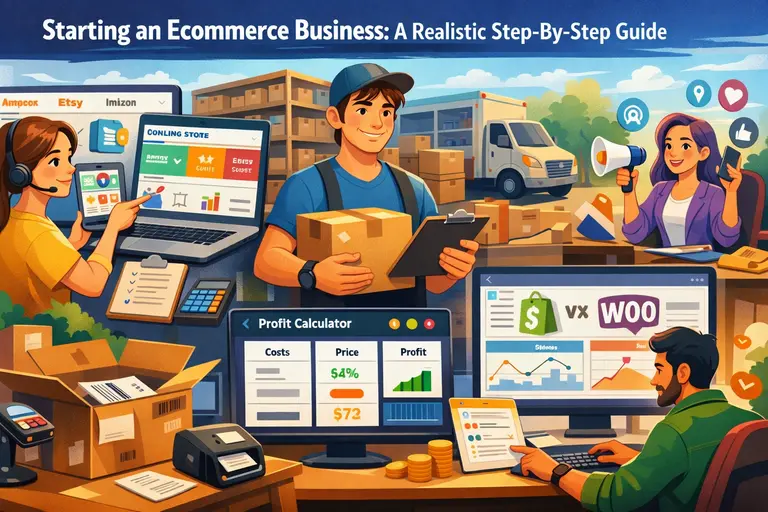 Starting an Ecommerce Business: A Realistic Step-By-Step Guide
 Helium 10 Features Overview For Beginners: Easy Setup Path