
Table of Contents
Some links on The Justifiable are affiliate links, meaning we may earn a small commission at no extra cost to you. Read full disclaimer.
Starting with how to start an ecommerce website with no experience can feel overwhelming at first, especially when every guide makes it sound more technical than it really is.
The good news is you do not need to be a developer, designer, or marketing expert to launch a store that looks trustworthy and makes sales. You just need a clear path.
In this guide, I’ll walk you through the full process from choosing what to sell and picking a platform to setting up payments, attracting traffic, and getting your first customers.
Understand What Makes A Beginner Ecommerce Website Work
Before you choose a theme or upload a product photo, it helps to understand what actually makes a new online store succeed.
A beginner store does not win because it has the fanciest design. It wins because it is easy to understand, easy to trust, and easy to buy from.
Know What Your Store Really Needs On Day One
A lot of beginners think they need dozens of products, a custom logo, advanced apps, and a perfect brand voice before launching. In my experience, that is one of the fastest ways to get stuck. A first ecommerce site only needs a few essentials working together.
Your store needs a clear product offer, a simple way to browse products, a product page that answers obvious questions, a checkout that feels safe, and a basic traffic plan. That is the real foundation. Everything else is a later upgrade.
Think of it this way. If someone lands on your site for the first time, they are asking a silent set of questions. What are you selling? Is this for me? Can I trust you? How much is it? When will it arrive? If your site answers those quickly, you are already ahead of many new stores.
I suggest keeping your first version lean. One niche, one audience, one clear product angle. For many of us, simplicity is not a compromise. It is an advantage. A smaller site is easier to launch, easier to improve, and much easier to market.
- Core goal: Make the first purchase feel obvious and low-friction.
- Minimum pages: Home, Shop, Product, About, Contact, FAQ, Shipping/Returns, Privacy Policy.
- Mindset: Launch a useful store first, then polish what real visitors actually notice.
Choose A Business Model You Can Actually Manage
When people search for how to start an ecommerce website with no experience, they are often really asking a deeper question: what kind of store should I even build? That matters, because your business model changes everything from setup to pricing to fulfillment.
If you want the simplest path, you usually have three beginner-friendly options. The first is holding your own inventory, where you buy products upfront and ship them yourself. This gives you better margins and control, but it requires money, storage, and organization.
The second is print-on-demand, where a supplier prints and ships your designs after a customer orders. The third is dropshipping, where a supplier ships products directly to the customer for you.
I believe beginners do best when they choose a model based on their real strengths, not social media hype. If you are creative, print-on-demand can be easier to test. If you know a local niche well, stocking inventory may make more sense.
If you want to validate demand before buying products, dropshipping may be a useful starting point, but it demands careful supplier vetting and strong product positioning.
The mistake is choosing a model because it sounds “easy.” None of them are truly passive. They just shift where the work happens.
- Inventory model: Best when you want more control and stronger branding.
- Print-on-demand: Best when you can create designs or brand-focused products.
- Dropshipping: Best for testing demand, but quality control is harder.
Pick A Niche And Products People Will Actually Buy
This is the stage where many new stores either build momentum or waste months. Your niche is not just a category. It is the intersection of demand, buyer motivation, and your ability to present a product clearly.
Start With A Specific Problem, Not A Random Product
A common beginner mistake is choosing products based on what looks trendy. The better move is to start with a problem people are already trying to solve. Products sell more easily when they fit into a real situation.
Imagine you want to sell kitchen products. That is too broad. Now narrow it down to “small-space kitchen organization for apartment renters.” Suddenly, your store has direction. Your products, images, copy, and social content all become easier to create because you know who you are helping.
When I evaluate a niche, I look for three signs. First, the buyer has a clear reason to purchase. Second, the product can be explained quickly. Third, the niche has room for repeat content, bundles, or upsells. If all three are there, the store has a much better shot.
You also want a niche that is not painfully saturated with giant brands dominating every search result. That does not mean avoiding competition entirely. It means avoiding markets where buyers have no reason to trust a new store over a massive retailer.
- Better niche angle: “Eco-friendly lunch gear for working parents.”
- Weaker niche angle: “General home products.”
- Quick test: Can you describe the customer and the use case in one sentence?
Validate Demand Before You Build The Site
You do not need perfect market research, but you do need enough evidence that people care. This step saves beginners from building a store around products that nobody wants badly enough to buy.
Start by checking how people talk about the product category. Look at search suggestions, product reviews, Reddit discussions, Quora questions, and comment sections on social platforms. You are not just looking for interest. You are looking for language. The words people use around frustrations, goals, and objections will later become your product copy.
Then study existing sellers. You do not need to copy them. You need to understand what they emphasize. Are they leading with convenience, style, price, durability, or giftability? What kind of images are they using? What questions keep showing up in reviews?
I also recommend testing basic economics early. If your product costs too much to source, ship, or advertise profitably, that problem will not magically disappear after launch. Even a rough margin estimate can save you from a weak business model.
A simple validation process is enough at this stage.
- Check demand signals: Search behavior, reviews, comments, and competitor activity.
- Check offer clarity: Can a buyer understand the benefit in five seconds?
- Check profit room: Product cost, shipping cost, packaging, payment fees, and possible ad spend.
Choose The Right Ecommerce Platform For Your Skill Level
This is where many beginners freeze. They worry about choosing the “best” platform forever. In reality, your first platform should match your current skill level and help you launch without drama.
Compare Beginner-Friendly Store Platforms
You do not need the most customizable platform. You need the platform that lets you publish, edit, and sell without feeling intimidated every time you log in. For most beginners, the best fit comes down to ease of use, budget, and flexibility.
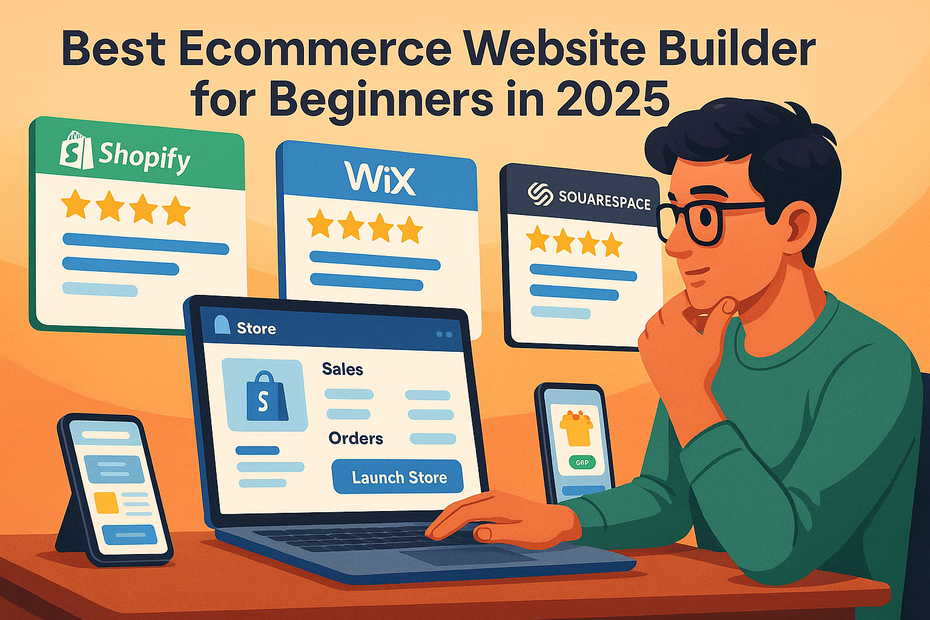
Shopify is often the easiest all-around option for true beginners because it handles hosting, security, checkout, and most technical maintenance for you. Wix is friendly if design simplicity matters most and your catalog is small.
Squarespace can work well if presentation and clean visuals are a big part of your brand. WooCommerce is powerful, but it is usually better for people who are comfortable managing a WordPress.org site or who want more control.
Here is a practical comparison:
| Platform | Best For | Learning Curve | Main Advantage | Main Tradeoff |
|---|---|---|---|---|
| Shopify | Most beginners who want to launch fast | Low | All-in-one setup and strong ecommerce features | Monthly app costs can add up |
| Wix | Small catalogs and simple stores | Low | Easy editor and beginner-friendly design tools | Less flexible for scaling |
| Squarespace | Visual brands and curated product lines | Low to Medium | Clean design experience | Ecommerce depth is lighter |
| WooCommerce | Flexible stores with custom needs | Medium to High | High control and ecosystem freedom | More setup and maintenance |
I usually suggest choosing based on what will help you publish within a week, not what might be perfect two years from now.
Make The Platform Decision Based On Your Actual Situation
Let me break this down in a very practical way. If you are starting from zero and want the lowest mental load, Shopify is usually the most straightforward path. If you already know you prefer WordPress.org or want more control over plugins and site structure, WooCommerce makes sense. If you are building a smaller branded store with a strong visual angle, Squarespace or Wix can be enough.
The wrong way to choose is by chasing what some creator says is “best.” The right way is to choose the setup you will actually finish. A platform you understand is usually more profitable than one with extra features you never use.
Also think about your product count, content plans, and marketing style. If you want to publish a lot of blog content over time, a WordPress-based setup may feel more natural. If you mainly want a clean storefront with simple product pages and marketing integrations, an all-in-one platform may save you hours.
The best beginner platform is usually the one that reduces friction at launch. Your first goal is not mastering ecommerce infrastructure. It is getting a working store online and learning from real visitors.
Build The Store Foundation The Right Way
Once your platform is chosen, you can start building. This part feels exciting, but it is also where beginners often waste time on visuals while skipping trust and usability.
Set Up Your Domain, Theme, And Core Pages
Your domain should be simple, brandable, and easy to spell. Avoid names that are too long, too generic, or too similar to existing brands. If a friend hears it once and cannot type it later, it is probably too complicated.
After that, choose a clean theme and resist the urge to overdesign. A good beginner theme is not flashy. It is clear. It uses readable fonts, generous spacing, and simple navigation. The product should stand out more than the design itself.
Then create the essential pages. These pages matter because they reduce doubt. A basic About page tells people who is behind the store. A Contact page proves there is a real business. A Shipping and Returns page helps buyers feel safer. An FAQ page saves customer support time and increases confidence before checkout.
I recommend writing these pages in plain language. You do not need to sound corporate. You need to sound reliable. If your policies are hard to understand, shoppers may assume ordering will be hard too.
- Domain rule: Easy to say, easy to type, easy to remember.
- Theme rule: Simple beats clever.
- Trust pages: About, Contact, FAQ, Shipping, Returns, Privacy Policy, Terms.
Create A Site Structure That Helps People Buy Faster
A confusing site structure quietly kills conversions. Many visitors will not tell you they are lost. They will just leave. That is why navigation matters so much, especially when you are still learning how to start an ecommerce website with no experience.
Your main menu should make shopping feel obvious. Keep top navigation tight. Home, Shop, Best Sellers, About, and Contact are enough for many beginner stores. If your catalog grows, use categories that mirror how real buyers think, not how suppliers organize inventory.
Collection pages should guide decision-making. For example, instead of dumping 40 items on one page, you might organize by use case, problem, or buyer type. “Travel-Friendly,” “Best For Gifts,” or “Small Space Solutions” often works better than vague internal labels.
Search and filters also matter once your catalog expands. Even a small improvement here can reduce friction. A visitor who knows what they want should be able to find it in seconds.
I believe a beginner should think of navigation as silent sales copy. It tells the visitor what matters, what is popular, and where to go next. When the structure is clear, the store feels more trustworthy before a single product description is read.
Create Product Pages That Turn Curiosity Into Orders
Your product page is where interest becomes action. If the page is weak, traffic will not save you. Good product pages answer objections before the buyer has to ask.
Write Product Descriptions That Sell Without Sounding Pushy
A beginner description often sounds like a list of features copied from a supplier sheet. That rarely works. Buyers do not just want specs. They want to know how the product fits into their life.
Start with the core benefit in plain English. Then explain what makes the product useful, who it is for, and what problem it solves. After that, include key details like materials, dimensions, care instructions, or compatibility where relevant. This order matters because emotion usually grabs attention before details close the loop.
Imagine you are selling a portable blender. “USB rechargeable, six blades, 400ml capacity” is not wrong, but it is not compelling on its own. “Blend a quick smoothie at work, in the car, or after a workout without needing a full kitchen setup” is much easier to picture. Then you can support that with specs.
I recommend using product descriptions to reduce hesitation, not decorate the page. Answer obvious questions. Be honest about what the product does and does not do. Avoid overpromising. Clear copy converts better than hype because it feels safer.
- Lead with outcome: What does this help the buyer do?
- Then explain proof: Features, materials, capacity, fit, or use case.
- Then remove friction: Shipping, returns, warranty, care, and common questions.
Use Images, Reviews, And Trust Signals Strategically
Visuals do much of the selling online because shoppers cannot touch the product. That means your images need to do more than look pretty. They need to reduce uncertainty.
Your first image should show the product clearly. After that, include angle shots, close-ups, scale references, and lifestyle images that show the product in use. If possible, show the packaging too. New stores often overlook that, but packaging helps the business feel real.
Reviews matter for the same reason. They translate your claims into customer language. Even a handful of authentic reviews can help. If you are brand new and do not have customer reviews yet, use other trust builders instead, such as transparent policies, secure payment icons, delivery timelines, and clear contact information.
This is also where little details add up. Display shipping expectations before checkout. Mention return terms clearly. If a product has limitations, state them. Counterintuitively, honest limitations can increase trust because the page feels less like a sales script.
A good product page helps the buyer think, “Okay, I get it, I trust it, and I know what happens next.” That is the feeling you want.
Set Up Payments, Shipping, And Operations Without Chaos
This is the less glamorous side of ecommerce, but it matters. If your backend is messy, customer problems show up fast.
Configure Payments And Checkout For Trust And Simplicity
Your checkout should feel easy and safe. For most beginners, this means using familiar payment options and removing anything that creates hesitation. Stripe and PayPal are common starting points because buyers already recognize them, which lowers trust friction.
Keep checkout fields minimal. Only ask for what you actually need. Long forms can feel annoying or suspicious. Also make sure shipping costs are visible early enough that buyers do not feel surprised at the last second.
Test your checkout yourself from a phone and a laptop. Add a product to cart, go through the process, and notice where it feels awkward. Many new store owners skip this and assume the default setup is fine. It often is not. Sometimes a small wording change, better payment visibility, or clearer shipping estimate can make a noticeable difference.
I also suggest setting up automated order emails and abandoned cart messages early. These are easy wins because they recover attention from people who were already close to buying. You do not need a huge automation system on day one. You just need the basics working reliably.
Plan Shipping, Returns, And Support Before You Launch
Shipping problems can destroy trust faster than almost anything else. That is why you need realistic shipping rules from the beginning. Decide where you ship, how long it takes, what it costs, and how you will handle lost or damaged orders.
If you are shipping products yourself, organize supplies before launch. That includes packaging, labels, a return address process, and a simple tracking routine. If you need shipping software later, ShipStation can help once order volume grows, but at the start, the bigger priority is having a clear workflow rather than too many tools.
Returns deserve just as much thought. A confusing return policy creates anxiety before the sale, not just after it. Keep it readable. State the return window, item condition requirements, and refund timeline in plain language.
Support should also feel human. Even if you are a one-person store, respond like a reliable business. A simple contact form and a monitored inbox are enough to start. You do not need a big help desk before you have customers. You just need consistency and reasonable response times.
Get Your First Traffic Without Burning Money
Once the store is live, the next question is obvious: how do you get visitors who might actually buy? This is where many beginners either overpay for ads too early or post random content with no strategy.
Use Free And Low-Cost Traffic Channels First
At the start, I usually recommend building momentum with channels that teach you what buyers respond to before you scale paid traffic. This helps you learn messaging, objections, and product angles without relying entirely on ad spend.
Search-friendly product pages and blog content can bring compounding traffic over time. Social content can help you test hooks and product presentation faster. Instagram, Pinterest, and YouTube can all work depending on the type of product and how visual or demonstrable it is.
For example, a giftable home product might perform well on Pinterest with styled images and seasonal content. A problem-solving product might do better on short demo videos. A niche education-based store may benefit from blog tutorials and product-led guides.
The key is consistency around one angle. Do not try to dominate every platform at once. Pick one primary channel and one supporting channel. Then create content that connects the product to a real use case, question, or outcome.
- SEO content: Good for long-term traffic and intent-based visitors.
- Short-form social: Good for testing hooks and product appeal quickly.
- Email capture: Good for recovering visitors who are not ready to buy today.
Build An Email List Early Even If Traffic Is Small
Email often gets ignored by beginners because it does not feel urgent at first. I think that is a mistake. If your store gets 100 visitors and 97 leave, email gives you a second chance with some of them.
You do not need a complex setup to begin. A welcome email, a cart reminder, and a post-purchase follow-up cover the basics. Mailchimp and Klaviyo are common options when you are ready to set this up, but the strategy matters more than the tool.
Offer something small but relevant for joining the list. That could be a first-order discount, a buying guide, a product care checklist, or early access to new releases. The best lead magnet fits the buyer’s reason for visiting in the first place.
Then use email to continue the conversation. Welcome subscribers, explain the value of your best products, answer common objections, and remind them why your store is worth remembering. For many stores, email becomes one of the highest-return channels because it turns one-time attention into repeat opportunities.
Optimize For Conversions Before You Scale
More traffic is not always the answer. Sometimes the smarter move is improving what happens after people arrive.
A store converting at 2% with 1,000 visitors often beats a store converting at 0.4% with 5,000 visitors.
Fix The Most Common Beginner Conversion Mistakes
Most first-time stores lose sales for very fixable reasons. The product is unclear. Shipping is confusing. The design looks unfinished. The page feels generic. Or the store asks the buyer to do too much thinking.
Start by reviewing the customer journey page by page. Can someone understand the product quickly? Are photos strong enough? Is the return policy visible? Does the Add to Cart button stand out? Does the site feel trustworthy on mobile? These questions matter more than trendy growth hacks.
I also recommend removing anything that creates noise. Popups that appear too fast, too many colors, weak category names, cluttered banners, and long walls of text all hurt conversion. A clean store often feels more premium even when the products are affordable.
One practical exercise is to watch someone else use the site. Ask a friend to shop without helping them. Notice where they pause or get confused. Those moments are gold. They reveal the friction you have become blind to.
Use Data To Improve The Store Step By Step
You do not need advanced analytics to start improving performance. What you need is a habit of checking what people do and making one useful change at a time.
Google Search Console is useful for understanding what search terms are bringing impressions and clicks. Hotjar can help you see how users move through pages with heatmaps and session recordings. Keyword tools like Semrush or Ahrefs can support SEO planning once content becomes part of your growth strategy.
Here is the important part though: tools do not improve stores on their own. You do. The real skill is interpreting patterns. If many people view a product page but few add to cart, the issue is usually the offer, page clarity, or trust. If add-to-cart is healthy but checkout completion is poor, the problem may be shipping shock, payment friction, or mobile usability.
Treat optimization like a repeating cycle. Observe, decide, improve, test again. This is where ecommerce becomes less emotional and more manageable.
Scale What Is Working Instead Of Starting Over
Once you get sales, the temptation is to rebuild everything. I advise the opposite. Keep the parts that are working and scale with intention.
Expand Products And Marketing Based On Real Demand
Your first sales are incredibly valuable because they reveal what the market is already willing to buy from you. Use that data. Which products get viewed most? Which ones convert best? Which bundles make sense? Which traffic source brings the best buyers?
Instead of adding random new products, deepen the niche. Add complementary items, accessories, refills, or premium versions. If one product resonates with a specific audience, build around that signal rather than drifting into unrelated categories.
The same goes for marketing. If Pinterest sends engaged visitors, create more pin-friendly assets. If email drives repeat sales, strengthen your post-purchase flow. If educational content helps buyers trust the product, publish more of it. Growth is easier when you amplify what the store has already proven.
A simple creative workflow also helps. Use Canva for quick graphics when needed, but keep your brand presentation consistent. Repeating a recognizable visual style can make a small store feel much more established over time.
Create Systems So The Store Becomes Easier To Run
A store feels hard when everything depends on memory. It feels easier when routine tasks become repeatable systems. This is one of the most important mindset shifts for beginners.
Document how you upload products, respond to customers, process returns, and create marketing assets. Save templates for product pages, emails, FAQs, and support replies. Organize files and naming conventions early. These tiny systems reduce mental fatigue more than people expect.
You can also automate selectively. Order confirmations, shipping notifications, review requests, and cart reminders are good early candidates. But I would not rush into complex automation before you understand your sales process. Otherwise, you may automate confusion.
In most cases, scaling is not about doing everything. It is about doing the right things more consistently. That is a calmer way to grow, and from what I have seen, it also leads to better customer experiences.
Common Mistakes That Slow Down New Ecommerce Stores
Every beginner makes mistakes. The goal is not to avoid all of them. The goal is to avoid the expensive ones and recover quickly from the small ones.
Avoid These Early Decisions That Cause Bigger Problems Later
One of the biggest mistakes is choosing products without clear demand. Another is launching with a store that looks unfinished or untrustworthy. A third is expecting traffic before creating a real marketing plan. These are common, and they are fixable.
I also see beginners underprice products because they fear looking expensive. The problem is that underpricing can trap you in weak margins and constant stress. Price should reflect value, positioning, and operating reality, not just fear.
Another common issue is copying competitors too closely. Inspiration is normal, but a store should still have its own angle. Otherwise, there is no reason for a buyer to remember you. Distinct positioning matters even when your catalog is small.
- Mistake 1: Launching before trust pages and policies are clear.
- Mistake 2: Using supplier copy and generic product images.
- Mistake 3: Adding too many apps, plugins, or design elements too early.
- Mistake 4: Ignoring mobile usability.
- Mistake 5: Quitting before enough traffic and feedback have been collected.
Know What “Slow Progress” Really Looks Like In Ecommerce
This part matters because beginners often misread normal early-stage results as failure. A new store may need time to find its messaging, improve product pages, and earn trust. That does not mean it is broken.
For many of us, the first stage is messy. You adjust photos, rewrite descriptions, test offers, improve navigation, and learn which traffic sources make sense. That is not wasted time. That is the real work of building a store.
I believe one of the healthiest expectations is this: your first version is a learning machine, not a final masterpiece. The store teaches you what buyers notice, what they ignore, and what they need in order to feel comfortable purchasing. That feedback is incredibly valuable.
If you stay patient and analytical, progress becomes easier to see. More clicks from search, more email signups, better add-to-cart rates, more confident support messages, and stronger repeat purchases are all signs the business is moving in the right direction.
Your First Ecommerce Sales Come From Clarity, Not Complexity
If you came here wondering how to start an ecommerce website with no experience, I hope you can now see that the process is much more manageable when broken into stages.
You do not need to know everything before you begin. You need a niche with real demand, a beginner-friendly platform, a trustworthy store setup, product pages that answer buyer questions, and a simple plan to bring in traffic.
My honest advice is to stop chasing the perfect launch and focus on the clearest possible one. Build a store that is easy to understand, easy to trust, and easy to buy from. Then improve it using real customer behavior. That is how beginners turn a first store into a real ecommerce business that gets sales.

I’m Juxhin, the voice behind The Justifiable.
I’ve spent 6+ years building blogs, managing affiliate campaigns, and testing the messy world of online business. Here, I cut the fluff and share the strategies that actually move the needle — so you can build income that’s sustainable, not speculative.
Related posts:
 Best Ecommerce Website Builder for Beginners in 2025
 How to Start Dropshipping for Free and Still Make a Profit
 GoDaddy Ecommerce: What Makes It Easy for Beginners?
 How to Start Dropshipping Using Appscenic
 How To Start With Spocket Step By Step: No Experience Needed
 Ecommerce Website Design Tips That Boost Conversions Fast