
Table of Contents
Some links on The Justifiable are affiliate links, meaning we may earn a small commission at no extra cost to you. Read full disclaimer.
Ecommerce CRM integration with Shopify sounds technical, but the real goal is simple: you want your customer data to stop living in five different places and start working together.
If your store, email platform, support inbox, and sales process all tell a slightly different story, you end up making slower decisions and sending weaker campaigns.
I’ve seen this happen a lot. The fix is not “connect more apps.” The fix is building a clean, intentional data flow so Shopify and your CRM stay aligned from first visit to repeat purchase.
Why Ecommerce CRM Integration With Shopify Matters
Most stores do not struggle because they lack data. They struggle because their data is fragmented, delayed, or poorly mapped.
When your CRM and Shopify are connected the right way, you stop guessing. You can see who bought, what they bought, how often they buy, how support issues affect repeat sales, and which campaigns actually move revenue.
What A Shopify CRM Integration Actually Does
A proper integration moves customer and order data between your store and your CRM so teams can act on one shared customer record. In plain English, that means your store activity becomes visible where your marketing, sales, service, or retention work already happens.
For many Shopify stores, the first obvious win is customer visibility. Instead of seeing only email engagement in a CRM, you also see purchase history, average order value, last order date, abandoned checkout behavior, product interest, refund patterns, and sometimes even support signals. That changes how you segment, follow up, and prioritize customers.
This also helps operationally. Let’s say you run a mid-sized skincare store. A customer buys a starter bundle, opens three onboarding emails, contacts support about sensitivity, and then returns 45 days later to buy the full-size version. Without integration, those events sit in separate tools. With integration, they become one customer journey.
I recommend thinking of the integration as a decision system, not a sync for the sake of syncing. The purpose is not just to “send Shopify data into a CRM.” The purpose is to make smarter retention, service, and lifecycle marketing decisions without manual exports.
I believe the biggest mistake store owners make is treating integration as a technical task. It is really a revenue and customer experience decision first.
The Business Problems It Solves
You usually feel the pain of bad integration before you can name it. Campaigns go out to the wrong people. VIP buyers get generic emails. Support teams cannot see customer value. Sales teams chase cold leads while repeat customers go ignored.
Here are the problems a solid setup typically solves:
- Duplicate contacts across systems.
- Missing order context inside the CRM.
- Weak segmentation for lifecycle campaigns.
- Delayed follow-up after purchases or abandoned checkouts.
- Inaccurate attribution for retention efforts.
- Manual spreadsheet work for reporting or enrichment.
- Poor coordination between marketing, sales, and support.
Imagine you sell office furniture on Shopify and also close larger B2B orders manually. If a procurement lead places two sample orders online and then requests a bulk quote, your CRM should not treat them like a brand-new lead. It should show that buying history immediately. That single improvement can change how fast your team responds and what offer they make.
This is why I suggest defining the job of the integration early. Are you trying to improve lifecycle marketing, account management, support, B2B sales visibility, or LTV tracking? The answer shapes everything that comes next.
How The Data Flow Should Work
Before you connect anything, you need a data model in your head. Otherwise, you end up with a sync that technically works but creates messy records, useless fields, and reporting headaches.
Think of Shopify as the source of commerce events and your CRM as the place where customer history becomes usable for action.
Which Data Should Sync Between Shopify And Your CRM
Not every field deserves to sync. This is where many projects go sideways. Teams push every available field into the CRM, then wonder why the contact record becomes cluttered and unreliable.
In my experience, the core fields usually matter most:
| Data Category | What Usually Belongs In The CRM | Why It Matters |
|---|---|---|
| Customer identity | Email, phone, first name, last name, company | Needed for matching and communication |
| Purchase activity | Order count, total revenue, last order date, AOV | Powers segmentation and lifecycle logic |
| Order details | Order ID, product names, SKU, order status | Gives context for support and retention |
| Marketing signals | Source, campaign tags, consent status | Improves attribution and compliance |
| Service signals | Ticket count, issue type, CSAT notes | Helps identify churn risk |
| Loyalty indicators | VIP tier, subscription status, repeat purchase flag | Supports retention and upsell |
What should stay out unless you have a clear use case? Random internal notes, one-off app fields, raw event noise, and every historical field someone thinks might be useful later. That kind of data bloat makes CRM adoption worse, not better.
A practical rule is this: if a field will not drive segmentation, reporting, personalization, or service context, do not sync it yet. You can always expand later.
The Difference Between Contacts, Orders, And Events
A lot of confusion comes from mixing these three things together. Your contact is the person. Your order is the transaction. Your events are the behaviors around that person and transaction.
That sounds obvious, but integration problems often come from mapping behavior into the wrong object. For example, if you shove every purchase into a contact note, reporting becomes weak. If you create separate contacts for every checkout, your CRM becomes a mess. If you treat abandoned carts as orders, your revenue view gets distorted.
Here is a cleaner way to think about it:
- Contacts answer: Who is this person?
- Orders answer: What did they buy and when?
- Events answer: What did they do before or after buying?
This matters because different CRMs handle these layers differently. Some are great at contact-based lifecycle automation. Others are better at sales pipelines, account management, or service workflows. So when you choose your setup, you are also choosing how the data will be structured.
I suggest sketching a simple relationship map before implementation. One customer can place many orders. One order can include many products. One customer can trigger many events. Once your team agrees on that logic, field mapping becomes much easier.
Real-Time Vs Scheduled Sync
This decision is more important than people expect. Not every store needs real-time sync, but some absolutely do.
If your main goal is weekly reporting or broad segmentation, a scheduled sync every 15 minutes, hourly, or even daily might be enough. But if you rely on fast post-purchase flows, support prioritization, lead routing, or B2B follow-up, delays can hurt.
Here is the practical tradeoff:
| Sync Type | Best For | Main Advantage | Main Risk |
|---|---|---|---|
| Real-time | Abandoned checkout, support, sales alerts, lifecycle automation | Fast action | More complexity and retry handling |
| Near real-time | Growing stores with moderate automation | Good balance | Some event lag |
| Scheduled batch | Reporting and simple CRM enrichment | Easier to manage | Data can feel stale |
Let’s say a customer abandons a $600 cart and then replies to a support email asking about delivery times. If your CRM sync is delayed by six hours, your team may answer without seeing the cart value or urgency. That is a missed opportunity.
I usually recommend real-time or near real-time for customer, order, and checkout signals that trigger actions. Batch sync is perfectly fine for less urgent historical enrichment and analytics.
How To Choose The Right CRM Setup For Shopify
This is where strategy matters more than hype. The “best CRM for Shopify” depends on what your business actually needs to do with the data after it arrives.
A store focused on email retention needs a very different setup from a store running wholesale, sales-assisted commerce, or complex support handoffs.
Native Integration Vs Middleware Vs Custom Build
There are three common ways to connect Shopify to a CRM. None is automatically best. Each comes with a very different maintenance burden.
A native integration is the simplest path. If you use a CRM like Zoho CRM and it already supports Shopify syncing well enough for your use case, this is often the fastest way to launch. Native setups are great when your store needs standard customer and order sync, basic filters, and straightforward automation.
Middleware sits in the middle and moves data between systems with more control. This is useful when you need custom mappings, multi-app workflows, or extra transformation logic. It gives you flexibility, but it also introduces another layer to monitor.
A custom build is the most powerful and the easiest to underestimate. This route uses Shopify APIs, webhooks, field mapping rules, and your own logic to send data where it needs to go. It can be excellent for high-volume, multi-store, or highly customized setups, but it requires technical ownership.
| Approach | Best For | Strength | Limitation |
|---|---|---|---|
| Native integration | Standard lifecycle marketing or CRM visibility | Fast setup | Limited customization |
| Middleware | Multi-tool workflows and custom mapping | Flexible | Extra layer to manage |
| Custom build | Complex workflows and unique business rules | Full control | Higher cost and maintenance |
If you are a typical small or mid-sized store, I suggest starting native unless you already know you need custom object logic, multi-store deduplication, or heavy event orchestration.
Matching CRM Type To Your Business Model
Not all CRMs solve the same problem, even when they all use the word CRM.
If your main goal is lifecycle marketing, segmentation, and email-driven retention, a CRM with strong marketing automation usually fits best. If your business has a real sales motion, especially B2B, wholesale, or quote-based follow-up, you need a CRM built around pipelines, accounts, and rep workflows. If service is central, support visibility matters just as much as contact history.
A few common matches look like this:
- HubSpot fits stores that want marketing, CRM, and service data in one accessible system.
- Salesforce can make sense for enterprise teams with complex account structures and deeper data requirements.
- Pipedrive often fits simpler sales-focused workflows.
- ActiveCampaign is often chosen when automation and contact-driven journeys matter more than heavy sales structure.
- Freshsales can work well for teams that want a more sales-led CRM without enterprise overhead.
I believe many ecommerce businesses overbuy here. They choose a huge CRM because it sounds “scalable,” then use 12% of it and fight the rest. The better question is not “Which CRM is most powerful?” It is “Which CRM makes it easiest for our team to act on commerce data every week?”
When Shopify Should Be The Source Of Truth
This is one of the most important architecture decisions in the whole project. In most ecommerce setups, Shopify should remain the source of truth for transactional commerce data.
That means order status, product data, checkout data, and purchase history should originate in Shopify. Your CRM can mirror, enrich, and activate that data, but it usually should not overwrite core store transactions.
Why? Because once both systems start trying to own the same transaction fields, conflicts begin. One status updates, the other lags. Refunds appear in one system but not the other. A support agent sees a different story than finance. That is where trust in the data breaks down.
The CRM can absolutely own relationship-level fields such as lifecycle stage, lead owner, retention segment, or sales qualification. Shopify can own the commerce layer. That division keeps your setup cleaner.
I recommend documenting ownership field by field. Write down which platform creates the value, which platform may update it, and which platform merely reads it. It feels boring while you are doing it, but it prevents a lot of future chaos.
Step-By-Step Setup For Ecommerce CRM Integration With Shopify
This is the part most people want to rush through. I get it. But the quality of your setup work determines whether the integration saves time or creates a permanent cleanup project.
A good launch is less about clicking “connect” and more about making intentional choices before data starts flowing.
Step 1: Define Your Customer Journey And Use Cases
Start with the business outcomes, not the app marketplace. Ask what actions should happen once Shopify data reaches the CRM.
For example, do you want to trigger a reactivation sequence when someone has not purchased in 90 days? Do you want support agents to see lifetime value before prioritizing tickets? Do you want a B2B rep notified when a company account places a second sample order? Those are different use cases, and they require different fields, sync timing, and automation logic.
I suggest listing your top five workflows before anything else. Keep them specific:
- New customer welcome flow after first purchase.
- VIP flag after three purchases or a spend threshold.
- Win-back segment after 60 or 90 days without an order.
- Support priority rule for high-value customers.
- Sales alert when a wholesale lead checks out online.
Once you have those, your integration becomes much easier to design. You know which fields matter, what timing matters, and what “success” actually looks like.
Without this step, people tend to sync everything and then go looking for a reason later. That almost always leads to clutter and disappointment.
Step 2: Clean Your Customer Data Before Connecting
This step is not glamorous, but it pays off fast. If your existing customer records are messy, the integration will make the mess bigger.
Typical issues include duplicate emails, inconsistent phone formats, old tags, missing consent values, conflicting lifecycle stages, and free-text notes used as pseudo-data fields. When those records start syncing both ways, they can create a loop of bad data.
Before connecting, audit the basics. Look at how customers are identified. In most Shopify integrations, email is the primary match key. That means bad email hygiene creates matching problems immediately. Review naming conventions too. “VIP,” “vip,” and “high value” should not all mean the same thing in different places.
This is also a good time to decide whether tags, custom properties, or structured fields should hold important logic. I generally prefer structured fields over loose tags when the value will affect reporting or automation.
Imagine you run a pet supply store and half your repeat buyers have a “subscriber” tag in one tool, a “member” tag in another, and a blank field in Shopify. Your future campaigns will be inconsistent unless you standardize that now.
Step 3: Map Fields And Decide Sync Direction
Now you are ready for field mapping. This is where you define what goes where, how it matches, and which side can update which value.
Start with essential fields only. Map identity fields, order summary data, key dates, source information, consent fields, and a few meaningful behavioral markers. Resist the urge to build your full “dream schema” on day one.
Then define sync direction carefully:
- One-way sync works well when Shopify sends data into the CRM for activation and reporting.
- Two-way sync works when both systems truly need to update certain fields.
- Selective two-way sync is often the healthiest option because it limits conflicts.
For example, Shopify might own last order date and total spent, while the CRM owns lifecycle stage and account owner. That is a clean split. Problems start when both systems can overwrite the same status or segment logic without guardrails.
I recommend keeping a simple spreadsheet with four columns: field name, definition, source of truth, and sync direction. That one document can save hours of troubleshooting later.
Step 4: Test With A Small Dataset First
This step separates careful implementations from expensive cleanup jobs.
Do not connect your full store, import all history, and hope for the best. Start with a small group of records. Use test customers, recent orders, a few edge cases, and a sample of refunded or partially fulfilled orders.
What are you checking? Matching logic, duplicate creation, field formatting, event timing, and automation behavior. You also want to confirm whether historical orders behave differently from new orders, because many platforms handle them differently.
A simple test set might include:
- One first-time customer.
- One repeat customer.
- One abandoned checkout.
- One refunded order.
- One high-value customer with support activity.
Then follow those records end to end. Did they create the right contact? Did orders attach correctly? Did lifecycle rules trigger? Did suppression logic prevent the wrong email from firing? This is where hidden problems show up.
In my experience, the best implementations spend more time validating edge cases than admiring the successful happy path.
Tools And Platforms That Commonly Fit This Workflow
Tools matter, but only after your architecture is clear. The platform should support the workflow you want, not define it.
That said, some tools do fit common Shopify CRM scenarios better than others.
CRM Platforms Worth Considering
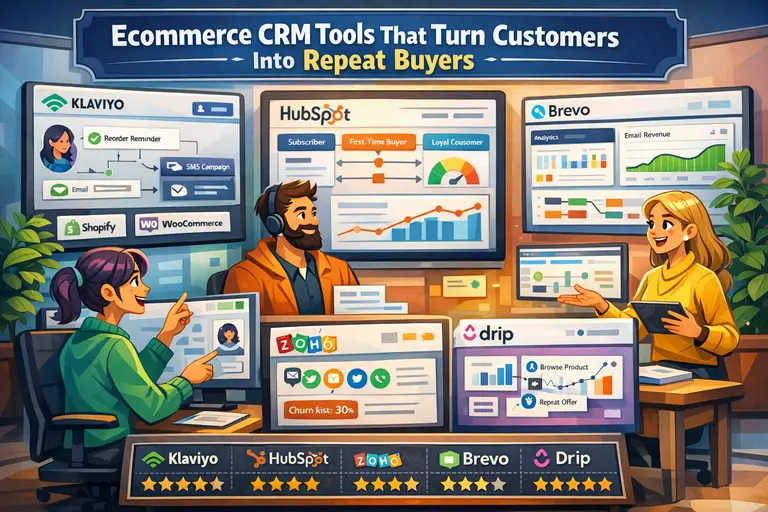
If your main need is a broad customer record that supports marketing, service, and simple sales visibility, HubSpot is often a practical fit. It is usually easier for growing ecommerce teams to adopt than a heavier enterprise stack.
If you are dealing with complex account structures, bigger teams, deeper customization, or enterprise data needs, Salesforce can be powerful. It also tends to require stronger internal ops or implementation support.
For businesses that want simpler pipeline management tied to ecommerce signals, Pipedrive or Freshsales may be enough. If your priority leans heavily toward contact-based automation, ActiveCampaign can be a strong option.
| Platform | Best Fit | Strength | Watch Out For |
|---|---|---|---|
| HubSpot | Growth-stage ecommerce | Usable all-in-one environment | Can get expensive as needs expand |
| Salesforce | Enterprise or complex B2B ecommerce | Deep customization | Heavier setup and admin burden |
| Zoho CRM | Cost-conscious teams needing CRM structure | Broad feature set | Interface and configuration can take patience |
| Pipedrive | Sales-led ecommerce workflows | Simple pipeline management | Less native depth for marketing-heavy use cases |
| ActiveCampaign | Lifecycle automation focus | Strong automation logic | Less ideal for complex sales operations |
I would not choose based on feature count alone. Choose based on how your team will actually use the data every day.
Marketing And Support Platforms That Often Connect To The CRM Layer
Your CRM integration rarely exists alone. It usually sits in a broader ecosystem that includes retention, support, subscriptions, and reviews.
For retention and ecommerce messaging, Klaviyo, Omnisend, and Mailchimp often appear in the same stack. For support, Gorgias and Zendesk are common. Subscription brands may also rely on Recharge, while review and loyalty ecosystems may involve Yotpo.
The key point is this: your CRM should not become a dumping ground for every app field. It should become the usable layer that combines the most valuable customer context from your stack.
A healthy flow might look like this: Shopify holds transactional commerce data, your CRM organizes customer relationship logic, your email platform activates segments, and your support platform exposes service history. Each tool has a role.
The mistake I see often is trying to make one system act like all systems. That is how teams end up with bloated records and weak adoption.
Where Shopify Native Features Help
Not every integration improvement requires another app. Some of the most useful cleanup and enrichment work can happen inside Shopify itself.
For example, Shopify Flow can help automate rule-based tasks and handoffs. Shopify Analytics can help you validate whether the segments you create in your CRM actually align with store performance. Shopify customer tags can be helpful for lightweight logic, though I would not rely on tags alone for critical reporting. Metafields are useful when you need structured custom data attached to customers, orders, or products.
This is where I suggest restraint. Native Shopify features are helpful when they support the architecture. They are not a replacement for defining clean field ownership and sync rules.
A simple example: using Flow to tag high-risk orders or high-value customers can be useful, but only if your CRM knows what that tag means and how to act on it. Automation without agreed definitions just creates faster confusion.
Common Mistakes That Break Shopify CRM Integrations
Most integrations do not fail because the connector is broken. They fail because the logic around the connector was weak.
That is good news, because logic is fixable.
Syncing Too Much Data Too Early
This is probably the most common mistake. Teams connect Shopify to a CRM and immediately sync every historical customer, every order, dozens of custom fields, and a pile of tags nobody fully understands.
The result is predictable: duplicates increase, records become noisy, automation triggers on old data, and users stop trusting what they see. Then the team says the integration is bad, when really the rollout was too aggressive.
A better approach is staged expansion. Start with the minimum viable dataset that supports your key workflows. Validate it. Then expand deliberately.
I recommend this order:
- Customer identity and consent.
- Recent order history and spend summaries.
- Lifecycle segments and service context.
- Historical enrichment and nonessential fields.
That sequence keeps your CRM usable while the integration matures. It also makes troubleshooting easier because you can isolate what changed.
In my experience, every extra field should earn its place. If no one can explain how a field will be used in reporting, segmentation, personalization, or service, leave it out for now.
Using Tags As A Substitute For Data Structure
Tags are tempting because they are easy. They are also one of the easiest ways to create long-term chaos.
A tag like “vip” can be useful. But when your business depends on it, you need clear rules. What makes someone VIP? Total spend? Order count? Subscription status? A manual decision? If the answer changes by team or tool, the tag stops being reliable.
Structured properties are usually better for important logic. Instead of only using tags, use fields like customer tier, last order date, subscription status, support risk score, or B2B account stage. Those are easier to audit and report on.
Tags still have a role. They work well for lightweight flags, temporary workflows, or compatibility with specific platform actions. I just would not build your most important CRM logic on them alone.
Imagine a fashion brand that uses “wholesale” as a Shopify tag, a CRM lifecycle stage, and an internal spreadsheet note. Everyone thinks they are talking about the same segment, but they are not. That is how outreach gets messy fast.
Ignoring Error Handling And Reconciliation
This part sounds technical, but it matters to non-technical teams too. Data syncs fail sometimes. Webhooks retry. Records arrive out of order. APIs time out. Historical imports behave differently from live events.
If your process assumes every sync will work perfectly, you are setting yourself up for silent data drift.
A mature integration includes basic reconciliation. That means checking whether the number of customers, orders, and key updates in Shopify matches what reached the CRM. It also means reviewing failed sync logs, retry behavior, and duplicate rules on a regular basis.
Even a simple weekly audit helps. Compare a sample of recent Shopify orders against CRM records. Check whether high-value purchases triggered the expected actions. Verify that refund events or cancellations update correctly.
I believe this is where many “good enough” setups quietly lose money. Not in the initial launch, but in the months after, when small sync failures go unnoticed and segmentation slowly gets less trustworthy.
Optimization Strategies After The Integration Is Live
Going live is not the finish line. It is the point where the real value starts to show up.
Once the system is stable, you can use it to drive better segmentation, better service, and better revenue decisions.
Build Segments Based On Commerce Reality
Now that Shopify data lives in your CRM, stop building segments only around opens and clicks. Use real commerce signals.
The most useful segments usually combine purchase behavior, time, and service context. For example:
- First-time customers who have not repurchased within 30 days.
- Repeat buyers with declining order frequency.
- High spenders with recent support friction.
- Subscribers with failed payment or churn risk indicators.
- B2B buyers who started with retail-sized orders.
These segments are more meaningful than generic “engaged contact” buckets because they connect behavior to business value. They also let you send messages that actually feel timely.
Let’s say you sell premium coffee gear. A customer buys a grinder, never buys beans, and opens two brew-guide emails. That customer should probably not get the same next-step campaign as someone who bought beans three times in 45 days. Integration is what makes that difference visible.
I suggest building no more than five high-value segments first. Get those working well before creating twenty more.
Use Automation Carefully, Not Aggressively
Once the data is flowing, it is tempting to automate everything. I understand the appeal. But more automation does not automatically mean better customer experience.
The best automations are specific, relevant, and tied to real triggers. A post-purchase onboarding flow makes sense. A service recovery alert for high-value customers makes sense. A rep follow-up for a repeat B2B signal makes sense.
What does not make sense is layering automation until every small event creates another email, task, or internal notification. That leads to fatigue for both customers and teams.
A smart rule is to automate where speed clearly improves the outcome. If an action does not benefit from immediacy, it might not need to be automated at all.
I suggest treating automation like seasoning, not the whole meal. A little precision goes much further than a lot of noise.
Measure The Right Outcomes
If you want to know whether your integration is working, do not stop at “the sync completed.” Measure business outcomes.
A useful scorecard might include:
| Metric | Why It Matters |
|---|---|
| Duplicate contact rate | Tells you whether identity matching is healthy |
| Sync success rate | Shows reliability of the pipeline |
| Time-to-action after key events | Measures whether teams can respond quickly |
| Repeat purchase rate by segment | Shows retention impact |
| Revenue from CRM-triggered campaigns | Connects data quality to business results |
| Support handling by customer value tier | Improves service prioritization |
I recommend reviewing those monthly, not just after launch. That is how you catch drift early and keep the integration tied to real performance.
Advanced Tactics For Scaling The Setup
Once your base integration is stable, you can do more sophisticated work. This is where ecommerce CRM integration with Shopify starts becoming a competitive advantage instead of just an operational fix.
Add Customer Enrichment Without Polluting The CRM
As stores grow, teams often want more context: product preferences, category affinity, discount sensitivity, subscription likelihood, or B2B qualification. That can be useful, but only if you add it cleanly.
The trick is to enrich selectively. Instead of dumping raw behavioral data into the CRM, create derived fields that summarize what matters. For example, “favorite category,” “days since last order,” “discount-driven buyer,” or “subscription candidate” is more usable than dozens of disconnected event fragments.
This is where a structured enrichment layer helps. You can calculate a value outside the CRM and sync only the final output. That keeps the CRM readable while still making advanced segmentation possible.
I have seen stores improve campaign relevance simply by adding three well-defined derived fields instead of fifty noisy event fields. More data is not automatically better data.
Support Multi-Store Or B2B Complexity
Things get harder when one customer can belong to multiple storefronts, sales channels, or company accounts. This is common in wholesale, international ecommerce, or brands with both DTC and trade sales.
In those cases, a flat contact record is often not enough. You may need account-level logic, store-level source tracking, market segmentation, or separate buying roles inside one company. This is where lighter setups can start to strain.
The safest move is to model complexity intentionally. Decide whether one person should exist once globally or once per store. Decide how shared order history should appear. Decide whether currency, region, and tax profile affect segmentation or ownership.
For B2B especially, I recommend planning for both person records and company context early. Otherwise, your CRM can become overly consumer-shaped, which makes account management awkward later.
Create A Governance Routine So The System Stays Useful
This is the least exciting tactic and one of the most valuable. A healthy integration needs ownership.
Someone should review mapping changes, approve new fields, monitor duplicate trends, and document automation logic. Otherwise, every team adds “just one more field” and the structure slowly weakens.
A basic governance routine can be simple:
- Review failed syncs weekly.
- Audit duplicates monthly.
- Approve field additions centrally.
- Retire unused properties quarterly.
- Recheck source-of-truth decisions after major platform changes.
That routine keeps the integration from becoming a forgotten backend project. It becomes an operating asset instead.
Troubleshooting The Most Common Integration Problems
Even strong setups run into issues. The goal is not perfection. The goal is faster diagnosis and cleaner fixes.
If your integration starts behaving strangely, start with the basics before assuming the platform is broken.
Duplicate Contacts Keep Appearing
This usually points to weak identity matching. Email is often the main match key, but duplicates can still happen when customers use multiple emails, typo an address, or records were imported inconsistently.
Start by checking your matching rules. Then review whether both systems are allowed to create new contacts freely. In some cases, narrowing creation rules reduces duplication fast. Also review phone normalization, company naming, and manual imports done outside the integration.
If duplicates are concentrated in one workflow, such as abandoned checkout capture or wholesale lead submission, the issue may be isolated to that entry point rather than the whole system.
Orders Are Not Attaching Correctly To Customers
This often comes down to object mapping or sync timing. The customer record may arrive after the order event, historical data may be treated differently from live data, or your CRM may store order objects differently than expected.
Check whether the order object exists at all, whether the customer match happened first, and whether refunds or cancellations create separate records instead of updating existing ones. Also verify whether guest checkout behavior creates edge cases for your store.
A focused sample audit is helpful here. Pull ten recent orders from Shopify and compare them one by one inside the CRM. The pattern usually reveals itself faster than staring at settings.
Automation Fired At The Wrong Time
This is usually not an integration problem alone. It is a rules problem.
Maybe the sync is delayed, maybe a historical import triggered a live workflow, or maybe the CRM saw an update as “new” because a field changed format. These issues are common when automations are built before sync behavior is fully understood.
I suggest using suppression rules generously. Exclude imported historical records from live campaigns. Add wait conditions when timing matters. Trigger on meaningful state changes instead of any update. That keeps your workflows calmer and more trustworthy.
Final Thoughts
Ecommerce CRM integration with Shopify works best when you treat it like a customer operating system, not a one-click connector. The right setup gives you a cleaner view of each customer, better timing for follow-up, stronger segmentation, and less manual cleanup across your team.
If I were doing this from scratch, I would keep it simple at first: define the use cases, clean the data, map only the fields that matter, test with a small dataset, and expand only after the core workflows prove reliable. That approach is slower for a week and faster for the next two years.
Done right, your Shopify store stops being an isolated sales channel and starts feeding a CRM that actually helps you grow.

I’m Juxhin, the voice behind The Justifiable.
I’ve spent 6+ years building blogs, managing affiliate campaigns, and testing the messy world of online business. Here, I cut the fluff and share the strategies that actually move the needle — so you can build income that’s sustainable, not speculative.
Related posts:
 How To Set Up Ecommerce CRM: 9 Simple Steps for a Smoother Launch
 Ecommerce CRM With Best Automation Features: 10 Picks Built to Save Time
 How to Use Dsers Shopify for Seamless Dropshipping
 Connective Ecommerce Explained: Build Without Inventory
 Ecommerce CRM Tools That Turn Customers Into Repeat Buyers
 Ecommerce Automation That Saves Time Without Breaking Sales