
Table of Contents
Some links on The Justifiable are affiliate links, meaning we may earn a small commission at no extra cost to you. Read full disclaimer.
An ecommerce CRM with best automation features can do a lot more than store customer names and email addresses. It can recover abandoned carts, trigger follow-ups, score repeat buyers, route support issues, and help you stop doing the same manual work every day.
If you are trying to grow without piling more tasks onto your team, the right CRM matters more than most software decisions.
In this guide, I’ll walk you through what actually makes an ecommerce CRM worth using, how automation changes the day-to-day, and the 10 platforms I’d seriously consider in 2026.
What An Ecommerce CRM With Strong Automation Actually Does
A good ecommerce CRM is not just a contact database with a prettier dashboard. It is the system that connects customer data, buying behavior, communication history, and next-step automation so your store can respond faster without feeling robotic.
It Turns Customer Data Into Actions
Most stores already have data. The problem is that the data sits in too many places. Orders live in your store platform, conversations live in support, and email engagement lives somewhere else entirely. A strong ecommerce CRM pulls those pieces together and lets you act on them automatically.
That matters because customer value rarely comes from one campaign. It usually comes from a chain of small moments handled well. Someone visits a product page twice, adds an item to cart, leaves, clicks an email the next day, and finally buys after a reminder or incentive. Without automation, that chain breaks.
What I look for first is simple: can the CRM use browsing, purchase, support, and engagement signals to trigger something useful? Useful might mean a replenishment reminder, a VIP flag, a churn-risk segment, or a support follow-up after a delayed shipment.
When a platform does this well, you stop building campaigns for “everyone” and start building systems for the right people at the right moment.
It Saves Time In The Places That Quietly Drain Your Team
Manual work in ecommerce often hides in boring tasks. Tagging customers. Updating stages. Exporting lists. Sending reminder emails. Assigning leads. Checking which repeat buyers have gone cold. None of that feels dramatic, but it adds up fast.
This is where automation earns its keep. The best platforms handle repetitive actions in the background so your team can focus on merchandising, customer experience, and growth.
A few examples make this easier to picture:
- Step 1: A first-time buyer places an order above your average order value.
- Step 2: The CRM tags them as high-potential automatically.
- Step 3: It starts a post-purchase sequence with product education.
- Step 4: If they buy again within 21 days, they move into a loyalty segment.
- Step 5: If they do not engage, the system pauses promotional sends and shifts them into a reactivation path.
That is real time saved. More importantly, it is consistency. The system does not forget because someone got busy.
It Helps You Grow Without Adding Chaos
I believe this is the real reason ecommerce teams outgrow weak CRMs. Early on, you can survive with spreadsheets, basic email flows, and tribal knowledge. But once traffic, SKUs, channels, and customer segments expand, weak systems create friction everywhere.
You start seeing familiar symptoms. Campaigns overlap. Support has no purchase context. High-value customers get generic messages. Returning buyers get treated like first-time browsers. Your team wastes time fixing avoidable mistakes.
In my experience, the best automation does not feel flashy. It feels calm. You notice it because things stop slipping through the cracks.
That is the lens I use throughout this list. Not just which platform has the longest feature page, but which one helps an ecommerce business run with fewer manual handoffs and fewer avoidable errors.
The Automation Features That Matter Most Before You Buy
A lot of CRM pages promise “powerful automation.” That phrase is almost meaningless unless you know which automations actually change outcomes for an online store.
Behavioral Triggers Beat Static Campaigns
If your CRM cannot react to customer behavior, it is going to feel outdated quickly. You want triggers based on viewed products, cart abandonment, checkout abandonment, purchase timing, average order value, reorder windows, and engagement patterns.
Behavioral triggers matter because ecommerce buying intent changes fast. Someone who browsed yesterday is very different from someone who bought three times in 60 days. Your CRM should know that without asking you to rebuild segments from scratch every week.
A strong setup usually includes:
- Viewed product reminders
- Abandoned cart and checkout recovery
- Welcome flows by source or intent
- Post-purchase education
- Cross-sell logic based on order history
- Win-back flows for inactive customers
- VIP branching for top spenders
This is where ecommerce-specific tools often beat generic CRMs. They understand product catalogs, purchase events, and lifecycle timing much better.
Segmentation Should Update Itself
Static lists are one of the biggest productivity traps in CRM work. You create a segment, export it, run a campaign, and by the time you send it, the audience is already outdated.
The better approach is dynamic segmentation. That means your audience updates automatically as people qualify or disqualify based on rules. For example, customers who bought in the last 30 days, used a discount once, have not bought again, and opened at least one email in the last two weeks.
That sounds technical, but in practice it is what makes personalization scalable. You are not manually sorting people into buckets. The system handles it.
I suggest paying close attention to how deep the logic goes. Some platforms support simple filters. Others let you combine behavior, tags, product data, predicted value, channel engagement, and support events. That difference is huge once you get serious.
Cross-Channel Automation Is Becoming The New Baseline
Email alone is no longer enough for most stores. The strongest automation stacks combine email, SMS, on-site messaging, forms, customer service signals, and sometimes paid audience syncing.
You do not need every channel on day one. But you do need the option to coordinate them.
Imagine this scenario. A customer abandons checkout. Instead of blasting the same message everywhere, your CRM waits one hour, sends email first, checks whether the person clicked, then sends SMS only if there is no response and consent exists. If the customer buys, the rest of the flow stops. That is smarter automation.
This matters for two reasons. First, it avoids over-messaging. Second, it lets you build journeys instead of disconnected campaigns.
How To Choose The Right Ecommerce CRM For Your Store
The best platform for a seven-figure Shopify brand is not always the best one for a small team selling niche products with a lean budget. Fit matters more than hype.
Start With Your Real Bottleneck
Before comparing tools, ask what is actually slowing you down right now. Be honest here. Sometimes the answer is not “we need more features.” Sometimes it is “we need a system the team will actually use.”
Common bottlenecks usually look like this:
- Strategy problem: You cannot segment customers meaningfully.
- Workflow problem: Too much manual follow-up after key events.
- Revenue problem: Cart recovery and repeat purchase flows are weak.
- Team problem: Sales, support, and marketing work in silos.
- Reporting problem: You cannot see which automations drive revenue.
Once you know the bottleneck, platform choices get easier. A lifecycle-heavy brand may need stronger ecommerce event tracking. A founder-led store doing wholesale and DTC may need pipeline automation too. A lean operator may need simplicity more than enterprise depth.
I recommend choosing for your next 12 to 18 months, not your next 12 days.
Check Integration Depth, Not Just Integration Count
A platform saying it “integrates with Shopify” is not enough. The better question is what data actually syncs, how fast it syncs, and what you can do with that data inside automations.
This is especially important if you run on Shopify, WooCommerce, or BigCommerce. A shallow connection might sync contact basics but miss product views, order attributes, coupon usage, or refund signals. That limits automation in ways you may not notice until later.
Look for practical depth:
- Orders and line items
- Product and collection data
- Customer tags or custom fields
- Site behavior events
- Consent status for email and SMS
- Refunds, cancellations, and returns
- Support or ticket history if relevant
A platform with fewer total integrations but better ecommerce data often wins.
Price The Tool Based On Future Use, Not Entry Cost
CRM pricing can be sneaky. A platform that looks affordable at 1,000 contacts can become painful once your list grows or once you unlock the automation features you actually need.
So instead of asking, “What is the starting price?” ask:
- What happens at 10,000 contacts?
- Are key automations paywalled?
- Is SMS billed separately?
- Are extra seats required?
- Do you pay for unsubscribed or inactive contacts?
- Is onboarding mandatory on higher tiers?
I have seen teams choose the cheap option, then rebuild six months later because the real automation features sat behind a much higher plan. That is expensive twice.
10 Ecommerce CRM Picks Built To Save Time
These are not the only options in the market, but they are the ones I would shortlist first if automation is the priority.
1. Klaviyo: Best For Ecommerce Lifecycle Automation
Klaviyo is one of the strongest picks when your store needs customer data, email, SMS, and revenue-focused automation in one place. It is built around ecommerce events, which means flows feel native instead of forced.
Its biggest strength is how easily it turns store behavior into automations. Product browse reminders, abandoned cart logic, back-in-stock messages, post-purchase sequences, replenishment reminders, and win-back campaigns are all natural fits here. That makes it especially useful for fast-moving DTC brands.
Klaviyo is also strong at segmentation. You can build audiences based on product behavior, purchase history, engagement, predictive signals, and channel activity without turning your workflow into a mess.
Where it can get tricky is cost. As your list grows and your SMS program expands, pricing can climb quickly. The platform is also more powerful than some small teams actually need, which means setup discipline matters.
I would choose Klaviyo if your main goal is to automate the full customer lifecycle around purchase behavior and retention, not just send occasional campaigns.
2. Omnisend: Best For Fast Ecommerce Setup And Multichannel Basics
Omnisend is a strong choice for stores that want ecommerce-specific automation without a long implementation project. It feels practical, and I mean that as a compliment.
The automation library covers the flows most stores actually need first: welcome, cart recovery, browse abandonment, order updates, and post-purchase messages. It also combines email, SMS, and web push in a way that is easier to manage than many heavier tools.
For smaller or mid-sized ecommerce brands, Omnisend often hits a nice balance. You get the automations that move revenue without needing a full CRM admin mindset. That is especially helpful when one person is wearing three hats and cannot spend weeks building custom logic.
Another reason it stands out is usability. Teams can usually get live faster, which matters when your real problem is time-to-value.
I would put Omnisend high on the list if you want strong automation and ecommerce fit, but you do not want a platform that feels like a second job.
3. Drip: Best For Lean Teams That Still Want Serious Personalization
Drip has long been popular with ecommerce brands that want strong automation without the bulk of enterprise software. Its sweet spot is usually the store that wants real segmentation and behavior-based journeys, but still values speed and focus.
The platform is particularly good at building personalized workflows around customer actions. You can trigger messages based on what someone viewed, purchased, clicked, or ignored, then branch those journeys based on what happens next. That makes it useful for repeat purchase strategy and product-led follow-up.
I also like that Drip tends to keep the ecommerce use case front and center. It does not try to be everything for every department. For some businesses, that focus is exactly the point.
The tradeoff is breadth. If you need an all-in-one CRM covering deep sales pipelines, service operations, and wide internal collaboration, Drip is not trying to be that system. It is much more focused on revenue automation and customer messaging.
For a growing store that cares about lifecycle marketing and wants less clutter, Drip is still a smart pick.
4. ActiveCampaign: Best For Advanced Workflow Logic
ActiveCampaign is one of the strongest options when your automation needs go beyond standard ecommerce flows. If you love branching logic, layered conditions, scoring, and detailed workflow control, this platform gives you room to build.
This is the tool I think of when a team says, “We need more logic than our current email platform can handle.” It supports sophisticated automations that can react to behavior, timing, tags, CRM actions, and other conditions with more flexibility than many entry-level tools.
That power comes with a learning curve. ActiveCampaign is capable, but it is not always the easiest system for a busy team that wants plug-and-play ecommerce execution. You will likely get more value if someone on the team enjoys building and refining automation architecture.
It can work especially well for hybrid businesses that blend ecommerce, lead capture, and longer nurture cycles. Think subscription brands, high-consideration products, or brands mixing direct sales with store sales.
If your store has outgrown template-driven automation and needs more custom branching, ActiveCampaign deserves a close look.
5. HubSpot: Best For Brands Unifying Marketing, Sales, And Service
HubSpot becomes attractive when your ecommerce business is not just “send campaigns and recover carts.” It is a broader customer operations platform, which makes it appealing for businesses that need marketing automation, CRM structure, lead management, and customer service in one environment.
For ecommerce brands doing wholesale, partnerships, high-ticket products, or post-purchase support at scale, that unified setup can be valuable. Marketing sees engagement. Sales sees pipelines. Service sees customer context. That reduces the silos that create clumsy customer experiences.
Automation in HubSpot is powerful, especially once you move beyond entry-level tiers. You can route leads, create task logic, score contacts, build nurture journeys, and use CRM data across teams. That said, pure-play ecommerce brands may find it heavier and more expensive than they need for basic retention workflows.
So I would not choose HubSpot just because it is famous. I would choose it when the business genuinely needs one system across functions.
If your ecommerce operation is becoming more complex operationally, HubSpot can make a lot of sense.
6. Mailchimp: Best For Simplicity And Familiarity
Mailchimp still earns a spot because a lot of ecommerce teams value simplicity and speed over maximum sophistication. It is widely known, integrates with major commerce tools, and handles core automation well enough for many smaller stores.
Its appeal is straightforward. You can get campaigns, basic customer journeys, signup forms, product-based messaging, and standard automations running without a long ramp-up. For teams that need to move quickly, that matters.
Mailchimp has also continued pushing more data-driven ecommerce functionality, which helps it stay relevant beyond beginner use. But I would be honest about its limits. Once your segmentation gets more advanced or your automation strategy becomes more behavior-heavy, you may start feeling those limits.
That does not make it a bad choice. It makes it a better fit for stores that need a dependable, easier-to-manage system rather than a deeply customizable automation engine.
For small ecommerce teams, especially those prioritizing ease of use, Mailchimp remains a practical option.
7. Zoho CRM: Best For Budget-Conscious Teams Needing Workflow Automation
Zoho CRM is one of those platforms that can quietly be a very smart buy if your team needs workflow automation, lead handling, and affordability more than ecommerce-native flash.
Its workflow engine is useful for assigning leads, updating records, triggering reminders, creating tasks, and standardizing process steps. If your business combines online sales with sales-assisted follow-up or distributor relationships, Zoho can be especially handy.
What I would not do is choose Zoho expecting it to feel as ecommerce-native as a retention-first platform like Klaviyo or Omnisend. It is better understood as a flexible CRM that can support ecommerce operations, not a purpose-built ecommerce lifecycle machine.
Still, for many growing businesses, especially those that need general CRM structure and automation on a reasonable budget, it punches above its price.
If your pain point is process discipline and operational automation more than advanced retention messaging, Zoho CRM is worth serious consideration.
8. Freshsales: Best For Teams That Want CRM Plus AI-Assisted Productivity
Freshsales is appealing when you want a CRM that blends sales structure, communication tools, and automation without getting overly enterprise. It sits in a nice middle ground.
One thing I like here is that it can support both contact management and action management well. That sounds small, but it matters. A CRM is useful only when it helps people do the next thing faster. Freshsales handles deal workflows, communication, and AI-assisted productivity in a way many teams find approachable.
For ecommerce brands with outbound partnerships, B2B accounts, or high-touch repeat customers, that can be very useful. It is also one of the better options when a store has both sales motion and customer relationship complexity.
Like Zoho, it is not the most ecommerce-native retention tool on this list. But it does help teams automate follow-up, prioritize activity, and reduce admin.
Freshsales is a strong pick if your store’s “CRM problem” is more operational than campaign-driven.
9. Pipedrive: Best For Sales-Led Ecommerce Or Wholesale Workflows
Pipedrive is usually associated with sales pipelines, and that is exactly why it belongs on this list. Not every ecommerce business is purely DTC. Many also handle wholesale accounts, retailers, custom orders, or inbound partnership opportunities.
In those cases, Pipedrive can save a surprising amount of time. Its automation helps move deals across stages, assign follow-ups, trigger activity reminders, and keep pipeline work from slipping through the cracks.
I would not pick it as the center of a retention-first email and SMS strategy. That is not its best lane. But I would absolutely consider it if your ecommerce business has a meaningful sales process attached to it.
For example, imagine a brand that sells direct online but also manages boutique stockists. Pipedrive can automate the sales side of that relationship far better than a campaign-first platform.
It is a focused tool, and that focus is useful when your growth depends on structured human follow-up as much as automated customer messaging.
10. Salesforce: Best For Large-Scale Custom Automation
Salesforce is the heavyweight option here. It is not the tool I would recommend lightly, but for larger ecommerce organizations with complex data, multiple teams, and custom workflow needs, it remains a serious contender.
Its biggest advantage is flexibility at scale. If you need highly customized processes across sales, service, marketing, and reporting, Salesforce can support that better than most platforms. It is especially relevant for enterprise commerce, multi-brand operations, or businesses with advanced internal systems.
The flip side is obvious. Cost, implementation effort, training, and administration can be substantial. This is not a casual plug-in-and-go choice.
In other words, Salesforce makes sense when complexity is already real and costly, not when complexity is hypothetical. If your business truly needs custom automation architecture and cross-team process control, it can be powerful. If not, it will probably feel like overkill.
For enterprise ecommerce, though, it is still one of the strongest long-term automation environments available.
Quick Comparison Table
This table gives you the fast version before we get into setup advice.
| Platform | Best For | Automation Strength | Ease Of Use | Starting Price Position |
|---|---|---|---|---|
| Klaviyo | Retention-focused ecommerce brands | Very high | Medium | Mid to high |
| Omnisend | Fast ecommerce rollout | High | High | Budget to mid |
| Drip | Lean teams needing personalization | High | Medium | Mid |
| ActiveCampaign | Custom workflow logic | Very high | Medium to low | Mid |
| HubSpot | Unified marketing, sales, service | High | Medium | Mid to high |
| Mailchimp | Simplicity and familiarity | Medium | High | Entry to mid |
| Zoho CRM | Budget workflow automation | Medium | Medium | Budget |
| Freshsales | CRM plus AI-assisted follow-up | Medium to high | Medium | Budget to mid |
| Pipedrive | Sales-led ecommerce workflows | Medium | High | Mid |
| Salesforce | Enterprise custom automation | Very high | Low | High |
The Setup Flow I Recommend After You Choose A Platform
The software matters, but your first automations matter even more. Many teams buy a capable CRM and then use about 20% of it.
Build Your Core Revenue Flows First
Do not start with fancy edge cases. Start with the automations that usually return value fastest.
I suggest this order:
- Welcome flow: Introduce the brand, set expectations, and move new subscribers toward a first purchase.
- Abandoned cart flow: Recover revenue that already showed buying intent.
- Post-purchase flow: Reduce buyer’s remorse, answer common questions, and drive second orders.
- Win-back flow: Re-engage past buyers before they disappear for good.
- VIP or repeat-buyer flow: Protect your best customers from generic messaging.
This matters because early wins create internal trust. Once the team sees revenue and time savings, it becomes easier to invest in deeper automation later.
Also, keep each flow tied to one job. That makes troubleshooting much easier.
Clean Your Data Before You Scale
I know this is the boring advice nobody loves, but messy data ruins automation. Duplicate contacts, broken tags, missing consent status, inconsistent product naming, and bad event mapping all create poor experiences.
Before scaling automations, check:
- Are customers syncing correctly from the store?
- Are orders and products mapped cleanly?
- Are segments updating as expected?
- Are unsubscribed users excluded properly?
- Are SMS rules compliant and consent-aware?
- Are support or return events being handled correctly?
A CRM can only automate what it understands. Garbage in, garbage out still applies.
Measure Time Saved, Not Just Revenue Generated
Revenue attribution matters, but time savings matter too. The best automation does both.
Track questions like these:
- How many manual tasks disappeared?
- How much faster are leads or inquiries being routed?
- How many campaigns no longer need list exports?
- How many support handoffs are now triggered automatically?
- How many repeat journeys now run without intervention?
I think this is where teams undervalue CRM improvements. A workflow that saves five hours a week and reduces avoidable mistakes is already doing meaningful work, even before you count direct revenue lift.
Common Mistakes People Make When Picking An Ecommerce CRM
Most CRM frustration starts before setup. It starts with buying the wrong shape of tool.
Mistake 1: Buying For The Demo Instead Of The Daily Workflow
Demos are designed to look polished. Your daily workflow is not polished. It is repetitive, messy, interrupted, and full of edge cases.
So do not pick a platform because one dashboard looked impressive. Pick the one that matches how your team actually works on a normal Tuesday.
If your team needs speed and clarity, a flexible but complex system may become shelfware. If your team needs deep logic, a simple tool may feel limiting in three months.
Mistake 2: Confusing Marketing Automation With Full CRM Operations
Some platforms are exceptional at lifecycle messaging but weaker at pipelines, service, or internal sales coordination. Others are the opposite.
Neither is wrong. The mistake is assuming they all solve the same problem.
Be specific about what “CRM” means for your business. For some stores, it means retention. For others, it means account management, support visibility, wholesale sales, and follow-up discipline.
Mistake 3: Overbuilding Before You Have Signal
You do not need 27 automations in month one. You need a few flows that are clearly tied to customer behavior and revenue.
Overbuilding creates maintenance headaches. Underbuilding leaves money on the table. The sweet spot is to launch essential journeys first, learn from them, then expand with evidence.
Which Pick Is Best For You
If you want the short verdict, here is how I would frame it.
Choose Klaviyo if retention automation is the center of your growth strategy and you want deep ecommerce segmentation.
Choose Omnisend if you want fast time-to-value and practical multichannel automations without heavy setup.
Choose Drip if you want lean, focused ecommerce personalization and less platform bloat.
Choose ActiveCampaign if custom workflow logic matters more than simplicity.
Choose HubSpot if your ecommerce business needs one system across marketing, sales, and service.
Choose Mailchimp if ease of use and familiarity matter most.
Choose Zoho CRM or Freshsales if operational workflow automation is the bigger problem than retention depth.
Choose Pipedrive if wholesale, partnerships, or sales-led processes are a real part of your ecommerce model.
Choose Salesforce only when enterprise complexity is already here, not when you are guessing it might arrive someday.
Final Verdict
The best ecommerce CRM with best automation features is the one that removes repetitive work while making customer journeys feel more relevant, not more automated.
For most pure ecommerce brands, I think the strongest shortlist starts with Klaviyo, Omnisend, Drip, and ActiveCampaign. Those tools tend to align most closely with the real work of customer lifecycle automation.
For broader operational needs, HubSpot, Zoho CRM, Freshsales, Pipedrive, and Salesforce each make more sense in the right context.
If you are stuck between two options, I would keep the decision simple: pick the platform that matches your real workflow, your next stage of growth, and the level of automation your team can actually maintain. The right CRM should save time almost immediately. If it creates more admin than it removes, it is the wrong fit.

I’m Juxhin, the voice behind The Justifiable.
I’ve spent 6+ years building blogs, managing affiliate campaigns, and testing the messy world of online business. Here, I cut the fluff and share the strategies that actually move the needle — so you can build income that’s sustainable, not speculative.
Related posts:
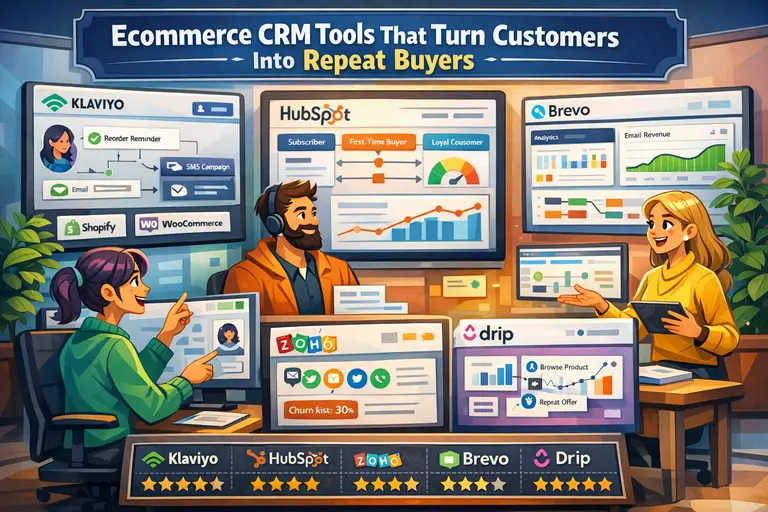 Ecommerce CRM Tools That Turn Customers Into Repeat Buyers
 How to Use Dsers Shopify for Seamless Dropshipping
 Shopify DSers Review: Is It Really Worth Your Time?
 Connective Ecommerce Explained: Build Without Inventory
 Ecommerce Automation That Saves Time Without Breaking Sales
 AppScenic Dropshipping Review: Hidden Truths