
Table of Contents
Some links on The Justifiable are affiliate links, meaning we may earn a small commission at no extra cost to you. Read full disclaimer.
Aweber pros and cons for marketers can look pretty different depending on whether you care most about simplicity, automation depth, support, or long-term cost.
If you are trying to decide whether AWeber is the right email platform for your business, this guide will help you make that call without the usual fluff.
I’ll walk you through where AWeber genuinely helps, where it still feels limited, and how to judge it based on your list size, workflow, and growth goals rather than hype.
What AWeber Is Best Known For
AWeber has been around long enough that many marketers first knew it as a classic email newsletter platform.
Today, it positions itself as a broader small-business marketing system with email marketing, automations, landing pages, sign-up forms, web push notifications, an AI writing assistant, link-in-bio pages, ecommerce features, and API access.
Its current plans also emphasize 24/7 support, migration help, and different tiers with usage caps that matter more than many people realize.
Why Marketers Still Consider AWeber
For a lot of marketers, AWeber stays on the shortlist because it feels approachable. It is not trying to be the most complex customer data platform on the market. It is trying to help a business collect subscribers, send campaigns, automate follow-up, and track engagement without a huge technical learning curve.
That matters more than some people admit. In real life, many email tools do not fail because they lack features. They fail because the team never fully adopts them.
AWeber’s value is often in reducing friction. If you are a solo creator, consultant, local business, or lean ecommerce brand, getting campaigns out the door consistently can beat having a giant enterprise feature set you barely use.
I also think AWeber appeals to marketers who want support they can actually reach. The platform highlights 24/7 customer support and free migration assistance, which can remove a lot of switching pain for smaller teams that do not have an in-house email ops specialist.
Who Usually Gets The Most Value From It
AWeber tends to fit marketers in a few specific situations.
- Best Fit: Solo creators and small businesses that want newsletters, forms, landing pages, and basic automation in one place.
- Best Fit: Businesses moving from a simpler or outdated email setup and wanting migration help.
- Best Fit: Teams that value support access and usability over extreme customization.
- Less Ideal Fit: Marketers running complex lifecycle automation, deep CRM orchestration, or multi-brand segmentation at scale.
Imagine you run a niche online shop with 2,500 subscribers and one weekly campaign, a welcome flow, a post-purchase follow-up, and a coupon sequence for inactive subscribers. AWeber can cover that comfortably.
Now imagine you are managing a SaaS funnel with product-qualified leads, lead scoring, sales handoff logic, account-based segmentation, and dozens of branching paths. That is where you may start feeling the ceiling.
The Biggest Pros Of AWeber For Marketers
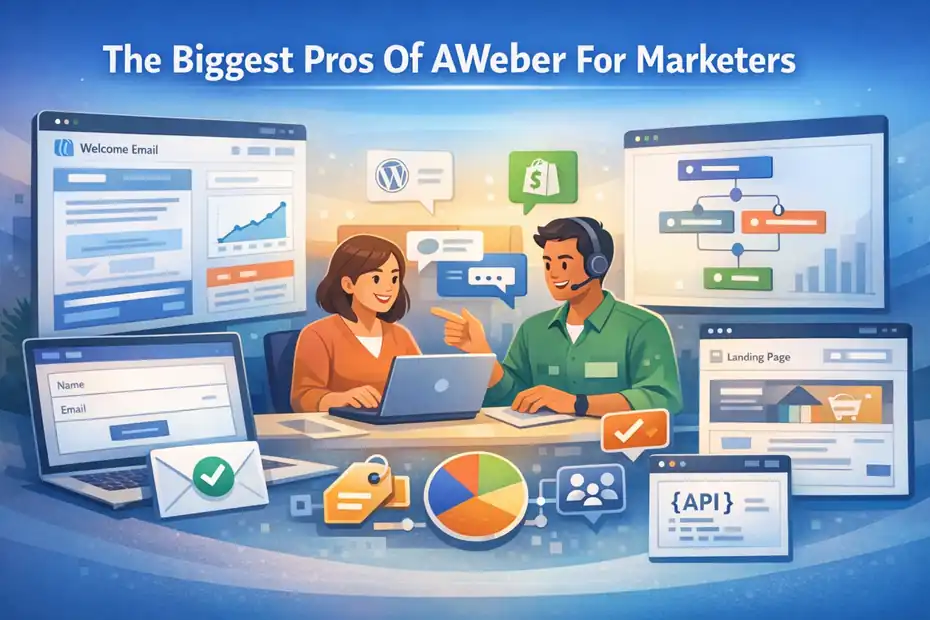
The main strengths of AWeber are not mysterious.
They are the things marketers repeatedly care about when they need reliability, less setup stress, and fast execution.
Easy Setup And Beginner-Friendly Workflow
One of AWeber’s most consistent strengths is ease of use. Recent G2 review summaries and individual reviews repeatedly describe it as beginner-friendly, easy to set up, and straightforward for running email campaigns and automation.
That matters because the first 30 days with an email platform are where a lot of decisions go wrong. If the setup feels confusing, marketers delay domain configuration, import messy lists, fail to tag subscribers properly, and never finish automations. AWeber lowers that barrier enough that many small teams can get moving quickly.
In practice, that means you can usually do the essentials without needing a consultant:
- Step 1: Create a list and basic signup path.
- Step 2: Import subscribers or migrate from another provider.
- Step 3: Build a welcome series and one or two broadcast templates.
- Step 4: Set up a few tags and segments for targeting.
- Step 5: Track opens, clicks, and subscriber actions.
I recommend not underestimating this advantage. A “simpler” platform often wins because it helps you publish consistently. A fancy platform that sits half-configured in your stack is not more advanced. It is just more expensive.
Strong Support And Migration Help
Support is one area where AWeber still stands out for the right buyer. The company advertises 24/7 customer support, knowledge base resources, tutorials, and a free account migration service.
Its migration page says its team commits to moving account contents within 5 business days or less, and the service is presented as free.
For experienced marketers, support can sound boring. It is not. It becomes very exciting the moment something breaks before a launch.
Here is where this matters:
- Example: You are moving 18,000 subscribers from another ESP and do not want to rebuild forms, templates, and sequences manually.
- Example: You need help understanding why a segment is not updating correctly.
- Example: A signup form is not connecting properly to your list before a webinar registration push.
In my experience, accessible support is one of the biggest hidden cost savers in email marketing. Saving three hours of troubleshooting before a campaign matters more than some shiny feature you use twice a year.
Useful Core Feature Mix For Small Businesses
AWeber’s current product positioning goes beyond newsletters. On its site, it highlights email marketing, automation, landing pages, ecommerce, web push notifications, sign-up forms, AI writing assistance, and link-in-bio pages.
Plus plans also emphasize unlimited landing pages, automations, segments, users, and email lists, while Lite places limits on those areas.
That mix is useful for marketers who want a “good enough in one place” setup.
You can use AWeber to handle common growth tasks like:
- collecting leads from a landing page
- sending a lead magnet delivery email
- tagging people based on signup behavior
- creating follow-up broadcasts
- segmenting audiences for future campaigns
- adding ecommerce or creator-style monetization paths
This is one of the platform’s better selling points. You do not necessarily need six separate tools to launch a simple email funnel. For many of us, that is appealing because every extra tool adds cost, integration risk, and admin work.
Segmentation And Tagging Are Practical, Not Overcomplicated
AWeber’s documentation makes clear that tags and segments are central to subscriber management. Tags let you group subscribers by keywords or phrases, while segments are saved search criteria that update dynamically as subscribers meet the conditions.
AWeber also notes that tags and segments are typically better than creating extra lists when your goal is targeting groups within the same audience.
This is a real strength if you use it well.
A beginner mistake is creating too many lists too early. That usually causes duplicate contacts, reporting confusion, and clumsy campaign logic. AWeber nudging users toward tags and segments is actually smart operational advice.
A practical setup could look like this:
- Tag: downloaded-checklist
- Tag: purchased-course
- Tag: clicked-pricing
- Segment: active-readers-last-30-days
- Segment: leads-no-purchase
- Segment: customers-high-interest-offer
That is enough structure for a lot of solid email marketing. You do not need enterprise-level data architecture to send more relevant campaigns.
Integrations And API Access Help It Fit Existing Stacks
AWeber offers a large integrations library, including examples tied to Shopify, WordPress-related plugins, landing page tools, and membership ecosystems. It also provides API documentation with OAuth 2.0 authentication and endpoints for subscribers, broadcasts, statistics, landing pages, segments, and more.
For marketers, this matters in two ways.
First, it means AWeber does not have to live in isolation. If your lead capture, site, or store already runs elsewhere, there is a decent chance you can connect what you need without rebuilding everything from scratch.
Second, API access matters once your business matures. Even if you are not a developer, it is reassuring to know the platform can support custom workflows later. That gives you more flexibility than a locked-down beginner tool with no serious extensibility.
I would not call AWeber the most developer-centric platform in the category, but it is not a dead-end either.
The Biggest Cons Of AWeber For Marketers
This is the part people often soften too much. AWeber has real limitations, and some of them become noticeable fast if your business is growing or your automation needs are getting more sophisticated.
Pricing Can Feel High For What You Get
This is probably the biggest sticking point for many marketers. AWeber’s pricing pages show that Lite starts around $15 per month monthly for 500 subscribers and 5,000 sends, while another official pricing page highlights annual Lite pricing at $12.49 per month and Plus at $19.99 per month billed annually.
The documentation page also shows Plus starting at $30 monthly for 500 subscribers, with send caps and tier jumps as list size increases. Recent G2 reviewer feedback also specifically mentions that pricing can feel high versus newer alternatives with more advanced features.
That may sound minor, but pricing psychology matters in email marketing because costs scale with growth. A tool that feels affordable at 500 subscribers can feel much less attractive at 10,000 or 25,000 if your revenue per subscriber is still maturing.
Here is the practical issue: AWeber is strongest in simplicity, support, and core functionality. If you start paying premium-ish rates, some marketers begin asking tougher questions about whether they are getting enough sophistication for the spend.
I suggest looking at pricing through one lens: not “Can I afford this now?” but “Will I still feel good about this bill at 5x my current list size?”
Lite Plan Limits Can Push You Up Faster Than Expected
AWeber’s Lite plan includes caps on lists, landing pages, automations, users, and segments, while Plus expands those to unlimited in several categories. Lite also keeps AWeber branding in place and excludes some advanced landing page and sales tracking features shown on the pricing page.
This is the kind of thing that can catch marketers off guard.
On paper, a lower tier seems fine. In reality, you start building and quickly hit one of these walls:
- you want more than one list
- you need more than three automations
- you want multiple landing pages for campaigns
- you need more flexible segmentation
- you want to remove platform branding
Suddenly the “starter” price is not your real operating price anymore.
I am not saying that makes the plan bad. It just means you need to forecast your next 6 to 12 months honestly. AWeber can be a good fit for controlled setups, but it is less forgiving if your campaign volume and audience structure are evolving fast.
Automation Depth May Feel Limited For Advanced Teams
AWeber absolutely supports automation, but sophisticated marketers may find it less compelling than platforms built around deeper behavioral orchestration.
The platform promotes unlimited automations on higher plans, and official docs show automation-related capabilities around subscribers, tags, broadcasts, purchases, and segments.
Still, much of AWeber’s market reputation is built on ease rather than cutting-edge automation complexity. Recent reviews praise automation as easy, but not necessarily unusually advanced.
Here is the difference that matters.
A basic automation platform helps you send the right emails in a useful sequence. An advanced one helps you model customer behavior with fine-grained logic across channels and lifecycle stages.
If your workflow sounds like this, AWeber is probably enough:
- subscriber joins list
- tag is applied
- welcome sequence starts
- click behavior changes follow-up
If your workflow sounds like this, you may outgrow it:
- subscriber behavior updates lead score
- score changes sales routing
- product activity triggers dynamic nurture path
- account tier affects channel priority
- CRM stage influences content and timing
- multi-touch attribution feeds retargeting logic
AWeber is not useless here. It is just not the first platform I would choose for advanced lifecycle engineering.
Some UX And Formatting Complaints Still Show Up In Reviews
Even positive AWeber reviews on G2 include mild friction points. Users mention that it can take a little time to navigate at first, that some layouts feel box-heavy, that image and video formatting options could be better, and that occasional glitches or slow issue resolution can happen.
That tells me something important: AWeber is generally usable, but not universally delightful.
This matters because small friction compounds over time. If your team builds emails weekly, even a few annoyances in the editor or layout controls can create drag. It is not always a dealbreaker, but it should shape expectations.
I usually tell marketers not to ask, “Is the interface good?” Ask, “Will this interface still feel efficient after I build 100 campaigns?” That is the question that exposes whether a tool is merely acceptable or actually sustainable.
How AWeber Compares To What Most Marketers Actually Need
This is where the real decision happens. Not in a feature list, but in matching the tool to the job.
Best For Simplicity, Not Maximum Power
If your main goal is to get email marketing running without turning setup into a side project, AWeber makes sense. The product stack is broad enough to support lead capture, newsletters, simple funnels, segmentation, and growth basics in one account.
That is useful when speed matters more than sophistication.
A lot of marketers overbuy software. They choose based on aspirational complexity instead of current operational reality. Then they end up paying for deep automation they never configure properly.
I believe AWeber works best when you want:
- one core list-building and email engine
- manageable segmentation
- helpful support
- less technical setup pressure
- room to connect common tools
It works less well when your competitive edge depends on complex personalization logic. If that is your world, “easy to use” can start to feel like “hard to scale.”
A Good Choice For Support-Led Buyers
Some marketers choose software mostly on features. Others choose based on how painful the software will be when something goes wrong. AWeber’s 24/7 support and migration help make it especially attractive to support-led buyers.
That includes:
- coaches and creators who do not want technical stress
- small businesses with no dedicated email specialist
- teams migrating from older systems
- marketers managing campaigns with lean internal resources
This is one of those “soft” benefits that ends up being very hard and measurable. Faster setup, fewer delays, less dependency on outside contractors, and fewer abandoned projects all affect ROI.
A More Mixed Value For Cost-Conscious Growth Marketers
If you are extremely cost-sensitive, AWeber gets harder to recommend without qualification. The plan limits and scaling costs mean you need to be sure you are actually using what you pay for.
Official pricing shows distinct caps by subscriber and send volume, while reviewer feedback points to concern about cost compared with newer tools.
A simple rule I use is this:
- Choose AWeber when simplicity and support save you enough time to justify the price.
- Be cautious when your list is growing fast but your automation needs are still basic.
- Reevaluate when you start paying for tiers that feel expensive relative to your actual campaign complexity.
That is not anti-AWeber. It is just practical.
Step-By-Step: How To Decide If AWeber Is Right For You
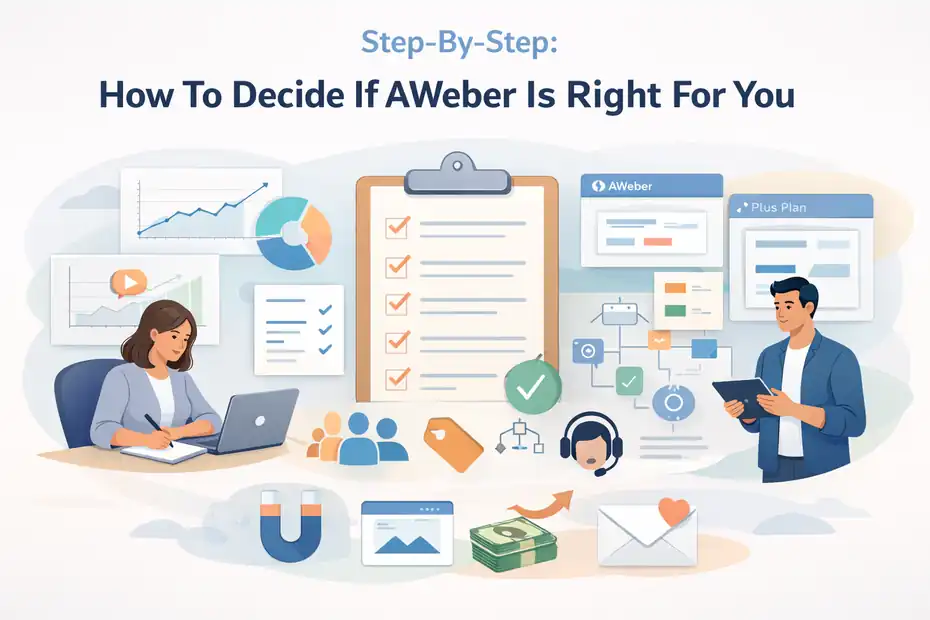
If you are still unsure, here is the framework I would use to make the decision cleanly.
Step 1: Audit Your Current Email Marketing Reality
Before comparing tools, list out what you actually do every month.
- Question 1: How many subscribers do you have now?
- Question 2: How fast is your list growing?
- Question 3: How many campaigns and automations do you actively run?
- Question 4: Do you need one list or several?
- Question 5: Are tags and simple segments enough?
- Question 6: How much support will you realistically need?
This is where a lot of marketers save themselves money. You may discover that your real need is not “advanced automation.” It is “a dependable way to send better newsletters and a welcome sequence without wasting time.”
Or you may discover the opposite. You might realize your business already depends on more sophisticated funnels than AWeber is ideal for.
Step 2: Map Your Must-Haves Against The Plan Limits
Next, compare your needs to what AWeber actually includes. Lite includes limits on items like lists, landing pages, automations, users, and segments, while Plus expands access significantly and removes some branding restrictions.
Do not just read the starting price. Read the operational constraints.
For example, if you need:
- multiple lead magnets
- multiple landing pages
- separate automation paths
- more than one user
- cleaner branding control
then the lower tier may not be your real option.
I recommend doing a 12-month scenario, not a 30-day scenario. Your software choice should survive your next few launches, not just today’s budget.
Step 3: Judge It On Workflow, Not Just Features
This is my favorite test. Open the platform and imagine your weekly routine inside it.
Could you comfortably do these tasks?
- build a signup flow
- send a weekly email
- segment engaged readers
- launch a mini offer
- track campaign performance
- duplicate and adapt winning assets
If yes, you may have a strong fit.
Software should make your core marketing habits easier. If the platform looks “powerful” but makes everyday execution feel annoying, it is a mismatch.
For many small and mid-size marketers, AWeber’s real selling point is that it supports repeatable habits rather than forcing a complicated system.
Common Mistakes Marketers Make With AWeber
Even if you choose the right platform, sloppy usage can make it feel worse than it is.
Using Too Many Lists Instead Of Tags And Segments
AWeber explicitly points users toward tags and segments for grouping subscribers, rather than creating extra lists for every scenario. Segments are dynamic, and tags are designed to support grouping and targeted messaging.
If you create too many lists, you often create these problems:
- duplicate subscribers
- fragmented reporting
- confusing automations
- poor campaign targeting
- harder cleanup later
I suggest keeping your structure as lean as possible. One clean audience with smart tagging is usually better than a pile of overlapping lists.
Underestimating Pricing Growth
This one is simple. Marketers choose a plan based on today’s subscriber count, then get frustrated once their real use case pushes them up a tier. Official AWeber pricing is tied to subscriber and send thresholds, and plan capabilities differ in meaningful ways.
The fix is boring but effective: model your likely growth. If you are adding 500 to 1,000 subscribers per month, your six-month cost picture matters more than today’s promotional price.
Expecting Enterprise-Level Automation From A Simplicity-First Tool
This is not AWeber’s fault. It is a positioning mismatch. If you buy it for easy campaign execution, solid support, and approachable automation, you will probably be happier.
If you buy it expecting cutting-edge lifecycle architecture, you may feel boxed in.
Set the expectation correctly and the platform makes more sense.
Advanced Tips To Get Better Results If You Choose AWeber
AWeber works best when you lean into its strengths instead of fighting it.
Build Around One Clean Core Funnel First
Do not start by creating ten automations. Build one strong path:
- Step 1: One lead source.
- Step 2: One signup form or landing page.
- Step 3: One welcome sequence.
- Step 4: One promo or nurture branch based on a tag.
- Step 5: One re-engagement segment.
This approach keeps the account clean and helps you learn what actually drives clicks and sales. AWeber gives you enough structure for this without overwhelming you.
Use Support And Migration As Strategic Advantages
Most marketers think of support as a rescue channel. I think that is too passive. If a provider offers strong support and free migration, use it proactively.
Get help early, ask setup questions, and shorten the time between choosing the tool and getting campaigns live. AWeber specifically markets both 24/7 support and free migration assistance.
That can turn a “tool decision” into a faster revenue decision.
Keep Your Stack Lean
Because AWeber already includes forms, landing pages, email automation, and related small-business tools, it can replace extra software for some marketers.
That does not mean you should force everything into one platform. It means you should be intentional. If AWeber handles a need well enough, avoiding another subscription might improve both margin and operational clarity.
Final Verdict On AWeber Pros And Cons For Marketers
Aweber pros and cons for marketers come down to a very practical tradeoff: it is easier and more support-friendly than many platforms, but it can feel limited or expensive once your needs become more advanced.
Its strongest advantages are usability, support access, migration help, practical segmentation, and an all-in-one small-business feature mix. Its biggest drawbacks are pricing sensitivity, lower-tier limits, and a ceiling on how sophisticated your automation strategy can become.
My honest view is this: AWeber is a good platform for marketers who want to move faster with less setup stress. It is not the most exciting option in the category, but that is not always a weakness. Sometimes boring, clear, and reliable is exactly what helps you send more emails, build better habits, and grow revenue.
I would seriously consider it if you are a solo marketer, creator, coach, service business, or small ecommerce brand that values execution and support more than deep technical complexity.
I would be more cautious if you are a growth marketer who already knows you need heavy automation logic, aggressive cost efficiency at scale, or a highly customized lifecycle system.
That is the real answer. Not “AWeber is good” or “AWeber is bad,” but whether its strengths match the kind of marketer you actually are right now.
FAQ
What are the main pros of AWeber for marketers?
AWeber offers ease of use, strong customer support, and essential email marketing features like automation, segmentation, and landing pages. It is especially helpful for beginners and small businesses that want to launch campaigns quickly without dealing with complex technical setups or steep learning curves.
What are the biggest cons of AWeber for marketers?
The main drawbacks include pricing that can increase as your list grows, limited automation depth compared to advanced platforms, and restrictions in lower-tier plans. These limitations can make AWeber less ideal for marketers who need highly customized workflows or large-scale campaign management.
Is AWeber good for beginners in email marketing?
Yes, AWeber is considered beginner-friendly due to its simple interface, guided setup process, and accessible support. It allows new marketers to create email campaigns, manage subscribers, and build basic automation without needing advanced technical knowledge or prior experience.
How does AWeber compare to other email marketing tools?
AWeber stands out for simplicity and support but may lag behind competitors in advanced automation and pricing flexibility. It is a strong choice for small businesses and creators, while larger or more advanced marketing teams might prefer tools with deeper customization and scalability.
Who should use AWeber for email marketing?
AWeber is best suited for small businesses, creators, and marketers who prioritize ease of use and reliable support. It works well for those running newsletters, simple funnels, or basic automation but may not meet the needs of advanced users managing complex marketing systems.

I’m Juxhin, the voice behind The Justifiable.
I’ve spent 6+ years building blogs, managing affiliate campaigns, and testing the messy world of online business. Here, I cut the fluff and share the strategies that actually move the needle — so you can build income that’s sustainable, not speculative.
Related posts:
 What Is Aweber Communications
 What is Getresponse: A Brief Introduction
 How Do I Create An Email Newsletter And What Should It Include?
 How to Advertise Your Business: Utilizing Email Marketing Strategies
 Top 10 Email Service Providers: Powerful Tools for Businesses
 Email Platform: 12 Proven Strategies for Higher ROI