
Table of Contents
Some links on The Justifiable are affiliate links, meaning we may earn a small commission at no extra cost to you. Read full disclaimer.
Choosing the best ecommerce website builder for small business use is not simply about finding the lowest monthly price.
A cheap plan can become expensive once you add payment fees, apps, better templates, shipping tools, or features you assumed were included. The right platform should let you launch professionally now while giving you room to grow without forcing an early rebuild.
This guide compares practical budget-friendly options, shows you how to calculate the real cost, and walks through setup, optimization, troubleshooting, and scaling so you can choose a store builder based on profit, workload, and long-term fit.
What Makes A Budget Ecommerce Builder Truly Affordable?
A low subscription price matters, but it is only one part of your operating cost. Before comparing platforms, define “affordable” in terms of what you need to sell, how much manual work you can tolerate, and what happens when order volume grows.
Compare Total Cost, Not The Advertised Monthly Price
The headline subscription is the easiest number to compare and often the least useful one. Your real monthly cost can include the platform, domain renewal, payment processing, transaction fees, premium themes, paid apps, email marketing, shipping software, and staff access. A $10 plan that needs $45 of add-ons is not cheaper than a $30 plan that includes the same functions.
I recommend estimating costs at three stages: launch, steady monthly operation, and growth. At launch, you may care about a domain and a basic theme. At 50 orders a month, abandoned-cart recovery, better reporting, and shipping rules may matter. At 500 orders, transaction rates and staff permissions can outweigh the original subscription difference.
Also check the billing commitment. Some of the cheapest promotional prices require one, two, or even four years paid in advance, while renewal pricing can be substantially higher. Treat the promotional rate as a temporary discount, not your permanent operating cost.
A budget platform is one that keeps your cost per order reasonable as sales grow, not one that wins the first-month price comparison.
Prioritize The Features That Protect Revenue And Time
Small businesses often overspend because they buy features they do not need, but the opposite mistake is equally costly: choosing a plan that omits basic commerce functions. Start with the capabilities directly tied to completing an order and managing it efficiently.
For a typical physical-product store, I would consider secure checkout, inventory tracking, mobile-friendly product pages, shipping options, tax settings, order notifications, discount codes, basic analytics, and search-engine controls to be foundational. If you sell digital products, subscriptions, appointments, or local pickup, your list changes because delivery and fulfillment work differently.
Think about your time as a cost. A platform that saves you three hours a week on inventory syncing or order management may justify a higher fee. Conversely, paying for advanced automation when you process ten orders a month is difficult to defend.
Make two lists before choosing: “must have before launch” and “useful after traction.” This keeps you from buying your future store today while still ensuring the builder can support the next stage without a migration.
Best Ecommerce Website Builders For Small Business Budgets
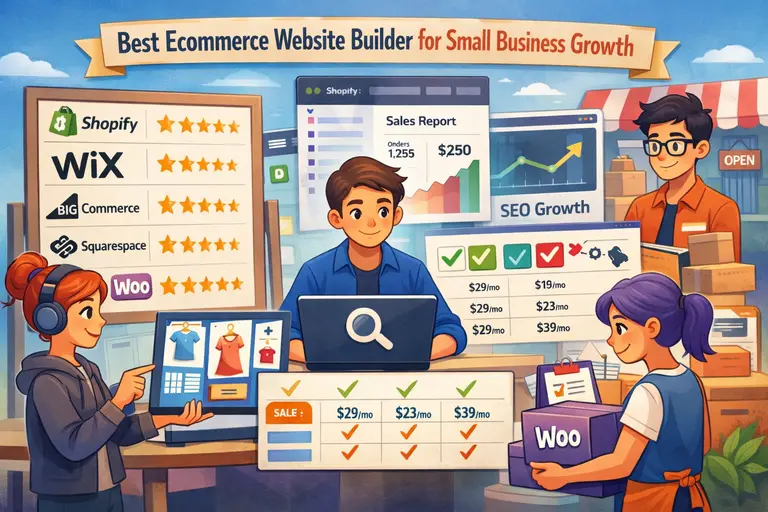
There is no universal winner because a home-based product seller, a local retailer, and a creator adding products to an existing site have different needs. The comparison below focuses on value, ease of use, selling capability, and the point at which each option tends to make sense.
| Builder | Budget Position | Best Fit | Important Cost Consideration |
|---|---|---|---|
| Shopify | Mid-range | Dedicated ecommerce stores that expect to grow | Basic is $29/month when billed yearly in the US; external payment providers can add platform transaction fees |
| Hostinger | Very low entry cost | New stores prioritizing simple setup and low fixed cost | Long-term promotions can be inexpensive, but renewal pricing is higher |
| Wix | Low to mid-range | Design-led small businesses wanting an all-in-one site | You need an ecommerce-capable plan such as Core to accept payments |
| Squarespace | Low to mid-range | Visual brands, services, creators, and smaller catalogs | Basic can sell products but carries a commerce transaction fee; Core removes that platform fee |
| Square Online | Very low entry cost | Local businesses already using Square for in-person sales | A no-monthly-fee option is available in supported markets, but payment processing still applies |
| WooCommerce | Variable | WordPress users wanting control and flexibility | Core software is free; hosting, maintenance, and extensions determine the real cost |
| Ecwid | Low to mid-range | Adding ecommerce to an existing website or social presence | Lower tiers limit catalog size and some growth features |
Pricing varies by country, billing cycle, taxes, and promotions, so use these figures as a comparison point rather than a quote. Before purchasing, compare the checkout price and renewal terms in your market.
Shopify Is The Strongest All-Round Choice For Ecommerce Growth
Shopify is rarely the absolute cheapest option, but it is often the easiest recommendation when ecommerce is the core business rather than an add-on. Its Basic plan includes a full online store, unlimited products, inventory management, multiple selling channels, reporting, and a mature checkout system. That reduces the chance that you will need to rebuild because your first platform was too limited.
For a solo seller, the US Basic price is currently $29 per month when paid yearly or $39 on monthly billing. The important detail is not just the subscription. If you use a third-party payment provider instead of Shopify Payments, additional platform transaction fees can apply, so calculate this before choosing a gateway.
Shopify becomes especially attractive when you expect more products, more orders, or multichannel selling. The app ecosystem can solve many specialized needs, but it can also create unnecessary monthly expenses. Start with built-in features and add apps only when a measurable problem appears.
Choose Shopify when operational simplicity and growth capacity matter more than securing the lowest possible fixed monthly fee.
Hostinger Offers A Low Fixed-Cost Route To Launch
Hostinger is compelling for a first store when the immediate goal is getting a professional site online without committing to a higher monthly software bill. Its website-builder offering combines hosting, templates, a domain for the first year on eligible plans, AI-assisted site creation, and integrated ecommerce on its ecommerce-capable tier.
Current US promotions can put an ecommerce-capable long-term plan at only a few dollars per month, but the catch is commitment and renewal. For example, promotional pricing may require paying for several years upfront, and the renewal rate is considerably higher. Budget from the renewal price if you plan to keep the store long term.
The trade-off is ecosystem depth. A small catalog with straightforward products may not need hundreds of integrations or advanced workflow tools. If you eventually need complex subscriptions, specialized fulfillment, extensive B2B features, or unusual checkout logic, a more ecommerce-focused platform can offer a clearer expansion path.
I suggest Hostinger when your store is simple, cash is tight, and you value low fixed cost more than an enormous app marketplace.
Wix And Squarespace Suit Design-Led Small Brands
Wix works well when the website has to do more than sell. A photographer selling prints, a bakery taking orders, or a consultant offering products alongside services may value flexible page design, scheduling, marketing tools, and ecommerce in one interface. Ecommerce begins on a payment-enabled tier such as Core, so the free plan is useful for building but not for launching a functioning store.
Squarespace is similarly strong for brands where presentation matters. Its current website plans allow selling, but the economics change by tier. The Basic plan applies a platform commerce transaction fee, while Core and higher current plans remove that commerce fee. That means a seller with consistent revenue may save money by moving up even when the subscription costs more.
Neither platform is automatically “better” for design. The decision should come from your workflow. Wix provides broad editing flexibility, while Squarespace tends to appeal to sellers who want a controlled visual system with commerce woven into a content-rich site.
For smaller catalogs and brand-heavy experiences, both can be better value than paying for ecommerce complexity you may never use.
Square Online, WooCommerce, And Ecwid Solve Specific Budget Problems
Square Online is worth serious consideration if you already take in-person payments with Square. The attraction is operational: online and physical selling can share a catalog, orders, and inventory rather than forcing you to reconcile two systems. In supported markets, a free online-store option can remove the monthly website subscription at launch, although payment processing fees still apply and advanced design features may require a paid plan.
WooCommerce approaches cost differently. The core plugin is free and open source, but you provide WordPress hosting and decide which extensions to add. This can be economical if you already run WordPress and are comfortable maintaining it. It can also become expensive if you need premium plugins, developer help, stronger hosting, and ongoing troubleshooting.
Ecwid is especially useful when you already have a website and want to add a store instead of rebuilding everything. Its lower plans limit products and certain advanced functions, while Venture and higher tiers expand catalog and selling capabilities.
These options are not second-tier choices. They simply solve narrower problems better than a one-size-fits-all recommendation.
Match The Builder To How Your Business Actually Sells
Once you have a shortlist, shift from platform features to your operating model. The best choice is usually the builder that fits your product, sales channels, and available time with the fewest workarounds.
Choose Based On Product Type And Catalog Complexity
A store selling twelve handmade candles has different technical needs from a store carrying 2,000 apparel variants. Catalog size affects search, filtering, inventory, bulk editing, product imports, and how much time you spend maintaining listings. Do not judge a builder only by whether it technically allows “unlimited products.”
For physical goods, look closely at variants, inventory locations, shipping rules, pickup options, returns, and stock notifications. For digital products, check file delivery, download limits, taxes, and whether the platform charges separate digital-product fees. Subscription businesses need recurring billing and account management, while service businesses may care more about scheduling and deposits than warehouse features.
Create three sample products before committing. Include your simplest product, your most complicated product, and one with the most variants or options. Build those during the trial. If product setup already feels awkward, adding hundreds more items will not improve the experience.
A small catalog benefits from simplicity. A large or fast-changing catalog benefits from bulk controls, automation, and reliable inventory architecture. Pay for the complexity you actually have.
Decide Whether Online, In-Person, Or Multichannel Selling Comes First
Your cheapest website plan may create expensive operational work if inventory is split across sales channels. If you sell at markets, in a shop, through social platforms, and on your website, the most valuable feature may be synchronization rather than page design.
A local retailer already using Square, for example, can gain more from a connected online store than from switching to a visually richer builder that creates a separate inventory system. A digital-first brand planning to expand into marketplaces may place greater value on channel integrations, centralized order management, and consistent product data.
Map your selling channels for the next twelve months. Mark each as essential, likely, or optional. Then check whether the platform supports the essential channels natively, through a reliable integration, or only through manual exports. Native support is not always mandatory, but every connector adds another point that can break.
The goal is one reliable source of truth for products, stock, orders, and customers. A budget ecommerce platform should reduce reconciliation work rather than move it into spreadsheets.
Factor In Your Technical Skill And Weekly Time Budget
WooCommerce can give you considerable control, but control creates responsibility. Hosted builders such as Shopify, Wix, Squarespace, Hostinger, and Square Online handle much of the hosting, platform updating, and security infrastructure for you. That convenience has real financial value when you are the owner, marketer, customer-service representative, and fulfillment team.
Estimate how many hours a month you can realistically spend maintaining the site. If the answer is two, choose a platform that lets you stay inside a managed environment. If you enjoy WordPress, understand plugins, and want deeper control over code and hosting, WooCommerce can be an efficient choice.
Also consider who will manage the store six months from now. Staff accounts, permissions, and a clean admin interface become important as soon as someone else handles products or orders. A system that only makes sense to the person who built it can become a bottleneck.
Your skill level should influence platform choice, but not because one route is “advanced.” The right system is the one your business can maintain consistently without outside help you did not budget for.
Calculate The True Cost Before You Commit
Budget decisions become much clearer when you translate software pricing into store economics. A simple cost model can reveal when a more expensive plan is actually cheaper and when an attractive discount is not worth the commitment.
Build A 12-Month Total Cost Of Ownership Estimate
Start with the recurring platform subscription, using the rate you will actually pay rather than the largest advertised discount. If a plan requires four years upfront, record the cash payment separately from the monthly equivalent. Then add the domain, business email if needed, paid theme costs, essential apps, backup or security services for self-hosted setups, and any developer or setup help.
Next, add variable costs. Payment processing usually scales with sales, while some platforms or plans add separate transaction fees. Shipping labels, email volume, marketplace fees, and tax services may also rise with order count.
A useful worksheet has three columns: required now, likely within 12 months, and optional. This prevents “nice-to-have” software from disguising itself as a launch requirement.
For example, imagine two builders cost $15 and $30 per month. The cheaper one needs a $12 app for reviews and a $10 automation add-on. The $30 builder includes both. The apparent $15 saving becomes a $7 disadvantage before transaction fees are considered.
The cheapest builder is the one with the lowest realistic cost for your workflow, not the smallest number on the pricing page.
Use Transaction Fees To Find Your Break-Even Point
Percentage-based fees become more important as revenue grows. Suppose one plan costs $20 per month and charges an additional 2% platform transaction fee, while a higher plan costs $35 and removes that 2% fee. The subscription difference is $15. At only $750 in monthly sales, 2% equals $15, so the higher plan has reached break-even before considering other features.
That simple calculation is useful whenever a platform removes or reduces transaction fees on higher tiers:
monthly revenue × fee difference = monthly fee savings
Then compare the fee savings with the extra subscription cost. Remember that payment processing is usually separate; moving to a higher website plan may remove a platform fee without eliminating card-processing fees.
This is also why “free ecommerce website builder” should never be interpreted as “free selling.” A zero-dollar subscription can be a sensible starting point, especially for a local seller validating demand, but payments still carry processing costs and advanced functionality may be gated.
Run the break-even calculation every few months. Growth can make the plan that was cheapest at launch unnecessarily expensive later.
Set Up Your Store Without Overspending
After choosing a platform, the next risk is turning a budget build into an expensive project through unnecessary design work, apps, and premature automation. Launch the smallest version that can earn trust, complete orders, and give you useful customer data.
Start With A Lean Store Architecture And Product Catalog
Before touching a template, define the pages required to support a purchase. Most small stores need a home page, shop or category pages, product pages, about page, contact information, shipping and returns details, privacy information, and terms appropriate to the business. Add pages only when they answer a genuine customer question.
Organize products around how customers shop, not how your internal spreadsheet is arranged. A simple category structure is easier to navigate and easier to optimize for search. Avoid creating dozens of nearly empty collections because they can make the store feel unfinished and complicate merchandising.
Prepare product data in a spreadsheet before importing it: title, short description, full description, price, SKU, inventory, weight, variants, image filenames, category, and search metadata. Clean source data saves more time than almost any setup shortcut.
Launch with your real core catalog rather than placeholder products. If you have a large inventory, prioritize best sellers and key categories, then expand in controlled batches after you confirm the product template, shipping logic, and checkout work correctly.
Customize The Template Around Conversion, Not Decoration
A paid premium theme is rarely necessary for a new store. Start with a reliable included template and make the brand feel intentional through typography, spacing, photography, and consistent buttons. The goal is not to make every section unique; it is to help a visitor understand what you sell and move confidently toward checkout.
On mobile, check the home page, category page, product page, cart, and checkout. Product images should be clear without creating painfully slow pages. Keep the main navigation compact. Place shipping expectations, returns information, sizing details, and important product constraints where shoppers encounter the decision rather than hiding everything in a policy page.
Avoid installing visual widgets merely because competitors use them. Countdown timers, pop-ups, chat bubbles, review badges, announcement bars, and sticky promotions can compete for attention. Add one element only when you can explain what problem it solves.
If your first version feels slightly simpler than you imagined, that is usually a better budget position than launching with a beautiful store you cannot measure or maintain.
Configure Payments, Shipping, Taxes, And Test Orders Carefully
Operational settings deserve more attention than the home-page hero image because mistakes here directly affect money and customer trust. Connect the payment provider supported in your country, verify payout details, and understand card processing, refunds, chargebacks, and any extra platform fee before opening the store.
For shipping, start with the simplest rule that reflects your actual costs. That might be a flat rate, free shipping above a threshold, local pickup, or calculated rates. Do not promise free shipping everywhere unless your margins support it. Test heavy products, remote addresses, and mixed carts if those situations apply.
Tax requirements vary by location and where customers are located, so use the platform’s tax tools as operational support rather than assuming they replace professional tax guidance. Configure required registrations accurately.
Finally, place at least two test orders: one normal order and one edge case such as a discount, pickup order, or multi-item shipment. Check confirmation emails, inventory reduction, tax, shipping, refund workflow, and the customer’s mobile checkout. Fixing these before launch is cheaper than fixing them after ten customers encounter the same problem.
Avoid Common Budget Ecommerce Mistakes
Most expensive ecommerce problems do not begin with the wrong color palette. They come from hidden plan limits, too many add-ons, and decisions that make future migration harder than necessary.
Do Not Choose A Plan That Blocks Your Next Essential Feature
A low-cost tier can be perfect when you are testing demand, but it becomes a false economy if the next feature you know you need sits two plans higher. Product limits, staff accounts, abandoned-cart recovery, subscriptions, multiple currencies, advanced shipping, marketplace selling, and custom domains are common points where plan tiers diverge.
Build a twelve-month feature timeline. If you expect to add wholesale pricing in three months, do not compare platforms as though you will stay on the entry plan all year. Compare the cost of the tier that supports your likely business, then decide whether the cheaper launch plan is still worth using temporarily.
Watch for plan names that sound similar but target different users. Website plans, ecommerce plans, retail POS subscriptions, email products, and digital-content plans can have separate billing. Confirm exactly which subscription unlocks the function you need.
When trialing a builder, test the future feature rather than simply confirming that the marketing page lists it. Knowing where a limitation appears is much better than discovering it after the store has traction.
Control App And Plugin Bloat Before It Controls Your Margin
Add-ons make ecommerce platforms flexible, but recurring $5, $10, and $20 subscriptions accumulate quickly. They can also slow the storefront, create overlapping scripts, introduce compatibility issues, and make troubleshooting harder because several vendors influence the same customer journey.
Use a simple rule: every paid app should either protect revenue, save measurable labor, or provide a capability you cannot reasonably achieve with the platform itself. If you cannot name the outcome, do not install it yet.
Review your stack quarterly. Remove duplicate analytics, abandoned apps, old promotional widgets, and tools whose features have since become native to the platform. For WooCommerce, keep plugins current and favor reputable extensions with active maintenance. For hosted builders, check app permissions and billing even when the platform handles core software updates.
A hypothetical store paying $25 per month for its builder can quietly become a $90-per-month software stack through five small add-ons. That may still be worthwhile, but it should be an intentional business decision rather than subscription drift.
Protect Your Data So Migration Remains A Choice
Even when you expect to stay on one platform for years, maintain clean ownership of product data, customer records you are permitted to retain, images, domain access, analytics accounts, and policy documents. Platform lock-in becomes painful when the only copy of critical information lives inside a proprietary interface.
Before choosing a builder, review its export options for products, orders, and customers. Not every field migrates cleanly between systems, especially product variants, subscriptions, gift cards, reviews, discount logic, and historical reports. The more specialized your setup becomes, the more expensive migration can be.
Keep original product images outside the builder and maintain a master catalog spreadsheet. Use a domain you control instead of building long-term brand recognition around a temporary platform subdomain. Document important integrations and DNS settings.
This does not mean you should plan to migrate. It means you preserve leverage. A platform is safer to grow on when changing your mind later is inconvenient rather than catastrophic.
Optimize The Store Before Paying For More Features
When sales feel slow, buying another app is rarely the first move. Use the analytics already available to find where shoppers drop out, then improve the part of the journey most likely to affect revenue.
Improve Product Pages And Checkout Friction First
Start with product pages because they connect buying intent with the decision to add to cart. Use clear titles, several useful images, specific descriptions, variant information, price, availability, delivery expectations, and returns guidance. Answer the questions that normally generate pre-sale emails directly on the page.
Then review the journey from product page to completed checkout on a phone. Count the decisions and fields a customer must handle. Remove unnecessary pop-ups, confusing coupon prompts, duplicate navigation, and surprise shipping information. Offer express payment methods when your platform and payment provider support them.
Do not optimize based solely on what looks elegant to you. A product page can be visually minimal yet unhelpful if shoppers cannot tell the dimensions, materials, compatibility, or delivery time. Likewise, adding more persuasive copy will not fix a checkout that introduces unexpected charges.
Make one meaningful change at a time when traffic allows. If you redesign five elements simultaneously and sales improve, you will not know which change caused the improvement.
Build Search Visibility Into The Catalog From The Start
Ecommerce SEO works best when product organization and content structure are established early. Give important categories descriptive names customers actually search for, write unique category introductions where they help, and create product titles that communicate what the item is instead of relying only on internal product names.
Use readable URLs, descriptive image alt text, strong title tags, and useful meta descriptions. Avoid publishing manufacturer descriptions unchanged across many products if you can provide more helpful information. Original sizing guidance, compatibility details, comparison notes, care instructions, and use-case explanations can make a product page more useful to both shoppers and search engines.
Technical basics matter too. Keep image files efficient, avoid unnecessary scripts, maintain working internal links, and submit your store’s sitemap through the search tools relevant to your market. Most hosted builders handle much of the infrastructure, but you still control content quality and site organization.
Do not create hundreds of thin pages merely to target keyword variations. A smaller set of genuinely useful category and product pages is easier to maintain and more credible.
Track A Small Set Of Metrics That Lead To Decisions
Small stores do not need an enterprise dashboard. Start with sessions, product-page views, add-to-cart rate, checkout initiation, conversion rate, average order value, refund rate, and revenue by channel. If you run paid advertising, add customer acquisition cost and contribution margin so you can judge whether sales are profitable rather than merely increasing.
Interpret metrics as a funnel. If product traffic rises but add-to-cart behavior is weak, investigate the offer, product page, pricing, or traffic quality. If carts are healthy but checkout completion drops, examine shipping, payment errors, account requirements, and unexpected costs. If conversion is strong but profit is weak, the issue may be margins, discounting, or acquisition cost rather than the website builder.
Set a monthly review rhythm and write down one or two changes to test. This prevents random redesigns driven by a slow day.
The purpose of analytics is not to collect more numbers. It is to identify the next most valuable problem before you spend money solving the wrong one.
Scale Without Rebuilding Too Early
Growth changes what “budget-friendly” means. Once the store produces reliable revenue, paying more for lower fees, automation, better reporting, or staff controls can increase profit and reduce workload.
Upgrade When The Math Or Workflow Justifies It
Do not upgrade because a platform labels a plan “recommended.” Upgrade when a higher tier either saves money or removes a clear operating constraint. Good triggers include transaction-fee break-even, hitting product or storage limits, needing more staff accounts, repeated manual inventory work, stronger shipping requirements, or a reporting gap that affects decisions.
Re-run your total-cost model using current revenue. A plan that costs $25 more each month may save $60 in transaction fees or replace two $15 apps. In that case, the “expensive” plan is the budget choice. The same logic applies to moving from a free plan when custom branding and conversion tools become worth more than the subscription.
Before migrating platforms, first check whether upgrading inside your current system solves the problem. Migration creates hidden costs: design recreation, redirects, product cleanup, integration changes, staff retraining, testing, and potential search disruption.
Scale the plan before you scale the complexity. The simplest system that supports your current economics is usually easier to operate and easier to improve.
Add Automation And Channels Only After The Core Store Works
Once orders are consistent, automation can turn saved time into a genuine competitive advantage. Start with repetitive tasks that have clear rules: low-stock alerts, order routing, customer notifications, review requests, basic email sequences, or inventory synchronization. Automating a messy process simply makes the mess happen faster.
Apply the same discipline to new sales channels. A marketplace, social storefront, wholesale portal, or second physical location can increase revenue, but each introduces inventory, support, fulfillment, and reporting requirements. Confirm that your main store has reliable product data and order processes before multiplying those requirements.
Use a staged approach. Add one channel, define how inventory and customer service will work, measure its contribution, and document the process. Only then add another. This protects a small team from operational overload.
At this stage, the best ecommerce website builder for small business growth is not necessarily the one with the most features. It is the one that lets you add complexity deliberately while keeping products, orders, customers, and reporting coherent.
Choose The Builder That Fits Your Next Stage
For most small businesses, Shopify is the safest all-round choice when ecommerce is the main business and you expect to grow. Hostinger is attractive when fixed cost is the priority and the store is straightforward. Wix and Squarespace fit design-led brands, Square Online is especially practical for businesses already selling in person, WooCommerce rewards owners who want WordPress control, and Ecwid is useful when ecommerce needs to plug into an existing site.
Do not decide from the starting price alone. Price the plan you are likely to need within twelve months, calculate transaction costs, test your most complicated product, and complete a real checkout workflow before committing.
Your next action is simple: shortlist two builders, build the same three sample products on both, run the 12-month cost comparison, and choose the platform that creates the fewest expensive workarounds.

I’m Juxhin, the voice behind The Justifiable.
I’ve spent 6+ years building blogs, managing affiliate campaigns, and testing the messy world of online business. Here, I cut the fluff and share the strategies that actually move the needle — so you can build income that’s sustainable, not speculative.
Related posts:
 Best Ecommerce Website Builder for Beginners: Top Picks Ranked
 Cheapest Ecommerce Website Builder With Real Sales Power
 Best Ecommerce Website Builder for Small Business Growth
 Online Store Builder Review For Beginners: Easy Start Or Costly Mistake?
 Should I Use An Online Store Builder? The Honest Pros And Cons Explained
 Is Online Store Builder Good For Beginners? What New Sellers Should Know