
Table of Contents
Some links on The Justifiable are affiliate links, meaning we may earn a small commission at no extra cost to you. Read full disclaimer.
If you’ve been searching for getresponse alternatives for small business email marketing, you’re probably not just curious—you’re questioning whether you’re overpaying, underperforming, or outgrowing your current setup.
I’ve seen this happen a lot with small business owners and creators who start with GetResponse, then hit a wall: rising costs, complex automation they don’t fully use, or deliverability doubts.
This guide is for small business owners, ecommerce founders, bloggers, and service providers who want better ROI from their email marketing platform.
We’re answering one core question: Are there better-performing, more cost-effective GetResponse alternatives that make more sense for small businesses right now?
Why Look For GetResponse Alternatives Today?
If you’re researching getresponse alternatives for small business email marketing, something probably isn’t sitting right.
Most small businesses don’t switch platforms out of boredom. They switch because of cost pressure, complexity, or performance doubt.
Let’s break down what usually triggers the search.
Rising Costs As Your List Grows
On paper, GetResponse looks affordable.
In reality, your bill grows fast as your subscriber count increases — especially once you unlock automation features, funnels, or ecommerce tools.
Here’s the issue most small businesses run into:
- You start at 1,000 subscribers. Pricing feels manageable.
- You grow to 5,000–10,000 subscribers.
- You realize you’re paying for features you barely touch.
Many platforms — including GetResponse — price based on subscriber tiers. That means inactive subscribers still cost you money. Even people who haven’t opened an email in 12 months.
If you’re running a lean business, that hurts ROI.
For example:
| Subscribers | GetResponse Estimated Monthly Cost* | Reality Check |
| 1,000 | ~$19–$29 | Feels affordable |
| 5,000 | ~$54–$79 | Noticeable jump |
| 10,000 | $79+ | Serious expense for small teams |
*Based on standard marketing plans. Advanced automation costs more.
If your average email campaign generates $300–$500 in sales, but your software costs $80–$150 monthly, your margin shrinks fast.
This is where many small businesses start looking for better ROI platforms.
Automation Features Small Teams Rarely Use
GetResponse is powerful. That’s not the problem.
The problem is: Most small businesses don’t need enterprise-level automation.
Features like advanced scoring, complex conditional branching, or multi-layered webinar funnels sound impressive. But if you’re a:
- Local service provider
- Solo blogger
- Small ecommerce store
- Course creator with one core funnel
You probably need:
- Welcome sequences
- Basic tagging
- Abandoned cart emails
- Simple broadcast campaigns
When software is overloaded with features, two things happen:
- You feel overwhelmed.
- You overpay for unused tools.
In my experience, many small teams end up using only 30–40% of what GetResponse offers.
That’s not a software issue. It’s a stage-of-business mismatch.
And that’s exactly why getresponse alternatives for small business email marketing are trending searches — business owners want simpler systems that match their growth stage.
Deliverability And Inbox Placement Concerns
Deliverability is the silent ROI killer.
If your emails land in Promotions or Spam, nothing else matters.
While GetResponse maintains solid deliverability overall, smaller senders sometimes worry about:
- Shared IP reputation
- Warm-up performance after inactivity
- Campaigns landing in Gmail Promotions tab
Here’s what most people don’t realize:
Deliverability depends heavily on list hygiene and engagement rates. If you’re emailing inactive subscribers because you’re paying for them anyway, your open rate drops — and inbox placement suffers.
This creates a loop: Higher subscriber cost → You keep inactive contacts → Lower engagement → Lower deliverability → Lower ROI.
Some alternatives structure pricing around email volume instead of subscribers. That encourages you to clean your list more aggressively.
And cleaner lists = better inbox placement.
Migration Fear: What Happens To Your Funnels?
This is the biggest emotional barrier.
You might be thinking:
- “What if my automations break?”
- “What if I lose tags?”
- “What if deliverability tanks during the switch?”
I get it. Switching email platforms feels risky.
Here’s the truth:
Most modern platforms allow you to export:
- Subscribers
- Tags
- Custom fields
- Automation logic (at least structurally)
The real challenge isn’t data export. It’s rebuilding your automation flow correctly.
A practical approach:
- Export subscribers and tags.
- Recreate core sequences first (welcome, sales, abandoned cart).
- Run both systems in parallel for 7–14 days if possible.
- Warm up the new domain gradually.
If migration fear is the only reason you’re staying, you might be holding onto a cost structure that no longer serves you.
Let’s look at real alternatives.
Kit (Formerly ConvertKit) For Creators And Bloggers
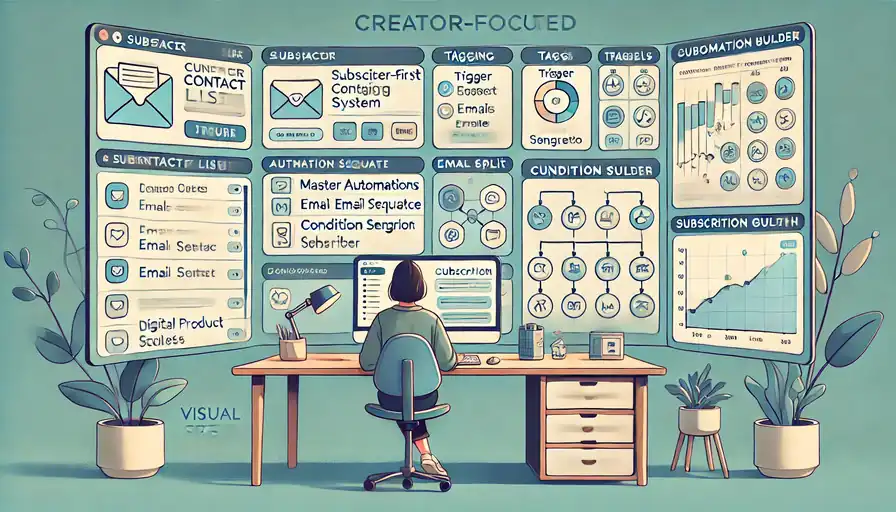
If you’re a creator, blogger, or course seller, Kit is often the first serious alternative to consider.
Kit was built specifically for creators — not corporate marketing teams. That difference shows up in how it handles subscribers, automations, and monetization tools.
Subscriber-First Tagging System Simplifies Segmentation
Kit uses a subscriber-first model.
Instead of creating multiple lists (which can duplicate contacts and inflate costs), Kit keeps:
- One master list
- Tags to organize behavior
- Segments based on rules
In simple terms: One person = one subscriber.
This prevents double billing and makes segmentation cleaner.
For example:
You can tag someone as:
- “Lead Magnet: SEO Guide”
- “Purchased: Course A”
- “Clicked: Webinar Invite”
Then build automations based on combinations of tags.
This system reduces complexity while increasing targeting accuracy.
For small teams, this is huge. You don’t need advanced CRM logic to personalize effectively.
Automation Builder Designed For Non-Technical Users
Kit’s visual automation builder is straightforward.
You create:
- Entry trigger (form submission, tag added)
- Email sequence
- Conditions (if/else rules)
- Actions (add tag, remove tag)
No enterprise-level maze.
In practice, building a welcome sequence takes 10–15 minutes once you understand the flow.
Compared to more complex tools, Kit removes cognitive overload.
If you’ve ever opened an automation builder and felt like you needed a certification course, you’ll appreciate this difference.
Transparent Pricing As Your List Scales
Kit’s pricing scales with subscribers, but it stays transparent.
You’re not unlocking random features at higher tiers — core automation remains available.
Here’s a simplified comparison:
| Feature | GetResponse | Kit |
| Automation Builder | Advanced (tier-based) | Included |
| Tag-Based Segmentation | Yes | Core System |
| Landing Pages | Yes | Yes |
| Built-In Monetization | Limited | Creator-Focused Tools |
Kit is often slightly higher at lower tiers but becomes more predictable as you scale.
For creators monetizing via:
- Digital products
- Paid newsletters
- Courses
- Affiliate marketing
Kit’s built-in commerce features can improve ROI without needing extra tools.
When Kit Delivers Better ROI Than GetResponse
Kit usually wins when:
- You’re a blogger building authority.
- You sell digital products.
- You rely heavily on tagging and segmentation.
- You want simplicity over complexity.
If you’re running webinars, advanced ecommerce funnels, or CRM-heavy sales pipelines, GetResponse might still edge out.
But for creators focused on audience monetization, Kit often feels purpose-built — and that alignment translates into better ROI.
Brevo (Formerly Sendinblue) For Budget Control
If cost anxiety is your main driver, Brevo deserves serious attention.
Brevo structures pricing around email volume rather than subscriber count — and that changes everything for certain businesses.
Pay-Per-Email Pricing Instead Of Subscriber Tiers
Brevo’s core advantage:
You pay based on emails sent, not number of contacts stored.
This works well if:
- You have a large list.
- You email infrequently.
- You run seasonal promotions.
For example:
If you have 15,000 subscribers but send only two campaigns per month, a subscriber-based tool charges you for all 15,000 every month.
Brevo charges based on total emails sent.
This encourages you to:
- Keep your list clean.
- Send intentionally.
- Optimize campaigns for engagement.
For small businesses with sporadic campaigns, this can dramatically reduce costs.
Built-In CRM For Sales-Driven Small Businesses
Brevo includes a built-in CRM.
Not a bloated enterprise CRM — but enough to:
- Track deals
- Assign tasks
- Manage sales pipelines
If you’re a service provider (consultant, agency, B2B business), this integration reduces tool stacking.
Instead of paying for:
- Email platform
- Separate CRM
- Separate automation
You consolidate into one dashboard.
That consolidation can save $50–$150 per month easily.
SMS And Transactional Email Under One Dashboard
Brevo combines:
- Email marketing
- SMS marketing
- Transactional emails (order confirmations, password resets)
Transactional email is especially useful for ecommerce stores.
Instead of integrating a third-party SMTP provider, you handle everything inside Brevo.
This simplifies technical setup and reduces risk of deliverability misalignment between systems.
Where Brevo Beats GetResponse On Cost Efficiency
Brevo usually wins when:
- You have a large but low-frequency email strategy.
- You run sales-driven campaigns.
- You want CRM + email bundled.
- Budget is tight.
Here’s a quick strategic comparison:
| Scenario | GetResponse | Brevo |
| Large List, Few Emails | Expensive | Cost-Efficient |
| Heavy Automation Funnels | Strong | Moderate |
| Built-In CRM | Limited | Included |
| SMS Integration | Available | Integrated |
If your priority is strict budget control and operational simplicity, Brevo often delivers stronger ROI for small businesses.
MailerLite For Simplicity And Fast Setup
If you’re overwhelmed by feature-heavy dashboards, MailerLite often feels like a breath of fresh air. It’s one of the most practical getresponse alternatives for small business email marketing when your priority is speed, clarity, and lower monthly overhead.
MailerLite doesn’t try to be everything. And honestly, that’s its strength.
Clean Interface That Reduces Learning Curve
The first thing you notice inside MailerLite is the simplicity.
The dashboard isn’t cluttered with webinar funnels, advanced CRM tabs, or multi-layered analytics panels. You see:
- Campaigns
- Subscribers
- Forms
- Automation
- Sites
That’s it.
For a small business owner who doesn’t have a marketing team, this matters. I’ve seen clients cut setup time in half just by switching to a cleaner interface.
If you’ve ever opened a platform and thought, “Where do I even click first?” — MailerLite solves that problem.
Even segmentation is simplified. You use:
- Groups (manual tags)
- Segments (rule-based filters)
Example: You can create a segment for “Subscribers who joined in the last 30 days AND clicked a product link.”
No advanced training required.
Automation Workflows Without Enterprise Complexity
MailerLite includes a visual automation builder.
It’s not as advanced as ActiveCampaign. But for most small businesses, that’s actually a positive.
You can easily build:
- Welcome email sequences
- Lead magnet delivery flows
- Abandoned cart reminders (on ecommerce plans)
- Re-engagement campaigns
The automation editor uses blocks like:
- Trigger
- Delay
- Condition
That’s it.
No overwhelming logic trees.
If your business relies on:
- A 5-email nurture sequence
- A sales pitch sequence
- Occasional broadcasts
MailerLite handles it cleanly.
In my experience, many small businesses overestimate how much automation they actually need. Simple, well-written sequences often outperform complex funnels.
Landing Pages And Popups Included At Lower Cost
Here’s where MailerLite quietly beats many competitors.
Even on lower-tier plans, you get:
- Landing page builder
- Embedded forms
- Popups
- Basic website builder
This reduces tool stacking.
Instead of paying separately for:
- Leadpages
- Thrive Leads
- A popup plugin
You centralize everything.
For a small ecommerce store or service provider, this can mean:
- $20–$60 monthly savings
- Fewer integrations
- Fewer technical errors
And fewer integration errors means better tracking accuracy.
Ideal Scenarios Where MailerLite Outperforms
MailerLite works best if:
- You’re under 10,000 subscribers
- You want fast setup
- You don’t need enterprise CRM features
- You care about clean design and usability
Here’s a quick positioning comparison:
| Feature | GetResponse | MailerLite |
| Automation Depth | Advanced | Moderate |
| Ease Of Use | Moderate | Very High |
| Built-In Landing Pages | Yes | Yes |
| Cost At 5K Subs | Higher | Lower |
If your business stage is “Growing but not complex,” MailerLite often delivers stronger ROI with less friction.
ActiveCampaign For Advanced Automation Needs

Now let’s talk about the opposite end of the spectrum.
If you’re leaving GetResponse because you want more power — not less — ActiveCampaign becomes a serious contender.
It’s not the cheapest. But it’s one of the most advanced platforms available for small-to-midsize businesses.
Deep Behavioral Automation And Conditional Logic
ActiveCampaign’s automation engine is powerful.
And I don’t mean “send 3 emails after signup” powerful.
I mean:
- If subscriber visits pricing page twice
- And clicks demo link
- But does not book call
- Then assign sales rep + send SMS reminder
That level.
This is called conditional logic — meaning your emails change based on behavior.
You can also use:
- Lead scoring (assigning points based on actions)
- Event tracking (tracking on-site behavior)
- Dynamic content (different content blocks for different segments)
For service providers or B2B businesses, this kind of precision can dramatically increase conversion rates.
According to industry benchmarks, behavior-based automation can increase email revenue by up to 30% compared to basic broadcast campaigns (Campaign Monitor data).
But here’s the honest truth:
If you’re not going to use these features, you’re overpaying.
Built-In CRM For Service-Based Businesses
ActiveCampaign includes a sales CRM.
This isn’t just email tagging. It’s a pipeline system where you can:
- Create deal stages
- Assign contacts to sales reps
- Track deal value
- Automate follow-ups
For example:
If someone downloads a high-ticket service guide, they can automatically move into a “Warm Lead” pipeline stage.
That connection between marketing and sales is powerful.
Instead of email existing in isolation, it supports revenue tracking directly.
This is especially useful if you’re:
- A consultant
- An agency
- A SaaS startup
- A B2B service provider
Higher Pricing Justified By Revenue Attribution
ActiveCampaign costs more than MailerLite or Brevo.
But here’s where it justifies that:
Revenue attribution.
You can see:
- Which emails led to purchases
- Which automation generated revenue
- Which campaigns influenced deals
That visibility allows smarter decisions.
Instead of guessing which email “felt good,” you see actual revenue numbers.
If a sequence generates $5,000/month and the software costs $150/month, the ROI is obvious.
But if you’re sending one newsletter per week? It’s overkill.
When ActiveCampaign Justifies Switching
ActiveCampaign makes sense if:
- You run high-ticket offers
- You need complex funnels
- You manage a sales team
- You want deep behavioral tracking
Here’s a comparison snapshot:
| Feature | GetResponse | ActiveCampaign |
| Automation Depth | Strong | Very Advanced |
| CRM | Limited | Full Sales CRM |
| Revenue Attribution | Basic | Advanced |
| Best For | General SMB | Advanced Sales Funnels |
If your business is scaling into serious automation territory, ActiveCampaign often becomes the upgrade path.
AWeber For Beginners And Traditional SMBs
AWeber doesn’t get as much hype anymore — but it remains a solid option.
Especially if you value reliability and straightforward execution over flashy features.
Straightforward Campaign Builder For New Users
AWeber focuses on simplicity.
You create:
- Lists
- Campaigns
- Broadcasts
- Basic automation
The campaign builder uses a drag-and-drop interface that’s beginner-friendly.
If you’re:
- A local business
- A nonprofit
- A solo service provider
You can realistically launch your first campaign within an hour.
No advanced setup required.
For many traditional small businesses, that’s more important than cutting-edge automation.
Reliable Deliverability Track Record
AWeber has been around since 1998.
That longevity matters.
Established email platforms tend to maintain strong ISP relationships (Internet Service Providers like Gmail and Outlook).
Deliverability depends on many factors, but older, reputable ESPs (Email Service Providers) often maintain stable sending reputations.
If your priority is:
“Just get my emails into inboxes consistently.”
AWeber performs reliably.
Ecommerce Integrations Without Heavy Setup
AWeber integrates with:
- Shopify
- WooCommerce
- Stripe
- PayPal
While it’s not as ecommerce-focused as Omnisend, it handles:
- Order confirmations
- Basic follow-up sequences
- Product promotion campaigns
For small stores with simple product lines, that’s enough.
You don’t always need complex omnichannel automation.
Situations Where AWeber Is More Practical
AWeber works best if:
- You’re brand new to email marketing
- You want predictable pricing
- You don’t need deep behavioral automation
- You value stability over innovation
Quick comparison:
| Feature | GetResponse | AWeber |
| Automation Depth | Advanced | Basic–Moderate |
| Ease Of Use | Moderate | High |
| CRM Features | Limited | Minimal |
| Best For | Growth-Focused SMB | Beginners & Traditional SMB |
If you’re looking for a stable, low-friction system — not a marketing lab experiment — AWeber can still make sense.
Constant Contact For Local And Offline Businesses
If your business lives offline — think restaurants, gyms, real estate offices, local retail — Constant Contact often makes more sense than flashier platforms.
Among getresponse alternatives for small business email marketing, this one is built for community-based marketing, not complex digital funnels.
It’s practical. Familiar. And surprisingly effective in the right context.
Event Management And Local Marketing Tools
Constant Contact shines in event-driven marketing.
You can create:
- Event registrations
- RSVP tracking
- Ticketed events
- Automated reminder emails
For example:
If you run a local fitness studio and host a monthly workshop, you can:
- Create an event landing page.
- Collect registrations.
- Send reminder emails automatically.
- Follow up with attendees afterward.
No external tools required.
This is a big deal if your marketing revolves around in-person interaction. GetResponse supports webinars and funnels, but Constant Contact feels more aligned with local attendance-based marketing.
It also integrates with Facebook and Instagram ads for list growth, which helps local businesses drive email signups from social campaigns without complex integrations.
Simple Email Templates For Non-Designers
Not everyone wants to design emails from scratch.
Constant Contact offers hundreds of industry-specific templates:
- Restaurants
- Nonprofits
- Real estate
- Healthcare
- Retail
The drag-and-drop editor is extremely beginner-friendly.
You don’t need HTML knowledge. You don’t need to adjust advanced layout blocks.
For many traditional small businesses, that simplicity reduces hesitation. And hesitation is often what stops people from emailing consistently.
In my experience, consistent basic emails outperform “perfect” emails sent once a month.
Phone Support For Hands-On Assistance
Here’s something that doesn’t get enough attention:
Constant Contact offers phone support.
If you’re not tech-savvy, that matters.
Some platforms rely heavily on live chat or documentation. That works if you’re comfortable troubleshooting.
But if you’d rather call someone and say:
“I can’t connect my signup form. Help.”
Constant Contact provides that human layer.
For certain business owners — especially those less comfortable with software — that support reduces stress and speeds up execution.
When Constant Contact Makes Financial Sense
Constant Contact isn’t the cheapest platform.
But it makes sense if:
- You rely heavily on local events
- You want strong template libraries
- You prefer phone-based support
- You don’t need complex automation
Quick comparison:
| Feature | GetResponse | Constant Contact |
| Automation Depth | Advanced | Basic–Moderate |
| Event Tools | Limited | Strong |
| Phone Support | Limited | Yes |
| Best For | Online Funnels | Local Businesses |
If your business growth depends on foot traffic, community engagement, and in-person events, Constant Contact often delivers stronger real-world ROI.
Omnisend For Ecommerce-Focused Stores
If you run an ecommerce store, especially on Shopify or WooCommerce, Omnisend deserves serious attention.
This isn’t a general email tool trying to “also” support ecommerce. It’s built for online stores.
Among getresponse alternatives for small business email marketing, Omnisend is often the ecommerce specialist.
Pre-Built Automation For Abandoned Carts
Abandoned cart emails are one of the highest ROI automations in ecommerce.
Industry data shows abandoned cart emails can recover 10–30% of lost sales (SaleCycle benchmark data).
Omnisend includes:
- Pre-built abandoned cart workflows
- Browse abandonment emails
- Product recommendation blocks
- Dynamic discount codes
Dynamic discount codes mean each subscriber gets a unique code generated automatically — reducing misuse.
Instead of building automation from scratch, you activate templates and customize messaging.
That reduces setup time significantly.
For example:
If you’re running a small Shopify store selling skincare products, you can:
- Trigger an abandoned cart email after 1 hour
- Send a reminder after 24 hours
- Include a limited-time 10% code
- Automatically remove customers who complete purchase
This type of flow often pays for the software alone.
SMS And Email Combined For Higher Conversions
Omnisend combines:
- SMS
- Push notifications
All inside one automation workflow.
This multi-channel strategy increases visibility.
For example:
If a customer ignores the first email, you can trigger:
- A follow-up SMS reminder
- A push notification with a discount
Studies consistently show SMS open rates exceed 90% (Mobile Marketing Watch data), compared to average email open rates of 20–40% depending on industry.
Used responsibly, SMS can dramatically improve recovery rates.
Shopify And WooCommerce Deep Integration
This is where Omnisend pulls ahead of more generic platforms.
Its Shopify and WooCommerce integrations allow:
- Real-time product sync
- Customer purchase tracking
- Dynamic product blocks in emails
- Revenue attribution tracking
Revenue attribution means you see exactly how much money each automation generated.
Instead of guessing, you see:
“Abandoned Cart Flow: $4,820 this month.”
That clarity changes decision-making.
You stop asking, “Is email working?”
And start asking, “How do we scale this?”
Why Ecommerce Brands See Higher ROI Here
Omnisend works best if:
- Ecommerce is your primary revenue model
- You need automated revenue flows
- You want product-level tracking
- You want SMS + email unified
Here’s a direct comparison:
| Feature | GetResponse | Omnisend |
| Ecommerce Focus | Moderate | Strong |
| Abandoned Cart Templates | Yes | Advanced |
| SMS Built-In | Yes | Deep Integration |
| Revenue Tracking | Basic | Detailed |
If 80% of your income comes from product sales, Omnisend often produces clearer ROI than more general-purpose platforms.
Pricing Comparison: Real Monthly Cost Breakdown
Now let’s talk numbers.
Because when people search for getresponse alternatives for small business email marketing, what they’re really asking is:
“Am I overpaying?”
Let’s break this down logically.
Subscriber-Based Pricing Vs Send-Based Pricing
Most platforms (GetResponse, Kit, MailerLite, ActiveCampaign, AWeber, Constant Contact) use subscriber-based pricing.
You pay based on how many contacts you store.
Brevo uses send-based pricing.
You pay based on number of emails sent per month.
Here’s how that changes things:
- Large list + infrequent emails → Send-based is cheaper
- Small list + frequent automation → Subscriber-based can be fine
There is no universal “best” model. It depends on your sending behavior.
Hidden Costs In Automation And Add-Ons
Here’s where many small businesses get surprised.
Hidden costs often include:
- Advanced automation tiers
- SMS credits
- Dedicated IP addresses
- Ecommerce integrations
- Advanced analytics
For example:
ActiveCampaign’s advanced automation and CRM features may require higher-tier plans.
Omnisend’s SMS credits are billed separately.
Always calculate total cost, not just base subscription.
Cost Per 1,000 Subscribers Across Platforms
Approximate entry-level pricing snapshot (varies by plan and features):
| Platform | ~1K Subs | ~5K Subs | Automation Included |
| GetResponse | $19–$29 | $54–$79 | Yes |
| Kit | ~$29 | ~$79 | Yes |
| MailerLite | Lower | Lower | Yes |
| ActiveCampaign | Higher | Higher | Advanced |
| Brevo | Based On Sends | Based On Sends | Yes |
| Omnisend | Moderate | Moderate | Ecommerce Focused |
MailerLite and Brevo often win on raw affordability.
ActiveCampaign wins on capability.
Omnisend wins for ecommerce revenue clarity.
ROI Projection For Growing Lists
Let’s make this practical.
Imagine:
- 5,000 subscribers
- 2 campaigns per week
- 2% conversion rate
- $50 average order value
That’s:
5,000 × 2% = 100 sales
100 × $50 = $5,000 per campaign
Even if actual results are lower, email ROI can be enormous.
According to Litmus research, email marketing averages $36–$42 return per $1 spent across industries.
So the question isn’t just:
“How much does this platform cost?”
The better question is:
“Which platform helps me extract more revenue per subscriber?”
Sometimes the cheapest tool limits growth.
Sometimes the most advanced tool is overkill.
The best choice depends on:
- Your business stage
- Your revenue model
- Your automation needs
- Your comfort level with complexity
And that’s the real answer behind comparing getresponse alternatives for small business email marketing.
Migration Checklist: Switching Without Revenue Loss
Switching platforms sounds scary — especially when revenue depends on your email flows.
But if you’re exploring getresponse alternatives for small business email marketing, the real risk isn’t switching. The real risk is staying stuck in a tool that no longer fits your growth stage.
Let me walk you through this calmly and practically.
Exporting Subscribers And Tags Safely
Your email list is an asset. Treat it like one.
Before you cancel anything:
- Export all subscribers as a CSV file.
- Export tags and custom fields separately if needed.
- Download reports for your top-performing automations.
A CSV file is just a spreadsheet file. It contains emails, names, tags, and other data.
Important detail most people miss: Make sure you export engagement data if available (last open date, last click date).
Why?
Because when you import into a new platform like Kit, MailerLite, or ActiveCampaign, you can:
- Create a segment for “Engaged in last 90 days.”
- Avoid blasting cold subscribers.
- Protect your deliverability from day one.
Pro Tip: Clean your list before importing. Remove subscribers who haven’t opened in 12+ months unless you plan a re-engagement campaign.
Smaller, cleaner list = better inbox placement.
Rebuilding Automations Without Breaking Funnels
This is where most people panic.
Your automations likely include:
- Welcome sequences
- Lead magnet delivery
- Sales funnels
- Abandoned cart flows
Don’t try to rebuild everything at once.
Start with revenue-critical sequences first:
- Abandoned cart
- Sales funnel
- Onboarding series
Then rebuild secondary flows.
If you’re moving to a tool like ActiveCampaign or Omnisend, take advantage of pre-built templates. These templates are structured automation flows you customize instead of building from scratch.
For example: If you’re switching to Omnisend, activate their abandoned cart template and adjust timing rather than recreating logic manually.
That shortcut alone can save hours.
Reality Check: Your first rebuild won’t be perfect. And that’s okay. The goal is functional continuity, not perfection.
Protecting Deliverability During Transition
This part is critical.
When you move to a new platform, you’re often sending from:
- A new shared IP address
- Or a new dedicated IP
Inbox providers like Gmail look at sending history.
If you suddenly blast 20,000 subscribers from a fresh account, that looks suspicious.
Instead:
- Start by emailing your most engaged segment first.
- Gradually increase sending volume over 1–2 weeks.
- Avoid sending a massive promotion on day one.
This process is called IP warming — gradually increasing send volume to build reputation.
Some platforms like ActiveCampaign and Brevo provide deliverability guidance during onboarding.
Also:
Authenticate your domain immediately. That means setting up SPF, DKIM, and DMARC records — technical email verification settings your platform guides you through.
It sounds technical, but most platforms provide step-by-step instructions.
Skipping this step is one of the biggest deliverability mistakes I see.
Timing The Switch To Avoid Sales Disruption
Do not switch platforms during:
- Black Friday
- Product launches
- Major promotions
Plan migration during a calm revenue period.
If possible:
- Keep both systems active for 1–2 weeks.
- Test automation internally using a test email.
- Send a small broadcast from the new platform first.
If you’re nervous, here’s a smart strategy:
Send a warm-up email that says: “We’ve upgraded our email system to serve you better.”
This increases engagement because subscribers are curious.
Higher engagement early = better deliverability foundation.
Migration isn’t about rushing. It’s about controlling the transition.
Which GetResponse Alternative Fits Your Stage?
Choosing among getresponse alternatives for small business email marketing isn’t about features alone. It’s about alignment with your current business stage.
Let’s simplify this decision.
Early-Stage Small Business With Tight Budget
If you:
- Have under 3,000 subscribers
- Send 1–4 campaigns per month
- Don’t rely on complex funnels
Focus on affordability and simplicity.
Best Fits:
- MailerLite: Low cost, clean interface, built-in landing pages.
- Brevo: Great if you have more contacts but send infrequently.
At this stage, cash flow matters more than advanced automation.
Your goal isn’t sophistication.
It’s consistency.
Growing Ecommerce Brand Scaling Fast
If:
- 70%+ of your revenue comes from products
- You run paid ads
- You need abandoned cart flows
- You care about revenue tracking
Best Fit:
Why?
Because ecommerce revenue lives in:
- Abandoned cart emails
- Browse abandonment
- Post-purchase upsells
- SMS reminders
Omnisend’s built-in ecommerce analytics show revenue per automation.
That visibility helps you scale ads more confidently.
If you’re scaling quickly, revenue attribution is worth more than saving $20/month.
Service Provider Needing CRM-Level Automation
If you:
- Sell high-ticket services
- Manage a pipeline
- Have discovery calls
- Need lead scoring
Best Fit:
Lead scoring assigns points when someone opens emails, visits pricing pages, or downloads guides.
That helps you prioritize hot leads.
Instead of chasing everyone, you focus on people showing buying signals.
For agencies and consultants, this alignment between marketing and sales can dramatically improve close rates.
Creator Monetizing Through Courses And Funnels
If you:
- Sell digital products
- Run evergreen funnels
- Segment based on interest
- Rely heavily on tagging
Best Fit:
Kit’s subscriber-first tagging makes segmentation simple.
Example:
- Someone downloads your SEO guide → Tagged “SEO Interest.”
- Later buys course → Tagged “Customer.”
- Now you can exclude them from future sales promos automatically.
No duplicated lists. No inflated billing.
For creators, that simplicity matters.
Final Reality Check
The best email marketing platform for small businesses isn’t the one with the most features.
It’s the one that:
- Matches your revenue model
- Fits your growth stage
- Feels manageable
- Protects deliverability
- Improves revenue per subscriber
If you’re evaluating getresponse alternatives for small business email marketing, ask yourself one honest question:
“Am I choosing based on fear — or based on fit?”
Because switching platforms isn’t about chasing shiny tools.
It’s about building a system that supports where your business is going next.
FAQ
What Are The Best GetResponse Alternatives For Small Business Email Marketing?
The best getresponse alternatives for small business email marketing depend on your business model:
MailerLite: Best for simplicity and lower pricing.
Brevo: Best for send-based pricing and budget control.
Kit (Formerly ConvertKit): Best for creators and digital products.
Omnisend: Best for ecommerce stores.
ActiveCampaign: Best for advanced automation and CRM needs.
Choose based on automation depth, pricing model, and revenue goals — not just features.Are GetResponse Alternatives More Affordable For Small Businesses?
Yes, many getresponse alternatives for small business email marketing are more affordable — especially if you:
Have a large list but send infrequently (Brevo).
Don’t need advanced automation (MailerLite, AWeber).
Want bundled ecommerce tools without extra apps (Omnisend).
Subscriber-based pricing can become expensive as your list grows. Send-based pricing or simpler platforms often reduce monthly costs.Is It Difficult To Switch From GetResponse To Another Platform?
No, switching is manageable if done correctly.
Most email platforms allow you to:
Export subscribers and tags as CSV files.
Rebuild automations using templates.
Authenticate your domain to protect deliverability.
To avoid revenue loss, migrate during a slow sales period and warm up your new account gradually.

I’m Juxhin, the voice behind The Justifiable.
I’ve spent 6+ years building blogs, managing affiliate campaigns, and testing the messy world of online business. Here, I cut the fluff and share the strategies that actually move the needle — so you can build income that’s sustainable, not speculative.
Related posts:
 Affordable Targeted Email Marketing Services That Convert
 What Is Aweber Communications
 Affordable Ecommerce Email Marketing Agency Services
 Pros and Cons of Omnisend Pricing for Startups
 How to Master AWeber Email Marketing in Just a Few Steps
 Brevo Marketing Automation: Save Time, Increase Profits