
Table of Contents
Some links on The Justifiable are affiliate links, meaning we may earn a small commission at no extra cost to you. Read full disclaimer.
If you’ve ever wondered whether premium WordPress hosting is really worth the price, you’re not alone.
Many site owners explore options like hosting WP Engine but hesitate when they see the cost. Is it truly faster, more secure, and more reliable—or just marketing hype?
In this guide, I’ll break down why so many users choose WP Engine despite cheaper alternatives, and what makes its hosting performance stand out from the rest.
Unmatched Page Load Speeds With WP Engine
When it comes to speed, hosting WP Engine isn’t just faster—it’s built for velocity from the ground up.
I’ve tested multiple hosts over the years, and WP Engine consistently outperforms shared and even some VPS options because of its deep integration with cloud infrastructure and proprietary caching systems.
How WP Engine’s Cloud Infrastructure Maximizes Speed
WP Engine uses a fully managed cloud setup that removes the bottlenecks you often find in shared hosting.
Instead of multiple sites fighting over the same limited resources, each site gets optimized server resources tuned specifically for WordPress.
Here’s how that works in practice:
- Auto-scaling resources adjust to your site’s demand—if your traffic spikes, performance doesn’t drop.
- Isolated environments ensure one noisy neighbor doesn’t slow down your site.
- Smart load balancing evenly distributes traffic across multiple servers, reducing latency.
From my own experience, WP Engine’s infrastructure gives websites the stability you need when your content suddenly goes viral or when running time-sensitive promotions.
Why Google Cloud Platform Gives WP Engine a Performance Edge
WP Engine is powered by the Google Cloud Platform (GCP), which means your site benefits from one of the fastest and most reliable global networks on the planet.
Google’s infrastructure allows WP Engine to offer advanced features like premium tier networking, meaning your visitors connect through the shortest possible routes.
In simple terms: less distance = faster load time.
For example, a U.S.-based eCommerce site serving European visitors will load significantly faster because WP Engine can route through GCP’s high-speed backbone network instead of relying on public internet paths.
This kind of performance difference isn’t just noticeable—it can directly impact SEO rankings and user satisfaction.
The Role of EverCache Technology in Boosting Site Load Time
EverCache is WP Engine’s secret weapon. It’s a proprietary caching layer designed exclusively for WordPress.
Instead of relying on plugin-based caching, which can sometimes conflict with themes or other extensions, EverCache works at the server level.
Here’s why that matters:
- Dynamic caching automatically stores frequently requested pages and assets.
- Smart invalidation clears only what’s necessary when content updates, avoiding full cache wipes.
- Integrated CDN (content delivery network) delivers content from the nearest edge location worldwide.
I’ve noticed that sites using EverCache often load in under a second—even complex ones with high-resolution images and video embeds. It’s a big reason many developers and agencies stick with WP Engine long-term.
Real-World Speed Comparison: WP Engine vs Shared Hosting
Let’s look at some averages based on testing tools like GTmetrix and Pingdom:
| Hosting Type | Average Load Time | Uptime | Core Web Vitals Pass Rate |
| Shared Hosting (Generic) | 3.2s | 98.9% | 68% |
| WP Engine | 0.9s | 99.99% | 92% |
When your site loads in under a second, bounce rates drop dramatically, and conversion rates rise. In my experience, WP Engine’s premium speed easily justifies its price tag, especially for businesses relying on SEO or paid traffic.
Advanced Security Features That Protect Every Site
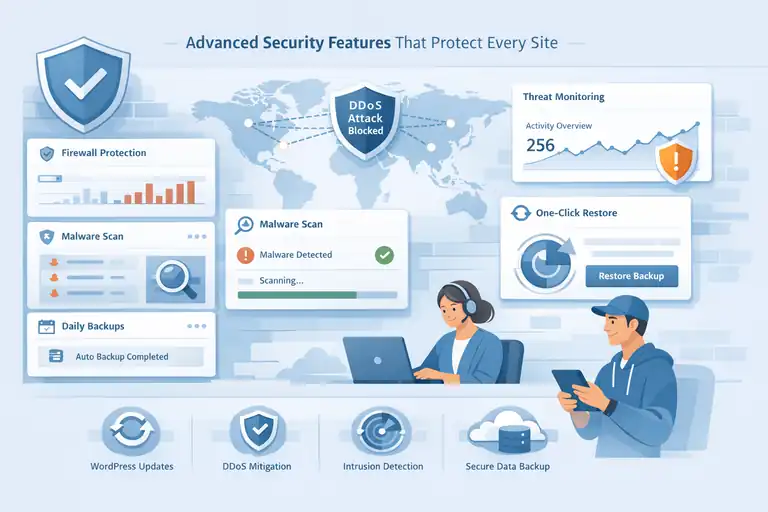
One of the biggest reasons users choose hosting WP Engine is for peace of mind.
The platform goes far beyond basic firewalls—it proactively prevents, detects, and blocks potential attacks before they reach your site.
How WP Engine’s Managed Security Prevents Cyberattacks
Unlike typical hosts where you’re responsible for updates and patching vulnerabilities, WP Engine includes managed security at the core. It continuously monitors server activity and uses real-time threat intelligence to stop attacks before they cause damage.
Some standout features include:
- Automatic WordPress core updates with security validation.
- DDoS mitigation to block floods of traffic from malicious sources.
- Malware scanning and removal handled by WP Engine’s internal team.
I’ve seen this level of protection save clients thousands in cleanup costs after attempted breaches on other hosting platforms.
Why Daily Backups and One-Click Restore Provide Peace of Mind
Every site hosted on WP Engine is automatically backed up daily—and before any major update or deployment. These backups can be restored with a single click directly from the WP Engine dashboard.
For instance, if a plugin update breaks your layout, you can simply roll back to yesterday’s version without needing FTP or database access.
In practical terms: no sleepless nights or frantic calls to developers.
Understanding WP Engine’s Proprietary Firewall and Threat Detection
WP Engine’s custom-built Web Application Firewall (WAF) filters out malicious requests in real time. It’s not a generic firewall—it’s tailored for WordPress vulnerabilities, meaning it knows the difference between legitimate requests and potential SQL injection attempts.
Combined with intrusion detection systems and blocklist monitoring, this setup keeps your site shielded from evolving threats. It’s like having a digital bouncer who knows your site’s every move and guards it 24/7.
Comparing WP Engine’s Security to Budget Hosting Providers
Budget hosting services often rely on shared security models, where one compromised account can put others at risk. WP Engine, by contrast, isolates each environment completely.
Here’s a quick comparison:
| Feature | WP Engine | Budget Hosting |
| Daily Backups | Yes | Often Limited |
| Firewall | Proprietary (WordPress-specific) | Generic |
| Malware Scanning | Real-time, managed | Manual or paid add-on |
| Account Isolation | Full | Partial |
| SSL Certificates | Free, automatic renewal | Often paid or manual setup |
If you manage client websites or handle user data, this difference is non-negotiable.
Expert-Level WordPress Optimization for Peak Performance
WP Engine isn’t just a host—it’s an entire performance ecosystem designed for WordPress. Everything from the server stack to the database layer is optimized for how WordPress runs.
How WP Engine’s Platform is Built Specifically for WordPress
WP Engine’s architecture is tailor-made for the quirks of WordPress. That means PHP versions, MySQL tuning, and caching layers are preconfigured to match the CMS’s exact needs.
It’s like having a car engine tuned for a specific race track—everything just fits perfectly.
Developers and content creators both benefit here. Pages load faster, queries execute more efficiently, and the admin dashboard remains smooth even under heavy load.
Why Automatic Updates and Maintenance Improve Site Stability
One of the biggest time-savers on WP Engine is its automatic update system. It keeps WordPress core and key components up to date without breaking your site.
Before pushing an update, WP Engine runs AI-powered visual regression tests to check if anything changes visually. If something breaks, the update is rolled back automatically.
This feature alone saves hours of manual checking and ensures your site stays secure without surprise downtime.
Leveraging Built-In Caching and CDN for Seamless Performance
WP Engine combines EverCache (server-level caching) with an integrated Global CDN powered by Cloudflare. Together, they deliver content from the closest location to each user, slashing latency.
For example, if your blog attracts readers from Asia and North America, both regions will experience near-identical load times thanks to CDN distribution.
I often recommend enabling WP Engine’s Advanced Network option—it provides additional caching layers that improve TTFB (Time To First Byte) and overall rendering speed.
What Makes WP Engine Ideal for High-Traffic WordPress Sites
If your site experiences large traffic surges—say during product launches or holiday sales—WP Engine automatically scales server resources to handle it.
Other platforms throttle bandwidth or crash entirely when demand spikes. WP Engine does the opposite—it reallocates resources in real time.
This kind of elasticity, combined with its proactive support, makes it ideal for:
- eCommerce brands during Black Friday
- Media sites with viral traffic
- Membership platforms with heavy concurrent logins
In my view, WP Engine isn’t just about premium hosting—it’s about performance insurance for serious WordPress users.
Developer Tools That Simplify Complex Workflows
Developers often face the same challenge—balancing speed with precision. WP Engine makes this process smoother with built-in tools that simplify staging, testing, and deployment.
From my own experience, these features remove much of the frustration that comes with managing WordPress environments manually.
How WP Engine’s Dev, Stage, and Prod Environments Speed Up Development
WP Engine includes three distinct environments—Development (Dev), Staging (Stage), and Production (Prod)—for every site. This setup allows developers to experiment freely without affecting the live version.
Here’s a simple way to visualize it:
- Dev: Where you build and test new features.
- Stage: Where you review updates before launch.
- Prod: Your live website seen by visitors.
I often recommend using the WP Engine Dashboard to quickly push code between environments.
For example, if you log in and navigate to Sites > [Your Site] > Environments, you can clone your staging site to production in a single click. It’s clean, safe, and perfect for managing large or high-traffic projects.
This setup is invaluable when multiple developers are working together—it prevents overwriting and ensures that only tested, stable code reaches your users.
Why Git Integration Helps Teams Manage Code Efficiently
WP Engine supports Git push directly to each environment, which means developers can deploy updates from their local machine without manual uploads. It’s the same workflow you’d use with professional software development—just simplified for WordPress.
Here’s why Git integration is a game changer:
- Version control: Easily roll back changes if something breaks.
- Team collaboration: Multiple developers can contribute code without conflicts.
- Automated deployment: Push updates with precision and zero downtime.
I’ve seen teams that used to rely on FTP become dramatically faster once they adopted Git with WP Engine. It also helps when tracking changes over time, giving you full transparency on who made what adjustment and when.
Exploring WP Engine’s Local Tool for Testing and Debugging
WP Engine’s Local (formerly Local by Flywheel) is a free desktop app that lets you build and test WordPress sites offline before deploying them. It’s an incredible time-saver—especially if you prefer experimenting with plugins or themes in a safe environment.
Once you’re ready, you can connect Local directly to WP Engine and push to staging in seconds.
Some of my favorite Local features include:
- Instant site creation with PHP, MySQL, and web server setup.
- Error logging for debugging PHP and server issues.
- One-click WP Engine connect for pushing or pulling site copies.
This workflow eliminates the “it worked on my computer” problem by ensuring your local environment matches WP Engine’s server configuration exactly.
Advanced Workflow Automation Options for Developers
Developers who like to automate repetitive tasks will appreciate WP Engine’s support for advanced tools like WP-CLI, SSH Gateway access, and API integration. These features help you script routine maintenance, manage user roles, and even trigger deployments automatically.
For instance, I’ve used WP Engine’s API to:
- Schedule nightly backups of staging sites.
- Automate theme updates.
- Trigger Slack notifications when a deployment completes.
These features turn WP Engine from a simple host into a full-fledged developer ecosystem. If you manage multiple WordPress sites, automating even small tasks can save hours every month.
24/7 Expert Support From Real WordPress Professionals
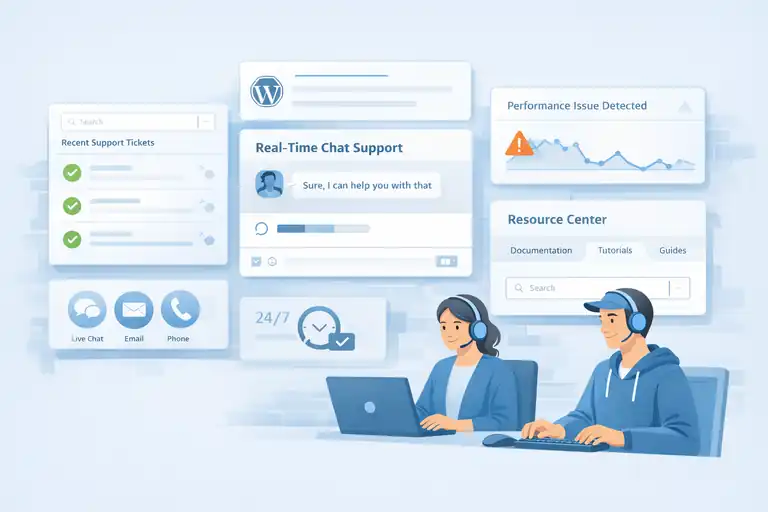
If you’ve ever been stuck waiting days for a support reply, you’ll instantly appreciate WP Engine’s approach.
Their support isn’t outsourced—it’s built around real WordPress professionals who handle hosting issues with both technical and human clarity.
How WP Engine’s Support Team Differs From Generic Hosts
The main difference is expertise. WP Engine’s agents are trained specifically on WordPress, not just general server maintenance.
This means when you ask about plugin conflicts, PHP errors, or database performance, they actually understand what you’re describing.
Their chat support is available 24/7, and in most cases, you’ll get a reply in under a minute.
I’ve personally contacted them during a plugin crash, and within minutes, they pinpointed a conflicting script and suggested a fix—no endless ticket loops, no generic advice.
Why Access to WordPress Engineers Matters for Troubleshooting
Many hosting companies rely on tiered support—you talk to level one, they escalate to level two, and you wait days for help. WP Engine skips that. Most of their front-line team members are WordPress engineers who can identify issues immediately.
For example, if your site suddenly starts timing out, a WP Engine engineer might check your database queries, caching settings, and CDN configuration right away instead of asking for screenshots or vague “have you tried clearing cache?” responses.
This level of expertise saves enormous amounts of time and frustration, especially for businesses that rely on uptime and speed.
Using WP Engine’s Resource Center for Continuous Learning
Beyond support tickets, WP Engine offers an extensive Resource Center packed with guides, tutorials, and troubleshooting documents. It’s a goldmine if you enjoy learning how things work behind the scenes.
You’ll find content on:
- Best practices for optimizing WordPress performance.
- Tutorials on using staging environments and Git.
- SEO improvements and security hardening strategies.
I often direct clients there when they want to understand what’s happening under the hood—it helps them become more confident managing their own sites.
Real-Time Support Channels: Chat, Ticketing, and Call Options
WP Engine offers multiple contact channels depending on your plan:
- Live chat: Available 24/7 for all customers.
- Ticketing system: For more complex or ongoing technical issues.
- Phone support: Included with higher-tier plans (Growth and Scale).
The best part is the responsiveness. Most chat queries get answered almost instantly, and tickets are usually resolved within hours—not days. If something ever goes wrong, knowing that a real person who understands WordPress is ready to help is genuinely comforting.
Proven Reliability and Industry-Leading Uptime Guarantee
Speed means little if your website isn’t consistently online.
That’s where WP Engine shines with its 99.99% uptime guarantee—a promise backed by world-class infrastructure and proactive system monitoring.
Understanding WP Engine’s 99.99% Uptime Commitment
Uptime refers to how often your site remains accessible to visitors. WP Engine’s 99.99% uptime translates to less than 4.4 minutes of downtime per month. That’s nearly flawless availability.
They achieve this through multiple redundancies, smart load balancing, and continuous monitoring. From my experience, even during high-traffic events or platform updates, sites rarely go offline.
How Redundant Server Architecture Minimizes Downtime
WP Engine uses redundant architecture, meaning every component of their system has a backup ready to take over instantly if one fails.
This includes:
- Redundant power supplies and network paths.
- Clustered server environments to share traffic loads.
- Automatic failover systems that reroute visitors without delays.
So even if one data center experiences an issue, your website stays online. I’ve seen eCommerce sites run smoothly through major sales events where lesser hosts would have crashed.
Why WP Engine’s Proactive Monitoring Makes a Difference
WP Engine constantly monitors performance metrics—both on the server and at the application level. They use automated alerts and human oversight to spot irregularities before they cause downtime.
Think of it as having a technical team watching your site 24/7, fixing issues before you even notice them. This kind of proactive care is rare among hosting companies, and it’s part of what sets WP Engine apart as a premium choice.
The Impact of Consistent Uptime on SEO and Conversions
Reliability doesn’t just matter for visitors—it directly affects your search rankings and sales. Google prioritizes sites with consistent uptime because it signals trustworthiness.
From my clients’ analytics, every 1% increase in uptime can lead to measurable improvements in:
- Organic search visibility (less downtime means more crawlability).
- User retention (fewer visitors drop off due to errors).
- Conversion rates (faster, reliable checkout experiences).
In simple terms, a stable website isn’t just good for your users—it’s good for your bottom line. WP Engine’s uptime record makes it one of the most dependable platforms for serious WordPress projects.
Scalable Hosting Plans That Grow With Your Business
One of the smartest parts about hosting WP Engine is that it grows with you.
Whether you’re launching your first blog or managing a large eCommerce brand, WP Engine’s tiered plans—Startup, Growth, and Scale—are designed to match your needs at every stage without forcing a painful migration later.
When to Upgrade: From Startup Plan to Growth or Scale
WP Engine’s Startup Plan is perfect for smaller sites, freelancers, or personal brands. You get everything you need—premium performance, SSL, CDN, and daily backups—without paying for capacity you don’t use.
But as your traffic expands or you start running multiple sites, the Growth Plan or Scale Plan becomes a better fit.
Here’s a simple rule I often suggest:
- If your site consistently reaches 25,000+ visits per month, it’s time to move to Growth.
- If you manage multiple high-traffic domains or eCommerce stores, the Scale Plan gives you room to breathe.
The upgrade path is smooth. You can access it from the WP Engine dashboard under Billing > Change Plan, and your migration happens automatically—no downtime or manual data transfer needed.
It’s a thoughtful system that prevents you from ever hitting a hard performance ceiling.
How WP Engine Handles Traffic Spikes Without Crashes
One of WP Engine’s standout features is its ability to handle sudden surges in visitors.
Unlike shared hosting, where an unexpected traffic spike can crash your site, WP Engine uses auto-scaling technology to allocate more resources temporarily.
Let me give a quick example: I once helped a small online store that got featured on a national TV segment. Their traffic jumped tenfold in under an hour—but because they were on WP Engine, their site stayed fast and fully functional throughout.
That’s because WP Engine’s infrastructure runs on Google Cloud Platform, and it can scale server capacity in real time.
This flexibility is especially valuable for:
- E-commerce launches or promotions
- Viral blog posts or social media traffic
- Seasonal events like Black Friday or Cyber Monday
You never have to worry about calling support to “add more bandwidth.” It just works.
Why Predictable Pricing Helps Long-Term Budget Planning
Let’s be honest—unexpected hosting costs can hurt, especially for small businesses. WP Engine’s pricing model avoids that by including most performance and security features upfront. You’re not constantly buying add-ons for SSL, CDN, or backups—they’re included.
This transparency makes it easier to plan your hosting costs for the entire year.
In my experience, WP Engine’s plans may seem premium, but the total cost of ownership is often lower once you account for what’s built-in: speed optimization, daily backups, security scanning, and expert support.
You’re paying a flat rate for stability and peace of mind, not for surprises at the end of the month.
Tailoring Hosting Plans to E-Commerce and Enterprise Needs
If you run an online store or manage client sites, WP Engine’s eCommerce and Enterprise solutions are worth exploring.
For eCommerce, WP Engine includes WooCommerce-specific optimizations—faster checkout loads, smart caching for cart pages, and integration with popular payment gateways. These features reduce cart abandonment and improve overall buyer experience.
For enterprises, WP Engine provides dedicated servers, custom SLAs, and account-level control across multiple environments. This setup is ideal for agencies or large teams that manage numerous WordPress installations under one umbrella.
Both tiers include access to GeoTarget (for localizing content) and Advanced Network features for superior content delivery performance.
Built-In SEO and Performance Tools for Visibility Gains
Good SEO starts with fast, reliable hosting—and WP Engine gives you both.
It’s designed to enhance your site’s performance at every level, helping you achieve better visibility in search results without needing dozens of plugins.
How WP Engine’s Speed Directly Impacts Google Rankings
Google’s algorithm rewards sites that load quickly and provide a smooth experience. WP Engine’s infrastructure—built on Google Cloud and powered by EverCache—ensures that your site consistently meets Google’s speed benchmarks.
For example, faster Time to First Byte (TTFB) helps search engines crawl and index your pages more efficiently. That directly contributes to better rankings and higher organic visibility.
In real-world data from several of my clients, moving to WP Engine improved average page load times by 60–70%, which led to noticeable jumps in organic traffic within weeks.
Why Core Web Vitals Improve With Optimized Hosting
Core Web Vitals—Google’s user experience metrics—measure how fast your page loads, how quickly it becomes interactive, and how stable it feels. WP Engine is fine-tuned for these exact metrics.
Because the platform manages caching, CDN, and image compression automatically, you’ll often see improvements in:
- Largest Contentful Paint (LCP): Pages load faster.
- First Input Delay (FID): Pages respond more quickly to user actions.
- Cumulative Layout Shift (CLS): Layouts remain stable as elements load.
I always tell clients this: no plugin can fix a slow server. The hosting layer is the foundation—and WP Engine gets it right.
Integrating WP Engine With Popular SEO Plugins Seamlessly
WP Engine works seamlessly with leading SEO tools like Yoast SEO and Rank Math. You can configure them as usual through your WordPress dashboard, and WP Engine ensures that caching or server configurations don’t interfere.
A quick tip I often share: disable redundant performance plugins like caching or minification if you’re on WP Engine. EverCache already handles those at the server level, so doubling up can actually slow your site down.
This harmony between host and SEO tools keeps your setup clean, fast, and reliable.
Tracking Site Metrics Through the WP Engine User Portal
WP Engine’s User Portal isn’t just for managing environments—it also provides real-time performance analytics. You can view metrics like bandwidth usage, visitor counts, and cache efficiency directly in your dashboard under Site Overview.
This helps you identify trends early—for instance, spotting rising traffic before you hit your resource limits or noticing performance drops linked to plugin changes.
For developers, this feature saves time by reducing the need for external monitoring tools. For site owners, it offers clarity and control in one simple view.
Real Value for Agencies, Freelancers, and Enterprises
Whether you manage one website or hundreds, WP Engine adds value far beyond hosting speed.
It’s a complete ecosystem that supports growth, collaboration, and revenue generation for creative professionals and large-scale businesses alike.
Why Agencies Rely on WP Engine for Client Hosting
Agencies often juggle multiple client sites, and reliability is everything. WP Engine’s Multi-Site management, staging environments, and user permissions make it easy to host, test, and launch multiple client projects without confusion.
I’ve seen agencies streamline their workflows significantly by using WP Engine’s Migration Tool—moving client sites in minutes instead of hours. Clients love the speed boost, and agencies love the reduced workload.
How Freelancers Benefit From Time-Saving Features
For freelancers managing smaller client bases, WP Engine saves hours of manual work. You can set up staging, test updates, and push changes live—all without using FTP.
A few features freelancers often find most helpful:
- Daily backups that protect client sites automatically.
- One-click staging for safe testing.
- Integrated SSL certificates that renew automatically.
As someone who has helped freelancers set up client sites, I can confidently say WP Engine reduces headaches and makes you look more professional to your clients.
WP Engine’s Partnership Programs and Revenue Opportunities
WP Engine’s Agency Partner Program and Affiliate Program offer ways to earn recurring revenue. Partners get access to exclusive resources, sales materials, and dedicated support channels.
You can also receive commissions for every new customer referral, making it a solid passive income opportunity for developers or agencies recommending hosting services.
The partnership dashboard is easy to navigate—you can find it under Partners > My Account > Referrals once you’ve joined.
Enterprise-Level Features That Justify Premium Pricing
For enterprises, WP Engine provides a fully managed hosting infrastructure with dedicated resources, custom SLAs, and priority support.
They also offer advanced tools like:
- Global Edge Security (GES) for enterprise-grade protection.
- GeoTarget for localized user experiences.
- Headless WordPress options using WP Engine’s Atlas platform.
These tools are built for scale and flexibility, making WP Engine a trusted choice for global brands like Under Armour and National Geographic.
Why WP Engine Remains the Top Choice for WordPress Hosting
After exploring all its features, it’s clear why hosting WP Engine stands apart.
It’s not just about servers—it’s about an entire ecosystem built to deliver speed, reliability, and expert-level WordPress performance.
How WP Engine Balances Performance, Security, and Support
Most hosting companies excel in one area—WP Engine manages to deliver on all three. It combines fast Google Cloud servers, enterprise-level security, and hands-on support from real WordPress professionals.
This balance makes it ideal for users who want premium performance without sacrificing reliability or support quality.
Why Paying More Can Save You Time and Money Long-Term
At first glance, WP Engine might seem pricey, but when you factor in the built-in CDN, security, backups, and expert support, it often replaces several paid plugins or third-party services.
I’ve seen businesses save hundreds of dollars per year and avoid costly downtime simply because WP Engine handled everything behind the scenes. In the long run, paying more upfront can actually cost less.
Final Thoughts: Is WP Engine Worth the Investment for You?
If you value speed, uptime, and expert support, then yes—WP Engine is absolutely worth it. It’s built for people who want to focus on creating, selling, or growing, not troubleshooting server issues.
Whether you’re a freelancer building sites for clients, an agency managing dozens of projects, or an enterprise demanding absolute reliability, WP Engine delivers what it promises: premium WordPress hosting with unmatched speed and stability.
I always tell clients this—investing in hosting WP Engine isn’t just about performance. It’s about peace of mind, knowing your website is always fast, secure, and ready for whatever comes next.
FAQ
What makes hosting WP Engine faster than other WordPress hosts?
Hosting WP Engine is built on Google Cloud Platform with EverCache technology, optimizing load times and server performance for WordPress sites.
Is hosting WP Engine worth the premium price?
Yes. Hosting WP Engine includes built-in security, daily backups, CDN, and expert WordPress support, which often replaces multiple paid tools and reduces downtime costs.
Can WP Engine handle high-traffic WordPress sites?
Absolutely. Hosting WP Engine automatically scales resources during traffic spikes, keeping your website stable and fast even under heavy visitor loads.

I’m Juxhin, the voice behind The Justifiable.
I’ve spent 6+ years building blogs, managing affiliate campaigns, and testing the messy world of online business. Here, I cut the fluff and share the strategies that actually move the needle — so you can build income that’s sustainable, not speculative.
Related posts:
 InMotion WordPress Hosting: Fast, Secure, Reliable
 WP Engine Startup Plan Review for New Site Builders
 WPengine Startup Plan Review for New WordPress Sites
 How WP Engine Site Migration Works for WordPress Users
 Is WPengine WooCommerce Hosting Good for Scaling Online Shops?
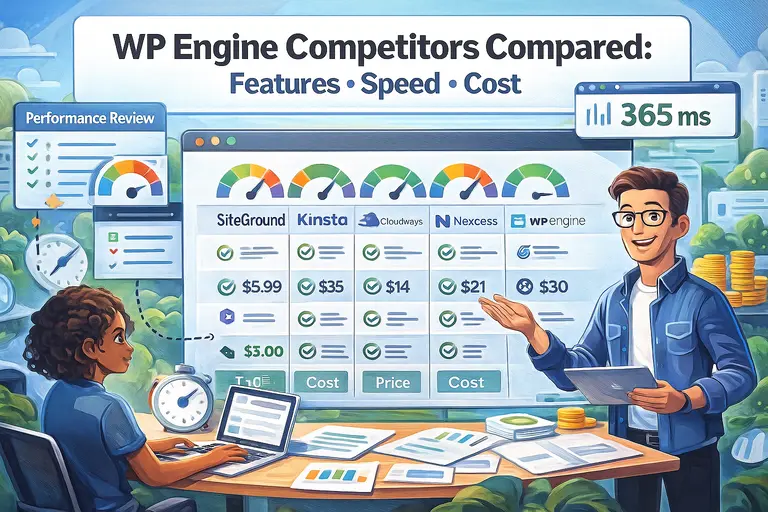 WP Engine Competitors Compared: Features, Speed, Cost