
Table of Contents
Some links on The Justifiable are affiliate links, meaning we may earn a small commission at no extra cost to you. Read full disclaimer.
How to build product launch email sequences in GetResponse becomes much easier once you stop thinking about it as “writing a few promo emails” and start treating it like a timed conversion system.
If you are launching a product and hoping subscribers buy before the buzz fades, you need more than one announcement. You need a sequence that warms people up, handles objections, creates urgency, and follows up based on behavior.
In my experience, GetResponse is a strong fit for this because it combines newsletters, autoresponders, segmentation, and automation in one place, with plans starting around $19 per month for smaller lists and automation access depending on plan level.
Understand what a product launch email sequence needs to do
A strong launch sequence is not just about sending more emails. It is about sending the right message at the right stage of buyer readiness.
Define the real job of the sequence before you open GetResponse
Most launches fail in email for a simple reason: The sequence is built around the brand’s excitement, not the reader’s decision-making process. Your subscriber does not wake up caring that your product launches on Tuesday.
They care about whether it solves a problem, whether they trust it, whether the timing feels right, and whether buying now is smarter than waiting.
That is why I suggest defining your sequence in five jobs before you touch any workflow builder:
- Job 1: Build anticipation so the launch does not feel random.
- Job 2: Explain the problem in a way the reader recognizes instantly.
- Job 3: Position the product as a practical solution, not a hype object.
- Job 4: Remove friction with proof, FAQs, bonuses, or demos.
- Job 5: Create a deadline that gives people a reason to act now.
Imagine you are launching a new online course for Etsy sellers. A weak sequence says, “It’s here, buy now.”
A stronger sequence says, “You are losing sales because your listings are not converting, here is why, here is what changed, here is how the course fixes it, here is what early buyers get, and here is when enrollment closes.”
That shift matters. It keeps the sequence focused on buyer psychology rather than internal launch excitement.
Know the difference between autoresponders and automation in GetResponse
This is where many people get tripped up. In GetResponse, autoresponders and automation are related, but they are not the same thing.
Autoresponders are time-based emails. You decide that Email 1 goes out immediately, Email 2 goes out one day later, Email 3 goes out three days later, and so on. They are simple and useful when every subscriber should get the same path.
Marketing automation is behavior-based. In GetResponse workflows, you can trigger actions based on opens, clicks, tags, purchases, list changes, scoring, and other conditions. You can also move people between paths automatically.
GetResponse’s own documentation and workflow examples highlight tagging, scoring, segmentation, and behavior-based branching as core automation use cases.
My advice is simple: Use autoresponders only for straightforward launches with one audience and one path. Use automation when you want smarter branching, such as:
- Sending a reminder only to non-clickers
- Pulling buyers out of the promo sequence
- Tagging warm leads based on interest
- Sending extra objection-handling emails to people who visited the sales page but did not buy
If you want your launch sequence to feel personal without manually managing it, automation is where GetResponse becomes much more powerful.
Plan the launch sequence before building anything
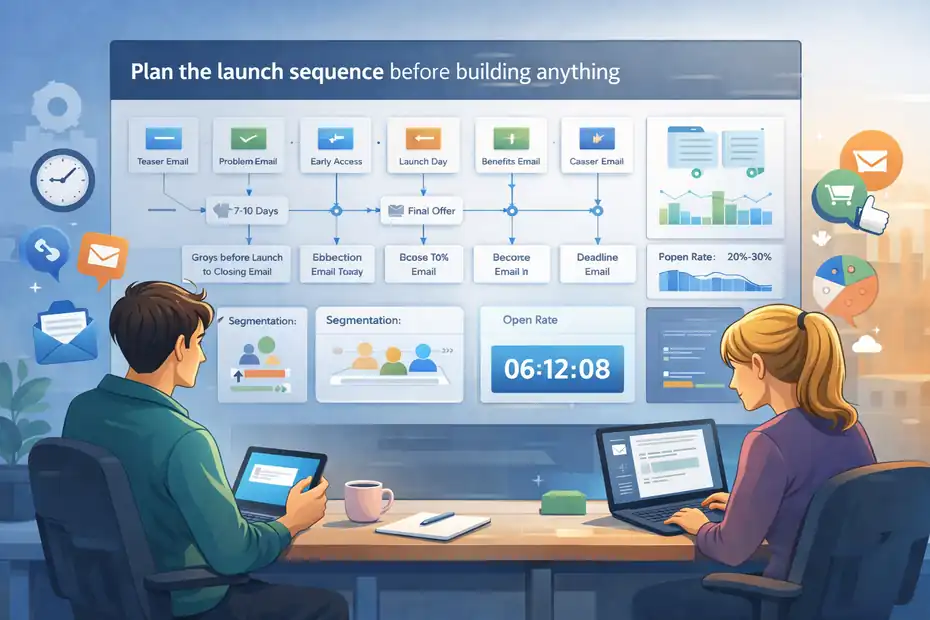
This is the part most people rush, and it usually costs them sales.
A sequence works best when the timing, message, and segmentation are mapped before the first email is written.
Build your launch timeline around buyer momentum
A launch sequence needs rhythm. Too few emails and people forget you. Too many and you burn trust. For most launches, I recommend a structure like this:
- Teaser email 7 to 10 days before launch
- Problem/agitation email 5 to 7 days before launch
- Early access or waitlist email 3 to 5 days before launch
- Launch announcement on day 1
- Benefit-focused email on day 2
- Proof or case study email on day 3 or 4
- Objection-handling email on day 5
- Deadline reminder 24 hours before close
- Final hours email on closing day
That may look like a lot, but launch subscribers expect a higher send frequency during a time-sensitive offer. The key is that each email must do a different job.
Email marketing continues to deliver strong ROI, and benchmark sources still place open-rate baselines roughly in the 20% to 30%+ range depending on list quality and industry, while ecommerce-specific benchmarks can run higher.
That matters because launch campaigns live or die on attention. One email rarely gets enough visibility to carry the launch on its own.
I believe the smartest timeline starts a little earlier than most people think. You do not want your first launch email to also be the first moment your audience hears the offer exists.
Map the sequence by awareness level, not just by calendar date
Here is a shortcut I use when planning launch emails: sort each message by awareness stage.
Some readers are problem-aware. They know something is wrong, but they do not know your solution yet. Others are solution-aware. They have looked at options and are comparing. A small group is almost purchase-ready and just needs timing, proof, or a push.
Your launch emails should mirror that.
A practical awareness map looks like this:
- Low awareness emails: Focus on the pain, missed opportunity, or changing market
- Mid awareness emails: Explain the product and outcome clearly
- High awareness emails: Focus on proof, urgency, bonuses, and objections
Let me make that real. If you are launching a skincare product, your early emails might focus on why most routines fail because of inconsistent barrier support.
Mid-sequence emails explain how your formula works and who it is for. Late emails answer concerns about price, ingredients, shipping, and whether the launch bonus expires.
This makes your sequence feel natural. It also helps you avoid the classic mistake of pitching too hard before the subscriber is mentally ready to buy.
Set up your GetResponse account structure the right way
A clean account structure saves you from messy segmentation later. This is one of those boring setup steps that quietly affects everything.
Create lists, tags, and custom fields with launch reporting in mind
Inside GetResponse, many launch problems come from poor organization, not weak copy. If everyone goes into one giant list with no tags or tracking, you lose the ability to personalize and measure.
I recommend keeping your structure simple:
- Main list: Your core audience or newsletter list
- Launch tag: People who joined or clicked into this product launch
- Buyer tag: People who purchased during the launch
- Interest tags: Topic-specific tags based on clicks or signup source
- Custom fields: Details like product interest, webinar registration, coupon status, or cohort
GetResponse supports contact tagging, segmentation, and custom behavior tracking through automation workflows, which is exactly what you need for a launch that branches cleanly.
Here is why this matters. Suppose 5,000 subscribers receive your teaser email, but only 800 click through to the waitlist page. Those 800 should not get the same follow-up as the other 4,200. Tagging lets you treat them like warm leads instead of sending generic reminders to everyone.
I suggest naming tags very clearly. Use names like launch-productname-interest, launch-productname-buyer, and launch-productname-no-click. Clear tags make automation easier to troubleshoot when the launch gets busy.
Choose the right GetResponse features for your launch type
Not every launch needs every feature. One reason people get overwhelmed in GetResponse is that they try to use everything at once.
Here is a simpler way to match features to launch type:
- Basic launch: Email creator + autoresponders + segmentation
- Smarter launch: Marketing automation + tags + scoring
- Lead capture launch: Landing pages + forms + email sequence
- Sales-focused launch: Ecommerce tracking, purchase conditions, and conversion funnels where relevant
GetResponse positions itself as an all-in-one email and automation platform, with automation, landing pages, and integrations built into broader plan tiers. Its pricing and help pages also show that feature access depends on the package you choose.
My practical opinion is this: For a real product launch, automation is worth it. Even one simple rule, like removing buyers from sales emails, can protect conversions and brand trust. Nothing feels sloppier than buying a product and still getting “Don’t miss out” emails for two more days.
Write the emails that actually move people toward purchase
This is where most guides get vague. So let me be direct: your launch sequence should not be nine versions of the same sales pitch.
Use a launch email framework that changes the angle each day
A sequence performs better when each email has a distinct angle. I usually build around this framework:
- Email 1: Teaser Introduce the upcoming launch and hint at the result
- Email 2: Problem Show why the current way is not working
- Email 3: Opportunity Reveal what becomes possible with the right solution
- Email 4: Launch day Open the offer and explain what is included
- Email 5: Benefits Focus on outcomes, not feature lists
- Email 6: Proof Share results, testimonials, or use cases
- Email 7: Objections Answer price, time, risk, or fit concerns
- Email 8: Urgency Remind them what ends soon
- Email 9: Last call Make the deadline feel real and clear
This structure works because it follows how people buy. They do not need repeated hype. They need a growing case for action.
Here is a quick example for a digital template bundle launch:
- Teaser: “Something new is coming for busy freelancers”
- Problem: “Why client onboarding still eats up your week”
- Opportunity: “What changes when your docs are ready before the call”
- Launch: “The template bundle is live”
- Benefits: “What you save in time, follow-up, and missed details”
- Proof: “How one freelancer cut admin by 4 hours a week”
- Objections: “Is this still worth it if you already use Notion?”
- Urgency: “Bonus training ends tomorrow”
- Last call: “Doors close tonight”
That kind of variation keeps opens and clicks healthier across the full sequence.
Write copy that sounds human but still sells
You do not need flashy copywriting tricks to make a launch sequence convert. You need clarity, momentum, and trust.
In my experience, the strongest launch emails usually do three things well:
- They open with a real problem or recognizable moment
- They make one core point instead of ten
- They end with a clear next step
A simple body structure works well:
- Hook the reader with a pain point, belief, or missed opportunity
- Expand the situation with one short story, example, or insight
- Connect the product naturally to the outcome
- Ask for one action, usually clicking through
For example, instead of saying, “Our new analytics dashboard includes customizable widgets, alerting, and team controls,” say, “If you are still opening three tools just to figure out why sales dipped yesterday, this dashboard was built for that exact frustration.”
That is more human. It also does a better job of helping the reader see themselves in the product.
I suggest writing your first draft in plain language, then tightening it. The best launch emails rarely sound “written.” They sound like someone who understands the problem and is trying to help you make a smart decision.
Build the sequence in GetResponse step by step
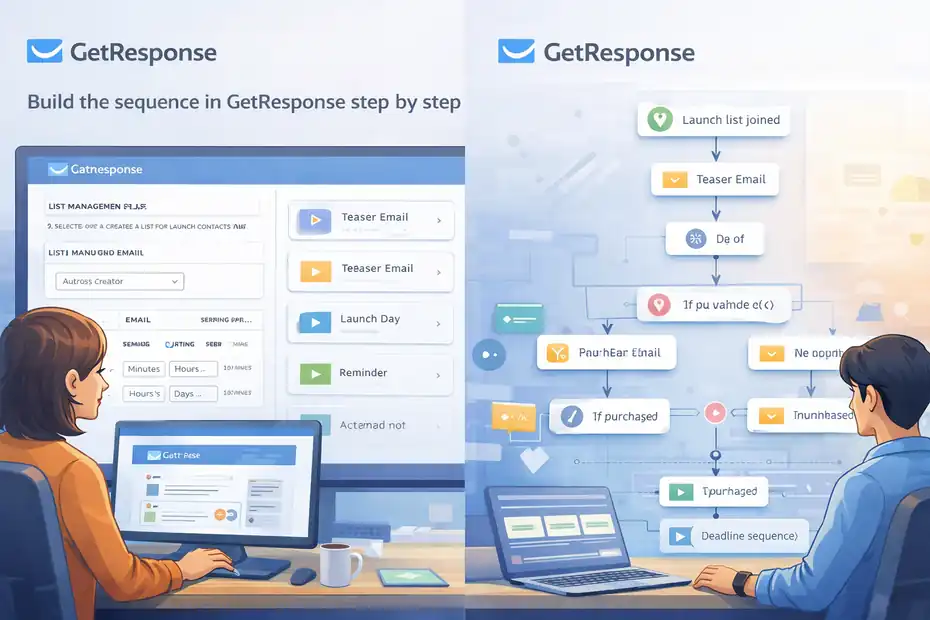
Once your plan and copy are ready, the build inside GetResponse becomes much easier. This is where structure beats improvisation.
Build a simple launch with autoresponders
If you are running a straightforward launch and every subscriber should receive the same sequence, autoresponders can do the job.
The workflow is simple:
- Create or choose the list where launch contacts live
- Write each email in the email creator
- Set send timing for each autoresponder
- Decide whether emails go based on subscription day, signup trigger, or a fixed start logic
- Test delivery and links before turning it on
GetResponse describes autoresponders as a way to send scheduled emails at set intervals, which makes them useful for simple educational or promotional sequences.
The biggest limitation is flexibility. If someone clicks heavily, buys early, or ignores everything, the autoresponder series still keeps going unless you manually intervene.
That is why I see autoresponders as a good fit for smaller launches, mini offers, or early-stage businesses that want speed over sophistication.
A nice shortcut here is to duplicate your best-performing product launch emails from past campaigns and adjust timing, CTA, and segmentation rather than rebuilding from scratch every time.
Build a smarter sequence with GetResponse automation workflows
For most product launches, I recommend using GetResponse marketing automation instead.
A basic launch workflow might look like this:
- Trigger when someone joins the launch list or gets a launch tag
- Send teaser email
- Wait 2 days
- Send launch email
- Check whether they clicked
- If yes, tag them as warm lead
- If no, send a softer reminder
- Check whether they purchased
- If purchased, remove them from promo path and start buyer onboarding
- If not purchased, continue deadline sequence
This is where GetResponse is especially useful. The platform’s workflow logic supports triggers, conditions, tags, scoring, list movement, and purchase-based actions, which makes launch branching much easier than manual campaign management.
I also like using lead scoring in launches. Someone who opens, clicks, visits the sales page, and returns should not be treated like a cold subscriber. Even a simple scoring model helps you identify likely buyers and send them stronger proof or a last-minute reminder.
The goal is not complexity for its own sake. The goal is relevance.
Segment your audience so the launch feels more personal
Segmentation is where mediocre launch campaigns become profitable. The more your sequence reflects real behavior, the less it feels like mass email.
Segment by source, interest, and behavior
A launch usually attracts different types of subscribers. Some came from your newsletter. Some joined from a lead magnet. Some clicked from Instagram. Some attended a webinar. Their intent is not identical, so your sequence should not assume it is.
I recommend segmenting on at least three levels:
- Source: Where did they come from?
- Interest: Which topic, feature, or promise got their click?
- Behavior: Did they open, click, visit, or buy?
Here is a practical example. If you are launching a fitness app, subscribers who joined from a “meal planning” lead magnet may respond better to nutrition-focused angles.
Subscribers who joined from a “home workouts” page may care more about convenience and consistency. Same launch, different emphasis.
GetResponse supports list segmentation, tagging, and behavior-driven automation, which is exactly what makes this kind of launch personalization possible.
My rule is simple: If a click reveals intent, tag it. Even one extra intent tag can make your follow-up sequence dramatically more relevant.
Remove buyers and branch non-buyers automatically
This sounds obvious, but I still see brands miss it all the time. If someone buys during the launch, they should immediately stop receiving sales-pressure emails for that same offer.
In GetResponse, you can use purchase conditions and automation logic to move buyers into a post-purchase path. That could mean:
- Sending a thank-you email
- Delivering onboarding instructions
- Upselling an add-on later
- Asking for a review or referral after a few days
Meanwhile, non-buyers stay in the objection-handling and urgency path.
This separation protects the customer experience and improves launch reporting. It also keeps conversion data cleaner because you can compare warm non-buyers against actual buyers instead of blasting everyone identically until the close.
I believe this is one of the highest-impact changes you can make in any launch. It feels simple, but it solves a surprising amount of friction.
Optimize timing, deliverability, and performance during the launch
A good sequence is built before launch day. A great sequence gets adjusted while the launch is live.
Watch the right metrics and make mid-launch decisions
During a launch, do not stare only at total revenue. You need a few leading indicators:
- Open rate: Are subject lines and sender trust strong enough?
- Click rate: Is the message persuasive enough to earn a visit?
- Sales page conversion rate: Is the page doing its job once traffic arrives?
- Revenue per email or per recipient: Which messages actually drive money?
- Unsubscribes and spam complaints: Are you pushing too hard?
Benchmark sources vary by industry and platform, but average opens often land in the 20% to 30% range, with stronger lists reaching above that.
Ecommerce campaign benchmarks can exceed 30% opens, while click rates often remain much lower, which means click-through is usually where the real optimization opportunity lives.
Here is the decision-making shortcut I use:
- High opens, low clicks = message angle or CTA problem
- Low opens, decent clicks = subject line or deliverability problem
- High clicks, low sales = landing page or offer problem
That one lens keeps you from blaming the sequence when the actual issue sits elsewhere.
Improve deliverability before urgency emails go out
The final 48 hours of a launch often generate the biggest sales spike. That means deliverability matters most right when you are sending most aggressively.
A few practical habits help:
- Warm up highly engaged segments first
- Avoid dramatic changes in send volume if possible
- Use one clear CTA rather than cluttered layouts
- Keep image-heavy designs under control
- Clean inactive contacts before launch week if the list is old
- Send key reminders to the most engaged segment first if reputation is shaky
GetResponse publishes list hygiene and email strategy guidance around contact management and relevance, and those basics matter more during launch periods because frequency jumps quickly.
I also recommend checking mobile formatting obsessively. A huge share of opens happens on mobile devices, and cramped urgency emails can kill clicks even when the copy is good.
Avoid the launch mistakes that quietly kill conversions
Most launch underperformance is not dramatic. It is usually a stack of small mistakes.
Fix the most common sequence mistakes before they happen
These are the mistakes I see most often:
- Starting with the pitch too early: No context, no anticipation, no trust
- Repeating the same angle: Every email sounds like the last one
- Using weak CTAs: Readers are interested but not directed
- Ignoring segmentation: Warm leads and cold leads get the same message
- Failing to remove buyers: New customers receive annoying promo reminders
- Sending without testing: Broken links or bad personalization tags ruin momentum
- Overdesigning the email: Pretty layout, weak message
If I had to pick the worst one, it is repeated angle fatigue. A launch sequence should feel like a conversation moving forward. If every email says “Buy now before it’s too late,” readers mentally tune out.
A better approach is to assign each email one clear purpose and one major objection to address. That creates natural variety and keeps the sequence useful even when frequency increases.
Troubleshoot weak performance without rebuilding the whole launch
Sometimes a launch starts soft. That does not mean the whole thing is broken.
Here is how I troubleshoot quickly:
- If opens are low, test a simpler subject line and preview text
- If clicks are low, tighten the email around one main promise
- If buyers are stalling, add proof or clarify the offer stack
- If urgency is not converting, make the deadline and consequence more specific
- If unsubscribes spike, reduce repetition and segment out colder subscribers
Imagine your launch email gets decent opens but almost no clicks. Instead of rewriting the whole sequence, check the message hierarchy.
Are you burying the CTA under too much explanation? Are there three different links competing for attention? Are you asking for a buy before you have shown the result?
Small structural edits often produce bigger gains than full rewrites.
Scale your launch system so future campaigns get easier
The first launch sequence is the hardest. After that, your goal is to turn it into a reusable system.
Turn one launch into a repeatable GetResponse framework
Once your launch ends, do not just move on. Audit it while the data is still fresh.
Review:
- Which emails had the highest click-through rate?
- Which subject lines got the best opens?
- Which segment converted best?
- Which objections showed up in replies or support chats?
- Which tags or branches produced the strongest revenue?
Then convert those learnings into a launch template inside GetResponse. Save your email structures, tag naming rules, branch logic, and buyer-removal workflow. The next time you launch, you are editing a proven system instead of starting from zero.
I recommend keeping a simple launch scoreboard for every campaign. Track sends, opens, clicks, revenue, top objections, and final conversion rate. Over time, patterns emerge fast.
Add advanced launch tactics only after the core sequence works
Advanced tactics can help, but only after the fundamentals are solid.
Useful upgrades include:
- Running a VIP early-access branch for most engaged subscribers
- Using click-based tags to personalize FAQ emails
- Sending a special deadline reminder only to sales-page visitors
- Creating separate paths for webinar attendees versus general subscribers
- Triggering post-purchase upsells after onboarding starts
These tactics work because they build on real behavior, not guesses. GetResponse’s workflow flexibility around tagging, scoring, segmentation, and purchase actions makes this possible without bolting together multiple platforms.
My honest take is that most people do not need advanced complexity. They need a clean sequence, good segmentation, buyer removal, and strong messaging. Nail those first and your launch system will already outperform a lot of “fancier” campaigns.
Final thoughts on building a launch sequence that sells
If you want to know how to build product launch email sequences in GetResponse that actually convert, the answer is not more templates or louder copy. It is better sequencing.
You need a launch path that builds anticipation, explains the problem, positions the offer clearly, adapts to behavior, and increases urgency without sounding desperate.
GetResponse gives you the parts you need: email creation, autoresponders, automation, segmentation, tagging, and purchase-based branching. What matters is how you connect them.
I would start simple. Build one sequence with a clear timeline, distinct email angles, and buyer removal built in from day one. Then improve it after each launch. That is how you go from “sending promo emails” to running a real launch system that gets smarter every time.
FAQ
What is a product launch email sequence in GetResponse?
A product launch email sequence in GetResponse is a series of timed or automated emails designed to promote a product before, during, and after launch. It guides subscribers through awareness, interest, and decision stages while using automation to personalize timing and messaging based on user behavior.
How many emails should be in a product launch sequence?
Most effective product launch email sequences include 7 to 10 emails spread across pre-launch, launch, and closing phases. This allows you to build anticipation, explain value, handle objections, and create urgency without overwhelming subscribers or losing their attention.
Should I use autoresponders or automation in GetResponse?
You should use automation in GetResponse for most product launches because it allows behavior-based targeting, such as removing buyers or segmenting engaged users. Autoresponders work for simple sequences, but automation creates more personalized and higher-converting campaigns.
How do I improve conversions in a launch email sequence?
To improve conversions, focus on clear messaging, strong subject lines, and audience segmentation. Each email should have one goal, address a specific objection, and lead to a single action. Adding urgency, social proof, and personalized follow-ups can significantly increase results.
When should I start sending launch emails?
You should start sending launch emails about 7 to 10 days before your product goes live. This gives enough time to build anticipation, warm up your audience, and position your offer so subscribers are ready to act when the launch officially opens.

I’m Juxhin, the voice behind The Justifiable.
I’ve spent 6+ years building blogs, managing affiliate campaigns, and testing the messy world of online business. Here, I cut the fluff and share the strategies that actually move the needle — so you can build income that’s sustainable, not speculative.
Related posts:
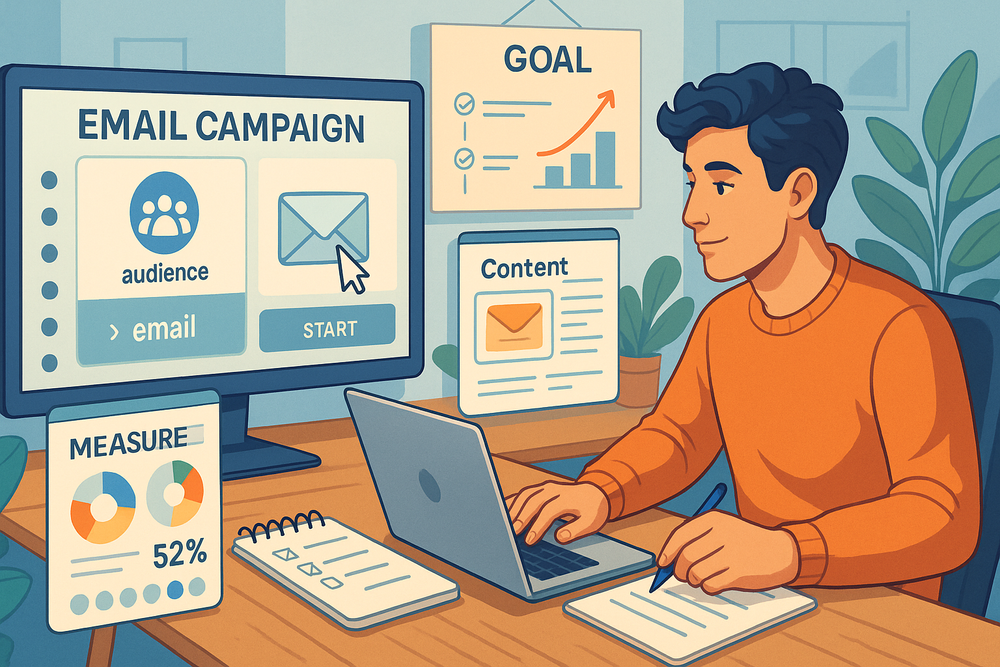 The Perfect Email Marketing Plan: A Proven Framework
 Email Marketing Tips: Improve Email Marketing Results
 Target Audience: How to Effectively Leverage It for Email Marketing
 How To Use Email Marketing For Small Business
 How To Design An Email Marketing Campaign
 GetResponse Vs Dedicated SMTP Email Sending Platforms: Real Truth