
Table of Contents
Some links on The Justifiable are affiliate links, meaning we may earn a small commission at no extra cost to you. Read full disclaimer.
If you’ve been wondering how to use Helium 10 for product research without feeling overwhelmed by dashboards, filters, and endless data points—you’re in the right place.
I remember opening Helium 10 for the first time and thinking, “Where do I even start?”
This guide is for Amazon sellers, private label beginners, dropshippers transitioning to FBA, and ecommerce entrepreneurs who want data-backed product decisions instead of guessing.
We’re answering one clear question: How do you use Helium 10 step-by-step to find profitable, low-competition products like a pro?
No fluff. No theory. Just practical workflows you can apply immediately.
Set Up Helium 10 For Accurate Product Research
Before you even touch Black Box or Xray, you need to set Helium 10 up correctly. If the foundation is off, your data will mislead you—and when you’re investing thousands into inventory, bad data is expensive.
Let’s do this like a pro from day one.
Connect Your Amazon Seller Account Properly
If you’re serious about learning how to use Helium 10 for product research, this is non-negotiable.
Why It Matters: When your Seller Central account is connected, Helium 10 pulls more accurate fee estimates, category insights, and sales data. Without it, you’re working with partial information.
How To Do It Correctly:
- Go to Helium 10 → Connections → Amazon Seller Account
- Log in through official Amazon OAuth (never share passwords manually)
- Select the correct region (US, UK, CA, etc.)
- Confirm data sync is active
Pro Insight:
I’ve seen new sellers skip this step and rely on default fee estimates. Then they realize FBA storage fees in Q4 destroyed their margins. When connected properly, Helium 10 calculates:
- FBA fees
- Referral fees
- Storage projections
- Net profit estimates
That’s the difference between a 28% margin and a 12% “surprise.”
If you don’t have a Seller Central account yet, you can still research—but understand your profitability projections will be less precise.
Choose The Right Marketplace And Category
This sounds simple. It’s not.
Marketplace First:
Helium 10 data is marketplace-specific. US demand ≠ UK demand. Canada ≠ Australia.
If you’re selling in the US, make sure the dashboard says:
Amazon.com (United States)
Not Amazon.co.uk. Not Canada.
You’d be surprised how often sellers analyze the wrong region and wonder why the numbers don’t match reality.
Category Selection Strategy:
Instead of browsing randomly, ask:
- Is this category historically competitive?
- Does it attract private label sellers?
- Is it brand-dominated?
Quick rule of thumb:
| Category Type | Risk Level | Competition | Beginner Friendly? |
| Electronics | High | Very High | ❌ Rarely |
| Home & Kitchen | Medium | High | ⚠️ Selectively |
| Pet Supplies | Medium | Moderate | ✅ Often |
| Office Products | Low–Medium | Moderate | ✅ Yes |
Personal Opinion: I suggest beginners avoid hyper-brand categories (Apple accessories, fitness electronics). Instead, look at functional, everyday-use niches where branding isn’t everything.
Configure Filters Before Running Any Search
Most people open Black Box and hit search.
That’s not product research. That’s browsing.
If you want to truly understand how to use Helium 10 for product research, filters are where the strategy lives.
Core Filters I Use First:
- Monthly Revenue: $8,000–$25,000
- Price Range: $20–$50
- Reviews: Max 150–200
- Rating: 4.5 stars or lower
- Weight: Under 3 lbs
Why?
- Under $20 → Hard to run PPC profitably.
- Over $50 → Higher risk, slower sales velocity.
- 1,000+ reviews → Brutal competition.
The $10K Rule: If at least 3–5 listings in the niche are generating $10,000+ per month, demand is validated.
That’s your baseline.
Reality Check:
If you skip filters, you’ll waste hours looking at products that either:
- Sell 10 units per month
- Have 3,000 reviews
- Generate $2,000 in revenue
Which means no margin to compete.
Avoid Beginner Mistakes That Skew Data
This is where most Amazon dreams quietly die.
Let me be blunt.
Helium 10 is powerful—but it’s still software. You have to interpret it correctly.
Mistake #1: Trusting Revenue Without Checking Review Velocity
A product doing $30,000/month with 2,000 reviews might look attractive.
But ask:
- How many new reviews per month?
- Is growth accelerating or plateauing?
Use Xray later to confirm review velocity.
Mistake #2: Ignoring Seasonality
A product doing $50,000/month in December could drop to $4,000 in March.
Before you get excited, cross-check with Trendster.
Mistake #3: Falling In Love Too Early
I see this constantly.
Someone finds a product that “looks good” and immediately starts supplier outreach.
Slow down.
Professional product research means:
- Validate demand
- Validate competition
- Validate margins
- Validate long-term trend
Emotion is expensive in ecommerce.
Use Black Box To Discover Winning Products
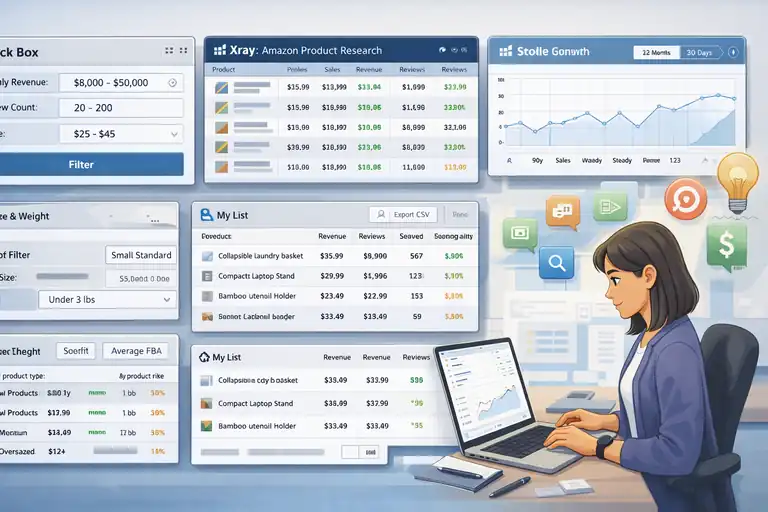
Now we move into the engine room.
Black Box is Helium 10’s product discovery tool. This is where you generate ideas based on real Amazon data—not gut feeling.
Used correctly, it becomes your unfair advantage.
Apply Smart Revenue And Price Filters
Revenue tells you demand. Price tells you margin potential.
You need both.
Ideal Beginner Framework:
- Revenue: Minimum $8,000/month
- Price: $25–$45
- Sales Volume: 300+ units/month
Why $25–$45?
Because:
- You can afford PPC.
- You can absorb Amazon fees.
- You’re not competing on razor-thin margins.
Mini Scenario:
Let’s say:
- Selling price = $35
- Landed cost = $8
- FBA + referral fees = ~$11
- PPC = $6
You still have margin left.
Under $18? That math gets ugly fast.
Set Review Count To Find Low Competition
This filter is gold.
In Black Box, set:
- Maximum Reviews: 150–200
Now you’re filtering for products where top sellers aren’t review giants.
Why This Works: Amazon shoppers trust reviews. If top competitors have 50–150 reviews, you can realistically compete within months.
If they have 2,000+ reviews? That’s a long war.
Pro Tip:
Don’t just look at the top result.
Open 5–10 listings and check:
- Are reviews evenly distributed?
- Or is one brand dominating?
Balanced competition = opportunity.
Use Advanced Filters For Size And Weight
Shipping costs are silent profit killers.
Inside Black Box, use:
- Size Tier: Small Standard Size
- Weight: Under 2–3 lbs
Why?
- Lower FBA fees
- Cheaper shipping from suppliers
- Less warehouse storage cost
Here’s a rough comparison:
| Product Type | Avg FBA Fee | Shipping Cost | Storage Risk |
| 1 lb product | ~$3–$4 | Low | Low |
| 6 lb product | ~$8–$10 | High | Medium |
| Oversized | $12+ | Very High | High |
If you’re new, heavy or oversized products can quietly wipe out profits.
Keep it simple.
Spot Emerging Trends With Monthly Sales Data
This is where you separate amateurs from pros.
Inside Black Box results:
- Sort by Sales Trend
- Check 90-day movement
- Look for steady upward patterns
What you want:
- Consistent growth
- Not sudden spikes
- No sharp seasonal crashes
Quick Example:
Product A:
- 300 → 320 → 350 units
Stable growth.
Product B:
- 100 → 900 → 80 units
Likely viral or seasonal.
Choose stability over hype.
Save And Organize Promising Product Ideas
Most people research randomly.
Professionals document everything.
Inside Helium 10:
- Use My List feature
- Tag by niche
- Export CSV for deeper analysis
I personally recommend building a simple tracking sheet with columns like:
- Product Idea
- Revenue
- Reviews
- Weight
- Estimated Margin
- Seasonality Risk
- Differentiation Angle
When you analyze 30–50 products side by side, patterns emerge.
And here’s the truth:
The first idea you find is rarely the best one.
The winners usually show up after disciplined filtering.
Validate Demand With Xray Chrome Extension
Black Box gives you ideas. Xray tells you whether those ideas are real—or illusions.
If you’re serious about mastering how to use Helium 10 for product research, Xray is where you verify what’s actually happening on Amazon’s search results page.
Install the Helium 10 Chrome Extension, open an Amazon search result, and click Xray. Now you’re looking at live marketplace data instead of guessing.
Analyze Real-Time Revenue Estimates
When Xray loads, the first thing you’ll see is Revenue and Sales per listing.
What Revenue Really Means: Helium 10 estimates monthly revenue based on sales velocity and price history. While it’s not 100% exact (no tool is), it’s widely considered one of the more accurate estimators in the Amazon ecosystem.
What I Personally Look For:
- At least 3–5 listings generating $10,000+ per month
- Total niche revenue above $80,000–$100,000 monthly
- No single listing dominating 70% of revenue
Mini Scenario:
You search “stainless steel lunch box.”
Xray shows:
- Listing #1: $45,000
- Listing #2: $18,000
- Listing #3: $12,000
- Others: $6,000–$10,000
That’s healthy distribution. Demand is proven.
Now imagine:
- Listing #1: $120,000
- Everyone else: Under $5,000
That’s a brand monopoly. Harder entry.
Quick Rule: If revenue is evenly spread, competition is more realistic.
Evaluate Review Velocity And Competition
This is where beginners get tricked.
They see low review counts and assume low competition. Not always true.
Review Count vs Review Velocity:
- Review Count = Total reviews accumulated.
- Review Velocity = How fast reviews are increasing.
Click into a few listings and check review history. Helium 10 often shows this inside the extension.
Healthy Entry Zone:
- Top sellers under 200 reviews.
- Monthly review growth under 30–40.
If a listing jumps from 50 to 300 reviews in 2 months, that’s aggressive growth. You’re entering a scaling war.
Pro Insight:
From what I’ve seen, niches where top sellers gain 10–20 reviews per month are much easier for new sellers to penetrate.
Slow growth = less intense competition.
Check Seller Concentration And Listing Quality
Now we go deeper.
Seller Concentration:
Look at the “Seller” column.
Ask yourself:
- Is one brand dominating multiple listings?
- Are there repeat brand names in top 10?
If one brand owns 5 of the top 10 spots, you’re fighting a brand ecosystem—not individual sellers.
Listing Quality Audit:
Open 3–5 listings and evaluate:
- Image quality (Professional or amateur?)
- A+ Content (Enhanced brand content)
- Video presence
- Bullet clarity
Here’s the honest truth:
If top listings have poor images and weak bullets, that’s opportunity.
If they all have:
- 3D renders
- Professional lifestyle photography
- Branded packaging
- 4.7+ star rating
You’ll need serious differentiation.
Compare FBA Vs FBM Distribution
This is an underrated metric.
Inside Xray, check fulfillment type:
- FBA (Fulfilled by Amazon)
- FBM (Fulfilled by Merchant)
Why It Matters:
If 90% of top sellers are FBA, Amazon favors that model in this niche.
If many FBM sellers rank well, logistics barriers may be lower.
Example Insight:
Heavy or fragile products often show more FBM sellers because FBA fees are high.
That could signal:
- Higher shipping complexity
- Lower margins
Sometimes I avoid niches where:
- Most listings are FBM
- Product size is large
- Margins look tight
Less operational headache = better long-term sustainability.
Export Data For Deeper Evaluation
Professionals don’t rely on memory.
Inside Xray, click Export → CSV.
Now you can:
- Calculate average revenue
- Compare review distribution
- Identify outliers
- Track patterns across niches
I recommend building a comparison sheet like this:
| Metric | Product A | Product B | Product C |
| Avg Revenue | $18,000 | $12,500 | $22,000 |
| Avg Reviews | 140 | 320 | 95 |
| Price | $29.99 | $24.99 | $39.99 |
| Est Margin | 28% | 18% | 32% |
Seeing data side by side changes your decision-making.
This is how you turn how to use Helium 10 for product research into a repeatable system—not emotional guesswork.
Confirm Profitability Using Helium 10 Profits
Demand means nothing without margin.
I’ve seen products with $40,000/month revenue that barely clear 8% profit. That’s not a business. That’s stress.
Helium 10’s Profits tool helps you calculate realistic margins before you commit.
Calculate Net Margins After FBA Fees
FBA fees include:
- Fulfillment fee
- Referral fee (usually 15%)
- Storage cost
Inside Helium 10 Profits, input:
- Selling price
- Cost of goods
- Shipping cost
You’ll see:
- Gross revenue
- Amazon fees
- Net profit
- Margin percentage
Healthy Margin Target:
- Minimum 25–30% net margin
- At least $8–$12 profit per unit
Anything under 20% becomes risky once PPC enters the equation.
Factor Shipping And Manufacturing Costs
Many sellers underestimate landed cost.
Landed Cost = Manufacturing + Shipping + Customs + Packaging
Example:
- Manufacturing: $6
- Shipping: $2.50
- Packaging: $0.50
- Total landed cost: $9
That $2 shipping difference can destroy margin at scale.
Pro Advice:
Always request:
- EXW pricing (factory price)
- DDP pricing (Delivered duty paid)
Compare both before calculating margins.
Estimate PPC Impact On Profit Margins
This is the silent killer.
PPC (Pay-Per-Click advertising) is required for launch. Even organically strong niches need ad spend early on.
Typical beginner ACOS (Advertising Cost of Sales):
- 25%–40%
If your product sells for $30 and you spend $8 per sale in ads, that affects your net margin immediately.
Quick Calculation Example:
- Selling price: $35
- Net before ads: $11
- PPC cost per sale: $6
- Real profit: $5
That’s why I suggest at least $10 pre-ad profit.
It gives breathing room.
Stress-Test Price Drops And Margin Risk
Here’s something most people don’t do.
Lower your selling price by 10% inside your calculator.
What happens?
If a competitor drops price from $34.99 to $29.99, can you survive?
If a small discount wipes out profit entirely, the niche is fragile.
Healthy Product Indicators:
- Can withstand 10–15% price reduction
- Still profitable after moderate PPC
- No race-to-the-bottom competition
This is long-term thinking.
Analyze Keyword Demand With Magnet Tool
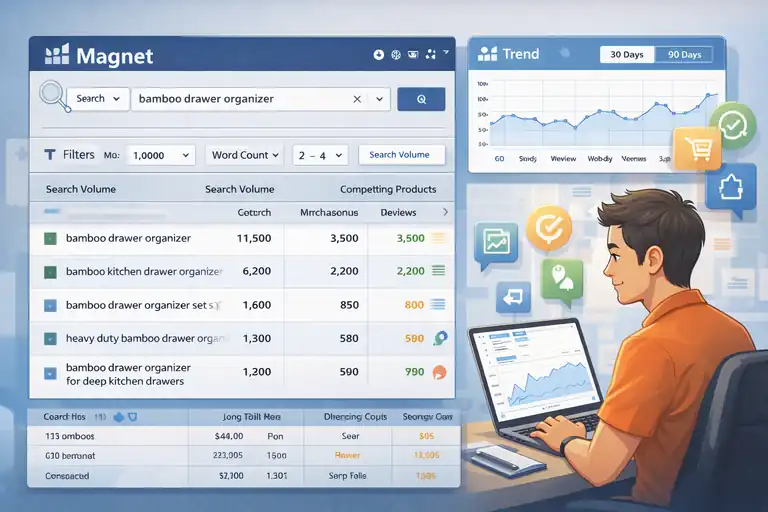
Products don’t rank. Keywords do.
If you want to truly understand how to use Helium 10 for product research, keyword validation is mandatory.
Magnet is Helium 10’s keyword research tool. It shows you what shoppers are typing into Amazon.
Identify High-Volume Buyer Keywords
Open Magnet and enter your core product term.
Example: “bamboo drawer organizer”
You’ll see:
- Search volume
- Keyword variations
- Competing product count
What To Look For:
- Main keyword with 5,000+ monthly searches
- Several related terms with 1,000+ volume
- Commercial intent phrases (not informational)
High volume confirms demand depth.
Filter Keywords By Search Intent
Not all keywords are equal.
Some are research-based. Some are buying-based.
Buying Intent Indicators:
- “For kitchen”
- “Heavy duty”
- “Large size”
- “Set of 3”
Avoid vague informational terms like:
- “What is bamboo organizer”
- “DIY drawer divider”
Inside Magnet, filter by:
- Minimum search volume
- Word count (2–4 words often convert best)
Search intent matters more than raw volume.
Spot Low-Competition Long-Tail Terms
Long-tail keywords = More specific phrases with lower competition.
Example:
- “Bamboo drawer organizer” (broad)
- “Bamboo drawer organizer for deep kitchen drawers” (long-tail)
Lower search volume? Yes.
Higher conversion rate? Often yes.
In Magnet, sort by:
- Lower competing product count
- Moderate volume (500–2,000)
This is where newer sellers gain traction faster.
Compare Search Volume Trends Over Time
Search volume fluctuates.
Inside Magnet, review:
- Historical trend graph
- 30-day vs 90-day changes
If search volume drops 60% after December, it’s seasonal.
If volume stays consistent across 12 months, it’s evergreen.
Quick Rule:
- Stable volume = Safer investment
- Sharp Q4 spikes = Seasonal product
This protects you from launching into a fading trend.
Use Cerebro For Reverse ASIN Research
If Black Box finds opportunities and Xray validates demand, Cerebro shows you exactly how competitors are getting traffic.
This is one of the most powerful steps in learning how to use Helium 10 for product research properly. You’re no longer guessing keywords. You’re extracting them directly from listings already making money.
Cerebro is Helium 10’s reverse ASIN tool. An ASIN is simply Amazon’s unique product ID. You paste in a competitor’s ASIN, and Helium 10 reveals the keywords that product ranks for.
That’s market intelligence most beginners skip.
Extract Competitor Ranking Keywords
Start by copying 2–3 top competitor ASINs from a validated niche.
Paste them into Cerebro.
Now you’ll see:
- Organic rank (Where they appear naturally)
- Search volume
- Sponsored rank
- Competing products
What You’re Really Looking For:
- Keywords where competitors rank in the top 10
- Volume above 2,000 searches/month
- Not overly saturated (moderate competing product count)
Example Scenario:
You analyze a garlic press niche.
Cerebro reveals:
- “Garlic press stainless steel” – 12,000 searches
- “Garlic mincer heavy duty” – 4,500 searches
- “Easy squeeze garlic press” – 2,100 searches
That’s not one keyword. That’s depth.
And depth equals stability.
Identify Hidden Keyword Opportunities
This is where pros win.
Inside Cerebro, filter by:
- Rank position 5–20
- Search volume 1,000+
- Exclude top 3 rankings
Why?
If competitors rank #12 for a keyword with strong volume, that means:
- They’re not fully optimized.
- There’s room to outrank them.
These are what I call “leak keywords.”
They leak traffic because competitors haven’t fully locked them down.
Pro Tip: Sort by “Ranking Competitors” count. If only 1–2 listings rank for a keyword with decent volume, that’s a niche sub-opportunity.
Find Gaps In Competitor Optimization
Open competitor listings while looking at Cerebro data.
Now ask:
- Is this keyword in their title?
- Is it in bullet points?
- Is it in backend search terms?
You’ll often find high-volume keywords missing from visible copy.
That’s optimization weakness.
Mini Audit Framework:
- Identify top 10 high-volume keywords.
- Check if competitor uses them naturally.
- If not, that’s your differentiation path.
I’ve personally seen listings generating $20,000/month while ignoring secondary keywords worth 3,000+ searches.
That’s sloppy optimization—and opportunity for you.
Validate Niche Depth With Multiple ASINs
Never analyze just one competitor.
Paste 3–5 ASINs into Cerebro simultaneously.
This gives you:
- Keyword overlap data
- Shared ranking terms
- Market-wide demand signals
If all top listings rank for the same 15–20 keywords, that’s niche validation.
If every listing ranks for completely different terms, demand may be fragmented.
Healthy Niche Indicator:
- Strong keyword overlap
- Multiple high-volume root terms
- Consistent ranking patterns
When that happens, you’re not launching into randomness. You’re entering a structured demand ecosystem.
That’s how professionals approach Amazon keyword research.
Validate Market Stability With Trendster
You’ve validated demand. You’ve validated competition. Now we ask a harder question:
Is this niche stable long term?
Trendster helps you avoid launching into a short-term spike.
In my experience, this step alone can save thousands of dollars.
Check Seasonality Patterns Before Launch
Inside Trendster, paste your main ASIN or keyword.
Look at the 12-month graph.
You’re looking for:
- Consistent performance
- Gradual increases
- Predictable seasonal cycles
Red Flag Pattern:
- Massive spike in November/December
- Dead flat rest of year
Unless you want a seasonal business, be careful.
Example:
Snow shovels. Huge winter spike. Almost zero in summer.
Not bad—but requires cash flow planning.
Compare 12-Month Sales Trends
Switch between 30-day, 90-day, and 12-month views.
Ask:
- Is growth consistent?
- Is revenue declining?
- Is there market fatigue?
If sales trend downward steadily for 6 months, something is changing:
- Oversaturation
- Price war
- Trend fading
From what I’ve seen, stable niches often grow slowly, not explosively.
Slow and boring is profitable.
Avoid One-Hit Wonder Product Traps
Some products explode because of:
- TikTok virality
- Influencer promotion
- Short-term fads
Trendster often shows:
- Sharp spike
- Rapid drop
That’s not sustainable demand.
If you see:
Month 1: $5,000
Month 2: $60,000
Month 3: $12,000
That’s hype.
Hype doesn’t build long-term Amazon brands.
Identify Consistent Evergreen Niches
Evergreen niches usually serve:
- Daily-use products
- Replacement items
- Consumables
- Problem-solving tools
Examples:
- Kitchen organizers
- Pet grooming tools
- Office accessories
Trend lines show:
- Mild seasonal bumps
- Overall stability
- Repeatable demand
If I had to choose between a flashy trend and a boring evergreen product, I’ll take boring every time.
Because boring pays rent.
Use Helium 10 Alerts To Monitor Competitors
Research doesn’t end at validation.
Smart sellers monitor markets before entering them.
Helium 10 Alerts tracks competitor changes automatically. Think of it as surveillance for your niche.
Track Price Changes Automatically
Add top competitor ASINs into Alerts.
You’ll get notifications when:
- Price drops
- Price increases
- Buy Box ownership changes
Why This Matters:
If competitors frequently slash prices, it signals:
- Tight margins
- Competitive instability
- Possible race-to-bottom
If pricing remains steady, that’s healthier.
You want pricing discipline in a niche.
Monitor Review Increases Over Time
Alerts tracks review count changes.
This shows:
- How fast competitors are growing
- Whether new players are entering aggressively
If a seller jumps from 50 to 400 reviews in 60 days, ask why.
- Heavy PPC?
- External traffic?
- Black-hat tactics?
Rapid review growth can signal aggressive competition.
Detect Inventory Stockouts
When a competitor goes out of stock, Alerts tells you.
This reveals:
- Poor inventory planning
- Supply chain weakness
- Opportunity windows
If top sellers frequently stock out, that could mean:
- Demand exceeds supply
- Logistics complexity
Both are important signals.
Stockouts create opportunity—but also signal operational difficulty.
Identify Listing Optimization Changes
Alerts notifies you when:
- Title changes
- Bullet edits
- Image updates
If competitors suddenly upgrade images or rewrite titles, that means:
They’re optimizing.
Optimization usually follows increased competition or declining sales.
Watching these changes gives you insight into how serious sellers are about defending their position.
Create A Professional Product Validation Checklist
At this stage, you’ve done the heavy lifting. You’ve explored Black Box, validated with Xray, dug into Cerebro, and checked trends.
Now we turn all that data into a clear go-or-no-go decision.
This is where most sellers get emotional. A professional checklist protects you from that.
Confirm Demand, Competition, And Margins
Before contacting suppliers, pause and verify three pillars:
1. Demand: Is It Real And Stable?
- At least 3–5 listings making $10,000+ per month
- Strong keyword volume (5,000+ primary term)
- Stable 12-month trend
If revenue is concentrated in one listing, be cautious.
2. Competition: Is It Beat-able?
- Under 200–300 reviews for top sellers
- Review velocity under 30/month
- No brand monopoly dominating 5+ spots
Low review count alone is not enough. Velocity matters more.
3. Margins: Is There Breathing Room?
- Minimum 25–30% net margin
- $10+ profit before PPC
- Survives 10% price drop stress test
Here’s a simple summary table I personally use:
| Metric | Minimum Standard | Ideal Target |
| Monthly Revenue | $8,000 | $15,000+ |
| Reviews (Top 3 Avg) | < 300 | < 150 |
| Net Margin | 25% | 30%+ |
| PPC Buffer | $5 | $8–$12 |
If a product fails two of these, I usually walk away.
Review Supplier Feasibility And MOQs
MOQ stands for Minimum Order Quantity — the smallest batch a supplier will produce.
On Alibaba or other sourcing platforms, you’ll often see:
- MOQ: 500 units
- MOQ: 1,000 units
Now calculate:
- 500 units × $9 landed cost = $4,500 investment
Can your cash flow handle that?
Supplier Questions You Must Ask:
- Can you customize packaging?
- What is the production lead time?
- Can you reduce MOQ for first order?
- What is defect rate policy?
Reality Check:
If the niche requires complex molds or custom tooling, costs increase dramatically.
Sometimes a great product idea dies here — and that’s okay.
Better to lose an idea than lose $8,000.
Evaluate Branding And Differentiation Angle
Here’s the uncomfortable truth:
If you can’t clearly explain why someone should buy your version, you don’t have a product.
Look at top listings and ask:
- What are customers complaining about?
- Are reviews mentioning common flaws?
- Is packaging generic?
Differentiation Examples:
- Add improved grip texture
- Bundle with complementary accessory
- Upgrade materials (BPA-free, thicker steel)
- Include quick-start guide
One time, I analyzed a kitchen niche where 80% of 3-star reviews complained about “too small size.”
That’s not a marketing problem. That’s a product development opportunity.
Small tweaks create positioning leverage.
Calculate Risk Score Before Committing
This is where you get brutally honest.
Create a simple scoring model (1–5 scale):
- Demand strength
- Competition intensity
- Margin safety
- Supplier reliability
- Differentiation clarity
Add up the score.
Example:
| Factor | Score (1–5) |
| Demand | 4 |
| Competition | 3 |
| Margin | 5 |
| Supplier | 3 |
| Differentiation | 4 |
| Total | 19/25 |
Under 15? High risk. Above 18? Strong candidate.
This removes emotion.
And when you’re learning how to use Helium 10 for product research, emotional discipline is half the game.
Build A Repeatable Helium 10 Research Workflow
The real power of Helium 10 isn’t a single tool.
It’s the system.
When you build a repeatable workflow, product research becomes structured instead of overwhelming.
Combine Black Box And Xray Systematically
Here’s the simple sequence I recommend:
- Black Box: Generate filtered product ideas.
- Open Amazon search.
- Xray: Validate revenue, reviews, distribution.
- Export and compare.
Don’t jump randomly between tools.
Think in flow:
Discovery → Validation → Deep Dive
That’s professional product research.
Use Keyword Data To Validate Product Depth
After Xray validation:
- Use Cerebro to reverse engineer competitors.
- Use Magnet to confirm keyword volume.
If a niche has:
- 1 strong keyword → Risky
- 10–20 strong keywords → Healthy
Keyword depth equals traffic stability.
Amazon is a search engine. If customers aren’t searching for variations of your product, growth will stall.
Document Every Product In A Tracking Sheet
This is boring.
And powerful.
Create a Google Sheet with columns like:
- Product Name
- Avg Revenue
- Avg Reviews
- Margin %
- Keyword Depth Score
- Trend Stability
- Risk Score
Over time, you’ll analyze 30–100 products.
Patterns emerge.
You’ll notice:
- Which categories feel overcrowded
- Where margins are consistently weak
- Which niches offer hidden gaps
Data builds intuition.
Decide Using Data Instead Of Emotion
Let me say this clearly:
Excitement is not validation.
You might love a product because:
- It looks cool.
- It solves a problem you personally have.
- It went viral on TikTok.
But Amazon doesn’t reward excitement.
It rewards:
- Search volume
- Margins
- Competitive positioning
- Operational efficiency
When you follow a structured Helium 10 workflow:
- You reduce guesswork.
- You reduce risk.
- You increase probability.
And that’s what learning how to use Helium 10 for product research is really about.
Not finding “the perfect product.”
But building a repeatable decision-making machine.
FAQ
How Do You Use Helium 10 For Product Research?
To use Helium 10 for product research, start with Black Box to find product ideas using revenue, price, and review filters. Then validate demand with Xray, analyze competitor keywords with Cerebro, confirm search volume using Magnet, and check seasonality with Trendster. This step-by-step workflow ensures you validate demand, competition, and profitability before investing.
What Is The Best Helium 10 Tool For Finding Products?
Black Box is the best starting tool for product discovery. It allows you to filter Amazon products by monthly revenue, price range, review count, and size tier. However, serious sellers combine Black Box with Xray for demand validation and Cerebro for keyword depth analysis.
How Do You Know If A Product Is Profitable With Helium 10?
Use the Profits calculator to estimate net margins after Amazon FBA fees, shipping, and advertising costs. A strong product typically shows:
At least 25–30% net margin.
$8–$12 profit per unit.
Ability to survive a 10% price drop.
Profit validation is essential when learning how to use Helium 10 for product research like a pro.

I’m Juxhin, the voice behind The Justifiable.
I’ve spent 6+ years building blogs, managing affiliate campaigns, and testing the messy world of online business. Here, I cut the fluff and share the strategies that actually move the needle — so you can build income that’s sustainable, not speculative.
Related posts:
 Viral Launch Chrome Extension: The Ultimate Tool for Sellers
 15 Trending Dropshipping Products That Sell Right Now
 Dropshipping Guide: Build a Store That Actually Sells
 How to Launch a Dropshipping Startup From Scratch
 Dropshipping How to Start: Your Complete Beginner’s Guide
 Starting an Ecommerce Business: A Realistic Step-By-Step Guide