
Table of Contents
Some links on The Justifiable are affiliate links, meaning we may earn a small commission at no extra cost to you. Read full disclaimer.
InMotion Hosting dedicated hosting is a solid choice when you want full control of a server and guaranteed performance without sharing resources. But here’s the real question: how do the entry-level Aspire plan and the mid-tier Essential plan compare in cost and features?
If you’ve ever wondered whether the jump in price is worth it, this guide will break down the numbers, the hardware specs, and which type of business benefits the most from each.
Aspire Plan Pricing And Features Explained
The Aspire plan is the entry point into InMotion Hosting’s dedicated hosting. It’s the most affordable way to get your own dedicated server without stretching your budget too thin.
Monthly Cost And Renewal Pricing Details
The Aspire plan starts at $124.99 per month, but here’s the catch—it renews at $159.98 per month. That’s a jump of about $35 each billing cycle once your initial term ends.
If you’re signing up for the first time, the discount is nice, but I’d suggest planning for the renewal cost to avoid any surprises.
Compared to other providers, this is still competitive for a managed dedicated server, but it’s worth budgeting for the higher renewal rate if you’re in it for the long haul.
Hardware Specifications And Performance Capabilities
The Aspire plan gives you:
- 16GB DDR3 RAM (a bit dated compared to DDR4)
- 1TB SSD storage (fast and reliable for most starter projects)
- Intel Xeon E3-1246 v3 processor, with 4 cores and 8 threads
- 1 dedicated IP address
For smaller websites, blogs, or light eCommerce operations, this is more than enough power.
It won’t handle heavy traffic spikes or resource-hungry applications with the same ease as higher-tier plans, but it’s a strong starter server for projects that don’t yet demand massive performance.
Who Should Choose The Aspire Plan
From my experience, Aspire is a smart option if you’re:
- Running a personal blog or portfolio site and want the reliability of a dedicated server.
- Hosting small-scale eCommerce stores with modest traffic.
- Testing out dedicated hosting for the first time and don’t want to overspend.
I usually recommend Aspire for people who want to “get their feet wet” with dedicated hosting without committing hundreds of dollars monthly.
It’s the training wheels plan—simple, affordable, and enough to run with if you’re just starting.
Essential Plan Cost Compared To Aspire
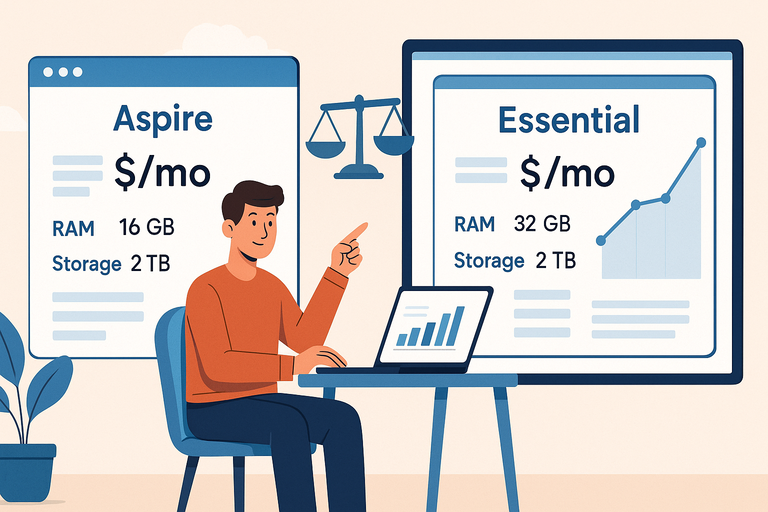
The Essential plan is the next step up from Aspire, and the price jump brings in much-needed performance upgrades. It’s more of a “serious business” server.
Monthly Pricing And Long-Term Renewal Rate
Essential starts at $189.98 per month, and unlike Aspire, there’s no big promotional discount here—it renews at the same price, $189.98 per month. That consistency is actually a plus because you know exactly what you’ll be paying long term.
It’s about $65 more than Aspire, so the question is: do the upgrades justify the cost? Let’s see.
Key Upgrades In RAM, Storage, And IPs
Essential upgrades several bottlenecks from Aspire:
- 32GB DDR4 RAM (double the Aspire plan, and newer DDR4 technology)
- 2TB SSD storage (twice the space, same fast speed)
- Intel Xeon E-2134 processor, still 4 cores/8 threads but newer architecture and better performance
- 5 dedicated IPs instead of just 1
This is where the Essential plan pulls ahead. The DDR4 memory alone makes a big difference for running modern applications and handling more simultaneous requests.
The 2TB SSD also means you’ll have breathing room for larger databases or content-heavy sites.
And 5 IPs let you separate different projects or set up advanced configurations like SSLs for multiple domains.
Best Use Cases For The Essential Plan
I believe the Essential plan is best suited for:
- Medium-sized eCommerce stores expecting higher traffic.
- Agencies that host multiple client sites and need more IPs.
- Businesses that rely on resource-heavy software or applications.
- Anyone looking for a “future-proof” setup with modern RAM and storage.
Essential makes sense if Aspire feels too limiting. For around $65 more per month, you’re doubling the RAM, doubling the storage, and multiplying your IP addresses by five.
In my eyes, it’s the plan where dedicated hosting really starts to feel professional.
Advanced Plan Value Breakdown
The Advanced plan is where InMotion Hosting’s dedicated hosting starts feeling powerful.
It’s a noticeable jump from Essential in both cost and performance, and in my experience, this is where many businesses start to find their sweet spot.
Cost Analysis And Renewal Fees
The Advanced plan is priced at $259.98 per month, and it renews at the same rate—no surprise increases, which is a relief compared to Aspire.
It’s about $70 more than the Essential plan, and the question most people ask me is: is that extra $70 worth it?
I’d argue yes, especially if you’re in a growth phase. You’re not just paying for more memory and storage; you’re buying breathing room for your server to handle spikes, new projects, or resource-heavy tasks without lagging behind.
It’s almost like going from a reliable family sedan (Essential) to a turbocharged SUV (Advanced).
Performance Boost From RAM And CPU
Here’s what you get with Advanced:
- 64GB DDR4 RAM (double what Essential offers). This alone makes a massive difference if you’re running multiple websites, heavy databases, or apps that eat memory for breakfast.
- 2x1TB SSD storage in RAID-1, meaning your data is mirrored for extra reliability. RAID-1 protects you if one drive fails, which is priceless for businesses that can’t afford downtime.
- Intel Xeon E-2176G processor, a 6-core, 12-thread CPU. Compared to the 4-core chip in Aspire and Essential, this is a serious upgrade in parallel processing power.
- 10 dedicated IPs, which opens the door to running multiple secure websites, separating applications, or even hosting for clients.
From what I’ve seen, the real game-changer is the CPU. Having 12 threads means the server can juggle many simultaneous requests, so if traffic spikes or several processes run at once, it doesn’t choke.
Why Advanced Works Well For Growing Businesses
I recommend Advanced for businesses that have outgrown shared or VPS hosting and want to prepare for the next stage. Some real-world scenarios:
- A medium-to-large eCommerce store running platforms like Magento or WooCommerce.
- SaaS businesses that need consistent uptime and speed for their app.
- Agencies managing dozens of client sites with separate IPs.
- Companies running internal apps like CRMs or ERPs alongside public websites.
It’s basically the plan that says, “We’re serious about performance, but we don’t yet need enterprise-level resources.” For the price, I consider Advanced one of the best-balanced plans in the lineup.
Elite Plan Pricing And Benefits
The Elite plan steps things up again, offering not just more resources but also faster storage technology. If you’re looking at this plan, chances are your server needs are becoming mission-critical.
Monthly And Renewal Pricing Structure
Elite is priced at $309.98 per month, renewing at the same rate. That’s about $50 more than Advanced, and I’d describe it as a “premium bump.”
It’s not a small jump, but the added features can make a huge difference if performance and scalability are your top priorities.
Unlike Aspire, where the renewal cost climbs, Elite stays steady, which makes long-term planning much easier. Think of it as locking in your costs for predictable budgeting.
Expanded Resources Including NVMe SSD
Here’s where Elite stands out:
- 128GB DDR4 RAM (double Advanced, quadruple Essential). This kind of memory is overkill for smaller sites but invaluable if you’re hosting multiple resource-intensive applications.
- 2x2TB storage with RAID-1, so you get large mirrored storage for redundancy.
- NVMe SSD technology. This is a big one—NVMe drives are significantly faster than standard SSDs. If your business relies on fast read/write speeds (like high-traffic sites or data-heavy apps), NVMe can shave off milliseconds, which add up in user experience and SEO benefits.
- Intel Xeon E-2388G processor, with 8 cores and 16 threads. More muscle, more multitasking power.
- 16 dedicated IPs, which gives plenty of room for client hosting, SSL certificates, and segmentation.
The NVMe SSDs are the real star here. From my own setups, I’ve seen NVMe drives reduce load times by up to 30% compared to traditional SSDs, which can be the difference between keeping or losing a customer when site speed matters.
Business Scenarios Where Elite Is Worth It
Elite is the plan I’d point to if your business can’t afford performance bottlenecks.
Some examples:
- High-traffic media or publishing sites where thousands of visitors hit pages simultaneously.
- Enterprise-level eCommerce stores with big product catalogs and complex checkout systems.
- Development companies that host apps for multiple clients and need room to expand.
- Organizations running multiple mission-critical applications where downtime is not an option.
In my opinion, Elite is less about luxury and more about necessity. If you’re already running into the limits of Advanced, Elite gives you the headroom to scale without skipping a beat.
Extreme Plan Costs And Maximum Resources
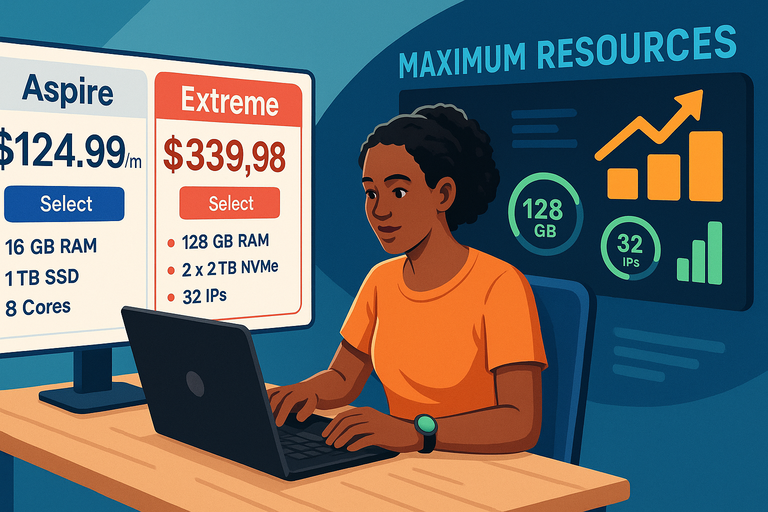
The Extreme plan is the top tier of InMotion Hosting’s dedicated hosting lineup. It’s designed for businesses that need raw power, redundancy, and plenty of room to grow without compromise.
Pricing And Renewal Commitment
Extreme comes in at $339.98 per month, and like the other higher-tier plans, it renews at the same rate. That’s roughly $30 more than the Elite plan. While the jump isn’t huge compared to the leap from Aspire to Essential, it’s still an investment you’ll want to justify.
At this level, you’re not paying for “nice-to-have” extras—you’re paying for resources that can make or break a business relying on uptime and performance.
I advise thinking of it this way: Extreme isn’t about saving money—it’s about saving headaches. If downtime or slow speeds could cost you thousands in lost sales or productivity, the price pays for itself.
High-End Features Like 32 Dedicated IPs
Here’s what makes Extreme stand out:
- 128GB DDR4 RAM, same as Elite, but paired with more storage.
- 2x4TB storage with RAID-1, giving you massive mirrored capacity. Perfect for data-heavy businesses.
- NVMe SSD support, ensuring lightning-fast read/write speeds.
- Intel Xeon E-2388G processor, 8 cores and 16 threads, powerful enough to juggle many tasks at once.
- 32 dedicated IPs, which is double what Elite offers.
The dedicated IPs are no small detail. If you’re an agency hosting dozens of clients, each site can have its own SSL-secured IP, which is often a requirement for client contracts.
I’ve seen companies pay extra just to buy additional IPs from hosts, so having 32 bundled in can save both money and hassle.
Who Should Invest In The Extreme Plan
Extreme isn’t for everyone, and that’s okay. It makes the most sense for:
- Agencies managing a large client portfolio where separate IPs are crucial.
- Enterprise-level eCommerce stores with massive databases and traffic.
- Media companies streaming large amounts of content.
- Organizations handling sensitive data that demand maximum redundancy.
I usually tell people this: if you’re even considering Extreme, you probably already know you need it. Smaller businesses won’t fully use the resources, but for enterprises, it’s the safety net that ensures your infrastructure never becomes the bottleneck.
Comparing Renewal Rates Across All Plans
One of the trickiest parts of choosing InMotion Hosting dedicated hosting isn’t just the upfront cost—it’s understanding how renewals affect your long-term budget.
How Renewal Prices Impact Long-Term Value
Here’s the quick breakdown:
- Aspire: $124.99/mo initially, renews at $159.98/mo.
- Essential: $189.98/mo, renews at the same price.
- Advanced: $259.98/mo, no change at renewal.
- Elite: $309.98/mo, stays steady.
- Extreme: $339.98/mo, no surprises either.
That jump in Aspire is important. At first glance, Aspire looks like a bargain, but once the discount ends, it narrows the gap between Aspire and Essential. This can make Essential the better long-term deal if you want stable pricing.
Cost Efficiency For Businesses With Steady Growth
From what I’ve seen, businesses that plan for growth should pay close attention to renewals.
For example:
- A business choosing Aspire might outgrow it in a year, meaning they’ll be paying more for a plan they’ve already outgrown.
- On the other hand, Essential and Advanced have consistent pricing, making it easier to project costs.
It comes down to whether you want to optimize for the lowest short-term cost (Aspire) or the most predictable long-term value (Essential and beyond).
Strategies To Maximize Savings On Renewal
Here are a few tips I suggest if you’re looking to cut costs:
- Lock in longer contracts: Opting for annual or multi-year billing can lock in promotional rates for longer.
- Evaluate resource usage: Don’t pay for 128GB of RAM if you only use half. Monitor performance and downscale if needed.
- Use the included features fully: With every plan, you’re getting extras like cPanel ($49 value) and Monarx security ($19 value). Use them—otherwise, you’re leaving money on the table.
- Negotiate with support: I’ve seen hosting companies extend discounts for loyal customers. It never hurts to ask.
Which Plan Offers The Best Value For Money
Now for the big question: which of these plans gives the most value for your dollar? The answer depends on balancing your current needs with your growth plans.
Balancing Performance With Cost Efficiency
If cost is your biggest concern, Aspire gives you the lowest entry point, but I believe Essential offers the better balance once you factor in renewals. It doubles RAM, storage, and IPs without the renewal price jump.
Advanced, though, is often the “sweet spot” for growing businesses. For about $260 per month, you get 64GB RAM and a 6-core processor, which can comfortably support serious growth before you need to upgrade again.
Situations Where Each Plan Makes The Most Sense
- Aspire: Best for testing or very small websites.
- Essential: A safe pick for businesses that want predictable pricing and solid upgrades.
- Advanced: Ideal for growing businesses that need breathing room and stronger hardware.
- Elite: Perfect for high-traffic websites, large stores, or applications where speed matters most.
- Extreme: A top-tier choice for enterprises that need redundancy, IP flexibility, and maximum power.
I like to think of it like this: Aspire is training wheels, Essential is your first real bike, Advanced is the mountain bike for uphill climbs, Elite is a racing bike, and Extreme? That’s the full-blown motorcycle.
Pro Tips To Avoid Overspending On Resources
- Start with the plan that comfortably fits your current needs plus a little extra for growth.
- Monitor usage through your server dashboard—CPU, RAM, and storage stats don’t lie.
- Avoid the temptation to “go big” right away. Unless you truly need Elite or Extreme, you’ll just end up overpaying.
In my experience, businesses that scale gradually and match their plan to their real-world needs save the most in the long run.

I’m Juxhin, the voice behind The Justifiable.
I’ve spent 6+ years building blogs, managing affiliate campaigns, and testing the messy world of online business. Here, I cut the fluff and share the strategies that actually move the needle — so you can build income that’s sustainable, not speculative.
Related posts:
 Cloudways DigitalOcean vs Shared Hosting: Why It’s Worth the Upgrade
 HostGator Hosting Review: Speed, Support, And Real Costs
 WPEngine Cost: Why It’s More Expensive Than Other Hosts
 Bluehost Reviews You Can Trust Before Signing Up
 Cloudways VPS Hosting: The Smart Way to Scale Performance
 What Is Cloudways Ltd. and How Does It Power Your Website?