
Table of Contents
Some links on The Justifiable are affiliate links, meaning we may earn a small commission at no extra cost to you. Read full disclaimer.
Namecheap VPS hosting gives you more control and resources, but shared hosting looks tempting with its budget-friendly price.
So how do you decide which is right for your website? Should you pay a little more for flexibility or stick with the cheapest option?
This guide will break down the key differences, pros, and trade-offs to help you make the best choice for your needs.
What Is Namecheap Shared Hosting and Who Needs It?
Shared hosting is the most affordable way to get a website live, and Namecheap’s plans are designed for people who just want something simple without overthinking servers.
Instead of renting your own machine, you’re sharing one with other website owners — kind of like having an apartment in a big building. You’ve got your own space, but the water, electricity, and internet are all shared.
Shared Hosting Explained in Simple Terms
When you sign up for Namecheap shared hosting, you’re essentially slotting your site onto a server that’s also hosting dozens (sometimes hundreds) of other websites. The server’s CPU, RAM, and storage are divided among all users.
Here’s what that looks like in practice:
- You log into the Namecheap dashboard and use their drag-and-drop website builder to get a site online quickly.
- Your site’s files are stored on a shared SSD (solid-state drive), which keeps things faster than traditional hard drives.
- If another site on the same server suddenly gets a traffic spike, you might notice your site slows down a little.
This setup is ideal if you’re testing the waters or just need something small and stable.
Pros of Shared Hosting for Beginners and Small Sites
I suggest shared hosting if you’re brand new to running a website. It comes with:
- Low cost: You can start with just a few dollars a month. Namecheap even tosses in a free domain for the first year.
- Beginner-friendly tools: You don’t need to touch code. From the dashboard, you can click “Website Builder” and launch a site in an afternoon.
- Maintenance handled for you: Server security, updates, and monitoring are baked in.
If you’re running a personal blog, portfolio, or small business landing page, this is more than enough to get going.
Limitations That Come With Low-Cost Shared Hosting
The trade-off is control and performance. Shared hosting is cheap for a reason:
- Limited resources: If your site grows beyond a few thousand visitors per month, you’ll feel the slowdown.
- Less flexibility: You can’t install custom software or fine-tune server settings.
- Security risks: If one site on your server gets compromised, your site might feel the ripple effects.
I like to think of shared hosting as a starter home — perfect when you’re just beginning, but eventually you’ll want to move somewhere with more space and fewer noisy neighbors.
What Is Namecheap VPS Hosting and Who Is It Best For?
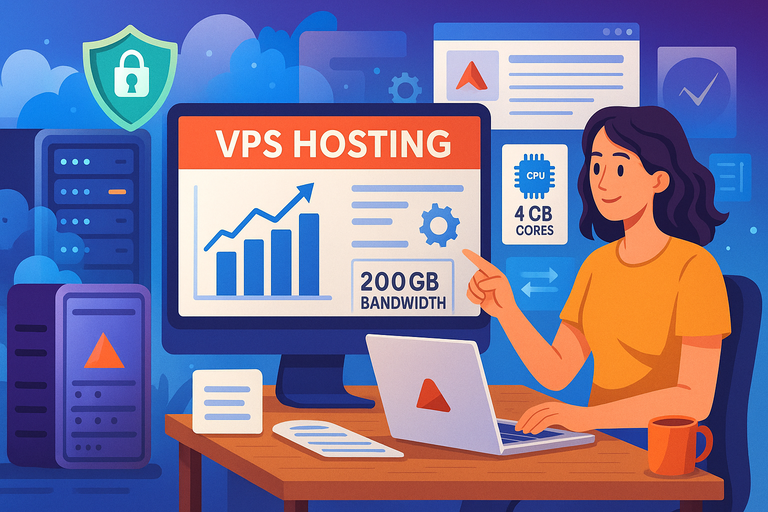
If shared hosting feels like living in an apartment, VPS (Virtual Private Server) hosting is more like owning a townhouse. You still share the same physical building, but you’ve got your own walls, your own plumbing, and a lot more privacy.
With Namecheap VPS hosting, you get your own slice of the server that acts like a dedicated machine.
VPS Hosting Explained Without Jargon
Here’s the plain-English version: Namecheap carves out a section of a powerful server just for you. You’re still sharing the hardware with others, but your part of the server has guaranteed CPU, RAM, and storage that no one else can touch.
When you log in, you’ll notice a big difference:
- You get root access, which means you can install software, tweak configurations, and even reboot your server if needed.
- Your bandwidth (data transfer) isn’t at the mercy of someone else’s sudden traffic surge.
- It feels like a dedicated server but without the massive price tag.
Why Businesses and Developers Prefer VPS Hosting
From what I’ve seen, VPS hosting is a sweet spot for growing businesses and developers who need flexibility.
Here’s why:
- Performance boost: With 2–8 CPU cores and up to 12 GB RAM on Namecheap’s plans, your site can handle heavy traffic and complex apps without choking.
- Scalability: Need more RAM or storage? You can upgrade your plan without migrating your whole site.
- Customization: Developers can set up environments tailored for apps, frameworks, or testing.
If you’re running an eCommerce store, a SaaS project, or any site where uptime and speed directly affect money, VPS is worth it.
Downsides of VPS Hosting You Should Know About
I won’t sugarcoat it — VPS hosting isn’t perfect. The biggest drawbacks are:
- Learning curve: If you’re not comfortable with tech, root access can feel intimidating. Mistakes can break your site.
- Higher cost: Starting around $6–$25 a month, it’s several times the price of shared hosting.
- Responsibility: While Namecheap handles hardware and base security, you’re in charge of managing your virtual environment unless you pay for managed services.
Think of VPS hosting as moving up in the world. It costs more and asks more of you, but the payoff in performance and control is huge if your website is mission-critical.
Comparing Namecheap VPS vs Shared Hosting Costs
Hosting is one of those decisions where the sticker price can be misleading. Namecheap shared hosting looks dirt cheap on the surface, while VPS starts a bit higher.
But the “real” cost depends on what you need now and how fast you plan to grow.
Real Pricing Breakdown of Namecheap Shared Hosting Plans
Shared hosting is definitely the budget-friendly entry point. Right now, Namecheap offers three shared plans:
- Stellar – $1.98/month (renews at $48.88/year): Lets you host up to 3 websites, with 20 GB SSD storage and 30 mailboxes.
- Stellar Plus – $2.98/month (renews at $74.88/year): Unlimited websites, unmetered SSD storage, unlimited mailboxes, and AutoBackup.
- Stellar Business – $4.98/month (renews at $112.88/year): Adds 50 GB SSD, AutoBackup with cloud storage, and advanced security (Imunify360).
From a cost perspective, these plans are incredible for someone starting out. Even if you’re running a few small blogs or portfolio sites, you could easily get by with Stellar Plus.
But — and this is the catch — renewal prices are higher than the first-year discounts, so factor that in.
What You Get With Each Namecheap VPS Plan
VPS hosting is pricier, but you’re buying resources that are locked in for you. Here’s the current lineup:
- Pulsar – $6.88/month (renews at $82.56/year): 2 CPU cores, 2 GB RAM, 40 GB SSD RAID 10 storage, 1000 GB bandwidth.
- Quasar – $12.88/month (renews at $154.56/year): 4 CPU cores, 6 GB RAM, 120 GB SSD RAID 10 storage, 3000 GB bandwidth.
- Magnetar – $24.88/month (renews at $298.56/year): 8 CPU cores, 12 GB RAM, 240 GB SSD RAID 10 storage, 6000 GB bandwidth.
This is a big jump up from shared hosting, but it’s like comparing a bicycle to a car. Sure, the bike is cheaper, but the car gets you further, faster, and carries more weight.
Long-Term Value: Which Hosting Saves You More Over Time
I suggest looking past the initial “cheap” price and asking: how long until I outgrow shared hosting?
- Shared hosting is perfect if you expect fewer than 10k visitors a month and your site is mostly static (like blogs, portfolios, or brochure-style sites). It can save you hundreds per year when growth isn’t urgent.
- VPS hosting becomes the smarter money move if you’re running eCommerce, client sites, or apps that can’t afford downtime. A site that loads a second faster can literally mean more sales.
My rule of thumb: If your site is directly tied to income, VPS pays for itself. If it’s more of a personal project or you’re experimenting, shared hosting is the wallet-friendly choice.
Here’s a simple cost-over-time snapshot:
| Hosting Type | First Year Avg. Cost | Renewal Cost/Year | Best For |
| Shared Hosting | $23 – $59 | $49 – $113 | Blogs, small sites, portfolios |
| VPS Hosting | $83 – $299 | $83 – $299 | Businesses, eCommerce, heavy traffic |
Performance Differences Between VPS and Shared Hosting
Cost aside, performance is where the gap between shared and VPS really shows. Let me break it down piece by piece so you can see what you’re really buying.
How CPU Cores and RAM Impact Speed and Stability
On shared hosting, your site runs on the same CPU and RAM pool as hundreds of others. If one of your “neighbors” gets greedy (say a viral post spikes traffic), your site slows down.
With VPS, you’re guaranteed CPU cores and RAM that no one else can touch.
For example:
- Shared hosting might give you access to 1–2 CPU cores, but they’re not dedicated.
- VPS Pulsar starts at 2 CPU cores and 2 GB RAM dedicated to you, while Magnetar goes up to 8 CPU cores and 12 GB RAM.
In practice, this means pages load faster, apps don’t freeze, and your site can handle big traffic jumps without collapsing. I believe if you care about Google rankings (where speed is a ranking factor), VPS gives you a real edge.
Bandwidth and Storage: Where VPS Outshines Shared Hosting
Bandwidth is basically how much traffic your site can handle before things break down.
- Shared hosting: “Unmetered” bandwidth sounds nice, but it’s capped by CPU and RAM limitations. If too many visitors show up, the server throttles performance.
- VPS hosting: You get clearly defined bandwidth limits (1000 GB – 6000 GB depending on plan) that are reserved for you.
Storage is also more robust on VPS. Shared hosting offers 20–50 GB SSD, while VPS jumps to 40–240 GB SSD RAID 10 — a setup that improves both speed and redundancy (if a drive fails, your data is safe).
Uptime and Resource Allocation in Both Hosting Types
Shared hosting uptime is good (Namecheap promises 99.9%), but you’re at the mercy of others on your server. Heavy load, security breaches, or even poor resource distribution can cause blips.
VPS is designed to isolate you from those issues. Your slice of the server gets its own resources and isn’t affected by noisy neighbors.
That isolation means:
- More predictable uptime.
- Less chance of being throttled for “overuse.”
- Greater consistency in loading speeds.
To put it simply: shared hosting is stable enough for casual use, but VPS gives you the kind of performance businesses rely on when every second counts.
Security Features in VPS vs Shared Hosting

Security is often the dealbreaker when deciding between shared hosting and VPS. Let’s be honest: no one wants to wake up to a hacked site or deal with downtime during an attack.
Here’s how the two stack up.
Security Layers in Shared Hosting Plans
With Namecheap shared hosting, you’re on a server with hundreds of other users. Think of it like living in a dorm: one roommate leaves the front door open, and suddenly everyone is at risk.
The good news is that Namecheap adds several layers of protection:
- Imunify360 Security (on Stellar Business): Blocks malware, brute-force attacks, and suspicious scripts.
- Free SSL certificates: These encrypt data, which is a must-have for any site, especially if you’re handling logins or payments.
- Automated backups: The Plus and Business plans come with AutoBackup, which can save your skin if your site breaks.
The downside? If another user on the same server is compromised, there’s still a small chance your site could feel the ripple effect.
Advanced Security Benefits of VPS Hosting
VPS hosting is like having your own condo with a lock and key — your neighbors can’t just wander in.
Here’s why it’s more secure:
- Isolation: Your site is walled off from others, so if another VPS user gets hacked, your server stays untouched.
- Root access: You can install firewalls, configure monitoring tools, and set up custom permissions.
- Scalability for security tools: You can add intrusion detection systems or configure advanced malware scanners without limits.
I believe this is one of the strongest arguments for VPS if you’re handling sensitive customer data, running eCommerce, or storing anything that must stay private.
Which Hosting Type Protects Against Traffic Surges and Attacks
Shared hosting has a “safety brake.” If a site gets too much traffic, Namecheap throttles it to prevent crashing the entire server. While this keeps the server stable, it can leave your site painfully slow during spikes.
VPS, on the other hand, allocates guaranteed resources. Even if someone else is hit with a denial-of-service attack, your resources are untouched.
And if you anticipate surges (like holiday sales for an online store), you can scale up RAM or CPU quickly to absorb the load.
Control and Customization Options Compared
Control is where the difference between shared hosting and VPS becomes night and day. Do you just want things to “work,” or do you want to tinker and fine-tune every setting?
Limitations of Shared Hosting Control Panels
Shared hosting keeps things simple. You’ll log in to cPanel, where you can:
- Install WordPress with one click.
- Set up email accounts.
- Manage DNS settings.
This is perfect if you just want to launch a site without messing around. But it comes with big limitations:
- You can’t install custom software.
- You can’t tweak server settings for performance optimization.
- You’re limited to what Namecheap allows.
For beginners, this simplicity is a blessing. For developers, it can feel like trying to code on a locked-down school computer.
VPS Hosting and Root Access: Why It Matters
VPS gives you root access, which is full administrative control over your server. It’s like getting the keys to every room in the building.
With root access, you can:
- Install any software stack (Apache, NGINX, custom databases).
- Configure performance settings for caching or load balancing.
- Create custom security rules.
From what I’ve seen, businesses and developers love this because it lets them build exactly what they need. The flip side: if you make a mistake, you can crash your server.
That’s why Namecheap offers both self-managed and managed VPS — so you can choose how much responsibility you want.
Which Option Is Easier for Beginners to Manage
If you’re new to websites, shared hosting is easier. Everything is set up, and the cPanel dashboard is intuitive enough that you can launch a site in an hour.
VPS has a steeper learning curve. Unless you go with a managed plan, you’ll need some technical knowledge. But the payoff is massive flexibility.
My advice: Start with shared hosting if you’re new. Once you’ve outgrown it (and you’ll know when you hit speed or security walls), upgrading to VPS is a natural next step.
Scalability: Growing With VPS vs Shared Hosting
Scalability is the hidden factor most people don’t consider until it’s too late. Your website might be small today, but what happens when it doubles in traffic next year?
How Shared Hosting Handles Sudden Traffic Growth
Shared hosting is fine for steady, predictable traffic. But if you suddenly get featured on Reddit or launch a viral campaign, shared hosting struggles.
- The CPU and RAM limits kick in fast.
- Your site might slow down to a crawl or even go offline temporarily.
- You’ll usually get an email from Namecheap suggesting an upgrade.
This is manageable for hobby projects, but for businesses, downtime equals lost money.
VPS Hosting’s Ability to Scale Resources on Demand
VPS hosting shines when your site grows. You can:
- Upgrade resources instantly: Need more RAM? Click upgrade in your dashboard.
- Handle traffic surges: With guaranteed cores and bandwidth, spikes don’t cripple your site.
- Plan for growth: Whether it’s 1,000 visitors or 100,000, VPS can be scaled without moving your site to a new server.
I suggest this for anyone with a growing business. It’s like buying a house with extra rooms you can renovate later.
Choosing Hosting Based on Long-Term Business Goals
This is where you need to be brutally honest about your goals:
- If you’re launching a personal blog, portfolio, or experimental project, shared hosting is more than enough.
- If you’re running eCommerce, client sites, or apps tied directly to revenue, VPS is the smarter long-term investment.
I usually tell people: think not just about today but about a year from now. Will your site be handling more traffic, transactions, or customer data? If yes, start planning for VPS early to avoid migration headaches later.
Here’s a quick comparison snapshot:
| Factor | Shared Hosting | VPS Hosting |
| Handles viral spikes | Poorly | Very well |
| Resource upgrades | Limited | Flexible |
| Long-term growth | Constrained | Scalable |
Namecheap VPS vs Shared Hosting: Pros and Cons at a Glance
Both shared hosting and VPS hosting have their sweet spots. Instead of just throwing a generic list, let’s look at the biggest wins and where each option can actually hold you back.
Biggest Advantages of Shared Hosting
Shared hosting is the “get online quick” option. I believe it’s perfect when your top priority is simplicity and affordability.
Here’s where it shines:
- Low barrier to entry: Plans start under $2/month. It’s the cheapest way to claim your spot online.
- All-in-one simplicity: From cPanel, you can install WordPress with a single click, set up emails, and get a website builder without touching code.
- Maintenance handled for you: Server updates, patches, and security basics are on autopilot, which is comforting if tech isn’t your thing.
If you’re building a portfolio, personal blog, or even a small business landing page, these benefits mean you can spend more time creating content and less time fiddling with settings.
Key Benefits of VPS Hosting
VPS hosting is where things start to feel professional. I advise VPS for people who see their site as a serious asset, not just a side project.
Here’s why:
- Dedicated resources: 2–8 CPU cores, up to 12 GB RAM, and SSD RAID 10 storage mean your site loads faster and handles traffic without flinching.
- Customization freedom: With root access, you can install apps, tweak performance, and configure security the way you want.
- Better scalability: Need more power? Just upgrade your plan from the dashboard without moving your site.
In practice, this means your eCommerce store won’t crash during Black Friday, and your SaaS project won’t lag when more users sign up.
When Each Hosting Type Might Hold You Back
Every hosting option has its “gotchas,” and it’s better to know them upfront:
- Shared hosting drawbacks: Slows down under high traffic, limited storage (20–50 GB), and fewer security tools unless you’re on the Business plan.
- VPS drawbacks: Higher monthly cost, steeper learning curve, and more responsibility for maintenance if you go self-managed.
Think of shared hosting as a starter bike — easy to ride, cheap to own, but it won’t win races. VPS is the motorbike — faster, more powerful, but also demanding more skill and care.
Final Verdict: How to Decide Between VPS and Shared Hosting
At this point, you’ve seen the numbers, the features, and the trade-offs. The real question is: which one fits you right now?
Questions to Ask Yourself Before Choosing
Whenever I help someone pick hosting, I walk them through these questions:
- Is my website mission-critical (eCommerce, client work, or generating income)?
- Do I expect traffic spikes or steady growth in the next 12 months?
- Am I comfortable managing server settings, or do I want it “just to work”?
- What’s my realistic monthly budget for hosting?
If you answered “yes” to #1 or #2, VPS is the safer bet. If #3 or budget is your top concern, shared hosting is more than fine to start with.
The Smart Middle Ground: Starting Small and Upgrading Later
Here’s a strategy I often recommend:
- Start with shared hosting if you’re testing ideas, building a portfolio, or launching a new blog. Namecheap’s Stellar Plus is a sweet spot with unlimited websites and unmetered storage.
- Upgrade to VPS once your site starts generating income or traffic spikes become a regular thing. Migrating from shared to VPS with Namecheap isn’t as painful as people fear — they’ll even help move your files.
This way, you don’t overpay in the early days, but you don’t stay stuck in a plan that can’t keep up later.
Expert Tip to Save Money While Getting the Right Hosting
If you decide on VPS, don’t jump straight into the highest plan. I suggest starting with Quasar ($12.88/month). It gives you enough RAM and storage for serious projects but keeps the bill reasonable. You can always scale up to Magnetar once traffic justifies it.
On the other hand, if you go with shared hosting, lock in the longest term possible at the discounted rate. Paying annually can save you a surprising amount compared to monthly renewals.
Here’s a quick decision chart to tie it all together:
| Situation | Best Fit |
| Personal blog or small portfolio | Shared Hosting (Stellar) |
| Growing business website | VPS Hosting (Quasar) |
| eCommerce store or SaaS project | VPS Hosting (Magnetar) |
| Experimenting on a budget | Shared Hosting (Stellar Plus) |
I believe the real win is not overthinking it. Start where you are, and choose the plan that matches your goals for the next 12 months. You can always move up — but you don’t want to hold your site back by moving too late.

I’m Juxhin, the voice behind The Justifiable.
I’ve spent 6+ years building blogs, managing affiliate campaigns, and testing the messy world of online business. Here, I cut the fluff and share the strategies that actually move the needle — so you can build income that’s sustainable, not speculative.
Related posts:
 AccuWebHosting: The Ultimate Solution for Your Web Hosting Needs
 Webhostingpad: Everything You Need to Know
 The Benefits of Turnkey Web Hosting for Your Online Business
 The Ultimate Guide to UltraWebHosting: Features, Benefits, and Pricing
 Get Your Business Online with HostGator Domains: Affordable and Reliable Hosting Solutions
 How to Host a Website: A Step-by-Step Guide for Beginners