
Table of Contents
Some links on The Justifiable are affiliate links, meaning we may earn a small commission at no extra cost to you. Read full disclaimer.
Omnisend for WooCommerce is quickly becoming the go-to tool for eCommerce brands that want to convert browsers into buyers—fast.
But what exactly makes this platform so powerful for WooCommerce stores? Is it the automated email workflows, the personalized customer journeys, or the seamless integration that drives higher conversions?
In this guide, you’ll discover how to use Omnisend for WooCommerce to boost store sales instantly with smart automation, data-driven marketing, and proven optimization strategies.
How Omnisend for WooCommerce Supercharges Your Marketing
If you’re running a WooCommerce store, Omnisend can feel like the marketing assistant you always wished for—one that never sleeps and knows exactly what your customers want.
This platform doesn’t just automate; it amplifies. Let’s break down how it does that.
Why Omnisend Is the Perfect Fit for WooCommerce Stores
Omnisend and WooCommerce fit together like a lock and key. The integration was built specifically for eCommerce, meaning you’re not shoehorning a general email tool into a sales-driven system.
Here’s what makes it so effective:
- Ecommerce-first design: Unlike generic email tools, Omnisend recognizes customer behaviors like “added to cart,” “browsed product,” or “completed checkout.”
- Plug-and-play setup: You don’t need coding skills to connect it. With just a few clicks, Omnisend pulls your entire WooCommerce catalog, order history, and customer data.
- Unified customer view: It automatically combines all your contact details, purchase behavior, and engagement history into one clean dashboard.
I believe this single-customer view is the real game-changer. When you can see exactly where someone is in their shopping journey, you can speak to them in a way that actually resonates—no guesswork required.
The Power of Seamless Data Sync Between WooCommerce and Omnisend
Data sync might sound technical, but it’s basically how your store “talks” to Omnisend.
Every click, purchase, and cart action a customer takes in WooCommerce instantly updates in Omnisend.
Here’s what this unlocks for you:
- Real-time marketing triggers: Send automated messages based on real customer actions—like following up after a product view or sending a discount to high-value shoppers.
- Accurate reporting: Since the data is synced instantly, your analytics always reflect what’s happening in your store right now—not yesterday.
- Smarter segmentation: You can create laser-targeted lists like “people who bought twice but haven’t purchased in 30 days.”
In my experience, this kind of real-time sync saves hours of manual data cleanup. More importantly, it makes your marketing timely—because timing is what turns interest into sales.
How Automation Boosts Sales Without Extra Effort
Omnisend’s automation features let you sell even while you sleep. Once you set up a workflow, it runs quietly in the background, turning customer actions into conversions.
The three key automation benefits include:
- Personalized timing: Messages go out exactly when customers are most likely to engage.
- Reduced workload: After setup, you can focus on strategy instead of manually sending campaigns.
- Consistent brand experience: Every buyer gets the same quality of communication, even as your store grows.
Let’s say a customer adds something to their cart but doesn’t check out.
Omnisend automatically sends a reminder, maybe even with a personalized coupon. It’s this kind of intelligent follow-up that consistently drives sales up by 10–20% for WooCommerce users.
Setting Up Omnisend for WooCommerce Step-by-Step
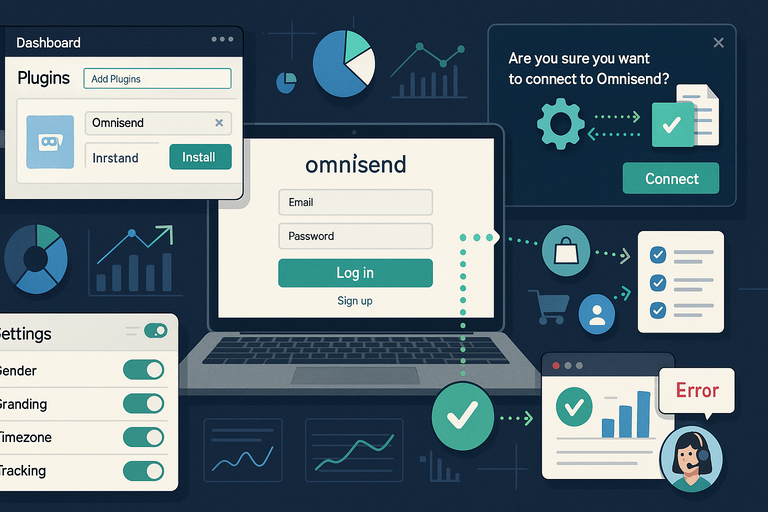
Setting up Omnisend for WooCommerce takes less time than brewing your morning coffee—and it pays off tenfold once your automations are live.
How to Integrate Omnisend With Your WooCommerce Store
Here’s how to connect Omnisend with WooCommerce in under ten minutes:
- In your WordPress dashboard, go to Plugins → Add New.
- Search for Omnisend for WooCommerce and click Install Now.
- Once activated, click Connect to Omnisend.
- Log into your Omnisend account or create one—it’s free to start.
- Confirm sync permissions to allow customer, product, and order data sharing.
Within moments, your product catalog, customer details, and order history start syncing automatically.
I always recommend doing a quick test by placing a dummy order to confirm it’s recording correctly in Omnisend.
Key Settings to Optimize Before Launching Campaigns
Before you send your first campaign, tweak a few important settings that can dramatically impact your results.
Critical areas to check:
- Sender name and email: Use a recognizable name—people open emails from humans, not systems.
- Default branding: Align your templates with your store’s colors and logo.
- Timezone and frequency caps: Prevent over-messaging by setting a daily limit per contact.
- Tracking setup: Make sure your Google Analytics and Omnisend tracking tags are active to measure ROI.
I suggest setting up a simple “Welcome” automation as your test run. It’s low-risk, and you’ll see right away how the platform manages triggers and reporting.
Troubleshooting Common Integration Issues
Even with a smooth tool like Omnisend, hiccups can happen. The most common ones are easy to fix:
- Customer data not syncing: Go to WooCommerce → Settings → Advanced → REST API and confirm API access is enabled.
- Emails not sending: Verify your domain authentication (SPF/DKIM) in Omnisend’s Email Settings.
- Incorrect order values: Ensure you’re using the latest plugin version, as older ones can miss new WooCommerce data fields.
When in doubt, Omnisend’s support chat is quick and helpful—I’ve seen them resolve sync problems in under 15 minutes.
Proven Automation Workflows That Increase Conversions
Automation is where Omnisend for WooCommerce truly shines.
Once you set up these workflows, your store can nurture leads, win back abandoned carts, and encourage repeat orders—without extra effort.
Welcome Email Series That Turn New Visitors Into Buyers
First impressions matter. A well-crafted welcome series introduces your brand and builds trust from the start.
A strong 3-part welcome workflow might look like this:
- Email 1: A warm hello plus a first-order discount.
- Email 2: Highlight your bestsellers or unique story.
- Email 3: Include social proof—like customer reviews or Instagram features.
I recommend keeping your tone friendly and genuine. Don’t sell too hard early; the goal is to make customers feel like they’ve joined something special, not just another mailing list.
Abandoned Cart Recovery Workflows That Win Back Sales
This is where Omnisend earns its keep. The average cart abandonment rate is over 70%, but a good recovery workflow can reclaim 20–30% of those lost sales.
Set up this simple workflow:
- Trigger: Customer adds item to cart but doesn’t check out within 1 hour.
- Email 1 (after 1 hour): A gentle reminder—“Did something catch your eye?”
- Email 2 (after 24 hours): Offer a small incentive like 10% off.
- Email 3 (after 48 hours): Create urgency—“Last chance before it’s gone.”
From what I’ve seen, using dynamic product blocks (which automatically display the exact items left behind) can double recovery rates.
Post-Purchase Campaigns to Drive Repeat Orders
After a sale, most brands go silent—and that’s a missed opportunity. Omnisend makes it easy to keep the relationship alive.
Smart post-purchase sequence ideas:
- Order follow-up: Send a thank-you and product care tips.
- Cross-sell campaign: Suggest complementary products 7 days later.
- Reorder reminder: Trigger based on average usage time (e.g., 30 days for consumables).
I’ve noticed these campaigns don’t just increase repeat sales—they also improve customer satisfaction. People appreciate thoughtful communication that adds value beyond the transaction.
Personalization Strategies to Maximize Customer Engagement
Personalization is where Omnisend for WooCommerce truly becomes more than just a marketing tool—it becomes your store’s personal concierge.
The beauty of it is that everything you send can feel hand-written, even when it’s automated.
Using Dynamic Content to Tailor Emails for Each Shopper
Dynamic content in Omnisend means your email automatically changes based on who’s receiving it.
Instead of blasting one generic message, you can send hundreds of perfectly customized ones at once.
Here’s how it works in practice:
- Product blocks adapt automatically: A returning customer might see “You might also like” suggestions, while a new visitor sees your bestsellers.
- Personalized subject lines: You can insert customer names or recently viewed products using merge tags like {{ customer.name }} or {{ product.title }}.
- Conditional visibility: Omnisend allows you to show or hide sections of an email depending on customer tags or segments. For example, only show “Loyalty Rewards” banners to repeat buyers.
I suggest starting small—try personalizing just your first line or your product recommendations.
You’ll quickly see how open and click rates climb, often by 25–40% according to Omnisend’s internal benchmarks.
How to Segment WooCommerce Customers in Omnisend
Segmentation is the secret sauce behind personalization. It means dividing your customer list into smaller, meaningful groups based on real behaviors, not assumptions.
Here are a few high-performing WooCommerce segments I’ve used:
- High-value customers: Buyers who’ve spent over a set amount—say $200 in the past three months.
- Recent buyers: Those who made a purchase within the last 30 days (perfect for review requests or cross-sells).
- Inactive subscribers: People who haven’t opened an email in 90 days—these need re-engagement campaigns.
To set this up, go to Audience → Segments → Create Segment in Omnisend. You can combine filters like “Placed Order,” “Email Activity,” or “Product Viewed.”
When I started using these segments, I noticed my unsubscribe rate dropped by half. Why? Because people were finally receiving emails that actually mattered to them.
Behavioral Triggers That Boost Click-Through and Open Rates
Behavioral triggers are automations that react to what your customers do—or don’t do.
Omnisend tracks these actions across your WooCommerce store in real time, which makes your messaging incredibly timely.
Powerful examples include:
- Viewed Product Trigger: Send a follow-up email if someone looks at a product but doesn’t add it to the cart.
- Anniversary or Birthday Trigger: Celebrate milestones to deepen loyalty.
- Browse Abandonment Trigger: If a shopper spends time on certain categories, send a curated list of similar items.
I believe the magic lies in subtlety. Don’t bombard customers after every click—set conditions like “only once every 7 days” to avoid fatigue.
Done right, behavioral campaigns can drive open rates 40% higher than standard newsletters.
Effective Omnichannel Campaigns Using Omnisend for WooCommerce
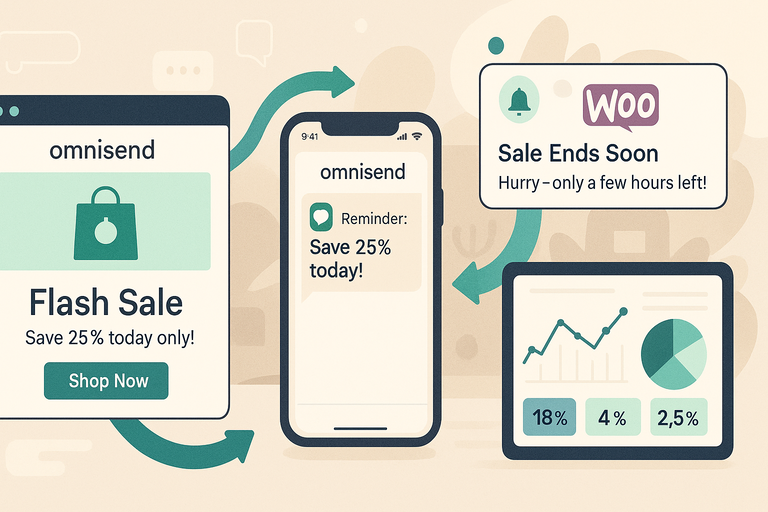
Omnisend for WooCommerce isn’t just about emails—it’s about connecting all your communication channels into one smooth experience.
Whether your customers prefer texts, emails, or push notifications, you can meet them exactly where they are.
Combining Email, SMS, and Push Notifications for Better Reach
A truly effective omnichannel campaign mixes channels without overwhelming your audience. Omnisend makes it easy to coordinate them under one workflow.
Here’s a quick example workflow:
- Send an email announcing a flash sale.
- If unopened in 24 hours, follow up with a SMS reminder.
- When the sale is ending, send a final push notification to mobile subscribers.
Each step can target different customer behaviors automatically. I’ve seen this combo increase campaign conversions by over 40% compared to using email alone.
To set it up, navigate to Automation → Create Workflow → Multichannel. From there, you can drag and drop channels in sequence. It feels like playing with digital LEGO—but for marketing.
When to Use Each Channel for Maximum Sales Impact
Each communication channel shines in different moments of the customer journey.
- Email: Great for long-form content—like product launches, storytelling, and sales events.
- SMS: Works best for time-sensitive updates such as flash sales or shipping notifications.
- Push notifications: Ideal for quick nudges—like restock alerts or limited-time offers.
I advise using SMS sparingly since it feels more personal. Think of it as a whisper, not a shout.
For example, a single well-timed SMS during checkout can reduce cart abandonment by up to 20%.
Real-Time Analytics to Measure Campaign Effectiveness
Data is where Omnisend quietly flexes its muscles. Every message—whether email, SMS, or push—feeds into a central analytics dashboard.
Metrics worth tracking include:
- Open rate and click-through rate (CTR): Measure how engaging your content is.
- Conversion rate: See which messages actually drive purchases.
- Revenue attribution: Know which workflows or campaigns bring in the most profit.
What I love is the side-by-side channel comparison. You can instantly see whether SMS outperformed email, and adjust strategy in real time. Omnisend’s analytics aren’t just for reporting—they’re for constant refinement.
Advanced Features That Give Omnisend a Competitive Edge
Once you’ve mastered the basics, Omnisend for WooCommerce offers powerful tools that help you go beyond automation and personalization.
These features are where you start playing like a pro.
Smart Product Recommendations to Increase Average Order Value
Omnisend uses AI-driven product recommendation blocks that automatically show customers what they’re most likely to buy next.
Common recommendation types include:
- Best-sellers: Based on what’s trending in your WooCommerce store.
- Related products: Items similar to what a customer just purchased or viewed.
- Personalized picks: Based on each shopper’s browsing and buying behavior.
For example, after a customer buys a phone case, Omnisend might automatically suggest a screen protector or charger in their next email.
I’ve seen stores raise their average order value by 15–25% using these smart blocks alone.
Gamified Popups and Forms to Grow Your Email List Faster
Omnisend lets you create gamified signup forms—like spin-to-win wheels or scratch cards—that make list-building fun rather than annoying.
How to use them effectively:
- Keep rewards meaningful: Offer discounts or freebies that encourage purchase.
- Limit frequency: Show popups once per visitor session to prevent fatigue.
- Follow with instant engagement: Send a “Thanks for joining” email right after signup.
One store I worked with grew their email list by 30% in a single month after switching from a static form to a spin-the-wheel popup.
People love interaction—it turns signup into an experience.
A/B Testing Tools to Refine and Improve Performance
Even the best marketers can’t predict what will resonate every time. That’s where Omnisend’s A/B testing comes in. You can test almost anything—subject lines, images, CTAs, or even send times.
Steps to run an effective test:
- Duplicate your email campaign.
- Change only one variable (like the subject line).
- Set Omnisend to send version A to 20% of your list and version B to another 20%.
- Whichever wins automatically gets sent to the remaining 60%.
In my experience, just testing subject lines can improve open rates by 10–15%. It’s small, data-driven tweaks like these that separate guesswork from growth.
Common Mistakes to Avoid When Using Omnisend for WooCommerce
Even though Omnisend for WooCommerce can transform your store’s marketing, it’s surprisingly easy to misuse it.
I’ve seen stores lose engagement, overwhelm customers, or miss valuable insights simply because they didn’t optimize how they use the platform.
Let’s look at the most common mistakes and how to avoid them.
Over-Automation That Turns Off Potential Customers
Automation is wonderful—until it becomes robotic. When every message feels mechanical, customers stop paying attention.
What this usually looks like:
- Sending too many triggered messages in a short time.
- Overlapping workflows (like a customer getting a welcome email and an abandoned cart email on the same day).
- Forgetting to review automation rules as your store grows.
To fix this, I suggest reviewing your automation map monthly.
In Omnisend, go to Automation → Workflows → Overview.
You’ll see which workflows overlap and how frequently they’re sending. Adjust timing and triggers so customers aren’t overwhelmed.
In my experience, keeping automation limited to one or two active workflows per customer segment reduces unsubscribes by up to 35%.
Ignoring Segmentation and Sending Generic Campaigns
Sending the same email to everyone is one of the biggest missed opportunities. Omnisend gives you powerful segmentation tools—use them.
Why segmentation matters:
- Personalized campaigns perform better. Omnisend’s 2024 report shows segmented campaigns generate 62% higher CTR.
- It helps tailor offers by behavior—new customers need nurturing, while loyal buyers deserve exclusives.
- It keeps your content relevant, reducing spam complaints.
I recommend starting with three key segments: new customers, repeat buyers, and inactive users.
Go to Audience → Segments → Create Segment to define them. It only takes minutes, and your engagement rates will thank you.
Neglecting Analytics and Optimization Opportunities
Too many store owners set up automations once and never look back. That’s a mistake. Omnisend’s analytics are there to show what’s working—and what isn’t.
Key metrics to track regularly:
- Open rate and CTR: To gauge engagement.
- Conversion rate: To see which campaigns actually drive sales.
- Workflow revenue contribution: Found in Reports → Automation Reports.
I always tell people: treat analytics as feedback, not judgment. When you notice low performance, tweak one thing at a time—subject lines, send time, or visuals. Small refinements make big differences over time.
Best Practices to Maximize Your Omnisend ROI
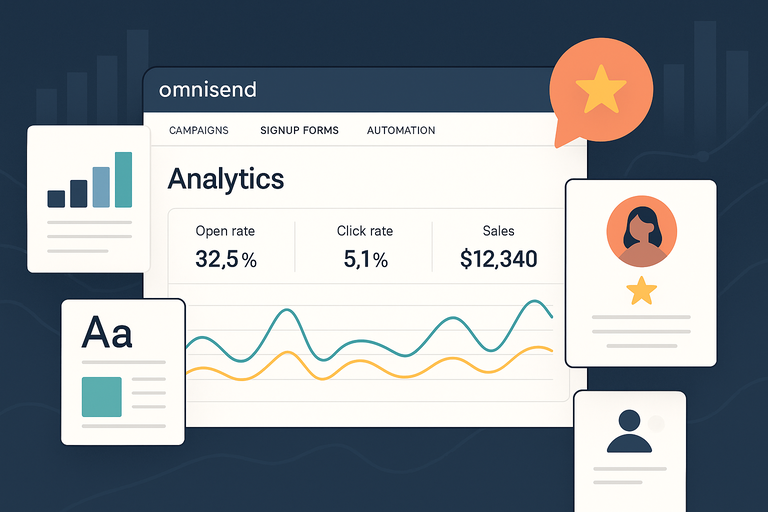
To get the most out of Omnisend for WooCommerce, think beyond automations.
It’s about refining, maintaining consistency, and building real relationships.
How to Continuously Optimize Campaigns Using Analytics
Optimization is an ongoing process, not a one-time setup. Omnisend’s reporting dashboard is designed for continuous improvement.
How to make it work for you:
- Review campaign reports weekly to spot trends early.
- Identify top-performing emails and replicate their tone or structure.
- Compare automation vs. manual campaigns to see where your ROI is strongest.
I advise creating a simple spreadsheet where you track what you tested (like a subject line) and the results.
This keeps your insights organized, and within months, you’ll start to see clear patterns in what drives your audience to act.
Maintaining Consistent Brand Voice Across Channels
When customers see your messages across email, SMS, and push notifications, the tone should feel familiar—like it’s coming from the same friendly person.
Here’s how to stay consistent:
- Use the same greeting and sign-off style across channels.
- Reuse your brand’s color palette and fonts inside Omnisend templates.
- Write in the same tone—if you’re casual in email, don’t sound formal in SMS.
I believe consistency builds trust. When customers recognize your “voice,” they’re more likely to open and respond, because it feels authentic and human.
Building Customer Loyalty Through Personalized Experiences
Loyal customers don’t just buy more—they advocate for your brand. Omnisend’s personalization tools can help you nurture these relationships automatically.
Tactics that work beautifully:
- Create loyalty segments (e.g., “purchased 3+ times”) and send them early access to sales.
- Use birthday or anniversary automations to celebrate milestones.
- Send thank-you emails after key purchases with small discounts for next time.
In one store I helped, adding a “thank-you for your third order” email increased repeat purchase rate by 18%. It’s a simple gesture that reminds people they’re valued, not just targeted.
Expert Tips to Scale WooCommerce Sales With Omnisend
Once you’ve mastered the basics, scaling your sales with Omnisend becomes about using data and integrations to predict, not just react.
Leveraging Predictive Insights to Anticipate Customer Behavior
Omnisend uses predictive analytics to forecast buying behavior, helping you target people before they even act.
Use these predictive tools for smarter marketing:
- Predicted next purchase date: Send reminders or recommendations right before they’re likely to buy again.
- Customer lifetime value (CLV): Focus premium offers on your highest-value shoppers.
- Churn probability: Automatically trigger win-back campaigns for at-risk customers.
You’ll find these under Audience Insights in Omnisend. I suggest checking these insights monthly—they’re incredibly accurate, especially as your data grows.
Integrating Omnisend With Other Marketing Tools for Synergy
Omnisend plays nicely with other tools, and combining them multiplies results.
Powerful integrations include:
- Google Analytics: For tracking ROI beyond clicks—see real revenue.
- Facebook Ads & Meta Pixel: Sync audiences for lookalike campaigns.
- Klaviyo or Zapier: For connecting custom workflows and CRMs.
For example, syncing Omnisend with Facebook allows you to retarget email subscribers who didn’t open your last campaign. That alone can boost ad ROAS (return on ad spend) by 30%.
Experimenting With Seasonal Campaigns and Flash Sales
Seasonal campaigns are gold for WooCommerce stores, especially when automated through Omnisend.
Best practices for seasonal success:
- Pre-schedule emails and SMS messages weeks in advance.
- Use urgency-driven language in subject lines (e.g., “Last 24 Hours to Save 25%”).
- Combine seasonal discounts with loyalty points or exclusive offers.
I’ve seen flash-sale workflows built in Omnisend double daily revenue during events like Black Friday or Valentine’s Day.
The trick is to build anticipation early and use multiple channels to remind customers when the sale starts.
Final Thoughts: Why Omnisend for WooCommerce Delivers Instant Results
At its core, Omnisend for WooCommerce isn’t just a marketing platform—it’s a smart system that understands how your customers think, shop, and engage.
How Data-Driven Automation Translates to Real Revenue
Every workflow, every trigger, and every personalized email feeds into measurable sales. When automation is fueled by real customer data, results follow naturally.
For instance, stores using Omnisend’s pre-built automation templates often see a 29% increase in order rates within the first month.
That’s because the system’s logic is already optimized for eCommerce behavior—like abandoned carts or repeat buyers.
When your marketing becomes data-driven, every message has purpose and precision.
The Future of Smart eCommerce Marketing With Omnisend
Omnisend is evolving quickly. AI recommendations, predictive insights, and deeper WooCommerce integrations are making it easier to personalize at scale.
I believe the future lies in hybrid marketing: A blend of automation and authenticity.
Omnisend is already there, giving you the tools to automate the routine while keeping communication genuinely human.
Pro Tip: Start Small, Automate Smart, and Scale Fast
If you’re new to Omnisend for WooCommerce, don’t rush to set up everything at once.
Start with three core automations:
- Welcome email series.
- Abandoned cart recovery.
- Post-purchase follow-up.
Once those perform well, add personalization, segmentation, and omnichannel campaigns. Scaling becomes easy when your foundation is solid.
The real secret? Omnisend doesn’t just boost your store sales—it gives you time back. Time to plan, create, and build connections

I’m Juxhin, the voice behind The Justifiable.
I’ve spent 6+ years building blogs, managing affiliate campaigns, and testing the messy world of online business. Here, I cut the fluff and share the strategies that actually move the needle — so you can build income that’s sustainable, not speculative.
Related posts:
 Top 5 Automated Sales Funnel Hacks for Explosive Growth!
 Best Email Marketing Service: Master Email with These 4 Strategies
 Email Marketing Jobs: 5 High-Paying Positions Available Now!
 Try the Omnisend App—See the Difference Fast
 How Omnisend Email Can Boost Your Conversions
 7 Reasons to Try Omnisend Email Marketing Today