
Table of Contents
Some links on The Justifiable are affiliate links, meaning we may earn a small commission at no extra cost to you. Read full disclaimer.
QuillBot AI Grammar has quickly become one of the go-to tools for writers who want to polish their work instantly.
Have you ever wondered how you could fix grammar mistakes, punctuation slips, and awkward phrasing in one click without losing your tone or intent? That’s exactly what QuillBot does — but there’s a lot more behind its simplicity.
In this guide, you’ll see how QuillBot’s grammar correction feature actually works, why it’s different from traditional grammar checkers, and how you can use it to make your writing cleaner, sharper, and more natural.
How QuillBot AI Grammar Works Behind The Scenes
QuillBot AI Grammar isn’t just a spell checker—it’s a learning system that understands how people write.
It analyzes sentence meaning, context, and tone to suggest improvements that sound human, not robotic. Let’s break down what’s really happening under the hood.
How QuillBot Uses Machine Learning To Improve Writing
At its core, QuillBot’s grammar checker is powered by machine learning models—algorithms trained on millions of sentences written and edited by humans. These models learn patterns of good writing over time.
Here’s how it works in practice:
- Input Analysis: When you paste or type text, QuillBot instantly scans it for structure, tense, tone, and grammatical consistency.
- Error Prediction: Its model identifies what might be an error based on thousands of similar examples it has seen before.
- Smart Suggestions: It offers fixes that fit both grammar rules and your intended tone—academic, casual, or professional.
For instance, if you write, “He go to the store every morning,” QuillBot knows the correct form is “He goes”—not just because of grammar, but because it recognizes that this structure fits a third-person pattern.
I believe this “pattern learning” approach is what makes QuillBot feel intuitive. It doesn’t just check rules—it learns how we actually use language.
Understanding Contextual Error Detection
Traditional grammar checkers rely on fixed rule sets. QuillBot uses contextual understanding. That means it evaluates surrounding words before deciding what’s wrong.
Example: If you type, “The data are accurate,” most checkers would flag it as wrong, but QuillBot recognizes that “data” can be plural in formal writing.
Here’s what’s happening behind the curtain:
- Semantic Mapping: It identifies relationships between words and meaning.
- Contextual Confidence: It assigns probability scores to decide if a fix is likely correct based on context.
- Adaptive Correction: It adjusts future suggestions if you keep rejecting certain changes—like “Oxford comma” preferences or stylistic quirks.
I suggest using QuillBot for nuanced writing—academic essays, professional reports, or creative work—because it respects your intent while fixing errors intelligently.
Why QuillBot’s Grammar Engine Learns From Your Edits
Every time you accept or reject a suggestion, QuillBot quietly refines its understanding of your writing style. It doesn’t copy your text—it learns patterns of how you interact with its suggestions.
Here’s how it adapts:
- Feedback Loop: User actions inform the AI what’s useful or not.
- Personalization: Over time, it aligns with your sentence rhythm and preferred phrasing.
- Collaborative AI: It becomes a writing partner, not just a grammar cop.
This adaptive behavior is what sets QuillBot apart from static grammar tools. It grows more accurate with use, helping you sound consistent—whether you’re drafting a research paper or a marketing email.
Key Features That Make QuillBot AI Grammar Stand Out
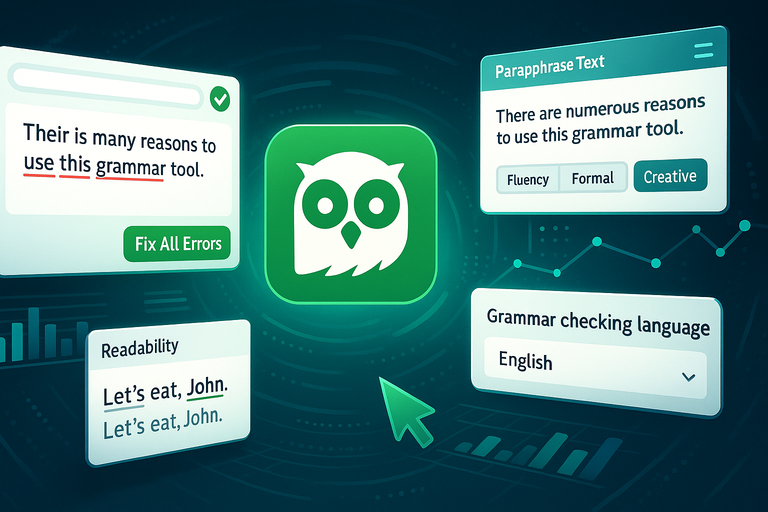
QuillBot’s grammar feature is more than a red underline tool—it’s a full suite of AI-powered refinements that strengthen clarity, tone, and flow.
One-Click Grammar Fixing Without Losing Meaning
The magic lies in QuillBot’s instant correction engine. You click “Fix All Errors,” and within seconds, it polishes your text—without flattening your voice.
- Smart Correction Layer: It identifies surface-level errors (like verb agreement) and deeper structural issues (like misplaced modifiers).
- Meaning Preservation: Unlike some tools that rewrite sentences awkwardly, QuillBot adjusts syntax subtly to keep your message intact.
- Instant Workflow: You can fix everything in one click or hover to manually approve each change.
I use this especially when editing blog posts or emails under time pressure—it feels like a real-time editor who knows when not to overcorrect.
Built-In Paraphrasing For Style And Clarity
One of QuillBot’s strongest integrations is its Paraphraser, which works hand-in-hand with the grammar tool. Once your grammar is cleaned up, you can rephrase sections for tone or simplicity.
Example UI path: Grammar Checker → Fix All Errors → Paraphrase Text.
You can choose from modes like Fluency, Formal, or Creative, each designed for a specific tone. It’s ideal when rewriting dense text or making academic writing more approachable.
I recommend using this feature when your sentence feels technically correct but stylistically dull—it helps breathe life back into your words.
Punctuation And Syntax Correction For Better Readability
Proper punctuation shapes rhythm and readability. QuillBot’s system handles this automatically, suggesting corrections for commas, semicolons, and dashes based on pacing and sentence flow.
- Syntax Awareness: It reorganizes word order when necessary for smoother transitions.
- Readability Metrics: It aligns suggestions with ideal sentence length for clarity.
For instance, if you write “Let’s eat John,” QuillBot gently suggests “Let’s eat, John.”—a small comma with a big difference.
I find this feature invaluable for content meant for publication, where tone and structure need to stay clean but human.
Multilingual Grammar Checking Capabilities
QuillBot supports multiple languages, allowing you to check grammar beyond English. Whether writing in Spanish, French, or German, it adapts to that language’s unique syntax.
This is especially useful for multilingual professionals or global teams who write across regions. You can toggle between languages directly from the editor’s dropdown.
While its English model is the most refined, I believe QuillBot’s multilingual feature is a big step toward breaking the “language barrier” in content creation.
Step-By-Step Guide To Using QuillBot AI Grammar
Let’s go hands-on. Whether you’re new to QuillBot or just haven’t explored the grammar feature deeply, here’s how to use it effectively.
How To Access The Grammar Tool In QuillBot
Once you log in to QuillBot, you’ll find the Grammar tool on the left-hand panel of the dashboard. Click Grammar Checker to open the interface.
Shortcut: Dashboard → Grammar Checker → Start Editing.
You can also install the QuillBot Chrome Extension, which integrates grammar suggestions directly into platforms like Gmail, Google Docs, and WordPress.
Uploading, Typing, Or Pasting Your Text
You can input text in three ways:
- Type directly in the editor.
- Paste text from another document.
- Upload a file (.docx, .txt, or .pdf).
Once your text is in, QuillBot instantly analyzes it and highlights grammar, punctuation, and word choice errors in real time.
This multi-input design makes it easy to switch between projects, whether you’re editing blog posts or academic reports.
Reviewing Suggested Corrections And Customizing Fixes
Here’s where you can fine-tune. QuillBot displays corrections with underlined color codes—hovering over each gives you the suggestion and explanation.
You can:
- Accept all suggestions with one click.
- Review each individually for selective editing.
- Customize tone using the paraphrase or fluency toggle.
I recommend reviewing major edits manually, especially when context matters—like in persuasive writing or brand copy. It keeps your personality intact while ensuring correctness.
Exporting Or Copying Polished Text Seamlessly
After finishing edits, click Copy All or Download to export your improved text. You can also send it directly to the Paraphraser or Summarizer if you’re refining content further.
Example workflow: Grammar Check → Paraphrase → Summarize → Export.
This all-in-one ecosystem eliminates the need to jump between multiple writing tools. I believe it’s what makes QuillBot one of the most practical AI assistants for real-world writers who want both speed and control.
Pro tip: Always use the Grammar tool as your final editing pass before publishing. Even when you think your text is flawless, QuillBot often catches the small details—like double spaces, missing commas, or subtle tense shifts—that most humans overlook.
Comparing QuillBot AI Grammar With Other Grammar Tools
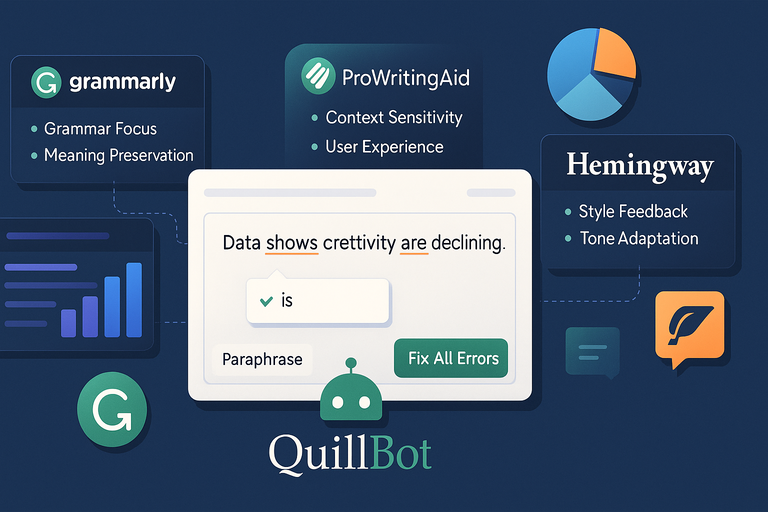
Choosing between QuillBot AI Grammar and other well-known grammar checkers can feel confusing.
Each has strengths, but QuillBot’s biggest advantage lies in how it balances context awareness, tone consistency, and meaning preservation.
Let’s break it down.
Grammarly vs. QuillBot: Which Is More Accurate?
Grammarly is known for pinpointing grammar and spelling issues using deep rule-based analysis, while QuillBot blends that with context-sensitive AI correction.
Here’s how they differ in accuracy:
- Grammar Focus: Grammarly is excellent at catching traditional grammar mistakes like verb tenses and missing commas. QuillBot, however, excels at semantic accuracy—it understands what you meant to say.
- Meaning Preservation: QuillBot focuses on clarity without distortion. Grammarly sometimes rephrases aggressively, changing tone or nuance, especially in creative writing.
- Integration: Grammarly works best as a standalone app or extension. QuillBot combines grammar with paraphrasing, summarizing, and citation generation—all inside one interface.
For quick, error-free edits, Grammarly might edge ahead in precision. But if you care about tone and natural flow, I believe QuillBot wins. It feels more like a human editor who respects your style.
Example: I once tested both using the sentence, “The data suggests that creativity are declining.” Grammarly corrected it to “The data suggests that creativity is declining,” which is right—but QuillBot suggested, “Data shows creativity is declining,” improving both flow and readability.
ProWritingAid vs. QuillBot: Which Offers Better Context Understanding?
ProWritingAid offers deep reports on style, pacing, and readability. It’s fantastic for long-form writing, but it can feel overwhelming for quick edits.
QuillBot, on the other hand, focuses on practical usability—you get instant corrections without data overload.
Comparing their strengths:
- Context Sensitivity: QuillBot uses advanced NLP (Natural Language Processing) to interpret intent, not just structure.
- User Experience: ProWritingAid provides detailed analysis reports (e.g., overused words, sticky sentences), while QuillBot keeps it simple and conversational.
- Speed: QuillBot’s one-click correction is faster, ideal for everyday writers or professionals on deadlines.
If you’re writing novels or academic papers where deep structural analysis matters, ProWritingAid might serve you better. But for fast, intelligent corrections without friction, I suggest QuillBot—it’s less technical, more intuitive, and highly adaptive to context.
Hemingway vs. QuillBot: Style Feedback And Tone Adaptation
Hemingway focuses on readability. It highlights complex sentences, passive voice, and adverbs that weaken clarity. QuillBot takes that further by rewriting sentences automatically while preserving tone.
Key differences:
- Purpose: Hemingway simplifies writing for clarity; QuillBot refines it for professionalism.
- Tone Sensitivity: QuillBot adapts tone for different contexts (formal, casual, academic), while Hemingway only flags complexity.
- Automation: Hemingway offers advice; QuillBot applies it automatically.
In my experience, Hemingway is excellent for learning simplicity, but QuillBot is for getting things done.
For example, if you paste a paragraph full of jargon, Hemingway tells you it’s too dense, while QuillBot rewrites it to sound natural—saving time without losing depth.
Practical Ways To Use QuillBot AI Grammar For Different Needs
QuillBot AI Grammar adapts beautifully to different writing goals. Whether you’re crafting academic essays, business emails, or blog posts, it polishes your tone while keeping your authentic voice intact.
Academic Writing: Keeping Formal Tone And Correct Citations
In academic writing, precision matters. QuillBot’s grammar engine helps eliminate informal phrasing, passive overload, and citation errors.
Best practices for students and researchers:
- Use Grammar Checker → Formal Mode for scholarly tone.
- Pair it with Citation Generator to ensure reference consistency.
- Double-check paraphrased text for academic integrity—QuillBot helps rewrite, not plagiarize.
I advise using it during the final proofreading stage to catch subtle issues like incorrect prepositions or agreement errors. It’s like having a built-in academic editor who understands research language.
Business Communication: Writing Polished Emails And Reports
Clear communication builds credibility in business. QuillBot ensures your emails, proposals, and reports are both professional and engaging.
How to use it effectively:
- Enable Grammar + Fluency Mode for smoother sentences.
- Use the Chrome Extension to check emails directly in Gmail or Outlook.
- Review tone suggestions to avoid sounding too casual or too rigid.
For example, if you write, “I just wanted to follow up,” QuillBot might suggest, “I wanted to check in,” which feels polite but more confident. These subtle improvements shape perception in business writing.
Blogging And SEO: Creating Error-Free, Readable Content
For bloggers and marketers, QuillBot AI Grammar doubles as both an editor and SEO ally. It improves readability scores and reduces grammatical distractions that hurt engagement.
How I use it for SEO content:
- Run articles through Grammar Checker to clean structure before optimizing keywords.
- Use Paraphraser → Fluency Mode to make copy sound conversational.
- Maintain sentence rhythm and clarity for mobile readers.
Clean grammar doesn’t just look professional—it boosts dwell time and helps Google understand your content’s intent better.
From my experience, polishing content through QuillBot before publishing often reduces bounce rates noticeably.
Creative Writing: Refining Style Without Losing Voice
Creative writers often fear that grammar tools will “sanitize” their unique voice. QuillBot’s AI is different—it learns from your edits, adapting to your personal rhythm.
How to balance creativity and correction:
- Use Standard Mode for grammar fixes without overediting.
- Reject suggestions that alter tone—it helps QuillBot learn your style.
- Try Creative Mode in the Paraphraser for sentence flow enhancements.
I’ve used it to fine-tune dialogue-heavy stories. It catches technical errors while respecting artistic intent—a rare quality among grammar tools.
Common Mistakes To Avoid When Using QuillBot AI Grammar
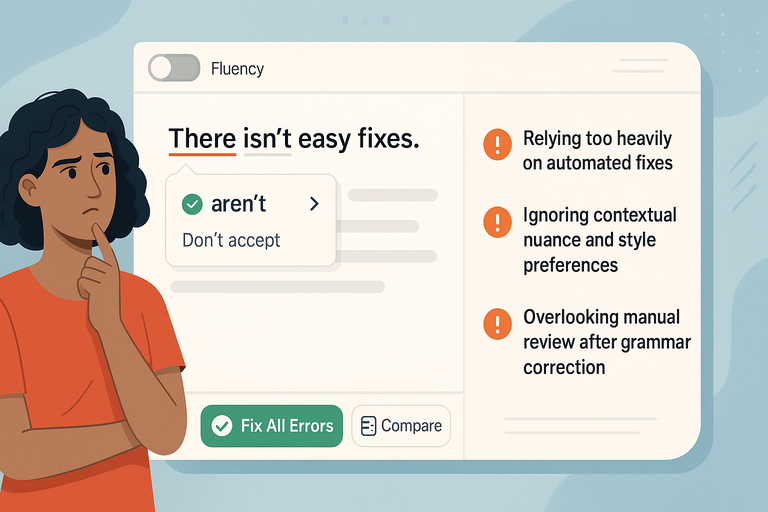
While QuillBot AI Grammar is powerful, relying on it blindly can lead to over-polished or misinterpreted text. Here’s how to avoid the most common pitfalls.
Relying Too Heavily On Automated Fixes
Automation saves time, but it can dull personality. Accepting every suggestion without review risks making your writing sound robotic.
What I suggest:
- Treat QuillBot as your co-editor, not your ghostwriter.
- Read edits aloud before accepting them—if it doesn’t sound like you, skip it.
- Preserve stylistic quirks that define your tone.
QuillBot’s corrections are accurate, but judgment is still human territory. Balance efficiency with authenticity.
Ignoring Contextual Nuance And Style Preferences
Sometimes, grammar isn’t about right or wrong—it’s about intent. For example, breaking a rule for emphasis (“And yet, it worked.”) can be stylistically effective.
Avoid this mistake by:
- Turning off “Fluency” when editing creative or emotional content.
- Customizing tone and audience within QuillBot’s interface.
- Using manual review to retain narrative rhythm.
I believe this is where most writers grow—learning when to bend rules intentionally, not just follow them.
Overlooking Manual Review After Grammar Correction
Even after QuillBot perfects your text, a final human check is vital. The AI ensures correctness, but only you ensure purpose.
Before publishing:
- Reread your text once for tone, once for flow.
- Watch for repetition or unintended changes in meaning.
- Use QuillBot’s Compare Mode (available in premium) to see before-and-after versions side by side.
I advise thinking of QuillBot as a skilled assistant—it handles precision so you can focus on creativity. But just like any editor, it works best when you guide it.
Pro Tip: Use QuillBot AI Grammar as the last step in your editing workflow. Draft first, refine later. Let the tool polish your clarity—but always keep your human voice leading the story.
Expert Tips To Get The Most From QuillBot AI Grammar
Once you’ve learned the basics of QuillBot AI Grammar, it’s time to unlock its full potential. The secret lies in using its tools together, not in isolation.
Think of it as a writing ecosystem where grammar, tone, and structure harmonize to make your message clear and engaging.
Combining Grammar Fix With Paraphraser For Best Results
The real power of QuillBot shines when you combine its Grammar Checker with the Paraphraser. The grammar tool corrects errors, while the paraphraser reshapes sentences for tone, fluency, and clarity.
Here’s a simple workflow I recommend:
- Run your draft through the Grammar Checker.
- Once clean, click Send to Paraphraser (you’ll find this button in the top-right corner of the editor).
- Choose the tone that matches your goal—Fluency for natural readability, Formal for professionalism, or Creative for storytelling.
This two-step approach ensures that your text is both technically correct and stylistically strong.
For example, a sentence like “This report has many data errors” might be corrected grammatically, but paraphrasing it could yield “This report contains several inconsistencies in the data”—a smoother and more professional phrasing.
I believe this workflow is one of the simplest yet most effective ways to elevate your writing quality without doubling your editing time.
Using The Chrome Extension For Real-Time Corrections
If you often write emails, blog posts, or web content, the QuillBot Chrome Extension is a must-have. It brings grammar and fluency checks directly into your everyday tools like Gmail, Google Docs, and WordPress.
How to get started:
- Go to quillbot.com/extensions and install the Chrome Extension.
- Log in to your QuillBot account to activate it.
- Start typing anywhere online—QuillBot will underline grammar and punctuation suggestions instantly.
This feature is especially helpful for freelancers, marketers, and students who need consistent grammar support across multiple platforms.
I use it while replying to clients on Gmail—it ensures my tone stays polished without me having to switch tabs or copy-paste text into the main editor.
The best part? You can toggle it off when you want to write freely, then re-enable it for a final polish before sending.
Creating A Personal Workflow For Consistent Writing Quality
Consistency builds credibility, and QuillBot helps you achieve that by fitting neatly into your existing writing process.
Here’s a sample workflow you can adopt:
- Draft naturally – Don’t worry about mistakes; focus on ideas first.
- Grammar check pass – Use QuillBot’s Grammar Checker to clean surface errors.
- Refinement pass – Send to Paraphraser for tone and flow optimization.
- Final review – Use Compare Mode to see before-and-after text versions.
Over time, this workflow helps you internalize correct structures and phrasing. I’ve noticed that frequent users of QuillBot gradually start writing cleaner drafts on their own—it’s like having a private writing coach that trains your intuition.
If you want even smoother integration, consider setting a writing goal before each session (e.g., “Keep tone friendly but concise”). QuillBot’s adaptive AI will align suggestions accordingly.
Why QuillBot AI Grammar Is Worth Trying
At this point, it’s clear that QuillBot AI Grammar is more than just another proofreading tool—it’s a writing accelerator.
It combines precision, adaptability, and simplicity in ways that save you hours without flattening your unique voice.
Saving Time On Editing Without Compromising Quality
Editing is often the longest part of writing. QuillBot helps you cut that time dramatically by providing accurate, context-aware fixes in seconds.
A study by TechRadar found that AI-assisted grammar tools reduce editing time by up to 40%. In my experience, QuillBot often does even better, especially when you use its one-click Fix All Errors feature.
Instead of juggling multiple platforms, you get everything—grammar, paraphrasing, summarizing—in one dashboard. It’s a cleaner, faster way to maintain quality without the burnout that comes with endless self-editing.
Boosting Writing Confidence Through Instant Feedback
Nothing boosts confidence like knowing your text is clean and coherent. QuillBot provides immediate validation for your choices, explaining why a change is suggested rather than forcing it.
This transparency helps you learn and improve rather than depend entirely on automation. For instance, when it flags a comma splice, it also shows a quick tooltip explanation so you understand why it’s an error.
I find this educational aspect particularly empowering. It transforms editing from a frustrating chore into a learning loop—you become a better writer with every use.
Making Grammar Learning Easier With Real-Time Insights
For non-native English speakers or those looking to strengthen their grammar foundation, QuillBot doubles as an interactive tutor.
When you hover over an underlined word, you don’t just get a correction—you get context. This turns every mistake into a micro-lesson.
Here’s how it helps in practice:
- Highlights issues like word misuse, tense inconsistency, or passive voice.
- Suggests fixes with short, clear explanations.
- Reinforces learning through repetition and visual cues.
From what I’ve seen, users who consistently apply these insights naturally improve their grammar over time, even when not using the tool. QuillBot doesn’t just fix your writing; it trains your brain to write cleaner.
Final Thoughts And Pro Tip
As someone who writes daily, I believe QuillBot AI Grammar stands out because it strikes a rare balance between correction and creativity.
It polishes your work without sterilizing it—a crucial distinction for anyone who writes with voice and intent.
How To Build Better Writing Habits Using AI Tools Like QuillBot
To get the most long-term value, treat QuillBot as a collaborator, not a crutch. The goal isn’t to let AI think for you, but to use it as a mirror that reflects where your writing can grow.
Here’s a small routine I suggest adopting:
- Draft first, edit later – Creativity flows best when you don’t self-censor.
- Use QuillBot for structure and clarity – Run a grammar check after your draft is complete.
- Study the explanations – Note recurring errors; they reveal your writing habits.
- Apply learnings manually – The next time you write, consciously correct those patterns yourself.
With consistency, you’ll notice fewer grammar flags appearing—proof that you’re internalizing better writing instincts.
Pro Tip: Use QuillBot’s Grammar tool before publishing any piece, even a short email. It’s often the small tweaks—fixing a preposition, smoothing a transition, tightening a phrase—that turn “good writing” into professional communication.
Over time, you’ll find that QuillBot doesn’t just make your writing better—it makes you a more thoughtful, confident, and efficient writer.

I’m Juxhin, the voice behind The Justifiable.
I’ve spent 6+ years building blogs, managing affiliate campaigns, and testing the messy world of online business. Here, I cut the fluff and share the strategies that actually move the needle — so you can build income that’s sustainable, not speculative.
Related posts:
 10 Best Websites Similar To QuillBot For Better Writing
 Honest Comparison: QuillBot Grammarly Review & Results
 How to Use QuillBot Paraphrasing Tool Effectively
 Where to Find a Safe Quillbot Download—No Viruses, No Spam
 How To Use QuillBot Tool To Rewrite Like A Pro
 AI QuillBot: The Smart Writing Assistant That Rewrites Perfectly