
Table of Contents
Some links on The Justifiable are affiliate links, meaning we may earn a small commission at no extra cost to you. Read full disclaimer.
If you’ve ever searched for a QuillBot alternative free tool to polish your writing without losing your voice, you’re not alone.
QuillBot is great for paraphrasing and improving clarity, but its free plan can feel limiting when you need more flexibility or creativity.
So, what are the best free tools that can genuinely compete with it—and maybe even do a few things better?
In this guide, we’ll explore top AI writing assistants and paraphrasing tools that help writers, bloggers, and marketers write smarter, faster, and more authentically without paying a cent.
1. Grammarly – The Smart QuillBot Alternative For Clarity
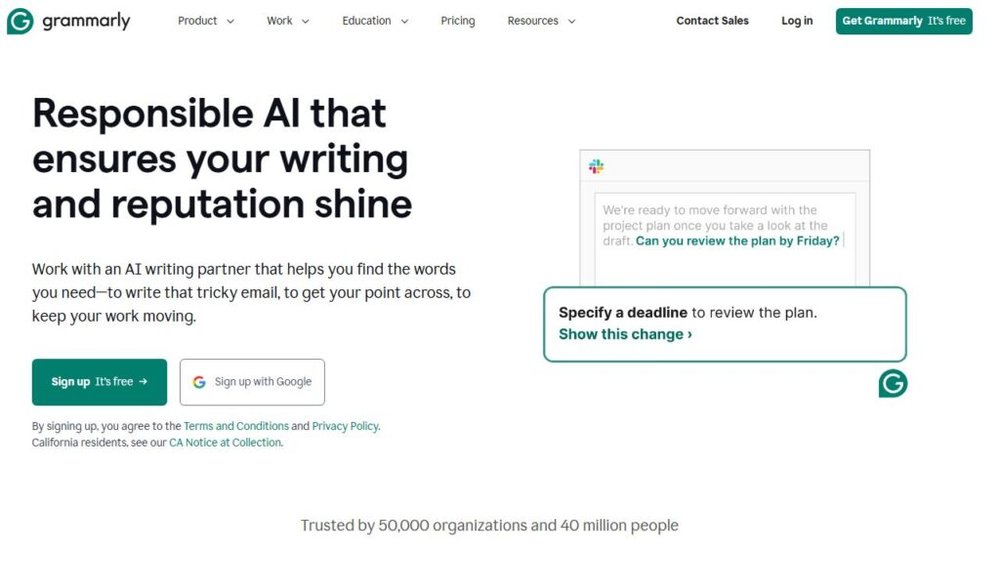
Grammarly is often the first QuillBot alternative free users turn to when they want accuracy, not just rewording.
I’ve used both tools extensively, and Grammarly consistently stands out for clarity, tone precision, and ease of use—especially in its free version.
Real-Time Grammar And Style Suggestions
Grammarly works like a digital proofreader that never sleeps. As you type, it automatically underlines issues in red or blue—red for grammar mistakes, blue for style or clarity improvements.
The best part is how it explains why something’s wrong. For example, instead of just saying “fragment,” it might suggest: “Add a verb to complete this sentence.”
You can access these suggestions through its browser extension or directly in its web editor (go to grammarly.com → New Document → Paste or Write). This makes it ideal for drafting blog posts, emails, or even social media captions.
Quick example:
- Original: “The report needs updating quick.”
- Grammarly Suggestion: “The report needs to be updated quickly.”
That’s not just grammar—it’s stylistic finesse.
Tone Detection For Polished Writing
This is where Grammarly truly beats QuillBot’s paraphraser. Grammarly uses a tone detector that identifies whether your text sounds confident, friendly, or uncertain. It helps you match tone to audience.
For instance, if you’re writing an outreach email and Grammarly says “Your tone sounds uncertain,” you can adjust phrases like “I think you might like this” to “You’ll find this helpful.” Subtle changes, big impact.
I often suggest this feature for freelance writers who juggle different audiences. It’s like having a writing coach quietly guiding your phrasing.
Free Paraphrasing Capabilities Worth Trying
Grammarly doesn’t label itself a paraphrasing tool, but it offers rewriting help that’s surprisingly good. Highlight a sentence and select “Rewrite suggestion.”
You’ll get smoother, natural alternatives that maintain your original meaning—something QuillBot occasionally struggles with when you use its free “Standard” mode.
Example:
- Original: “He quickly fixed the issue before it got worse.”
- Grammarly rewrite: “He resolved the issue promptly, preventing further problems.”
That reads cleaner, and it’s entirely free.
When Grammarly Outperforms QuillBot
While QuillBot is strong in sentence restructuring, Grammarly wins at:
- Real-time feedback: It doesn’t just rephrase—it teaches.
- Contextual tone control: Keeps voice consistent across paragraphs.
- Ease of integration: Works directly in Gmail, Word, and Docs.
If you write regularly for clients or publish content, I recommend Grammarly as your always-on writing partner. It’s like having both a proofreader and a coach in one tab.
2. Paraphraser.io – A Simple Yet Reliable QuillBot Alternative
If Grammarly feels too polished, Paraphraser.io is its practical cousin. It’s lightweight, no sign-up needed, and perfect when you just want to reword text fast.
I’ve used it when rewriting blog intros or meta descriptions, and it consistently produces readable, plagiarism-free results.
Multiple Paraphrasing Modes For Different Needs
The platform offers several modes—Fluency, Standard, Creative, and Smarter. In the free version, you can use Standard and Fluency, which already outperform many paid tools for basic rewording.
For example, Fluency mode focuses on readability, while Creative mode (paid) adds more variety. If you’re a student rewriting essays or a blogger refreshing older posts, Standard mode gets the job done beautifully.
A quick UI path: go to paraphraser.io → Choose Language → Paste Text → Select Mode → Paraphrase Now. It’s simple enough that even first-time users won’t need a tutorial.
How The Free Version Compares To QuillBot’s Limitations
QuillBot’s free plan restricts you to two modes and 125 words per paraphrase. Paraphraser.io, on the other hand, allows longer inputs and unlimited paraphrases.
It’s not as context-aware, but it doesn’t truncate your text mid-sentence—a win for long-form writers.
If you often paraphrase blog sections or product descriptions, that word limit difference alone can save you serious time.
Best Use Cases For Bloggers And Students
I recommend Paraphraser.io for two types of users:
- Bloggers: Refreshing old posts, rewriting intros, or generating alternate meta descriptions.
- Students: Rewording academic text to improve clarity while avoiding plagiarism.
It also includes a plagiarism checker and grammar tool—basic but reliable. You can open multiple tabs and paraphrase chunks of longer content efficiently.
Tips To Get More Natural Results
A few tricks help polish the output:
- Use shorter input sentences. Long, complex text often leads to robotic rewrites.
- Run your output through Grammarly afterward to fix grammar or flow issues.
- Adjust language settings if you write in non-native English—it helps produce simpler phrasing.
From my experience, this combo (Paraphraser.io + Grammarly) gives you 90% of QuillBot’s power—without the cost.
3. Wordtune – AI Rewriting Tool With Human-Like Flow
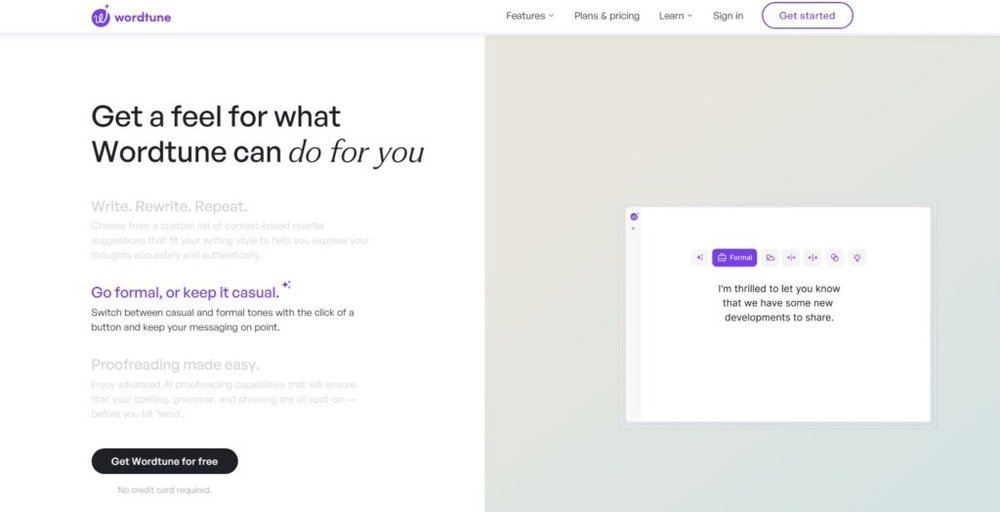
Wordtune is one of my favorite QuillBot alternative free tools because it understands context, not just grammar.
Where QuillBot might rephrase correctly but stiffly, Wordtune makes your writing sound natural and conversational—almost like a good editor rewrote it.
Context-Aware Sentence Rewrites
Wordtune’s magic lies in how it reads the whole sentence before suggesting rewrites. Instead of changing words randomly, it restructures for flow. You just highlight a sentence, and Wordtune pops up rewrite options that actually sound human.
Example:
- Original: “The software was created to enhance writing productivity.”
- Wordtune Suggestion: “This tool helps you write faster and more effectively.”
Notice how it simplified the sentence without losing intent. That’s perfect for web writing, where tone and readability matter.
The “Casual” vs. “Formal” Tone Feature Explained
This feature alone makes Wordtune a top-tier QuillBot alternative. You can toggle between Casual and Formal modes to match your audience. For example, if you’re writing a LinkedIn post, the Formal tone polishes your phrasing. For a blog or email, Casual keeps it friendly.
UI path: highlight text → select “Rewrite” → Tone → Casual/Formal.
It’s intuitive, and unlike QuillBot, it doesn’t require switching tabs or copying text into a separate editor.
Free Plan Advantages For Creative Writers
Wordtune’s free plan gives you 10 rewrites per day. That may sound limited, but for editing shorter pieces—tweets, intros, ad copy—it’s enough.
Creative writers love this because the rewrites spark new ideas. I often use it to refine hooks or opening sentences. You can take an average line and get five better ways to say it in seconds.
Why Wordtune Often Feels More Natural Than QuillBot
Here’s what I’ve noticed using both tools daily:
- Wordtune prioritizes tone and readability. It sounds human, not algorithmic.
- It preserves emotional nuance. QuillBot can sometimes flatten your tone.
- Integration is frictionless. It works directly in Google Docs and Chrome.
If your goal is to sound natural while staying concise, Wordtune wins hands down. I suggest using it when tone and personality matter more than mechanical correctness—like blogs, newsletters, and creative copy.
4. Rephrase.info – A Quick Solution For Rewording And Summarizing
Rephrase.info has become a go-to QuillBot alternative free option for writers who value simplicity and speed over complexity.
It’s perfect when you want to reword, summarize, or clean up text quickly without juggling multiple tools or tabs.
Efficient Paraphrasing With Built-In Summarizer
What makes Rephrase.info stand out is that it combines two essential tools—a paraphraser and a summarizer—under one roof. You can paste your text, click “Paraphrase,” and then immediately use the “Summarize” tab to condense the result into a concise version.
Here’s how it works in practice:
- Visit rephrase.info → Paraphrasing Tool → Paste Your Text.
- Choose a mode (Fluency, Creative, or Standard).
- Click Paraphrase Now.
- Once done, switch to Summarizer for a condensed summary.
This dual function makes it particularly efficient for long articles or academic essays where you need both clarity and brevity. I often use it when turning detailed research into short blog intros or key takeaways.
Grammar Correction And Sentence Restructuring
Unlike some paraphrasing tools that only swap words, Rephrase.info also subtly adjusts grammar and syntax. The AI rewrites entire phrases to sound smoother.
Example:
- Original: “The marketing campaign did not give results as expected.”
- Rephrased: “The marketing campaign failed to deliver the expected results.”
That’s a cleaner, more natural rewrite—something QuillBot occasionally misses in its free plan. It also fixes passive voice issues automatically, which is a plus for content marketers.
Interface Simplicity And Workflow Speed
If you prefer a no-frills interface, this tool shines. Everything is visible on one screen—no pop-ups, no hidden menus. Paste text, hit the button, and see results instantly.
There’s also no login requirement. This makes it a quick-fix tool for freelancers juggling multiple client projects or marketers working on tight deadlines.
In my experience, Rephrase.info processes text faster than QuillBot on slower connections, which matters when you’re multitasking across tabs.
Ideal Scenarios For Freelancers And Content Marketers
Rephrase.info fits best when you:
- Need to repurpose existing articles into shorter summaries.
- Want quick, readable paraphrasing for social posts or newsletters.
- Don’t want to deal with character limits or paid walls.
For instance, I once used it to reword a 1,000-word blog post intro into a 150-word LinkedIn post—it nailed the tone without losing the message.
If you’re after a fast, free, and functional writing tool, Rephrase.info is easily one of the best QuillBot alternatives available right now.
5. Slick Write – Lightweight QuillBot Alternative For Editing
Slick Write is a hidden gem among editing tools.
While it’s not a paraphraser like QuillBot, it’s an excellent QuillBot alternative free option for improving readability, grammar, and sentence structure without any distractions.
Grammar And Readability Checks In Real-Time
When you paste text into Slick Write’s editor, it highlights grammar, punctuation, and flow issues in real time. The interface feels lightweight—almost like using a simplified version of Grammarly.
A quick UI path: Go to slickwrite.com → Start Writing → Paste Text → Check.
Within seconds, you’ll see colored underlines with pop-ups explaining errors. What’s handy is that it checks readability metrics too, like sentence length and passive voice frequency.
For example, if a paragraph scores low on “flow,” it might suggest reducing sentence length or avoiding repetitive phrasing. It’s especially useful for writers who want quick, actionable feedback without paying for Grammarly Premium.
Detailed Writing Stats To Improve Style
One of my favorite features in Slick Write is its Stats Panel. It breaks down your writing into measurable data—word variety, sentence structure balance, and even transitions between ideas.
Why this matters: data-driven editing helps you spot habits you might miss. If your average sentence length is 25 words, it’ll recommend shorter ones for better readability.
I often advise writers to check the “Flow” and “Structure” graphs before publishing. It’s a small extra step that significantly improves rhythm and reader engagement.
How It Helps With SEO-Focused Content
Search engines favor clear, concise writing. Slick Write helps achieve that by reducing fluff and identifying overly complex sentences.
Here’s how I use it for SEO content:
- Paste your draft.
- Check “Readability” and aim for a grade level of 8–10.
- Simplify long sentences until flow metrics improve.
It’s a manual but effective way to ensure your writing reads smoothly for both humans and search algorithms.
When To Use Slick Write Instead Of QuillBot
I recommend Slick Write when your goal is editing, not rewriting.
Use it:
- After drafting blog posts to polish style and grammar.
- When you need objective feedback on clarity.
- For SEO or UX copy that demands tight readability.
If QuillBot is your sculptor, Slick Write is your fine-grit sandpaper—it smooths edges and elevates your work’s quality.
6. Spinbot – Free Paraphrasing Tool For Bulk Rewrites
Spinbot is an old-school QuillBot alternative free that’s still around for one reason: it handles bulk rewriting faster than most modern AI tools.
It’s not perfect, but it’s reliable when you want quick content rewrites without signups or subscriptions.
Automatic Sentence Rewrites Without Signup
No account, no limits—just paste and spin. Spinbot’s interface looks basic, but that’s its strength. Visit spinbot.com → Paste Text → Click “Go.”
Within seconds, it delivers a rephrased version of your text. It’s particularly handy when rewriting multiple blog intros, meta descriptions, or product blurbs.
However, Spinbot’s automation lacks contextual awareness. It replaces synonyms mechanically, which sometimes leads to odd phrasing. That’s why I suggest proofreading the output with Grammarly afterward for balance.
How To Control Tone And Avoid Over-Spinning
Spinbot’s free version doesn’t offer tone control, but you can influence results by adjusting your input. Keep sentences short, avoid idioms, and use clear subject-verb structures.
For example:
- Input: “The campaign hit the ground running, breaking all expectations.”
- Output: “The project began quickly, surpassing all expectations.”
That’s much cleaner. The key is to guide the tool with simple, precise language—it performs better when it doesn’t have to interpret nuance.
Benefits For Content Repurposing And Blog Updates
I often recommend Spinbot for repurposing content—especially when refreshing older articles or generating quick variations for A/B testing.
Here’s how marketers typically use it:
- Rewrite outdated blog intros to sound current.
- Rephrase product descriptions for new audiences.
- Create alternate headlines for testing.
Because it works instantly, it’s useful for quick brainstorming sessions or bulk rewrites before refining with a grammar tool.
Comparing Spinbot Output To QuillBot’s Rewriter
Here’s a quick comparison snapshot:
| Feature | Spinbot | QuillBot Free |
| Word Limit | Unlimited | 125 words |
| Context Awareness | Basic | Moderate |
| Tone Control | None | Limited |
| Paraphrasing Speed | Very Fast | Slower |
| Best For | Quick rewrites | Contextual editing |
I believe Spinbot’s biggest edge is speed. If you’re working on multiple drafts and don’t need perfection right away, it’s a solid productivity booster.
For writers who want to save time without sacrificing too much quality, pairing Spinbot with Grammarly or Slick Write gives you a fast, flexible, and nearly free writing workflow.
7. Writefull – Academic QuillBot Alternative For Precision
Writefull is an underrated QuillBot alternative free tool built specifically for academic and research-based writing.
While most writing assistants focus on general tone or marketing copy, Writefull dives deep into scientific accuracy, clarity, and structure.
AI-Powered Grammar Feedback For Research Writing
Writefull uses advanced AI trained on millions of academic papers to analyze and correct your text. It doesn’t just fix grammar—it understands how research papers should sound.
When you upload text, Writefull highlights grammatical, stylistic, and structural issues.
For example, it can suggest:
- Replacing “make an experiment” with “conduct an experiment.”
- Rewording “results shows” to “results show.”
These might seem minor, but in academic writing, precision and tone matter enormously. I’ve seen it outperform QuillBot in this area because its suggestions come from real scholarly writing patterns rather than general-purpose AI.
If you’re editing a paper or thesis, go to app.writefull.com → Upload Text → Click “Check” to get AI-powered corrections tailored to academic English.
Built-In Language Models For Scientific Tone
Writefull’s language models are trained specifically for technical and scientific writing. That’s rare even among paid tools. It recognizes domain-specific phrasing and keeps your tone formal yet readable.
For instance, it will change “we looked into” to “we investigated,” keeping it concise and academic. The tool also helps you eliminate redundancy—something QuillBot’s paraphraser often misses when rewriting long academic sentences.
I recommend using Writefull’s “Full Edit” mode when finalizing manuscripts for publication. It ensures your research sounds polished, not overly paraphrased.
Integration With Word And Overleaf
One of Writefull’s biggest advantages is its seamless integration. You can use it directly within Microsoft Word or Overleaf (a popular LaTeX editor for academic papers).
Example path:
- In Word: Go to Insert → Add-ins → Writefull → Install.
- In Overleaf: Log in, open a project, then select Writefull → Full Edit or Language Check.
These integrations mean you don’t have to copy-paste text between editors, which keeps formatting intact—a lifesaver for citation-heavy research papers.
Why Academics Prefer Writefull To QuillBot
I’ve noticed researchers prefer Writefull for a few practical reasons:
- Discipline-specific accuracy: It understands academic tone better than QuillBot.
- No character limits: QuillBot’s free plan caps at 125 words. Writefull doesn’t.
- Precise feedback, not just rewrites: It teaches you why a change improves clarity.
If you write dissertations, journal submissions, or research proposals, Writefull offers unmatched precision for free. I’d call it the most “scholarly” writing tool out there.
8. Ginger – Grammar-Focused QuillBot Alternative With Translation
Ginger is a solid QuillBot alternative free option for writers who need strong grammar correction combined with translation.
It’s fast, intuitive, and especially helpful for non-native English writers who want to improve accuracy and fluency without switching between multiple tools.
Rewriting And Translation In One Platform
What sets Ginger apart is its ability to rewrite and translate within the same interface. You can type or paste your sentence, click “Rephrase,” and instantly see a rewritten version in smoother English—or translate it into another language entirely.
Example workflow:
- Go to gingersoftware.com → Online Grammar Checker.
- Paste your text.
- Click Rephrase to see alternate phrasing, or Translate to select a new language.
This dual function makes it perfect for multilingual professionals or global content creators. Unlike QuillBot, which requires switching tools, Ginger lets you do both from one dashboard.
Desktop And Browser Extension Benefits
Ginger offers both desktop and browser extensions that integrate seamlessly into your writing workflow. You can use it directly in Gmail, LinkedIn, or WordPress.
I use it often for client emails and website copy—it catches errors as I type and suggests rewrites that sound natural. The Chrome extension is particularly smooth; you’ll see a blue icon appear next to sentences with suggestions.
It also includes a personal dictionary, allowing you to add industry-specific terms (like “SaaS” or “CTR”) that other grammar checkers might flag incorrectly.
Grammar Accuracy Compared To QuillBot
In my testing, Ginger performs on par with Grammarly in grammar accuracy and often outshines QuillBot’s grammar feature. While QuillBot focuses on rewriting sentences, Ginger emphasizes correctness and sentence rhythm.
For instance:
- Original: “The data shows improvement in the both groups.”
- Ginger Suggestion: “The data show improvement in both groups.”
That’s subtle but academically and grammatically correct.
I believe this focus on grammatical nuance makes Ginger a better fit for professionals or academic users who prioritize precision over creative phrasing.
How Writers Use Ginger For Multilingual Content
Writers use Ginger to produce consistent, polished content across languages. For example, a freelancer might write a product description in Spanish, then use Ginger to translate and refine it for English audiences.
Because it retains meaning while improving tone, it’s widely used in:
- Marketing localization: Translating campaigns for global audiences.
- Freelance editing: Proofreading bilingual projects.
- Corporate communication: Writing clear, culturally neutral English.
If you often switch between languages, I recommend Ginger over QuillBot—it’s faster, more intuitive, and built for cross-language accuracy.
9. Linguix – Paraphrasing Tool For Business And Marketing Copy
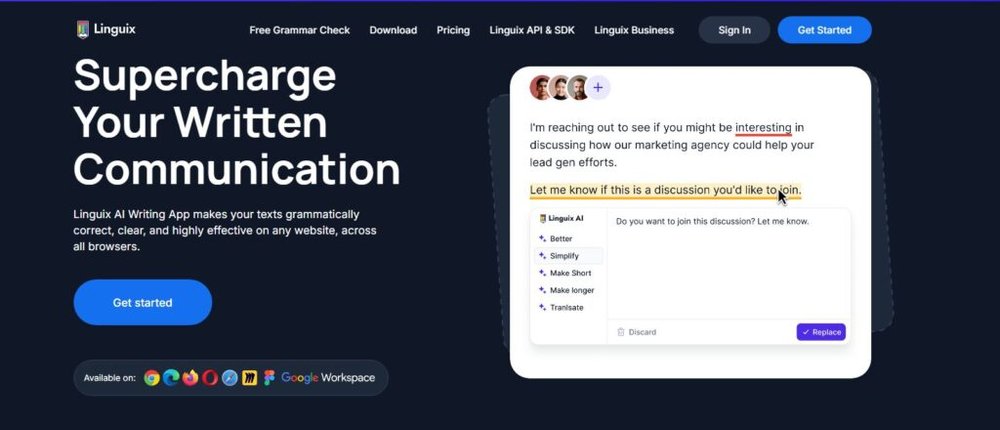
Linguix is a professional-grade QuillBot alternative free that’s especially designed for marketers, teams, and business writers. It doesn’t just fix grammar—it enhances style and persuasion.
AI Writing Assistant Tailored For Professionals
Linguix focuses on professional writing contexts: emails, landing pages, blog copy, and marketing material. Its AI gives feedback not only on grammar but also tone, clarity, and engagement.
When you use the online editor (linguix.com → Start Writing → Paste Text), you’ll get real-time pop-ups like:
- “Your sentence could be more concise.”
- “This word might sound too casual for a business email.”
This type of insight is gold for anyone crafting client proposals or B2B marketing copy.
Style Guide And Team Collaboration Features
Unlike most free tools, Linguix includes style guides and team collaboration options. This is where it truly stands apart.
You can create custom tone rules—say, to always avoid jargon or enforce brand phrasing. Teams can share these guides so everyone’s writing feels consistent.
For example, if you manage a small marketing agency, you could set up a style guide that flags overused phrases like “cutting-edge” or “innovative.” The AI then warns writers when they stray from your preferred tone.
This feature saves time on editing and keeps content aligned across multiple team members or freelancers.
How Linguix Enhances Readability And Persuasion
I find Linguix particularly effective for improving persuasive flow. It encourages strong verbs, eliminates filler words, and suggests punchier alternatives.
Example:
- Original: “Our platform helps businesses grow faster.”
- Linguix Suggestion: “Our platform accelerates business growth.”
It’s subtle but stronger—exactly what marketing copy needs. I’ve used it to edit newsletters and landing page copy where clarity and conversion matter more than creative rewriting.
Why It’s A Smarter Option Than QuillBot For Marketers
Here’s why I often recommend Linguix over QuillBot for marketing professionals:
- Tailored for business writing: Not academic or general-purpose.
- Built-in style guide: Keeps brand voice consistent.
- Team-friendly: Perfect for agencies and collaborative workflows.
- Real-time clarity and persuasion tips: Focuses on readability, not just paraphrasing.
If you handle client communications, sales copy, or content marketing, Linguix is one of the smartest free QuillBot alternatives you can use. It helps your words sound confident, clear, and brand-aligned—without sounding robotic.
10. ProWritingAid – Comprehensive Free Writing Assistant

ProWritingAid is a powerful QuillBot alternative free tool for anyone who writes long-form content—especially bloggers, authors, and students.
It’s not just about grammar; it’s about improving writing rhythm, structure, and style consistency.
Grammar, Style, And Structure Analysis
ProWritingAid goes beyond surface-level grammar checks. It provides in-depth reports on everything from sentence variety to overused words, pacing, and readability.
When you paste your text into prowritingaid.com → Start Writing → Edit Now, it automatically runs 20+ writing improvement reports. You can toggle between Grammar, Style, and Structure to focus on specific weaknesses.
For example, the Style report might flag too many adverbs or passive voice, while the Structure report highlights long, complex sentences that may lose reader attention.
I often describe it as Grammarly plus an English teacher—it doesn’t just fix mistakes; it explains why they matter.
Example correction:
- Original: “The results of the test were quite surprising.”
- Suggestion: “The test results were surprising.”
That’s tighter, clearer, and more readable—all in one click.
Free Features That Rival QuillBot’s Paid Tools
While QuillBot locks advanced tools behind its premium tier, ProWritingAid’s free version includes valuable insights like:
- Unlimited grammar and style checks (for shorter texts).
- Access to the Summary Report, which gives an overview of clarity and engagement.
- Suggestions to improve tone and pacing—features QuillBot only partially covers.
One small limitation is that the free plan checks up to 500 words at once. However, you can simply paste text in sections when working on longer pieces, which still gives you professional-grade feedback without spending anything.
I recommend using it as your final editing step—it ensures your text is not only grammatically correct but structurally polished.
Integration With Google Docs And Word
ProWritingAid integrates seamlessly with Google Docs and Microsoft Word, making it convenient for content creators who work inside those platforms.
- For Docs: Install the ProWritingAid add-on → Open a document → Click “Extensions → ProWritingAid → Start.”
- For Word: Download the desktop app or plugin, then open your document for live feedback.
These integrations are helpful for freelance writers or editors who collaborate with clients through shared files. You can see real-time corrections without leaving your preferred workspace.
Why ProWritingAid Offers Better Long-Form Insights
QuillBot focuses mainly on paraphrasing short text, while ProWritingAid shines with long-form structure and rhythm. It gives you a bird’s-eye view of your entire piece—something other free tools can’t match.
You’ll get insights on:
- Sentence variety: Ensures your content doesn’t sound repetitive.
- Transition use: Improves readability and flow.
- Readability scores: Helps align tone with audience level.
I believe it’s one of the best free editing companions for bloggers and content marketers who care about depth and readability, not just quick rewrites.
11. AISEO – Paraphrasing Tool Optimized For SEO Writers
AISEO is a modern QuillBot alternative free tool built specifically for SEO writers, content marketers, and bloggers.
Unlike most paraphrasers, it’s designed with search intent and optimization in mind, helping you rewrite content without losing keyword relevance.
AI-Powered Rewriter That Understands Search Intent
AISEO doesn’t just reword—it rewrites content based on the context of your topic. It uses AI to preserve meaning while enhancing readability and keyword placement naturally.
Example path: aiseo.ai → Tools → Paraphrasing → Paste Content → Choose Mode (SEO or Creative).
What’s impressive is how the SEO Rewriter subtly weaves target keywords into rewritten text without making it sound robotic. It understands how search engines interpret intent, making it a strong alternative for QuillBot’s “Fluency” or “Standard” modes.
For instance, rewriting a blog paragraph with AISEO often results in slightly shorter sentences, better flow, and improved readability scores—perfect for on-page optimization.
How To Use It For Content Optimization And Uniqueness
I recommend using AISEO after drafting an article to enhance originality and structure. Here’s a quick method that works well for SEO writers:
- Write your initial draft in Google Docs.
- Copy one section into AISEO’s rewriter.
- Choose “SEO Mode” to ensure keyword consistency.
- Export the rewritten version and run it through a plagiarism checker (like SmallSEOtools).
This process not only improves uniqueness but also polishes tone and sentence rhythm—important for keeping readers engaged while staying search-friendly.
SEO Mode vs. Creative Mode Features
AISEO offers two primary rewriting modes:
- SEO Mode: Prioritizes keyword integrity and readability. Ideal for blogs, website copy, and product descriptions.
- Creative Mode: Focuses on improving tone and engagement. Better for storytelling or email content.
You can switch between them with one click. I often use SEO Mode for client articles and Creative Mode when drafting intros or CTAs that need a personal, persuasive touch.
This flexibility gives AISEO an advantage over QuillBot’s free plan, which doesn’t fully adapt to SEO intent.
When AISEO Beats QuillBot For Bloggers
In my experience, AISEO outperforms QuillBot when the goal is optimization—not just rephrasing.
It’s particularly effective for:
- Updating older posts with improved keyword flow.
- Repurposing high-performing content for new pages.
- Generating fresh article variations for A/B testing.
If you’re a blogger or copywriter focused on both creativity and SEO, AISEO offers the best of both worlds: optimized structure with natural tone.
Pro Tip: Combine Tools For The Best Free Writing Workflow
No single QuillBot alternative free tool can cover every writing need perfectly. The best approach is combining a few tools strategically to maximize clarity, tone, and optimization without paying for premium plans.
How To Mix Paraphrasing And Grammar Tools Effectively
Here’s a simple workflow I recommend:
- Start with AISEO or Paraphraser.io to rewrite your draft while preserving meaning.
- Use Grammarly or ProWritingAid to clean grammar, structure, and tone.
- Finish with Rephrase.info or Slick Write for summarizing and final readability checks.
This combination gives you the creative polish of premium software using only free versions.
Suggested Combinations Based On Writing Goals
Different writing goals call for different tool pairings. Here are some quick examples:
- Bloggers: AISEO + ProWritingAid → Balanced SEO and flow.
- Students: Writefull + Paraphraser.io → Academic precision and clarity.
- Marketers: Linguix + Grammarly → Strong tone and readability.
- Freelancers: Ginger + Rephrase.info → Grammar accuracy with fast rewriting.
Using two or three complementary tools instead of one all-in-one AI often produces more human-like, context-aware writing.
Example Workflow For Blog Draft To Publication
Here’s how I personally handle a typical blog post:
- Step 1: Draft naturally in Google Docs.
- Step 2: Run each section through AISEO for keyword clarity.
- Step 3: Paste final text into ProWritingAid for tone and grammar refinement.
- Step 4: Use Slick Write or Grammarly’s free extension to double-check flow.
This process ensures your writing is SEO-ready, grammatically correct, and authentic in tone—without relying on one expensive premium tool.
Why Using Multiple Free Tools Outperforms A Single AI
The truth is, no single writing assistant can master everything. QuillBot is good, but pairing multiple QuillBot alternative free tools lets you:
- Cross-check accuracy.
- Improve SEO structure.
- Maintain a consistent brand voice.
I suggest treating these tools like a writing “team.” Each has its specialty—some edit, others rewrite, and a few optimize. Together, they create content that reads naturally and ranks better.
If you’re serious about improving your writing workflow without spending on subscriptions, building your own free toolkit is one of the smartest moves you can make.

I’m Juxhin, the voice behind The Justifiable.
I’ve spent 6+ years building blogs, managing affiliate campaigns, and testing the messy world of online business. Here, I cut the fluff and share the strategies that actually move the needle — so you can build income that’s sustainable, not speculative.
Related posts:
 Paraphrasing Tool Quillbot Reviewed on 10 Texts
 10 Best Websites Similar To QuillBot For Better Writing
 How To Use QuillBot Tool To Rewrite Like A Pro
 Quillbot Pricing Explained: Honest Breakdown of All Plans
 Free QuillBot Alternative: Top AI Tools For Writers
 QuillBot Website Guide: How To Use Every Tool Feature