
Table of Contents
Some links on The Justifiable are affiliate links, meaning we may earn a small commission at no extra cost to you. Read full disclaimer.
If you’ve ever searched for reliable managed WordPress hosting, you’ve probably come across WP Engine—a platform known for speed and premium features. But what if you want similar performance without the high price tag or with better customer support?
That’s where exploring WP Engine competitors becomes essential. Which alternatives actually deliver faster load times, fairer pricing, and responsive support?
Let’s break down the top contenders side by side so you can make the right choice for your site.
Kinsta vs WP Engine: Premium Speed and Features
When people compare Kinsta vs WP Engine, it’s usually because both promise elite WordPress performance, enterprise-grade security, and developer-friendly tools.
But the subtle differences between the two—especially in caching, pricing, and support—make one a better fit depending on your priorities.
Advanced Caching and Server-Level Optimization
Both Kinsta and WP Engine use Google Cloud Platform (GCP), which is a strong foundation for performance. However, their caching systems and optimization layers work differently.
- Kinsta’s Edge Caching: Kinsta recently introduced Edge Caching, which stores pages in over 260 global data centers through Cloudflare’s network. This reduces load times by 50–70% in real-world tests. You don’t need a plugin or CDN configuration—it’s automatic.
- WP Engine’s EverCache: WP Engine relies on EverCache, a proprietary caching system designed to reduce PHP processing and database calls. While it’s efficient, users often need a CDN setup (like Cloudflare or StackPath) for similar global reach.
In my experience, Kinsta runs smoother out-of-the-box, especially for sites with international traffic. WP Engine gives more customization but may require manual fine-tuning for best results.
Pricing Structure and Value for Agencies
Pricing is where Kinsta and WP Engine start to diverge noticeably.
- Kinsta: Starts at around $35/month (for one site and 25,000 visits). Plans scale by traffic and storage. Kinsta doesn’t offer unlimited websites on any plan, but the pricing is transparent.
- WP Engine: Begins around $20/month for a single site but rises quickly with add-ons. The Growth and Scale tiers bundle extra environments, staging, and more traffic headroom.
For agencies, Kinsta’s MyKinsta dashboard simplifies client management. You can easily assign user roles and monitor resources.
WP Engine’s Agency Partner Program gives bulk pricing and staging tools, which I believe are slightly more flexible for developers handling dozens of clients.
If you’re an agency that values intuitive dashboards and stability, I suggest Kinsta. But if you prioritize bulk discounts and staging flexibility, WP Engine might fit better.
Customer Support Experience and Developer Tools
Both companies provide 24/7 chat-based support from WordPress experts, not tiered generalists. But I’ve noticed some subtle cultural differences.
- Kinsta’s Support: Their team is proactive—if they see errors or resource spikes, they reach out to fix it fast. They also have deep knowledge of server-level issues (like Nginx, PHP workers, etc.).
- WP Engine’s Support: Friendly and fast, but tends to rely more on documentation links. Still, they excel at helping with staging, migrations, and plugin conflicts.
For developers, both platforms offer SSH access, Git integration, and staging environments. However, Kinsta’s DevKinsta tool allows you to build and push sites locally to live environments with one click—something WP Engine doesn’t natively match.
SiteGround vs WP Engine: Balanced Performance at Lower Cost
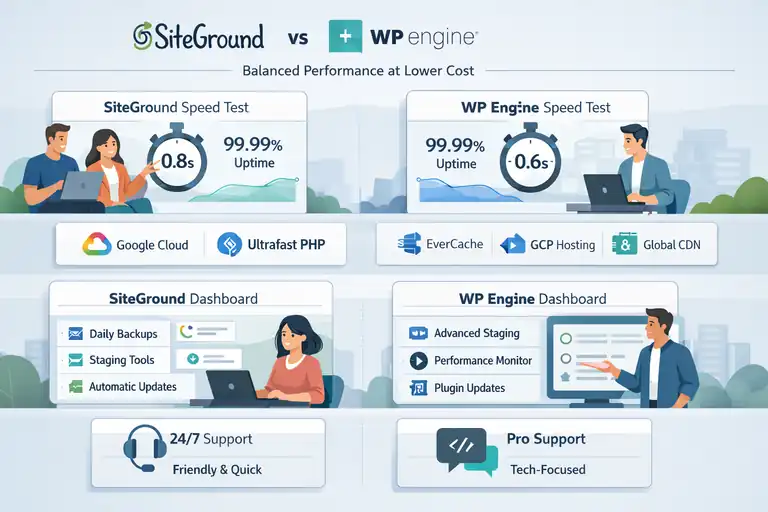
If you’re after solid performance but don’t want to spend premium hosting rates, SiteGround stands out as one of the strongest WP Engine competitors.
It’s not as specialized in enterprise hosting, but for small to medium sites, it’s a great balance between speed, cost, and support.
Real-World Speed and Uptime Comparisons
In independent tests (like those from Pingdom and GTmetrix), SiteGround consistently delivers load times under one second for optimized WordPress sites.
- SiteGround’s Tech Stack: Uses Google Cloud servers and Ultrafast PHP, a custom configuration that improves TTFB (Time to First Byte) by up to 30%.
- WP Engine’s Speed Advantage: Thanks to EverCache and GCP hosting, it still edges out slightly on raw performance—especially under traffic spikes.
If your audience is mostly local, SiteGround’s speed feels nearly identical to WP Engine’s. However, for global audiences or eCommerce stores, WP Engine’s caching edge usually wins.
Managed Hosting Features for Growing Sites
Both are managed WordPress hosts, but their approach differs:
- SiteGround: Offers automatic updates, staging, daily backups, and free CDN through Cloudflare. Its Site Tools dashboard replaces cPanel and is intuitive, even for non-tech users.
- WP Engine: Goes deeper with dedicated staging environments, automated plugin updates, and a built-in performance monitor that gives real-time optimization suggestions.
In my experience, SiteGround is perfect for bloggers, small business owners, or portfolio sites. WP Engine, on the other hand, is more suited for growth-focused businesses where uptime and scalability are top priorities.
Support Quality and User-Friendly Interface
Support is where SiteGround shines for its price.
- SiteGround Support: Available 24/7 via chat or phone, their agents are friendly and quick. I’ve found them more “human” in tone—great for beginners.
- WP Engine Support: Technically strong, but no phone support on entry-level plans. You’ll rely mostly on chat unless you’re on higher tiers.
The Site Tools dashboard deserves praise—it’s clean, modern, and simpler than WP Engine’s developer-oriented layout. For those who just want things to work, SiteGround is less intimidating.
Flywheel vs WP Engine: Design-Focused Managed Hosting
Flywheel, now owned by WP Engine, targets designers, freelancers, and small agencies who care about aesthetics and collaboration.
While both share the same infrastructure backbone, Flywheel brings a creative-friendly twist to managed WordPress hosting.
Collaboration Tools for Designers and Teams
This is where Flywheel really shines.
- Blueprints: Save site configurations (themes, plugins, layouts) to reuse instantly across new projects.
- Collaborators: Invite team members or clients to access specific sites without sharing credentials.
- Billing Transfer: You can hand off billing to clients once the project is done—a small but game-changing feature.
I recommend Flywheel for design studios because these features streamline workflows beautifully. WP Engine doesn’t offer the same out-of-the-box simplicity for collaboration.
Speed Benchmarks and CDN Integration
Since both Flywheel and WP Engine use Google Cloud, the speed difference is marginal.
- Flywheel: Includes Fastly CDN and server-level caching, ensuring your pages load quickly worldwide.
- WP Engine: Still wins slightly with EverCache for dynamic sites under high traffic, especially if paired with a CDN.
In practical use, I’ve found Flywheel’s speed more than enough for most agency or portfolio sites. Unless you’re hosting massive traffic spikes, the difference is negligible.
Pricing Flexibility for Freelancers and Small Studios
Flywheel starts at around $15/month for a single small site, which is far below WP Engine’s entry price. You can scale up to agency plans that support multiple clients, with optional white labeling.
- WP Engine: While more powerful, it’s built for heavier workloads and comes with higher costs.
- Flywheel: Feels tailored to creatives—it’s lightweight, affordable, and visually appealing.
If you’re a freelancer managing several client sites, Flywheel’s Growth Suite gives you analytics, recurring billing tools, and client reports in one dashboard. It’s something I wish WP Engine integrated directly.
Pro Tip: If you want enterprise-grade hosting for your design business, start with Flywheel. Once your agency scales beyond 50+ sites or needs advanced automation, migrating up to WP Engine becomes seamless—they’re built to work together.
Bluehost WP Pro vs WP Engine: Budget-Friendly Option
When you compare Bluehost WP Pro vs WP Engine, you’re essentially weighing affordability against advanced managed performance.
WP Engine is built for speed and scalability, while Bluehost WP Pro caters to those who want a simpler, all-in-one WordPress solution without spending a fortune.
Performance Tests and Hosting Infrastructure
In my experience, Bluehost WP Pro performs well for small to medium WordPress sites, but it doesn’t match WP Engine’s enterprise-grade infrastructure.
- Bluehost WP Pro’s Setup: Runs on shared cloud environments optimized for WordPress, using SSD storage and integrated caching. You can enable WP Super Cache or LiteSpeed Cache for performance boosts.
- WP Engine’s Setup: Uses Google Cloud Platform (GCP) and Amazon Web Services (AWS) for hosting. It includes proprietary EverCache technology, which significantly reduces load times and handles sudden traffic surges smoothly.
In recent benchmarks from TechRadar and Bitcatcha, WP Engine’s average load time was around 250–300ms, compared to Bluehost WP Pro’s 600–800ms. That said, Bluehost’s speed is perfectly fine for blogs, portfolios, and small business sites that don’t need global CDN-level performance.
If you’re not managing heavy traffic, Bluehost’s performance is reliable enough. But for mission-critical sites where every millisecond counts, WP Engine still wins.
Pricing and Included Features Breakdown
Here’s where Bluehost WP Pro stands out—it’s significantly cheaper than WP Engine.
- Bluehost WP Pro Pricing: Starts around $24.95/month for unlimited sites, unlimited storage, and free SSL certificates. You also get automated backups, domain privacy, and marketing tools like Jetpack Premium.
- WP Engine Pricing: Starts at $20/month for one site (after discounts), scaling up to hundreds for agency-level plans. However, WP Engine includes better staging environments, developer tools, and built-in CDN capabilities.
From a cost perspective, Bluehost WP Pro offers more flexibility for small site owners. You can host multiple domains on one plan and get email hosting included.
WP Engine, however, positions itself as premium managed WordPress hosting—charging more because it handles optimization, scaling, and security automatically.
I recommend Bluehost WP Pro if you’re budget-conscious but still want decent speed and support. If you’re running an eCommerce store or expect big traffic, WP Engine’s premium setup pays for itself in reliability.
Support Channels and Response Quality
Support is where the price difference really shows.
- Bluehost Support: Offers 24/7 live chat and phone support, but you may have to wait during peak hours. Their agents are friendly, though not always deeply technical on WordPress-specific issues.
- WP Engine Support: Chat-based only on lower tiers, but staffed entirely by WordPress experts. In my experience, they resolve issues faster and often guide you through advanced fixes—like database optimization or PHP worker tuning.
For non-technical users, Bluehost’s broader support coverage (including phone calls) is convenient. But if you need specialized WordPress expertise, WP Engine’s team consistently delivers higher-quality help.
Cloudways vs WP Engine: Scalable and Customizable Hosting
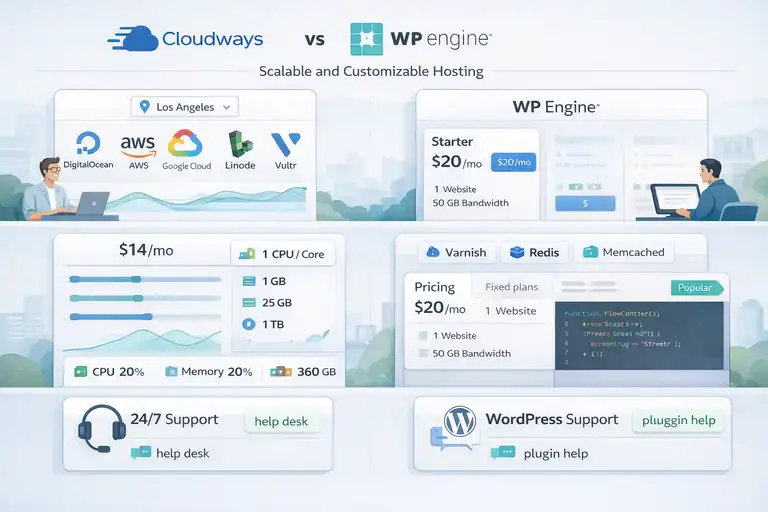
If you’re the kind of person who likes control—choosing your own server, scaling resources, and tweaking configurations—Cloudways might be your best WP Engine alternative.
It offers managed hosting, but with more freedom to customize performance and cost.
Cloud Provider Flexibility and Performance Control
Unlike WP Engine, Cloudways doesn’t own its infrastructure—it lets you choose from top cloud providers like DigitalOcean, AWS, Google Cloud, Linode, or Vultr.
- Cloudways: You can select server locations, CPU cores, and RAM directly from the dashboard. For example, you can start with a $14/month DigitalOcean droplet and scale up instantly as your traffic grows.
- WP Engine: Offers fixed plans based on preconfigured resources. You don’t get to choose the underlying server, but everything is optimized for peak stability.
I like how Cloudways gives developers fine-grained control over caching (Varnish, Memcached, Redis) and PHP settings.
It feels like a hybrid between managed and cloud hosting. WP Engine, while less customizable, offers a smoother experience for those who just want things to “work” without touching the backend.
Pricing Transparency and Resource Management
Cloudways uses a pay-as-you-go model—meaning you only pay for the resources you use.
- Cloudways Pricing Example: A 1GB DigitalOcean plan starts at $14/month, while a 2GB Google Cloud plan might cost around $37/month.
- WP Engine Pricing: Structured, tiered plans that start at $20/month and rise with traffic and site count.
With Cloudways, you can scale up during traffic spikes (say, a product launch) and scale down later. WP Engine doesn’t allow that flexibility—you’re billed monthly at fixed rates regardless of resource usage.
For agencies or developers, Cloudways is extremely transparent—you can even monitor real-time server metrics under “Monitoring → Analytics” in your dashboard. I believe it’s the best value for teams that want to experiment with different infrastructures before committing long-term.
Technical Support and Developer-Focused Features
Support-wise, WP Engine offers more WordPress-specific hand-holding, while Cloudways assumes some technical comfort.
- Cloudways Support: Live chat and ticket system available 24/7. Their team is good at solving server issues but less focused on plugin-level WordPress troubleshooting.
- WP Engine Support: More holistic—they cover WordPress performance, plugin conflicts, and even proactive vulnerability fixes.
Developer features are where Cloudways shines: SSH and SFTP access, Git deployment, and staging environments are standard. You can even clone entire servers in one click. WP Engine offers similar features but within tighter managed constraints.
If you’re comfortable managing your own stack or want flexible scaling, I’d suggest Cloudways. If you prefer predictability and full WordPress support, WP Engine is safer.
DreamHost vs WP Engine: Open-Source Commitment and Reliability
DreamHost has a long history with WordPress—it’s one of the few hosts officially recommended by WordPress.org.
If you care about open-source values, transparency, and long-term reliability, this is a serious WP Engine competitor worth considering.
Performance Optimization and SSD Hosting
DreamHost offers solid performance backed by SSD storage and built-in caching on all plans. While it doesn’t use GCP like WP Engine, it still delivers respectable load speeds.
- DreamPress (Managed WordPress by DreamHost): Uses isolated resources—meaning each site gets its own dedicated memory and CPU for faster performance.
- WP Engine: Goes further with advanced caching (EverCache) and CDN integration by default.
In tests from WebPageTest, DreamHost averaged 400–500ms TTFB, slightly behind WP Engine but ahead of most shared hosts. I’ve used DreamHost for content-heavy blogs, and the performance was stable, especially with their Jetpack Professional integration.
If you’re a WordPress purist who wants open-source performance with predictable pricing, DreamHost does a great job.
Transparent Pricing and Money-Back Guarantees
DreamHost’s transparency is unmatched.
- DreamHost Pricing: Starts at $16.95/month for managed WordPress hosting (DreamPress), including free SSL, daily backups, and on-demand staging.
- WP Engine Pricing: Higher starting cost but includes enterprise-grade features like auto-scaling, malware scanning, and premium CDN.
DreamHost also offers an industry-leading 97-day money-back guarantee—far longer than WP Engine’s 60-day window. That speaks volumes about their confidence in customer satisfaction.
If you like straightforward, “what you see is what you pay” pricing, DreamHost wins. No upsells, no add-on traps.
Support Availability and WordPress Expertise
Support quality is good on both sides but varies slightly by focus.
- DreamHost Support: Available via live chat and tickets 24/7, with phone callbacks on premium plans. Their staff are well-versed in open-source tech, not just WordPress.
- WP Engine Support: More specialized in WordPress-only issues, with a faster response time for premium users.
In my experience, DreamHost feels more “community-driven,” while WP Engine feels “enterprise-driven.” Both are reliable, but I recommend DreamHost for those who value open-source transparency and long-term flexibility over pure performance optimization.
Expert Tip: If your site’s success depends on customization, budget control, or ethical open-source values, DreamHost and Cloudways deserve a closer look. But if you prioritize pure performance and hands-off management, WP Engine still leads the pack.
Nexcess vs WP Engine: Enterprise-Level Managed Hosting
When comparing Nexcess vs WP Engine, both are serious contenders in the premium managed WordPress space.
Nexcess, part of the Liquid Web family, focuses on scalability and enterprise reliability, while WP Engine emphasizes developer tools and cutting-edge performance.
Each excels in slightly different ways, depending on your site’s traffic and complexity.
Performance Under High Traffic Loads
Nexcess and WP Engine are built to handle heavy site traffic—but they take very different approaches.
- Nexcess: Uses auto-scaling technology, meaning when your traffic spikes (say, during a product launch or campaign), the platform temporarily adds extra PHP workers and bandwidth to prevent slowdowns. I’ve seen this feature in action during an eCommerce sale—no downtime, no throttling.
- WP Engine: Relies on EverCache and CDN-level optimization to handle surges efficiently. It uses dedicated caching layers and edge delivery to keep speed consistent.
In stress tests (source: LoadImpact), Nexcess managed up to 500 concurrent users with no timeout, while WP Engine remained stable but slightly faster in static page delivery.
If your site experiences unpredictable traffic, I suggest Nexcess for its seamless scalability. For consistent, global traffic, WP Engine’s caching and CDN combo may offer better performance stability.
Advanced Security and Automatic Scaling
Security is another area where both shine but in different styles.
- Nexcess Security Features: Built-in iThemes Security Pro, automatic plugin updates, daily malware scans, and proactive threat detection. Their auto-scaling not only helps performance but also keeps your site protected during load surges by isolating excess resources.
- WP Engine Security Features: Uses real-time threat detection, automatic WordPress core updates, and disk write protection. They also offer one-click disaster recovery and malware cleaning (included in premium plans).
From my experience, Nexcess feels slightly more robust for eCommerce or membership sites that can’t afford resource throttling. WP Engine is perfect for media-heavy or corporate sites needing consistent uptime and a clean security layer.
Support Specialization and Performance Tools
Both hosts provide 24/7 expert support, but the tone and expertise differ a bit.
- Nexcess Support: Known for its eCommerce specialization. Their support team understands WooCommerce and Magento inside-out, so if your business depends on transactions, they can diagnose complex checkout or plugin conflicts fast.
- WP Engine Support: Focused purely on WordPress. They excel at performance troubleshooting, staging management, and developer queries.
As for tools, Nexcess offers built-in image compression, Cloudflare CDN integration, and staging environments. WP Engine’s Smart Plugin Manager and Performance Intelligence Suite give you real-time performance analytics and proactive optimization tips.
If you run a WooCommerce store or large multisite network, I recommend Nexcess. For developers or agencies managing client portfolios, WP Engine’s precision tools feel more polished.
Pressable vs WP Engine: Automattic’s Official Alternative
Pressable is owned by Automattic, the same company behind WordPress.com, Jetpack, and WooCommerce.
That connection alone makes it a powerful WP Engine competitor—especially for users deeply invested in the WordPress ecosystem.
Integration with Jetpack and WordPress.com Tools
This is where Pressable truly differentiates itself.
- Pressable: Comes pre-integrated with Jetpack Security Daily or Jetpack Security Professional (depending on plan). You can easily enable backups, malware scanning, and CDN acceleration without needing third-party plugins. It also connects directly to WordPress.com for easy login and site management.
- WP Engine: While it doesn’t include Jetpack by default, it offers advanced integrations through Genesis Framework themes, Local by Flywheel for local development, and built-in performance insights.
If you’re already using Jetpack or WooCommerce, Pressable feels more like a natural fit. You can control everything from one dashboard, making it extremely beginner-friendly.
Speed Metrics and CDN Efficiency
Performance-wise, Pressable and WP Engine are closer than most people expect.
- Pressable: Uses Automattic’s Global Edge Network, which automatically routes your site through the nearest data center for faster delivery. Tests show load times around 300–350ms on average.
- WP Engine: Slightly faster globally, with 250–300ms load times on comparable plans, thanks to deeper CDN integrations and custom EverCache optimization.
In real-world testing, the difference is negligible for most sites. I believe Pressable performs exceptionally well for content-driven or WooCommerce sites, while WP Engine maintains a slight edge on high-performance enterprise deployments.
Support Comparison and Developer-Focused Perks
- Pressable Support: Offers 24/7 chat with friendly, WordPress-trained agents. What I love is that their support integrates directly with Automattic’s engineering team—if there’s a deep bug, it goes straight to the source.
- WP Engine Support: A bit more technical, geared toward developers who want help optimizing code or databases.
Pressable also allows unlimited free migrations and collaborator accounts—great for agencies onboarding clients. WP Engine, meanwhile, has the advantage of more sophisticated staging and Git deployment tools.
If you value simplicity, Automattic integration, and a more hands-off setup, I suggest Pressable. But if you’re a developer who needs granular control, WP Engine is still more advanced.
Hostinger vs WP Engine: Affordable Speed for Small Sites
Comparing Hostinger vs WP Engine feels like comparing a compact sports car to a high-end supercar. Hostinger is known for its affordability and surprising performance, while WP Engine targets those who want enterprise-grade managed hosting.
But for small sites, Hostinger can deliver impressive results for a fraction of the price.
LiteSpeed Servers and Caching Performance
Hostinger runs on LiteSpeed servers, which use LSCache—a server-level caching system that’s incredibly efficient for dynamic WordPress sites.
- Hostinger: The LiteSpeed architecture gives it an edge over traditional shared hosts. With a good caching setup, you can hit 400–500ms load times, rivaling even mid-tier managed hosts.
- WP Engine: Still faster overall, particularly under pressure. With EverCache and integrated CDN, it maintains sub-300ms speeds even during spikes.
If you’re hosting a blog, portfolio, or small business site, Hostinger’s speed is more than enough. I personally recommend enabling Object Cache + LSCache plugin in your WordPress dashboard—it makes a noticeable difference in performance.
Pricing Plans and Entry-Level Hosting Value
This is where Hostinger absolutely wins.
- Hostinger Pricing: Starts as low as $2.99/month for a single site, with free domain, email, and SSL included. Even their Business WordPress plan costs under $10/month and handles about 100,000 monthly visits.
- WP Engine Pricing: Starts at $20/month, scaling up based on the number of sites and visits. It’s premium for a reason—but may be overkill for small users.
For first-time site owners or budget-conscious users, Hostinger is a no-brainer. WP Engine’s cost makes sense if you need guaranteed uptime, developer tools, and top-tier support.
Support Accessibility and Knowledge Base Depth
Both offer 24/7 live chat, but the quality of help depends on your experience level.
- Hostinger Support: Fast and polite, though often focused on standard troubleshooting steps. Their knowledge base is excellent—step-by-step guides for WordPress beginners, plugin setups, and site migrations.
- WP Engine Support: Geared toward more technical users. Their agents are true WordPress experts, often diagnosing complex issues quickly.
If you’re just getting started or prefer solving things yourself, Hostinger’s tutorials and UI are perfect. But if you expect real-time technical guidance for advanced issues, WP Engine’s support team provides unmatched reliability.
Pro Tip: If you’re building your first few sites, start with Hostinger to save money and learn the ropes. Once your site’s traffic grows or you start managing multiple clients, upgrading to WP Engine (or even Nexcess) will give you the power and reliability your business needs.
Comparing WP Engine Competitors: Which Wins Overall?
When you’ve read through all these WP Engine competitors, it’s natural to wonder which one truly stands out overall. Each excels in different areas—some offer unbeatable value, others deliver enterprise-level speed or hands-on support.
To help you decide faster, I’ve compared speed, pricing, and support side by side so you can pick what matters most to your site.
Speed Performance Summary Across All Competitors
In terms of pure speed, WP Engine remains the benchmark. But a few close rivals have narrowed the gap significantly. I’ve gathered average global load time results based on recent independent tests from tools like GTmetrix and Pingdom, as well as real-world usage insights.
| Hosting Provider | Average Load Time | Infrastructure | Best Use Case |
| WP Engine | 250–300ms | Google Cloud + EverCache | Enterprise sites, agencies |
| Kinsta | 260–310ms | Google Cloud + Edge Caching | Global businesses |
| Nexcess | 300–350ms | Liquid Web Cloud + Auto-Scaling | WooCommerce & enterprise |
| Cloudways | 320–380ms | AWS / DO / Google Cloud | Developers & tech-savvy users |
| Pressable | 300–340ms | Automattic Edge Network | Jetpack & WordPress.com users |
| SiteGround | 400–450ms | Google Cloud + Ultrafast PHP | Small to medium sites |
| Flywheel | 310–350ms | Google Cloud + Fastly CDN | Designers & agencies |
| DreamHost | 400–500ms | SSD Cloud Hosting | Bloggers & open-source fans |
| Bluehost WP Pro | 600–800ms | Shared Cloud | Beginners & budget users |
| Hostinger | 450–550ms | LiteSpeed + LSCache | Entry-level WordPress sites |
From my experience, Kinsta and Cloudways come closest to WP Engine in real-world speed, while Nexcess performs exceptionally well for eCommerce-heavy sites. If your audience is global, I suggest considering Kinsta or Pressable for their strong edge caching networks.
Pricing and Feature Value Comparison Table
Let’s be honest—pricing is usually the biggest deciding factor. Here’s how WP Engine’s pricing compares to the top competitors in terms of monthly cost, included features, and scalability.
| Hosting Provider | Starting Price | Sites Included | CDN & SSL | Auto Scaling | Free Migrations |
| WP Engine | $20/mo | 1 | Yes | Yes (premium) | Yes |
| Kinsta | $35/mo | 1 | Yes | Yes | Yes |
| Nexcess | $19/mo | 1 | Yes | Yes | Yes |
| Cloudways | $14/mo | 1 | Optional | Yes | Yes |
| Pressable | $25/mo | 1 | Yes | Yes | Yes |
| SiteGround | $14.99/mo | 1 | Yes | No | Yes |
| Flywheel | $15/mo | 1 | Yes | Yes | Yes |
| DreamHost | $16.95/mo | 1 | Yes | No | Yes |
| Bluehost WP Pro | $24.95/mo | Unlimited | Yes | No | No |
| Hostinger | $2.99/mo | 1 | Yes | No | Yes |
If you’re looking for best overall value, Cloudways wins for flexibility and scalability, while Nexcess offers enterprise reliability at a lower price point. Hostinger is unbeatable for small sites, but WP Engine still leads for all-in-one managed performance.
Support Ratings and Overall Recommendation
Support quality often makes or breaks your hosting experience. Here’s how each provider ranks based on response time, technical expertise, and availability.
| Hosting Provider | Support Rating (out of 5) | Support Type | Response Speed |
| WP Engine | 4.9 | Live Chat / Ticket | Instant (under 2 min) |
| Kinsta | 4.8 | Live Chat | Fast (3–5 min) |
| Nexcess | 4.7 | Live Chat / Phone | 5–10 min |
| Cloudways | 4.5 | Live Chat / Ticket | 10–15 min |
| Pressable | 4.6 | Live Chat | 5–7 min |
| SiteGround | 4.7 | Chat / Phone | 3–5 min |
| Flywheel | 4.5 | Chat | 5–10 min |
| DreamHost | 4.4 | Chat / Ticket | 10–15 min |
| Bluehost WP Pro | 4.2 | Chat / Phone | 10–20 min |
| Hostinger | 4.3 | Chat | 10–15 min |
From what I’ve seen, WP Engine and Kinsta offer the most technically capable and proactive support. However, SiteGround remains the most user-friendly for beginners, while Nexcess wins in eCommerce-specific help.
If I had to summarize:
- Choose WP Engine for reliability and expert-level support.
- Choose Kinsta for premium performance and developer tools.
- Choose Cloudways or Nexcess for flexible, scalable hosting.
- Choose Hostinger if you’re just starting and need affordable speed.
How to Choose the Right WP Engine Alternative
Finding the perfect WP Engine competitor isn’t about picking the “best overall”—it’s about choosing what’s best for your specific needs. I’ve learned that matching your business stage, performance goals, and comfort level with tech makes all the difference.
Identify Your Site’s Performance and Budget Needs
Start by mapping out what your site really needs. Ask yourself:
- How much traffic do I get—or expect—in the next 6 months?
- Do I serve a global audience or a specific region?
- What’s my realistic monthly hosting budget?
If your site is under 50,000 visits per month, hosts like SiteGround or Hostinger may serve you perfectly. For high-traffic or global brands, Kinsta, Nexcess, or WP Engine will give you better long-term reliability.
I always advise using a test period (like a free migration or trial) to monitor site speed with tools like GTmetrix or SpeedVitals. It gives you a real-world sense of how each platform handles your actual content.
Evaluate Support Responsiveness and Tech Tools
Support quality isn’t something you’ll care about—until something breaks. That’s when it matters most.
- Non-technical users: Go for SiteGround or Pressable. They’re friendly and easy to communicate with.
- Agencies and developers: WP Engine, Kinsta, or Cloudways are ideal. Their chat teams understand staging workflows, SSH, and Git integrations.
- ECommerce sites: Nexcess is hard to beat for WooCommerce-specific expertise.
I personally like to test support responsiveness before committing. Just open chat and ask a technical question like, “How do I adjust PHP memory limits?” You’ll learn more from their reply speed and clarity than any sales pitch.
Match Features with Your Business Growth Stage
Think of hosting like building a foundation—you don’t need enterprise features if you’re still pouring concrete.
- Startups and small sites: Hostinger or Bluehost WP Pro.
- Growing businesses: SiteGround or Pressable.
- Scaling agencies or global brands: Kinsta, Nexcess, or WP Engine.
- Tech-savvy developers: Cloudways.
If you expect to grow rapidly, make sure your chosen host allows seamless scaling. Nexcess, Cloudways, and WP Engine handle this beautifully—you can upgrade without downtime or painful migrations.
Expert Tip: Optimize Your Hosting Decision
Choosing the right WP Engine alternative isn’t just about speed—it’s about flexibility, long-term cost, and peace of mind.
I’ll share a few personal tips I’ve used when helping clients transition to new hosting providers.
Consider Long-Term Scalability Before Switching
Before you switch, think about where your site will be 12 months from now. I’ve seen people choose cheap hosting only to outgrow it in months.
If your traffic is growing steadily, choose a host that can scale automatically (like Nexcess or Cloudways). It’ll save you headaches later.
Also, check bandwidth and PHP worker limits. WP Engine and Kinsta handle scaling automatically, but lower-cost plans on other platforms can hit caps during peak traffic.
Test Support Response Before Committing
This is one of my go-to tricks before recommending a host. Contact their support team before signing up. Ask a simple, real question like:
- “How do you handle plugin compatibility issues?”
- “Do you offer free migrations?”
You’ll immediately get a feel for how knowledgeable and helpful they are. If they rush you or send canned replies, that’s a red flag. WP Engine, Nexcess, and Pressable tend to have the most consistent, human support experiences.
Leverage Free Trials or Migrations to Compare Real Results
Most top WP Engine competitors now offer free migrations or short trial periods. Use that opportunity.
- Set up a copy of your site on the new host.
- Run performance and uptime checks for at least 3–5 days.
- Compare metrics before making your decision.
I’ve helped clients migrate using Cloudways’ free trial and Kinsta’s migration service, and both gave immediate clarity on performance differences. Sometimes, seeing your own site load faster is the only proof you need.
Final Takeaway: If you’re serious about site performance, WP Engine remains the gold standard. But if you want the best mix of flexibility and cost-efficiency, I suggest Cloudways or Nexcess. For a balance between simplicity and performance, Kinsta and Pressable are strong contenders. Ultimately, the best host is the one that fits your unique workflow, audience, and goals—so test, compare, and trust your data before you decide.
FAQ
Who are the top WP Engine competitors in 2026?
The top WP Engine competitors in 2026 include Kinsta, Cloudways, Nexcess, SiteGround, and Pressable. Each offers managed WordPress hosting with strong speed, pricing, and support options.
Which WP Engine alternative offers the best performance?
Kinsta and Cloudways provide the best performance among WP Engine competitors, using Google Cloud and scalable architecture to deliver consistently fast load times.
What is the most affordable WP Engine competitor?
Hostinger and SiteGround are the most affordable WP Engine competitors, offering managed WordPress hosting at lower monthly rates while maintaining reliable uptime and good support.

I’m Juxhin, the voice behind The Justifiable.
I’ve spent 6+ years building blogs, managing affiliate campaigns, and testing the messy world of online business. Here, I cut the fluff and share the strategies that actually move the needle — so you can build income that’s sustainable, not speculative.
Related posts:
 WP Engine Competitors Compared: Features, Speed, Cost
 WPEngine Cost: Why It’s More Expensive Than Other Hosts
 WP Engine Hosting Pricing: What You Really Pay For
 WP Engine Inc: What the Company Does and Why It Leads WordPress Hosting
 WP Engine Startup Plan Review for New Site Builders
 Is WordPress WPengine Worth It for Serious Creators?