
Table of Contents
Some links on The Justifiable are affiliate links, meaning we may earn a small commission at no extra cost to you. Read full disclaimer.
If you’ve been wondering how to start your own blog but feel completely lost on where to begin, you’re not alone. I remember staring at a blank screen, asking myself—where do I even start?
The good news is, you don’t need years of tech experience or a big budget to launch your first blog. With the right steps, you can set everything up from scratch and start sharing your voice with the world today.
But what are the exact moves you should take so you don’t waste time and energy on the wrong things?
Let me break it down with seven expert tips that will guide you from zero to having a blog up and running.
1. Choose a Blog Niche That Excites You
Starting your own blog isn’t about picking the “perfect” topic right away—it’s about choosing something you can stay excited about in the long run.
A niche isn’t just a category; it’s the foundation of your entire blogging journey. If you get this right, everything else feels easier.
Identify Topics You Can Write About Consistently
I suggest asking yourself: What do you already talk about nonstop with friends or coworkers?
If you catch yourself giving advice, sharing stories, or explaining things in detail, that’s a clue. Blogging requires consistency, and if you pick something you’re lukewarm about, you’ll burn out fast.
One trick I use is to make a “content bank” list before committing. Write down 20–30 potential blog post ideas around a topic. If you struggle to reach even ten, the niche may not be sustainable.
For example:
- A cooking niche might generate posts like “5 Quick Pasta Recipes for Busy Nights” or “How to Stock Your Pantry for Under $50.”
- A tech niche could include “Beginner’s Guide to Cloud Storage” or “Why Your Laptop Battery Dies So Quickly.”
If you can brainstorm without running out of steam, you’ve likely found a viable niche.
Research What Readers Are Actively Searching For
Passion is important, but so is demand. If nobody is searching for your content, you’ll struggle to grow. I usually start with keyword research tools like Google Keyword Planner, Ahrefs, or even free options like Ubersuggest. Type in your potential niche and see what people are actually searching for.
Look for keywords with steady search volume but not extreme competition. For instance, “fitness” is too broad, but “yoga for desk workers” narrows the field while still reaching an audience that’s actively searching.
Pro tip: spend 10 minutes typing your topic into Google and paying attention to “People Also Ask” questions. Those are gold mines for post ideas and show you what readers actually want answers to.
Balance Passion With Profitability in Your Niche
Here’s the honest truth: some niches are harder to monetize than others. If your blog is just a hobby, go wild with whatever excites you. But if your goal is to earn income, you need a niche that has products, services, or affiliate opportunities tied to it.
For example, “antique typewriter collecting” may light you up with joy, but it’s limited in profitability. On the other hand, “work-from-home productivity” has affiliate opportunities (software tools, books, ergonomic equipment) that can bring in revenue.
I usually suggest aiming for a sweet spot: a topic you can write about endlessly, that readers are actively searching for, and that has at least one clear path to monetization. If you can check all three boxes, you’ve struck niche gold.
2. Pick the Right Blogging Platform for Beginners
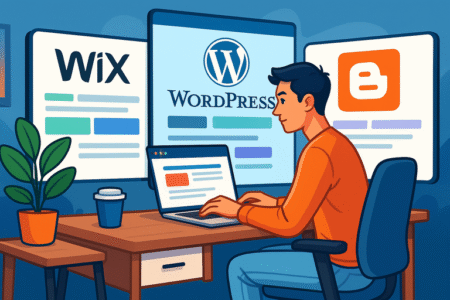
Once your niche is set, the next big step in starting your own blog is choosing where to build it. Your blogging platform is like the house your content lives in, and the wrong choice can create headaches down the road.
Let’s break this down so you can pick confidently.
Compare Free vs Paid Blog Platforms
Free platforms like Blogger, Medium, or WordPress.com are tempting when you’re just starting out. They don’t require upfront costs, and setup is simple.
But there’s a big catch: You don’t really “own” your content in the same way, and customization is limited. Imagine trying to decorate a rented apartment—you can’t knock down walls or repaint everything without permission.
Paid platforms, especially when you self-host, give you full control. For about $3–$10 a month with a host, you get your own domain, more design freedom, and the ability to monetize however you want.
In my experience, this small investment pays off quickly once you start growing.
Why WordPress Is a Popular Choice for New Bloggers
When most people talk about starting a blog, they’re usually referring to WordPress.org (the self-hosted version). There’s a reason it powers over 40% of all websites.
- The dashboard is straightforward: from the left menu, you can go to Posts > Add New and immediately start writing.
- You get access to thousands of free and premium themes, so your blog can look professional from day one.
- Plugins are where the magic happens. Need SEO optimization? Install Rank Math or Yoast. Want email signups? Grab a plugin like MailOptin.
I recommend WordPress because it grows with you. A blog that starts as a personal project can later scale into a full-fledged business website without needing to rebuild everything from scratch.
Consider Ease of Use, Flexibility, and Growth Potential
Here’s what I advise keeping in mind before locking in a platform:
- Ease of Use: Do you feel comfortable navigating the interface? Test a demo before committing.
- Flexibility: Can you customize the design, add plugins, and connect tools as your blog grows?
- Growth Potential: Will the platform limit you later if you want to sell products, run ads, or build a membership site?
For example, Medium is excellent if you just want to write and get discovered through their built-in audience. But if you eventually want to monetize with ads or create a course, you’ll hit walls quickly.
WordPress.org offers the most flexibility, but if the tech feels overwhelming, platforms like Squarespace or Wix might feel friendlier at first.
In short: choose a platform you can grow into, not out of.
3. Secure a Domain Name That Matches Your Brand
Your domain name is your blog’s home address on the internet. It’s the first thing people see, so it needs to reflect your brand and be easy to remember.
Think of it as planting your flag online—it’s how your readers will find and recognize you.
Tips for Brainstorming Unique and Memorable Names
When I brainstorm domain names, I like to mix creativity with clarity. A name should instantly give someone an idea of what your blog is about without being too generic.
Here’s how I usually approach it:
- Keep it short and simple: Aim for under 15 characters if possible. Long names are harder to type and remember.
- Avoid numbers and hyphens: They confuse people. For example, “myblog4you.com” can be misheard as “myblogforyou.com.”
- Make it easy to spell: If you have to explain the spelling every time, you’ll lose traffic.
- Inject personality: Use words that capture your tone or niche. For example, a travel blog might use “wander,” “journey,” or “nomad” in the name.
A trick I use is combining two meaningful words. For example, if you’re writing about fitness and motivation, you might end up with something like “FitSpark.com.” Play around until it feels right.
Check Availability and Avoid Common Mistakes
Once you’ve got a list of potential names, it’s time to check availability. I usually go to domain registrars like Namecheap or GoDaddy, type in the name, and see if it’s taken. If it is, don’t get discouraged—try small variations, like adding a keyword that matches your niche.
Common pitfalls to avoid:
- Don’t pick a name too similar to an existing brand—you don’t want legal trouble.
- Don’t rely on odd extensions (like .xyz or .biz) just to get a name. Stick with .com if you can—it’s the most trusted and remembered.
- Avoid overly trendy phrases. A name like “YOLOBlog.com” might not age well.
If your dream domain isn’t available, I suggest exploring creative alternatives without sacrificing clarity. Sometimes adding a simple word like “the” or “get” to the front of your domain does the trick.
Register Your Domain Through Trusted Providers
When you’re ready to lock it in, register through a reliable provider. I recommend companies like Namecheap or GoDaddy because they’re reputable and easy to manage.
The process is simple:
- Search for your chosen domain.
- Add it to your cart.
- Select domain privacy protection (this hides your personal info from being publicly searchable).
- Complete the checkout.
It usually costs around $10–$15 per year. My advice: don’t skip privacy protection. Without it, your name, email, and phone number could show up in public records, and trust me, spam calls are no fun.
4. Set Up Reliable Blog Hosting Services
Once your domain is ready, you’ll need a hosting service. Hosting is what stores your blog’s files and makes them accessible online.
Think of your domain as the address, and hosting as the land your blog is built on. Without it, your site has nowhere to live.
Shared Hosting vs Managed Hosting Explained Simply
Here’s the difference in plain language:
- Shared Hosting: Imagine renting an apartment with roommates. You share resources (like bandwidth and server space), which keeps costs low. But if one “roommate” (another website) gets too noisy or hogs resources, your site can slow down. Good for beginners on a budget.
- Managed Hosting: This is like living in a serviced apartment. You still rent, but someone else takes care of the cleaning, maintenance, and even repairs. In blog terms, the hosting provider handles updates, backups, and security for you. It costs more but saves you time and tech headaches.
I usually suggest starting with shared hosting if your budget is tight. You can always upgrade to managed hosting once your blog grows.
How to Choose a Host That Fits Your Budget and Needs
Picking the right host can feel overwhelming because there are dozens of options, but here’s how I break it down:
- Budget: Shared hosting plans usually start at $3–$5 per month. Managed hosting ranges from $20–$30 monthly.
- Traffic goals: If you expect thousands of visitors quickly, invest in stronger hosting from the start. If you’re just testing the waters, a basic plan works fine.
- Support quality: I believe good customer support is worth paying for. Check if they offer 24/7 live chat—you’ll thank yourself the first time something breaks at midnight.
I’ve personally used Bluehost and Hostinger for beginners—they’re affordable and integrate easily with WordPress. For managed hosting, WP Engine or Kinsta are excellent if you’re ready to scale.
Key Features to Look For: Speed, Uptime, and Support
When comparing hosts, don’t just look at price. A cheap host can cost you more in frustration. These three features are non-negotiable for me:
- Speed: A slow blog drives readers away. Look for hosts with solid server infrastructure and SSD storage.
- Uptime: This measures how often your site is accessible. Aim for 99.9% uptime or higher. Anything less means your site will go down too often.
- Support: Tech issues happen. Reliable, quick support is worth gold when your site is stuck.
I also suggest checking if the host offers one-click WordPress installation. With Bluehost, for example, you log in, click “My Sites,” then “Create Site,” and WordPress installs automatically in minutes. That’s much easier than handling it manually.
5. Design Your Blog to Attract and Retain Readers

Your blog’s design is more than just looks—it’s about making people feel comfortable enough to stay, read, and come back again.
A beautiful blog that’s hard to use won’t keep readers around. Let’s make sure yours looks professional and works smoothly.
Pick a Clean and Mobile-Friendly Theme
The theme is like your blog’s wardrobe. You don’t want it flashy for the sake of being flashy—you want it neat, approachable, and practical. Most people read blogs on their phones now, so a mobile-friendly theme isn’t optional, it’s mandatory.
If you’re using WordPress, I suggest starting with themes like Astra, GeneratePress, or Kadence. They’re lightweight, responsive, and easy to tweak.
From your WordPress dashboard, go to Appearance > Themes > Add New, then search and install. It’s that simple.
A clean theme ensures fast loading, which also helps with SEO. I’ve seen blogs improve bounce rates dramatically just by switching from a heavy theme to a lighter one.
Customize Layout, Colors, and Fonts Without Overcomplicating
Here’s where many beginners trip up: they tinker with design for weeks instead of writing content. I believe design should support your words, not overshadow them. Stick with 2–3 colors max (one main brand color, one accent, and one neutral).
Fonts? Keep it readable—pair a simple sans serif (like Open Sans) with a classic serif (like Georgia) if you want a little flair. Most themes let you adjust all this under Appearance > Customize.
My advice: Set it once, then move on. Don’t fall into the perfection trap.
Focus on Readability and User Experience Above All
Ask yourself: can a reader land on my site and immediately find what they need? That’s the core of user experience.
- Use plenty of white space—don’t cram text together.
- Break long paragraphs into shorter blocks for easier scanning.
- Make sure links and buttons are clearly visible (nobody likes hunting for a “Subscribe” button).
I once tested two blog layouts: one cluttered, one minimalist. The minimalist version got readers staying almost 40% longer on average. Readability isn’t just kindness—it’s strategy.
6. Write Your First Blog Posts With Confidence
Your first blog post sets the tone for everything that comes after. Don’t aim for perfection; aim to be helpful.
The best blogs solve problems, share stories, and connect with readers.
Create Content That Solves Real Problems for Readers
Think back to why you wanted to start your own blog—likely to help people, teach something, or share knowledge. Every post should answer a question your audience is already asking.
For example, if your niche is personal finance, instead of writing “My Thoughts on Saving,” write “How to Save $500 in 30 Days Without Cutting Coffee.” Specific, clear, and directly helpful.
When I draft, I use a simple structure: problem > solution > quick action steps. That way, the reader doesn’t just get theory—they walk away ready to do something.
Use Engaging Headlines and Clear Formatting
Headlines are the hook. If they don’t grab attention, readers won’t click. I suggest using simple formulas like:
- “How to [Do X] Without [Annoying Problem]”
- “7 Ways to [Achieve X] Even If You’re [Beginner/Struggling]”
Inside the post, format for clarity: Use H2s for big ideas, H3s for sub-ideas, bullet points for steps, and short paragraphs for flow. A wall of text will send readers running.
Balance Storytelling With Helpful Information
A blog that’s just storytelling feels like a diary. A blog that’s just facts feels like a textbook. The magic is blending both. Share a quick personal anecdote to humanize your post, then pivot into the actionable advice.
For example: “When I started freelancing, I was terrified to send invoices. I finally created a simple template, and now I get paid faster. Here’s how you can set one up in under 10 minutes.” That’s personal, but it still helps the reader.
7. Promote Your Blog to Build Traffic Quickly
Once you’ve written your first few posts, it’s time to share them. A blog without promotion is like shouting into an empty room.
Traffic won’t magically appear—you have to send people your way.
Use Social Media Platforms to Share Your Posts
You don’t need to be on every platform. Pick one or two where your audience hangs out. For lifestyle or food blogs, Instagram and Pinterest are great. For B2B or professional niches, LinkedIn works better.
When posting, don’t just drop a link. Share a quick story, question, or tip related to your post, then link back.
For example, on Instagram you might post a photo of your desk setup with the caption: “This is where I wrote my guide on staying productive at home. Full post’s on the blog—link in bio!”
Optimize for SEO to Get Found on Google
SEO (search engine optimization) sounds intimidating, but it boils down to helping Google understand your blog. Use your main keyword naturally in:
- Your post title
- The first 100 words
- At least one subheading
- The meta description (you can edit this in Rank Math or Squirrly plugins on WordPress)
Also, link between your own posts. If you write a post on “How to Save Money Fast,” link to another on “Best Apps for Budgeting.” This helps readers and signals to Google that your content is connected.
Build an Email List From the Start to Grow Your Audience
Here’s something many beginners overlook: social media can vanish, algorithms can change, but your email list is yours forever.
I recommend setting up a free MailerLite or Aweber account. From the dashboard, go to Forms > Create Form, then design a simple sign-up box offering a freebie (like a checklist or mini guide). Place it at the end of blog posts and in your sidebar.
An email list gives you a direct line to your readers. Even if you only get 10 sign-ups a month at first, those are 10 people who genuinely care about your content. That’s powerful.

I’m Juxhin, the voice behind The Justifiable.
I’ve spent 6+ years building blogs, managing affiliate campaigns, and testing the messy world of online business. Here, I cut the fluff and share the strategies that actually move the needle — so you can build income that’s sustainable, not speculative.
Related posts:
 Discover the Best Blogging Platform: 5 User Favorites
 How to Start a Blogging Business in 7 Simple Steps
 The Best Way to Start a Blog That Actually Makes Money
 How to Build Your Own Blog for Fast Income
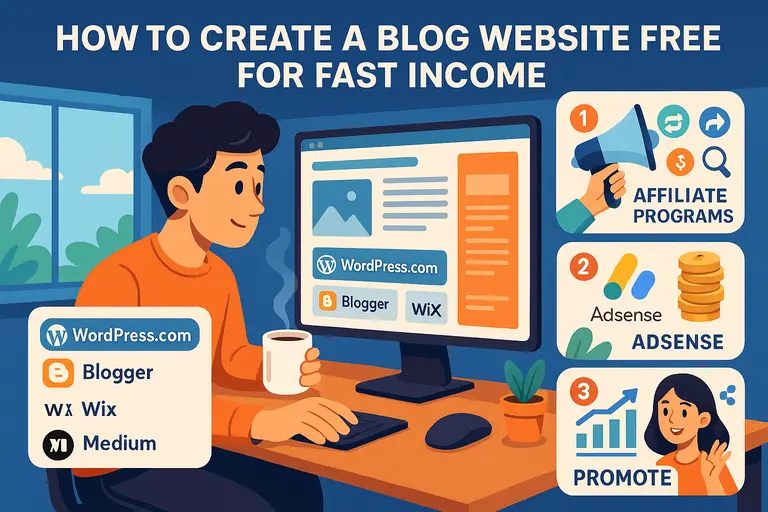 How to Create a Blog Website Free for Fast Income
 Create a Blog Free and Start Earning With No Risk