Table of Contents
Some links on The Justifiable are affiliate links, meaning we may earn a small commission at no extra cost to you. Read full disclaimer.
ManyChat automation has quickly become one of the smartest ways to simplify your marketing and customer communication.
Have you ever wondered how brands manage to respond instantly, nurture leads, and boost sales—all without hiring an army of support staff?
The secret lies in how ManyChat automation streamlines repetitive tasks and personalizes communication at scale.
In this article, we’ll break down exactly how it works and the key ways it helps you reclaim hours from your daily grind.
Understanding What ManyChat Automation Actually Does
Before diving into the how, it’s worth understanding what ManyChat automation is at its core.
It’s not just a chatbot—it’s a system that builds smart, automated conversations to help you engage, sell, and support at scale.
How ManyChat Automates Customer Conversations
When you connect ManyChat to a platform like Facebook Messenger, Instagram DM, or WhatsApp, it takes over the initial customer interactions for you.
Here’s how it typically works in practice:
- From the dashboard, go to Automation > Flows > New Flow.
- You can create a chat flow—a sequence of messages triggered when someone sends a specific keyword or clicks a button.
- For instance, if someone types “Pricing,” ManyChat can instantly reply with your pricing options and include a button to “Book a Demo.”
This saves you from manually typing the same answers hundreds of times. ManyChat handles it in seconds, with zero delay.
I’ve seen small e-commerce owners cut their manual message load by 70% within a week of setting up simple “welcome” and “FAQ” automations.
The Role of Chatbots in Saving Time and Effort
Chatbots in ManyChat aren’t just scripted bots—they’re workflow engines. They can store user data (like names, preferences, or purchase intent) and adjust responses based on what people say.
Think of them as digital assistants that:
- Answer instantly—even at 3 a.m.
- Filter requests—so your team only handles real leads.
- Guide users—through your sales or booking process.
If you’ve ever missed messages overnight or on weekends, this alone can save you hours—and potential sales.
How AI-Powered Flows Personalize Interactions Automatically
ManyChat’s newer AI features (found under Settings > AI Tools) use keyword recognition and intent detection to customize each chat. For example, if a user says, “I’m looking for your summer collection,” the AI can instantly detect the topic and show that product catalog.
By combining this with custom user attributes, ManyChat builds a personal memory of each user—helping you send future messages that feel genuinely 1:1.
In other words: automation with empathy. You save time, and your customers still feel like they’re chatting with a human.
How ManyChat Automation Simplifies Lead Generation
Lead generation is one of the areas where ManyChat automation shines brightest.
Instead of manually collecting emails or following up with DMs, you can build automated systems that do it for you—24/7.
Automating Lead Capture on Facebook and Instagram
From the ManyChat dashboard, go to Growth Tools > Facebook Comments or Instagram Triggers. This is where you can create automations that trigger when someone interacts with your post.
For example:
- When someone comments “info” on your post, ManyChat sends them a message with your offer.
- The bot can then collect their email, phone number, or other contact info automatically.
I suggest pairing this with a lead magnet—like “Comment ‘Guide’ to get my free checklist.” It feels organic and drives engagement while quietly building your list.
Qualifying Leads Without Manual Intervention
Once a lead is captured, ManyChat can qualify them through conversation.
Here’s a simple flow example:
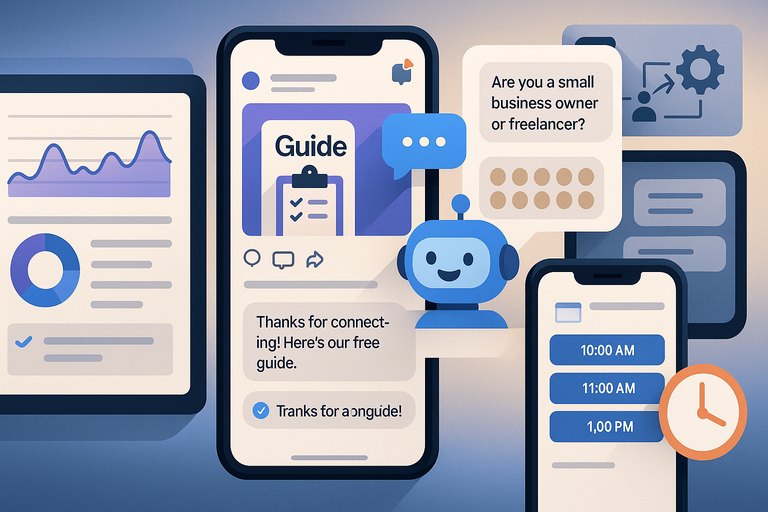
- “Are you a small business owner or freelancer?”
- Based on their choice, ManyChat tags them (Settings > Custom Fields > Tags).
- Qualified leads can then be automatically sent to your CRM using an integration or webhook.
It’s a clean, hands-off way to filter serious prospects from casual browsers—no spreadsheets or guesswork needed.
Nurturing Prospects Through Automated Sequences
ManyChat’s Automation > Sequences feature lets you send timed messages—like email drip campaigns, but through chat.
Imagine this 3-step nurture flow:
- Day 1: “Thanks for connecting! Here’s our free guide.”
- Day 3: “Would you like to see a quick demo video?”
- Day 7: “Ready to book a call? Here’s my calendar link.”
This keeps leads engaged without requiring you to remember who to message next. It’s the digital equivalent of cloning your follow-up process.
Streamlining Customer Support With Smart Chat Flows
If your inbox ever feels like a firehose, this is where ManyChat automation earns its keep.
Setting Up Instant Responses for FAQs and Inquiries
You can build a simple FAQ chatbot that answers common questions automatically.
Steps:
- Go to Automation > Flows > New Flow.
- Create messages for frequent queries (like “What’s your return policy?” or “Where’s my order?”).
- Connect them to keyword triggers.
In real-world use, these flows reduce incoming messages by 40–60%, freeing your support team for complex cases.
Routing Complex Issues to Human Agents Automatically
Not every question should be automated. That’s why ManyChat allows hybrid support.By adding a Smart Delay or Condition Block, you can route users to live agents when needed.
For instance:
- If a user types “speak to support,” the flow pauses, notifies your team, and opens live chat.
- The agent can pick up the conversation right where the bot left off.
This blend keeps your response times low while maintaining the human touch where it matters.
Reducing Response Time and Improving Customer Satisfaction
Here’s a fun stat: brands using automation in their customer communication reduce average response time by up to 80% (ManyChat internal data, 2024).
Customers value speed. When your bot handles the first 80% of inquiries instantly, satisfaction scores often jump—even before a human joins the chat.
And the bonus? Your support inbox stays sane.
Saving Hours With Automated Follow-Ups and Reminders
Follow-ups can be a time sink if you handle them manually.
ManyChat automation eliminates that problem entirely by managing reminders and recurring communication in the background.
How Follow-Up Sequences Drive Conversions Effortlessly
Follow-ups work best when they feel timely, not robotic. ManyChat’s Smart Delay tool helps schedule messages naturally—like sending a “Did you get a chance to look at this?” message two days after a demo.
You can even set triggers based on user actions.
For example:
- If they clicked your offer but didn’t buy, send a discount reminder 48 hours later.
- If they purchased, send a thank-you message and cross-sell product tips.
These micro-timings make a big difference in conversions without extra effort on your part.
Setting Up Abandoned Cart Reminders to Boost Sales
For e-commerce stores integrated via Shopify > Integrations, you can enable cart abandonment flows in just a few clicks.
Typical setup:
- If someone adds an item to cart but doesn’t check out in 1 hour, send a gentle nudge.
- Add a small incentive: “Your cart’s still waiting! Here’s 10% off if you check out today.”
These automations typically recover 10–20% of abandoned carts, which adds up to thousands over time.
Scheduling Recurring Messages and Broadcasts Efficiently
If you send regular updates or offers, ManyChat’s Broadcast feature under Automation > Broadcasts is your best friend.
You can schedule weekly updates or product drops ahead of time, segment your audience, and even personalize messages using dynamic fields like {first_name}.
Set it once, and it runs on autopilot. You stay consistent without being glued to your keyboard.
How ManyChat Automation Enhances Marketing Campaigns
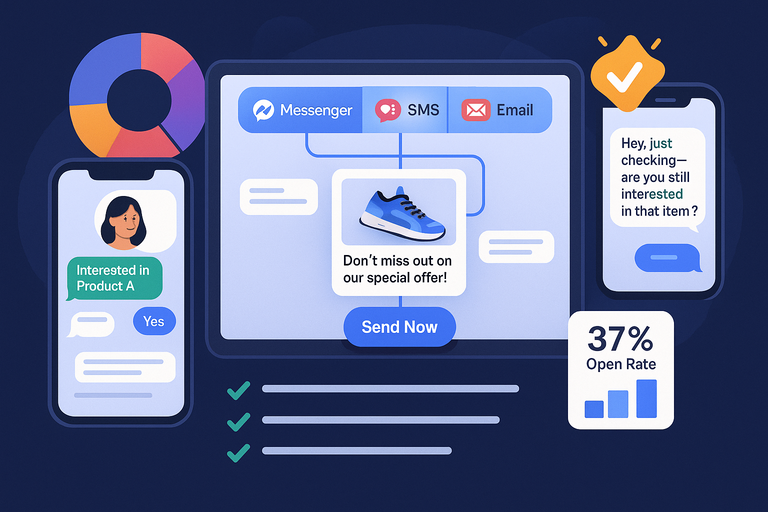
When you understand how to leverage ManyChat automation for marketing, it becomes more than a chatbot—it becomes your all-in-one growth engine.
Let’s walk through how to run automated campaigns that actually feel personal.
Running Automated Campaigns Across Multiple Channels
ManyChat allows you to connect with your audience across Facebook Messenger, Instagram DMs, WhatsApp, and even SMS and email—all from one dashboard.
Here’s how you can set it up:
- From the ManyChat dashboard, click Broadcast > Create a New Broadcast.
- Choose your channel—Messenger, SMS, or Email.
- Design your message flow. For example, you might send an Instagram DM first, then follow up with an SMS reminder two days later.
This multi-channel setup means your message doesn’t get buried in a single inbox. You’re gently reminding your audience where they already are.
A client of mine in the fitness industry ran a 3-day promo using this setup—Messenger on Day 1, SMS on Day 2, and an email recap on Day 3. The result? A 37% higher open rate than their previous single-channel campaigns.
Segmenting Audiences for Targeted Marketing
Segmentation is where ManyChat automation truly shines. Instead of blasting the same message to everyone, you can group users based on how they interact with your chatbot.
Here’s how it looks in practice:
- Go to Audience > Filters > Create a Segment.
- You can segment by tags (e.g., “interested in product A”), location, or even purchase history.
- When sending broadcasts, choose your segment to tailor the message perfectly.
For instance, you could send “Back-in-stock” alerts only to people who previously viewed a product. I always advise setting up at least 3–5 key segments right away—your campaigns become smarter, faster, and more effective overnight.
Using Behavior Triggers to Personalize Campaign Messages
Behavior triggers let you automate responses based on what users actually do.
Here’s an example:
- If a user clicks a product link but doesn’t purchase, trigger a follow-up message like, “Hey, just checking—are you still interested in that item?”
- If someone completes a purchase, ManyChat can automatically send a thank-you message with an upsell or referral link.
You can create these under Automation > Rules > Add Trigger.
In my experience, behavior-based automation can increase engagement rates by up to 50% because it speaks directly to what people are doing in real time—not just what you hope they’ll do.
Integrating ManyChat Automation With Other Tools
Automation becomes truly powerful when it connects seamlessly with the rest of your tech stack.
ManyChat plays nicely with CRMs, email tools, and e-commerce platforms, which means you can sync data across systems without ever exporting a CSV again.
Connecting ManyChat With CRMs, Email, and E-commerce Platforms
If you use tools like HubSpot, ActiveCampaign, or Shopify, ManyChat offers direct integrations.
Here’s how:
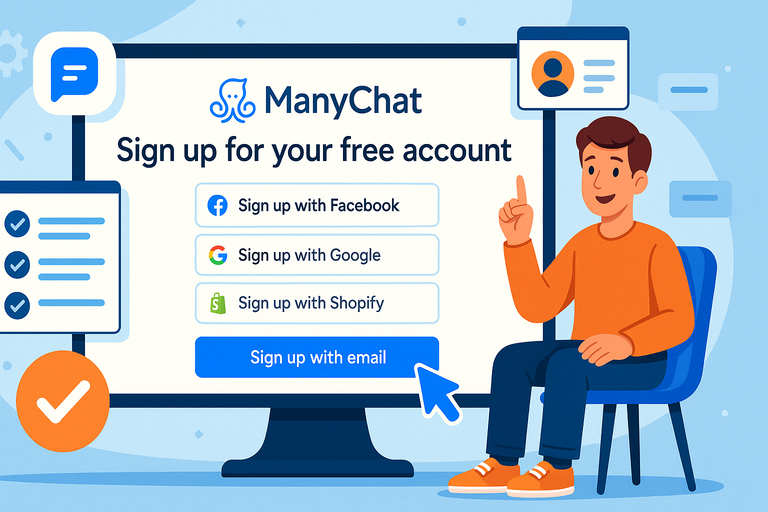
- Go to Settings > Integrations in ManyChat.
- Select your platform (e.g., Shopify).
- Log in and grant permission for data sync.
Once connected, ManyChat can automatically:
- Add new leads to your CRM.
- Sync purchase history from Shopify.
- Trigger targeted email sequences in ActiveCampaign.
This connection creates a single source of truth across your marketing ecosystem. You’ll know exactly who your audience is and where they are in your funnel—without touching a spreadsheet.
Using Webhooks and Zapier for Advanced Automation
If your tool isn’t directly supported, ManyChat’s Webhooks and Zapier integrations come to the rescue.
Example setup:
- Go to Automation > Actions > External Request (Webhook).
- Paste your Zapier webhook URL.
- Choose the action you want to perform—like sending user data to Google Sheets or triggering a Slack notification.
Zapier adds over 5,000 possible integrations, so even niche tools can become part of your automation workflow.
I personally recommend connecting ManyChat with Google Sheets first—it’s an easy way to visualize leads, sales, and campaign activity in real time.
Syncing Data Seamlessly Across Your Marketing Ecosystem
Consistency is key when it comes to automation. You want every system—email, CRM, chat—to reflect the same user journey.
To do this:
- Use Custom Fields in ManyChat to store key data (like “Last Product Viewed” or “Lead Source”).
- Sync those fields automatically via integrations.
- Review your data sync regularly to ensure accuracy.
When all your tools talk to each other, your automation becomes smarter and your reporting more accurate. That’s where the real efficiency lives.
Measuring Performance and Optimizing Your Automation
You can’t improve what you don’t measure. ManyChat’s built-in analytics let you track how well your automations are performing—so you can tweak, test, and perfect over time.
Tracking Key Metrics Like Response Rate and Conversion
Inside Analytics > Dashboard, you’ll find key metrics like:
- Open rates: How many people are reading your messages.
- Click rates: How often users take the next step.
- Conversion rate: How many end up completing your call-to-action.
For example, if your open rate is high but your click rate is low, it’s a signal that your message isn’t compelling enough after the first click.
I suggest checking your analytics weekly—it’s the quickest way to identify where your time and effort should go next.
A/B Testing Chat Flows for Continuous Improvement
ManyChat supports A/B testing inside flows so you can experiment with different versions of messages.
How to set it up:
- In a flow, click Add Split > Randomizer.
- Create two message paths (A and B).
- After a few hundred users interact, compare results in Flow Analytics.
Simple tweaks—like a different button label or greeting—can increase engagement by 15–25%. I’ve seen businesses double conversions with nothing more than smarter copy testing.
Learning From Analytics to Refine Future Campaigns
Over time, patterns emerge. Maybe users drop off after your second message or respond better to emojis. Use those insights to refine your tone, timing, and structure.
I recommend keeping a simple “Automation Insights” doc where you note what’s working and what’s not. This turns your ManyChat analytics into a living playbook for future campaigns.
Pro Tips to Maximize Time Savings With ManyChat Automation
Once you’ve built your automations, it’s tempting to let them run forever. But like any system, they need occasional maintenance and smart optimization to stay sharp and effective.
Creating Efficient Templates for Reusable Flows
If you find yourself recreating similar flows, save time by building templates.
From your dashboard:
- Click Automation > Templates > Create Template.
- Save your most-used flows—like welcome messages or lead capture sequences.
Over time, this builds your personal library of plug-and-play automations, reducing setup time by up to 60%.
Balancing Automation With Authentic Human Interaction
Automation is powerful, but people still crave genuine connection.
My advice: Always include an option for users to “Talk to a real person.” You can add this in any flow by setting a Keyword Trigger: “Agent” or “Help.”
This small detail builds trust and reminds users that there’s a human behind the automation. It’s a balance that makes your brand feel more approachable.
Scheduling Maintenance to Keep Your System Running Smoothly
Think of your ManyChat setup like a garden—it needs occasional pruning.
Every month, check for:
- Outdated links or offers in old messages.
- Inactive triggers or duplicated flows.
- New integrations that could make your setup more efficient.
Set a recurring reminder in your calendar (ManyChat or Google Calendar works fine). A quick monthly check keeps your automation clean and reliable.

I’m Juxhin, the voice behind The Justifiable.
I’ve spent 6+ years building blogs, managing affiliate campaigns, and testing the messy world of online business. Here, I cut the fluff and share the strategies that actually move the needle — so you can build income that’s sustainable, not speculative.