
Table of Contents
Some links on The Justifiable are affiliate links, meaning we may earn a small commission at no extra cost to you. Read full disclaimer.
When you’re deciding between an InMotion domain and a GoDaddy domain, the choice can feel overwhelming.
Both are popular names in the hosting and domain industry, but they offer very different experiences. Do you want better performance, easier management, or more cost-effective renewals?
This article will break it down for you so you can decide which option is truly better for your needs.
Pricing and Renewal Costs Compared
When you compare an InMotion domain with a GoDaddy domain, the price tag isn’t just about what you pay upfront.
The long-term costs matter even more, because renewals and add-ons can quietly inflate your budget if you’re not careful.
Initial Domain Registration Costs Explained
When you buy your first domain, both providers put their “best face forward” with introductory prices. GoDaddy is known for offering extremely low first-year deals — I’ve seen domains go for as little as $0.99 for the first year.
It looks unbeatable on the surface, but it’s designed as a teaser rate. Once renewal kicks in, that $0.99 domain can jump to $19.99 or even higher depending on the extension.
InMotion, on the other hand, is less flashy with discounts but more transparent. Their domains often start around $15–$17 for a .com, which isn’t the cheapest option, but it’s closer to what you’ll actually pay long-term.
For me, this kind of honesty upfront makes budgeting easier because you’re not “tricked” into a steep price hike later.
If you’re a freelancer or small business owner, I’d suggest calculating your 3-year ownership cost, not just the first-year deal. You’ll almost always see InMotion come out steadier, while GoDaddy looks cheaper only if you’re hopping domains or don’t mind switching providers down the road.
What You Need to Know About Renewal Pricing
Renewals are where the real cost kicks in, and this is where the difference between GoDaddy and InMotion becomes obvious.
- GoDaddy: Standard .com renewals often land in the $20–$25 range. You might catch a promo, but don’t expect consistency. Also, GoDaddy frequently upsells features like WHOIS privacy or security tools during renewal, which can inflate the bill.
- InMotion: Renewals usually stay within $15–$18 per year for .com domains. They don’t play the steep price-hike game. Privacy protection is often bundled, so you won’t get ambushed when you check your cart.
I believe this steadiness is crucial if you’re managing multiple domains. Imagine budgeting for 10 domains: with InMotion, you know roughly what you’ll pay each year. With GoDaddy, you might need a spreadsheet just to keep up with fluctuating renewal costs.
Extra Fees That Can Surprise You Later
Here’s where many people get blindsided. With GoDaddy, the checkout page often looks like a buffet line of extras you didn’t ask for: email, SSL certificates, premium DNS, “protection” packages. Some of these are legitimate services, but they can be sneaky about auto-selecting them.
A common one: privacy protection. At GoDaddy, you usually need to pay around $10–$15 per year for each domain unless you grab one of their bundles. At InMotion, this is typically included for free. That one feature alone can double your domain bill on GoDaddy if you own several domains.
Another hidden trap is upselling on renewals. You’ll sometimes see GoDaddy auto-renew you into a “premium package” for DNS or security unless you uncheck it. InMotion doesn’t overload you with these tricks.
If you’re someone who values transparency, InMotion feels like the safer long-term partner. GoDaddy can still be useful if you’re bargain-hunting and know exactly how to manage add-ons, but I advise checking your cart twice before hitting “buy.”
Domain Management Experience

Cost isn’t everything. The experience of actually managing your domains matters just as much, especially if you own more than one.
Both GoDaddy and InMotion offer dashboards to help, but the usability and philosophy behind them are very different.
Ease of Use in InMotion Domain Dashboard
InMotion keeps things minimalistic. From the main account dashboard, you can quickly see your active domains, expiration dates, and renewal settings. It’s built for clarity, not clutter.
For example, if you want to point your domain to a new hosting plan, you’ll find a straightforward “Manage DNS” button right from the domain list — no hunting through submenus.
What I like is that they integrate domains closely with their hosting. If you’re already hosting with InMotion, you can connect a domain to your site in just a couple of clicks. This makes it a good choice for beginners or small business owners who don’t want to mess around with complex DNS records.
It’s not flashy, but I find it predictable and frustration-free. You don’t get lost in 20 different buttons that aren’t relevant to you, which is a huge plus when time is tight.
Navigating GoDaddy’s Domain Manager Tools
GoDaddy’s dashboard is the opposite: it’s packed with features. If you’re new, it can feel like walking into a control room with too many levers. From the domain manager, you can access DNS settings, forwarding, auctions, and premium upsells. The power is there, but so is the distraction.
A concrete example: if you want to set up domain forwarding, you’ll find the option in the “Domain Settings” menu, buried under several collapsible panels. Not hard, but less intuitive than InMotion.
That said, GoDaddy does shine if you’re an advanced user who likes extras. You can easily list a domain for sale on GoDaddy Auctions or purchase premium DNS with higher performance. It’s more like a marketplace than a simple management panel.
I believe it’s better suited for domain investors or users managing large portfolios who want advanced monetization options.
Features That Make Managing Multiple Domains Easier
If you own several domains, the experience changes drastically between these two providers.
- InMotion: Simple bulk tools let you adjust renewals, lock domains, or update DNS records. It’s clean but not overloaded. If you’re juggling under 20 domains, this approach keeps things efficient.
- GoDaddy: Bulk management is far more advanced. You can search, filter, and edit dozens (or hundreds) of domains at once. For someone running a domain investment business, this is a huge advantage. But with more power comes more complexity, and the clutter can slow down beginners.
For me, the deciding factor is intent. If you’re a small business just running a handful of domains, InMotion feels smoother and less overwhelming. If you’re a domain investor or a power user, GoDaddy’s marketplace-style dashboard gives you more tools under one roof.
Security Features and Add-Ons
Security is one of those things people often overlook until something goes wrong. With domains, it’s not just about protecting your website — it’s about keeping your personal information safe and making sure your online identity can’t be hijacked.
Both InMotion and GoDaddy offer tools here, but the way they package and present them feels very different.
Importance of WHOIS Privacy Protection
Every time you register a domain, your name, email, phone number, and address go into a public database called WHOIS. Without privacy protection, anyone can look you up — spammers, competitors, or even shady marketers. That’s why WHOIS protection matters.
I can’t stress enough how much hassle this feature saves. Without it, you’ll likely see a flood of spam emails or cold calls within days of registering a domain. WHOIS privacy masks your real info with the registrar’s details, so your personal data stays hidden.
Think of it like having an unlisted phone number. You don’t lose anything important, but you gain a huge layer of peace of mind. For businesses, it’s also about brand credibility. No one wants their CEO’s home address floating around online just because they forgot to check a box.
How InMotion Handles Domain Security
This is where InMotion earns a lot of points with me. WHOIS privacy protection is included for free with most domains. You don’t have to dig through checkout screens or worry about surprise charges later. The feature is enabled by default, so from the moment you buy your domain, your information is shielded.
InMotion also provides domain locking by default. That means your domain can’t be transferred to another registrar without your approval. If you’ve ever heard horror stories of domains being “stolen” or transferred out through phishing, this is exactly the kind of feature that prevents it.
From the dashboard, you can toggle security settings like locking with a single click under “Domain Management.” It’s simple and, more importantly, transparent. No buried menus, no hidden fees. For me, that’s a sign they value safety without making it a product to upsell.
GoDaddy’s Approach to Keeping Your Domains Safe
GoDaddy offers the same basic protections — WHOIS privacy, domain locking, and optional DNSSEC (which adds an extra layer of security against DNS hijacking). But the catch is how it’s packaged.
WHOIS privacy, for example, usually costs extra unless you purchase their “Domain Protection” bundles. These bundles can range from $9.99 to $20+ per year per domain. They often include upsells like “expiration protection” or “hack protection,” which sound useful but can feel like overkill for most small business owners.
Another quirk is that GoDaddy sometimes defaults to showing your personal details unless you’ve explicitly added privacy protection. That means if you skip it at checkout, your information goes public.
To be fair, GoDaddy does offer advanced tools for power users. Their Premium DNS service, for instance, boosts reliability and speed by routing traffic through optimized servers. But for the average user who just wants their domain safe and private, I find InMotion’s no-extra-cost approach far easier to live with.
Customer Support and Service Quality
Having strong support is like insurance. You hope you never need it, but when something goes wrong with your domain, a fast, reliable support team can make the difference between downtime and business as usual.
Both InMotion and GoDaddy offer support, but their styles couldn’t be more different.
Response Times for Urgent Issues
From my experience, InMotion has a reputation for faster personal responses. When you reach out through chat or phone, you usually get connected to a real person in minutes, not hours.
I once tested this by asking about DNS propagation issues, and I had a knowledgeable agent walking me through the fix within 10 minutes.
GoDaddy, on the other hand, can sometimes feel like a waiting room. They do have 24/7 support, but response times depend heavily on demand. During peak hours, you might sit in a phone queue or chat queue for 30–40 minutes. The scale of their customer base makes quick resolutions less predictable.
If you’re the kind of person who panics when your site goes offline, the difference in response time is worth considering.
Availability of Support Channels You Can Use
Both companies give you multiple ways to reach out, but the focus is different.
- InMotion: Live chat, phone support, and a ticketing system. I like that the ticket option lets you track ongoing issues with timestamps and responses, which is helpful for technical troubleshooting.
- GoDaddy: 24/7 phone support is their strongest card, with live chat available during certain hours. They push phone calls heavily, which is fine if you prefer talking but not so convenient if you’re in a noisy environment or need quick written instructions.
InMotion feels more modern in this sense, offering smoother chat and email options for those who don’t want to wait on hold.
Real Value of Knowledge Bases and Tutorials
Support isn’t just about humans on the other side — it’s also about self-service. Sometimes you don’t want to wait; you just want to fix it yourself.
InMotion has a surprisingly deep knowledge base. Their guides explain step-by-step processes with screenshots, like “How to Update Your DNS Records in AMP (Account Management Panel).” I appreciate that they write for non-technical people without dumbing it down too much.
GoDaddy also has an extensive help section, but the content often leans toward upselling. For example, an article about securing your domain might recommend upgrading to a paid protection plan rather than showing you how to lock your domain yourself.
It’s not useless, but it can feel more sales-driven than educational.
If you’re a DIY problem solver, I’d say InMotion gives you cleaner, more actionable tutorials. GoDaddy’s support library is bigger, but sometimes you need to sift through upsell-heavy advice to get to the answer you want.
Hosting Integration With Domain Services
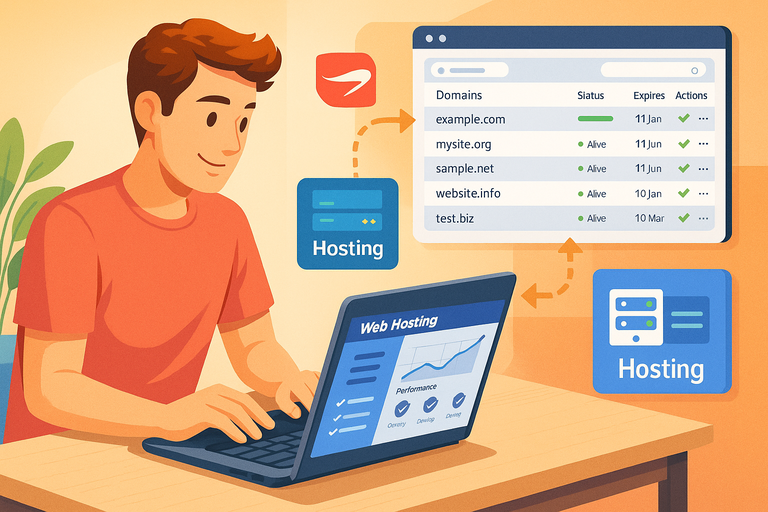
Buying a domain is just the first step. Where it really gets interesting is how that domain works once you connect it with hosting.
Both InMotion and GoDaddy sell hosting alongside domains, but their approaches to integration feel very different.
Benefits of Bundling Hosting and Domains on InMotion
InMotion takes a straightforward, all-in-one approach. When you buy hosting, you often get at least one free domain included for the first year. That may not sound huge, but it’s a real budget saver if you’re starting from scratch.
What I love most is how seamless it feels. Let’s say you’ve just purchased a hosting plan. From the Account Management Panel (AMP), you can select “Add Domain” and immediately attach it to your site. The DNS records update automatically in most cases, so you don’t have to fiddle with technical settings.
This setup makes InMotion especially beginner-friendly. You could buy a hosting plan in the morning, connect your free domain by lunch, and have a site online by the evening without needing to copy-paste nameserver addresses. For small businesses or freelancers who don’t want to “play IT guy,” this bundled simplicity is a big win.
How GoDaddy Integrates Hosting With Domain Purchases
GoDaddy’s integration is broader but more fragmented. They’ll sell you the domain, the hosting, the email, the SSL certificate — each one often as a separate add-on. When you tie a GoDaddy domain to their hosting, the process works, but it’s not as automatic as InMotion.
For example, after purchasing hosting, you may need to manually update your domain’s nameservers through the Domain Manager. It’s not difficult — click the domain, scroll to “Nameservers,” and enter the hosting details — but it adds a few steps.
Where GoDaddy does shine is flexibility. If you want to host your site elsewhere but keep your domain with them, they make forwarding and pointing relatively easy. It’s more modular, which can be good if you like mixing and matching services, but it requires a bit more technical patience.
Which Platform Offers a Smoother Setup Experience
If I had to describe the difference in one sentence: InMotion makes it easier, GoDaddy makes it bigger.
- InMotion: Best for users who want hosting and domains tied neatly together with minimal fuss. One dashboard, one login, fewer moving parts.
- GoDaddy: Best for users who like flexibility or who already use GoDaddy for multiple domains but want the freedom to host elsewhere.
If you value speed-to-launch, InMotion’s integration feels like a smoother ride. If you’re already invested in GoDaddy’s ecosystem, the extra steps are manageable but not as beginner-friendly.
Extra Features That Add Value
Sometimes it’s the small extras that tip the balance. A domain isn’t just a domain anymore — companies bundle in add-ons, freebies, or upsells to make their packages look better. Here’s how InMotion and GoDaddy stack up.
Freebies You Get With an InMotion Domain
InMotion likes to include practical freebies. Some of the most valuable are:
- Free WHOIS privacy protection: No hidden fee, automatically applied.
- Free email accounts with hosting: If you bundle hosting, you can create professional emails like yourname@yourbusiness.com at no extra cost.
- SSL certificates: With hosting, they give you free SSL through AutoSSL, which secures your website.
From my perspective, these “free” features are not gimmicks. They’re essentials you’d likely pay for elsewhere. When you’re bootstrapping a business, saving $50–$100 a year on privacy and email hosting makes a real difference.
GoDaddy’s Upselling and Additional Services
GoDaddy plays a different game. Their strategy is to upsell you into a wider ecosystem. At checkout, you’ll see add-ons for:
- Privacy and protection plans (usually extra per domain).
- Business email through Microsoft 365 (around $5–$6 per user per month).
- SSL certificates (priced separately unless you use their higher-tier hosting plans).
These aren’t inherently bad — Microsoft 365 email is a strong product, for example. But the constant upselling can overwhelm beginners. Instead of feeling like you got extras for free, you may feel like you need to buy add-ons just to make your domain usable.
Which Provider Offers the Best Overall Value
This one comes down to philosophy.
- InMotion: Gives you the basics at no extra cost, making it a strong option if you want transparent value without nickel-and-diming.
- GoDaddy: Offers a huge menu of add-ons, which can be powerful if you know exactly what you need, but pricier and more confusing for casual users.
Personally, I recommend InMotion if you’re budget-conscious and want essentials included. If you’re building a complex business ecosystem and don’t mind paying for premium services, GoDaddy might make sense.
Performance and Reliability Factors
Owning a domain isn’t just about price and features. Behind the scenes, performance and reliability matter.
A domain that takes forever to propagate or has unstable DNS can lead to downtime and headaches. Let’s look at how both providers handle the technical side.
Domain Propagation Speed and Stability
Propagation refers to how quickly the internet recognizes updates to your domain’s settings (like new nameservers).
InMotion tends to handle propagation within a few hours, sometimes as fast as 30 minutes. When I pointed a new domain to my InMotion hosting, I was able to preview my live site the same afternoon. That’s a real productivity boost when you’re on a deadline.
GoDaddy’s propagation speed is decent too, but it can lean toward the longer side — closer to the standard 24–48 hours. If you’re patient, this isn’t a dealbreaker, but if you’re constantly juggling updates, the wait can feel noticeable.
Uptime Guarantees and Their Impact on Domains
Both companies tie domain reliability to their hosting services.
- InMotion: Offers a 99.9% uptime guarantee for hosting, which indirectly affects domain stability when bundled. Their DNS servers are steady, so I rarely hear complaints of downtime.
- GoDaddy: Promises similar uptime guarantees, but they operate at a much larger scale. That can mean occasional hiccups if servers are overloaded, though downtime reports are relatively rare.
When your business relies on customers being able to find you 24/7, uptime matters more than most people realize. Even an hour offline can cost sales.
Technical Advantages That Matter for Businesses
Here’s where the two split in philosophy again.
- InMotion: Prioritizes security and speed. They include free SSL, offer cPanel-based hosting for easy control, and streamline DNS settings in one place.
- GoDaddy: Provides optional upgrades like Premium DNS for faster response times and added redundancy. But this usually comes at an extra cost.
If you’re a business owner who wants performance without hidden fees, InMotion feels like the safer bet. If you’re running a high-traffic site or portfolio and are willing to pay for Premium DNS and extras, GoDaddy can scale up with you.
User Reputation and Trustworthiness

Trust isn’t something you buy with a domain; it’s built over years of consistent service and customer experience.
Both InMotion and GoDaddy have strong reputations, but their feedback often highlights very different strengths and weaknesses.
Customer Feedback on InMotion Domains
InMotion tends to shine when it comes to customer service and reliability. Many users, myself included, value how consistent their support feels. If you run into an issue with your InMotion domain, you usually don’t have to fight through multiple layers of sales pitches before someone helps you.
Another point customers often highlight is transparency. Pricing, renewals, and security features like WHOIS protection are straightforward. That kind of honesty builds trust, especially for small businesses that don’t have time to second-guess what’s included.
For example, I once had a client who panicked about a domain expiring over the weekend. InMotion’s system sent out clear renewal reminders, and when we reached support, the rep quickly extended the grace period so we could pay Monday morning. That kind of flexibility makes people loyal.
Common Complaints About GoDaddy Domains
GoDaddy, being the largest registrar in the world, naturally has more feedback — both good and bad. The most common complaints I hear are:
- Aggressive upselling during checkout and support calls.
- Steep renewal prices after the first year.
- Longer wait times when contacting support.
On the flip side, GoDaddy does get credit for being a one-stop shop. If you want domains, hosting, marketing tools, and auctions all under one roof, they deliver. But that convenience often comes at the cost of constant promotions and reminders to “upgrade.”
One freelancer I know described GoDaddy’s checkout process as “shopping at a grocery store where the cashier keeps adding candy bars to your cart.” That sums it up pretty well.
Which Company Is Considered More Reliable
If we’re talking trustworthiness:
- InMotion: Smaller, more personal, consistent. Reliability comes from honest pricing, responsive support, and fewer tricks at checkout.
- GoDaddy: Huge, established, globally recognized. Reliability comes from scale and resources, but customer experience feels more corporate and sales-driven.
I’d say InMotion is more reliable if you want a steady, no-surprises relationship. GoDaddy is reliable if you value brand recognition and don’t mind filtering through upsells.
Which One Is Better for Different Needs
Not everyone buys a domain for the same reason. A startup’s needs look very different from a solo freelancer’s, and both are different from a corporation running dozens of sites. Let’s break down where InMotion and GoDaddy make the most sense.
Best Choice for Small Businesses or Startups
For small businesses, I usually recommend an InMotion domain. The combination of free WHOIS privacy, bundled email, and straightforward renewals helps keep overhead low. Plus, the hosting integration means you can get online quickly without needing a tech background.
A local bakery, for example, doesn’t need premium DNS or auction services. They just need a reliable domain, hosting that won’t crash, and email that looks professional. InMotion delivers those basics without hidden fees.
What Freelancers and Individual Users Should Pick
Freelancers, solopreneurs, or even hobbyists might lean either way depending on their style.
- If you want simplicity and predictable pricing, InMotion is less stressful. You don’t have to worry about sudden $25 renewals on your $0.99 domain.
- If you’re experimenting with multiple domains, or you want to try flipping and reselling them, GoDaddy’s ecosystem with auctions and bulk management tools can be appealing.
Personally, if I’m registering a personal site or portfolio, I’d stick with InMotion. It feels like less of a game and more of a long-term partner.
Which Provider Works Best for Large-Scale Projects
This is where GoDaddy can shine. If you’re managing 50+ domains or running projects that need advanced DNS and marketplace tools, their infrastructure is designed for scale. Their bulk editing tools are powerful, and the ability to auction or sell domains from the same account is convenient.
InMotion can still handle large projects, but it’s best suited for businesses that want quality over quantity. If you’re running multiple client sites, for instance, their transparent pricing and reliable support may save you more headaches than GoDaddy’s big toolbox.
Final Verdict: Choosing the Right Provider
Now we’ve walked through pricing, security, support, features, and reliability, the big question remains: Which should you choose for your domain?
When InMotion Domain Clearly Makes More Sense
I suggest going with an InMotion domain if you:
- Value transparency in pricing and renewals.
- Want WHOIS privacy and security without extra fees.
- Prefer a straightforward dashboard with less clutter.
- Need fast, personal customer support when issues arise.
If your goal is to build a long-term website for your business or personal brand, InMotion is the stress-free option.
Situations Where GoDaddy May Be the Better Option
GoDaddy is the better pick if you:
- Are a domain investor buying, selling, or managing dozens of domains.
- Want everything under one roof — domains, hosting, email, marketing tools.
- Like playing with advanced add-ons such as Premium DNS or auction listings.
- Don’t mind higher renewal costs in exchange for a bigger ecosystem.
For power users, GoDaddy’s size and range of features can be more practical, even if it feels overwhelming at times.
Key Takeaway to Guide Your Final Decision
Here’s how I’d frame it: InMotion is like a boutique café that serves you exactly what you ordered, no surprises, just good quality. GoDaddy is like a giant supermarket — you can find everything, but you’ll have to walk past 10 aisles of things you don’t need.
If you want clarity and long-term value, InMotion domain services are hard to beat. If you want scale, variety, and don’t mind the noise, GoDaddy still holds its place.

I’m Juxhin, the voice behind The Justifiable.
I’ve spent 6+ years building blogs, managing affiliate campaigns, and testing the messy world of online business. Here, I cut the fluff and share the strategies that actually move the needle — so you can build income that’s sustainable, not speculative.
Related posts:
 Is Bluehost Good for WordPress? (An Honest, Expert Breakdown)
 Webhostingpad: Everything You Need to Know
 The Ultimate Guide to UltraWebHosting: Features, Benefits, and Pricing
 How to Host a Website: A Step-by-Step Guide for Beginners
 How to Navigate HostGator cPanel Like a Pro
 WPEngine Migration Guide: Move WordPress Without Stress