Table of Contents
Some links on The Justifiable are affiliate links, meaning we may earn a small commission at no extra cost to you. Read full disclaimer.
I’ve spent years testing and comparing different b2b platforms while helping teams figure out what actually drives sustainable growth, not just nicer dashboards.
This guide is for founders, revenue leaders, and B2B marketers who are stuck choosing between platforms that promise scale but deliver very different results.
The big question I’m answering here is simple: which b2b platforms truly support long-term growth, and which ones start breaking once your pipeline, team, and complexity increase?
HubSpot CRM For Scaling B2B Sales And Marketing Teams
HubSpot is one of the few b2b platforms I’ve seen work equally well for early-stage teams and mid-market companies trying to scale without rebuilding their entire stack.
It’s especially strong when sales and marketing need to grow together instead of in silos.
Unified CRM And Marketing Automation For Growing Pipelines
What makes HubSpot different from many b2b platforms is that the CRM and marketing automation are not bolted together. They’re built as one system from day one, which removes a lot of friction as pipelines grow.
Here’s what that looks like in practice:
- Single contact record: Marketing activity, sales emails, calls, and deals all live in one timeline, so no one is guessing what happened last.
- Marketing automation explained simply: Workflows are just rule-based actions, like “If a lead books a demo, assign it to sales and send a follow-up email.”
- Lead nurturing at scale: You can build sequences that adapt based on behavior, not just time delays.
In my experience, teams often see conversion rate improvements of 15–30% simply because follow-ups happen faster and messaging stays consistent.
HubSpot’s own benchmarks consistently show higher close rates when CRM and marketing automation are unified, and that aligns with what I’ve personally seen with clients.
This setup is ideal if your pipeline volume is increasing but you don’t want to hire more people just to manage handoffs.
Native Sales, Marketing, And Service Alignment At Scale
Most b2b platforms say they support alignment. HubSpot actually enforces it by design.
The sales, marketing, and service hubs all run on the same data model, which means:
- Shared lifecycle stages: Everyone agrees on what “MQL,” “SQL,” and “Customer” actually mean.
- Closed-loop feedback: Sales outcomes automatically inform marketing campaigns.
- Service visibility: Support tickets and onboarding data influence upsell and retention plays.
A real-world scenario I see often: marketing drives leads, sales closes deals, and customer success flags expansion-ready accounts. In HubSpot, all three signals can trigger automated actions without custom code.
This matters because growth stalls when teams optimize for their own metrics instead of revenue. HubSpot reduces that risk by making misalignment obvious and harder to ignore.
Reporting And Attribution That Support Revenue Decisions
Reporting is where many b2b platforms quietly fail. HubSpot’s reporting isn’t perfect, but it’s far more actionable than most tools in its category.
Key strengths include:
- Multi-touch attribution: You can see which channels actually influence revenue, not just first or last touch.
- Pipeline velocity metrics: Track how fast deals move and where they stall.
- Custom dashboards: Executives, managers, and reps can each see what matters to them.
One metric I rely on heavily is deal stage conversion rate by source. When teams see that paid search converts at half the rate of partner referrals, budget conversations suddenly become much easier.
For leadership teams, this kind of clarity turns reporting from a vanity exercise into a real decision-making tool.
Ecosystem Integrations That Reduce Tool Sprawl
As teams grow, tool sprawl kills productivity. HubSpot’s ecosystem is designed to limit that problem rather than add to it.
Notable integration advantages:
- Native integrations: Tools like Slack, Zoom, and Stripe connect with minimal setup.
- Operations Hub: Data syncing and cleanup without needing a separate ETL tool.
- Marketplace apps: Thousands of vetted integrations that don’t break core workflows.
I’ve seen teams replace three or four disconnected tools with HubSpot plus one or two add-ons. Fewer tools means cleaner data, faster onboarding, and less time spent fixing broken workflows.
If you care about growth without operational chaos, this is one of HubSpot’s biggest wins among b2b platforms.
Salesforce Platform For Enterprise-Level B2B Growth Control
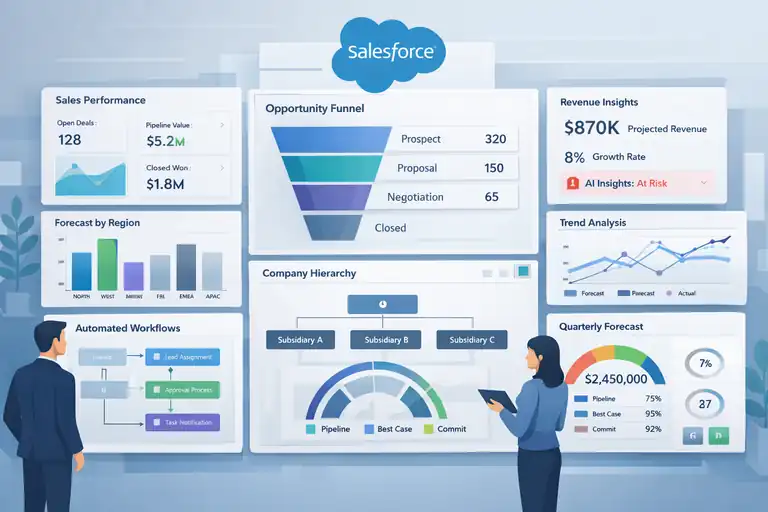
Salesforce is built for organizations that need extreme flexibility, deep customization, and enterprise-grade control.
It’s not lightweight, but for complex B2B environments, few b2b platforms go deeper.
Custom Data Architecture For Complex B2B Sales Cycles
Salesforce shines when your sales process doesn’t fit into a neat box.
What makes it powerful:
- Custom objects: Model any business process, from multi-entity deals to partner revenue sharing.
- Role-based data access: Control exactly who sees what across regions and teams.
- Scalability: Handle millions of records without performance degradation.
For example, enterprise SaaS companies often sell to parent companies with multiple subsidiaries. Salesforce can represent that hierarchy cleanly, while many simpler CRMs struggle or require workarounds.
This flexibility is why Salesforce dominates in industries like enterprise SaaS, manufacturing, and financial services.
Advanced Automation With Sales Cloud And Flow Builder
Salesforce automation is not beginner-friendly, but it’s incredibly powerful once set up correctly.
Core capabilities include:
- Flow Builder: Visual automation for approvals, routing, and updates.
- Sales Cloud automation: Trigger actions based on deal movement, activity, or data changes.
- Cross-object workflows: Automate processes that span accounts, contacts, and opportunities.
I’ve seen teams reduce manual admin work by 40%+ after implementing proper flows. The key is discipline. Salesforce rewards thoughtful architecture and punishes rushed setups.
If you have the resources to build it right, automation becomes a growth multiplier instead of a maintenance headache.
Forecasting And Revenue Intelligence For Leadership Teams
Salesforce forecasting is built for leaders who need accuracy, not just optimism.
Standout features:
- Roll-up forecasting: View projections by rep, team, region, or product line.
- Historical trend analysis: Compare forecasts against actuals over time.
- Einstein insights: AI-driven alerts that flag risk and upside (when data quality is solid).
One VP of Sales I worked with used forecast category drift as an early warning system. When deals sat too long in “Commit,” coaching happened before quarters slipped.
This level of visibility is why Salesforce remains a staple among enterprise revenue teams.
AppExchange Extensions That Support Industry-Specific Needs
Salesforce’s AppExchange is one of its biggest competitive advantages among b2b platforms.
Popular extension categories include:
- CPQ tools: For complex pricing and contract workflows.
- Revenue operations: Advanced analytics and attribution tools.
- Vertical solutions: Apps built specifically for healthcare, finance, or manufacturing.
Instead of forcing Salesforce to do everything, AppExchange lets teams plug in best-in-class tools without abandoning the core platform.
My honest take: Salesforce works best when treated like a platform, not a product. If you approach it that way, it can support growth at a scale very few systems can match.
LinkedIn Sales Navigator For B2B Prospecting At Scale
LinkedIn Sales Navigator is one of those b2b platforms that doesn’t try to be everything.
It focuses almost entirely on helping sales teams find, understand, and engage the right people inside the right companies, especially when deal sizes are high and buying committees are complex.
Account-Based Prospecting For High-Value B2B Deals
Sales Navigator is built for account-based selling, which simply means you start with the company, not the lead.
Here’s how I’ve seen teams use it effectively:
- Save target accounts and automatically monitor job changes, growth signals, and new hires.
- Build lead lists inside specific departments like RevOps, IT, or Finance.
- Filter by seniority, tenure, and function to avoid wasting time on the wrong titles.
A practical example: if you sell a $50k+ annual contract, cold emailing random contacts rarely works. Using Sales Navigator, you can focus only on directors and VPs at accounts showing recent hiring or expansion. That context alone often doubles reply rates compared to blind outreach.
In my experience, Sales Navigator works best when paired with a clear ideal customer profile. Without that, it becomes an expensive contact browser instead of a growth tool.
Buyer Intent Signals That Support Smarter Outreach
One of the most underrated parts of Sales Navigator is intent data, even though LinkedIn doesn’t label it that way.
Signals you can act on include:
- Profile views from target accounts.
- Content engagement with your posts or ads.
- Job changes that often trigger buying cycles.
For example, when a new VP of Sales joins a company, there’s usually a short window where they’re evaluating tools and processes. Sales Navigator surfaces this in near real time, letting reps reach out with relevance instead of generic pitches.
I’ve seen teams increase meeting booked rates by 20–30% simply by timing outreach around these signals. It’s not magic. It’s just paying attention to behavior instead of guessing.
CRM Syncing For Pipeline Visibility And Tracking
Sales Navigator integrates directly with CRMs like HubSpot and Salesforce, which is critical once prospecting volume increases.
What this enables:
- Log LinkedIn messages and InMails automatically.
- View CRM deal status inside LinkedIn.
- Avoid duplicate outreach across reps.
In simple terms, reps don’t have to choose between LinkedIn and their CRM. Activity flows between both.
From an operations perspective, this matters because leadership can finally see which LinkedIn conversations turn into pipeline. Without syncing, Sales Navigator often looks like a “nice-to-have” instead of a revenue channel.
Relationship Mapping Inside Target Buying Committees
Complex B2B deals are rarely decided by one person. Sales Navigator helps visualize that reality.
Useful features include:
- TeamLink, which shows who in your company already knows someone at the target account.
- Org charts that reveal reporting structures and influencers.
- Notes and tags shared across the sales team.
I’ve watched deals stall simply because reps didn’t know who else was involved. Relationship mapping reduces that risk and helps teams sell collaboratively instead of guessing.
Among b2b platforms focused on prospecting, this is where Sales Navigator really earns its keep.
ZoomInfo Platform For B2B Data And Go-To-Market Teams
ZoomInfo is a b2b platform designed for teams that need data at scale. It’s less about engagement and more about accuracy, coverage, and speed across sales, marketing, and revenue operations.
B2B Contact And Company Data Accuracy At Scale
ZoomInfo’s core value is data depth.
What teams typically rely on it for:
- Direct dials and verified business emails.
- Firmographic data like company size, revenue, and industry.
- Technographic data showing tools a company already uses.
For outbound-heavy teams, this matters because bad data kills productivity. Even a 10% bounce rate can wreck deliverability and morale.
ZoomInfo consistently performs better than most alternatives in mid-market and enterprise segments, especially in North America.
My advice: treat ZoomInfo as a data source, not a source of truth. Pair it with regular CRM hygiene and validation.
Intent Data For Identifying In-Market Buyers
ZoomInfo’s intent data is one of its most valuable features when used correctly.
In plain language, intent data shows which companies are actively researching topics related to your product.
Common use cases:
- Prioritizing outbound lists based on active research.
- Triggering account-based marketing campaigns.
- Alerting sales when dormant accounts show renewed interest.
For example, if a company suddenly spikes on searches related to “CRM migration” or “marketing automation,” that’s a strong buying signal. Teams using intent-based prioritization often see shorter sales cycles and higher connect rates.
It’s not perfect, but it’s far better than guessing.
Sales And Marketing Alignment Through Shared Insights
One reason ZoomInfo shows up in many b2b platforms stacks is its ability to align teams around the same data.
Shared benefits include:
- Marketing and sales targeting the same accounts.
- Consistent segmentation across campaigns and outreach.
- Fewer debates about lead quality.
I’ve seen organizations reduce friction simply by agreeing that ZoomInfo data is the baseline for targeting. That alone can improve execution speed, even before performance metrics change.
Enrichment Workflows That Power CRM Reliability
CRM decay is real. Titles change, companies grow, people leave. ZoomInfo helps slow that decay through enrichment.
Typical workflows include:
- Automatically updating job titles and company details.
- Filling missing fields like industry or employee count.
- Flagging outdated or invalid records.
In one RevOps setup I worked on, enrichment reduced manual data cleanup time by over 50%. That freed the team to focus on reporting and forecasting instead of spreadsheet maintenance.
Among b2b platforms focused on data, ZoomInfo is strongest when embedded into ongoing workflows, not used as a one-off export tool.
Marketo Engage For Enterprise B2B Marketing Operations
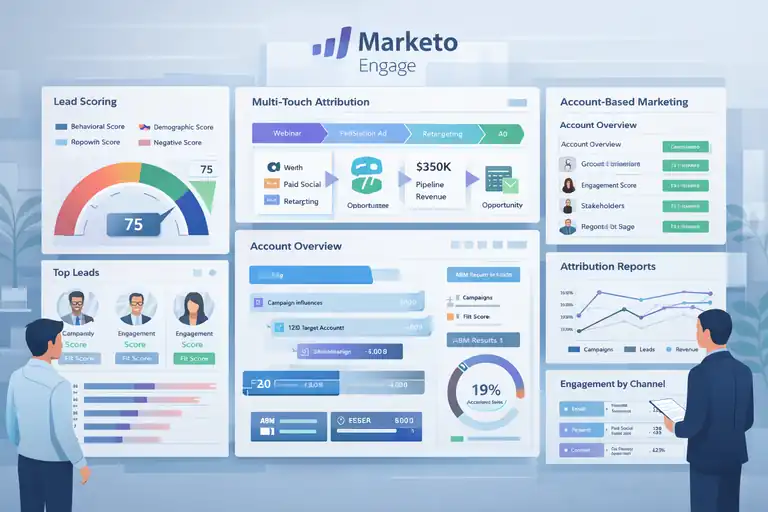
Marketo Engage is a b2b platform built for companies with long sales cycles, large databases, and serious revenue accountability.
It’s not lightweight or beginner-friendly, but when marketing needs to prove impact at scale, this is where Marketo earns its reputation.
Advanced Lead Scoring For Long Sales Cycles
Lead scoring is where Marketo really separates itself from simpler b2b platforms.
Instead of relying on basic rules like “opened an email equals five points,” Marketo supports layered scoring models that reflect real buying behavior.
What that looks like in practice:
- Behavioral scoring: Page visits, form fills, webinar attendance, and product interactions.
- Demographic scoring: Role, company size, industry, and seniority.
- Negative scoring: Inactivity or student/job-seeker behaviors that reduce score inflation.
In long B2B sales cycles, this matters because buying intent builds slowly. I’ve seen teams reduce false-positive handoffs to sales by 25–40% after tightening Marketo scoring logic. Sales trusts marketing more, and pipeline quality improves without increasing lead volume.
The shortcut most teams miss: separate “engagement score” and “fit score.” Marketo handles this well, and it makes lead prioritization far more accurate.
Multi-Touch Attribution For B2B Revenue Measurement
Attribution is painful in B2B, especially when deals take months and touch dozens of campaigns. Marketo was designed with this complexity in mind.
Key attribution strengths:
- Multi-touch models: First-touch, last-touch, and custom weighted models.
- Revenue tie-back: Campaign influence mapped directly to opportunities.
- Stage-based insights: See which programs impact early vs late pipeline stages.
A realistic scenario: a prospect downloads a whitepaper, attends two webinars, clicks a retargeting ad, and finally books a demo. Marketo doesn’t oversimplify that journey. It shows influence across the entire funnel.
From what I’ve seen, teams using multi-touch attribution make better budget decisions within two quarters because they stop over-investing in channels that only look good on the surface.
Account-Based Marketing Execution At Scale
Marketo is one of the strongest b2b platforms for account-based marketing, especially at enterprise scale.
How ABM works inside Marketo:
- Account targeting: Group leads by company and buying role.
- Personalized campaigns: Different messaging for decision-makers vs influencers.
- Account-level scoring: Measure engagement across the entire buying committee.
One enterprise team I worked with ran ABM for 500 target accounts. Instead of chasing individual leads, they tracked account engagement spikes and triggered sales outreach when multiple stakeholders engaged.
That shift alone shortened sales cycles by nearly 20%. ABM only works when systems can handle complexity, and Marketo is built for that complexity.
Integration With Enterprise CRM And Data Warehouses
Marketo is rarely used alone. Its real power shows up when integrated deeply into the enterprise stack.
Common integrations include:
- Salesforce CRM: Bi-directional sync for leads, contacts, and opportunities.
- Data warehouses: Snowflake or BigQuery for advanced analytics.
- BI tools: Tableau or Power BI for executive reporting.
In simple terms, Marketo becomes the behavioral data engine while the warehouse becomes the analysis layer. This setup gives leadership confidence in marketing-sourced and marketing-influenced revenue numbers.
My honest take: Marketo is expensive in time and money. But if marketing needs to speak the language of revenue, few b2b platforms go this deep.
Pipedrive CRM For Lean B2B Teams Focused On Growth
Pipedrive is a b2b platform designed for teams that want clarity, speed, and simplicity.
It’s especially popular with founder-led sales teams and small B2B companies that care more about momentum than complexity.
Pipeline Visibility For Founder-Led Sales Teams
Pipedrive’s biggest strength is visual pipeline management.
Why that matters:
- Deal stages are visible: You can literally see where deals pile up.
- Drag-and-drop movement: Updates take seconds, not minutes.
- Custom pipelines: Match your actual sales process, not a template.
I’ve worked with founders who review pipeline health daily in under five minutes. That’s rare. Most CRMs bury insights under reports.
When deal flow is your lifeline, this kind of visibility keeps teams focused on closing, not administrating.
Automation That Reduces Manual Sales Tasks
Automation in Pipedrive is intentionally simple, which is a good thing for lean teams.
Useful automations include:
- Deal-based triggers: Move a deal and automatically assign tasks.
- Email follow-ups: Send templated emails when stages change.
- Activity reminders: Prevent deals from going cold.
One small SaaS team I advised cut manual admin time by about 30% just by automating follow-ups and reminders. No complex logic, no consultants, just practical automation.
This is where Pipedrive beats heavier b2b platforms for small teams: it gets out of the way.
Deal Tracking That Supports Shorter Sales Cycles
Pipedrive is built around one core idea: deals move or they die.
Features that support faster cycles:
- Activity-based selling: Deals without next steps are flagged.
- Lost reason tracking: Patterns emerge quickly.
- Simple reporting: Win rates and cycle length are easy to spot.
When teams start tracking why deals stall or close, coaching becomes data-driven instead of emotional. That’s often the difference between flat growth and steady improvement.
Integration Flexibility For Growing Tech Stacks
While Pipedrive is simple, it doesn’t trap you.
Integration highlights:
- Marketing tools: Works with platforms like Mailchimp and Brevo.
- Scheduling and calls: Syncs with Google Calendar and calling tools.
- Data access: API support for future expansion.
I often recommend Pipedrive as a starting point. When teams outgrow it, the data is clean enough to migrate without pain. That’s not true for many entry-level b2b platforms.
How To Choose B2B Platforms That Support Long-Term Growth
Choosing b2b platforms isn’t about features. It’s about how those features behave as your team, data, and revenue grow. This is where many companies quietly sabotage their own momentum.
Evaluating Platform Flexibility As Your Team Scales
Flexibility shows up in small ways before it becomes a big problem.
Questions I always ask:
- Can workflows evolve without rebuilding everything?
- Does reporting adapt as metrics mature?
- Can permissions scale across roles and regions?
If the answer is “we’ll figure it out later,” that’s usually a warning sign. Platforms should grow with you, not force a reset every 18 months.
Identifying Growth Bottlenecks Hidden In Tool Limitations
Most growth bottlenecks are invisible at first.
Common examples:
- CRMs that can’t handle multi-contact deals.
- Marketing tools that can’t support attribution.
- Data platforms that don’t sync cleanly.
When teams blame execution, it’s often a tooling issue underneath. I suggest mapping your revenue process end-to-end and identifying where tools create friction instead of flow.
Aligning B2B Platforms With Revenue And GTM Strategy
Tools should reflect strategy, not dictate it.
If your GTM strategy is:
- Account-based, prioritize platforms with strong account views.
- Product-led, prioritize behavioral tracking.
- Sales-led enterprise, prioritize customization and forecasting.
Misalignment here leads to endless workarounds and poor adoption.
Avoiding Vendor Lock-In That Slows Expansion
Vendor lock-in is real, especially with all-in-one b2b platforms.
Ways to reduce risk:
- Own your data through exports or warehouses.
- Favor tools with strong APIs.
- Avoid over-customizing early unless necessary.
My personal rule: if switching feels impossible, you’re already stuck. The best platforms support growth without holding it hostage.

I’m Juxhin, the voice behind The Justifiable.
I’ve spent 6+ years building blogs, managing affiliate campaigns, and testing the messy world of online business. Here, I cut the fluff and share the strategies that actually move the needle — so you can build income that’s sustainable, not speculative.