
Table of Contents
Some links on The Justifiable are affiliate links, meaning we may earn a small commission at no extra cost to you. Read full disclaimer.
When I first started blogging, I had no idea which blogging platform would actually help me make money.
I remember spending hours comparing features, costs, and how “beginner-friendly” each one really was. If you’re in that same spot—excited to start, but unsure which platform will help you turn your blog into income—you’re not alone.
Let’s break down the best blogging platforms that make earning from your content simple, even if you’re just starting out.
1. WordPress.org — The Most Flexible Blogging Platform for Growth
If I could recommend just one blogging platform to beginners serious about earning income, it would be WordPress.org.
It’s the same platform used by over 40% of all websites today, and for good reason — it gives you total control, unlimited customization, and endless income opportunities.
Why WordPress.org Gives You Complete Control
What makes WordPress.org so powerful is that you own everything. Your website, your content, your data — all of it belongs to you. Unlike hosted platforms (like Wix or Squarespace), you’re not locked into their ecosystem or design limitations.
You can install thousands of free and premium themes to change the design instantly and use plugins to add any feature imaginable — from SEO tools to online stores. Essentially, WordPress.org is like a blank canvas: flexible enough to grow from a small blog into a full-fledged online business.
Example: You could start a simple blog about personal finance today and later expand it into a coaching business, an online course hub, or an affiliate marketing site — without ever switching platforms.
How to Monetize Your WordPress Blog with Plugins and Ads
There are several proven ways to make money with WordPress.org, and plugins make it easy to manage them.
Most common income methods include:
- Affiliate Marketing: Use plugins like ThirstyAffiliates to manage links and track clicks.
- Display Ads: Connect your site to Adsterra or Monetag to earn from traffic.
- Digital Products: Sell eBooks, printables, or online courses with Easy Digital Downloads.
- Memberships: Use MemberPress for exclusive content.
The beauty of WordPress.org is that you can combine multiple income streams without technical restrictions. Once your traffic grows, adding monetization features is as easy as installing a plugin.
Essential Setup Steps for Beginners on WordPress.org
Getting started on WordPress.org might sound intimidating, but it’s actually straightforward when broken down into steps.
- Choose a Reliable Host: Use a beginner-friendly hosting provider like Hostinger or Hostgator. They offer one-click WordPress installations.
- Install a Clean Theme: Start with a lightweight theme like Astra or GeneratePress — both fast and easy to customize.
- Install Core Plugins: Focus on essentials — Rank Math for optimization, WPForms for contact forms, and Jetpack for performance and security.
- Create Your First Pages: Write your About, Blog, and Contact pages before publishing your first post.
- Secure Your Site: Always install an SSL certificate (most hosts include this free) and set up automatic backups.
Following these steps gives you a professional foundation — something most beginners skip and regret later.
Common Mistakes to Avoid When Starting on WordPress.org
Every beginner makes mistakes — I did too. Here are a few to dodge early on:
- Skipping Backups: A plugin like UpdraftPlus can save you from disasters.
- Ignoring Mobile Optimization: Over 60% of blog readers come from mobile devices, so test your theme on phones and tablets.
- Installing Too Many Plugins: More isn’t better; too many slow down your site. Stick to what’s essential.
- Not Setting Up SEO Early: Configuring permalinks and using an SEO plugin from day one helps your posts rank faster.
Pro Tip: Treat WordPress.org like a business asset. Learn how it works, invest a little time upfront, and it’ll reward you with a platform that can scale as your income grows.
2. Wix — The Best Drag-and-Drop Blogging Platform for Ease of Use
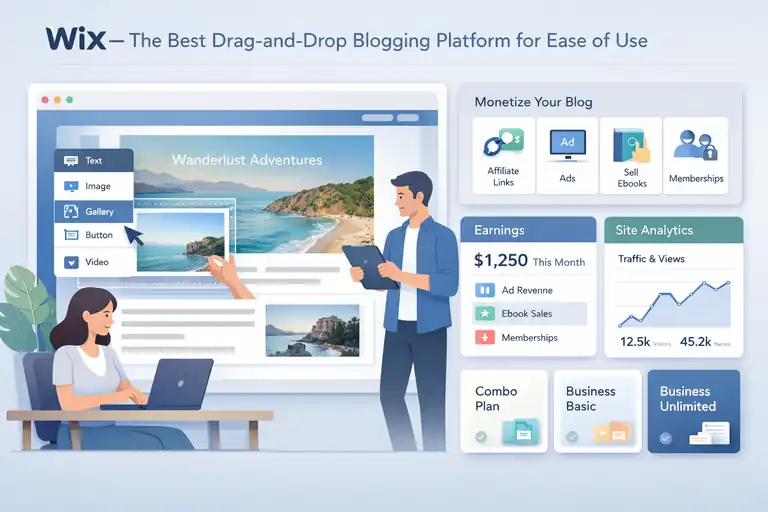
If you’ve ever wished you could “just build a blog” without touching code or managing hosting, Wix is your dream come true.
It’s the easiest blogging platform for beginners who want to launch quickly and start earning right away.
How Wix Simplifies Blogging for Complete Beginners
Wix uses a drag-and-drop editor that feels like building with digital Lego blocks. You can visually move, resize, or add elements — no coding, no technical jargon.
It’s perfect for first-timers who want their blog live in an afternoon. The platform also includes hosting, templates, and built-in tools like SEO optimization, analytics, and automatic backups.
Example: If you’re starting a travel blog, you can select a predesigned travel theme, replace the demo content, and have your site up within an hour.
Ways to Earn Income from Your Wix Blog Without Coding
Monetizing your Wix blog is easier than most expect. Wix offers integrated options that don’t require extra plugins or complex setup.
You can monetize through:
- Affiliate links added directly to your posts.
- Display ads using Wix’s AdSense integration.
- Digital products using Wix Stores (ideal for eBooks or templates).
- Paid memberships through Wix Members Area for exclusive content.
Wix also allows you to connect email marketing tools and sell services directly on your site, creating multiple income streams with minimal effort.
Comparing Wix Plans: Which One Helps You Monetize Faster?
If you plan to earn income, avoid the free plan — it shows Wix ads and doesn’t let you connect your own domain.
Recommended plans for monetization:
- Combo Plan: Best for personal blogs or affiliate sites.
- Business Basic: Ideal for selling digital products.
- Business Unlimited: Best value for scaling — includes analytics and priority support.
Spending a bit more for the right plan pays off because you unlock all monetization tools, ensuring your blog can grow without limitations.
Design Tips to Make Your Wix Blog Look Professional
A professional design builds trust and encourages readers to stay longer — which directly impacts income.
Quick design tips:
- Keep your color palette consistent (2–3 colors max).
- Use clear fonts for readability.
- Add a high-quality logo, even if it’s simple text-based.
- Don’t clutter your sidebar — highlight one call-to-action like a newsletter signup.
- Preview your blog on mobile before publishing each post.
Wix gives you beautiful templates, but how you personalize them determines whether readers see your site as a hobby blog or a real brand.
3. Squarespace — The Best Blogging Platform for Visual Creators
Squarespace is ideal for creators — photographers, designers, and lifestyle bloggers — who care deeply about how their content looks.
If you value visual storytelling, this platform makes your blog feel like a digital magazine from day one.
Why Squarespace Works Well for Creative and Lifestyle Blogs
Squarespace’s strength lies in its design perfection. Every template looks polished and balanced, making it easy for your blog to look professional even if you have zero design experience.
It’s especially suited for niches where visuals drive engagement — fashion, travel, or portfolio-based content.
The platform also has built-in tools for SEO, analytics, and eCommerce, meaning you can grow and monetize within one ecosystem.
How to Turn a Squarespace Blog into a Source of Income
Squarespace integrates monetization options seamlessly.
Top income streams include:
- Affiliate links inside blog posts.
- Product sales via Squarespace Commerce.
- Service bookings for freelancers and consultants.
- Subscription content using Member Areas.
The key advantage? You don’t need external tools — everything from payment processing to product listings happens inside Squarespace, making it easy to manage your income.
Optimizing SEO and Analytics on Squarespace for More Traffic
Squarespace includes built-in SEO tools that handle many basics automatically, but you can take it further.
Here’s how:
- Customize your page titles and meta descriptions manually.
- Use clean URLs without unnecessary words.
- Add alt text to every image for search visibility.
- Monitor performance through the integrated Analytics dashboard.
If you blog consistently and apply SEO basics, your Squarespace site can rank competitively, even against WordPress blogs.
Limitations of Squarespace You Should Know Before Starting
Squarespace does have a few drawbacks worth considering before committing.
- Limited plugin ecosystem: Unlike WordPress, you can’t install third-party plugins freely.
- Higher pricing tiers: To access full monetization tools, you’ll need at least the Business plan.
- Less customization flexibility: Advanced users may feel restricted in layout or functionality.
That said, if your goal is a beautiful, easy-to-manage blog that can earn income without tech headaches, Squarespace is still a strong choice — especially for visual and lifestyle creators.
Pro Tip: Squarespace shines when your brand identity is visual. Invest time crafting your imagery and layout — it pays off in both engagement and conversions.
4. Kit (formerly ConvertKit) — The Best Blogging Platform for Email-Focused Income
If you’ve ever felt like your blog readers vanish after one visit, Kit changes that.
It’s not just another blogging platform — it’s a creator-focused tool built around email marketing, helping you turn casual visitors into loyal subscribers and paying supporters.
How Kit Combines Blogging and Email Marketing Seamlessly
Kit integrates blogging and email under one roof. That means your blog and your email list live in the same space, sharing data, analytics, and automation — no juggling multiple tools.
Unlike other platforms that focus on traffic, Kit helps you build direct relationships with readers through email. Every blog post can automatically send to your subscribers, which keeps engagement high without extra effort.
Example: Let’s say you write a post about productivity hacks. Kit can automatically email that post to your audience, track who opens it, and then send a follow-up about your paid course. That kind of built-in automation makes every post part of your income strategy.
Building and Monetizing an Email List from Day One
With Kit, you can start growing your list the moment you launch your blog.
Here’s how to get started:
- Create a simple signup form: Kit’s visual form builder lets you embed a subscription box in minutes.
- Offer a freebie: Something like a short guide or checklist increases signups dramatically.
- Automate your welcome emails: Set up a sequence that introduces your story, shares your best posts, and leads into your first paid offer.
Monetization happens naturally through your list. Once you’ve built trust, you can promote affiliate links, digital products, or memberships — directly in your emails, not just your blog posts.
How Kit Helps You Sell Digital Products Directly from Your Blog
One of the most underrated features of Kit is its built-in commerce system. You don’t need WooCommerce, Gumroad, or external checkout pages.
You can sell directly from Kit by:
- Uploading digital files (like PDFs or courses) and setting your price.
- Embedding the product link into your blog post or email.
- Receiving payments through Stripe with no complicated setup.
This makes it ideal for creators who want to keep things simple — one platform for writing, emailing, and selling.
I’ve seen creators sell thousands of dollars in digital downloads with nothing but Kit and a few solid blog posts.
When Kit Is Better Than a Traditional Blogging Platform
Kit works best for bloggers who care more about connection than clicks. If your main goal is to build an audience that buys from you directly — not rely on ads or SEO alone — this platform is worth considering.
Choose Kit when:
- You want to build an email list fast.
- You sell digital products or courses.
- You prefer writing for subscribers over random traffic.
If your blogging style leans toward community-driven growth, Kit might actually earn you more with less content compared to larger blogging platforms.
Pro Tip: Don’t think of Kit as “just email.” It’s your content ecosystem — a blog, newsletter, and online store all in one.
5. Blogger — The Simplest Free Blogging Platform for Starters
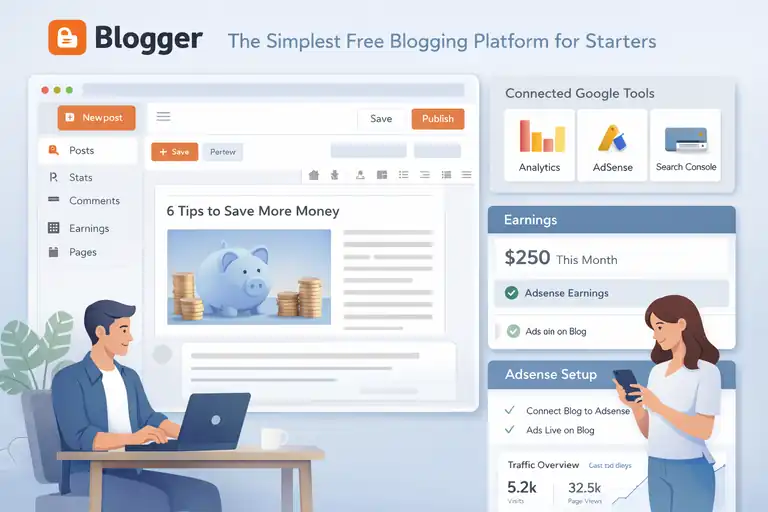
Blogger has been around for over two decades, and even today, it remains the easiest entry point for anyone who wants to start blogging with zero cost.
Why Blogger Still Works for Beginners with Zero Budget
Blogger is completely free — no hosting fees, no setup costs. It’s owned by Google, so you can connect it to other Google tools like Analytics, AdSense, and Search Console instantly.
The best part? You don’t need any tech background. It’s ideal for someone just testing the waters of blogging before investing in a premium platform.
Example: If you’re experimenting with personal finance blogging, you could have your first article live within an hour — no domain setup or design stress required.
How to Set Up Google AdSense and Earn from Day One
Monetizing your Blogger site can be done directly through Google AdSense, and setup takes just a few clicks.
Here’s how to do it:
- Go to your Blogger dashboard and click Earnings.
- Connect your blog to an existing or new AdSense account.
- Wait for approval (usually within a few days).
- Ads will automatically appear on your blog once approved.
You earn money when readers view or click on the ads. While initial income may be small, it’s a great way to understand how blog monetization works before you scale up.
How to Transition from Blogger to a Professional Platform Later
Once you start gaining readers and want more control, you can move your content to WordPress.org or another platform easily.
Key transition tips:
- Export your posts from Blogger using the built-in export feature.
- Import them to WordPress using the “Blogger Importer” plugin.
- Redirect your old Blogger URLs to preserve SEO traffic.
Many professional bloggers actually started on Blogger before upgrading, so don’t feel pressured to start big — just start somewhere.
Blogger Limitations That Can Affect Long-Term Growth
While Blogger is a great starting point, it does come with limitations that might restrict growth later.
- Limited design options — templates are outdated and not as flexible as modern platforms.
- You don’t technically “own” your site — Google can shut it down if it violates policies.
- Fewer SEO tools and customization options.
If you treat your blog as a business, you’ll eventually want more freedom. Blogger is the best free classroom to learn the basics — but not the ideal platform for scaling income long term.
Pro Tip: Use Blogger to find your voice, then graduate to a more advanced blogging platform when you’re ready to earn consistently.
6. Medium — The Best Blogging Platform for Built-in Audience Reach
If your main goal is being read, not managing a website, Medium is one of the best blogging platforms to start with.
It already has millions of active readers, so your words can reach people even without SEO or ads.
Why Medium Is Ideal for Writers Who Want Exposure
Medium is designed for writers — not web designers, not marketers, just writers. You don’t worry about themes or plugins. You just write, publish, and connect with readers.
The platform’s algorithm promotes quality content across topics like tech, productivity, creativity, and business. If your writing resonates, Medium puts it in front of thousands of new readers automatically.
Example: A single well-written post about “side hustles that actually pay” can be featured on Medium’s homepage and drive thousands of views overnight — something that’s tough to achieve on a new self-hosted blog.
How to Join the Medium Partner Program and Earn Money
Medium’s Partner Program lets you earn based on reader engagement, not ad clicks.
Here’s how it works:
- Join the Partner Program (requires a small monthly fee or subscriber account).
- Publish your stories to Medium.
- You earn money when paying Medium members spend time reading your posts.
Writers who post consistently and focus on storytelling often earn steady monthly income — especially in high-interest niches like entrepreneurship or self-improvement.
Pros and Cons of Using Medium as Your Primary Blog
Medium makes life easy, but it’s not perfect.
Pros:
- Built-in audience and traffic.
- No need to design or host anything.
- Strong community of engaged readers.
Cons:
- You don’t fully own your content — Medium controls the platform.
- Limited branding opportunities.
- You can’t easily run display ads or build custom email lists.
If you care about ownership and long-term monetization, Medium should be your audience-building tool, not your only platform.
How to Repurpose Medium Posts for Your Own Site
One of the smartest strategies is to use Medium as a content amplifier rather than your main home base.
Here’s a simple workflow:
- Publish the original version of your post on your own blog (like WordPress).
- A week later, republish it on Medium using their import tool — this preserves SEO credits.
- Include a short author bio with a link back to your blog or newsletter.
This lets you benefit from Medium’s audience while still driving readers to your own platform where you control income.
Pro Tip: Treat Medium as your “stage” — a place to perform your best ideas publicly. Then lead those readers home to your main blogging platform, where the real business happens.
7. Ghost — The Best Blogging Platform for Independent Creators
Ghost is perfect for creators who want full ownership of their content and a sustainable income stream through memberships or subscriptions.
It’s a minimalist blogging platform designed for independence — no ads, no distractions, just your words and your audience.
Why Ghost Appeals to Bloggers Who Want Subscription Income
Ghost stands out because it’s built around the idea of creator ownership. Unlike platforms that rely heavily on ads, Ghost helps you build recurring income directly from your readers.
It’s a self-hosted platform, similar to WordPress.org, but its main focus is publishing and monetization through memberships. That means you can publish blog posts, send newsletters, and collect payments all within the same dashboard.
Example: A food blogger could offer free recipes publicly, then share premium meal plans or exclusive cooking videos for paying members. It’s a simple way to turn loyal readers into subscribers without juggling extra tools.
How to Set Up Paid Memberships and Monetize Your Ghost Blog
Setting up paid memberships in Ghost is surprisingly straightforward. The platform has a built-in membership system that integrates with Stripe — so you can start earning as soon as your blog is live.
Basic steps to monetize:
- Enable memberships: Turn on “Members” in your Ghost admin dashboard.
- Connect Stripe: This allows you to accept recurring payments.
- Create membership tiers: Offer both free and paid levels with different perks.
- Add signup prompts: Encourage readers to subscribe at the end of your posts or in newsletters.
What I like most about Ghost’s approach is how native it feels. You don’t need plugins or third-party tools — it’s all baked right in, and beautifully simple.
The Learning Curve: What to Expect When Starting on Ghost
Ghost isn’t the easiest platform for absolute beginners, but it’s not hard either — it just requires a little setup time.
You’ll need to choose between Ghost(Pro) (their hosted version, which starts around $9/month) or self-hosting (for full control). For most people starting out, Ghost(Pro) is the better choice because it removes all the technical headaches like server setup and maintenance.
Once you’re inside the dashboard, you’ll find Ghost refreshingly clean. It focuses on content creation — no clutter, no unnecessary widgets. If you’ve used WordPress before, Ghost feels like the calm, focused version of it.
Comparing Ghost vs. WordPress for Long-Term Profitability
If your goal is membership income, Ghost beats WordPress hands down for simplicity. WordPress can do memberships too, but you’ll need plugins like MemberPress or WooCommerce, which often require maintenance and updates.
However, WordPress wins on flexibility. You can build any kind of business site there — Ghost is more niche-focused on publishing and subscriptions.
Choose Ghost if:
- You want to grow paid memberships or newsletters.
- You prefer minimalist design and speed.
- You want a tool that “just works” for writers.
Pro Tip: Ghost is best for creators who’ve already built an audience elsewhere — like social media or YouTube — and now want a home for exclusive, paid content.
8. Weebly — The Most Affordable Blogging Platform for Small Budgets
Weebly is one of the most budget-friendly blogging platforms out there.
It’s owned by Square (the payment company), making it an ideal pick for beginners who want to blog and sell products without spending much upfront.
How Weebly’s Simplicity Helps You Launch Fast
Weebly’s biggest strength is its simplicity. You can set up a blog, add pages, and publish posts in minutes using a drag-and-drop builder that feels similar to Wix but even more straightforward.
You don’t need to worry about hosting or updates — everything’s handled for you. The platform is lightweight, so you can focus on writing rather than technical tasks.
Example: A small handmade jewelry business could start a blog to share behind-the-scenes stories and link products directly using the integrated store.
Monetization Features You Can Add to a Weebly Blog
Despite being budget-friendly, Weebly gives you multiple ways to monetize your blog.
You can earn through:
- Affiliate links added to blog content.
- Display ads using code embeds from AdSense or other networks.
- Selling products through the built-in Square Store integration.
- Email marketing via connected services like Mailchimp or Brevo.
If you’re just starting out, you can build a simple income system — for example, use Weebly’s free plan to publish content and upgrade later once your traffic grows.
When to Upgrade Your Weebly Plan for More Earning Potential
Weebly’s free plan is great for beginners, but to truly monetize, you’ll need at least the Connect or Pro plan.
Here’s why upgrading helps:
- You can use a custom domain (essential for branding).
- Ads are removed from your site.
- You get access to advanced analytics.
- You can add eCommerce features like digital downloads.
Upgrading costs just a few dollars per month, making it one of the cheapest ways to run a professional-looking blog with real earning potential.
Design Flexibility and SEO Considerations for Weebly Bloggers
Weebly’s drag-and-drop editor makes it easy to design, but it’s not as flexible as WordPress or Squarespace. You’ll be limited by the available templates and customizations.
However, for basic SEO, Weebly performs decently — you can edit meta titles, descriptions, and URLs. It even includes automatic mobile optimization, which helps your blog perform better in search results.
Pro Tip: Use Weebly to build your foundation. Once you start earning and need more customization, migrating to WordPress or Ghost is smooth and worth it.
9. Substack — The Best Blogging Platform for Writers Who Want Subscribers
Substack is the ultimate blend of blogging and newsletters. It’s built for writers who care more about connection than clicks — helping you grow a loyal base of readers who pay for your work directly.
How Substack Blends Blogging with Newsletter Monetization
Substack lets you publish posts that double as emails. Each time you post, your content goes straight to your subscribers’ inboxes. That means no waiting for SEO, no social media algorithms — just direct reach.
It’s a simple but powerful model: publish your writing, build your list, and then offer premium content for a monthly or yearly fee.
Example: A writer sharing personal essays could send free stories weekly, and then offer “members-only” essays or behind-the-scenes commentary for paid subscribers.
Setting Up Your Paid Subscriptions Step-by-Step
Substack handles all the tech for you — payments, emails, and content delivery.
Here’s how to start:
- Create a Substack account.
- Set up your publication name and tagline.
- Import or grow your email list.
- Enable paid subscriptions (connected via Stripe).
- Set your pricing tiers — most creators charge between $5–$10/month.
You keep 90% of your earnings (Substack takes 10%), and you can choose to offer both free and paid posts to balance reach with income.
Tips to Grow Your Substack Audience and Maximize Revenue
Growth on Substack depends on consistency and value — readers pay for trust and voice.
To grow faster:
- Publish consistently (at least once a week).
- Offer high-value free posts to attract readers.
- Collaborate with other Substack writers.
- Include personal storytelling — it converts better than pure information.
- Encourage readers to share your posts with a “PS” section at the end.
In my experience, Substack works best when you build a personality-driven brand. Readers subscribe because they like you, not just your topic.
When to Move from Substack to Your Own Blog Platform
Substack is amazing for early growth, but it’s still limited in branding and customization. Eventually, many creators move their subscribers to platforms like Ghost or Kit to gain more control over design and data.
If you reach around 2,000–5,000 subscribers, that’s usually the right time to migrate — you’ll want to own your domain and brand fully.
Pro Tip: Start with Substack to build momentum and community. Once you’ve validated your audience, move to a platform that gives you more creative and financial control.
Choosing the Right Blogging Platform for Your Income Goals
Choosing your blogging platform isn’t about which one is “best” overall — it’s about which one fits you, your goals, and your stage of growth.
Factors to Consider Before Committing to a Platform
Ask yourself:
- How comfortable am I with tech setup and maintenance?
- Do I want to earn from ads, products, or memberships?
- How much time can I dedicate each week?
- Do I want long-term control over my content?
Your honest answers will narrow down your choices faster than any online comparison chart.
How Your Niche and Skills Affect Platform Choice
Different niches perform better on different platforms.
For example:
- Visual or lifestyle blogs: Squarespace or Wix.
- Tech or business blogs: WordPress.org or Ghost.
- Writers and essayists: Substack or Medium.
- Small shops or handmade products: Weebly or Kit.
If your niche thrives on visual design or eCommerce, go for platforms that simplify those areas. But if you’re all about connection and email marketing, something like Kit or Substack will feel more natural.
Comparing Setup Costs, Monetization Options, and Scalability
When comparing blogging platforms, think beyond initial cost — consider scalability.
Quick comparison:
- WordPress.org: Free software, scalable, best for long-term income.
- Wix/Squarespace: Great design, higher cost over time.
- Kit/Substack: Best for writers focused on email monetization.
- Ghost: Ideal for paid memberships and independence.
- Blogger/Weebly: Best for small budgets and learning the basics.
If your blog is your future business, investing in flexibility early will save you a lot of work later.
Pro Tip: Start Simple, Then Migrate When Your Income Grows
Every successful blogger I know started small — on whatever platform they could manage. What matters most isn’t the platform itself, but your consistency and clarity of purpose.
Start where you are. Learn as you go. When your blog starts earning, that’s the time to invest in a more advanced blogging platform that can scale with your growth.
FAQ
What is the best blogging platform for beginners who want to earn income?
WordPress.org is the best blogging platform for beginners who want income because it offers full control, monetization flexibility, and scalability.
Which free blogging platform is best for beginners?
Blogger is the best free blogging platform for beginners since it’s easy to use, connects with Google AdSense, and requires no technical setup.
Can I make money on a blogging platform without coding skills?
Yes. Platforms like Wix, Squarespace, and Substack let beginners earn through ads, subscriptions, or affiliate links without any coding knowledge.

I’m Juxhin, the voice behind The Justifiable.
I’ve spent 6+ years building blogs, managing affiliate campaigns, and testing the messy world of online business. Here, I cut the fluff and share the strategies that actually move the needle — so you can build income that’s sustainable, not speculative.
Related posts:
 The Best Way to Start a Blog That Actually Makes Money
 How to Create a Blog Site and Start Making Money
 How Do I Create My Own Blog and Get Paid Fast?
 Setting Up a Blog Website That Earns From Day One
 Create a Blog Free and Start Earning With No Risk
 How to Open a Blog for Income and Long-Term Growth