Table of Contents
Some links on The Justifiable are affiliate links, meaning we may earn a small commission at no extra cost to you. Read full disclaimer.
If you’ve ever wondered whether it’s truly possible to blog for free and make money, I get it — it sounds almost too good to be true. But here’s the thing: you don’t need to spend thousands on hosting or fancy designs to start earning online.
I’ve seen countless bloggers turn free platforms into income-generating machines simply by using the right tools, strategies, and a bit of consistency.
In this guide, I’ll break down exactly how you can start a blog for free, grow it fast, and turn it into real income — even if you’re starting from zero.
Choosing The Best Free Blogging Platform To Start Fast
Starting a blog doesn’t need to drain your wallet.
The key is picking a free platform that fits your goals, helps you publish easily, and gives you room to grow as your blog gains traction.
Picking The Right Platform For Your Blogging Goals
Before jumping in, ask yourself what you want your blog to do. Is it to share personal stories, build authority, or make money fast?
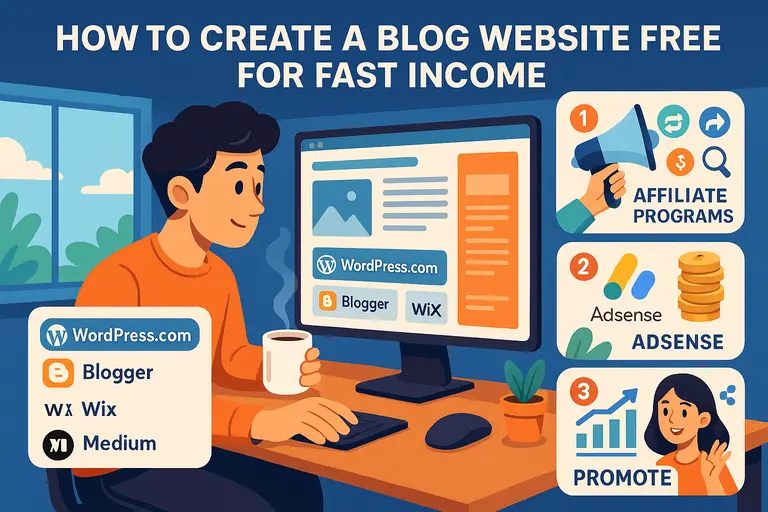
- For simplicity: Blogger or Medium are perfect if you just want to write.
- For long-term growth and monetization: WordPress.com is your best bet because it allows plugins and SEO customization (once you upgrade later).
- For visuals or design-heavy niches: Wix or Notion Sites offer drag-and-drop editors that are easy to learn.
Think of your platform as the “foundation” of your house. It doesn’t have to be fancy yet—but it should be solid enough to grow on.
Pro Tip: Always choose a platform that lets you export your content later. You’ll thank yourself when it’s time to upgrade.
Why WordPress.com And Blogger Are Still Top Free Choices
Despite new tools popping up, WordPress.com and Blogger have stayed unbeatable for beginners.
- WordPress.com: Great for customization. You get themes, SEO tools, and even built-in monetization options through WordAds.
- Blogger: Owned by Google, it integrates directly with AdSense (the easiest ad network to start with).
What I love about both is that they don’t force you to learn code. You can go from sign-up to first post in under 10 minutes.
From my experience, WordPress feels more modern, while Blogger is simpler for non-tech users.
How To Set Up Your Blog On Free Platforms In Minutes
Here’s how to get started quickly:
- Create your account – Use your Google account for instant setup.
- Pick a template – Choose a free theme that fits your niche (for example, minimalist for lifestyle blogs, or grid for travel).
- Write your first post – Focus on one helpful topic. Don’t worry about perfection.
- Publish and share – Copy your link and share it on social media or with friends.
It really is that easy. The biggest mistake new bloggers make is waiting until everything looks “perfect.” Just publish. You’ll improve as you go.
Common Mistakes Beginners Make When Starting For Free
Let’s be honest—everyone makes these at the beginning:
- Over-customizing early: Spending days tweaking fonts before publishing anything.
- Ignoring SEO: Not using simple keywords people actually search for.
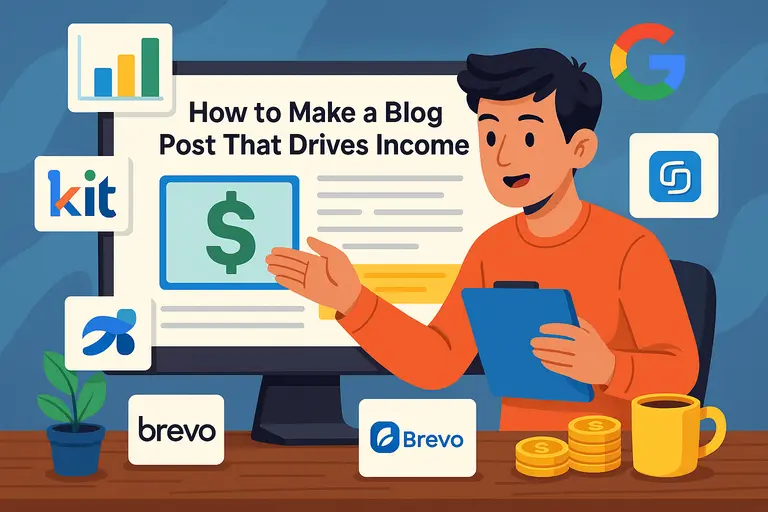
- Skipping email collection: Forgetting to add a free sign-up form (use Brevo or Kit for this).
- Not setting goals: Blogging “just to write” won’t bring income unless you’re intentional.
Here’s the truth: The earlier you treat your blog like a business, even a tiny one, the faster it’ll pay you back.
Designing A Professional-Looking Blog Without Spending Money
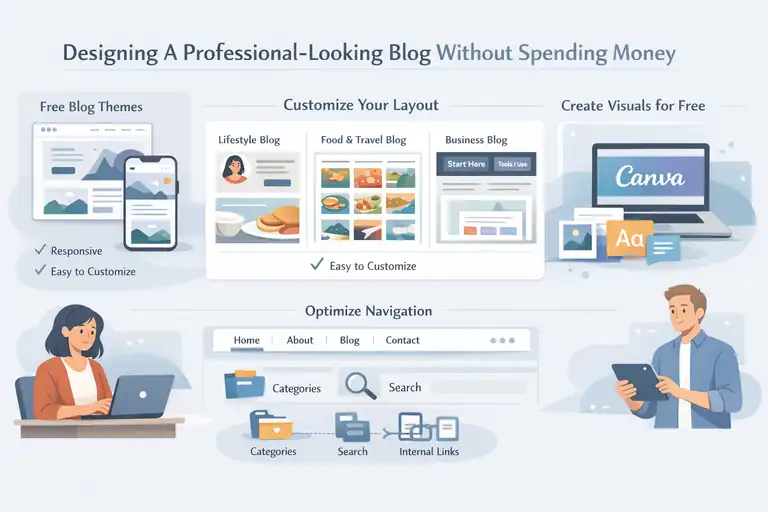
Even a free blog can look like a polished brand with the right setup. Design isn’t about being artistic—it’s about clarity, readability, and trust.
Free Themes That Look Premium And Perform Well
Don’t underestimate free themes. Platforms like WordPress.com and Wix offer hundreds of modern templates that load fast and look clean.
- Popular picks: “Astra” and “OceanWP” (both have free versions that perform great).
- What to look for: Responsive (mobile-friendly), minimalistic, and easy to customize.
- What to avoid: Themes with heavy animation or poor contrast—they slow loading speed.
I suggest previewing your theme on both desktop and mobile before finalizing it. Readers often visit from phones first.
How To Customize Your Blog Layout To Match Your Niche
Think of your layout as how your story flows visually.
For example:
- Personal or lifestyle blog: Use a clean header with one featured post and a sidebar with your photo.
- Food or travel blog: A grid layout helps readers browse images easily.
- Business or review blog: Add a “Start Here” or “Tools I Use” page at the top navigation.
Even if you’re using a free plan, most platforms allow logo uploads, color customization, and basic layout tweaks. Keep it consistent—color, font, and spacing should match your personality and tone.
Tips To Optimize Blog Navigation For Better Engagement
Good navigation helps people stay longer. It’s not just about menus—it’s about guiding the reader’s path.
Keep it simple:
- Main menu: Home, About, Blog, Contact.
- Use Categories to group topics (e.g., “Start a Blog,” “Monetization,” “Traffic Tips”).
- Add a Search bar—it keeps readers exploring instead of bouncing away.
Internal linking (linking to your own posts) is another underused secret. It’s free SEO juice that keeps traffic circulating within your blog.
Using Free Design Tools Like Canva To Create Stunning Visuals
Canva is a game-changer. You can create blog banners, pins, and social media graphics—all for free.
Here’s how I use it:
- Choose a blog banner template – Resize it to fit your blog’s header.
- Add brand colors and fonts – This builds a recognizable look.
- Save templates – Reuse your design structure to save time.
You can also use Canva’s free stock photo library—no need to pay for Shutterstock. Consistency in your visuals will make your blog look like a professional brand even before you spend a cent.
Writing Content That Attracts Readers And Builds Trust
You can have the best-looking blog in the world, but if your words don’t connect—readers won’t return. Let’s focus on writing that feels real, ranks well, and builds loyalty.
How To Find Blog Topics That Get Traffic Fast
The fastest way to get noticed is to write about what people are already searching for.
Use Google’s autocomplete or AnswerThePublic to see what people ask.
For example, type “start a blog for free” and note all related questions.
Then write posts that answer them directly.
- “How to start a blog for free on WordPress”
- “Best free blogging sites for beginners”
Those keywords pull in organic traffic over time.
Pro tip: Don’t just copy topics—put your own spin on them. Add your opinion or experience.
Crafting Headlines That Make People Click
Headlines are your first impression. You can have gold in your post, but if your headline is flat, no one clicks.
Here’s a simple formula:
- Number + Adjective + Keyword + Promise
Example: “7 Free Blogging Tools That Help You Make Money Fast.”
Keep it under 60 characters so it shows fully on Google.
I’ve tested dozens, and curiosity-driven headlines (like “How I Made My First $50 From a Free Blog”) always outperform generic ones.
Writing SEO-Friendly Posts Without Sounding Robotic
Good SEO writing should sound human. Don’t stuff your focus keyword—use natural variations.
For example, instead of repeating “blog for free and make money,” use:
- “free blogging platforms that pay”
- “start a free blog and earn income”
Use your keyword in:
- The title
- The first paragraph
- A subheading
- Once in the conclusion
Search engines love clarity, but readers love flow. You’re writing for both.
Proven Ways To Keep Readers On Your Page Longer
Keeping readers engaged boosts your SEO and income.
Here’s what works:
- Break text visually: Use images, short paragraphs, and white space.
- Add storytelling: Share mini experiences (like your first post flop or first $1 earned).
- End with a question: Invite comments—Google sees that as engagement.
- Use internal links: Guide readers to your next post (e.g., “Learn how to monetize your blog next”).
Remember: The longer people stay, the higher your blog ranks, and the more money you can make—without spending a dime.
Driving Free Traffic To Your Blog Quickly
Once your blog is live, traffic becomes your lifeline. You can’t make money or build trust without people actually reading your content.
The good news? There are several free ways to drive real visitors—no paid ads required.
Using Pinterest And Medium To Get Instant Visitors
Pinterest and Medium are two of the most underrated sources of free blog traffic.
Pinterest:
It’s not a social network—it’s a visual search engine. When you create attractive pins linking to your posts, they can rank and bring clicks for months (sometimes years).
Here’s how I use it:
- Create 3–5 pins for every new post using Canva.
- Add keywords in the pin title and description (like “start a free blog and make money”).
- Post consistently—Pinterest rewards activity over perfection.
Medium:
This platform already has millions of monthly readers. You can republish your blog content here and link back to your main site.
Quick tip: Use the Import a Story feature in Medium—it automatically adds a canonical link so Google knows your original blog owns the content.
Personal note: I once republished a post about free blogging tools on Medium and got 2,000 views in 48 hours—all without spending a cent.
How To Leverage Social Media For Blog Growth
Social media isn’t just about posting links—it’s about building connection and curiosity around your blog.
Here’s a strategy that works even for beginners:
- Pick one main platform – Don’t spread yourself thin. Choose where your audience already hangs out (Instagram for creatives, LinkedIn for professionals, TikTok for lifestyle niches).
- Use snippets – Share short tips or quotes from your posts instead of just links. It gives value first.
- Engage genuinely – Reply to comments, join Facebook groups, and comment on others’ posts with real insights.
That mix of visibility and authenticity helps people remember your name—and eventually visit your blog.
Smart Ways To Get Free Backlinks Without Outreach
Backlinks (other sites linking to your blog) help Google see your site as trustworthy. But you don’t need to beg for them.
Try these passive backlink methods:
- Answer Quora questions: Link to your blog when it adds genuine value.
- Post on Reddit threads: Join niche communities—be helpful, not salesy.
- Write guest posts on free platforms: Contribute to blogs that accept free submissions (look for “Write for Us” pages).
You can also get natural backlinks by publishing stats-based posts like “10 Blogging Trends for 2025.” Other bloggers love citing data-rich content.
Pro insight: One of my posts about “free SEO tools” still earns backlinks organically because I updated it twice a year. Freshness matters.
Why Consistency And Posting Frequency Matter More Than You Think
Consistency builds trust with both readers and algorithms.
You don’t need to post daily—just regularly. Whether it’s once a week or twice a month, stay predictable. Readers will start expecting your content.
Here’s what I follow personally:
- Monday: Draft new content.
- Wednesday: Edit and optimize.
- Friday: Publish and promote.
Think of your blog as a garden. Traffic grows when you water it consistently, not when you flood it once and forget it for weeks.
Monetizing Your Free Blog The Smart Way
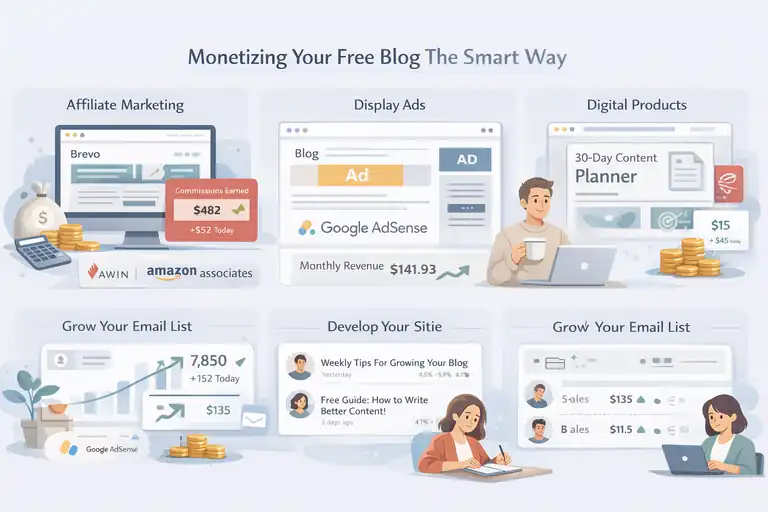
Now that you’re getting visitors, it’s time to turn that attention into income. Even on a free blog, there are several smart ways to earn—if you focus on strategy, not shortcuts.
How To Make Money With Affiliate Marketing On Free Blogs
Affiliate marketing is one of the easiest ways to blog for free and make money. You earn a commission when someone buys a product through your link.
Here’s how to do it right:
- Join beginner-friendly affiliate programs: Try Awin, Impact, or Flexoffers.
- Write honest reviews: Don’t just say “this tool is great.” Explain why it’s useful and how you personally use it.
- Use contextual links: Place them naturally in tutorials, not in spammy lists.
Example: If you’re writing about email marketing, mention how you use Aweber as a free option to grow subscribers. That’s a soft, trust-based affiliate approach that converts better.
Using Display Ads Without Needing A Paid Hosting Plan
Even free blogs can make money from ads—if they get enough traffic.
Google AdSense works directly with Blogger and WordPress.com. Once your blog gets consistent views (around 1,000+ monthly), apply for approval.
Tips for success:
- Focus on quality posts—AdSense approves blogs with original, long-form content.
- Avoid too many images or external links in the early stages.
- Stick to clear, family-friendly topics.
You won’t get rich overnight, but those first few dollars from passive ad income feel amazing—and they’re proof your blog can work.
Creating And Selling Digital Products With Zero Investment
Digital products are gold for free bloggers. They cost nothing to make and can sell 24/7.
Start small with:
- Ebooks or guides: Turn your best blog posts into a neatly formatted PDF.
- Templates or planners: Use Canva to design free printables.
- Mini courses: Host short video lessons on Teachable or Thinkific’s free plans.
You can even deliver these via Google Drive links if you don’t have an online store yet.
Example: A blogger friend of mine made her first $100 selling a “30-Day Content Planner” she created in Canva. No fancy tools. Just smart packaging.
Turning Email Subscribers Into Paying Customers
Your email list is your secret money-maker. Once people trust you enough to subscribe, they’re more likely to buy from you later.
Here’s how to make it work:
- Send regular, helpful emails (not just promotions).
- Share exclusive insights or freebies.
- Occasionally recommend a product you truly use.
I treat my email list like friends. That personal tone converts better than any sales pitch ever could.
Building An Email List Without Paid Tools
Email marketing is your direct line to your audience—and you can build it entirely for free using the right tools.
How To Use Brevo Or Kit To Start Email Marketing For Free
Brevo (formerly Sendinblue) and Kit (formerly ConvertKit) both offer free plans for small lists.
Brevo:
- Free up to 300 emails per day.
- Great automation and beautiful templates.
Kit:
- Free for up to 1,000 subscribers.
- Perfect for creators and bloggers—it’s built for storytelling emails.
Set up a simple form on your sidebar or at the end of each post. Even a small call-to-action like “Join 200+ readers who get weekly blog tips” can grow your list fast.
The Best Free Lead Magnet Ideas To Attract Subscribers
People rarely subscribe just for “updates.” Give them a reason. That’s where lead magnets come in—free resources offered in exchange for an email.
Here are easy ones you can make today:
- A one-page checklist (like “10 Tools to Blog for Free and Make Money”).
- A short video tutorial or mini email course.
- A free planner or template you design in Canva.
Keep it relevant to your niche, and make it genuinely useful. The better your lead magnet, the faster your list grows.
Step-By-Step: Setting Up A Free Email Funnel That Converts
You can build a simple funnel without paid software.
Here’s how:
- Create a signup form in Kit.
- Write a welcome email introducing yourself.
- Add 2–3 follow-up emails that share helpful posts.
- Include a soft recommendation for an affiliate product in one email.
This approach warms up new subscribers while still keeping things authentic.
Personal note: My first funnel was literally a 3-email series written in Google Docs—and it still brought me sales. You don’t need fancy automation to get results.
Why Growing An Email List Is Key To Long-Term Blog Income
Social media trends fade, algorithms change—but your email list is yours.
Think of it as a long-term investment. Even if your free blog platform shuts down tomorrow, you can move your subscribers anywhere.
Email lists give you stability, control, and direct communication—three things every profitable blogger needs.
So, start now, even if you only have five subscribers. They’re your foundation for everything that comes next.
Tracking Your Blog Growth And Income Progress
Once your blog is up and running, the next step is to treat it like a growing business. You can’t improve what you don’t track.
Monitoring your traffic, engagement, and income isn’t just about numbers—it’s about understanding what’s working and what needs a tweak.
How To Use Google Analytics To Track Blog Performance
Google Analytics is like a window into your readers’ world. It tells you who’s visiting, how long they stay, and what content they love most—all for free.
Here’s how to use it effectively:
- Set up your Analytics account: Go to analytics.google.com, sign in with your Google account, and connect your blog URL.
- Track key insights:
- Audience overview (age, country, device type).
- Traffic sources (Pinterest, Medium, search engines, etc.).
- Top-performing pages (which posts people actually read).
- Understand bounce rate: A high bounce rate (over 70%) often means your blog layout or content flow needs improvement.
Personal tip: I like to check my Analytics weekly, not daily. Watching small fluctuations too often can make you anxious and lead to bad decisions. Look for patterns over time, not single spikes.
Measuring Traffic, Engagement, And Conversion Metrics
Traffic numbers can be exciting—but engagement is what truly shows progress.
Here’s what I focus on:
- Traffic: Total visitors and page views over 30 days.
- Engagement: Average time on page, scroll depth, and repeat visits.
- Conversions: Email signups, affiliate link clicks, or downloads.
You can track conversions easily by setting “Goals” in Google Analytics or by using Brevo’s built-in analytics if you collect emails.
Mini example: When I added a short “Free Checklist” opt-in at the end of my blog posts, my conversion rate jumped from 1.2% to 4.7%. It was a small change—but big impact.
Setting Achievable Income Goals For New Bloggers
It’s tempting to dream of thousands per month, but start small and realistic.
Here’s a structure that helped me:
- Month 1–3: Focus on publishing consistent, valuable posts.
- Month 4–6: Aim for your first $50–$100 via affiliate links.
- Month 7–12: Introduce your first digital product or ad income stream.
Break your goals down into milestones, not mountains. For example, “Earn my first $10 from affiliate links” feels more doable than “Make $1,000 this month.”
Remember: Small wins stack up fast when you’re consistent.
Adjusting Your Strategy Based On Data, Not Guesswork
One of the biggest mistakes new bloggers make is sticking with what feels right instead of what performs right.
Here’s how to pivot smartly:
- If one traffic source (like Pinterest) drives 80% of visitors, double down there.
- If posts about “free blogging tools” perform better than personal stories, write more around that topic.
- If readers drop off halfway through posts, add visuals or subheadings to improve readability.
The beauty of blogging is that data never lies. Let your numbers tell you where to spend your time and energy.
Scaling Your Free Blog Into A Profitable Brand
Once you’ve built traction, it’s time to think beyond just “blogging.” You’re growing a brand—a voice, a presence, and possibly a business that can sustain you.
When And How To Move From Free To Self-Hosted Platforms
There comes a point where free platforms start feeling limited. Moving to a self-hosted setup (like WordPress.org) gives you full control and monetization freedom.
When to move:
- You’ve started earning money.
- You want custom designs or plugins.
- You plan to scale traffic beyond 10,000 visitors per month.
How to move:
- Choose a hosting provider (like Hostinger or Bluehost).
- Migrate your posts—most platforms offer an easy export tool.
- Set up redirects from your old site to your new one to keep SEO rankings.
Think of this step like moving from renting to owning your digital home. You get more freedom—but also more responsibility.
Outsourcing Simple Tasks To Save Time And Grow Faster
As your blog expands, you’ll realize you can’t do everything yourself—and that’s okay.
You can outsource tasks like:
- Graphic design (use Fiverr or Canva templates).
- Editing or formatting posts.
- Scheduling Pinterest pins using Tailwind’s free plan.
Even hiring a virtual assistant for just a few hours a week can free you up to focus on writing or strategy.
Real-world insight: I started by outsourcing image creation. It saved me two hours per post, which I used to write instead—and my traffic doubled within two months.
Building Partnerships And Collaborations For More Exposure
Collaborations can skyrocket your visibility faster than any ad campaign.
Here’s how to approach it:
- Guest posts: Write on other blogs with overlapping audiences.
- Email swaps: Share each other’s newsletters to new audiences.
- Joint freebies: Create a shared ebook or webinar with another blogger.
Partnerships don’t need to be formal. Even shouting out another creator in your post can open the door for future collaborations.
Maintaining Consistency To Build Long-Term Blogging Income
Consistency is the quiet secret behind every successful blogger you admire.
It’s not about doing everything perfectly—it’s about showing up even when you’re tired, unsure, or not “feeling it.”
Here’s what helps me:
- Set a non-negotiable content schedule (e.g., one post per week).
- Use a content calendar (even a free Google Sheet works).
- Celebrate small wins to stay motivated.
Think of blogging like working out. Missing one day won’t ruin progress—but quitting altogether will.
Expert Tips To Blog For Free And Make Money Faster
Now that you’ve got the fundamentals down, these final tips will help you accelerate your growth without spending a dime.
How To Repurpose Content For Multiple Income Streams
You don’t always need new ideas—you just need to reuse the ones you already have, smartly.
Here’s how I repurpose:
- Turn a blog post into a YouTube video or podcast episode.
- Convert list-style posts into Instagram carousel slides.
- Combine several posts into a short ebook or mini course.
This multiplies your reach without multiplying your effort. The same content can earn from ads, affiliates, and products—across multiple platforms.
The Power Of Networking With Other Bloggers
Blogging can feel lonely, but it doesn’t have to be. Networking brings community, collaboration, and mentorship.
Here’s how to start building connections:
- Join Facebook groups or Slack communities for bloggers.
- Comment meaningfully on others’ posts (not just “great post!”).
- Attend free virtual blogging events or webinars.
Networking has been the single biggest driver of my growth. One casual online chat once turned into a cross-promotion that brought in over 500 new subscribers.
Why Patience And Persistence Pay Off In Blogging
Blogging rewards those who stay consistent longer than others quit.
Traffic and income often grow slowly at first. You might write for months before seeing results—but those early posts build authority, SEO, and trust.
Keep this mindset: Every post is a seed. Some bloom in weeks, some in months—but if you keep planting, your garden will thrive.
Personal truth: It took me six months to earn my first $50, but that first $50 taught me that blogging works—it just takes time.
My Personal Routine For Growing A Blog With Zero Budget
Here’s my simple daily and weekly rhythm that helped me blog for free and make money steadily:
Daily:
- Check Analytics for 5 minutes (no obsessing).
- Engage with readers or comments.
- Share one helpful post on social media.
Weekly:
- Write and publish one new article.
- Update an old post for SEO.
- Create 3–5 new Pinterest pins.
- Send a short, value-packed email to subscribers.
This rhythm keeps me moving without burnout. Blogging isn’t a sprint—it’s a marathon where small, steady steps win every time.
Final thought: You don’t need to spend money to start or succeed—you just need to show up, learn, and keep refining your strategy. Every great blog you admire started small, just like yours is right now.
FAQ
How can I blog for free and make money fast?
You can blog for free using platforms like WordPress.com or Blogger and monetize through affiliate links, display ads, or selling digital products once you gain traffic.
Which free blogging platform is best for beginners?
WordPress.com is ideal for beginners because it’s free, user-friendly, and offers built-in tools for SEO and monetization.
How long does it take to make money from a free blog?
Most new bloggers start earning within 3–6 months by posting consistently, optimizing for SEO, and promoting their content on social media.

I’m Juxhin, the voice behind The Justifiable.
I’ve spent 6+ years building blogs, managing affiliate campaigns, and testing the messy world of online business. Here, I cut the fluff and share the strategies that actually move the needle — so you can build income that’s sustainable, not speculative.