Table of Contents
Some links on The Justifiable are affiliate links, meaning we may earn a small commission at no extra cost to you. Read full disclaimer.
Starting a blog can feel overwhelming, and you might be wondering where the best place to start a blog really is if your goal is to earn money from it.
I’ve been there too, trying to figure out which platforms give you the best mix of control, income potential, and ease of use. So where should you actually begin, and which options are worth your time?
Comparing The Best Places To Start A Blog For Earning
Starting a blog that actually earns requires choosing a platform that gives you flexibility, scalability, and enough freedom to monetize however you want.
Let me walk you through how to compare them realistically.
Evaluating Platforms Based On Flexibility And Monetization
When I first started blogging, I didn’t realize how much the platform itself would affect my income. Flexibility determines how easily you can add ads, affiliate links, digital products, or even memberships.
Examples of high-flexibility platforms:
- WordPress.org (full control, unlimited customization)
- Wix (drag-and-drop design but still allows commerce)
- Squarespace (visual layouts with built-in selling tools)
Platforms like Medium or Substack are great for writers, but they limit branding and income diversification. If your long-term goal is passive income, the platforms that let you change your design, structure, and monetization strategy usually win.
One thing I always advise is checking whether the platform supports multiple revenue streams.
For example, WordPress.org lets you run ads, install affiliate link tools, integrate email marketing, or sell products—all on day one. Medium, on the other hand, only pays based on reading time.
If you want full earning power, choose a platform with few restrictions and strong monetization options.
Understanding How Platform Ownership Impacts Income
Ownership is something I didn’t appreciate early on, but it directly affects how much money you can keep—and how secure your blog is.
When you own your site (like with WordPress.org), you’re not at risk of losing your content because of policy changes or platform shutdowns.
Platforms like Medium, WordPress.com, and Substack can enforce rules, limit ads, or even delete content. I’ve seen creators lose income overnight because they didn’t own their platform.
Ownership also influences:
- How long your content lives
- Whether you can export or migrate your blog
- What monetization tools you can legally add
I personally prefer platforms where I have full control because they protect your long-term earning potential. Think of it like renting vs. owning a home—renting is easy, but owning allows you to build real equity.
Choosing A Platform That Supports Long-Term Scalability
If your goal is consistent monthly income, scalability matters more than you might expect. Some platforms are amazing for starting, but terrible for growing to thousands of monthly visitors.
Scalable platforms have:
- Strong SEO tools
- Fast hosting or speed optimization options
- Room to expand with plugins or features
This is where WordPress.org stands out. You can start small and later add advanced SEO tools, membership plugins, online courses, or a full store—without moving platforms.
In contrast, Blogger and free WordPress.com plans tend to hit limits quickly. You can grow, but at some point you’ll feel boxed in.
If you want your blog to grow for years—not months—go with a platform designed to scale with you.
Why Self-Hosted WordPress.org Is The Best Place To Start A Blog
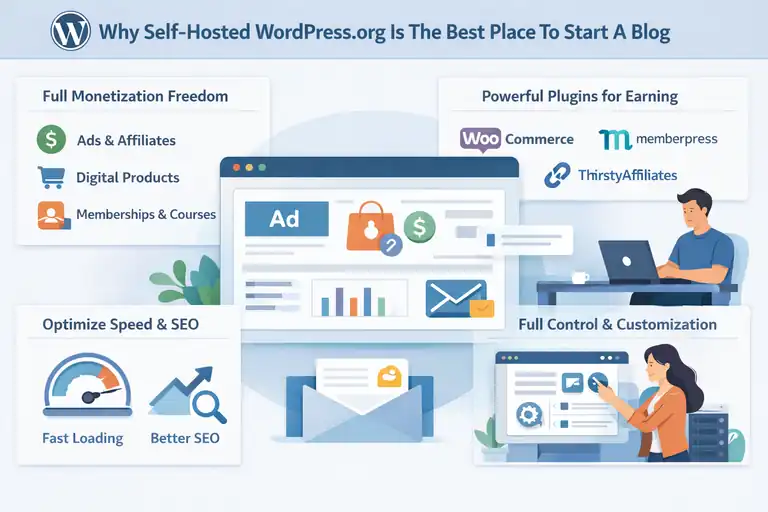
WordPress.org is usually the top recommendation because it gives you full ownership, customization, and unlimited monetization power.
Let me break down the parts that actually matter when you’re trying to earn.
Leveraging Full Control For Better Monetization Options
The biggest advantage with WordPress.org is freedom. You can monetize however you want—ads, affiliate links, sponsored posts, digital downloads, coaching, courses, memberships, email newsletters, you name it.
Since you control your hosting, design, and functionality, nobody can limit how you use your site. For example, you can easily add Google AdSense through the WPCode plugin or upgrade to premium ad networks like Mediavine once your traffic grows.
This level of control is why most high-income bloggers use WordPress.org. If you want to turn your blog into a long-term business, it gives you everything you need.
Using Plugins To Expand Earning Potential Effortlessly
Plugins are like mini-apps for your website, and they’re honestly one of the reasons WordPress.org stays unbeatable. I use plugins daily to automate tasks and increase earnings.
Popular monetization plugins include:
- WooCommerce for selling digital products
- MemberPress for paid memberships
- Rank Math for improving organic traffic
- ThirstyAffiliates for managing affiliate links
- MailPoet for email newsletter monetization
With over 50,000 plugins, you can build almost anything without coding. That flexibility lets you experiment with different income streams until you find what works.
Optimizing Site Speed And SEO For Higher Revenue Over Time
SEO and speed matter because slower sites lose readers—and income. On WordPress.org, you can use tools like:
- LiteSpeed Cache for faster load times
- Cloudflare CDN for global content delivery
- Rank Math for SEO improvements
When I implemented basic speed optimizations, my page views increased by almost 25% because readers stayed longer and visited more pages. That directly increased ad revenue and affiliate clicks.
Because WordPress.org gives you backend control, you can optimize your site far more effectively than on hosted platforms.
Benefits Of Using WordPress.com For Easy Blogging And Growth
WordPress.com is different from WordPress.org—it’s hosted for you, which makes it easier to start.
You don’t have to set up hosting or manage technical tasks, but you trade some flexibility for convenience.
Exploring Built-In Monetization Tools For Beginners
WordPress.com includes monetization tools right inside your dashboard, such as:
- WordAds for running ads (available on Premium plans and above)
- Paid newsletters
- Simple payment buttons for digital products
This is great if you’re new to blogging and want everything in one place without doing a complex setup. If you choose a paid plan, you can start earning almost immediately with minimal configuration.
I’ve recommended WordPress.com to beginners who feel overwhelmed by WordPress.org, and it’s often a good stepping stone.
Navigating Plans That Unlock Advanced Earning Features
One thing you need to know upfront: WordPress.com monetization features depend heavily on which plan you choose.
Here’s a quick breakdown:
- Free plan: No monetization allowed
- Personal plan: Very limited earning tools
- Premium plan: Unlocks WordAds
- Business plan: Lets you install plugins (a huge upgrade)
- Ecommerce plan: Best for selling products or courses
I always advise people to start with the Premium plan and move up when they need plugins. Installing plugins is the real turning point because it gives you WordPress.org-level flexibility.
Understanding Limitations That Affect Long-Term Profitability
WordPress.com is great for convenience, but I want to be honest about the limitations because they matter once you start earning:
- You can’t fully control monetization unless you upgrade.
- You can’t modify the server or backend for speed improvements.
- You may run into design or SEO restrictions on lower-tier plans.
- WordAds generally pays lower than premium ad networks like Mediavine.
That said, if you want to start quickly with a clean, secure setup, WordPress.com still works. I just suggest switching to WordPress.org when you’re ready to scale.
How Medium Helps New Bloggers Earn Without A Website
Medium can feel like a shortcut when you want to write, publish, and earn quickly—without buying a domain or setting up a site.
If you’re someone who wants to start earning with writing alone, Medium is often the easiest entry point.
Using Medium Partner Program To Generate Consistent Income
The Medium Partner Program is where most new writers make their first blogging income. I like it because you don’t need to manage hosting, ad networks, or plugins—Medium handles everything behind the scenes.
How it works:
- You publish an article.
- Medium shows it to readers who pay for membership.
- You earn based on member reading time, claps, and engagement.
I’ve seen new bloggers earn their first $20–$100 simply by posting helpful stories that resonate. The key is writing for topics that readers on Medium already love, such as productivity, creativity, tech insights, personal development, and career growth.
A tip I always suggest: Study the “For You” feed and top publications like Better Humans or The Startup. Their content sets the tone for what performs well. Medium’s algorithm rewards clarity and strong storytelling more than SEO, which is why it’s great for beginners.
Medium reports that writers who publish consistently (3–5 times a week) see higher recurring earnings because the platform keeps distributing your older stories as long as they stay relevant.
Publishing High-Intent Stories That Perform Well On Medium
If you want your content to grow on Medium, the type of stories you publish matters a lot more than on a typical blog.
Medium readers respond to practical advice wrapped in personal experience—I’ve seen short storytelling pieces outperform long how-to guides.
Here’s what usually performs well:
- Personal experiences paired with actionable lessons.
- Problem-solution storytelling.
- Clear lists or frameworks that teach something quickly.
- Micro case studies from your own life.
For example, a story like “What I Learned After Publishing Daily For 30 Days” tends to perform better than “10 Blogging Tips For Beginners.” Medium’s audience likes human stories with a takeaway.
One strategy I recommend is using Medium’s publications. When you submit to a publication, you instantly get access to thousands of built-in readers. It’s the fastest way to grow without having your own platform.
Balancing Medium Traffic With Your Own Blogging Goals
Medium is amazing for earning your first dollars, but you shouldn’t rely on it forever if your long-term goal is financial independence.
I learned this the hard way when one of my highest-earning posts suddenly tanked because Medium changed its distribution rules.
It’s better to think of Medium as a traffic source rather than your main business.
Ways to balance both:
- Add a link at the end of your Medium articles that says something simple like “If you enjoy my work, you can find more resources on my website.”
- Use Medium posts as previews for longer articles on your own blog.
- Republish content using Medium’s import tool (keeps canonical URL to avoid SEO issues).
A hybrid strategy gives you the best of both worlds: Medium income now, and long-term revenue from your own blog later.
Maximizing Income With Blogger Using Google’s Ecosystem
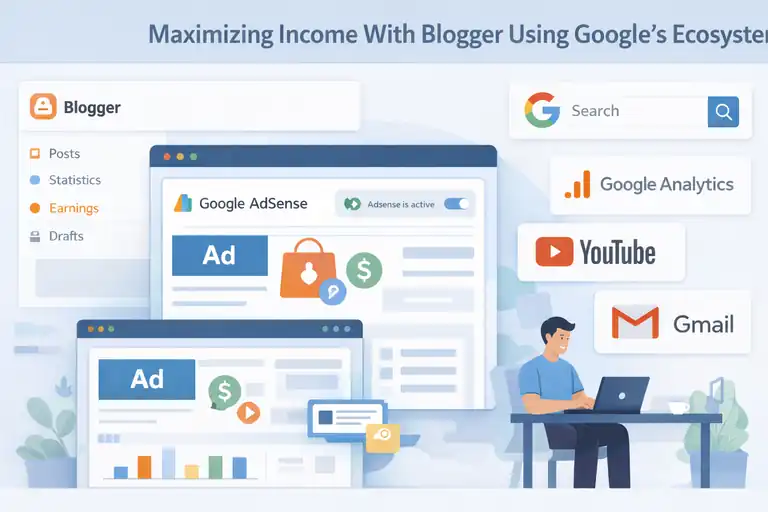
Blogger has been around for years, and while it’s not the most modern tool, it integrates directly with Google’s ecosystem.
If you want something free, simple, and built for Google AdSense, it still works surprisingly well.
Connecting Google AdSense For Straightforward Monetization
One thing I’ve always appreciated about Blogger is how easy Google AdSense is to set up. Since both are Google products, the integration is smoother than almost any other platform.
Basic setup path:
- Go to Blogger Dashboard → Earnings → AdSense.
- Apply using your Google account.
- Wait for approval, then toggle ads on.
You don’t need plugins, coding, or an external ad manager. For beginners who want to earn passive income from display ads, it’s as simple as it gets.
Just keep in mind: AdSense earnings depend heavily on traffic. Most blogs need at least 10k–15k monthly views before income becomes meaningful.
Customizing Blogger Layouts For Better User Engagement
Blogger’s templates are basic, but you can still customize them to improve engagement—and better engagement usually means higher ad revenue.
A few layout tweaks I often recommend:
- Add a clean header with a short tagline.
- Use a white or light background for readability.
- Add sidebar widgets sparingly (About Me, Popular Posts, Email Signup).
- Avoid clutter or heavy graphics that slow down the page.
Blogger also allows minor HTML editing. If you’re comfortable editing code, you can customize fonts, spacing, and mobile layouts. That said, I tend to suggest keeping things simple because Blogger’s strength is ease of use, not design flexibility.
Understanding The Platform’s Long-Term Growth Constraints
While Blogger is simple, it does have real growth limitations. I think it’s important to be aware of these before investing too heavily:
- You don’t truly own the platform—it’s still rented space on Google.
- Limited SEO control compared to WordPress.org.
- Fewer professional templates and customization options.
- Lack of plugin support, which limits advanced monetization.
- Google could retire the platform anytime (they’ve done this with other products).
For a hobby blog or early-stage project, Blogger is fine. But if your long-term dream is scalable income, you’ll eventually outgrow it. I usually suggest starting here only if cost is a barrier.
Earning Through Wix By Using Its Built-In Business Tools
Wix is a great platform for people who want visual design freedom and built-in earning features without the complexity of a self-hosted site.
I like it for creators who want drag-and-drop control with no tech headaches.
Adding Paid Memberships And Services Easily On Wix
One of Wix’s strong points is how easily you can add monetization tools without extra plugins.
Inside Wix Dashboard → Monetization, you can set up:
- Paid memberships
- Online courses
- Booking services
- Digital product stores
- Subscriptions
These tools are built directly into the system, which means you don’t need to buy add-ons or learn separate platforms.
For example, if you’re a fitness instructor, you can offer a $10/month workout membership and manage everything—videos, payments, members—inside Wix. That simplicity is appealing if you want an all-in-one system.
Designing High-Converting Blog Pages With Drag-And-Drop Tools
Wix’s drag-and-drop editor is one of the easiest I’ve used. The freedom to place text, images, and sections anywhere makes it simple to design a page that converts.
A few tips I recommend for conversion-focused design:
- Keep your blog post width between 650–750px for readability.
- Add short content blocks—big paragraphs don’t perform well on Wix.
- Use Wix’s “Strip” feature to create visually clean sections.
- Add call-to-action buttons after 25–30% of the article.
What I like most is that you can quickly A/B test layouts visually without needing a developer. If a certain header design or layout increases newsletter signups, you can replicate it across your entire site in minutes.
Reviewing How Wix Pricing Plans Impact Earning Potential
Wix offers a lot for beginners, but earnings depend on choosing the right plan. Free plans don’t allow full monetization, and they show Wix ads—which can hurt credibility.
Here’s what matters for earning:
- Combo plan: Removes Wix ads but limited in monetization.
- Unlimited plan: Best for bloggers who want more bandwidth.
- Business plans: Required for selling products, memberships, or subscriptions.
Personally, I advise starting with the Business Basic plan if monetization is your goal. It unlocks almost everything you’d need to grow income without paying for higher tiers too early.
Just be aware that Wix sites can sometimes be slower than optimized WordPress sites, which may affect SEO. This is why I often tell people to focus on clean layouts and avoid heavy animations.
Why Squarespace Works For Creative Bloggers Who Want Income
Squarespace is one of the easiest platforms for creating visually polished blogs, especially if your work relies on design, style, or aesthetics.
If you’re in a creative niche, I’ve found that Squarespace can make your content look professional from day one.
Building Visually Polished Blogs That Attract Paid Work
What I like most about Squarespace is how quickly you can create a clean, modern-looking blog without touching code.
Creative niches like photography, interior design, illustration, fashion, and branding often perform better when the blog looks as good as the content.
Squarespace gives you structured templates designed for high-impact visuals.
For example, templates like Fairlane or Beaumont have built-in image grids, layered text, and portfolio-style layouts. You can adjust everything through Design → Site Styles without learning CSS.
A polished site often leads to opportunities like:
- Paid collaborations
- Portfolio inquiries
- Freelance projects
- Brand partnerships
I’ve seen designers get clients simply because their blog sidebar and homepage looked premium. In creative fields, your blog becomes a silent sales tool. Squarespace makes that easier than most platforms.
Using Built-In Commerce Features To Sell Digital Products
Squarespace has built-in commerce tools that work well for selling digital items. You don’t need plugins or external apps, and everything runs directly through the dashboard.
You can sell:
- Digital downloads (ebooks, guides, templates)
- Online courses
- Membership areas
- Physical products
- Email-based products
To set this up, you go to Commerce → Add Product → Digital Product. It’s quick, and the platform handles file delivery automatically.
One creator I know sells Lightroom presets on Squarespace because the checkout process is smoother than what she managed in WordPress without plugins. These small experiences matter when you want to maximize conversion rates.
Squarespace also includes email automation (via Squarespace Email Campaigns), which makes it easier to upsell readers without paying for extra tools.
Assessing SEO Strength To Sustain Long-Term Blogging Revenue
Squarespace’s SEO is better than people assume, but it’s not as customizable as WordPress.org.
I usually explain it like this: It’s solid for creatives, but not ideal for SEO-heavy niches like tech, news, or affiliate blogging.
Where Squarespace helps your SEO:
- Automatic image compression
- Clean mobile layouts
- Built-in SSL
- Fast hosting
- Simple URL structures
- Easy access to meta titles and descriptions
Where it falls short:
- Limited access to advanced SEO settings
- No plugin ecosystem
- Slower flexibility for structured data
- Harder to scale large content libraries
If your income depends heavily on organic traffic, you might feel limited over time. But for creative bloggers who combine SEO with visual branding and client work, Squarespace still performs well enough to sustain long-term revenue.
Earning Potential On Substack For Writers And Creators
Substack has become a home for writers who want to monetize their newsletters without building a full website.
If your strength is consistent writing, it’s one of the simplest platforms to start earning recurring income.
Setting Up Paid Newsletters To Build Recurring Income
On Substack, income comes mostly from paid subscribers. You write newsletters, and readers can choose to support you with a monthly or yearly fee.
Setting this up is simple. You go to Dashboard → Settings → Paid Subscriptions, choose your price, and Substack handles everything from payment processing to email delivery.
Writers commonly use subscription tiers like:
- $5/month
- $50/year
- Founding member tiers for deeper support
I’ve seen writers hit their first 100 paying subscribers just by publishing weekly essays and offering one premium post each week. Since Substack delivers directly to inboxes, the personal connection tends to be stronger than on traditional blogs.
Substack is great if you want predictable monthly income without dealing with SEO, hosting, or plugin maintenance.
Writing Content That Converts Readers Into Subscribers
Substack rewards writers who offer personality, depth, and a unique point of view. In my experience, the content that converts well usually feels intimate—almost like a conversation between friends.
High-converting content includes:
- Behind-the-scenes insights
- Personal stories with practical lessons
- Niche expertise (finance, writing, psychology, wellness)
- Weekly roundups or curated recommendations
- Exclusive deep dives for paid subscribers
A simple strategy I suggest is offering one free newsletter per week and one paid edition per week. This lets free readers build trust before upgrading.
If you want a quick win, add a note at the bottom of every free email saying something like: “If you want the full version of this series, you can join my paid subscribers here.” This gentle nudge works well because Substack readers expect paid upgrades.
Weighing Substack Fees Against Your Overall Earning Strategy
Substack takes a 10% fee from your earnings, plus processing fees. It’s fair for beginners, but it can cut into your profit when you grow.
For example, if you earn $2,000/month, Substack keeps $200. If you scale to $10,000/month, it keeps $1,000. That’s when some creators consider moving to WordPress.org + email providers like Kit (ConvertKit).
Substack is best for:
- Writers who want to earn quickly
- Creators who prefer email-first content
- People who don’t want to manage tech
- Niches that thrive on personality and storytelling
But if you want more control, customization, and ownership later, you might eventually outgrow it. I’ve seen many successful writers use Substack as a launchpad before building a full website.
Choosing The Best Platform Based On Your Blogging Niche
Not every platform works for every niche. Choosing the best place to start a blog becomes easier when you match your niche with each platform’s strengths.
Matching Platform Features To Your Audience’s Expectations
Every audience wants something different. For example, tech readers expect fast load times and deep SEO-focused guides. Creative readers prefer visuals. Business readers value clean layouts and credibility.
Here’s a quick guide based on niche expectations:
- Photography/Design/Fashion: Squarespace or Wix
- Tech/Finance/SEO-heavy niches: WordPress.org
- Writing/Essays/Personal development: Medium or Substack
- Hobby or personal blogs: Blogger
- Small business or coaching: Wix or WordPress.org
Matching your platform to your audience ensures the experience feels natural, which helps with conversions and trust.
Identifying Niches That Require Full Site Control To Earn More
Some niches simply need more control because monetization depends on advanced SEO, custom structures, and tools.
These niches almost always perform best on WordPress.org:
- Affiliate marketing
- Long-form SEO blogs
- Review sites
- Niche authority sites
- Digital product businesses
- Course or membership-based blogs
I’ve seen affiliate bloggers double their income by moving from Wix or WordPress.com to WordPress.org because they could finally install plugins that improve internal linking, affiliate tracking, and page speed.
If your niche requires high traffic to earn, you need a platform built for scale.
Understanding Which Niches Perform Best On Hosted Platforms
Hosted platforms like Medium, Substack, and WordPress.com work best for niches where content quality matters more than SEO.
Strong hosted-platform niches include:
- Personal storytelling
- Essays
- Creative writing
- Lifestyle commentary
- Mindset and reflection
These platforms are also perfect if you want to focus more on writing and less on website building. I often tell people: If your niche thrives on personality, not search engines, a hosted platform is enough.
Key Factors To Decide The Best Place To Start A Blog And Earn
Choosing the right platform doesn’t have to be stressful. Once you know what matters for income, the decision becomes clearer.
Balancing Cost, Flexibility, And Monetization Features
Every platform has trade-offs between cost and earning potential. Free platforms are great for getting started, but they often limit monetization. Paid platforms give you more control and profit, but they cost more upfront.
If you want the best mix of control and income, I usually recommend starting with:
- WordPress.org + affordable hosting
- Or Wix Business if you want an all-in-one tool
Your goal is finding a setup where you can monetize without unnecessary restrictions.
Prioritizing SEO Tools That Boost Long-Term Revenue
If SEO is part of your earning plan, prioritize platforms that give you:
- Control of metadata
- Access to speed optimization tools
- Clean URL settings
- Ability to add schema markup
- Strong internal linking capabilities
WordPress.org is the strongest here, and that’s why it dominates in niches where search traffic is the main income source.
If SEO isn’t central to your strategy, Medium and Substack are still great options.
Evaluating Support, Security, And Future Site Expansion
As your blog grows, you’ll want:
- Reliable customer support
- Strong security features
- Room to expand into products, courses, or services
I believe it’s important to choose a platform that supports your next step—not just your first step. WordPress.org grows endlessly. Wix grows easily. Medium and Substack grow through writing, not features.
If you already know you want to build a full online business, choose a platform that can grow with you rather than one you’ll need to replace later.
FAQ
What is the best place to start a blog and earn money?
The best place to start a blog for earning long term is self-hosted WordPress.org because it gives full control over monetization, SEO, and site growth.
Can you earn money blogging without owning a website?
Yes, platforms like Medium and Substack allow you to earn without a website, but income potential and control are limited compared to owning your own blog.
Which blogging platform is best for beginners who want income fast?
WordPress.com, Wix, and Medium are beginner-friendly options for earning faster, while WordPress.org is better for scaling income over time.

I’m Juxhin, the voice behind The Justifiable.
I’ve spent 6+ years building blogs, managing affiliate campaigns, and testing the messy world of online business. Here, I cut the fluff and share the strategies that actually move the needle — so you can build income that’s sustainable, not speculative.