
Table of Contents
Some links on The Justifiable are affiliate links, meaning we may earn a small commission at no extra cost to you. Read full disclaimer.
Best way to use Brevo for abandoned cart emails starts with a simple idea: Do not treat cart recovery like a single reminder. Treat it like a small decision-making journey.
Most shoppers who leave are not saying “no.” They are saying “not yet,” “I got distracted,” or “I still have one concern.” That is exactly where Brevo can work really well.
When you set up the tracking correctly, build a short sequence instead of one email, and measure real recovery revenue inside the automation, you can turn a lot of lost checkouts into recoverable sales.
Baymard’s long-running research puts average cart abandonment around 70.19%, which is a huge revenue opportunity if you handle it well.
Why Brevo is a strong fit for abandoned cart recovery
Brevo makes the most sense when you want cart recovery that is practical, flexible, and not overly complicated. The goal is not just sending emails. The goal is building a recovery system you can actually maintain.
Start with the real opportunity, not the tool
Most stores do not have a traffic problem first. They have a recovery problem. If around 70% of carts are abandoned on average, even a modest lift in recovery can create meaningful revenue without buying more ads.
Baymard’s research has tracked cart abandonment for years and still places the average around 70.19%, while Klaviyo reports abandoned cart flows as the top revenue-driving automated flow in its benchmark data.
That is why I believe abandoned cart automation deserves attention before you obsess over advanced funnels. You are already paying to attract visitors. Many of them are already showing purchase intent. A recovery sequence is often the fastest place to improve return on existing traffic.
In practical terms, this means Brevo is not just an email sender here. It becomes your follow-up engine. If you run a WooCommerce, Shopify, Shopware, PrestaShop, or similar store with proper event tracking, you can use Brevo to identify abandoned carts, send timed reminders, and track conversions inside the workflow.
Know what Brevo actually needs before it can work
This is where many setups quietly fail. Brevo’s ecommerce automations require the Brevo tracker on your site, and the abandoned cart logic depends on core purchase events being passed correctly.
In Brevo’s own guidance, the key events are cart_updated, cart_deleted, and order_completed. Without those, your automation either will not trigger correctly or will keep sending bad reminders.
That matters because a cart email is only as good as the event data behind it. If the cart does not sync, the product block may be wrong. If the order completion event is missing, buyers may still receive a reminder after purchase.
If the cart deletion event is not handled properly, the flow can become noisy and inaccurate. Brevo’s troubleshooting docs call out these exact issues.
So before you write a single subject line, make sure your store and Brevo are speaking the same language. In my experience, this boring setup work is what separates “Brevo doesn’t convert” from “our abandoned cart flow pays for itself every month.”
Choose the right Brevo plan for this use case
Brevo’s pricing page makes one thing very clear: marketing automation is included from the Standard plan upward, while Starter focuses on core email and SMS without automation listed there.
Standard also includes A/B testing, advanced email reporting, AI send time optimization, and web and event tracking, which are all directly useful for abandoned cart optimization.
That means if your goal is a true automated abandoned cart sequence, Standard is usually the practical entry point. Starter can still be useful for simpler email work, but it is not the plan I would pick for a serious cart recovery system. Starter begins from 5,000 emails per month, while higher plans expand capabilities and ecommerce features further.
Here is the simple way to think about it:
| Need | Brevo fit |
|---|---|
| Basic newsletters and simple campaigns | Starter |
| Automated abandoned cart flow with testing and reporting | Standard |
| Larger team, heavier ecommerce needs, more advanced capabilities | Professional or above |
If abandoned cart recovery is a revenue channel for you, not just a nice extra, I suggest planning around Standard at minimum. The automation and tracking features are where the real gains happen.
How abandoned cart emails should work inside Brevo

The best setup is not the most complicated one. It is the one that matches buyer intent and removes friction at the right moment.
Use a sequence, not a one-email reminder
Brevo supports sending either a single abandoned cart email or a sequence of emails, and it also documents a multi-touch abandoned cart setup with coupon codes.
That matters because shoppers abandon for different reasons. Some just need a nudge. Others need reassurance. A smaller group may need a stronger offer.
A strong recovery flow usually follows this logic:
- Email 1: Quick reminder while intent is still warm.
- Email 2: Objection handling, such as shipping clarity, returns, trust, or stock urgency.
- Email 3: Final nudge with incentive or deadline, only if margin allows.
This structure works because it mirrors real buyer psychology. The first email catches distraction. The second addresses hesitation. The third creates a reason to act now.
I recommend keeping the sequence tight and purposeful instead of stretching it into five or six messages that feel desperate.
Klaviyo’s benchmark reporting shows abandoned cart flows generate the highest revenue per recipient among flow types, which supports the idea that this is one of the most valuable automations to get right.
Build the trigger logic around behavior, not hope
Inside Brevo, the core ecommerce trigger for this workflow is the cart-related event structure. Brevo’s automation documentation shows that the “Cart updated” trigger can be used for abandoned cart emails, and ecommerce triggers require the Brevo tracker to be installed.
The best way to use Brevo for abandoned cart emails is to add basic logic beyond the trigger itself. For example:
- Rule 1: Wait long enough to avoid emailing active browsers.
- Rule 2: Exit the contact immediately if an order is created.
- Rule 3: Filter low-intent carts if needed, such as very low-value carts.
- Rule 4: Suppress recent purchasers from receiving irrelevant reminders.
Imagine someone adds a skincare bundle at 2:00 PM and checks out at 2:25 PM. Without an order-completion exit rule, they could still get a reminder later that evening. That feels sloppy. Good automation should feel timely and invisible, not obviously automated.
Brevo’s own abandoned cart and troubleshooting content points directly to tracking accuracy and contact entry issues as common failure points, which is why the logic layer matters almost as much as the copy.
Track recovery revenue, not just opens and clicks
Opens and clicks are useful, but they are not the scoreboard. Brevo provides a way to configure a conversion for abandoned cart workflows so you can record abandoned cart conversion inside the automation.
In its help documentation, Brevo explains how to create a conversion under Settings and tie it to tracking via the automation workflow.
This is a big deal because open rates can be misleading. Apple Mail Privacy Protection already affects some open-based automation logic, and Brevo explicitly notes that some open-trigger conditions exclude contacts using Apple MPP.
So the practical KPI stack should look more like this:
- Primary: Recovered orders and recovered revenue.
- Secondary: Click rate, placed order rate, revenue per recipient.
- Support metrics: Deliverability, unsubscribe rate, and time-to-conversion.
In other words, do not celebrate a 50% open rate if the flow barely recovers revenue. I would rather see a lower open rate with clean clicks and strong placed-order value. That is what tells you the flow is actually doing its job.
Step-by-step setup for a Brevo abandoned cart flow that converts
This is the part most readers actually need: what to build, in what order, and what to watch for.
Connect your store and verify event tracking first
Before the email sequence exists, your data layer has to be trustworthy. Brevo’s documentation for abandoned cart workflows says you need the Brevo tracker installed and the three ecommerce events properly set up: cart_updated, cart_deleted, and order_completed.
Its WooCommerce and ecommerce help content also points merchants toward syncing store data and using those purchase-related automations correctly.
I suggest checking three things manually:
- Step 1: Add an item to cart on your site and confirm the event fires.
- Step 2: Complete a test order and confirm the order event reaches Brevo.
- Step 3: Remove an item or clear the cart and confirm cart deletion logic is passed.
This sounds technical, but it prevents nearly every ugly mistake later. When I see cart flows underperform, the culprit is often not the copy. It is broken syncing, missing product data, or an order event that never arrives.
Brevo’s troubleshooting guide specifically mentions problems like contacts not entering the automation and abandoned cart emails not displaying the items left in the cart. Those are not small issues. They are flow killers.
Create a three-email sequence with clear roles
Once tracking is clean, build the sequence. Brevo supports a single abandoned cart email, but it also provides guidance for a multi-touch sequence with coupon codes.
That tells you the platform is built to handle a more layered recovery journey, not just one reminder blast.
A practical structure looks like this:
- Email 1, 30 minutes to 2 hours later: Simple reminder. Show the cart items, repeat the product value, and make the return-to-cart CTA obvious.
- Email 2, 18 to 24 hours later: Reduce friction. Mention shipping, delivery speed, returns, trust signals, or FAQs.
- Email 3, 48 to 72 hours later: Add urgency or a selective incentive if margin allows.
This works because not every abandoned cart deserves a discount. I strongly recommend earning the conversion before using an offer. Many shoppers simply need a reminder and a clean path back to checkout.
If you sell high-consideration products, email two should do more reassurance. If you sell impulse products, you can lean more on urgency and stock movement.
The best way to use Brevo for abandoned cart emails is to adapt the sequence to buying behavior, not force every store into the same timing.
Write email copy that removes one objection at a time
Your copy should not sound like a generic platform template. It should sound like someone paying attention to why the shopper paused.
A good abandoned cart email usually needs four ingredients:
- The product reminder: Show exactly what they left behind.
- The reason to care: Restate the benefit, not just the item name.
- The friction reducer: Address a likely hesitation.
- The next step: One clear button back to cart or checkout.
For example, imagine you sell ergonomic office chairs. Email one can say, “You left your chair behind.” Email two can address the real hesitation: assembly, return window, or fit. Email three can say inventory is moving or offer a limited bundle perk.
Klaviyo’s abandoned cart benchmark article reports a $3.65 average revenue per recipient and a 3.33% placed order rate for abandoned cart flows in its dataset, which is a helpful reminder that small copy improvements can compound into real revenue at scale.
I suggest keeping subject lines plain and useful. Cleverness is overrated here. Clarity wins more often.
What makes a Brevo abandoned cart email convert better
Once the flow exists, performance comes down to persuasion, relevance, and friction control.
Personalization should be visible, not just technical
A lot of marketers say “personalize the email,” then stop at first-name insertion. That is not enough. Real personalization in cart recovery means the shopper can instantly recognize their cart, their product, and their path back.
Brevo’s abandoned cart setup is designed around ecommerce event data, which is what allows relevant cart content to appear in the message when configured properly. Its troubleshooting docs also show that product-display problems are common when setup is incomplete.
The most useful personalization elements are usually:
- Product image
- Product name
- Variant details
- Price
- Button back to cart
- Relevant reassurance based on product type
If someone left a black size-8 running shoe in their cart, the email should not feel like a broad brand newsletter. It should feel like a continuation of the shopping session they already started.
I have seen stores over-design these emails and accidentally reduce clarity. Keep the recovery path obvious. Make it easy to resume, not admire.
Timing matters more than fancy design
Brevo gives you the automation control, but timing still depends on your strategy. For many stores, the first reminder performs best when it lands while intent is still warm.
Broader abandoned-cart research also consistently points toward strong engagement from recovery emails, with benchmark sources citing high open and click behavior compared with regular campaigns.
That is why I prefer starting with a short-delay first email instead of waiting a full day by default. You can always test later, but momentum matters. The person who got interrupted at dinner is a different buyer from the person who abandoned three days ago.
My default testing logic would be:
- Test A: First email at 45 minutes.
- Test B: First email at 2 hours.
- Hold steady: Same copy and same CTA for the first test.
Do not change timing, subject line, discount, and layout all at once. Then you will not know what actually moved the result.
Incentives should be the last lever, not the first
Brevo’s help center includes a multi-touch abandoned cart sequence with coupon codes, which makes sense for some stores. But the presence of that feature does not mean every abandoned cart should get a discount.
In my experience, discounting too early trains shoppers to wait. It also quietly damages margin. A better hierarchy is:
- First: Reminder
- Second: Reassurance
- Third: Incentive, only if needed
There are exceptions. If you sell in a highly competitive category and price sensitivity is obvious, a final small incentive may be justified. But even then, I would test non-discount incentives first, like free shipping, a bundle bonus, or a deadline-based perk.
The smartest recovery flows protect conversion and margin together. Revenue recovered is great. Profitable revenue recovered is better.
Common mistakes that hurt Brevo abandoned cart performance
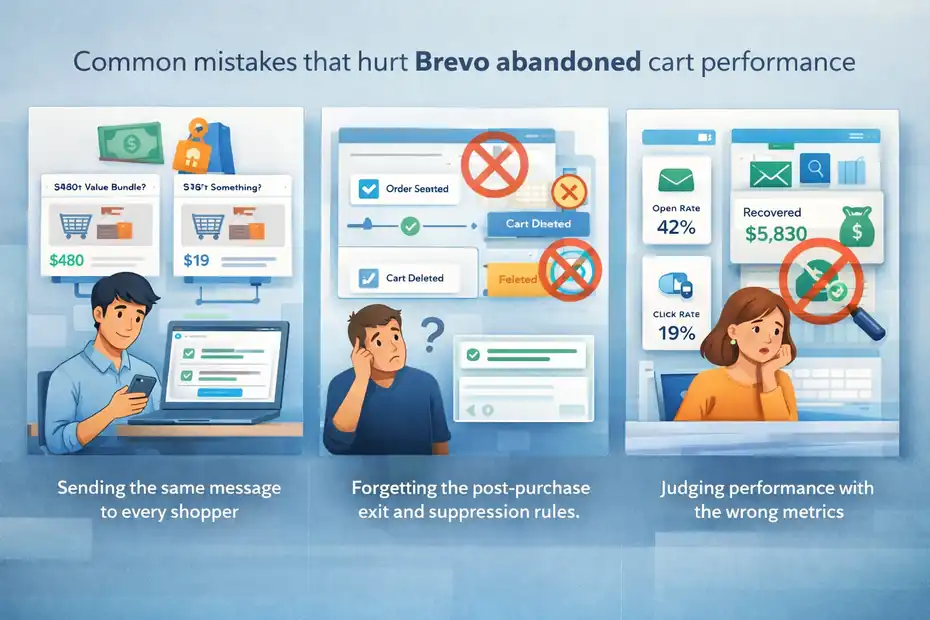
Most underperforming flows are not failing because Brevo is weak. They are failing because the setup is shallow.
Sending the same message to every shopper
This is one of the biggest mistakes. Someone who abandoned a $19 accessory is not the same as someone who left a $480 bundle in cart. Their hesitation is different. Their email should be different too.
Brevo’s automation system allows filters and conditions around ecommerce behavior, including product and order-related triggers. That means you can build more relevant logic instead of blasting one-size-fits-all reminders.
Useful segmentation ideas include:
- Cart value tiers
- New vs returning customer
- Product category
- Discount-sensitive shoppers
- High-intent repeat cart abandoners
A repeat buyer may need a short reminder only. A new visitor may need stronger trust signals. A high-ticket cart may need FAQ-style reassurance and a longer decision window. Relevance usually beats volume.
Forgetting the post-purchase exit and suppression rules
Nothing damages trust faster than an abandoned cart email arriving after the order is already complete. Brevo’s ecommerce automation structure includes order-based triggers and clearly depends on those events to manage workflow logic properly.
Your flow should immediately stop when:
- An order is created
- The cart is deleted in a meaningful way
- The shopper enters a conflicting sequence
- The contact is already in a recent recovery cycle
This sounds obvious, but it is one of those details teams skip when rushing. Then the customer experience gets messy.
I recommend reviewing this logic every time you change your checkout, app stack, or ecommerce plugin. Small store-side changes can quietly break your automation.
Judging performance with the wrong metrics
Open rate can still be directional, but it is no longer enough. Between privacy protections and inconsistent measurement, you need stronger indicators.
Brevo’s own documentation on conversion setup for abandoned cart workflows points you toward tracking conversion inside the automation, which is the more business-relevant view anyway.
A healthier reporting view is:
| Metric | Why it matters |
|---|---|
| Recovered revenue | The real business outcome |
| Placed order rate | Tells you if clicks become buyers |
| Revenue per recipient | Helps compare flows fairly |
| Click rate | Shows intent better than opens |
| Unsubscribe rate | Protects long-term list health |
I believe this is one of the biggest mindset upgrades for ecommerce teams. Stop asking, “Did they open?” Start asking, “Did the flow recover profitable orders?”
Advanced ways to scale results once the basics are working
Once the base sequence is clean, this is where Brevo becomes more than a basic reminder tool.
Add testing, channel layering, and store-specific logic
Brevo’s Standard plan includes A/B testing, advanced reporting, AI send time optimization, and web and event tracking, all of which can support stronger abandoned cart optimization. Higher plans add more advanced ecommerce capabilities.
That gives you room to test things like:
- Subject line style: Utility vs urgency
- First-send timing: 45 minutes vs 2 hours
- CTA framing: “Return to cart” vs “Complete your order”
- Offer type: Free shipping vs percentage discount
- Channel mix: Email first, then SMS for select segments if appropriate
I would scale in layers. First fix the recovery email. Then test one lever at a time. Then add more segmentation. Then consider another channel. Too many teams jump straight to “omnichannel” before the core email flow even works.
For example, a supplement brand may discover that reminder-only wins for returning customers, while a home decor brand may find lifestyle imagery plus shipping reassurance performs better. Store context matters more than generic best practices.
Build an abandoned-cart system, not just an email flow
The best way to use Brevo for abandoned cart emails is to connect the emails to the rest of your customer journey. Brevo’s broader automation options cover page visits, purchases, forms, and more, which means abandoned cart should not sit alone forever.
Once your recovery flow is healthy, connect it to adjacent journeys:
- Post-purchase flow: So recovered buyers get a strong onboarding or thank-you sequence.
- Browse abandonment or page-visit logic: For shoppers who showed interest but never added to cart.
- Re-engagement logic: For contacts who ignored the cart sequence.
- Category-specific follow-up: Based on what was abandoned.
This is where revenue starts compounding. You stop thinking in isolated emails and start thinking in behaviors. That is usually the point where Brevo becomes much more valuable to the business.
If I were setting this up from scratch today, I would keep the first version simple, verify tracking obsessively, focus on recovered revenue, and then layer in smarter segmentation once the flow proves itself.
Final thoughts
The best way to use Brevo for abandoned cart emails is not to overcomplicate it. Get the tracker and ecommerce events right, build a short three-email sequence, write each message to remove one hesitation, and measure recovered revenue instead of vanity metrics.
Brevo already gives you the trigger structure, automation capability, and conversion tracking path you need for that workflow. The stores that win are usually the ones that respect the details: timing, relevance, suppression rules, and clean data.
FAQ
What is the best way to use Brevo for abandoned cart emails?
The best way to use Brevo for abandoned cart emails is to create a short automation sequence that includes a timely reminder, a follow-up addressing objections, and a final incentive if needed. This approach increases recovery rates by guiding shoppers back with relevance and clear intent.
How many emails should be in a Brevo abandoned cart sequence?
A high-performing Brevo abandoned cart sequence usually includes three emails. The first reminds, the second builds trust and removes hesitation, and the third creates urgency or offers a small incentive. This structure aligns with how buyers naturally make decisions after leaving a cart.
When should I send abandoned cart emails in Brevo?
You should send the first abandoned cart email within 30 minutes to 2 hours after abandonment. The second email should follow within 24 hours, and the final message within 48 to 72 hours. This timing keeps the purchase intent warm while avoiding overwhelming the customer.
Do abandoned cart emails really increase conversions?
Yes, abandoned cart emails can significantly increase conversions by recovering lost sales. Many ecommerce stores recover a portion of abandoned carts through automation. When optimized with timing, personalization, and clear messaging, these emails can become one of the highest revenue-driving flows.
What should I include in a Brevo abandoned cart email?
A Brevo abandoned cart email should include the product details, a clear return-to-cart button, and one key benefit or reassurance. Adding urgency, trust signals, or simple explanations can help remove hesitation and guide the shopper back to complete the purchase.

I’m Juxhin, the voice behind The Justifiable.
I’ve spent 6+ years building blogs, managing affiliate campaigns, and testing the messy world of online business. Here, I cut the fluff and share the strategies that actually move the needle — so you can build income that’s sustainable, not speculative.
Related posts:
 Should I Use Brevo For Email Marketing Or Avoid It?
 How To Use MailerLite For Email Marketing And Grow Faster
 How To Use AWeber For Email Marketing Like A Pro
 Aweber CRM Explained: How It Works with Email
 Omnisend for WooCommerce: Boost Store Sales Instantly
 Klaviyo Vs Omnisend For Shopify: Which One Converts Better?