
Table of Contents
Some links on The Justifiable are affiliate links, meaning we may earn a small commission at no extra cost to you. Read full disclaimer.
If you’re searching for how to join Adsterra publisher network, the good news is that the process is pretty simple once you know what Adsterra actually checks and what can slow approval down. You do not need to overcomplicate it.
In most cases, you register as a publisher, confirm your email, add your website or traffic source, choose an ad format, and wait for moderation before placing code.
Adsterra says publishers can monetize websites, blogs, social media traffic, and even some no-website traffic sources, with payments available through options like PayPal, Paxum, wire transfer, and additional methods inside the account.
What Adsterra Is And Who Should Join
Before you sign up, it helps to understand what you’re joining so you can decide whether it matches your traffic, content style, and growth plans.
What Adsterra Does For Publishers
Adsterra is an ad network that connects publishers with advertiser demand so you can monetize traffic on websites, blogs, and some other traffic sources.
On its publisher pages, Adsterra positions itself as a network for monetizing web and social traffic, and its onboarding flow is built around registering, confirming email, adding a website, and then placing code after approval.
It also promotes several monetization formats, including banners, pops, direct link or Smartlink-style options, and Social Bar formats.
Inside the account, the basic logic is straightforward:
- You provide inventory: This means your pages, traffic source, or audience attention.
- Adsterra matches ads: The network fills that space with advertiser demand.
- You earn from activity: Depending on the format, earnings can come from impressions, clicks, or conversions tied to the ad type and traffic quality.
I believe this matters more than most beginners realize. A lot of people join an ad network thinking approval is the hard part. In reality, approval is usually the easy part. The harder part is joining with traffic that actually monetizes well.
If your visitors bounce fast, come from low-intent sources, or do not match the ads shown, revenue will feel disappointing even if you get approved.
That is why the best mindset is not “How do I get in?” but “How do I get in with traffic that has earning potential?”
Who Usually Gets The Best Results
Adsterra publicly highlights monetization for websites, blogs, and social traffic, and also promotes options for publishers who want to monetize without a traditional website in some cases. That makes it broader than networks that only want established content sites.
From what I’ve seen, these publisher types usually have the smoothest experience:
- Content site owners: Blog, news, entertainment, tool, download, or niche sites with regular pageviews.
- Website builders on beginner platforms: Adsterra recently published content about monetizing Blogger or Blogspot sites, which suggests entry-level publishers are part of its target audience.
- Social traffic publishers: Useful if you drive visitors through communities, channels, or shared content funnels.
- Publishers testing alternative monetization: Especially if they want more flexibility than a single-contextual network setup.
The best fit is usually someone with real traffic, stable content, and patience to test placements. If you have a brand-new site with five posts and almost no visitors, you can still try, but you should keep expectations realistic. Approval is one thing; meaningful revenue is another.
A practical example: Imagine you run a small anime streaming news blog with 300 daily visits. You may get approved if your site is functional and policy-safe, but the real win will come only after you improve session depth, traffic quality, and ad placement.
In other words, joining is step one, not the finish line.
What You Need Before You Apply
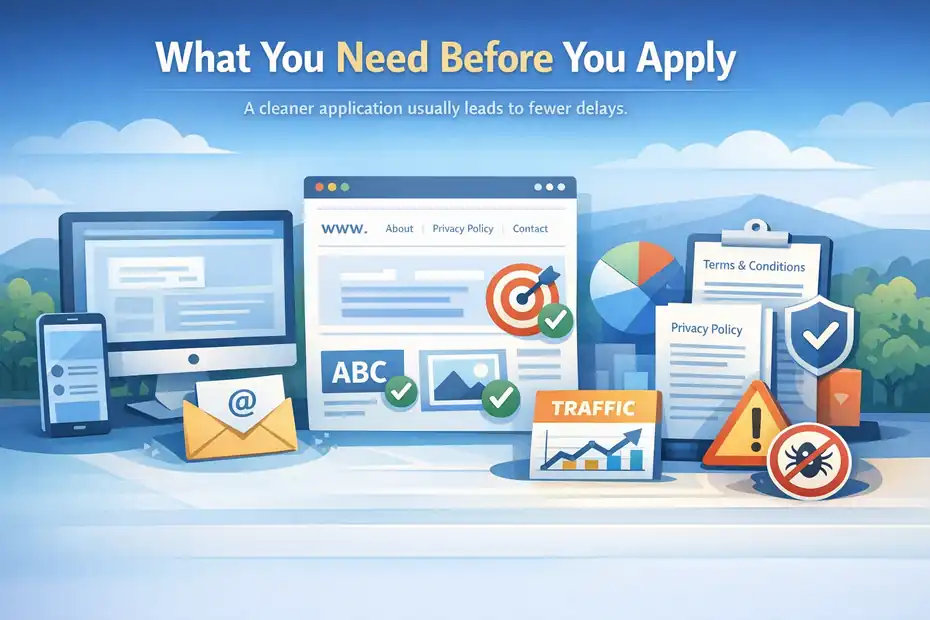
This is where most people save or waste time. A cleaner application usually leads to fewer delays.
Minimum Setup You Should Have Ready
Adsterra’s own publisher guidance says you start by signing up, confirming your email, and then adding your website in the dashboard. In practical terms, that means you should prepare your site and account details before touching the sign-up form.
Here is the minimum setup I suggest:
- A working website or real traffic source: Your domain should load properly on desktop and mobile.
- A professional email address: Gmail can work, but a domain-based email often looks more serious.
- Basic site pages: About, Contact, Privacy Policy, and Terms are not always mandatory for approval, but they help establish trust.
- Clear niche positioning: Your site category should be obvious in the design, homepage copy, and content.
- Original or at least coherent content: Thin, scraped, or broken pages can make moderation harder.
Let me break down why this matters. Moderation teams usually look for legitimacy first. They want to see that your traffic source is real, your site is usable, and your content is not obviously risky or deceptive.
You do not need a perfect media company website. You just need something that feels genuine and operational.
A simple test I use is this: open your site like a stranger would. If it looks unfinished, has placeholder text, broken menus, or no identity, fix that before applying.
Traffic And Content Standards That Help Approval
Adsterra does not present one universal public checklist saying you need a precise traffic threshold on the main publisher signup pages.
What it does show consistently is that publishers go through moderation and traffic verification, and that some ad codes or monetization options may show pending status until verification is complete.
That tells us something important: quality signals matter more than a magic pageview number.
The practical standards I recommend are:
- Consistent traffic source: Organic, social, community, search, or referral traffic that makes sense.
- Human-readable content: Not AI sludge, spun text, or mass-produced doorway pages.
- Usable user experience: Clean navigation, fast enough load speed, no aggressive redirects.
- Policy-safe themes: Avoid misleading downloads, obvious malware bait, or fake buttons.
A realistic scenario: If two sites both have 1,000 monthly visits, the one with a clear niche, privacy policy, normal page structure, and genuine content is far more likely to feel trustworthy than a site filled with recycled posts and confusing monetization traps.
In my experience, moderation friction usually comes from trust problems, not from “small publisher” status alone.
Whether You Need A Website Or Can Join Without One
This is one of the biggest beginner questions, and Adsterra’s own materials make the answer more flexible than many people expect.
On its main network and publisher pages, Adsterra says publishers can monetize sites, blogs, or social media traffic, and it also mentions solutions for earning without a website.
Its Smartlink and Direct Link materials also discuss using the format for apps, landing pages, or social traffic capitalization.
So yes, a website is not always the only route.
Still, I recommend thinking in tiers:
- Best for beginners: A real website with clear content.
- Good for experienced traffic operators: Social or alternative traffic monetization.
- Hardest route for new users: Trying to monetize without a site and without a proven traffic model.
Why? Because a website is easier to review, easier to trust, and easier to optimize later. It gives you pages to place code on, analytics to monitor, and clear signals for moderation.
If you are just getting started, a content site is usually the easiest way to join Adsterra publisher network without confusion.
How To Join Adsterra Publisher Network Step By Step
This is the core process most readers want. I’ll keep it practical.
Step 1: Register As A Publisher
Adsterra’s official publisher and dashboard setup materials say to go to the site, choose Sign Up, and then Get Started as a Publisher. After registration, you confirm the email address you used.
Your first move is simple:
- Open the Adsterra signup page.
- Select the publisher option, not advertiser.
- Enter your name, email, and account details.
- Accept the terms and submit.
- Confirm your email through the message sent to your inbox.
A few practical tips make this smoother:
- Use real details: Fake names or throwaway emails create avoidable trust issues.
- Check spam and promotions tabs: Confirmation emails often land there.
- Store your login details safely: You will be moving between moderation, code setup, and payment settings later.
I suggest treating the signup form like a business application, even if you are a solo creator. That mindset changes how carefully you fill it out, and it often prevents the silly mistakes that delay access.
Step 2: Add Your Website Or Traffic Source
Once registered, Adsterra’s official walkthrough says you go to the Websites tab, click Add New Website, and fill out fields such as the website URL, traffic category, and ad unit you want to use. Some codes or requests can remain pending while verification happens.
This stage usually asks for details like:
- Website URL: Preferably HTTPS.
- Category or niche: For example, entertainment, finance, sports, gaming, tools, or downloads.
- Ad format request: Such as banner, Social Bar, or Direct Link.
- Potential filters or settings: Depending on format.
This sounds minor, but it affects future monetization. Choose categories honestly. Do not label a movie-streaming gossip site as “business” because you think it sounds premium. Ad relevance and moderation both improve when your declared category matches the actual content.
A smart approach is to start with your main domain only. You can add more websites later after the first one is approved and monetized properly.
Step 3: Wait For Moderation And Check Status
Adsterra makes it clear that moderation is part of the process, and several of its guides mention approval or pending review before code becomes active. It also states that publishers go through quick moderation in some onboarding materials.
During this phase:
- Your site is reviewed: For compliance, legitimacy, and technical readiness.
- Your selected ad units may stay pending: Until the site is cleared.
- You may need to verify small issues: Such as broken pages or mismatched setup info.
A lot of people get impatient here and start editing the site aggressively every few hours. I do not recommend that. Make your site clean before you submit, then leave it stable unless there is a real issue to fix.
Think of moderation like a trust check. The reviewer wants to understand what your site is, who it serves, and whether it looks safe enough to monetize.
Step 4: Generate Ad Code After Approval
Adsterra’s setup flow for publishers consistently points to the same sequence after approval: add the website, choose an ad format, get the code, and place it on your site. This applies across banners, Social Bar, VAST instructions, and Smartlink-style guides.
Your dashboard path usually looks like this:
- Approved website
- Select or open the ad format
- Click to get code
- Copy the script or placement snippet
- Insert it into the site where needed
This is where beginners often overdo it. They add every format at once, cover the site with ads, and then wonder why engagement drops. I suggest starting with one or two formats you can monitor cleanly.
A balanced first test is usually easier to learn from than a cluttered setup that gives you no idea what is working.
How Approval Really Works
A lot of advice online treats approval like a mystery. It usually is not.
What Moderators Are Likely Looking For
Adsterra does not publish a giant public scoring sheet on the main signup pages, but its official onboarding content repeatedly emphasizes verification, moderation, active status, and traffic quality.
That tells us approval is based on whether your inventory looks real, monetizable, and policy-safe.
The core things moderators are likely evaluating include:
- Is the site functional?
- Is the traffic source understandable?
- Does the content match the declared category?
- Is there any obvious deception, unsafe content, or low-trust behavior?
- Can the ad format reasonably be placed on this property?
I believe the easiest way to think about this is: would a normal business partner trust this site? If the answer feels shaky, moderation will probably feel shaky too.
One thing many people miss is internal consistency. Your homepage, category, domain name, and application details should make sense together. A mismatch creates doubt.
Common Reasons Applications Get Delayed Or Rejected
While Adsterra’s public pages focus more on getting started than listing every rejection reason, the pattern from official setup materials and network norms is fairly clear: problems usually come from site quality, verification gaps, or a mismatch between what you claim and what you actually operate.
The usual trouble spots are:
- Unfinished site design: Placeholder logos, default themes, empty pages.
- Thin content: A few low-value posts with no real user purpose.
- Broken technical setup: 404 pages, mobile issues, SSL problems.
- Confusing traffic model: No clear source of visitors or suspicious flows.
- Overly risky presentation: Fake buttons, misleading downloads, redirect-heavy pages.
Example: Imagine a coupon blog that looks more like a redirect funnel than a content site. Even if the owner has traffic, the low-trust presentation can create moderation friction because the experience feels risky.
The good news is that most of these are fixable before you apply.
How To Add Ads After Approval
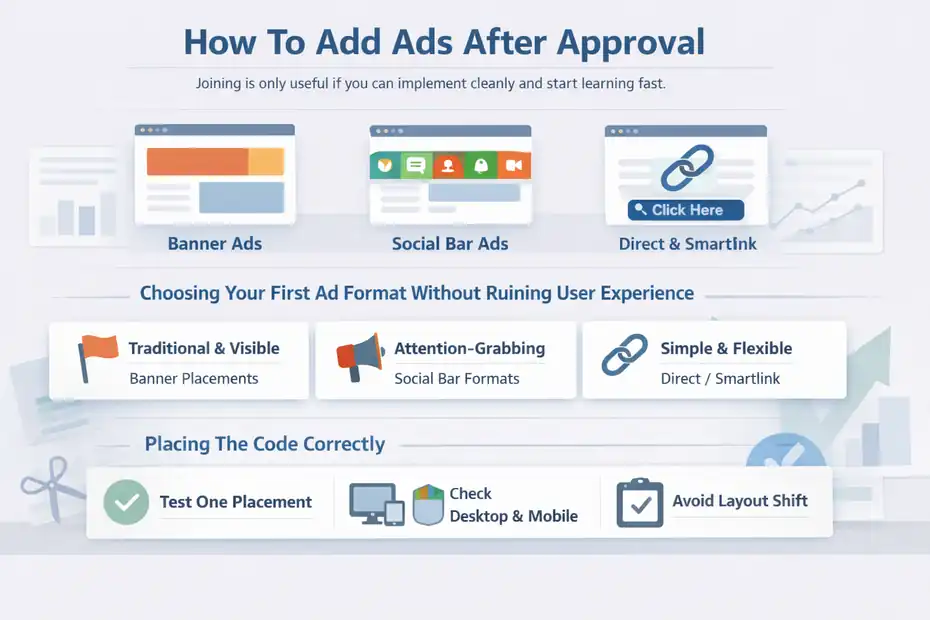
Joining is only useful if you can implement cleanly and start learning fast.
Choosing Your First Ad Format Without Ruining User Experience
Adsterra promotes several publisher formats, including banners, Social Bar variants, and Direct Link or Smartlink options. The right first format depends on your traffic behavior, not just on what sounds highest paying.
A simple selection framework:
- Banners: Better when you want visible placements that feel traditional.
- Social Bar formats: Useful when you want more attention-grabbing units without fully relying on static placements.
- Direct Link or Smartlink: Helpful when you want a single monetization link for certain traffic flows, landing pages, or social-style monetization paths.
My honest opinion is this: Beginners often chase “highest CPM” language and ignore user behavior. That is backward. The best format is the one your audience will tolerate while still converting well.
For example, a tutorial blog may do better starting with clean display placement and one extra test format, while a high-volume entertainment site may support more aggressive monetization. Context matters more than hype.
Placing The Code Correctly
After approval, Adsterra’s official guides say you copy the code from the dashboard and place it on your site. Depending on format, that can mean inserting a script sitewide, into the header, footer, or a specific placement area.
A practical implementation checklist:
- Use one test placement first: So you can tell whether it works.
- Check desktop and mobile: A placement that looks fine on desktop can break the mobile experience.
- Avoid layout shift: Ads should not push text around after the page loads.
- Track pages manually at first: Visit your top pages and confirm the ad loads where expected.
If you use a CMS like WordPress, this is often easier through a header, footer, or ad placement manager. But do not over-engineer the first setup. The goal is to get one correct implementation live, then expand.
I suggest taking screenshots before and after each placement change. It sounds old-school, but it makes troubleshooting much easier later.
Common Approval And Earnings Mistakes
This is where many otherwise decent publishers lose momentum.
Mistake 1: Applying Too Early
A lot of people try to join Adsterra publisher network with a site that is technically online but not genuinely ready. There is a big difference between “published” and “prepared.”
Signs you are applying too early:
- No real content depth
- No trust pages
- No traffic pattern yet
- No clear niche identity
- Broken design elements
I recommend waiting until your site passes a simple smell test: would you proudly show it to a brand partner? If not, spend another week improving it. That small delay can save you from a frustrating first impression.
Mistake 2: Adding Too Many Ad Units Immediately
Once approved, it is tempting to activate everything. This usually creates messy pages, weaker user signals, and confusing performance data.
The smarter rollout looks like this:
- Start with one core ad format.
- Monitor user behavior and earnings.
- Add one more format only after the first is stable.
- Compare revenue gain against user-experience cost.
That last part matters. A 10% revenue boost is not automatically good if it also destroys page depth or return visits. In many cases, a cleaner site earns more over time because it keeps better traffic quality.
Mistake 3: Ignoring Traffic Quality
Adsterra talks about traffic verification and quality across its publisher materials and community messaging, including bi-weekly payments and approval tied to verified traffic.
This matters because not all traffic is equal. A spike from low-intent or accidental clicks may look exciting for a day, but it rarely builds durable revenue. Good monetization usually comes from traffic that is:
- Interested in the content
- Properly geo-matched
- Not bouncing instantly
- Landing on pages where ads make sense
If your revenue feels weak, do not start by blaming the network. First ask whether the traffic itself is monetizable.
How To Improve Revenue After You Join
This is where the article becomes more useful than a basic signup tutorial.
Improve Placement Before You Chase More Traffic
Ad placement has a direct impact on viewability and user attention, and Adsterra’s own placement guidance stresses balancing visibility, engagement, and revenue.
The easiest win is usually better placement, not more ad units.
Test these ideas:
- Above-the-fold visibility: An ad users can actually see tends to outperform one buried too low.
- Content adjacency: Formats near engaged reading zones can perform better than random side areas.
- Mobile-first layout: Many sites lose money because placements look like an afterthought on phones.
- Cleaner spacing: Cramped layouts reduce trust and often reduce performance too.
A practical example: if an ad sits below a giant author box, unrelated widgets, and comments, it may barely be seen. Move it closer to the high-attention area and the same traffic can produce better RPM.
I have seen publishers obsess over “better countries” while ignoring the obvious issue that half their ad placements are practically invisible.
Optimize Content For Better Monetization Intent
Monetization is not only about ads. It is also about the pages generating the ad impressions.
Pages with stronger monetization intent usually have:
- Longer time on page
- Clear topical focus
- Higher scroll depth
- Repeat visits
- Traffic from audiences likely to engage with offers
That means content optimization helps ad revenue too. A shallow page with a weak headline and no structure will struggle even with good ad inventory. A strong page keeps visitors around longer and creates more opportunities for meaningful ad exposure.
Imagine two pages getting 1,000 visits each. One has a 20-second average session. The other keeps visitors for two minutes with helpful visuals and tight structure. The second page often creates much better monetization conditions, even before you change the ad setup.
Use Testing Like A Publisher, Not A Gambler
Testing is where small publishers become serious publishers.
A basic testing plan:
- Test one variable at a time: Placement, format, page type, or device segment.
- Measure with enough traffic: Do not declare a winner after 50 visits.
- Track user signals too: Revenue alone is incomplete.
- Keep a simple log: Date, change made, result after a fair comparison window.
This is boring advice, but it works. Most monetization problems are not solved by secret hacks. They are solved by controlled experiments repeated consistently.
Payment Details, Payouts, And Practical Expectations
Money questions are usually the final trust hurdle.
How Adsterra Pays Publishers
Adsterra’s publisher pages list payment options such as PayPal, Paxum, and wire transfer, while noting that more methods may appear inside the account.
Its payout materials also explain that payout minimums depend on the payment method, with some options starting as low as $5, local bank transfer examples at $25, and classic wire transfer thresholds much higher.
Adsterra also states that payments are automated once the minimum payout and payment information requirements are met.
That means your payout setup should include:
- Choosing the best payment method for your country
- Entering payment details correctly
- Reaching the threshold for that method
- Completing required verification in the account
This is where beginners should be practical. A payment method with a lower threshold is often better when you are starting out, because it helps you validate the monetization model faster.
How Often You Can Expect Payouts
Adsterra’s community and payout-related materials mention bi-weekly or NET15-style payment language for publishers, with payments tied to verification and account setup.
In plain English, that usually means you should not expect instant cashout the second you place a script. Your traffic is verified, your balance accumulates, and payouts follow the network’s cycle once you meet the requirements.
That is normal in ad monetization. Treat your first month as a setup and validation period, not as proof of your long-term earning ceiling.
What Earnings Usually Depend On
Adsterra’s own articles repeatedly note that CPM and revenue are not stable and can vary based on traffic, content trends, geo, and ad placement.
Your actual earnings usually depend on:
- Country mix of traffic
- Device split
- Audience intent
- Ad format
- Placement quality
- Session depth
- Niche
- Traffic consistency
I suggest avoiding income promises when evaluating any ad network. Even official case-study content can only show examples, not guarantees. A site with 50,000 low-quality views may underperform a site with 10,000 highly engaged users in a stronger niche.
Final Action Plan
If you want the simplest path to how to join Adsterra publisher network without making beginner mistakes, here is the clean version.
The Fastest Low-Risk Way To Get Started
Follow this sequence:
- Build or clean up a real website or traffic source.
- Add trust pages and make the niche obvious.
- Register as a publisher and confirm your email.
- Add your main site in the dashboard.
- Select one sensible ad format first.
- Wait for moderation without changing everything daily.
- After approval, place the code carefully.
- Track performance before adding more formats.
- Set up payment information early.
- Optimize placements and content over time.
That is the path I would recommend to most beginners because it reduces confusion and gives you usable data faster.
My Honest Take Before You Apply
Adsterra is easiest to work with when you approach it like a real publisher, not like someone searching for a shortcut. Its official flow is fairly direct: sign up, confirm email, add your website, pass moderation, get code, and monetize.
The part that separates frustrated users from successful ones is everything around that flow: site trust, traffic quality, smart placement, and steady testing.
If your site is real, your traffic is clean, and your expectations are grounded, joining is not the difficult part. Building a monetization setup that earns well and still keeps users happy is the real skill.
And honestly, that is a good thing. It means you do not need secret access or insider tricks. You just need a solid property, a careful setup, and the patience to improve it step by step.
FAQ
What is Adsterra publisher network?
Adsterra publisher network is an advertising platform that allows website owners and traffic providers to monetize their audience by displaying ads. Publishers earn revenue through impressions, clicks, or conversions depending on the ad format and traffic quality.
How to join Adsterra publisher network?
To join Adsterra publisher network, you need to sign up as a publisher, verify your email, add your website or traffic source, and submit it for moderation. Once approved, you can generate ad codes and start monetizing your traffic.
Do you need a website to join Adsterra?
You do not always need a website to join Adsterra publisher network, as some traffic sources like social media or direct links are supported. However, having a website increases approval chances and makes monetization easier to manage and optimize.
How long does Adsterra approval take?
Adsterra approval typically takes a short time, often within a few hours to a couple of days. The exact duration depends on your website quality, traffic source, and whether your content meets the platform’s guidelines.
How much can you earn with Adsterra?
Earnings with Adsterra depend on traffic volume, audience location, ad format, and engagement levels. Some publishers earn small amounts with low traffic, while others generate significant income by optimizing placements and targeting high-quality audiences.

I’m Juxhin, the voice behind The Justifiable.
I’ve spent 6+ years building blogs, managing affiliate campaigns, and testing the messy world of online business. Here, I cut the fluff and share the strategies that actually move the needle — so you can build income that’s sustainable, not speculative.
Related posts:
 How to Make Money With Adsterra: Tips That Work Fast
 Adsterra Publisher Scam or Legit? The Truth About Payouts
 MonetizeMore Requirements: Everything You Need to Know
 Adsterra Monetization Platform Review: Full Breakdown
 Monetizing a Website: Best Earning Money Practice
 How To Get People To Click On Your Ads: Best Tips