
Table of Contents
Some links on The Justifiable are affiliate links, meaning we may earn a small commission at no extra cost to you. Read full disclaimer.
A SurveyMonkey honest review for bloggers collecting emails needs more than a generic “good tool” or “bad tool” answer.
If you run a blog, you are not just sending surveys. You are trying to grow an audience, learn what people want, and turn casual readers into email subscribers without adding friction. That is where SurveyMonkey gets interesting, and a little risky.
It offers website embeds, email invites, integrations, and solid privacy controls, but it was built first as a survey platform, not as a pure email list growth engine.
What SurveyMonkey Is Really Good At For Bloggers
SurveyMonkey makes the most sense when your real goal is insight first and email growth second. That distinction matters more than most reviews admit.
Survey Collection Comes Before List Building
If you are looking at SurveyMonkey because you want more subscribers, I think the most honest starting point is this: SurveyMonkey is better at helping you understand readers than at replacing your normal email opt-in form.
The platform is designed around collecting responses, running forms and surveys, and analyzing results. Paid plans include unlimited questions, unlimited surveys, and response allowances based on your plan, while the free plan is much tighter.
On the free tier, you can add up to 10 questions and view 25 responses per survey. Paid plans remove the question cap, but response limits still matter, because SurveyMonkey bills around plan thresholds and may charge up to $0.15 per extra response over the limit.
For a blogger, that means SurveyMonkey shines when you want to ask things like:
- Which topic should I cover next?
- What is your biggest struggle with Pinterest, SEO, or email marketing?
- Which freebie would actually make you subscribe?
- Are you a beginner, intermediate, or advanced reader?
That is valuable. In fact, for many blogs, this kind of data is more valuable than getting 100 random low-intent subscribers. The risk is assuming a survey tool automatically behaves like a lean, high-converting opt-in form. It usually does not.
The Best Use Case Is Intent Discovery, Not Raw Email Capture
Here is where I believe SurveyMonkey can be smart. Imagine you run a food blog and traffic is decent, but your newsletter growth is flat. A normal popup says “Join my list for updates.” It gets ignored. A short embedded survey asks, “What kind of 20-minute recipes do you need most this month?” Suddenly, readers have a reason to engage.
That first click is powerful because it feels useful, not promotional.
SurveyMonkey supports website collectors that let you embed a survey directly on a page, launch it from a button, or use a popup invitation. SurveyMonkey also notes you can place the same survey on multiple pages, which is helpful if you want different reader segments to see the same prompt across key blog posts.
The catch is simple: Collecting answers is not the same as collecting permission to email. You still need a clean subscriber flow, clear consent language, and a strong handoff into your email platform. So yes, it can support email growth, but it works best as a pre-subscribe mechanism, not the whole system.
Where Bloggers Often Misunderstand The Product
The biggest misunderstanding is thinking SurveyMonkey is an email marketing platform. It is not. SurveyMonkey has email invites and native integrations, but those features are there to distribute surveys and move response data into other systems.
They are not the same as building a dedicated newsletter funnel with lead magnets, tags, welcome sequences, and conversion-first forms. SurveyMonkey itself highlights integrations with HubSpot, Mailchimp, Constant Contact, Slack, and more than 200 native integrations overall.
That matters because your actual blogging workflow probably looks like this:
- A reader visits a post.
- They see an offer or question.
- They submit a form.
- They are tagged or segmented.
- They get a welcome sequence.
- You track conversion and subscriber quality.
SurveyMonkey can help with steps 1 through 3 very well. It can support step 4 with integrations. But it is not naturally built around the full conversion journey in the same way a true email capture tool is. That does not make it bad. It just means you need to use it for the right job.
How SurveyMonkey Works For Bloggers Collecting Emails
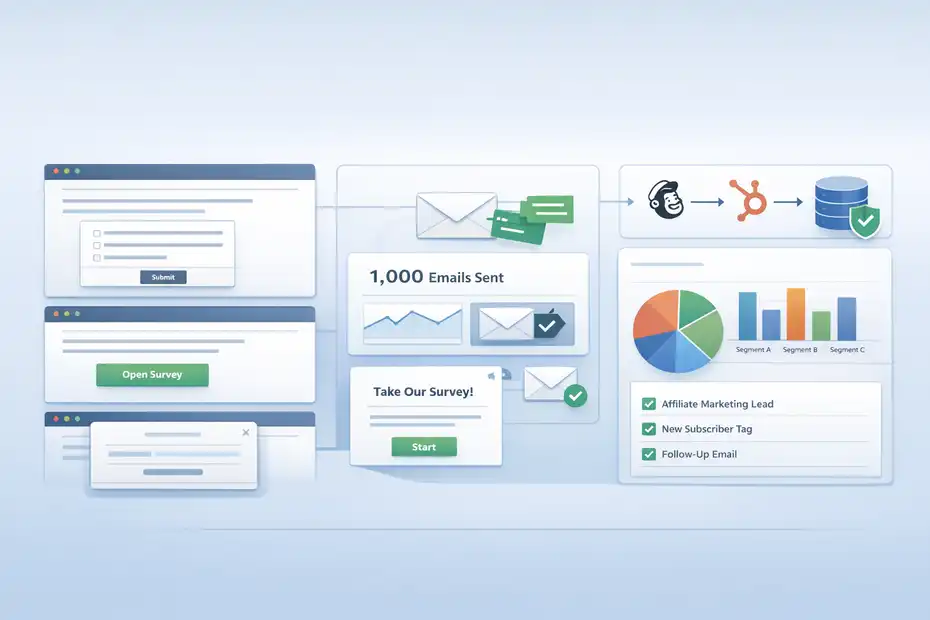
Before you decide whether it is smart or risky, it helps to look at the mechanics.
A lot of the platform’s strengths and weaknesses show up in the way collection actually works.
Website Embeds, Buttons, And Popups Can Fit A Blog
SurveyMonkey’s website collector gives bloggers three practical ways to place surveys on a site: an embedded survey that appears right on the page, an embedded button that opens the survey, and a popup invitation that links readers to the survey in a new tab. SurveyMonkey says setup only requires basic HTML access and provides copy-paste embed code.
From a blogging perspective, that flexibility is useful.
An embedded survey works well at the end of a tutorial post where reader intent is already high. A button works better when you want a softer call-to-action that does not interrupt reading.
A popup invitation can work on high-traffic posts, but I would use it carefully because survey popups can feel heavier than a simple opt-in box.
SurveyMonkey also rolled out a more streamlined website collector experience with side-by-side previews and flexible branding options, which should make setup cleaner than older clunky embed flows.
Still, this is where I start to see risk. The more steps you add between reader interest and subscription, the more drop-off you introduce. If your only goal is “get the email,” a direct form is usually simpler.
If your goal is “learn first, segment second, subscribe third,” SurveyMonkey becomes much more attractive.
Email Invites Are Useful, But Not A Full Newsletter Engine
SurveyMonkey includes an Email Invitation collector, and this is where some bloggers get excited. On paper, that sounds like email marketing. In practice, it is survey distribution.
SurveyMonkey’s help documentation says free and Flex plans can send 1,000 messages in a rolling 24-hour period, while other paid plans can send 20,000 per individual account or team seat in the same time window.
Those limits include invitations, reminders, and thank-you messages. SurveyMonkey even notes that if you need to send more, you can send the survey through Mailchimp.
That tells you a lot.
These email tools are designed to get people into your survey, not to run a full creator-style subscriber journey. You are not choosing SurveyMonkey because you want your weekly newsletter, automated welcome series, lead magnet delivery, and monetization campaigns to live there. You are using it because you want structured survey outreach.
For bloggers, that can still be useful.
Example: you survey existing subscribers to learn what product to build next. Or you email old readers a 3-question audience survey, then pass their responses into your CRM or email platform for segmentation. That is smart. Using SurveyMonkey as the main thing that replaces an opt-in and email platform together is where it starts to get awkward.
Integrations Matter More Than The Form Itself
In my experience, the real value of a survey tool for bloggers lives in what happens after submission. SurveyMonkey’s integrations page specifically calls out use cases like improving lead scoring in HubSpot or Marketo, enriching email marketing tools like Mailchimp and Constant Contact, and segmenting audiences based on responses.
That is the part bloggers should focus on.
If someone answers, “I need help with affiliate marketing,” that response should not just sit in a report. It should push them toward a relevant freebie, onboarding email, or product pitch. Without that follow-through, you are collecting information but not really growing your business.
This is why I would never judge SurveyMonkey only by its form appearance. I would judge it by whether your stack can turn survey responses into action. If your current setup supports tagging, segmentation, and personalized follow-up, SurveyMonkey can become a strong layer in your funnel.
If not, it may turn into one more disconnected tool that gives you data but not outcomes.
Pricing, Limits, And The Real Cost For Bloggers
This is where the “smart or risky” question gets more practical. Even a good platform becomes a poor fit when the pricing model clashes with your content business.
The Free Plan Is Fine For Testing, Not Serious Growth
SurveyMonkey’s free plan is enough to test an idea, not enough to build a repeatable reader acquisition system. According to SurveyMonkey’s feature comparison, free users are limited to 10 questions per survey and can view 25 responses per survey before needing to upgrade.
That is not much room.
If you get one decent spike from Pinterest, SEO, or a shared roundup link, 25 visible responses can disappear fast. For a blogger trying to understand audience demand across multiple posts, categories, or lead magnets, the free plan becomes restrictive almost immediately.
I would use the free tier for one of these scenarios:
- Testing whether readers respond to survey-style calls-to-action
- Validating a content idea before paying
- Running a short audience poll on a low-traffic blog
- Learning the interface before committing to a workflow
I would not use it as the backbone of an email growth strategy. The response visibility cap alone makes it too easy to outgrow. It is a trial environment, not a durable growth setup.
Paid Plans Can Get Expensive If Your Blog Traffic Scales
SurveyMonkey’s current individual pricing shows a Standard Monthly plan at €39 per month with 1,000 responses per month, and an annual individual plan at €36 per month billed annually with 15,000 responses per year.
Team Premier is listed at $92 per user per month, starting at three users, billed annually, with 100,000 responses per year. SurveyMonkey’s detailed pricing page also states that paid users may be invoiced up to $0.15 per response over the plan’s response limit.
For bloggers, this creates an unusual tension.
A survey embedded on a site can attract many low-value interactions if it is visible on every article. That sounds great until you remember that survey responses are a metered resource. A classic email opt-in form usually does not make you think in terms of “response inventory” the same way.
Here is the practical issue: if your blog grows, survey usage can become more expensive faster than expected. Especially if your survey is not tightly targeted, you may end up paying for lots of casual answers that do not convert into subscribers or buyers.
So the cost question is not just “Can I afford $39 per month?” It is “Will the insights and segmentation I get justify using a response-limited platform in a traffic business?”
A Simple Blogger Cost Check
I recommend doing one quick sanity check before you buy. Ask yourself how many meaningful survey completions you expect each month, not just how much traffic you have.
Use a simple framework like this:
| Scenario | Monthly Traffic To Surveyed Pages | Estimated Survey Response Rate | Estimated Responses | Likely Fit |
|---|---|---|---|---|
| Small blog | 2,000 | 3% | 60 | Safe |
| Growing blog | 10,000 | 3% | 300 | Usually fine |
| High-traffic blog | 50,000 | 3% | 1,500 | Watch limits closely |
| Viral content site | 100,000 | 3% | 3,000 | Costs can snowball |
Those response estimates are a planning model, not a SurveyMonkey promise. But they make the decision clearer.
If you only need targeted audience research from selected pages, SurveyMonkey can be cost-effective. If you plan to plaster surveys all over your site as your main conversion mechanism, you may end up paying for a lot of noise.
The Smart Ways Bloggers Can Use SurveyMonkey
This is the section where I think SurveyMonkey earns its place. Used carefully, it can sharpen your content and increase the quality of your subscribers.
Use It To Find Out What Freebie People Actually Want
One of the best uses for SurveyMonkey on a blog is pre-offer validation. Before you spend a week creating a checklist, mini-course, spreadsheet, or template, ask readers what would help them most.
Imagine you blog about budgeting. You are torn between these lead magnets:
- Monthly budget spreadsheet
- Debt payoff tracker
- Grocery savings cheat sheet
- Beginner budgeting email course
A short survey can tell you which offer has real demand. That saves time and gives you language straight from your audience. The words readers use in answers often become better subject lines, landing page copy, and article angles than anything you brainstorm alone.
This is where SurveyMonkey is genuinely smart. Instead of guessing what gets email signups, you learn what people are willing to raise their hand for first. Then you build the opt-in around that demand.
I suggest keeping these validation surveys tight. Three to five questions is usually enough. The goal is not to impress readers with sophistication. The goal is to remove guesswork from your lead generation.
Use It To Segment Readers Before The Opt-In
A normal opt-in form treats everyone the same. SurveyMonkey can help you do better by identifying reader intent before they join your list.
For example, if you run a blogging site, ask one question: “What do you want help with most right now?” Then offer four answer paths:
- Getting traffic
- Starting email marketing
- Affiliate income
- Creating digital products
Once that data passes into your connected system, you can match the next step to the person. Someone interested in traffic should not receive the same first email series as someone trying to launch a course.
SurveyMonkey explicitly promotes segmenting audiences based on survey responses and enriching connected email tools with that information.
That is the part I like most for bloggers. Better segmentation often means better open rates, better click-through rates, and stronger trust because the email feels relevant. Even if the raw number of signups stays flat, the subscriber quality can improve a lot.
And honestly, quality beats vanity. I would rather have 500 readers who clearly told me what they want than 2,000 vague subscribers who barely remember joining.
Use It For Product And Content Research, Then Turn That Into Growth
SurveyMonkey also works well upstream of growth. By that I mean it helps you create better content, and better content grows your list.
Say you ask readers what frustrates them most about SEO. You notice the same pattern in 60 survey responses: they understand keywords but get stuck on internal linking and post updates. That tells you at least three useful things:
- Your next article topic.
- Your next lead magnet angle.
- Your next low-ticket product idea.
That is what makes survey data so useful for bloggers. It does not just help with forms. It helps with editorial planning, offer creation, and conversion messaging.
A lot of creators focus too hard on the tool and not enough on the insight loop. SurveyMonkey earns its keep when every answer feeds a business decision. If you use it that way, it becomes less of a “survey widget” and more of a growth research engine.
The Risky Parts Most Reviews Skip
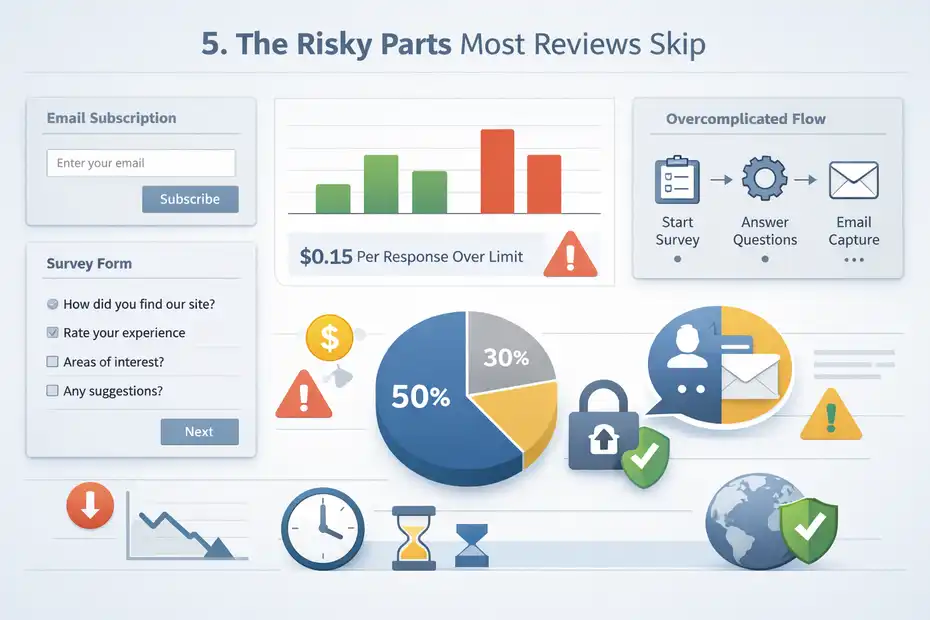
This is where I want to be blunt. SurveyMonkey is not risky because it is shady.
It is risky because bloggers can easily use it in a way that adds friction, cost, and complexity without realizing it.
It Can Add Too Much Friction To A Simple Subscribe Action
If a reader already wants your newsletter, making them answer a survey first can lower conversions. That is the core danger.
A direct email form asks for one micro-commitment. A survey asks for attention, time, and decision-making. Even if the survey is short, it can still feel like work. For warm readers, that may be fine. For cold readers from Google, it can be one extra step too many.
This is why I think SurveyMonkey should usually sit beside your core opt-ins, not replace them.
A smart setup might look like this:
- Standard opt-in form in the header, footer, and content upgrades
- SurveyMonkey embedded only on strategic pages
- Post-survey email capture for readers who want tailored help
- Response-based segmentation after signup
A risky setup looks like this:
- Every call-to-action sends readers into a survey
- No simple “just subscribe” option
- Weak incentive after completion
- No clear segmentation or follow-up logic
When blogs overcomplicate the path, they often mistake interaction for conversion. You might get more clicks but fewer subscribers.
Response Limits And Overages Are Easy To Ignore Until They Hurt
Because SurveyMonkey is built around response allowances, bloggers can get caught off guard if a survey starts performing well. SurveyMonkey’s pricing pages make clear that plans come with defined response limits and that paid plans can incur charges up to $0.15 per response beyond the limit.
That model makes sense for research teams. For content creators, it can feel odd.
Imagine one of your posts ranks and starts attracting steady traffic. You embed a survey near the top because engagement is strong. Great news, right? Yes, until hundreds or thousands of responses start eating into limits that were priced for lighter use.
I do not say that to scare you. I say it because this is exactly the kind of thing that makes a tool feel smart in month one and annoying in month six. The more broadly you deploy it, the more important response forecasting becomes.
If your growth depends on volume, think carefully. If your use case is selective, focused, and high-intent, the limits are much easier to manage.
Privacy Is Strong, But Consent Still Sits On You
To SurveyMonkey’s credit, privacy and compliance are a real strength. The company says customers can control what data they keep, delete or export individual responses, and that deleted data is permanently removed from backups within 90 days.
SurveyMonkey also emphasizes GDPR and CCPA compliance resources, data processing agreements, and privacy-by-design practices in its privacy materials.
That is reassuring, especially if you have readers in multiple regions.
But bloggers still need to handle consent correctly. If you are collecting emails through or after a survey, you need clear permission language. If you plan to use responses for segmentation or follow-up, say so. If your popup behavior could feel aggressive, be careful there too.
SurveyMonkey notes that website collectors use cookies to remember whether someone answered, declined, or closed a survey, and if cookies are cleared or blocked, the popup may show again and allow additional responses.
That is not a privacy red flag by itself, but it does mean the user experience can get messy if you do not test carefully. Strong compliance infrastructure helps, but it does not replace thoughtful implementation on your site.
How I Would Set It Up On A Blog Without Hurting Conversions
If I were advising a blogger who really wants to use SurveyMonkey, I would keep the setup focused and deliberate.
This is not a tool I would spray everywhere.
Start With One Strategic Survey, Not Site-Wide Rollout
The first mistake I see is rolling out a survey across the whole blog before proving it improves anything. I would start with one survey on one high-intent page cluster.
For example:
- A blogging blog could survey readers on email list struggles
- A travel blog could survey trip-planning priorities
- A parenting blog could survey age-specific concerns
- A finance blog could survey saving vs. debt priorities
Pick a topic where the answer directly influences the next offer or email sequence.
Then keep the survey short. I recommend one required multiple-choice question, one optional follow-up, and then a clear call-to-action that invites the reader to get personalized resources by email. This preserves momentum.
SurveyMonkey’s website collector options make this feasible with embeds, buttons, or popup invitations depending on page design.
You do not need a giant questionnaire. You need a focused signal.
Pair The Survey With A Very Clear Next Step
A survey without a next step is just an interesting distraction. The moment someone finishes, they should know exactly what happens next.
Good examples:
- “Want my free checklist based on your answer? Enter your email.”
- “I’ll send you the beginner version of this plan.”
- “Get the template that matches your result.”
- “Join the newsletter and I’ll send the full guide.”
This is where many bloggers lose momentum. They ask smart questions, collect thoughtful data, and then end with a generic thank-you page. That is wasted intent.
SurveyMonkey’s collector options let you customize parts of the survey-taking experience and what respondents see when they are done.
Use that moment well. The ideal transition is: answer question, see relevant promise, enter email, receive targeted onboarding. If you cannot create that kind of follow-through, then a simpler opt-in setup may outperform a survey flow even if it feels less sophisticated.
Send Responses Into A System That Can Actually Segment
This is the part I would not skip. If you are going to ask readers questions, their answers need to affect what happens next.
SurveyMonkey’s integrations support connected workflows with tools like HubSpot, Mailchimp, and Constant Contact, and SurveyMonkey specifically positions these integrations around segmentation and personalized campaigns.
That means your implementation goal should be something like:
- Reader selects “I need help getting traffic”
- Their email is captured
- They enter a traffic-focused sequence
- Future content recommendations match that intent
Even if you are running a small blog, that logic matters. Relevance is one of the easiest ways to improve the quality of a list.
I have seen too many creators use forms and surveys purely as collection devices. The stronger move is to treat them as routing devices. Ask one useful question, then let the answer decide the subscriber experience.
Common Mistakes Bloggers Make With SurveyMonkey
This is the cleanup section. A tool can be solid and still perform badly in real life if the strategy is off.
Mistake 1: Using It Like A Fancy Popup Instead Of A Research Tool
SurveyMonkey becomes weak when it is used as decoration. A lot of bloggers install a survey because it feels more interactive than a plain form, but they have no real plan for the answers.
That is backwards.
The best survey asks a question you are genuinely ready to act on. For example, “What is your biggest challenge with meal planning?” is useful only if you plan to create content, emails, or an offer around the answer. Otherwise it is just friction wearing a smarter outfit.
I suggest asking yourself one question before publishing any survey: “What business decision will this answer improve?” If you do not have a clear answer, do not launch it yet.
Mistake 2: Asking Too Many Questions Too Early
Early-stage blog visitors do not owe you a full audience interview. They barely know you.
That is why long surveys can underperform on content sites. Even when readers are interested, they may not want to work through several screens before getting to the payoff. Keep your first interaction light. A short survey can feel helpful. A long one can feel like unpaid consulting.
As a rule, shorter usually wins at the top of the funnel. Save your detailed research for existing subscribers or customers who already trust you.
Mistake 3: Forgetting That Simpler Often Converts Better
This is maybe the most important one. SurveyMonkey can make a blog smarter, but it does not automatically make it more efficient.
Sometimes the highest-converting path is still:
- Strong headline
- Clear benefit
- One email field
- One click
There is no shame in simple. In fact, simple often wins.
So my advice is not “replace your forms with surveys.” It is “use surveys where the insight creates enough extra relevance to justify the extra step.” That is a very different standard, and it leads to much better decisions.
Final Verdict: Smart Or Risky?
SurveyMonkey is smart for bloggers collecting emails when the real goal is to learn, segment, and personalize before or alongside the opt-in. It gives you flexible website embeds, email invites, privacy controls, and integrations that can push response data into your marketing stack.
For audience research, lead magnet validation, and intent-based segmentation, it is genuinely useful.
It becomes risky when you try to use it like a dedicated email capture platform.
That risk shows up in three places: extra friction for readers, response-based pricing and limits, and workflow complexity. The free plan is too limited for serious growth, paid plans still meter responses, and overages can add cost if a survey gets traction.
So here is my honest verdict:
SurveyMonkey is smart for bloggers who want better audience insight and smarter segmentation. It is risky for bloggers who just want the fastest, simplest way to collect more email subscribers.
If your blog is at the stage where you need clearer signals from readers, I think SurveyMonkey can absolutely earn a place in your stack. But I would use it surgically, not everywhere. Keep your normal opt-ins. Add one targeted survey where better data can improve the offer, the follow-up, or the subscriber experience.
That is the sweet spot.
FAQ
Is SurveyMonkey good for collecting emails on a blog?
SurveyMonkey can help collect emails, but it works best as a survey tool rather than a primary email capture system. Bloggers benefit most when using it to gather insights and segment audiences before directing users into a dedicated email marketing platform for better conversions.
Does SurveyMonkey replace email opt-in forms for bloggers?
SurveyMonkey does not fully replace traditional opt-in forms. It adds an extra step that may reduce conversions if overused. It works better alongside standard forms by helping bloggers understand audience needs before asking for email subscriptions.
Is SurveyMonkey free for bloggers starting out?
SurveyMonkey offers a free plan, but it has strict limits, including only 25 visible responses per survey. This makes it suitable for testing ideas, but most bloggers will need a paid plan to use it consistently for audience research or email growth strategies.
Can SurveyMonkey integrate with email marketing tools?
Yes, SurveyMonkey integrates with tools like Mailchimp and HubSpot, allowing bloggers to send survey data into their email systems. This helps with segmentation, meaning subscribers can receive more relevant content based on their responses.
What is the biggest downside of using SurveyMonkey for email collection?
The biggest downside is added friction. Surveys require more effort than simple opt-in forms, which can lower conversion rates. Additionally, response-based pricing means costs can increase as your blog traffic and engagement grow.

I’m Juxhin, the voice behind The Justifiable.
I’ve spent 6+ years building blogs, managing affiliate campaigns, and testing the messy world of online business. Here, I cut the fluff and share the strategies that actually move the needle — so you can build income that’s sustainable, not speculative.
Related posts:
 Blog Content Ideas That Make Money and Rank Fast
 How to Build a Blog Post Website That Makes Money
 What’s the Best Way to Create a Blog for Income?
 Creating a Blog to Make Money With Smart Strategies
 Create a Blog Post That Ranks and Brings in Traffic
 SurveyMonkey Review For Ecommerce Customer Feedback: Worth Using?