
Table of Contents
Some links on The Justifiable are affiliate links, meaning we may earn a small commission at no extra cost to you. Read full disclaimer.
Freshsales CRM review for startups usually comes down to one honest question: will this help you sell faster, or will it add another layer of software your team barely uses?
I think that is exactly the right way to judge it. Startups do not need a CRM that looks impressive in a sales demo. They need one that is easy to adopt, affordable as the team grows, and strong enough to support a real pipeline.
Freshsales sits in an interesting middle ground, and for the right startup, that can be a real advantage.
What Freshsales Is And Why Startups Notice It
Freshsales is Freshworks’ sales CRM, built around contact management, deal tracking, built-in communication channels, automation, reporting, and AI-assisted selling.
On the official product and pricing pages, Freshworks positions it as an easy-to-use CRM with built-in email, phone, chat, pipeline management, marketplace integrations, and Freddy AI features in higher tiers.
That mix matters because many startups want one system that covers the basics without forcing them to patch together five separate tools on day one.
Why The Product Appeals To Early-Stage Teams
Most startup founders are not shopping for “enterprise CRM architecture.” They are trying to answer simpler questions: Where do leads live? Who follows up next? Which deals are stuck?
Freshsales does a good job aligning with that mindset because even the lower tiers include kanban views for contacts, accounts, and deals, plus built-in chat, email, phone, custom fields, and basic workflows. That means a small team can start with a usable sales process instead of a blank database.
I also think Freshsales benefits from being positioned between lightweight pipeline trackers and heavier CRMs. It is not bare-bones, but it is not trying to look like a huge enterprise operating system either. That “middle” position is often attractive to startups that have outgrown spreadsheets but are not ready for something painfully complex.
A practical example helps here. Imagine a four-person B2B SaaS startup with one founder handling outbound, one account executive running demos, and one customer success lead helping with expansions. Freshsales gives them a shared deal board, a record of calls and emails, and enough automation to stop leads from falling through the cracks.
That is the kind of CRM win that actually matters in an early-stage company. The catch is that some of the more attractive advanced features sit well above the entry-level plan.
Where Freshsales Sits In The Startup CRM Spectrum
If you strip away the marketing language, Freshsales is best understood as a scaling CRM rather than a pure starter CRM. The free plan covers up to three users, and Freshworks says it is meant for small teams just starting out. The paid Growth plan is explicitly described as tailored for startups and SMBs, which tells you where Freshworks sees its strongest fit.
That matters because some CRMs are ideal only for the first six months, while others make sense only after you hire dedicated sales ops support. Freshsales sits in the useful middle: simple enough to get moving, but structured enough to support multiple pipelines, territory rules, scoring, AI prompts, and reporting once the company matures into a more repeatable revenue engine. Many startups want exactly that path.
My view is simple: Freshsales is not overkill for startups that already have a real sales motion. It can feel like overkill for very early founders who are still validating demand and do not yet have enough leads or reps to justify process. That distinction is where this review really lives.
How Freshsales Works In Real Startup Use
The easiest way to judge a CRM is to ignore the glossy feature list and ask what it feels like on a normal Tuesday. Freshsales is strongest when your team needs one place to capture leads, manage deal stages, communicate across channels, and keep enough context to act quickly.
Its day-to-day value comes less from flashy AI and more from centralizing routine sales work.
Lead And Deal Management Is The Core Experience
At the center of Freshsales is standard CRM structure: contacts, accounts, and deals. The platform supports kanban views for records, activity timelines, contact lifecycle stages, and customizable record details. In plain language, that means your startup can see who a lead is, where the opportunity sits, what has happened so far, and what should happen next.
For startups, that basic visibility is often more important than advanced forecasting. When you are growing from founder-led sales to even a two- or three-rep team, the biggest operational problem is usually inconsistency. One rep logs notes. Another forgets. One founder remembers to follow up. Another assumes someone else handled it. Freshsales fixes that by making deals visible and trackable.
I like that the product does not force you to think in abstract CRM theory. The kanban-style layout makes it easier for small teams to understand what is happening without reading long training docs. That is a bigger advantage than many buyers realize. Adoption wins beat feature wins in a startup.
Built-In Communication Is More Useful Than It Sounds
One of Freshsales’ stronger startup angles is that built-in chat, email, and phone show up early in the product story and on the Growth plan feature list. Freshworks also highlights omnichannel engagement and multichannel nurture in related CRM pages. For a startup, this matters because sales data gets much more useful when communication history lives inside the CRM instead of across random inboxes and separate call tools.
In practice, that means a rep can open a contact record and understand the relationship faster. They do not need to search a spreadsheet, then Slack, then Gmail, then a calling tool. That reduction in context-switching saves time, but more importantly, it reduces dropped leads. From what I’ve seen, that is where small teams lose the most revenue.
There is a second benefit too: cleaner handoffs. If a founder closes the first call and a salesperson takes over later, a shared timeline is incredibly helpful. The CRM becomes less of a reporting tool and more of a memory system for the company. That is a meaningful startup advantage.
Freddy AI Is Helpful, But Not The Main Reason To Buy
Freshworks positions Freddy AI as a sales copilot that can score contacts, help create emails, surface deal insights, resolve duplicate contacts, and provide guidance based on customer data and behavior.
On paper, that sounds impressive, and some of it is genuinely useful. But I would not tell a startup to buy Freshsales mainly for AI.
The better way to think about Freddy is as a productivity layer that becomes more useful once you already have activity volume and decent CRM hygiene. Contact scoring, AI-written emails, and deal insights are far more valuable when the system contains enough clean data to support them. If your pipeline is tiny or messy, the AI will not magically fix the underlying process.
So yes, Freddy can help. But for startups, the real value equation is still about clean pipeline management, shared communication history, and lightweight automation. Treat AI as a bonus, not the entire business case. I think that mindset keeps expectations realistic and buying decisions smarter.
Pricing And Value For Startup Budgets
Freshsales pricing is one of the biggest reasons startups consider it, and one of the biggest reasons some eventually hesitate. The official pricing page shows a free plan for up to three users, Growth at $9 per user per month billed annually, Pro at $39, and Enterprise at $59.
Freshworks also advertises a 21-day free trial with no credit card required and notes add-ons such as CPQ and Freddy AI agent sessions.
The Free Plan Is Real, But Narrow
Freshworks says the free plan is for teams of up to three users and includes kanban views, email templates, built-in phone, live chat, and 24×5 support. That is a respectable entry point for founders who want to move out of spreadsheets without committing budget immediately.
The limitation is not that the free plan is bad. The limitation is that it is exactly what it says it is: a starting point. Once you need more automation, deeper reporting, more customization, multiple pipelines, territory management, or AI-assisted workflows, you leave the free tier quickly. For a very early startup, that is fine. For a scaling team, it means the “cheap CRM” story has a shelf life.
I would treat the free plan as a validation phase, not your long-term CRM strategy. It is there to help you test adoption, structure your pipeline, and decide whether the product feels natural for your team. That is useful, but it is not the whole pricing story.
Growth Is The Best Starting Point For Most Startups
The Growth plan is where Freshsales starts making the most sense for startups. Freshworks describes it as tailored for startups and SMBs, and the included features cover the essentials: kanban views, lifecycle stages, built-in chat, email, and phone, custom fields, basic workflows, Slack collaboration, product catalog, curated reports, marketplace access, a CPQ license, mobile app access, and support.
At $9 per user per month billed annually, Growth is attractively priced compared with many CRMs that charge more before giving you useful automation or multichannel basics. That is especially appealing if you are trying to standardize outbound or inbound lead management without overcommitting budget.
Here is the key insight, though: Growth is affordable because Freshworks is reserving some of the more interesting startup scaling features for Pro. That creates a very common startup tension. The first month feels cheap. The third quarter, after hiring two reps and wanting better automation, may feel different.
Pro Is Where The Startup Math Changes
Pro adds contact scoring by Freddy AI, custom sales activities, advanced custom fields, auto-assignment rules, territory management, sales sequences, AI-generated sales emails, AI writing assistance, multiple sales pipelines, account hierarchy, deal insights, advanced workflows, and custom reports.
Those are meaningful upgrades, especially for startups building a repeatable outbound or multi-segment sales motion.
The issue is the price jump. Moving from $9 to $39 per user per month billed annually is not a tiny upgrade. For a five-person sales-related team, that is a move from roughly $45 per month to about $195 per month before add-ons. For a bootstrapped startup, that difference absolutely matters.
This is where I think the “simple CRM or overkill?” question gets real. Freshsales is simple enough at the lower end, but the advanced functionality that many growing startups actually want lives at a mid-market price point. That does not make it a bad deal. It just means budget-conscious teams should plan for the upgrade path before they fall in love with the entry price.
Quick Pricing Snapshot
| Plan | Official Starting Price | Best Fit | Startup Take |
|---|---|---|---|
| Free | $0 for up to 3 users | Very early teams | Good for testing CRM adoption |
| Growth | $9/user/month billed annually | Startups and SMBs | Best entry point for most young teams |
| Pro | $39/user/month billed annually | Growing sales teams | Strong features, but price jumps fast |
| Enterprise | $59/user/month billed annually | Larger, process-heavy teams | Usually too much for most startups |
Pricing, user caps, and positioning above are based on the Freshworks pricing and comparison pages.
Setup Experience For Small Teams
Freshsales is easier to understand than many CRMs, but “easy” depends on what you need on day one.
If your startup just wants a pipeline, fields, stages, and basic communication logging, setup is pretty approachable. If you want tight automation, scoring, routing, and detailed reporting from the start, setup becomes more strategic.
What Setup Usually Looks Like In Practice
A realistic startup implementation usually follows a simple sequence. First, define your pipeline stages. Second, import contacts and companies. Third, decide which fields actually matter. Fourth, set ownership rules and task habits. Fifth, add simple workflows once the process is stable. Freshsales supports the structural pieces needed for that approach through deals, lifecycle stages, custom fields, activity timelines, and workflows.
I recommend keeping the initial setup boring. That is not an insult. It is good CRM advice. Too many startups over-design the system before they know how they really sell. If you create fifteen custom fields, six pipelines, and aggressive automations in week one, you usually end up cleaning up the mess later. Freshsales gives enough flexibility to do that, which means you need discipline.
A better rollout is to start with one clean pipeline, a small field set, and one or two workflow automations. For example, automatically assign inbound demo requests, create a follow-up task, and move deals based on a clear trigger. That kind of setup creates momentum without overwhelming the team.
Onboarding Is Helped By Familiar UX
Freshworks leans heavily into ease of use, drag-and-drop layouts, and consolidated customer context across modules and activities. Based on the product pages, that positioning is believable because the interface model centers on records, timelines, views, and visible pipeline progression instead of deeply nested admin architecture.
That matters a lot in startups because onboarding rarely gets the luxury of a full enablement team. One founder or revenue leader is usually teaching everyone else while also selling. A CRM that feels familiar reduces the adoption penalty. In my experience, that is worth more than a longer feature list.
Still, there is a limit. Ease of use on the surface does not remove the need for process decisions underneath. Someone still has to define stage exit criteria, lead ownership, data rules, and what counts as a qualified opportunity. Freshsales can support that structure, but it does not make those decisions for you. No CRM really does.
The Core Features That Matter Most For Startups
Not every CRM feature matters equally in a startup. Some look impressive in demos and get ignored later. Others quietly save the team every single week.
Freshsales is strongest when you focus on the practical features that reduce admin work and improve follow-through.
Pipeline Visibility And Activity Timelines
Freshsales’ kanban views, timelines, and summary/detail sections are exactly the kind of features that small teams benefit from quickly. You can see deal movement, understand recent interactions, and avoid the classic startup problem of “I thought someone already responded.”
This is especially useful in founder-led sales transitions. When the founder is no longer touching every lead personally, the CRM has to become the shared source of truth. Activity timelines help bridge that transition because they turn scattered memory into visible process.
I would put this above almost every flashy automation feature. A startup with excellent visibility and average automation usually performs better than a startup with poor visibility and fancy workflows. Teams sell better when they can see reality clearly.
Custom Fields, Workflows, And Routing
Growth includes custom fields and basic workflows, while Pro adds advanced workflows and auto-assignment rules. That progression makes sense for startups. Early on, you mainly need to capture the right context and automate the repetitive pieces. Later, you may want more nuanced routing and conditional logic.
A realistic use case would be a startup separating inbound demo requests from partner leads and outbound prospects. With the right fields and workflow rules, Freshsales can route those leads differently, assign owners faster, and reduce manual triage. That is not glamorous, but it can meaningfully improve speed-to-lead.
My only caution is that startups sometimes mistake “can automate” for “should automate.” Keep automation tied to proven repetitive work, not hypothetical future complexity. Freshsales gives you enough rope here. Use it carefully.
Sales Sequences, Scoring, And AI Assistance
Once you reach Pro, Freshsales becomes much more interesting for startups running structured outbound or higher-volume inbound follow-up. Sales sequences help standardize touches. Contact scoring helps prioritize attention. AI-assisted email drafting and deal insights can speed up day-to-day execution.
This is the point where Freshsales starts moving from “simple CRM” toward “revenue workflow platform.” For some startups, that is perfect timing. For others, it is a sign they should slow down and ask whether they truly need the extra layer yet.
I suggest evaluating these features based on volume. If your team is actively managing enough leads and deals that prioritization and sequence consistency matter every week, Pro can be justified. If not, the extras may feel smarter in theory than they do in practice.
Where Freshsales Can Start Feeling Like Overkill
Freshsales is not bloated in the way some enterprise systems are, but it can absolutely become too much CRM for the wrong startup.
That usually happens when the company buys for imagined future complexity instead of current operating reality.
It Can Outpace Very Early-Stage Needs
If you are still validating your offer, selling mostly through founder relationships, and handling fewer deals than you can track comfortably in a lightweight system, Freshsales may simply be more structure than you need. Even a clean CRM has overhead: setup, data entry, ownership rules, stage maintenance, workflow tuning, and report interpretation.
At that stage, the biggest problem is often not process. It is traction. A CRM does not create product-market fit. It only organizes the work around selling. So for truly early startups, Freshsales can feel “heavy” not because it is bad software, but because it solves a later problem than the one the business is facing today.
That is why I would not rush into Pro-level thinking unless the pipeline already justifies it. Many founders buy a CRM to feel organized, then realize they mainly needed more conversations with customers. Honest timing matters.
The Upgrade Path Can Surprise Budget-Conscious Teams
The clearest “overkill” trigger is not the interface. It is the plan ladder. Growth looks startup-friendly. Pro looks operationally attractive. But the jump from $9 to $39 per user per month changes the conversation, especially once you add more users and possible add-ons.
For example, a startup may start on Growth because it only needs basic workflows and communication tools. Six months later, it wants multiple pipelines, better reports, scoring, and sequencing. That is a normal evolution, but now the CRM budget may more than quadruple per seat. If the team did not model that in advance, Freshsales starts feeling expensive fast.
I do not think that makes Freshsales poor value. I do think it means startup buyers should evaluate it based on their likely six-to-twelve-month operating state, not just today’s discount-friendly entry point.
Marketing And Sales Breadth Can Be More Than You Need
Freshworks also offers Freshsales Suite, which brings sales and marketing together and adds campaign and nurture features like email, SMS, WhatsApp, chat, transactional emails, and analytics. That can be powerful if your startup wants one customer journey stack. It can also be far more system than a young team actually needs.
This is one place where discipline matters. A lot of startups are tempted by “all-in-one” positioning because it sounds efficient. Sometimes it is. Other times it creates a sprawling setup with half-used capabilities and unclear ownership between marketing and sales.
My advice is simple: Buy Freshsales for the sales problem you have now. Only move toward the broader suite if you already have consistent demand generation and clear lifecycle ownership. Otherwise, extra breadth becomes operational clutter wearing a helpful logo.
Common Startup Mistakes With Freshsales
A CRM review is not very helpful unless it shows where teams get the value wrong. Freshsales can work well for startups, but only when implemented with restraint and a real process mindset.
Mistake 1: Building The Perfect CRM Before You Have A Real Sales Process
This is the classic startup trap. You create detailed stages, dozens of fields, complex workflows, and beautiful reports before anyone has proven what your real sales cycle looks like. Freshsales gives enough flexibility to do this, especially as you move up plans. That is exactly why the mistake is so easy to make.
A better approach is to start lean. Track only the information that changes decisions. Use stages that reflect real buyer movement. Add automation only after you notice repeated manual work. That sequence keeps the CRM aligned with reality instead of forcing reality to fit the CRM.
I believe this single habit determines whether a startup likes its CRM six months later. The tool is rarely the main problem. Premature process design usually is.
Mistake 2: Upgrading For Features You Will Not Use Weekly
Scoring, AI writing, multiple pipelines, territory rules, and advanced reports all sound useful. Sometimes they are. But startup software waste often starts with features that seem strategic and end up barely touched.
Before upgrading, ask a blunt question: which of these features will change rep behavior every single week? If the answer is vague, you probably do not need the higher tier yet. Freshsales becomes good value when features translate into daily leverage, not when they just look good in an internal planning deck.
A simple rule I like is this: Pay for operational necessity, not aspirational sophistication. It keeps software stacks healthier and budgets calmer.
Mistake 3: Treating CRM Hygiene As Optional
Freddy AI, reports, and routing logic all depend on decent data. If your team does not log activities, update stages, or use fields consistently, the CRM degrades fast. Freshsales can surface insights, but it still needs reliable inputs.
This is why I always suggest a few non-negotiables: Every deal needs an owner, next step, clear stage, and close date assumption; every lead source should be trackable; and every handoff should leave notes inside the record. Those are boring habits, but they are what make the software worth paying for.
If your startup team hates data discipline, Freshsales will not fix that culture. It will only reveal it faster. Oddly enough, that can still be useful.
How To Get The Best Results From Freshsales As A Startup
Freshsales performs best when you keep it close to revenue reality. The goal is not to use every feature. The goal is to build a system your team actually trusts and updates.
Start With One Pipeline And A Small Field Set
Unless you already have clearly separate motions, begin with one main pipeline. Add only the fields that matter for qualification, ownership, and forecasting. Use lifecycle stages and custom fields carefully, not aggressively.
This reduces confusion and speeds up adoption. Reps are much more likely to update a CRM that feels lightweight than one that feels like homework. In a startup, that matters because compliance usually depends more on convenience than policy.
Once usage is stable, you can add nuance. Freshsales supports that evolution well, which is one of its real strengths.
Use Workflows To Protect Speed, Not To Show Off
Basic workflows on Growth and advanced workflows on Pro are best used for practical safeguards. Create follow-up tasks. Route inbound leads. Trigger reminders. Standardize the obvious repetitive work.
Avoid turning automation into a hobby. The best CRM automation is usually invisible and boring. It removes admin friction without creating new maintenance complexity. That is the sweet spot.
A useful startup test is this: If a workflow breaks, will anyone notice because it affects real execution? If not, the automation may not be worth building yet.
Upgrade Only When Volume Forces The Decision
The cleanest Freshsales strategy for startups is often Free or Growth first, then Pro only when pipeline volume, routing complexity, and reporting needs clearly justify it. Freshworks’ feature gating makes that a logical path because the more advanced scaling features cluster in Pro.
That means you should watch for specific signals: deals are being mis-prioritized, reps are following up inconsistently, managers need better custom reporting, or different sales motions now require separate pipelines. Those are strong reasons to upgrade. “We might need this later” is not.
I suggest putting an actual review checkpoint on the calendar every quarter. That keeps CRM decisions tied to operating evidence instead of impulse.
Final Verdict: Simple CRM Or Overkill?
Freshsales is simple enough for many startups to adopt without a massive rollout, but it is not a toy CRM. That is both the good news and the warning. The platform offers a genuinely practical mix of contact management, deal tracking, built-in communication, customization, workflow support, and optional AI. For startups that already have a real sales process and want room to grow, that is a strong package.
My honest take is this: Freshsales is not overkill for startups with active pipeline management, multiple contributors touching deals, and a need for basic automation now with more structure later. It can be overkill for very early teams still proving demand or for founders who mainly need a lightweight tracker and not a true CRM system.
The biggest strength is the balance between usability and growth potential. The biggest weakness is that some of the features growing startups will want most live behind a much higher Pro price tier. So the smart buying decision is not just “Can we afford Growth?” It is “Will this still make sense when we need the next layer?”
So, is Freshsales a simple CRM or overkill? I would say it is a simple CRM on the surface with enough depth to become powerful, and that makes it a very good fit for startups that are past the spreadsheet phase but not yet ready for enterprise complexity. For that specific stage, it is one of the more sensible options in the market. For teams earlier than that, it may be more CRM than they need right now.
FAQ
What is Freshsales CRM and is it good for startups?
Freshsales CRM is a sales-focused platform designed to manage leads, deals, and communication in one place. It works well for startups that need structure without heavy complexity, especially those moving beyond spreadsheets and looking for better pipeline visibility, automation, and team collaboration.
Is Freshsales CRM free for startups?
Freshsales offers a free plan for up to three users, which is useful for very early-stage startups testing CRM adoption. However, most growing teams quickly need paid plans to access automation, advanced reporting, and multiple pipelines, which are essential for scaling sales processes effectively.
How much does Freshsales CRM cost for startups?
Freshsales pricing starts with a free plan, followed by the Growth plan at $9 per user per month, and Pro at $39 per user per month. While the entry cost is affordable, startups should plan ahead since advanced features required for scaling are only available in higher tiers.
Is Freshsales CRM easy to use for beginners?
Freshsales is generally considered beginner-friendly due to its clean interface and visual pipeline management. Startups can quickly learn how to manage deals, track interactions, and assign tasks. However, as more features are added, setup complexity increases and requires more structured processes.
Is Freshsales CRM overkill for small startups?
Freshsales can feel like overkill for very early startups that lack a consistent sales process or deal volume. However, for startups actively managing leads and building a repeatable sales system, it offers the right balance between simplicity and scalability without becoming overly complex.

I’m Juxhin, the voice behind The Justifiable.
I’ve spent 6+ years building blogs, managing affiliate campaigns, and testing the messy world of online business. Here, I cut the fluff and share the strategies that actually move the needle — so you can build income that’s sustainable, not speculative.
Related posts:
 Freshsales CRM Pricing Comparison: Save More on Upgrades
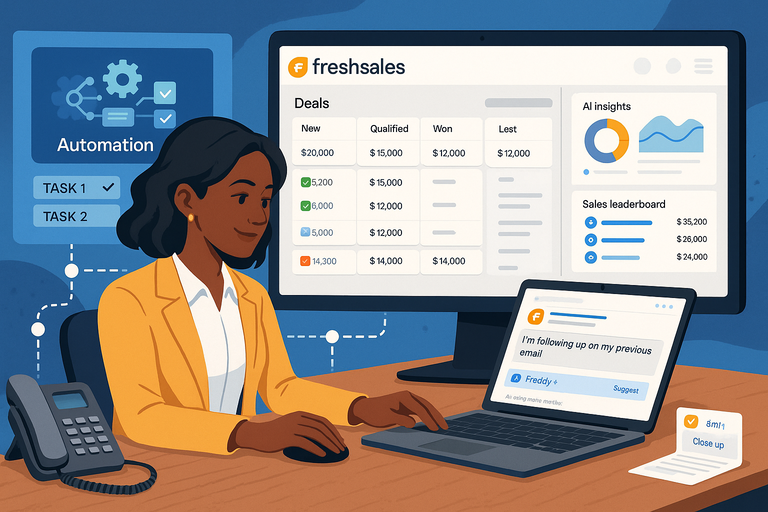 Freshsales CRM Explained: How It Helps You Close Faster
 Freshworks Vs HubSpot Comparison: Which Drives More Revenue
 Freshsales Review For Small Business: Hidden Power Or Hype?
 Freshsales Pros And Cons For Sales Teams: Honest Breakdown
 Freshsales Features Overview: Powerful Tools Most Miss