
Table of Contents
Some links on The Justifiable are affiliate links, meaning we may earn a small commission at no extra cost to you. Read full disclaimer.
ClickMagick conversion tracking tool review is a search phrase that usually comes from one place: you are spending money on traffic, your platform numbers do not fully agree, and you want to know what is actually driving revenue.
I get it. Tracking tools can sound more impressive than they feel once you are inside them. So this review looks at ClickMagick from the angle that matters most: setup reality, reporting depth, optimization value, and whether the price makes sense once real campaigns are involved.
I’ll keep this practical, direct, and focused on decision-making.
What ClickMagick Is And Who It Is Really For
At its core, ClickMagick is not just a link shortener or a basic click counter. It is a performance tracking platform built to show you which traffic sources, ads, pages, and conversion events are producing real outcomes.
That difference matters because most buyers are not looking for “more analytics.” They want cleaner decisions.
What ClickMagick Actually Does Better Than Basic Analytics
The biggest thing to understand is this: ClickMagick is designed for action, not just observation. A general analytics platform may tell you that traffic came from paid social, email, or search. ClickMagick tries to tell you which click, campaign, funnel step, and conversion path deserve more budget.
That makes it especially useful when your business depends on paid acquisition or multi-step funnels. If you are running lead generation, affiliate offers, webinars, product launches, coaching funnels, or e-commerce campaigns with upsells, you need more than surface-level reporting. You need attribution that follows the buyer journey closely enough to help you scale what works and kill what does not.
What stood out to me is how much of the product is built around that direct-response mindset. You are not just tagging traffic and hoping the platform fills in the blanks. You are building a cleaner source of truth around tracked visitors, conversion events, cost data, and performance by campaign.
I believe this is the biggest reason people end up liking ClickMagick. It is less about “having dashboards” and more about getting the confidence to make faster budget decisions without second-guessing every ad platform report.
If your main traffic is organic content and you rarely buy ads, ClickMagick may feel like more tool than you need. But if you live in the world of cost per lead, return on ad spend, A/B testing, and campaign attribution, it starts to make a lot more sense.
Who Should Buy It, And Who Should Probably Skip It
In my experience, ClickMagick fits best when wasted spend is already a real problem. If you are putting meaningful money into campaigns every month, better attribution can pay for itself quickly. The sweet spots are pretty clear.
- Best fit: Affiliate marketers, media buyers, funnel builders, agencies, info-product sellers, coaches, and small to mid-sized e-commerce brands that rely on paid traffic.
- Also a good fit: Businesses with long or messy customer journeys where the first click and final sale happen days or weeks apart.
- Probably not ideal: Hobby bloggers, simple brochure websites, local sites with minimal paid traffic, or businesses that only need basic website traffic stats.
A simple way to think about it is this: If inaccurate tracking is already costing you decisions, ClickMagick is relevant. If you are not yet buying enough traffic to care about attribution gaps, it may be premature.
There is also a practical skill issue here. ClickMagick is easier than old-school enterprise trackers, but it still expects you to care about UTMs, tracking domains, conversion events, and testing. If that vocabulary already makes you tired, there will be a learning curve. The setup wizard helps, but this is still a serious marketer’s tool, not a toy dashboard.
That said, I would not call it overly technical. I would call it structured. Once you understand the logic, the platform starts to feel very usable.
How ClickMagick Conversion Tracking Works In Real Life
A lot of tracking tools sound magical until you ask one simple question: how exactly does the conversion get tied back to the click? This is where ClickMagick gets more interesting than many lightweight trackers.
TrueTracking, First-Party Data, And Why That Matters
ClickMagick centers much of its value around what it calls TrueTracking. In plain English, that means it tries to preserve better attribution by using your own site data, first-party tracking, and stronger event matching instead of relying only on the ad platform’s partial view.
Why does that matter? Because ad platforms are not neutral referees. They want to optimize inside their own walls, and they often work with short attribution windows, modeled data, delayed reporting, or incomplete visibility. That is fine for broad trend reading, but not ideal when you are trying to decide whether Ad Set A or Campaign B deserves another thousand dollars.
With ClickMagick, the promise is a cleaner middle layer between your traffic source and your outcome. That is especially helpful if you are sending data back into platforms like Google Ads or Meta through conversion APIs and audience optimization workflows.
Here is the practical takeaway: ClickMagick is trying to improve the quality of the signal your ad platforms receive. Better signal quality often means better optimization, because the algorithm is no longer learning from weak, partial, or delayed conversion data.
For many advertisers, this is the real pitch. Not “more reports,” but “more trustworthy feedback loops.”
Pixels, Postbacks, UTMs, And The Setup Logic You Need To Understand
If you are new to tracking, this part can feel more complicated than it really is. Let me break it down simply.
A click tracker like ClickMagick needs a few building blocks to work well:
- Tracking links: These identify where the click came from.
- UTM parameters: These are tags in the URL that label campaign source, medium, content, and other details.
- Tracking code or pixel: This sits on your pages and records pageviews or conversion activity.
- Postback or webhook tracking: This sends conversion data back when the sale happens, often from a cart, funnel tool, or offer platform.
- Tracking domain: This helps keep attribution cleaner and more consistent.
The reason this matters is that many buyers expect a one-click install to solve everything. It rarely works that way. Even with a good tool, conversion tracking only becomes reliable when your traffic naming, event setup, and destination pages are structured correctly.
This is why I suggest treating setup like infrastructure, not decoration. Spend the extra hour defining your core events first. For example, don’t just track “sale.” Track opt-in, booked call, add to cart, checkout started, front-end sale, upsell accepted, and repeat order where relevant.
That is where ClickMagick becomes genuinely useful. It can optimize beyond the final purchase and give you earlier signals to work with.
Real Tests: What The Setup Experience Feels Like
The easiest way to review a tracker is to list features. The better way is to ask whether the setup process matches real-world workflows. That is what most buyers care about.
Test 1: A Simple Lead Generation Funnel
Imagine you run paid traffic to a landing page, collect an email, send users to a thank-you page, and then book calls later through follow-up. This is one of the most common use cases for ClickMagick, and honestly, one of the strongest.
The reason is simple: you do not need a giant e-commerce stack to get value. You need a clean link, a tracking pixel, a defined conversion event, and a consistent way to pass source data through the funnel.
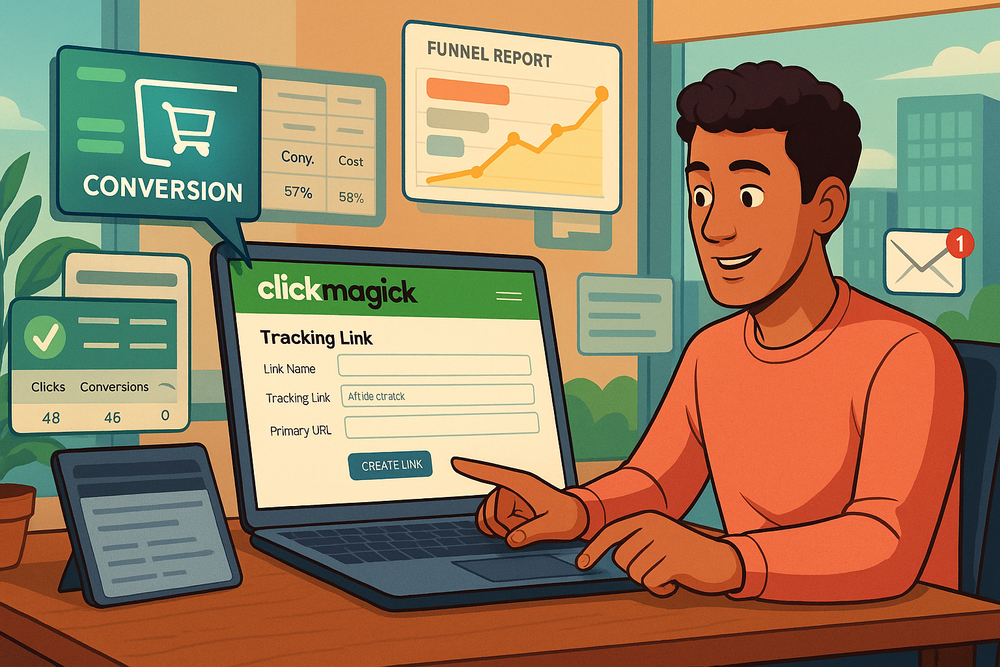
In this kind of test, the setup logic is fairly straightforward. You create the campaign link, add the tracking code to the landing page, define the opt-in confirmation as a conversion, and then layer in later milestones if your funnel supports them. If you can pass data into downstream events, the reporting becomes much more useful.
What I like here is that ClickMagick does not force you to think only in terms of purchases. A lead gen business often wins or loses before revenue shows up. If your booked-call rate or qualified-lead rate is the real performance signal, that is what you should track.
A realistic example: You send 1,000 clicks into a lead magnet funnel. Platform reporting says campaign performance looks similar across two ad sets. ClickMagick shows that one ad set produces cheaper opt-ins but worse booked calls. That is the kind of difference that changes real spend decisions.
For lead gen, ClickMagick feels practical and well matched.
Test 2: An E-Commerce Store With Delayed Purchases And Multiple Steps
E-commerce is where tracking gets messy fast. People click on mobile, come back later on desktop, browse product pages, abandon cart, return from email, and finally buy after a discount code or retargeting push. That makes attribution harder and makes simplistic last-click reporting less useful.
In a store environment, ClickMagick becomes more valuable if you have a clear reason for using it beyond your native dashboard. That reason is usually one of three things: better ad attribution, stronger event tracking, or clearer path analysis across a funnel or product journey.
If you are on Shopify, for example, the appeal is not that ClickMagick replaces the store. It is that it can sit between your ads and your store activity to improve how traffic quality and conversion quality are measured.
This matters more when your average order value is high, your sales cycle is not instant, or your acquisition mix spans multiple platforms. A cheap impulse product may not justify heavy tracking work. A store with bundles, upsells, email recovery, and repeat-path complexity usually will.
The catch is that e-commerce setup needs more discipline. You have to define which events matter, verify they are firing correctly, and make sure your campaign naming stays clean. If you skip that, the tool will not save you from messy implementation.
That is why I would call ClickMagick strong for serious stores, but not magical for sloppy ones.
Reporting, Attribution, And What You Can Actually Optimize
Once tracking is working, the next question is whether the reports are actionable. This is where many tools fail. They collect a lot of data, but very little of it helps you decide what to pause, test, or scale.
Reporting Depth, Split Testing, And Attribution Clarity
ClickMagick’s reporting value comes from connecting several layers that marketers normally inspect in separate places: click quality, cost data, conversion events, and funnel-level performance. That matters because isolated numbers create bad decisions.
For example, a cheap click is useless if it comes from poor traffic. A high-converting landing page is misleading if it only works on one traffic source. A campaign that looks expensive on the front end may still be your best performer if it produces better back-end value.
This is why I like the combination of link tracking, split testing, attribution models, and rotator-style traffic control inside one environment. You can test pages, sources, or offers without having to duct-tape together multiple dashboards.
A simple but powerful workflow looks like this:
- Step 1: Track each traffic source with clearly labeled links.
- Step 2: Send traffic to two landing page variants.
- Step 3: Measure not just opt-ins, but downstream conversions.
- Step 4: Cut the loser based on actual value, not vanity metrics.
That sounds basic, but many advertisers still stop at CTR or top-of-funnel conversion rate. ClickMagick pushes you closer to the metric that matters most: which traffic path makes money.
In my view, this is where ClickMagick earns its place. It helps you make better “keep it or kill it” decisions, and that is the heartbeat of paid traffic management.
Bot Filtering, Click Fraud Protection, And Why Cleaner Traffic Data Matters
One underrated part of conversion tracking is traffic quality. If you are counting junk clicks as real interest, everything downstream becomes distorted. Your cost per lead looks worse, your conversion rate looks weaker, and your ad platform may optimize around bad feedback.
ClickMagick leans heavily into bot filtering and click fraud protection, and I think that is smart positioning. A lot of advertisers underestimate how much noise lives inside their traffic. It is not always dramatic click fraud. Sometimes it is repeat curiosity clicks, accidental clicks, crawlers, or low-intent behavior that inflates reporting without producing sales.
Why does that matter so much? Because optimization systems learn from patterns. If the input is noisy, your budget decisions get noisy too.
A practical example: Imagine one campaign is producing 15% more clicks than another, but a chunk of those clicks are low quality. Without proper filtering, you may think that campaign is under-converting. With cleaner reporting, you realize the issue is not the page or offer. It is the click mix.
This is also where ClickMagick separates itself from tools that focus only on page analytics. It is built for media buying logic. That means protecting spend matters almost as much as measuring outcomes.
For advertisers spending enough money to care about wasted clicks, this feature category is not a nice extra. It is part of the product’s core value.
ClickMagick Pricing And Whether The Cost Is Reasonable
Pricing is where many “great” tools start to feel less great. So let’s talk about the current structure in a practical way rather than pretending every business has the same needs.
Pricing Tiers And What You Get At Each Level
Here is the current pricing picture in simple terms.
| Plan | Monthly Price (Annual Billing) | Best For | Key Limits/Highlights |
|---|---|---|---|
| Starter | $66/month | Beginners and smaller campaigns | 10,000 tracked visitors, 1 user, 1 site/store, 1 ad account per platform |
| Standard | $166/month | Growing advertisers | 100,000 tracked visitors, extra team members, advanced attribution, phone/offline sales tracking |
| Pro | $291/month | Teams and agencies | 1,000,000 tracked visitors, unlimited team members, unlimited ad accounts |
What I find reasonable here is that the entry tier is not outrageously priced for a serious paid-traffic business. It is still a real expense, but it is not enterprise-level painful. If you are spending even a modest amount on ads, one or two corrected optimization decisions can justify that cost.
The Standard plan is probably where a lot of real businesses land. It is the point where ClickMagick starts to look more like a scaling tool rather than a starter utility. Advanced attribution and phone or offline sales tracking can matter a lot if your customer journey extends past a simple checkout.
The main caution is visitor limits. If your traffic volume grows quickly, your plan choice matters more than you might expect.
Price Comparison: ClickMagick Vs. Other Options
Here is where ClickMagick becomes easier to judge. It is not the cheapest tracker in the universe, but it is also not priced like a premium “white glove” attribution platform.
| Tool | Entry Pricing Snapshot | Positioning | My Take |
|---|---|---|---|
| ClickMagick | $66/month annually | Direct-response tracking for small businesses and marketers | Strong balance of depth, usability, and cost |
| Voluum | $119/month annually | Advanced affiliate/media buying tracker | Excellent for power users, but pricier fast |
| HYROS | $230/month annually | Premium attribution with guided setup | Better fit for larger, higher-revenue businesses |
| GA4 | Free | General web analytics | Useful baseline, but not enough for many paid traffic decisions |
My honest opinion is that ClickMagick sits in an attractive middle zone. It is more serious than free analytics and more financially approachable than premium attribution tools that assume larger budgets from day one.
That middle-market fit is probably its strongest commercial advantage.
If you want a tool that can grow with you without forcing enterprise pricing too early, ClickMagick makes a good case for itself.
Common Mistakes That Make ClickMagick Feel Worse Than It Is
A lot of bad software reviews are really bad setup stories. Tracking is one of those categories where implementation quality shapes the user experience more than people admit.
The Most Common Setup Mistakes
The first mistake is tracking too little. People install the code, track one conversion, and assume they now have “full attribution.” They do not. They have one visible event and several blind spots.
The second mistake is sloppy naming. If your campaign names, sources, content labels, and link structures are inconsistent, your reports will become harder to trust. You cannot optimize chaos.
The third mistake is failing to test conversion events before scaling spend. This one hurts the most, because the platform may appear to be working while quietly missing valuable actions.
Here are the setup errors I would watch for first:
- Mistake 1: No consistent UTM structure across campaigns.
- Mistake 2: Tracking only purchases and ignoring earlier funnel signals.
- Mistake 3: Assuming platform-reported cost and tracker-reported conversions will match perfectly.
- Mistake 4: Forgetting to verify the tracking domain and event firing.
- Mistake 5: Launching traffic before running controlled test clicks and conversions.
This is why I suggest treating your first week with ClickMagick as a measurement sprint, not a performance sprint. Your only goal early on should be validating the data path.
If the data path is wrong, optimization becomes expensive guessing.
How To Troubleshoot Tracking Before You Spend More Money
Troubleshooting does not need to be dramatic. In most cases, it is a matter of following the click path carefully and checking where the signal disappears.
Start with a controlled test. Click the ad or tracking link yourself, land on the page, complete the action, and confirm whether the platform records the visitor and the event. If it does not, work backwards.
A simple troubleshooting process looks like this:
- Confirm the tracking link resolves correctly.
- Confirm the tracking code loads on the intended page.
- Confirm the conversion page or event fires as expected.
- Confirm the click ID or source data is preserved through the journey.
- Confirm the reported event appears in the right campaign and not somewhere else.
In my experience, most issues happen at handoff points. A redirect strips parameters. A checkout flow breaks the pass-through. A thank-you page was not tagged correctly. An event was defined, but not mapped to the campaign logic you expected.
This is why simple funnels are easier to trust than complex stacks with multiple apps involved.
The good news is that ClickMagick appears to have invested heavily in guided setup and support. That lowers the pain, but it does not remove the need for deliberate validation.
Advanced Optimization: Where ClickMagick Starts To Compound
Once basic setup is stable, the real opportunity is not “more data.” It is using the tool to improve budget allocation, event quality, and campaign velocity.
Custom Conversions, Offline Actions, And Better Optimization Signals
One of the smarter uses of ClickMagick is tracking the events that happen before revenue but still predict revenue well. This is especially helpful for businesses with delayed closes, calls, applications, or high-ticket sales.
For example, a coaching business may care more about qualified applications than raw leads. A service company may care more about booked consultations than form submissions. An info business may want to optimize around webinar attendance before sales come through later.
This is where custom conversions become powerful. You are not forcing your optimization around a single blunt endpoint. You are telling your system which actions actually matter.
The same idea applies to offline sales tracking. If your money is made over the phone, through a sales rep, or after a delayed close, pure on-page event tracking is not enough. You need ways to connect earlier clicks to later revenue signals.
That can produce a much stronger feedback loop. Instead of scaling ads that generate cheap but weak leads, you can scale ads that generate fewer but better downstream outcomes.
I suggest thinking in terms of signal ladders. Track the small actions, the mid-funnel commitments, and the final sale. Then judge campaigns by the stage that best predicts profit for your model.
That is a more mature way to use ClickMagick, and it is where the platform becomes genuinely strategic.
Team Use, Agency Workflows, And Automation Potential
ClickMagick becomes more compelling as soon as more than one person touches campaign data. That is why the higher plans matter for teams and agencies.
In an agency environment, attribution problems multiply fast. Different clients use different platforms, conversion paths vary, and reporting quality depends on standardized implementation. A tracker can either reduce that complexity or add to it. ClickMagick looks more helpful when it becomes the common measurement layer across accounts.
The API and integrations also matter more at this stage. If you need stats in custom workflows, automated reporting, or broader stacks, that flexibility matters. Even simple connective tissue through Zapier can save time when passing event data, alerts, or campaign actions into the rest of your process.
This is also where standard operating procedures become valuable. Agencies and teams should document:
- Naming rules: Campaign, source, and creative naming.
- Event rules: Which actions count as core conversions.
- Validation rules: How each setup is tested before launch.
- Reporting rules: Which metrics drive pause, scale, or creative decisions.
Without that structure, even a good tracker becomes a messy database.
With it, ClickMagick can become the operating system behind smarter optimization rather than just another reporting tab.
The Real Pros And Cons After Looking At The Whole Picture
Every review should eventually stop admiring features and answer the harder question: what is this tool genuinely good at, and where does it still create friction?
Pros: Where ClickMagick Feels Strong
The strongest advantage is focus. ClickMagick is clearly built for marketers who care about attribution, optimization, and spend efficiency. That focus shows up in the product design.
Here is where I think it performs best:
- Pro 1: Strong fit for paid traffic and direct-response marketers.
- Pro 2: Good balance between depth and usability.
- Pro 3: Entry pricing is more approachable than premium attribution platforms.
- Pro 4: Flexible enough to track more than just purchases.
- Pro 5: Split testing, traffic control, and reporting live close to the tracking layer.
- Pro 6: Bot filtering and click protection address a real pain point many advertisers ignore.
I also like that it does not seem locked to one platform ecosystem. That matters if your stack changes over time or if you work across multiple traffic sources.
For the right buyer, it looks like one of those tools that can reduce both waste and indecision. And that is a valuable combination.
Cons: Where You Still Need To Be Realistic
The biggest downside is not that ClickMagick is bad. It is that some buyers will expect it to fix poor marketing operations automatically. It will not.
Here are the real limitations as I see them:
- Con 1: Setup still requires care, especially for more complex funnels.
- Con 2: Some businesses will never use enough of the feature set to justify the cost.
- Con 3: Visitor caps and plan boundaries matter once volume rises.
- Con 4: Beginners may still feel a learning curve around attribution concepts.
- Con 5: The value depends heavily on implementation discipline.
I would also say this: if your business is tiny and your ad spend is inconsistent, ClickMagick may feel heavier than necessary. You can absolutely admire the product and still decide it is not the right timing.
That is a mature decision too.
Final Verdict: Is ClickMagick Worth It?
For most serious advertisers, yes. ClickMagick looks like a strong conversion tracking tool if your goal is better attribution, better optimization, and less reliance on ad platform guesswork.
I would not recommend it because it has a long feature list. I would recommend it because it appears to solve a real business problem: the gap between traffic spending and trusted decision-making.
If you are an affiliate marketer, media buyer, coach, agency, or growing e-commerce brand with real ad spend, the value proposition is pretty clear. It gives you a more direct view of which clicks and campaigns deserve more budget. That can improve ROI faster than most “optimization hacks” people chase.
If you are early-stage, lightly funded, or mostly running on organic traffic, the answer is less urgent. You might admire the platform and still wait.
My overall take is simple: ClickMagick sits in a very useful middle ground. It is more capable than lightweight analytics tools, more affordable than premium attribution platforms, and more practical than a lot of overhyped tracking software.
If your current reporting feels fuzzy and that fuzziness is affecting how you spend money, this is a tool I would take seriously.

I’m Juxhin, the voice behind The Justifiable.
I’ve spent 6+ years building blogs, managing affiliate campaigns, and testing the messy world of online business. Here, I cut the fluff and share the strategies that actually move the needle — so you can build income that’s sustainable, not speculative.
Related posts:
 ClickMagick Tracking Link – How to Track Every Click & Sale!
 ClickMagick ClickBank Integration – Track, Optimize & Profit!
 How To Use ClickMagick For Link Tracking: Unlock Faster, Smarter Data
 ClickMagick Affiliate Tracking Strategy That Stops Lost Commissions
 How to Find the Best Affiliate Products to Sell for Maximum Profit
 ClickMagick Pricing: How to Get the Most for Your Money