
Table of Contents
Some links on The Justifiable are affiliate links, meaning we may earn a small commission at no extra cost to you. Read full disclaimer.
AppScenic pricing explained is not just about the monthly number you see on the pricing page.
If you are trying to decide whether AppScenic is actually affordable for your store, you need to look at plan limits, annual discounts, connected stores, premium product access, and the extra cost that shows up when orders start rolling in.
I’ve gone through the current public pricing and support documentation so you can see what you would really pay, where the platform starts making sense, and where it can quietly get expensive for the wrong kind of business.
What AppScenic Pricing Actually Includes
Before you compare plans, it helps to understand what AppScenic is charging for. This is not just a product import tool.
It bundles product sourcing, sync automation, order handling, AI features, and wallet-based supplier payments into one system.
What You Get In The Core Subscription
When most people look at AppScenic pricing, they focus on the monthly subscription and stop there. That is only part of the picture. The subscription is really your access fee for the platform itself, which includes product catalog access, automation features, stock and price syncing, tracking import, and different AI request limits depending on the plan.
A useful way to think about it is this: You are paying for operational infrastructure, not just access to suppliers. The higher tiers expand how many products you can push, how many stores you can connect, how quickly support responds, and whether you can sell premium products. That matters because a beginner can survive with fewer pushed products, but a scaling store usually cannot.
AppScenic also positions AI as part of the offer. Its public site lists AI tools such as product enhancement, store SEO improvements, image upscaling, and marketing AI as included platform capabilities. In practice, that means some of the subscription value is tied to content and merchandising help, not just supplier automation.
My view is that this matters most if you want fewer moving parts. If you would otherwise pay separately for product sync, order automation, and some basic AI ecommerce tools, AppScenic can feel more economical than the sticker price suggests.
If you only need supplier access, the pricing feels less generous. That is the first filter I would use.
The Big Difference Between Access Costs And Selling Costs
A lot of dropshippers make the same mistake. They budget for the subscription, then get surprised by the cost of actually fulfilling orders. AppScenic itself explains that the monthly plan pays for platform access and automation, while transaction fees apply when customers place orders.
That distinction is crucial. The subscription is fixed. Your order-related cost scales with success. In other words, your store becomes more expensive to run as sales volume rises, even if you never upgrade plans. That is not automatically bad, but you should know it before calculating profit margins.
There is also a wallet system involved in paying suppliers. AppScenic says retailers fund orders through a store wallet, with options like auto-funding and backup payment methods. That means cash flow is not just “pay the monthly bill and you’re done.” You also need working capital available for fulfillment.
If you are new to dropshipping, this is the part I suggest you pay the most attention to. The platform fee is predictable. The real business cost is the platform fee plus transaction fees plus supplier product costs plus ad spend plus refund risk. AppScenic pricing only covers one slice of that stack.
AppScenic Plans Explained One By One
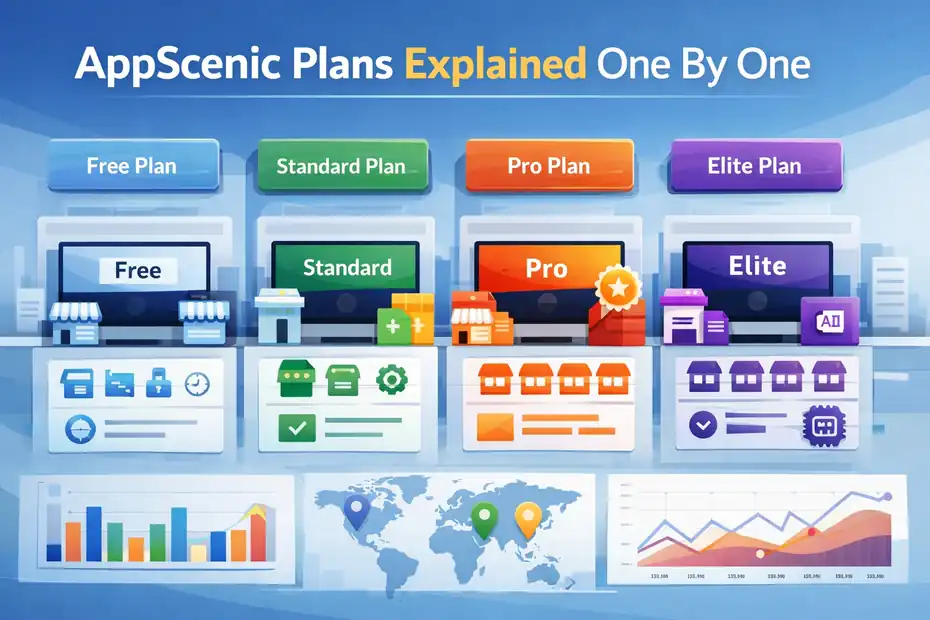
The current public pricing structure is simple on the surface:Free, Standard, Pro, and Elite.
The challenge is figuring out which limits matter to your business model and which ones are just marketing fluff.
Free Plan: Good For Research, Not For Real Operations
AppScenic’s Free plan costs $0 per month and lets you browse the catalog without a credit card. On the official pricing page, it includes 1 connected store, no orders, no premium products, price and stock sync, and auto-import tracking.
On the Shopify App Store listing, the free plan is described a bit more specifically as allowing 100 imported products, no AI, no product pushing, 24-hour support SLA, 24-hour price and stock sync, and no premium products.
That tells you something important: the Free plan is mostly a testing and discovery tier. You can explore suppliers, inspect products, and get a feel for the dashboard, but it is not built for actually running an order-based business. The “No Orders” limitation on the official pricing page is the biggest giveaway.
I would use this plan in two situations. First, when you are still validating whether AppScenic’s supplier catalog fits your niche.
Second, when you want to compare the product selection and dashboard experience against alternatives before committing money. That is smart. Paying too early for a dropshipping app is one of the easiest ways to waste budget.
Where the Free plan falls short is obvious. No meaningful selling workflow, no premium products, limited automation value, and weak sync speed. For a live store, it is really more of a sandbox than a business plan.
Standard Plan: The Real Entry Point For Small Stores
The Standard plan is listed at $39 per month, or $372 per year on Shopify, which works out to a 21% annual discount. It includes 1 connected store, 100 pushed products, 20 AI requests per day, automatic ordering, instant price and stock sync, and no premium products. Shopify also lists a 12-hour support SLA and a 7-day free trial.
For many small stores, this is the first serious AppScenic tier. You can actually push products to a store, automate ordering, and keep inventory data updated fast enough to reduce stock mismatch issues.
If you run a very focused niche store, 100 pushed products can be enough. In fact, I often think beginners do better with 30 to 80 carefully chosen products than with a bloated catalog.
The catch is that Standard still blocks premium products. That can matter more than people expect. If AppScenic’s best supplier relationships or more attractive items sit behind premium access, then Standard may look affordable but limit your merchandising upside.
This plan makes the most sense for a lean Shopify or WooCommerce test store with a tight niche, a small catalog, and a founder who wants automation without immediately paying for thousands of product slots. It makes less sense for broad general stores, marketplaces, or anyone planning aggressive product testing at scale.
Pro Plan: Where AppScenic Starts To Make Strategic Sense
The Pro plan is currently listed at $79 per month, or $708 per year on Shopify, which is shown as a 25% savings versus monthly billing.
It raises the limits to 3 connected stores, 5,000 pushed products, 500 AI requests per day, automatic ordering, instant sync, and premium product access. Shopify lists support SLA at 4 hours and includes a 7-day free trial.
This is the plan where AppScenic starts to feel like a real operations platform rather than just a plugin fee. The jump from 100 pushed products to 5,000 is huge. The move from 1 store to 3 stores is also meaningful if you operate multiple niche stores, one main store plus test stores, or client stores.
Premium product access is the biggest practical upgrade. I believe that is one of the strongest reasons to skip Standard if you already know you want to compete on faster domestic shipping, stronger supplier quality, or more curated products.
AppScenic highlights premium products and suppliers from regions including the USA, UK, EU, and Canada as part of its positioning.
For a growing store, Pro often looks like the best balance between capability and cost. The monthly price is not cheap for a beginner, but the product limit is high enough that you are unlikely to outgrow it quickly. That reduces the friction of constant upgrades as your catalog expands.
Elite Plan: Built For Multi-Store Or High-Volume Sellers
The Elite plan is listed at $99 per month, or $792 per year on Shopify, which is shown as a 33% annual savings. It includes 10 connected stores, 20,000 pushed products, 2,000 AI requests per day, premium products, automatic ordering, instant sync, and a 15-minute support SLA on Shopify.
The official pricing page also says Elite is aimed at advanced and volume sellers.
On raw pricing, Elite is interesting because it is only $20 more per month than Pro, but it massively expands store count, product capacity, and AI usage. That makes it look expensive for a beginner and oddly efficient for the right operator.
If you run several stores, that price jump is actually small relative to the extra headroom.
This is also the plan most likely to matter if customer support speed matters to your revenue. A 15-minute SLA will not magically solve supplier issues, but for a store doing real volume, faster support can prevent small problems from snowballing into refund waves or account chaos.
I would put Elite in the “operator plan” category. It is not about affordability in the usual sense. It is about reducing constraints. If your business needs multiple connected stores, wide catalog coverage, and fast handling, the plan can be rational. If you only have one small store, it is overkill.
Real Costs Beyond The Monthly Subscription
This is the section most reviews gloss over. The visible subscription price is only the front-end cost.
The back-end costs are where AppScenic can become either efficient or surprisingly expensive, depending on your margins.
Transaction Fees Can Change Your Margin More Than You Expect
AppScenic states that it charges a transaction fee on every order based on your subscription plan. In a company blog post explaining the policy, it says the fee can be as high as 3% on Standard and as low as 1% on Elite when billed monthly, and that yearly Elite can reach 0% transaction fee.
The company says this covers payment gateway costs, currency fluctuation, and escrow-style retailer protection for orders, returns, and refunds.
That matters a lot more than a beginner usually assumes. Imagine your average order value is $60 and your net margin before platform fees is 20%, or $12. A 3% transaction fee on revenue is $1.80. That cuts your $12 down to $10.20 before payment processor fees, ad costs, and returns.
In percentage terms, that is a meaningful hit to profit. The exact impact depends on how AppScenic calculates the fee in your order flow, but the margin pressure is real.
This is why I usually tell people not to evaluate AppScenic by subscription price alone. A plan that looks cheaper can become more expensive at scale if the order fee stays higher.
In some cases, upgrading sooner can improve net economics, especially if the better tier lowers transaction costs and unlocks better products. That is one of those boring business truths that saves money.
Your Store Wallet Changes How Cash Flow Works
AppScenic uses a store wallet to handle supplier payments. The company’s support docs explain that you need to configure the wallet before sending your first orders, can choose wallet currency in USD, EUR, or GBP, and can enable auto-funding when the balance drops below a threshold. It also allows backup payment methods.
Operationally, this means you need enough liquidity to keep fulfillment moving. You are not just paying suppliers at some vague future date. Your wallet has to be ready to fund orders. That is normal in ecommerce, but AppScenic’s wallet model makes the cash flow mechanics more visible.
There is also a 10% first wallet deposit bonus up to $50 mentioned in help documentation. That is not a reason to choose the platform on its own, but it can slightly soften the first funding step. If you deposit $200, AppScenic’s example says you get an extra $20.
The practical takeaway is simple: budget operating capital alongside software cost. A lot of “cheap” dropshipping setups collapse because the owner planned for apps but not for fulfillment float.
Annual Billing Can Be The Cheapest Option If You Already Have Proof
AppScenic supports both monthly and yearly plans, and its FAQ says monthly plans can be terminated at the end of the current billing month while yearly plans terminate at the end of the contract year. On Shopify, the annual rates shown are $372 for Standard, $708 for Pro, and $792 for Elite, with stated savings of 21%, 25%, and 33% respectively.
If you are already validated and know AppScenic fits your business, yearly billing is where the economics get more attractive. You lower the effective monthly subscription cost and, based on AppScenic’s transaction fee explanation, may reduce or even eliminate some order-related fees on certain tiers.
But I would not rush into annual billing just to save money on paper. In my experience, annual software plans are only smart after three things are true: your niche is validated, your store is actually using the automation, and you have verified supplier/product fit. Otherwise you risk paying for a year of software you do not fully use.
For beginners, monthly is usually the safer tuition. For operators with traction, annual can be the better financial decision.
Which AppScenic Plan Fits Different Types Of Stores
The right plan depends less on your ambition and more on your catalog strategy, supplier standards, and store count.
The best plan for a focused niche store is often different from the best plan for a multi-store operator.
Best Plan For Beginners Testing A Niche
If you are just starting, I would begin with the Free plan for research and then move to Standard only when you are ready to publish and fulfill products.
The Free plan lets you inspect the catalog and environment without entering card details, while Standard is the first paid tier that gives you pushed products and automatic ordering.
This path works best when you have one store, one niche, and a small curated catalog. Think pet accessories, home office gadgets, or a single themed gift store. You do not need 5,000 products to validate a store. You need 20 to 50 products with decent demand, acceptable margins, and clean operations.
The risk at this stage is overbuying software confidence. Many beginners assume a more expensive plan will compensate for weak product research. It will not. A $79 plan cannot fix poor offers, unclear positioning, or weak traffic. I recommend using Standard only once you know you want to launch and fulfill orders consistently.
Best Plan For Growing Brands And General Stores
Pro is probably the sweet spot for most serious operators. At $79 per month with 3 stores, 5,000 pushed products, premium product access, and 500 daily AI requests, it gives you enough room to run a meaningful catalog without immediately needing the top tier.
This is the plan I would look at for a general store testing multiple categories, a branded niche store expanding its assortment, or an operator running a main store plus two side stores. Premium product access is especially useful if you care about supplier quality and shipping competitiveness rather than just catalog size.
There is also a hidden psychological benefit here. Pro removes a lot of “I can’t do that on my plan” friction. That matters because scaling stores already have enough operational friction without software ceilings slowing them down.
If you are asking, “Which plan will I regret upgrading to the least?” my answer is usually Pro, provided your store is already live and selling.
Best Plan For Agencies, Multi-Store Sellers, And Volume Operators
Elite is best suited to sellers running several stores or large catalogs. Ten connected stores and 20,000 pushed products is a level most solo beginners will never touch, but agencies, marketplace-style operators, and aggressive category testers absolutely might.
The additional support responsiveness also matters more at this level. Faster support is not exciting in a sales pitch, but when a supplier issue affects multiple storefronts, support speed becomes part of risk management.
I also think Elite looks more reasonable when you divide cost by store. At $99 per month across several stores, the per-store software cost can actually become quite low. That does not make it “cheap,” but it can make it efficient.
This plan is usually about leverage. If you need lots of catalog space, lots of store connections, and fewer limits, Elite can be worth it. If you are not already feeling those limits, it is probably too early.
How To Estimate Your True Monthly AppScenic Cost
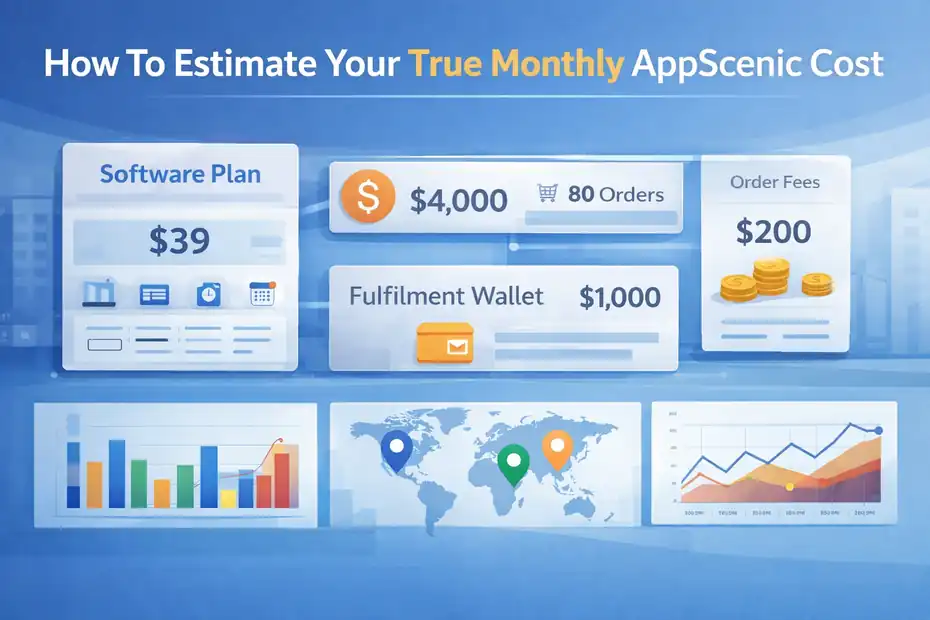
The best way to judge AppScenic pricing is to model a realistic month, not to stare at the plan grid. That gives you a much clearer answer than debating whether $39 or $79 feels expensive.
A Simple Cost Formula You Can Use
I like to estimate AppScenic cost using this framework:
- Software Cost: Your monthly or annual-equivalent subscription.
- Order Cost Impact: Transaction fees applied as your orders come in.
- Fulfillment Float: The wallet balance or supplier payment cash you need available.
- Store Complexity Cost: Extra cost if you need more stores, more products, or premium access sooner than expected.
This is more useful than subscription-only pricing because it reflects how the platform behaves in a real business. AppScenic explicitly separates subscription access from per-order transaction fees, which is why this structure fits the product well.
Say you run a small store doing 80 orders a month with a $50 average order value. Your gross sales are $4,000. Even a modest transaction fee percentage starts becoming noticeable on top of the software plan.
And if your wallet needs regular replenishment to avoid fulfillment interruptions, cash flow planning becomes part of the software decision, too.
I believe this is where many “cheap” software decisions go wrong. Owners compare tools as if they were Netflix subscriptions, when they are really operational systems tied to revenue flow.
Example Scenarios For Three Different Store Sizes
Here is how I would think about it in practice.
- Scenario 1: New niche store. You start on Standard at $39 per month. You push 40 products, get a few sales, and use the platform mainly for automation. This can be a sensible, low-risk setup if you do not need premium products yet.
- Scenario 2: Growing one-store business. You are actively testing more products, want better suppliers, and care about premium listings. Pro at $79 may cost more upfront but can save time and reduce platform limits from getting in your way.
- Scenario 3: Multi-store operator. You manage several stores and want the cost spread across them. Elite at $99 may actually be the most efficient per store, especially if faster support and high catalog capacity prevent operational bottlenecks.
The “best” price depends on what kind of constraints hurt your business most. For many of us, the wrong cheap plan costs more than the right expensive plan.
Common Mistakes People Make When Evaluating AppScenic Pricing
Most pricing mistakes are not about math. They are about evaluating the wrong variables.
That is why people either overpay too early or get stuck on a plan that looks cheap but slows growth.
Mistake 1: Choosing The Cheapest Plan Without Looking At Product Strategy
A lot of people see Standard and think, “Great, that’s the safe starter plan.” Sometimes it is. But if your strategy depends on premium products, broad product testing, or multiple stores, Standard can become a false economy very quickly. It keeps you to 100 pushed products, 1 connected store, and no premium products.
That can create hidden switching costs. You spend time building around one set of limits, then upgrade once growth exposes the mismatch. I have seen this happen often with ecommerce tools. The smaller plan saves money for a month or two, then costs time, migration effort, and decision fatigue.
I suggest choosing based on your operating model, not your fear of spending. If your business will clearly need premium products and bigger catalogs, Pro may be the more honest starting point.
Mistake 2: Ignoring Transaction Fees In Margin Planning
This is probably the most expensive mistake. AppScenic openly states it charges transaction fees on orders and that those vary by subscription level. Yet many reviews still talk as if the monthly plan price is the whole cost story.
That is dangerous because dropshipping margins are not huge to begin with. Once you add payment processing, refunds, ad spend, and order fees, a product that looked profitable can become mediocre fast.
I recommend calculating profit at the product level before you commit. Look at supplier cost, your selling price, expected ad cost, platform transaction fees, and average return rate. It is not glamorous, but it is how you avoid building a “busy” store that never becomes a profitable one.
Mistake 3: Locking Into Annual Billing Too Early
Yearly pricing can save real money. Shopify shows annual savings for every paid plan, and AppScenic’s own FAQ confirms the annual option exists.
Still, I do not recommend annual billing until you know three things: the suppliers fit your niche, the workflow suits your store, and you are actually using the automation enough to justify it. Too many store owners buy the yearly discount before they have a validated offer.
Savings are only savings if the tool is truly being used. Otherwise, it is prepaid regret.
Is AppScenic Worth The Price?
This is the real question underneath “appscenic pricing explained.” The answer depends on whether you value integrated operations more than bare-minimum software cost.
When AppScenic Looks Like Good Value
AppScenic can look strong on value if you want one platform for supplier access, product sync, order automation, premium product availability, and built-in AI support for ecommerce tasks. Its public site also highlights a catalog of more than 1 million products, over 100 categories, and supplier coverage across regions such as the USA, UK, EU, and Canada.
That bundled approach can save time and reduce tool sprawl. For some store owners, that matters more than shaving a few dollars off monthly software spend. Time saved on repetitive operations often turns into better merchandising, better ads, and better customer handling.
I think Pro and Elite are the plans where the value case gets strongest, because that is where product limits and premium access become less restrictive. If you are serious about building rather than just experimenting, that broader capability can justify the higher price.
When It Can Feel Overpriced
AppScenic can feel expensive if you only want a lightweight import tool, if your margins are already thin, or if transaction fees materially cut into profit. The Standard plan is affordable enough on paper, but if your business needs premium products or lots of listings, you may outgrow it quickly.
It can also feel overpriced if you are still in the idea stage. At that point, almost any paid software feels expensive because the business has not proven itself yet. In that situation, I would use the Free plan to research and only upgrade when the business case is clear.
Worth is always relative to usage. A tool you use heavily is often cheaper than a tool you barely use, even if the monthly fee is higher.
Final Verdict On AppScenic Pricing
AppScenic pricing explained in the simplest possible way looks like this: Free for research, Standard for lean beginners, Pro for most growing stores, and Elite for operators who need scale. Public pricing currently shows $0, $39, $79, and $99 per month, with annual options that lower the effective monthly cost.
But the real cost includes transaction fees on orders, wallet-based fulfillment cash flow, and the operational consequences of plan limits.
If I were choosing today, I would treat Standard as a temporary starter plan, Pro as the most balanced long-term option for active stores, and Elite as the clear choice only when store count or catalog size genuinely demands it. That is the honest read. The wrong way to buy AppScenic is by asking which plan is cheapest.
The right way is by asking which plan gives your business enough room to operate profitably without paying for capacity you will not use yet.
FAQ
What is AppScenic pricing and how does it work?
AppScenic pricing is based on a monthly or yearly subscription plus transaction fees on orders. The subscription gives access to automation, suppliers, and product syncing, while transaction fees apply when you sell products, making the total cost depend on your sales volume.
How much does AppScenic cost per month?
AppScenic offers four plans: Free at $0, Standard at $39, Pro at $79, and Elite at $99 per month. Annual billing reduces the effective monthly cost, with discounts ranging from about 20% to over 30% depending on the plan.
Does AppScenic charge transaction fees on orders?
Yes, AppScenic charges transaction fees on each order, which vary by plan. Lower-tier plans typically have higher fees, while higher-tier or annual plans can reduce or even eliminate these fees, directly impacting your overall profit margins.
Is AppScenic worth the price for beginners?
AppScenic can be worth it for beginners if they move from the free plan to Standard only after validating their niche. The platform becomes more valuable once automation and supplier access are actively used, rather than during the early testing phase.
Which AppScenic plan is best for scaling a dropshipping store?
The Pro plan is generally the best option for scaling because it includes premium products, higher product limits, and multiple store connections. It balances cost and functionality, making it suitable for growing stores without the constraints of lower-tier plans.

I’m Juxhin, the voice behind The Justifiable.
I’ve spent 6+ years building blogs, managing affiliate campaigns, and testing the messy world of online business. Here, I cut the fluff and share the strategies that actually move the needle — so you can build income that’s sustainable, not speculative.
Related posts:
 Square Ecommerce Tools That Help You Make Sales Quickly
 Salehoo and Shopify: How to Connect Them for Profit Fast
 Spocket Review Honest Pros And Cons: Worth It Or Not?
 How To Start A Dropshipping Business With No Money
 Viral Launch Chrome Extension: The Ultimate Tool for Sellers
 How to Use Dsers Shopify for Seamless Dropshipping