Table of Contents
Some links on The Justifiable are affiliate links, meaning we may earn a small commission at no extra cost to you. Read full disclaimer.
If you’ve ever thought about starting a blog to make money or grow fast online, you’ve probably wondered which platforms actually help you do both.
With so many options out there, finding the best blogging sites for earning potential and rapid growth can feel overwhelming.
Some are great for beginners, while others offer advanced tools to scale your audience and income. So, which platforms truly give you the best mix of profit, visibility, and freedom?
Let’s break it down in detail.
WordPress.org: The Powerhouse for Monetization and Control
WordPress.org is often the first name that comes up when people talk about the best blogging sites for earning potential and long-term growth.
It’s open-source, meaning you own your content and can monetize it however you want — no platform limits, no hidden restrictions.
Let’s unpack why it’s the go-to for serious bloggers and businesses.
Self-Hosting for Full Earning Potential
The biggest advantage of WordPress.org is freedom — especially when it comes to monetization. Since it’s self-hosted, you’re in full control of your website, ads, and revenue streams.
Here’s what that means in practice:
- You buy a domain (like yourblog.com) and choose a hosting provider (I recommend Hostinger or Bluehost for beginners).
- You install WordPress on your host — most providers offer a 1-click setup.
- From there, you can install plugins like Ad Inserter for managing ad placements, or WooCommerce to sell digital or physical products.
I’ve found that bloggers who self-host often start earning faster because they can integrate Google AdSense, Mediavine, or even affiliate networks directly, without platform restrictions.
Customization Options That Boost Visibility and Growth
One thing I love about WordPress.org is how it lets you tailor every inch of your blog to your brand. Unlike platforms that limit your design freedom, WordPress gives you thousands of free and premium themes that you can fully customize.
Some high-performing bloggers use themes like GeneratePress or Astra because they’re lightweight and SEO-friendly.
You can adjust layouts, typography, and colors without touching code — or, if you’re comfortable, use page builders like Elementor or Beaver Builder for a drag-and-drop experience.
This level of customization doesn’t just make your blog look good — it improves user experience, keeps visitors engaged longer, and indirectly boosts your Google ranking.
From what I’ve seen, blogs with custom layouts often have 20–30% higher average engagement compared to those using default themes.
SEO Plugins That Drive Organic Traffic Fast
Search engine visibility is where WordPress.org really shines. With the right SEO plugins, even a new blog can start ranking within months.
Some of the most effective tools include:
- Yoast SEO: Offers step-by-step optimization for every post, including keyword density and readability checks.
- Rank Math: A newer alternative with schema markup, keyword tracking, and Google Search Console integration.
- WP Rocket: Speeds up your site load time — a crucial ranking factor for Google.
I suggest installing Rank Math if you want an all-in-one SEO toolkit. It automatically generates sitemaps, helps you optimize metadata, and tracks keywords inside your WordPress dashboard.
Monetization Opportunities Beyond Ads
Ads aren’t the only way to make money with WordPress.org — and honestly, they’re not even the most profitable for most bloggers.
You can explore:
- Affiliate Marketing: Promote products and earn commissions through programs like Flexoffers or Awin.
- Digital Products: Sell eBooks, templates, or online courses using LearnDash.
- Memberships & Subscriptions: Offer premium content through plugins like MemberPress.
Because WordPress gives you 100% ownership, you can diversify your income streams without losing a cut to the platform — something Medium or Wix can’t offer at the same level.
Why WordPress.org Dominates Professional Blogging
From what I’ve seen in the blogging world, professionals stick with WordPress.org because it scales — effortlessly. Whether you have 10 readers or 10,000 per day, your site can grow with you.
To sum it up:
- Full ownership of your content
- Unlimited monetization opportunities
- SEO control through powerful plugins
- Custom branding without design limits
It’s not the easiest platform for absolute beginners, but if you’re serious about earning and long-term growth, it’s worth every bit of setup effort.
Medium: Best for Writers Who Want Built-In Traffic
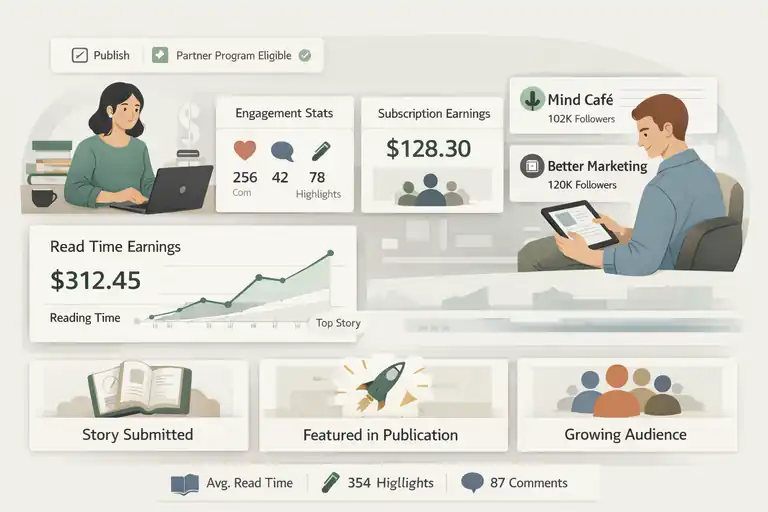
If WordPress.org is for business-minded creators, Medium is for writers who just want to write — and still get paid.
It’s a community-driven platform where your words can reach thousands, even without SEO or marketing.
How Medium’s Partner Program Rewards Quality Content
Medium’s Partner Program pays writers based on how long members read their stories. The key metric here is read time, not clicks or views.
Here’s how it works:
- You publish your story and mark it as eligible for the Partner Program.
- When paying Medium members read your story, you earn a share of their subscription fee.
- Stories that spark engagement — thoughtful comments, highlights, or rereads — earn even more.
In my experience, writers who focus on storytelling or actionable advice (like “how I grew my freelance income”) tend to perform best. It’s less about keywords and more about reader connection.
Leveraging Publications for Faster Exposure
Medium publications are like online magazines that host your stories and share them with a built-in audience. Getting published in one can dramatically accelerate your reach.
For example:
- Better Marketing focuses on business and digital strategy.
- Mind Café and The Startup reach over 100K+ followers each.
When you submit your stories to these publications, you’re essentially borrowing their audience — it’s one of the fastest ways to grow on Medium without spending a dollar on promotion.
Why Medium’s Audience Trust Drives Engagement
One reason Medium stands out among the best blogging sites is its reader trust. Medium readers expect authenticity — personal stories, reflections, and real-life lessons.
Because readers come to learn and connect, not just browse, engagement metrics like average read time and highlight rates are significantly higher than on most other platforms. That’s why even one well-written article can go viral and keep earning you money for months.
Limitations of Branding and Ownership on Medium
Now, here’s the flip side: Medium owns the platform, not you. You can’t fully customize your design, track advanced analytics, or freely promote affiliate products.
You also don’t own your audience — if Medium changes its algorithm or shuts down the Partner Program, your income could vanish overnight.
I always advise writers to repurpose Medium content on a personal blog (for example, repost articles on WordPress after 14 days) to maintain long-term control.
Wix: Simplified Design for Fast Blog Launches
If you want to launch a blog quickly without technical hassle, Wix is a strong contender.
It’s a drag-and-drop website builder that lets you design, publish, and even monetize your blog in a single afternoon — no coding required.
Drag-and-Drop Features for Instant Blog Setup
Wix’s interface is beginner-friendly. You simply drag elements like text boxes, images, or buttons into place. It’s visual — what you see is what you get.
You can start by:
- Signing up at wix.com and choosing a blog template.
- Editing the layout in the Wix Editor using the side panel.
- Hitting Publish when you’re ready — your blog goes live instantly.
In my experience, new bloggers love Wix because it removes the intimidation of web design. You can literally have a site up within an hour.
Built-In SEO Tools to Grow Visibility Quickly
While Wix used to lag behind in SEO, that’s changed drastically. The platform now offers Wix SEO Wiz, an interactive setup guide that helps you optimize your blog step by step.
It covers:
- Meta tags (title and description optimization)
- Mobile responsiveness
- Site indexing with Google Search Console
You can also connect Google Analytics and Google Search Console directly from your Wix dashboard, giving you the same level of tracking control as a WordPress site.
Monetization Options Using Wix Apps and Integrations
Monetization on Wix is flexible — though not as limitless as WordPress, it’s perfect for side-income bloggers.
Here are a few built-in options:
- Wix Ads: Display ads on your blog.
- Wix Stores: Sell digital or physical products.
- Wix Bookings: Ideal for coaches or consultants offering paid sessions.
- Affiliate Links: Add manually to blog posts using custom buttons or text links.
Wix also integrates with PayPal, Stripe, and Printful, so you can set up payment systems or print-on-demand shops easily.
Downsides to Consider Before Committing Long-Term
The main drawback with Wix is scalability. Once your site starts growing, migrating to another platform can be tricky — you can’t easily export all your posts or SEO data.
Also, advanced features (like removing Wix ads or connecting a custom domain) require a premium plan, which starts at around $16 per month.
For many beginners, that’s fine, but serious bloggers might find WordPress a better long-term investment.
Substack: Perfect for Bloggers Who Want Email-Based Growth
Substack has completely redefined what blogging looks like. It’s not just a writing platform — it’s a publishing and email system rolled into one.
What makes it special is how it helps you own your audience through direct email subscriptions rather than relying on algorithms.
If you’re looking for one of the best blogging sites for building a loyal, paying readership, this one deserves your attention.
How Substack Combines Blogging and Newsletters
Substack merges two key tools — a blog and a newsletter — into one simple interface. Every post you write becomes both a web article and an email newsletter sent directly to your subscribers.
You can:
- Write and format posts easily using Substack’s minimalist editor.
- Add images, embeds, and quotes with clean, distraction-free formatting.
- Send every post instantly to your mailing list with one click.
For example, if you write an article called “The Truth About Freelance Burnout,” Substack automatically publishes it online and emails it to every subscriber. That’s an enormous time-saver, especially compared to juggling WordPress and Mailchimp.
I find this direct delivery powerful because your content lands right in readers’ inboxes — no SEO competition, no social media algorithms. That means your engagement is genuine and more personal.
Setting Up Paid Subscriptions for Steady Income
Substack makes monetization refreshingly simple. Instead of ads, you can offer paid subscriptions to your readers.
Here’s how it works:
- Set your price (usually $5/month or $50/year).
- Offer both free and paid content tiers.
- Substack handles the payments, and you keep around 90% of the revenue (after Stripe’s fees).
For example, if you have 1,000 subscribers and even 5% convert to paid at $5/month, that’s $250/month — recurring income for content you already enjoy writing.
I’ve seen writers in niches like finance, tech, and wellness earn full-time income through this model. Substack also lets you analyze subscriber data in your dashboard, showing metrics like open rates, growth trends, and churn.
Building a Loyal Audience Through Direct Communication
One of the most overlooked advantages of Substack is direct communication. Readers can reply to your newsletters just like regular emails, creating a more personal dialogue.
This interaction builds a sense of community. When people feel like they’re part of a private circle, they’re more likely to stay subscribed — and even upgrade to paid tiers.
A small trick I use: at the end of every post, ask a simple question like, “How do you handle burnout?” or “What’s your take on this?” It encourages responses and keeps engagement high.
That two-way connection is what turns casual readers into loyal supporters — something that traditional blogging platforms rarely achieve.
When Substack Works Best for Creators
Substack shines when your content revolves around insights, storytelling, or analysis — anything that benefits from regular updates.
It’s ideal for:
- Writers who want to grow an independent following.
- Experts sharing thought leadership or newsletters.
- Podcasters or journalists who value audience ownership.
However, it’s not ideal for image-heavy blogs, e-commerce, or complex site structures. It’s a writing-first platform — and that’s exactly why it works so well for creators who thrive on words and connection.
Ghost: The Professional Platform for Content-Driven Brands
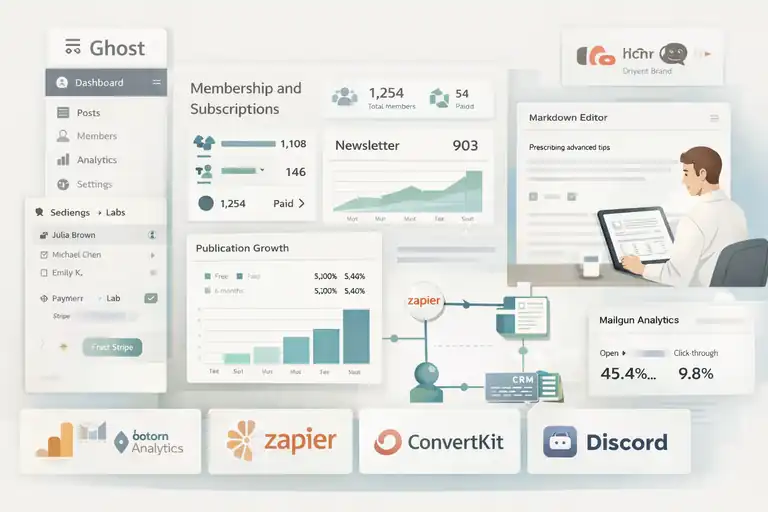
Ghost is the quiet powerhouse among blogging platforms — sleek, fast, and built specifically for content creators who treat their blog as a business.
If WordPress feels a bit too cluttered and Substack too limited, Ghost offers the perfect balance of control and simplicity.
Why Ghost is Ideal for Membership and Subscription Blogs
Ghost was designed with monetization and membership in mind. Out of the box, it supports paid subscriptions, member logins, and email newsletters — all built directly into the platform.
To set it up, you just:
- Go to your Ghost Admin dashboard.
- Enable Members under Settings → Labs.
- Connect Stripe for payments.
That’s it — you can now offer both free and premium content to readers. Many creators use this model to run hybrid sites — part free blog, part paid community — which works beautifully for niche publications.
I believe Ghost gives creators more brand control than Substack since everything is hosted on your domain, not theirs. You’re building an asset, not just renting space.
Integrations That Automate Growth and Analytics
What sets Ghost apart technically is its integration ecosystem. It connects smoothly with tools like:
- Zapier for automation (for example, automatically adding new members to a CRM).
- Plausible for visitor insights.
- Mailgun for email delivery analytics.
You can even integrate Notion, or Discord to create a complete creator hub.
In my experience, these integrations help automate repetitive tasks so you can focus more on content. For instance, I use Zapier to sync Ghost subscribers to my Google Sheets list automatically — it’s a small workflow that saves hours over time.
How Ghost’s Clean Interface Enhances User Experience
Ghost’s interface is minimalist, almost meditative. When you log in, you see only what you need: a writing editor, a post list, and settings. No ads, no clutter, no unnecessary pop-ups.
Its Markdown-based editor allows quick formatting without the distraction of toolbar overload. You simply type # Heading for a title or **text** for emphasis — that’s it.
This simplicity extends to your readers too. Ghost blogs load up to 3x faster than average WordPress sites because of its optimized Node.js framework. That speed alone can improve SEO and user retention significantly.
Comparing Ghost’s Performance vs. WordPress
Here’s a quick comparison based on real-world use:
| Feature | Ghost | WordPress.org |
| Hosting | Managed (Ghost Pro) or self-hosted | Self-hosted |
| Page Load Speed | Extremely fast | Moderate, depends on plugins |
| SEO Control | Built-in | Plugin-based |
| Membership Tools | Native | Plugin (MemberPress, etc.) |
| Customization | Limited themes | Thousands of themes |
| Best For | Serious writers, brands | Bloggers, businesses |
In short, WordPress wins for flexibility, but Ghost wins for simplicity and speed.
I’d recommend Ghost if you value minimalism, clean design, and integrated memberships without heavy plugin maintenance.
Blogger: A Classic Choice for Beginners
Blogger might not be the flashiest platform, but it’s still one of the best blogging sites for absolute beginners who just want to start writing — no hosting costs, no complex setup, no learning curve.
How to Set Up and Monetize a Blog with Google AdSense
Blogger is owned by Google, which means it integrates directly with Google AdSense. That makes it one of the easiest ways to start earning from ads.
To get started:
- Sign in with your Google account and go to blogger.com.
- Choose a theme and create your first post using the simple WYSIWYG editor.
- Once you have enough content, go to Earnings → AdSense → Connect Account.
Google reviews your site and, once approved, starts showing ads automatically. You can adjust ad placement manually or let Google optimize it for you.
It’s not a huge money-maker at first, but for hobby bloggers or students, it’s a stress-free introduction to monetized writing.
Customization and Design Limitations You Should Know
Here’s where Blogger starts to show its age. Customization is limited compared to platforms like WordPress or Wix. You can tweak templates, fonts, and colors, but not much beyond that.
However, it’s worth noting:
- You can still edit HTML directly for advanced design tweaks.
- You can connect a custom domain (like yourblog.com) easily.
If you’re after a personal blog with a simple layout — think journal-style or niche reviews — Blogger’s minimalism might actually work in your favor.
Benefits of Blogger for Simple Content Creation
Blogger’s simplicity is its charm. You can focus entirely on writing without getting lost in technical details. It’s lightweight, fast, and automatically optimized for mobile.
Some quick benefits:
- Free hosting and no storage fees.
- Integrated Google Analytics support.
- Automatic backups through your Google account.
I often suggest Blogger to those who want to practice writing consistently before investing in a more advanced platform. It’s a great sandbox for learning the ropes of content creation.
When It’s Time to Migrate from Blogger to a Scalable Platform
Eventually, if your blog starts gaining traction — say you hit 10K monthly visitors — Blogger’s limitations become clear. You might want advanced SEO tools, membership options, or more control over design and monetization.
That’s usually the moment to migrate to WordPress.org or Ghost. Blogger makes migration relatively easy with an export tool under Settings → Other → Backup Content. You can import your posts to a new CMS in minutes.
In my experience, starting small on Blogger is fine. But if you’re serious about long-term growth, plan for migration early — it’ll save you headaches later.
Squarespace: Best Blogging Site for Visual Brands
Squarespace is one of those best blogging sites that effortlessly blends style with substance. It’s not just a website builder — it’s a full creative suite for people who want their blog to look professional right from day one.
I often recommend Squarespace to designers, photographers, and entrepreneurs who want their brand’s visuals to do most of the talking.
Elegant Templates That Build Credibility Fast
Squarespace stands out because of its design-first approach. The templates are modern, balanced, and visually stunning — almost like magazine layouts. What I love most is that you don’t need to know a single line of code to make your site look polished.
Here’s a quick way to get started:
- Visit squarespace.com and choose a template from categories like Portfolio, Blog, or Online Store.
- Use the visual editor to replace demo text and images with your own.
- Click Design → Site Styles to adjust fonts, spacing, and colors in real time.
Templates like Hayden and Paloma are especially popular among bloggers because they blend large imagery with clean typography — perfect for visual storytelling.
From what I’ve seen, brands using well-designed templates tend to gain 40–60% higher retention rates because visitors trust what looks professional. Squarespace nails that first impression instantly.
All-in-One Hosting, Design, and E-Commerce Integration
Unlike WordPress, where you need to manage hosting and plugins separately, Squarespace takes care of everything under one roof — hosting, SSL, security, and even e-commerce tools.
This is particularly useful if you plan to:
- Sell digital or physical products.
- Offer paid memberships or online courses.
- Collect emails or bookings directly through your site.
You’ll find these features under Commerce and Marketing in your Squarespace dashboard. Everything is tightly integrated, so you never have to worry about technical setups or plugin conflicts.
I personally like the Product Page Builder — you can upload images, add variations (like color or size), and track inventory in one simple interface. For creative entrepreneurs, that kind of efficiency keeps your focus where it belongs: creating and connecting with your audience.
SEO and Marketing Features for Steady Growth
Squarespace’s SEO tools are straightforward and beginner-friendly. You can customize titles, descriptions, and image alt text directly in the page editor, without juggling separate plugins.
For faster visibility:
- Use Marketing → SEO Checklist inside your dashboard to follow built-in optimization steps.
- Connect Google Search Console for indexing insights.
- Enable AMP (Accelerated Mobile Pages) for faster mobile load times.
It also integrates with Mailchimp, Google Analytics, and Meta Pixel for marketing automation and audience tracking.
From what I’ve noticed, Squarespace blogs that post consistently (2–3 times a week) can rank surprisingly well — especially in niches like design, lifestyle, and small business.
Why Squarespace Appeals to Creative Entrepreneurs
Squarespace is designed for creators who value both aesthetic control and simplicity. If you’re a photographer, artist, coach, or designer, it gives your work the spotlight it deserves without needing a developer.
To put it simply:
- No plugins to maintain.
- No coding required.
- All-in-one hosting and security.
I suggest Squarespace if you want a sleek, reliable platform that feels like an extension of your brand — not a technical project. It’s a “set it and focus on creating” type of tool, and that’s rare these days.
LinkedIn Articles: Hidden Gem for Professional Blogging
LinkedIn might not be the first platform that comes to mind when thinking of the best blogging sites, but it’s an incredibly powerful one — especially for professionals and businesses.
Publishing on LinkedIn gives your ideas instant visibility to a network that already values credibility and expertise.
How to Use LinkedIn’s Built-In Network for Blog Reach
LinkedIn’s algorithm favors native content, which means writing directly on the platform can bring more reach than sharing external links.
When you publish a LinkedIn Article, it’s shown to your connections and followers, and sometimes even beyond, depending on engagement.
Here’s how to start:
- Click Write an article on your homepage.
- Use LinkedIn’s simple editor to format headings, add images, and insert links.
- Hit Publish — your network gets notified automatically.
You can tag relevant people or companies to boost visibility. I often recommend adding a short post summary before sharing the link — it teases the article and drives better engagement.
From my own experience, a well-written article can easily reach 5–10x more impressions than a regular post if it gets early reactions and comments.
Turning Thought Leadership into Leads and Opportunities
LinkedIn isn’t just about traffic — it’s about positioning. When you share consistent, insightful articles, you’re building authority in your industry.
For example, if you’re a digital marketer writing about SEO strategies, those articles can attract potential clients, speaking invites, or collaborations. I’ve personally seen freelancers land projects worth thousands simply because their articles showcased genuine expertise.
A few quick ways to maximize impact:
- End your article with a soft call-to-action (e.g., “If you’d like help implementing this strategy, message me here.”).
- Add visuals like screenshots or short process diagrams.
- Engage with comments within the first 24 hours — it signals activity to LinkedIn’s algorithm.
That consistent interaction builds professional trust faster than cold outreach ever could.
Tips for Repurposing Blog Content on LinkedIn
If you already have a blog, don’t start from scratch — repurpose. LinkedIn Articles are perfect for adapting your best-performing content.
You can:
- Turn a 2,000-word blog post into a 600-word summary for LinkedIn.
- Add a short introduction about why the topic matters to professionals.
- Include a link back to your main site at the end for deeper reading.
For example, if you wrote a guide on “How to Build a Personal Brand,” you can condense the main steps into a LinkedIn Article titled “Three Simple Ways to Build a Personal Brand That Attracts Clients.”
I’ve found that repurposed content performs especially well on LinkedIn because it brings fresh value to a professional audience that may not have discovered your website otherwise.
Why LinkedIn is Underrated for Content Growth
Most people still treat LinkedIn as a resume site — and that’s the missed opportunity. It’s actually a publishing platform with organic reach most blogs would envy.
Here’s why it’s underrated:
- Your content automatically reaches an audience that’s ready to engage.
- Every comment, share, or reaction boosts your visibility across networks.
- You’re positioning yourself in front of decision-makers — not just readers.
I genuinely believe that if you’re in any knowledge-based field, posting LinkedIn Articles regularly is one of the smartest ways to grow your personal brand and authority without spending a dollar on ads.
Tumblr: A Unique Space for Creative and Niche Bloggers
Tumblr might feel nostalgic to some, but it’s still thriving — especially for creatives, fandoms, and niche bloggers.
It’s less about SEO and more about community and culture, making it one of the most fun and expressive best blogging sites you can use.
Leveraging Tumblr’s Community for Viral Growth
Tumblr’s reblog feature works a lot like retweets — when someone reblogs your post, it appears on their feed, giving you instant visibility to a new audience.
To grow fast:
- Post consistently (2–4 times daily works well).
- Use tags wisely — Tumblr’s tagging system is how people discover new content.
- Engage by liking and reblogging others’ posts; the platform thrives on reciprocity.
For example, an art blogger who shares sketches with behind-the-scenes captions can easily build thousands of followers through reblogs — especially if they post under active tags like #artprocess or #illustrationdaily.
It’s not unusual to see creators gain viral traction overnight on Tumblr with a single relatable or creative post.
Monetization through Affiliate Links and Promotions
Tumblr isn’t built for direct monetization, but there are creative workarounds. Many bloggers use it for affiliate marketing or brand promotions.
You can:
- Add affiliate links to your posts (e.g., linking to Amazon or Etsy products).
- Promote your own digital art, print shop, or commissions.
- Drive followers to other monetized platforms (like Patreon or Ko-fi).
The key is authenticity — Tumblr users dislike pushy promotion. I suggest weaving recommendations naturally into your content, like sharing a tool you personally use or a book that inspired your work.
Visual Storytelling That Captures Younger Audiences
Tumblr’s visual culture makes it perfect for photographers, illustrators, and designers. Posts that mix short text with eye-catching visuals perform best.
For example:
- Mood boards that convey a story or vibe.
- GIFs or cinemagraphs with emotional captions.
- Quote graphics mixed with personal anecdotes.
I’ve seen younger audiences especially drawn to authenticity — they prefer raw creativity over polished marketing. That’s a powerful advantage for emerging artists looking to build loyal followings organically.
Limitations in SEO and Platform Scalability
While Tumblr shines in community engagement, it’s not built for long-term SEO or scalability. Your domain remains on tumblr.com unless you connect a custom one, and analytics are limited compared to platforms like WordPress.
Here’s what that means:
- You have less control over how your content ranks on Google.
- There are few options for structured monetization.
- It’s harder to migrate your audience if you decide to move platforms later.
That said, I still believe Tumblr is an excellent creative playground. If your goal is to express, connect, and experiment — not necessarily build a business — Tumblr delivers a kind of freedom no other platform really matches.
Choosing the Right Platform for Your Blogging Goals
Choosing the right platform can make or break your blogging journey. Every platform has its strengths — some are built for growth, others for simplicity, and a few for complete creative control.
I’ve tested almost all the best blogging sites, and I’ve realized the right choice always depends on what you want most: freedom, growth, or ease.
Identifying Your Main Objective: Income vs. Audience Growth
Before picking a blogging platform, get clear about your primary goal. Are you trying to earn income, build an audience, or simply share ideas without the pressure of monetization?
If your main goal is income, platforms like WordPress.org, Ghost, or Substack are ideal.
- WordPress.org gives you full monetization control — from ads to affiliate marketing.
- Ghost lets you create paid memberships directly.
- Substack focuses on recurring income through paid newsletters.
If your goal is audience growth, platforms like Medium and LinkedIn Articles can fast-track your reach. They already have active, topic-driven communities where your content can get noticed faster.
And if you’re simply exploring blogging as a hobby or portfolio, Blogger or Squarespace are great low-pressure starting points.
I always tell new bloggers to ask themselves: “Would I still blog if I didn’t earn from it for six months?” The answer helps you decide whether your priority is passion or profit — and that’s your foundation for choosing the right platform.
Comparing Costs, Control, and Monetization Freedom
Let’s talk about something that many new bloggers overlook — the hidden trade-offs. Some platforms are cheaper upfront but limit control; others cost more but give you full ownership of your brand and income.
Here’s a quick comparison table for perspective:
| Platform | Monthly Cost (Approx.) | Control Level | Monetization Options | Ideal For |
| WordPress.org | $5–$15 (hosting) | Full | Ads, affiliates, products | Entrepreneurs, professionals |
| Medium | Free | Low | Partner Program only | Writers, thought leaders |
| Substack | Free (10% fee on income) | Medium | Paid subscriptions | Newsletter creators |
| Ghost | $9–$25 | High | Memberships, subscriptions | Independent publishers |
| Wix | $16–$29 | Medium | Ads, store, services | Small businesses |
| Squarespace | $16–$23 | Medium | E-commerce, affiliates | Creative brands |
| Blogger | Free | Low | AdSense | Beginners |
| Free | Low | Indirect (leads, visibility) | Professionals | |
| Tumblr | Free | Low | Affiliate links, promo | Creative niches |
From what I’ve seen, WordPress.org offers the best long-term balance between freedom and profit potential. You pay more upfront for hosting but save money in the long run since you aren’t tied to platform fees or limitations.
I always advise thinking long-term: “Will this platform still serve me when I reach 10x my current audience?” That single question prevents a lot of painful migrations later.
How to Migrate or Combine Platforms Strategically
If you’ve already started blogging somewhere but feel limited, don’t panic — migration is totally doable. In fact, many creators evolve their setup over time. You can even combine platforms to play to each one’s strengths.
Here’s how you can approach it:
- Use Substack + WordPress: Post deep-dive articles on WordPress, then share summaries via Substack newsletters. This keeps readers engaged on both platforms.
- Migrate from Blogger to WordPress: Export your content under Settings → Other → Backup Content and import it easily into WordPress with a free plugin.
- Publish on Medium for Exposure, Link Back to WordPress: This hybrid model works well for SEO and audience funneling.
I’ve personally used a combination of WordPress.org and LinkedIn Articles for years — one for SEO authority, the other for professional visibility. It’s a sustainable way to grow both audience and credibility without spreading yourself thin.
A small tip: before migrating, always back up your data and make a list of URLs to redirect. That preserves your SEO rankings and ensures readers don’t hit broken links.
My Personal Recommendation for Sustainable Blogging Success
After more than a decade of testing platforms, I genuinely believe sustainability is the key. You want a platform that grows with you, not one you’ll outgrow in a year.
If you’re in it for the long run, here’s my personal take:
- Start with WordPress.org if you’re serious about earning and branding.
- Use Substack or LinkedIn for audience building and engagement.
- Integrate tools like Canva, Google Analytics, and Rank Math early on — they’ll save you endless hours.
Most bloggers who succeed don’t start on ten platforms — they start on one flexible foundation and expand once they understand what their readers respond to.
I also recommend setting realistic expectations. In my experience, consistent blogging for 6–12 months is when momentum starts to build — both in SEO visibility and earnings. It’s slow at first, but growth compounds faster than you expect once you’ve built trust and traffic.
Expert Tip: Start Small, Then Scale Smart
The best blogging journeys don’t begin big — they begin focused. You don’t need ten plugins, three SEO tools, or a $100 theme on day one. You just need clarity, consistency, and curiosity.
Begin on a Flexible Platform, Then Expand with Strategy
If you’re just starting, choose a flexible platform like WordPress.org or Ghost. These allow you to start simple — one niche, one focus — and expand later with e-commerce, courses, or newsletters without rebuilding your entire site.
I usually tell beginners:
- Start with 1–2 content categories.
- Focus on quality, not quantity.
- Add integrations (like email lists or SEO tools) gradually.
It’s better to grow strategically than to spread yourself too thin across multiple platforms that don’t align with your goals.
Focus on Quality Content, SEO, and Consistent Publishing
I can’t emphasize this enough — content consistency beats complexity every time. Whether you post weekly or biweekly, commit to a schedule your readers can rely on.
For better traction:
- Research keywords using Google Keyword Planner or Ahrefs Free Tools.
- Use simple SEO plugins like Rank Math or Yoast to optimize titles and meta descriptions.
- Revisit old posts every few months and update them with new stats or insights.
One of my early clients grew their monthly traffic from 3,000 to 20,000 in under a year — not by posting more, but by improving what was already working and keeping a steady rhythm.
Reinvest Earnings into Tools That Accelerate Growth
Once you start earning — even a small amount — reinvest in tools that make blogging easier and more efficient. Think of them as accelerators, not expenses.
A few smart reinvestments:
- MailerLite: Build an email list early.
- Canva Pro: Create consistent blog and social visuals.
- SurferSEO: Improve content optimization with data-driven insights.
- Hosting upgrades (like SiteGround GrowBig): Faster sites improve rankings and reader experience.
It’s tempting to pocket your first few earnings, but I suggest reinvesting at least 30% in growth tools. That’s what separates hobby blogs from serious digital assets.
FAQ
What are the best blogging sites for earning money?
The best blogging sites for earning include WordPress.org, Substack, and Ghost. These platforms offer full control, diverse monetization options, and scalable growth potential.
Which blogging platform helps beginners grow fastest?
Medium and Wix are great for beginners. Medium provides built-in traffic, while Wix offers simple design tools and SEO features for quick visibility.
How do I choose the best blogging site for my goals?
Choose based on your goal — use WordPress.org for full control, Medium for audience reach, or Squarespace for design-focused branding.

I’m Juxhin, the voice behind The Justifiable.
I’ve spent 6+ years building blogs, managing affiliate campaigns, and testing the messy world of online business. Here, I cut the fluff and share the strategies that actually move the needle — so you can build income that’s sustainable, not speculative.