
Table of Contents
Some links on The Justifiable are affiliate links, meaning we may earn a small commission at no extra cost to you. Read full disclaimer.
CRM Freshworks has become a buzzworthy name in the customer relationship management world—but what truly makes it different from other CRM platforms crowding the market?
Is it just another software solution with fancy dashboards, or is there something genuinely special about how it helps businesses grow and connect with customers?
In this article, we’ll unpack why CRM Freshworks stands out, explore its unique features, and reveal how it outperforms other major players in the CRM space.
Intuitive User Experience That Simplifies CRM Adoption
One of the biggest reasons CRM Freshworks feels different from other CRMs is how effortlessly teams can start using it.
From the moment you log in, everything feels intuitive, clean, and built for real-world users—not just IT experts.
Seamless Onboarding and Quick Setup Process
Freshworks understands that teams don’t have time for complex configurations.
The onboarding process walks you through setup with clear prompts—almost like a friendly digital assistant guiding you step by step.
For example, once you sign up, the system asks about your role (sales, marketing, or support).
Based on your choice, Freshworks automatically customizes your dashboard and features. Within minutes, you can import leads, connect your email, and start tracking deals.
Here’s how easy it feels:
- Go to Settings > Data Import > Upload CSV File to bring in leads instantly.
- Use the “Connect Your Email” option to sync Gmail or Outlook.
- Set up your first pipeline in under 10 minutes.
I believe this level of user-friendliness makes CRM Freshworks a game-changer for startups or small teams without dedicated CRM specialists.
Clean, Modern Interface for Effortless Navigation
The Freshworks interface feels refreshingly uncluttered. Unlike some platforms that bury features under layers of menus, Freshworks keeps everything within one or two clicks.
Key actions—like adding contacts, creating tasks, or checking deal stages—are right where you expect them.
The sidebar navigation, color-coded deal stages, and drag-and-drop pipelines make working inside the CRM feel natural, almost like moving sticky notes on a digital whiteboard.
From what I’ve seen, this simplicity reduces the learning curve drastically. Teams can spend less time figuring out “how” to use the system and more time closing deals.
Customizable Dashboards That Match Business Needs
Every business tracks different priorities—some care about lead conversions, others about customer retention. Freshworks lets you design dashboards that reflect exactly what matters most.
You can choose from prebuilt widgets like Deals Won, Revenue Forecasts, or Open Tickets, or build your own using drag-and-drop tools.
A quick example:
- Navigate to Reports > Dashboards > Create New.
- Add widgets like Sales by Owner or Leads by Source.
- Apply filters by date, region, or product category.
I recommend creating one dashboard per department (sales, marketing, support) to keep performance insights clean and relevant.
Accessibility Across Devices for Remote Teams
In today’s hybrid work world, having CRM access across all devices isn’t optional—it’s essential.
Freshworks’ mobile app mirrors the desktop experience beautifully, letting users update deals, check notes, or schedule calls right from their phone.
Sales reps can log interactions while on the move, and managers can monitor pipeline health from tablets during travel. The app even sends smart notifications when deals move stages or when follow-ups are due.
From what I’ve noticed, this cross-device flexibility keeps teams responsive and aligned, no matter where they work.
Smart Automation That Saves Time and Effort
CRM Freshworks truly shines when it comes to automation.
It doesn’t just handle repetitive tasks—it intelligently predicts what needs to happen next.
Workflow Automation for Streamlined Operations
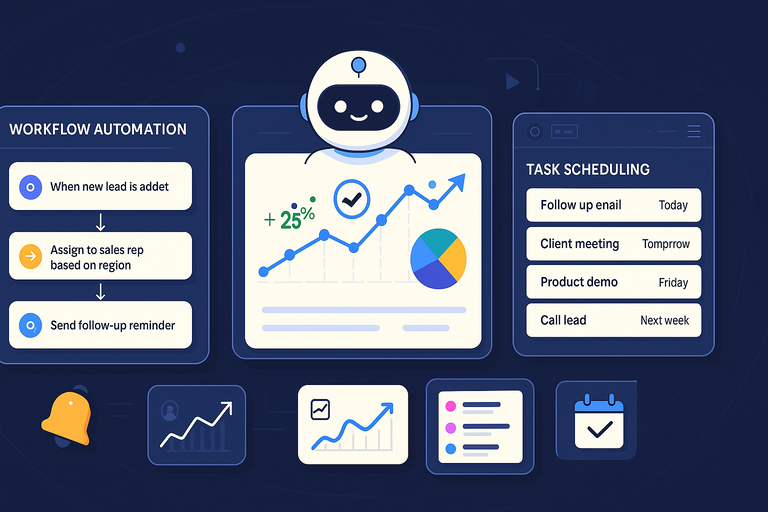
Workflows in Freshworks act like invisible assistants running in the background. You can automate nearly anything—from lead assignment to follow-up reminders.
Example setup:
- Go to Admin Settings > Workflows > Create Workflow.
- Set a condition like “When a new lead is added.”
- Choose an action, such as “Assign to sales rep based on region.”
I suggest starting small—automate your most repetitive processes first. Over time, you’ll realize how much time your team saves when they’re not manually pushing data around.
Intelligent Triggers for Lead Nurturing and Follow-Ups
Triggers in Freshworks act as real-time alerts that keep leads engaged.
Let’s say a prospect opens your email or visits your pricing page twice in a day. Freshworks can automatically assign that lead a higher score and alert a rep to call.
These triggers ensure no opportunity slips through the cracks. I’ve seen this feature alone improve conversion rates because it encourages faster, smarter responses.
AI-Powered Insights That Predict Customer Behavior
Freshworks’ AI assistant—Freddy AI—isn’t just a gimmick. It analyzes communication patterns, deal activity, and response times to provide meaningful insights.
For example, Freddy might highlight that deals with a particular industry or deal size tend to close faster. It also predicts which leads are most likely to convert, helping reps focus their energy effectively.
I’ve found Freddy’s insights surprisingly accurate, especially for mid-size teams managing large lead volumes.
Task Scheduling That Keeps Teams Aligned
Task scheduling in Freshworks acts as the heartbeat of team coordination. You can assign tasks with deadlines, link them to deals, and track progress in real time.
Here’s a quick tip: Use Smart Views to group tasks by due date or team member. This keeps everyone on the same page and avoids missed follow-ups.
From experience, once a team commits to scheduling all actions inside Freshworks, communication gaps practically vanish.
Integrated Omnichannel Communication Tools
A CRM’s power isn’t just in data—it’s in communication. Freshworks unifies all customer touchpoints into a single place so your team never has to switch tabs or tools.
Unified Inbox for Emails, Chats, and Calls
The Freshsales Unified Inbox consolidates emails, chat messages, and calls from various channels. You can view, reply, and assign communications without jumping between apps.
Example path: Inbox > Conversations > All Channels.
It feels almost magical how one message thread can show every customer interaction, no matter where it started.
Social Media Integration to Track Engagements
Freshworks integrates directly with major platforms like Facebook, LinkedIn, and Twitter. You can capture leads from social interactions or monitor brand mentions right inside your CRM.
This kind of social intelligence helps your marketing and sales teams see the bigger picture—how customers engage with your brand before they ever enter the sales funnel.
Real-Time Notifications for Customer Interactions
Whether a lead opens an email, replies to a message, or schedules a meeting, Freshworks sends real-time alerts. These instant updates help sales reps strike while the iron’s hot.
A notification might read: “Lead John Doe just clicked your proposal link.” That’s your cue to follow up while interest is still high.
I’ve seen teams close deals faster simply because they acted immediately after these alerts.
Support for WhatsApp, SMS, and Web Chat Channels
Freshworks doesn’t limit you to traditional channels. It supports modern communication tools like WhatsApp, SMS, and web chat—critical for engaging customers in their preferred spaces.
You can set automated messages, quick replies, and chat routing rules. For example:
Settings > Channels > WhatsApp Integration.
I recommend using WhatsApp for quick updates or confirmations and keeping complex discussions on email or calls. This multi-channel flexibility strengthens customer relationships without overwhelming teams.
Pro Tip: Combine all these omnichannel tools with automation workflows. When a new chat lead comes in, Freshworks can auto-create a contact, assign it to a rep, and trigger a personalized follow-up email—all without manual input. That’s true CRM efficiency in action.
Data-Driven Analytics and Real-Time Reporting
CRM Freshworks makes analytics surprisingly simple, even for non-technical users.
Instead of burying you in spreadsheets, it visualizes performance through colorful charts and real-time dashboards that actually tell a story.
Visual Reports That Simplify Decision-Making
Freshworks replaces data overload with clarity. Every module—sales, marketing, or support—comes with prebuilt visual reports that help teams instantly see what’s working and what’s lagging behind.
For example, if you go to Reports > Sales Dashboard, you’ll find charts like Deals Won by Month or Revenue by Source. You can filter by date, product, or owner with a couple of clicks.
What I like about this system is how managers can spot patterns instantly. You don’t have to export data or crunch numbers manually. Instead, Freshworks does it in real time, helping you make quick, confident decisions.
Practical tip: Create a “Morning Snapshot” dashboard to check daily deal progress, open tasks, and forecasted revenue all in one view.
Custom Metrics to Measure Team Performance
Not every business measures success the same way—and Freshworks understands that. You can create custom metrics tailored to your goals.
Say your team values response time over number of calls. Simply create a new KPI that tracks how long it takes a rep to reply to leads.
Here’s how:
- Go to Analytics > Custom Reports > Create Metric.
- Select your dataset (e.g., Leads or Contacts).
- Apply filters and formulas to define your metric.
This flexibility gives every department—from sales to marketing—a clear view of what performance truly means to them.
Forecasting Tools That Predict Sales Trends
One of the standout features of CRM Freshworks is Freddy AI’s Forecasting Insights. It uses historical sales data to predict future trends—like which deals are most likely to close this quarter or which reps might hit their targets.
If you’re managing multiple pipelines, these forecasts become your secret weapon for planning ahead. They help prevent over-promising and under-delivering, which is a huge pain point in most CRM systems.
I believe the real magic lies in how these forecasts blend accuracy with simplicity—you can interpret them without needing a data science degree.
Exportable Reports for Stakeholder Presentations
Whether you’re sharing quarterly performance with investors or reviewing campaign success with your team, Freshworks makes it easy to export reports in formats like PDF, Excel, or CSV.
Go to Reports > Export > Choose Format, and you’re done. The exported visuals keep the same professional layout you see inside the CRM, making them presentation-ready.
In my experience, this is a massive time-saver, especially when you need last-minute reports before meetings.
Scalable Pricing and Flexible Plans for Every Business
One reason CRM Freshworks stands out from other CRMs is its transparent, scalable pricing model.
Whether you’re a startup, a growing business, or an enterprise, there’s a plan that fits your stage—without hidden costs.
Affordable Entry-Level Options for Startups
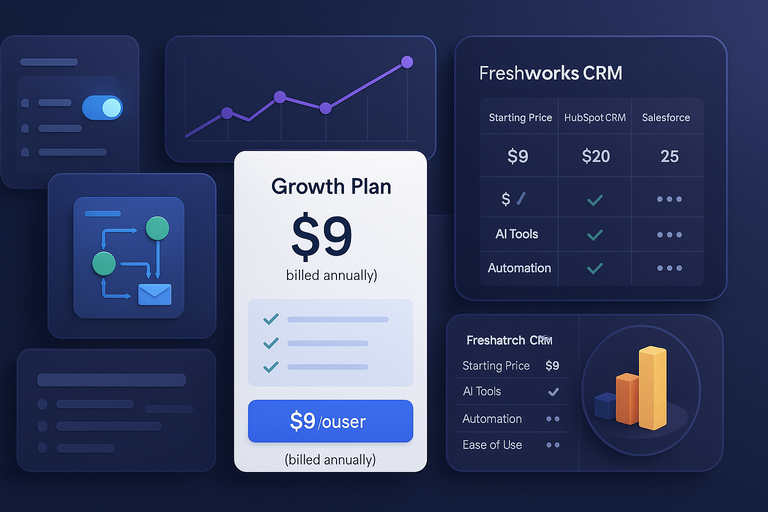
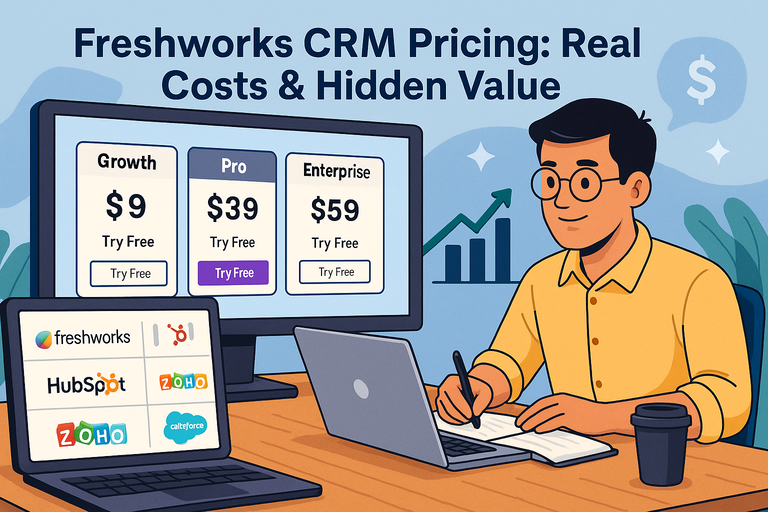
The Growth Plan, priced at $9 per user per month (billed annually), is perfect for small teams. It includes essentials like a Kanban view for deals, contact lifecycle stages, built-in chat and email, and basic workflows.
For startups transitioning from spreadsheets, this plan feels like a huge leap forward without breaking the budget. You can manage pipelines, track deals, and run simple campaigns—all in one place.
I recommend this tier for businesses taking their first step into organized CRM management.
Scalable Features That Grow With Your Company
The Pro Plan at $39 per user per month is designed for growing and mid-sized businesses. It adds advanced capabilities like AI-assisted lead scoring (via Freddy AI), territory management, and custom sales activities.
As teams expand, automation and segmentation become crucial—and that’s where this plan truly shines. It also offers time zone-based delivery and sales sequences for smoother team coordination.
If your team is scaling fast, this plan grows with you effortlessly.
Transparent Pricing Without Hidden Fees
Freshworks deserves credit for its pricing clarity. Each tier clearly lists included features, and there are no surprise charges for core functions. What you see is what you pay.
Unlike some competitors that limit users by contact caps or hidden usage costs, Freshworks openly states that each plan includes 500 marketing contacts (billed annually).
This transparency builds trust—especially for smaller teams managing tight budgets.
Comparison With Competitor CRM Pricing Models
When compared to popular CRMs like HubSpot or Salesforce, Freshworks offers similar functionality at a fraction of the cost.
Here’s a quick snapshot:
| CRM Platform | Starting Price (per user/month) | AI Tools | Automation | Ease of Use |
| Freshworks CRM | $9 (Growth Plan) | Included (Freddy AI from Pro Plan) | Built-in | Very High |
| HubSpot CRM | $20–$45 (Starter) | Add-on | Limited at base tier | High |
| Salesforce | $25+ | Add-on | Extensive | Moderate (steeper learning curve) |
In short, Freshworks gives you enterprise-grade power without enterprise-grade pricing.
Exceptional Customer Support and Learning Resources
CRM Freshworks doesn’t just sell you software—it supports your success long after you sign up.
Their approach to customer support and education is one of the strongest differentiators in the CRM market.
24/7 Support Channels for Global Users
Freshworks provides round-the-clock support through email, live chat, and phone. No matter your time zone, you can reach a real human—something that not every CRM provider offers.
I’ve personally found their support team remarkably responsive. When you submit a ticket, they often reply within minutes, not hours.
That kind of consistency keeps operations flowing smoothly, especially for distributed teams.
Dedicated Account Managers for Enterprise Clients
Enterprise users get access to dedicated account managers—specialists who guide you through implementation, onboarding, and ongoing optimization.
These managers don’t just troubleshoot; they proactively analyze your setup and suggest improvements based on your goals. It’s a very hands-on approach that helps large teams realize CRM value faster.
If you’re on the Enterprise Plan ($59 per user/month), this level of support alone can justify the upgrade.
Rich Knowledge Base and Webinars for Training
Freshworks’ Academy and Knowledge Base are fantastic self-service tools. You’ll find how-to articles, video tutorials, and recorded webinars covering topics from CRM setup to advanced automation.
A good starting point is Resources > Freshworks Academy. Here you can earn certifications or explore product updates.
I advise every new team to dedicate one training session per week to these resources—it drastically shortens the learning curve.
User Community for Peer Learning and Tips
The Freshworks Community Forum is where real users share use cases, tips, and creative solutions.
It’s a friendly space for discovering how others are using automation, dashboards, and Freddy AI in practical ways.
Participating in this community often reveals time-saving tricks you won’t find in documentation. I’ve seen teams adopt ideas from other users that directly improved their conversion rates or reporting accuracy.
Expert Tip: Freshworks thrives when teams engage with its ecosystem—support, webinars, community, and automation together. The more you learn from these resources, the more you’ll uncover hidden efficiencies and features that truly make CRM Freshworks stand out.
Smooth Integration With Popular Business Tools
CRM Freshworks is designed to fit seamlessly into the tools you already use.
It connects marketing, communication, and productivity apps in one ecosystem, saving you the hassle of juggling multiple tabs or systems.
Compatibility With Marketing Platforms Like Mailchimp
If you’re using Mailchimp for email marketing, Freshworks integrates effortlessly to sync contacts, track campaigns, and analyze engagement—all without manual data transfers.
Once connected through Settings > Integrations > Mailchimp, your leads automatically flow into Freshworks CRM, allowing sales reps to view campaign performance directly from a contact’s profile.
This connection makes your marketing smarter. For example, you can segment contacts in Freshworks based on Mailchimp engagement—like those who clicked specific campaign links—and trigger targeted follow-ups automatically.
I recommend enabling bidirectional sync so both platforms stay updated in real time. It keeps your marketing and sales perfectly aligned.
Seamless Syncing With Google Workspace and Slack
Freshworks integrates tightly with Google Workspace—covering Gmail, Calendar, and Drive. You can link emails to specific contacts, attach documents to deals, and even schedule meetings that appear automatically in your Google Calendar.
A simple path: Admin Settings > Integrations > Google Workspace.
Slack integration is equally powerful. Every time a deal is updated or a lead changes status, Freshworks can send instant alerts to a Slack channel. This keeps your team in sync without constant email updates.
I suggest using Slack notifications for key deal stages—like “Proposal Sent” or “Deal Won.” It helps keep momentum high and gives everyone visibility.
Easy API Access for Custom Integrations
For teams that rely on specialized systems, Freshworks provides open APIs that make integration straightforward.
Whether you want to connect a proprietary ERP or a niche data tool, the API documentation (available under Developer Portal > API Reference) gives step-by-step guidance.
Developers can push or pull data, automate workflows, or build dashboards that combine CRM data with external analytics tools.
If you’re working with developers, I recommend setting up a Sandbox Environment (available in the Enterprise Plan). It lets you test integrations safely before deploying them live—avoiding any unwanted surprises.
Centralized Data for a Connected Tech Stack
The real value of CRM Freshworks integrations is how it centralizes everything—emails, campaigns, calls, files, and analytics—under one roof.
Instead of fragmented insights across apps, you get a 360-degree customer view. For example, when viewing a contact, you’ll see:
- Email interactions from Gmail
- Campaign engagement from Mailchimp
- Meeting logs from Google Calendar
- Notes from Slack discussions
This unified view makes your business smarter. I’ve seen teams reduce customer response times by nearly 30% just by connecting their existing tools through Freshworks.
AI-Powered Sales Assistant for Smarter Selling
CRM Freshworks doesn’t just organize your data—it helps you act on it.
Its built-in AI assistant, Freddy AI, turns raw information into clear, actionable insights that drive sales and improve customer engagement.
Freddy AI: The Virtual Assistant That Boosts Efficiency
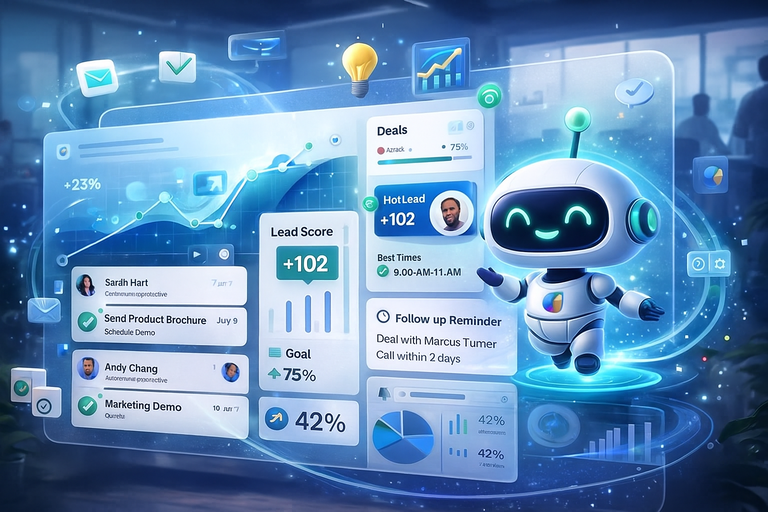
Freddy AI works quietly in the background, analyzing sales patterns and suggesting smart actions. It can highlight deals at risk, remind you of pending follow-ups, and even recommend the best time to contact leads.
You’ll find Freddy insights right inside your dashboard—no need for separate reports.
For instance, it might say: “Deals with an open value over $10,000 have a higher close rate when followed up within 2 days.”
I like to think of Freddy as the CRM’s co-pilot—it won’t replace your strategy, but it will make you far more efficient in executing it.
Automated Deal Recommendations for Higher Conversions
Freddy AI analyzes past deals and buyer interactions to recommend next steps. It might suggest sending a product brochure, scheduling a demo, or adding a discount if it detects hesitation in the buyer’s journey.
You can view these prompts in Deals > AI Insights. Each suggestion is backed by data—no guesswork involved.
In practice, I’ve seen sales reps improve their deal conversion rates simply by acting on Freddy’s recommendations. It’s like having a virtual mentor analyzing every lead’s behavior in real time.
Real-Time Lead Scoring to Prioritize Prospects
Freddy automatically scores leads based on engagement signals—like email opens, web visits, and meeting responses. This scoring helps you focus on the leads most likely to convert.
To set it up, navigate to Admin Settings > Lead Scoring > Configure Freddy AI Rules. You can customize scores by criteria such as lead source, location, or recent activity.
This feature is especially valuable for busy teams juggling hundreds of prospects. I suggest reviewing lead scores weekly and creating Smart Views that filter “Hot Leads” for quicker outreach.
Conversation Intelligence for Sales Coaching
Freshworks also includes Conversation Intelligence—a tool that analyzes call recordings to identify selling patterns and customer sentiment. It transcribes calls automatically and highlights keywords or emotional cues.
Example path: Sales Conversations > Call Analysis > Freddy AI Suggestions.
This helps managers coach teams more effectively. Instead of vague feedback, they can point to specific moments where tone, timing, or phrasing made a difference.
I believe this kind of AI-assisted reflection is what separates good sales teams from great ones—it teaches improvement through real data, not guesswork.
Enhanced Security and Data Privacy Controls
With sensitive customer information at stake, CRM Freshworks takes data protection seriously.
Its security framework is built for reliability, compliance, and peace of mind—no matter your company size.
Multi-Layered Security for Sensitive Information
Freshworks uses multiple layers of protection—encryption, firewalls, and intrusion detection systems—to safeguard every piece of stored and transmitted data.
Your data is encrypted using industry-standard AES-256, and all connections run on HTTPS. This means that even if intercepted, information remains unreadable to unauthorized users.
In my view, this kind of defense is what gives users the confidence to manage high-value client relationships within the platform.
GDPR Compliance and Global Data Protection Standards
Freshworks fully complies with GDPR (General Data Protection Regulation) and other regional privacy laws.
Users can request data export, correction, or deletion directly from their dashboard—making compliance effortless.
You can manage data retention policies under Settings > Privacy Management > GDPR Settings.
This compliance isn’t just a checkbox feature—it’s a strong signal that Freshworks values transparency and customer trust.
Role-Based Access Control for Team Safety
To maintain data integrity, Freshworks offers Role-Based Access Control (RBAC). This means you can define who sees what—whether it’s sensitive deals, financial reports, or customer details.
For example:
- Sales reps see only their assigned leads.
- Managers see their team’s deals.
- Admins have full visibility.
Path: Admin Settings > Roles and Permissions.
I suggest auditing these permissions quarterly. It ensures new hires get the right access while protecting critical data from unnecessary exposure.
Regular Security Updates and Threat Monitoring
Freshworks continually updates its infrastructure to defend against emerging threats. The platform runs continuous vulnerability scans and maintains an active incident response team.
If you’re an Enterprise user, you also get access to Audit Logs—a feature that records every system change, login attempt, and update. It’s a simple but powerful way to maintain accountability.
From what I’ve seen, this proactive security posture keeps Freshworks a step ahead of potential vulnerabilities.
Pro Tip: Combine Freshworks’ security tools with smart internal practices—strong passwords, two-factor authentication, and regular role reviews. Technology protects data, but disciplined habits keep it safe.
Continuous Innovation and Product Evolution
CRM Freshworks doesn’t just stay current—it stays ahead. The platform evolves continuously, shaped by real user feedback and powered by emerging technologies.
This adaptability is one of the biggest reasons it remains competitive in an industry full of “set it and forget it” tools.
Frequent Feature Updates Based on User Feedback
One of the smartest things Freshworks does is actively listen to its users. Their product roadmap isn’t built in a vacuum—it’s shaped by feedback from the Freshworks Community and customer suggestions.
You’ll notice new updates appearing frequently under Settings > What’s New or through release notes in the Freshworks Academy. These include interface refinements, automation improvements, and new integrations that respond directly to real business needs.
For example, many users requested more flexibility in pipeline management. Within months, Freshworks released advanced custom deal stages—a small but impactful change that made sales tracking more tailored.
I genuinely appreciate how Freshworks treats customer feedback as an ongoing collaboration rather than a support ticket. It gives users the sense that the product evolves with them, not around them.
Commitment to Emerging Technologies Like AI and ML
Freshworks is deeply invested in artificial intelligence (AI) and machine learning (ML), not as buzzwords but as functional tools that make everyday work easier.
Their AI engine, Freddy AI, continues to evolve—getting smarter with every update. It learns from user activity and historical data to refine predictions, automate routine actions, and surface hidden insights.
For instance, Freddy’s Forecasting Insights now include probability models that analyze deal health and suggest next steps with remarkable accuracy.
I believe this constant improvement in AI capabilities is where Freshworks truly separates itself from traditional CRMs. They’re not just using AI for novelty; they’re using it to make teams measurably more productive.
Expansion Into Marketing and Support Automation
Freshworks isn’t just a CRM anymore—it’s an entire ecosystem. Over time, they’ve expanded from sales management into full-scale marketing and customer support automation.
Products like Freshmarketer and Freshdesk integrate directly with the CRM suite. This means you can manage campaigns, track customer journeys, and handle support tickets from one centralized hub.
A practical scenario:
- A lead engages with a marketing campaign in Freshmarketer.
- That data flows into Freshsales, triggering a sales follow-up.
- Once converted, Freshdesk manages their post-purchase support.
I suggest using this tri-platform setup if your business handles the entire customer lifecycle—from prospecting to retention—because it keeps everything interconnected and data-driven.
Freshworks’ Vision for the Future of CRM
Freshworks envisions a CRM that’s not just a database but a dynamic assistant—one that helps teams anticipate customer needs before they arise.
Their focus on automation, AI, and user-first design shows a clear direction toward proactive, predictive customer relationship management.
Their long-term vision seems to be an all-in-one operating system for customer engagement—blending CRM, marketing, and support seamlessly.
It’s a future where every department works from the same data source, creating an effortless customer experience.
I find that exciting because it moves CRM beyond being just a “sales tool” into something that actually enhances company-wide collaboration.
Real-World Results and Measurable Business Impact
Beyond its sleek design and automation tools, CRM Freshworks delivers measurable results.
Businesses across industries report tangible improvements in sales, productivity, and customer satisfaction after implementation.
Improved Sales Productivity Across Industries
Sales teams using Freshworks often see faster deal cycles and better lead prioritization. According to internal Freshworks data, users report up to a 25% increase in productivity within the first six months of adoption.
Features like Smart Views, Deal Pipelines, and Task Automation help reps focus on what truly matters—selling, not manual data entry.
From my own observations, teams that automate repetitive follow-ups see immediate time savings. The system’s ability to score leads and highlight “hot” opportunities means reps spend less time guessing and more time converting.
Higher Customer Retention Through Personalization
Customer retention is one of the strongest benefits of CRM Freshworks. With tools like Freddy AI insights and Customer 360° View, businesses can personalize every interaction.
For instance, if a client hasn’t engaged in a while, the system can alert your team and trigger a tailored re-engagement email or special offer.
I’ve seen businesses boost renewal rates by simply acting on these insights—turning passive customers into long-term relationships.
Reduced Manual Workload With Automation
Automation isn’t about replacing people—it’s about freeing them from repetitive work.
Freshworks automates lead assignments, email follow-ups, and data updates so teams can focus on higher-value activities.
Consider this workflow:
- A new lead fills out a website form.
- Freshworks automatically assigns it to a regional sales rep.
- The system sends a personalized welcome email.
- Freddy AI schedules a follow-up reminder based on engagement.
That’s a complete, hands-free workflow—saving hours of admin time per week.
I recommend starting with basic automation (like lead assignment) and gradually layering in advanced workflows as your team gets comfortable.
Tangible ROI Backed by Performance Metrics
Freshworks doesn’t just promise results—it measures them. Real-time dashboards display performance metrics like Conversion Rate, Average Deal Value, and Revenue Forecasts.
Businesses using Freshworks often report faster sales cycles and improved visibility into performance.
For example, one mid-sized SaaS company reduced deal closing time by 30% after implementing Freddy Forecasting Insights.
The beauty of these analytics lies in their transparency—you can actually see how automation and AI contribute to revenue growth.
Expert Tip: Maximizing the Power of CRM Freshworks
The full potential of CRM Freshworks isn’t just in its features—it’s in how you use them.
With the right setup, habits, and integrations, you can transform it into a true growth engine for your business.
Customizing Modules for Your Business Model
Every business has its quirks, and Freshworks allows deep customization to match your workflow. You can rename modules, add custom fields, or even create entirely new sections.
Go to Admin Settings > Modules and Fields to start. For example, you can add a “Project Stage” field for service-based businesses or a “Subscription Type” for SaaS models.
I recommend involving your sales or operations team in the setup—it ensures the CRM reflects your real-world process, not just a default template.
Regularly Updating Data for Better AI Insights
AI is only as good as the data it learns from. Keeping your CRM records accurate ensures Freddy AI provides reliable insights.
Make it a habit to update deal statuses, contact info, and follow-up notes weekly. You can even automate reminders under Tasks > Recurring Updates.
In my experience, businesses that maintain clean data see more accurate forecasts and smarter recommendations from Freddy AI.
Leveraging Integrations to Create a Unified System
Freshworks shines when it’s connected to your entire tool stack—email, analytics, chat, and project management.
I suggest integrating platforms like:
- Google Workspace for communication and file sharing.
- Slack for instant updates.
- Mailchimp or Freshmarketer for marketing campaigns.
You can find all available integrations under Marketplace > Browse Integrations.
This unified ecosystem ensures no lead slips through the cracks, and every department stays informed without switching tools.
Training Teams to Fully Utilize CRM Capabilities
Even the best CRM won’t work if your team doesn’t know how to use it.
Freshworks provides excellent training through Freshworks Academy—a free learning portal with tutorials, videos, and certification courses.
I advise scheduling monthly internal training sessions to revisit new updates, refine workflows, and discuss productivity tips. It keeps the team sharp and aligned.
Pro Tip: Treat CRM Freshworks like a living system. Revisit your workflows, dashboards, and automation every few months. The more you adapt it to your evolving business needs, the more value it returns.

I’m Juxhin, the voice behind The Justifiable.
I’ve spent 6+ years building blogs, managing affiliate campaigns, and testing the messy world of online business. Here, I cut the fluff and share the strategies that actually move the needle — so you can build income that’s sustainable, not speculative.
Related posts:
 Freshsales Pricing Breakdown: Which Plan Is Best for You?
 Freshsales CRM Explained: How It Helps You Close Faster
 Freshworks CRM Pricing: Real Costs & Hidden Value
 What Is Freshworks CRM and How Does It Simplify Sales?
 Social Media Marketing for Small Business – Best Tips
 How to Increase Social Media Followers