
Table of Contents
Some links on The Justifiable are affiliate links, meaning we may earn a small commission at no extra cost to you. Read full disclaimer.
If you are searching for a practical debutify theme slow loading fix, you are probably dealing with the same frustrating pattern most Shopify store owners hit at some point: your store looks good, but it feels heavy, clunky, and slower than it should be.
I have seen this happen even on stores with solid products and clean branding. The good news is that Debutify itself is not always the real problem.
In most cases, slow loading comes from how the theme is configured, what apps are stacked on top of it, and how media files are handled across the storefront.
Why Debutify Stores Slow Down In The First Place
Before you start changing settings, it helps to understand what is actually making the store feel slow.
Debutify can perform well, but like most Shopify themes, it becomes heavier when too many features, scripts, apps, and oversized media files pile up.
Slow Loading Usually Comes From Added Weight, Not Just The Theme
A lot of people assume the theme is broken when pages load slowly. In my experience, that is rarely the full story. Debutify often gets blamed because it sits at the center of the store, but what usually hurts performance is the layer built around it.
Think about a typical Shopify setup. You install a conversion app, an upsell app, a reviews app, a sticky cart app, a tracking script, a popup tool, a heatmap, and maybe a page builder.
Each one may add JavaScript, CSS, third-party requests, and tracking pixels. On their own, they might seem harmless. Together, they can slow down the first render, delay interaction, and make mobile browsing feel laggy.
Common causes include:
- Large hero banners uploaded at full resolution when the storefront only needs a compressed version.
- Too many Debutify add-ons enabled at once, even when some are not helping sales.
- Duplicate app functionality, such as two apps doing popups or trust badges.
- Custom code snippets pasted into theme files without cleanup.
- Third-party scripts loading on every page instead of only where they are needed.
That is why a real debutify theme slow loading fix is not just “switch themes” or “install a speed app.” It is a methodical cleanup process.
You Need To Optimize For Perceived Speed And Technical Speed
Here is something many guides miss: Users do not care only about the final load time. They care about how fast the page feels.
That means your store can technically finish loading in a few seconds but still feel slow if the main banner appears late, the Add to Cart button jumps around, or the page freezes while scripts execute.
I suggest thinking in two layers:
- Technical speed: file size, scripts, image compression, code efficiency, and server requests.
- Perceived speed: what the visitor sees first, how fast they can scroll, tap, and trust the page.
For example, if your product image appears quickly and the buy box loads cleanly, shoppers will often stay engaged even if background scripts are still finishing. But if the first screen is blank, unstable, or cluttered with animations, you lose them early.
That is why the seven steps below are focused on the parts that usually create the biggest speed wins first.
Step 1: Audit What Is Actually Slowing Your Store Down
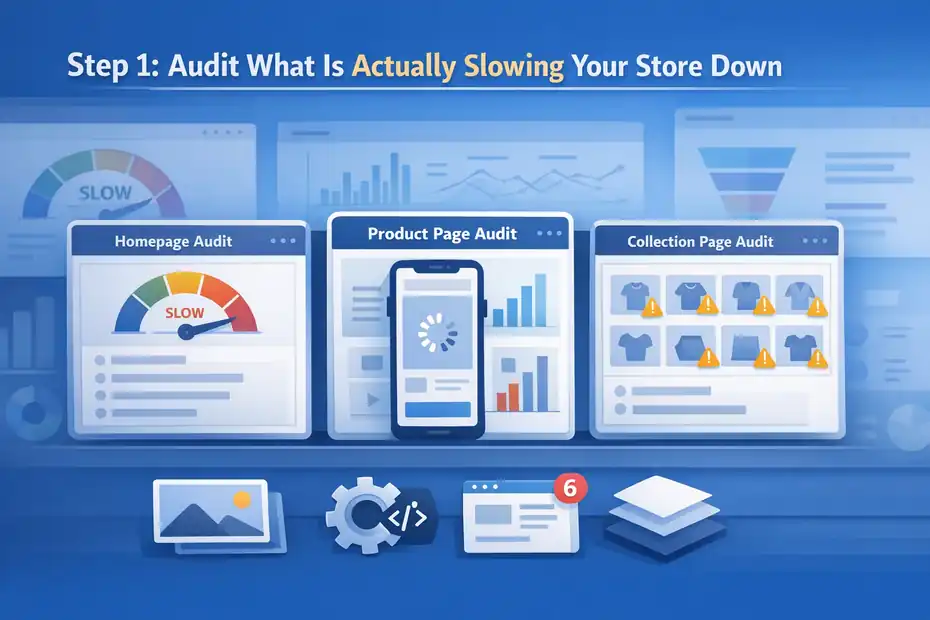
You cannot fix what you have not identified.
The first step in any Debutify speed optimization process is to figure out whether the slowdown is caused by images, apps, scripts, layout bloat, or a combination of all four.
Test The Homepage, Product Page, And Collection Page Separately
One mistake I see all the time is people testing only the homepage. That gives you an incomplete picture. In e-commerce, your product pages and collection pages often carry more weight because they contain reviews, recommendations, filters, swatches, sticky carts, and dynamic widgets.
Let me break it down for you:
- Homepage test: This shows whether banners, slideshows, announcement bars, and promotional sections are heavy.
- Product page test: This reveals whether reviews, upsells, variant selectors, gallery scripts, and app embeds are causing delays.
- Collection page test: This highlights whether filters, product card images, infinite scroll, and sort logic are adding extra load.
When I audit a Shopify store, I compare these page types instead of assuming the theme is uniformly slow. Sometimes the homepage is fine, but the product page is overloaded. Sometimes the collection page performs worst because too many product thumbnails are being loaded at once.
A realistic scenario: Imagine your homepage scores reasonably well, but your product page feels sluggish on mobile. That often points to reviews widgets, sticky add-to-cart bars, cross-sell apps, or oversized image galleries rather than the core Debutify theme files.
Look For Heavy Elements Before Touching Design
Once you test the main templates, identify the most obvious performance drains. You do not need to be a developer to spot patterns.
Look for these red flags:
- A giant slideshow with multiple high-resolution images and overlay effects.
- Video backgrounds loading immediately on mobile.
- Popups firing the second the page opens.
- Review widgets rendering above the fold.
- Multiple trust badge sections, icons, or animated counters stacked together.
- Too many homepage sections competing for attention.
I believe this part matters more than people think. Good speed optimization is often subtraction, not addition. The fastest store is not the one with the most hacks. It is the one with the least unnecessary weight.
If your goal is a real debutify theme slow loading fix, start with an honest audit. You are looking for anything that loads but does not truly help conversion.
Step 2: Disable Debutify Features You Are Not Actively Using
Debutify is popular because it comes with conversion-focused built-in features. That is helpful, but it also creates a trap.
Many store owners turn on too many add-ons at once because more features feel like more value. In practice, unnecessary add-ons can slow the store and clutter the buying experience.
Keep Only Features That Support Your Current Sales Strategy
This is where you need to be disciplined. Not every add-on should stay enabled just because it exists. If a feature is not increasing clarity, trust, or revenue, it should be a candidate for removal.
I usually suggest reviewing add-ons through one simple question: “Would I notice lost sales if this disappeared today?” If the honest answer is no, turn it off and retest.
Features worth reevaluating often include:
- Sticky bars you do not really need on desktop.
- Cart countdown timers that do not match your brand.
- Extra trust badges repeated in multiple places.
- Animated sales pop notifications that distract more than they reassure.
- Fancy visual effects that add movement but not meaning.
A clean Debutify setup often converts better because it reduces noise. Many of us assume shoppers need more persuasion elements, but shoppers usually need confidence, clarity, and speed.
For example, a product page with fast image loading, a clear offer, useful reviews, and one solid call to action usually outperforms a page with five urgency widgets stacked together.
Remove Redundant Functionality Between Debutify And Apps
This is a huge one. If Debutify already provides a feature and you also installed a separate app for the same thing, you may be loading overlapping scripts for no good reason.
Here are common overlaps:
- Sticky cart in Debutify plus a third-party sticky add-to-cart app.
- Built-in badges plus a separate trust badge app.
- Announcement bar inside theme settings plus popup tool handling the same message.
- Upsell blocks from the theme plus cart drawer upsell from another app.
This duplication hurts performance and often creates design inconsistency too. I recommend choosing one method for each function and removing the rest.
In my experience, stores speed up noticeably when redundant tools disappear. Even better, the storefront feels more polished because everything behaves consistently. That is a quiet but powerful win.
Step 3: Compress And Resize Images The Right Way
If I had to name one issue that repeatedly slows down Shopify themes, it would be oversized images.
A beautiful design can become painfully slow when the visual assets are much larger than the storefront actually needs.
Your Storefront Does Not Need Original Upload Dimensions Everywhere
A lot of merchants upload images straight from a camera, designer export, or Canva download without resizing them first. That means you might be serving a 4000-pixel image into a space where the visible display width is only a fraction of that.
That is wasted weight.
Here is the practical rule: Upload images based on real display needs, not source file size. A homepage banner, product image, collection thumbnail, and icon should not all be treated the same way.
A simpler approach:
- Hero banners: Keep them sharp, but avoid giant files that far exceed actual viewport needs.
- Product images: Preserve detail, especially for zoom, but still compress them well.
- Collection thumbnails: These can usually be much lighter than full product gallery images.
- Icons and logos: Use optimized formats and small dimensions wherever possible.
I suggest reviewing your homepage first because that is where oversized media often hides. One full-width banner can quietly add a large amount of delay.
Prioritize Format, Compression, And Consistency
Image optimization is not just about shrinking dimensions. File format matters too. Compressed modern image formats often load faster than older, heavier formats while keeping visual quality high enough for e-commerce use.
When cleaning up a Debutify store, I look for these quick wins:
- Replace unnecessarily heavy PNGs with lighter alternatives when transparency is not needed.
- Compress homepage banners aggressively enough that they still look good on mobile.
- Avoid uploading multiple versions of nearly identical promotional graphics.
- Limit decorative imagery that does not help the sale.
Imagine you are running a skincare store with six homepage sections, each using one large banner plus decorative icons. That can add up quickly. If you compress those visuals and remove two low-value sections, the page often feels much faster without looking worse.
This is one of the highest-impact parts of a debutify theme slow loading fix because shoppers notice visual delay immediately. Fast-loading images improve both speed metrics and first impressions.
Step 4: Remove Or Replace Slow Shopify Apps
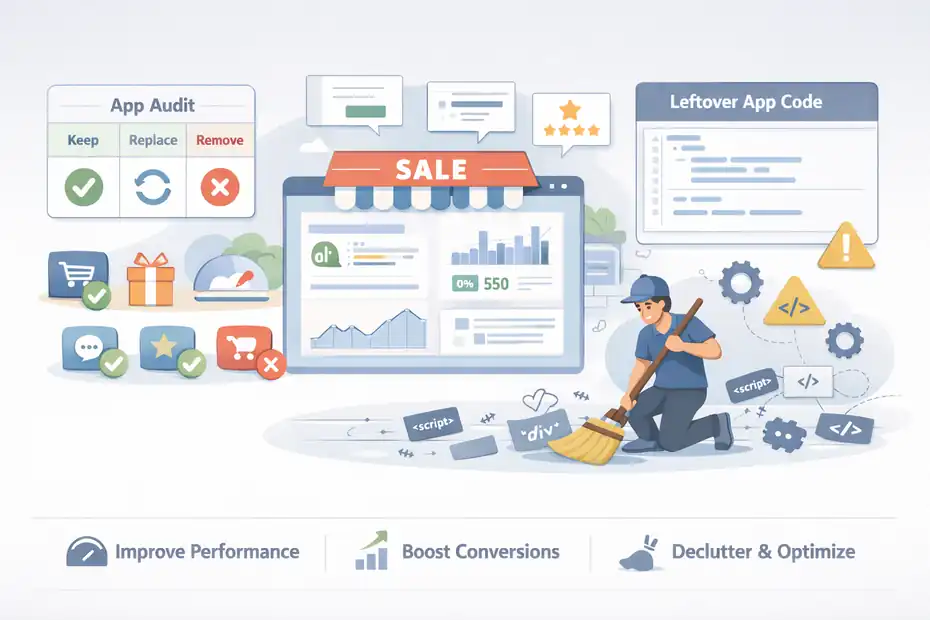
Apps are incredibly useful, but they are one of the biggest reasons a Shopify store slows down over time. The problem is not just how many apps you install.
It is whether they inject code, widgets, and external requests into important pages.
Audit Every App Based On Revenue Contribution
I recommend being ruthless here. If an app is not directly improving operations, conversion rate, retention, average order value, or measurement quality, it needs justification.
Use a simple app audit framework:
- Keep it if it is mission-critical for sales or operations.
- Replace it if it is useful but bloated.
- Remove it if it is nice to have but not moving the business.
Some apps look harmless because you rarely open them in the dashboard. But on the front end, they may still be loading scripts on every page visit. That means your visitors are paying the speed cost whether the feature helps them or not.
A realistic example: A store runs a popup app, a separate email capture tool, a review widget, a back-in-stock tool, a bundle app, and two analytics scripts. After auditing, the owner finds only three of those are truly essential. Removing the rest cuts clutter and improves page responsiveness without affecting revenue.
That is why I always say the best speed optimization strategy is part technical cleanup and part business prioritization.
Watch For App Code Left Behind After Uninstalling
This is the annoying part many people miss. Uninstalling an app does not always mean all of its code is gone. Some apps leave snippets, assets, embed remnants, or theme modifications behind.
That leftover code can still affect performance or create conflicts.
Signs this may have happened:
- Sections or widgets that no longer display properly.
- Strange spacing or styling after app removal.
- Theme files containing old script calls.
- Liquid snippets referencing app assets that are no longer needed.
If you have installed and removed a lot of apps over time, your theme may be carrying performance baggage from past experiments. I have seen stores where the current app list looked reasonable, but the theme still contained remnants from old tools that had been removed months earlier.
That is why a true Debutify speed fix often includes checking theme code hygiene, not just the active app list.
Step 5: Simplify Your Homepage And Above-The-Fold Layout
The homepage is often overloaded because it becomes a dumping ground for every announcement, collection, badge, review strip, and sales widget the brand wants to show.
The result is a page that tries to do everything and ends up loading slowly.
Focus The First Screen On Clarity, Not Volume
Your above-the-fold area is the first thing visitors experience. It needs to load fast and make sense fast. That means you should prioritize one clear message, one strong visual, and one logical next step.
I recommend keeping the first screen focused on:
- A concise value proposition.
- A clean hero image or banner.
- One primary call to action.
- Minimal moving parts.
What slows this area down is usually excess:
- Sliders with several large images.
- Animated backgrounds.
- Auto-playing video.
- Layered badges and floating widgets.
- Too many app embeds competing near the top.
From what I have seen, replacing a slideshow with one optimized static hero often improves both speed and conversion clarity. Slideshows look impressive in theory, but many visitors never wait to see slide two or three anyway.
Reduce Homepage Sections That Do Not Change Buyer Behavior
A homepage does not need to prove everything at once. Its job is to move the visitor toward shopping with confidence. If sections are not helping that process, they may be hurting more than helping.
Here are sections I would question first:
- Repetitive promotional banners saying the same thing in different ways.
- Large testimonial carousels above stronger buying signals.
- Multiple featured collections stacked back to back.
- Decorative animations with no direct commerce function.
- Overly long brand-story sections before products appear.
Imagine a store with 14 homepage sections. On paper, it looks rich. In practice, it creates more code, more images, more requests, and more scrolling friction. Cutting that to 7 or 8 focused sections often makes the store feel cleaner and faster almost immediately.
This is one of the most practical steps in a debutify theme slow loading fix because it improves user experience and performance at the same time. You are not just chasing a better score. You are building a more decisive storefront.
Step 6: Clean Up Theme Code, Scripts, And Tracking
Once the obvious visual and app issues are addressed, the next layer is code cleanup.
This is where many stores keep hidden performance drag: old snippets, duplicate tracking pixels, custom scripts, and unnecessary third-party requests.
Remove Duplicate Tracking And Non-Essential Scripts
Marketing stacks grow fast. One person adds analytics, another adds retargeting, and before long the store is loading multiple scripts that overlap or fire in the wrong places.
I suggest reviewing:
- Analytics scripts.
- Ad platform pixels.
- Heatmaps.
- Chat widgets.
- A/B testing scripts.
- Custom event tracking added manually.
The key question is not “Does this script do something?” The key question is “Does it do enough to justify slowing the site?”
For example, a live chat tool may help high-ticket stores but be unnecessary for a low-ticket impulse-buy brand. A heatmap tool can be useful during a testing phase, but it does not always need to run forever. A retargeting script may be essential, while a second duplicate install of the same pixel is just waste.
This is where many technical slowdowns hide because scripts often load invisibly. The customer does not see them, but the browser still has to fetch and execute them.
Be Careful With Custom Code Snippets And Theme Edits
Custom code is not bad by default. Sometimes it is the best way to add a needed feature cleanly. The problem starts when small edits accumulate with no maintenance.
I have seen Debutify stores with:
- Old code snippets from freelancers no one remembers.
- CSS overrides stacked over multiple redesigns.
- JavaScript for features that were later removed.
- Liquid blocks duplicated during troubleshooting.
That kind of buildup can make the theme heavier and harder to manage. It can also create render-blocking behavior, especially when scripts are added globally.
A practical approach is to review each customization and ask:
- Is this still active?
- Is it still necessary?
- Does it load on every page?
- Could the same result be achieved more simply?
You do not need to strip the store back to bare bones. You just need cleaner logic. In my experience, code cleanup is where advanced performance gains show up after the obvious fixes are done.
Step 7: Retest, Prioritize Mobile, And Build A Speed Maintenance Routine
A one-time cleanup is great, but speed problems often come back.
New apps get installed, new campaigns require scripts, bigger images get uploaded, and little layout additions slowly rebuild the same old performance issues.
Mobile Speed Should Be Your Main Decision Filter
Most Shopify traffic today is mobile-first for many niches, and Debutify performance issues tend to be felt more sharply on smaller devices. A desktop page can appear acceptable while the mobile experience still feels sluggish.
That is why I recommend making decisions based on mobile behavior first:
- Does the first screen appear quickly?
- Can the visitor tap without delay?
- Do images load progressively in a clean way?
- Does the Add to Cart area feel stable?
- Are popups or sticky elements crowding the screen?
A practical scenario: A store owner adds a sticky bar, floating coupon tab, chat widget, and urgency popup. On desktop, it looks manageable. On mobile, it becomes a cluttered stack that slows interaction and overwhelms the viewport. Removing even two of those layers can improve both speed and usability.
For many of us, this is the turning point. We stop optimizing for what looks feature-rich in the backend and start optimizing for how the shopper actually experiences the store.
Create A Simple Monthly Speed Checklist
Here is the part I strongly recommend if you want lasting results: treat speed as maintenance, not a one-off fix. That sounds less exciting, but it is what keeps performance from slipping again.
Use a compact monthly checklist:
- Review new apps and remove anything non-essential.
- Compress newly uploaded homepage and campaign images.
- Check whether old seasonal sections are still live.
- Retest homepage, collection, and product pages on mobile.
- Review tracking scripts after major marketing changes.
- Confirm disabled features have not been re-enabled by accident.
This does not need to become a huge technical ritual. Even 20 to 30 minutes of review each month can stop performance decay before it becomes expensive.
A good debutify theme slow loading fix is not just about reaching a cleaner score today. It is about protecting the speed gains you worked to create.
Debutify Speed Fix Checklist You Can Use Right Now
If you want the shortest path to action, use this checklist as your quick-start version of the full guide. It covers the areas most likely to improve performance without creating chaos in the store.
A Practical 7-Step Action List
- Step 1: Test homepage, product page, and collection page separately to see where slowdown actually happens.
- Step 2: Turn off Debutify add-ons that are not clearly helping conversion.
- Step 3: Compress and resize banners, product photos, and collection images.
- Step 4: Remove bloated or redundant apps, especially those duplicating built-in features.
- Step 5: Simplify the homepage and reduce above-the-fold visual weight.
- Step 6: Clean up old scripts, duplicate pixels, and unnecessary code snippets.
- Step 7: Retest on mobile and repeat a lightweight speed audit every month.
This kind of checklist works because it keeps you focused on the highest-leverage tasks first. I believe that matters. Too many people get pulled into technical rabbit holes before solving the obvious issues costing them speed and conversions.
What Results You Can Realistically Expect
I want to be honest here. Not every store will suddenly become lightning fast overnight, and not every performance tool will show dramatic jumps immediately. Results depend on how much bloat has built up, how media-heavy the store is, and how many third-party services are attached.
That said, these fixes usually improve at least one or more of the following:
- Faster visual loading on mobile.
- Smoother scrolling and interaction.
- Better product page responsiveness.
- Lower bounce from slow first impressions.
- Cleaner storefront UX with fewer distractions.
In some cases, the conversion lift comes less from the technical speed score and more from the cleaner experience speed improvements create. That is still a win.
Common Mistakes People Make When Fixing Debutify Performance
A lot of merchants take action but still do not get the result they want because they optimize the wrong things or remove useful features without a clear plan.
Chasing Scores Instead Of Shopper Experience
Performance tools are useful, but they are not the customer. I have seen stores obsess over chasing perfect numbers while ignoring whether the site actually feels faster and easier to use.
Mistake patterns include:
- Removing valuable conversion elements just to improve a lab score.
- Optimizing desktop while mobile still struggles.
- Compressing images so aggressively that product trust suffers.
- Keeping slow but “pretty” effects that delay buying behavior.
Use performance scores as guidance, not as your only target. What matters most is whether a real shopper can land, understand, browse, and buy without friction.
Fixing Symptoms Instead Of The Store Structure
Another common mistake is applying patch after patch without stepping back. People install optimization apps, lazy-load tools, or extra scripts trying to “fix” a store that is fundamentally overbuilt.
That is like cleaning a crowded room by adding more storage boxes without removing clutter first.
A better sequence is:
- Remove unnecessary weight.
- Simplify layout and features.
- Optimize media.
- Clean scripts and code.
- Retest and maintain.
In my experience, stores improve fastest when owners are willing to make cleaner strategic decisions, not just technical tweaks.
When It Might Be Time To Consider A Bigger Theme Strategy
Most of the time, you can improve a Debutify store without changing themes. But there are situations where a broader rebuild makes sense.
A Theme Change Is Not Always Necessary, But Sometimes It Is Rational
You may want to consider a larger restructuring if:
- The theme has been heavily modified for years.
- Old app code has created deep conflicts.
- Multiple redesigns left messy template logic behind.
- The brand has outgrown its original store architecture.
- The current setup feels hard to maintain even after cleanup.
I would not rush into migration just because the store feels slow. Migration can create its own SEO, UX, and design issues if handled poorly. But if your Debutify setup is carrying years of technical debt, a strategic rebuild may actually save time long term.
Optimize First, Migrate Only With A Clear Reason
My advice is simple: Optimize before you replace. A lot of stores can gain meaningful speed by cleaning up apps, assets, homepage structure, and scripts. If that solves the problem, great. If it does not, then you have better evidence that the issue is architectural rather than cosmetic.
That matters because it keeps you from making expensive theme decisions out of frustration.
A calm, structured debutify theme slow loading fix gives you clarity. Either the store gets faster through cleanup, or you learn that a deeper rebuild is justified. Both outcomes are useful.
Final Thoughts
If your Debutify store feels slow, do not assume the theme itself is the villain. Most of the time, the real issue is stack buildup: too many apps, too many enabled features, oversized images, cluttered homepage sections, and leftover code that quietly drags everything down.
The good news is that this is fixable. Start with the biggest offenders first, especially media, app overlap, and above-the-fold layout bloat. Then work your way into script cleanup and ongoing maintenance.
I believe that is the most practical approach because it improves speed without sacrificing the parts of your store that actually help sales.
A good debutify theme slow loading fix is not about stripping your site down until it looks empty. It is about making the store lighter, clearer, and easier for real people to shop.
FAQ
What causes Debutify theme slow loading issues?
Debutify theme slow loading issues are usually caused by too many apps, heavy images, and unused add-ons being enabled. In most cases, the theme itself is not the main problem. Extra scripts, oversized media files, and duplicated features create unnecessary weight that slows down page speed and affects user experience.
How can I fix Debutify theme slow loading quickly?
The fastest way to fix Debutify theme slow loading is to remove unused apps, disable unnecessary add-ons, and compress large images. Focus on simplifying your homepage and reducing scripts that load on every page. These changes often improve both loading speed and overall store performance within a short time.
Does Debutify theme affect Shopify speed performance?
Debutify theme can affect Shopify speed if too many features are enabled or poorly optimized. However, when configured properly, it performs well. Most speed issues come from external apps, heavy design elements, and unoptimized media rather than the core theme itself.
Do apps slow down Debutify Shopify stores?
Yes, apps are one of the biggest reasons Debutify stores slow down. Many apps add scripts and external requests that increase load time. If multiple apps perform similar functions, they create unnecessary duplication, which negatively impacts speed and makes the store feel sluggish, especially on mobile devices.
Is image optimization important for Debutify speed fixes?
Image optimization is critical for improving Debutify theme speed. Large, uncompressed images can significantly delay page loading. By resizing images to match display size and compressing them properly, you reduce load time while maintaining visual quality, leading to a faster and smoother shopping experience.

I’m Juxhin, the voice behind The Justifiable.
I’ve spent 6+ years building blogs, managing affiliate campaigns, and testing the messy world of online business. Here, I cut the fluff and share the strategies that actually move the needle — so you can build income that’s sustainable, not speculative.
Related posts:
 How To Start A Dropshipping Business With No Money
 Dropshipping Business Model Success: Tips for Long-Term Growth
 Viral Launch Chrome Extension: The Ultimate Tool for Sellers
 How to Use Dsers Shopify for Seamless Dropshipping
 How to Use Jungle Scout Amazon for Product Sourcing
 CartFlows Pricing & Alternatives: Which One Wins?