
Table of Contents
Some links on The Justifiable are affiliate links, meaning we may earn a small commission at no extra cost to you. Read full disclaimer.
Doba pricing is one of those things that looks simple at first glance, but once you dig in, the details start to matter.
I’m putting this together for dropshippers, ecommerce beginners, and growing sellers who are trying to decide whether Doba is actually worth the monthly cost.
The big question this answers is simple: what do you really pay with Doba once plans, limits, and hidden costs are factored in?
Doba Pricing Plans Explained For New And Growing Sellers
Doba pricing is structured around three main plans, each designed to match a different stage of a dropshipping business.
On the surface, the plans look straightforward, but the real differences show up once you factor in limits, automation access, and how fast you plan to scale.
Limited Plan Pricing, Limits, And Ideal Use Cases
The Limited plan is Doba’s entry point and is clearly built for beginners who want to test dropshipping without a big commitment.
At its lowest tier, you’re paying roughly $29 per month if billed monthly, with discounts when you move to quarterly or annual billing. What you’re really buying here is access, not scale.
Here’s how it plays out in practice:
- You can connect one store only
- Product imports are capped at around 20 listings
- Inventory list capacity is limited
- AI Pick usage is very restricted
This plan works if your goal is learning the system, understanding supplier workflows, and validating one or two product ideas.
In my experience, most sellers outgrow this plan quickly because the product cap becomes frustrating once you find something that actually sells.
If you’re running paid ads or testing multiple niches, this plan will feel tight almost immediately.
Basic Plan Pricing Breakdown And Feature Thresholds
The Basic plan is where Doba pricing starts to make sense for real selling. This tier typically sits around $59 per month on monthly billing, with noticeable savings if you commit quarterly or annually.
What changes here isn’t just quantity, it’s flexibility.
- Up to two store integrations
- Around 250 one-click product listings
- Much larger inventory list capacity
- Access to advanced product research tools
- Limited AI Auto Lister functionality
This is the plan I usually recommend to new sellers who already understand ecommerce basics. You can test multiple products at once, build themed collections, and move faster without constantly worrying about hitting limits.
A realistic scenario: if you’re uploading 5–10 products per week and rotating underperformers out, this plan gives you enough breathing room to operate efficiently.
Standard Plan Costs And Advanced Automation Access
The Standard plan is Doba’s highest tier and is priced around $149 per month, regardless of billing cycle discounts. This is where automation becomes the real selling point.
You get:
- Up to five store integrations
- Around 1,000 product listings
- Large inventory and download limits
- Full AI Auto Lister access
- Dedicated account manager and premium tools
This plan is designed for sellers managing multiple storefronts or higher order volumes. If you’re already doing consistent sales, the automation alone can save several hours per week, especially with bulk listing and product updates.
That said, if you’re not actively selling yet, this plan is overkill. You’re paying for speed and scale, not learning.
Monthly Vs Quarterly Vs Annual Billing Differences
Doba pricing changes more than people expect based on billing frequency.
Monthly billing gives flexibility but costs the most over time. Quarterly billing usually knocks about 5 percent off, while annual billing can reduce costs by 15 percent or more.
Here’s the tradeoff I always consider:
- Monthly: Best if you’re still validating the platform
- Quarterly: A safe middle ground for active testing
- Annual: Only worth it if Doba is already part of your workflow
I’ve seen sellers lock into annual plans too early, only to realize the product mix or supplier pricing didn’t fit their business model. Saving money only helps if the tool is actually working for you.
Free Trials, Intro Offers, And Entry-Level Costs
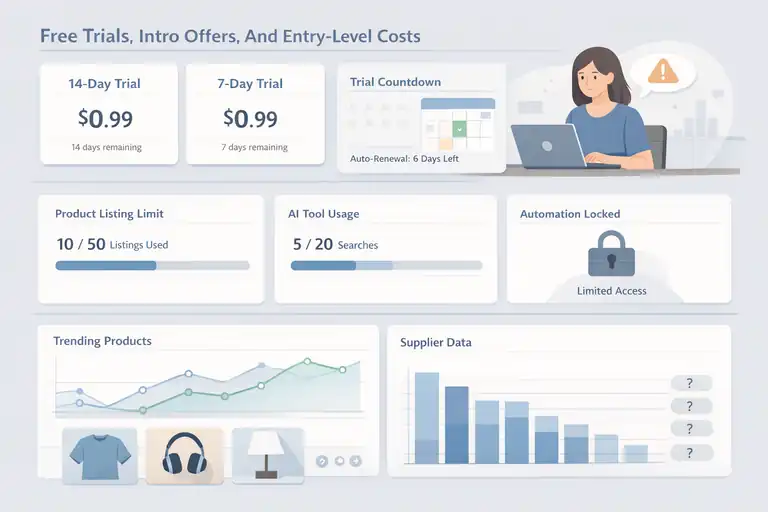
Before committing to full Doba pricing, most sellers interact with the platform through trial offers.
These trials are useful, but only if you understand what they realistically allow you to test.
14-Day And 7-Day Trial Costs Explained Clearly
Doba offers low-cost trials rather than free ones. The Limited plan typically comes with a 14-day trial for about $0.99, while the Basic plan offers a 7-day trial at the same price point.
This setup weeds out casual browsers and attracts sellers who are at least somewhat serious. You’re paying a dollar, but you get real platform access, not a demo environment.
What’s important to know is that billing starts automatically after the trial unless you cancel. I always suggest setting a calendar reminder the day you activate the trial.
What You Can And Cannot Test During The Trial Period
During the trial, you can explore the interface, browse suppliers, and test product imports. That’s the good news.
The limitations show up fast:
- Product listing caps are enforced
- AI tools have very low usage limits
- Automation features are partially locked
- Supplier pricing data may feel incomplete
You can confirm whether Doba fits your workflow, but you can’t fully stress-test scaling scenarios. Think of the trial as a compatibility check, not a profit test.
Trial Limitations That Affect Product Research Accuracy
One overlooked issue with Doba pricing trials is how limits skew product research.
Because downloads and AI Picks are capped, you might miss trends that only appear when analyzing larger datasets. This can make the platform feel weaker than it actually is.
A common example I’ve seen: a seller tests five products during the trial, none perform well, and they assume Doba isn’t viable. In reality, the winning product might have been number six or seven.
My advice is simple. Use the trial to evaluate usability, supplier quality, and integration stability. Save serious product validation for once you’re on a paid plan with real limits removed.
Feature-Based Limits That Impact Real Doba Pricing
This is where Doba pricing quietly shifts from a flat subscription into a usage-based decision. The plan price is only half the story.
The other half is how quickly you hit feature limits once you’re actively listing, testing, and scaling products.
One-Click Product Listing Caps And Overages
One-click product listings are exactly what they sound like. You select a product from Doba’s catalog and push it directly into your store with images, pricing, and descriptions pre-filled. It’s convenient, but capped tightly by plan.
Here’s how this usually plays out in real life:
- Limited plans allow only a small batch of listings
- Basic plans unlock a few hundred listings
- Standard plans push this into the thousands
The catch is that once you hit your cap, you can’t publish more products unless you delete existing ones or upgrade. There’s no true pay-as-you-go option for overages.
A common mistake I see is sellers importing products “just to test” and forgetting to clean them up. That eats into your cap fast. I always recommend treating listings like inventory slots. Only publish products you genuinely plan to test.
If you’re running seasonal stores or trend-based niches, these caps directly affect how fast you can move.
Inventory List Capacity And Scaling Constraints
Inventory lists inside Doba are not your store listings. They’re internal lists used to track and monitor products you’re considering or actively managing.
This matters more than most people expect.
- Low inventory caps limit how many ideas you can track
- You’re forced to delete research prematurely
- Long-term trend tracking becomes difficult
When you’re scaling, having historical data helps. Seeing which suppliers consistently update stock or which categories go out of inventory frequently saves real money over time.
From what I’ve seen, sellers on lower-tier plans often jump to higher tiers not for automation, but simply to keep their research organized.
Product Download Limits And Catalog Access Restrictions
Product downloads are different from listings. Downloads usually include product data files, images, and supplier details for offline analysis or bulk edits.
Doba pricing plans limit how many of these you can download monthly. Once you hit the cap, that’s it until the cycle resets.
This affects sellers who:
- Customize product descriptions heavily
- Build external pricing spreadsheets
- Use analytics tools outside Doba
If you rely on detailed comparisons before launching products, these limits can slow you down more than you expect.
AI Tools And Research Features With Usage Caps
Doba’s AI features sound powerful, but they’re governed by strict usage rules. Understanding these caps helps avoid paying for tools you’re not actually able to use at scale.
AI Pick Usage Limits By Pricing Tier
AI Pick is Doba’s automated product suggestion feature. It scans demand signals, supplier availability, and trends to recommend products.
Usage is capped monthly by plan:
- Limited plans allow very few AI Picks
- Basic plans increase the allowance modestly
- Standard plans unlock high-volume usage
The issue isn’t quality, it’s volume. AI Picks work best when you can review dozens of options and filter aggressively. With low caps, you’re making decisions from a small sample size.
In practice, this means AI Picks are more exploratory on lower plans and more strategic on higher ones.
AI Auto Lister Restrictions And Automation Tradeoffs
AI Auto Lister automatically publishes products based on preset rules like pricing margins or categories. It’s a time-saver, but only fully available on higher plans.
Lower tiers may allow limited automation, but with restrictions on:
- Number of auto-published products
- Frequency of updates
- Rule complexity
Automation is only valuable if it reduces manual work without sacrificing control. If you’re still adjusting pricing and descriptions manually, you won’t feel much benefit here.
Product Research Tool Access By Plan Level
Doba’s product research tools combine filters, trend indicators, and supplier data. Access improves significantly as you move up plans.
Here’s a simplified comparison:
| Plan Level | Research Depth | Filters | Historical Insight |
| Limited | Basic | Minimal | Very limited |
| Basic | Moderate | Expanded | Partial |
| Standard | Advanced | Full | Strong |
If research drives your strategy, this alone can justify a higher plan. But if you already validate products externally, you may not need the top tier.
My honest take: Doba pricing rewards sellers who commit to a structured workflow. If you’re organized, the limits feel manageable. If you’re experimental and fast-moving, they become friction quickly.
Integrations, Store Connections, And Platform Costs
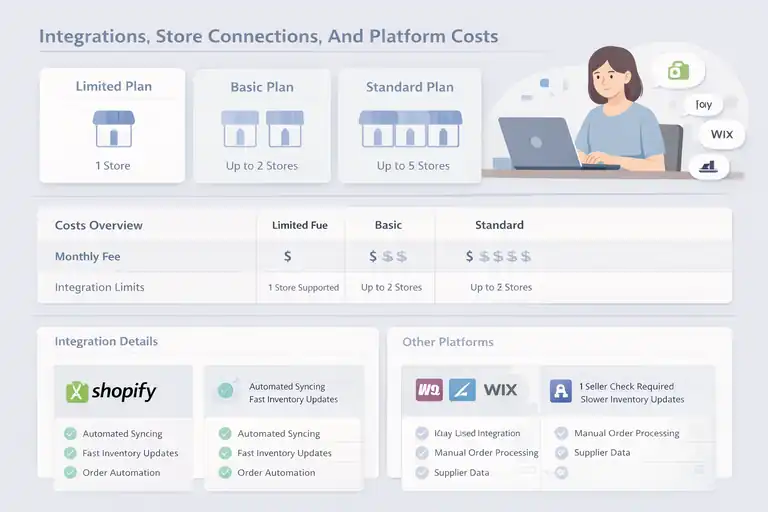
When people look at Doba pricing, integrations are often assumed to be “included.” Technically, they are.
Practically, the number of stores you connect and the platform you use can change your real costs pretty quickly.
Store Integration Limits Across Pricing Plans
A store integration is simply the connection between Doba and your ecommerce platform, like Shopify. Each plan limits how many of these connections you can run at the same time.
Here’s how this usually breaks down:
- Limited plans support one store
- Basic plans allow up to two stores
- Standard plans expand this to around five
This matters more than it sounds. Many sellers separate stores by niche, region, or brand. If you plan to test multiple ideas in parallel, you’ll hit this ceiling fast.
I’ve seen sellers duplicate stores just to work around limits, which creates more problems than it solves. It’s better to choose the plan that matches how many storefronts you genuinely plan to operate.
Shopify And Other Platform Compatibility Considerations
Shopify is Doba’s strongest integration, and it shows. Product syncing, order routing, and inventory updates are smoother compared to other platforms.
Other platforms are supported, but often with limitations:
- Slower inventory updates
- Fewer automation rules
- More manual order checks
This doesn’t mean they’re unusable, just that you’ll spend more time double-checking data. If you’re on Shopify, you’re getting the best version of what Doba offers. If you’re not, factor in extra time as a hidden cost.
Costs Of Adding Multiple Stores To One Account
Doba does not charge per store directly, but adding stores often forces a plan upgrade.
Here’s the indirect cost most people miss:
- Each additional store uses listing and automation limits
- Product caps are shared across all stores
- AI usage is pooled, not per store
If you’re managing multiple brands, you’re essentially splitting your plan’s resources. In my experience, this is where Doba pricing quietly jumps tiers without you planning for it.
Hidden Costs That Are Not Obvious On Pricing Pages
This is the section most sellers wish they read first. Doba pricing pages show subscription costs, but they don’t reflect the operational expenses that affect your margins every single day.
Supplier Pricing Markups And Margin Compression
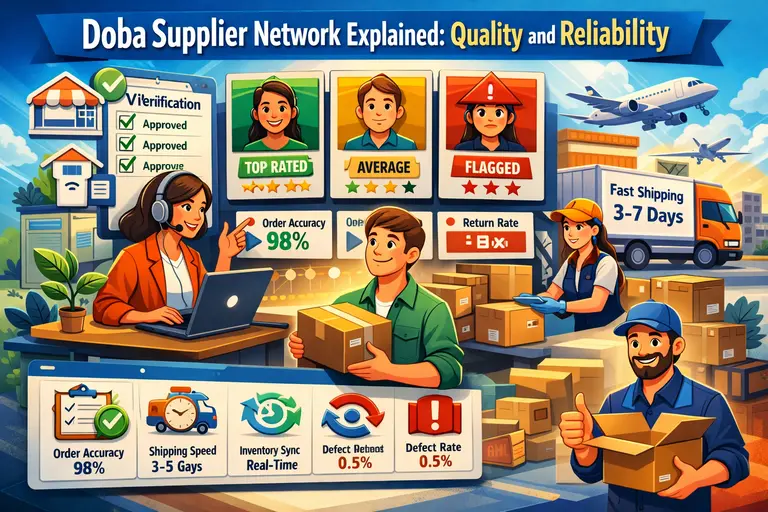
Doba aggregates suppliers, but it does not control their pricing. Many suppliers build their own margins into wholesale prices.
What this means in practice:
- Some products have thin margins from day one
- Price competition can erase profit quickly
- Advertising costs become harder to absorb
I’ve personally seen products with less than 15 percent margin before ads. That’s workable only at scale, not for testing.
Shipping Costs Set By Suppliers, Not Doba
Shipping is fully controlled by suppliers. Doba simply passes that cost through.
This creates three common issues:
- Shipping rates vary widely for similar products
- Delivery times differ even within the same category
- Refunds and returns are supplier-dependent
If you don’t factor shipping into your pricing strategy early, your profit projections will be off.
Order Volume Limits That Trigger Plan Upgrades
While Doba doesn’t publish strict order caps, high order volume naturally pushes you into higher tiers.
More orders mean:
- More product downloads
- More AI usage
- More listings and integrations
At a certain point, staying on a lower plan becomes impractical. My advice is to watch usage dashboards weekly. When you’re consistently hitting 80 percent of a limit, it’s time to plan an upgrade rather than react to one.
This is where understanding Doba pricing upfront saves you from surprise expenses later.
Add-Ons, Upgrades, And Paid Extras To Expect
This is the stage where Doba pricing becomes less about the sticker price and more about how your behavior inside the platform nudges you toward higher spend.
None of this is shady, but it is predictable if you know what to watch.
When You Are Forced To Upgrade Plans
Doba doesn’t hard-stop your store when you’re doing well. Instead, it applies pressure through limits.
Here’s what typically forces an upgrade:
- Hitting product listing caps consistently
- Running multiple stores under one account
- Using AI tools frequently for research or automation
- Downloading product data at scale
A realistic scenario I’ve seen many times: a seller starts on the Basic plan, launches 40–50 products, finds 5 winners, and suddenly needs more listings, more automation, and better research depth. The upgrade isn’t optional at that point. It’s operational.
My personal rule is simple. If your store depends on Doba for daily operations, upgrading early is cheaper than constantly working around limits.
Costs Of Exceeding Usage Limits Mid-Cycle
Doba does not charge overage fees in the traditional sense. Instead, exceeding limits locks features until your billing cycle resets or you upgrade.
That can cost you money indirectly:
- Missed product launches
- Delayed inventory updates
- Paused automation during high-sales periods
Think of it like running out of fuel halfway through a road trip. You’re not charged extra, but you’re definitely stuck.
One practical tip I use is checking usage dashboards weekly, not monthly. If you’re trending above 70 percent usage halfway through a cycle, you’re heading for friction.
Account Manager And Premium Support Access
Dedicated account managers are included only at higher pricing tiers. This isn’t just “nice to have” support.
What you actually get:
- Faster issue resolution
- Help sourcing alternative suppliers
- Guidance on feature usage and workflows
For sellers doing consistent volume, this can save hours of back-and-forth support tickets. For beginners, it’s usually unnecessary.
My honest take: premium support pays for itself only when time becomes more valuable than money.
Comparing Doba Pricing To Other Dropshipping Tools
Doba pricing makes more sense when you see it next to competing platforms. Each tool charges differently, and those differences shape how you build your business.
How Doba Pricing Compares To SaleHoo
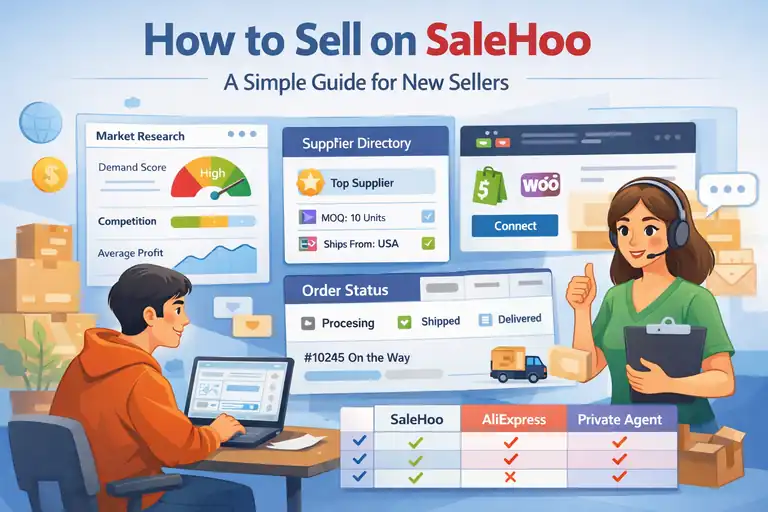
SaleHoo operates on a membership model rather than usage-based limits. You pay a flat annual fee and get access to supplier directories and research tools.
Key differences:
- Doba charges monthly with feature caps
- SaleHoo charges annually with fewer operational tools
- Doba handles integrations and order flow
- SaleHoo focuses on supplier discovery
If you want an all-in-one workflow, Doba wins. If you prefer sourcing suppliers independently and building your own systems, SaleHoo can be cheaper long term.
Doba Vs Spocket Cost Structure Differences
Spocket focuses heavily on branded products and faster shipping, especially from US and EU suppliers.
Here’s a simple comparison:
| Platform | Pricing Style | Core Strength |
| Doba | Monthly tiers | Automation and supplier aggregation |
| Spocket | Monthly tiers | Fast shipping and branded products |
Spocket often has higher product costs but better delivery times. Doba usually offers wider catalogs but thinner margins. Your choice depends on whether speed or variety matters more in your niche.
Doba Vs Worldwide Brands Membership Economics
Worldwide Brands uses a one-time membership fee model. You pay once and retain access indefinitely.
This sounds appealing, but there’s a tradeoff:
- No built-in automation
- No native store integrations
- More manual supplier management
Doba pricing feels expensive until you factor in time saved. Worldwide Brands feels cheap until you start doing everything manually.
If you value control and don’t mind building systems, Worldwide Brands can win. If you value speed and simplicity, Doba often justifies its ongoing cost.
Who Each Doba Pricing Plan Actually Makes Sense For
Doba pricing isn’t good or bad on its own. It makes sense only when it matches how you actually run your business. This section is about fit, not features.
Best Plan For Beginners Testing Dropshipping
If you’re brand new or returning after a long break, the Limited plan is usually enough. Not exciting, but functional.
This plan works best when your goal is to:
- Learn how supplier sourcing works
- Understand order routing and fulfillment
- Test a small number of products carefully
Think of it like training wheels. You don’t need speed yet. You need clarity.
From what I’ve seen, beginners who succeed here are very intentional. They don’t upload dozens of products. They research deeply, test slowly, and focus on learning customer behavior. If that sounds like you, the lower Doba pricing tier won’t feel restrictive.
Best Option For Scaling Stores With High Volume
Once you’re processing consistent orders or running multiple stores, the Standard plan usually becomes the most practical option.
Here’s why it works at scale:
- High product listing limits reduce friction
- Automation saves hours each week
- AI tools help surface new products faster
- Multiple store integrations stay manageable
A quick example. If you’re adding 10–15 products per week across two stores, anything below the Standard plan will feel cramped within a month.
This is where Doba pricing shifts from expense to infrastructure. You’re paying to remove bottlenecks, not to access features.
When Doba Pricing Becomes Cost-Inefficient
Doba stops making sense when you’re paying for capacity you don’t use.
Warning signs include:
- Rarely hitting usage limits
- Doing most research outside the platform
- Manually editing listings anyway
- Using only one supplier consistently
At that point, you’re subsidizing features you don’t need. I’ve seen sellers save hundreds per year by downgrading and simplifying their workflow.
My rule of thumb: if Doba isn’t saving you time or helping you scale, it’s too expensive.
How To Reduce Doba Costs And Avoid Overpaying
If you decide Doba fits your business, the next step is making sure you’re not leaking money through poor plan choices or unused features.
Choosing The Right Billing Cycle Strategically
Annual billing offers the biggest discount, but it’s also the biggest commitment.
Here’s how I approach it:
- Monthly billing for testing and early traction
- Quarterly billing once workflows feel stable
- Annual billing only after consistent revenue
The savings look attractive, but flexibility is more valuable early on. Locking into a plan before you’ve validated Doba’s role in your business is a common mistake.
Monitoring Usage To Prevent Forced Upgrades
Forced upgrades usually aren’t sudden. They’re gradual and predictable.
What I monitor weekly:
- Product listing usage
- AI tool consumption
- Inventory list size
- Download counts
If any metric crosses 70 percent usage before mid-cycle, I adjust. That might mean deleting unused listings or pausing automation temporarily.
Small adjustments early prevent expensive decisions later.
Cancelling Or Downgrading Without Extra Charges
Doba allows plan changes, but timing matters.
A few practical tips:
- Downgrade before your billing date
- Export critical data first
- Remove excess stores or listings
There are no hidden cancellation penalties, but forgetting to downgrade in time means paying for another full cycle.
My final advice is simple. Treat Doba pricing like a variable cost, not a fixed one. Review it monthly, adjust as needed, and don’t let momentum lock you into paying more than your business actually requires.
Frequently Asked Questions
What does Doba pricing actually include?
Doba pricing includes access to its supplier marketplace, store integrations, product listing tools, and limited AI features. What it does not include are product costs, shipping fees, or supplier markups, which are paid separately and vary by supplier.
Is there a free trial for Doba pricing plans?
Doba does not offer a true free trial. Instead, it provides low-cost trials, usually around $0.99, for 7 or 14 days depending on the plan. These trials have strict usage limits and are best for testing the platform, not profitability.
Are there hidden costs with Doba pricing?
Yes. Hidden costs in Doba pricing come from supplier-set product prices, variable shipping fees, usage limits that force plan upgrades, and margin compression when competing with other sellers using the same suppliers.

I’m Juxhin, the voice behind The Justifiable.
I’ve spent 6+ years building blogs, managing affiliate campaigns, and testing the messy world of online business. Here, I cut the fluff and share the strategies that actually move the needle — so you can build income that’s sustainable, not speculative.
Related posts:
 Is SaleHoo Worth Joining? Real Buyers Share Results
 Shopify DSers Review: Is It Really Worth Your Time?
 How the Salehoo Catalog Helps You Spot Winning Items Quickly
 Salehoo WooCommerce Integration That Boosts Growth
 How to Sell on SaleHoo: A Simple Guide for New Sellers
 Doba Supplier Network Explained: Quality and Reliability