
Table of Contents
Some links on The Justifiable are affiliate links, meaning we may earn a small commission at no extra cost to you. Read full disclaimer.
When I first started figuring out how to sell on SaleHoo, I remember feeling unsure about where to begin, what tools actually mattered, and whether I was even setting things up the right way.
This guide is for new sellers, beginners, and first-time dropshippers who want a clear, practical answer to one simple question: how do you actually sell products using SaleHoo without overcomplicating it?
I’ll walk you through the exact steps, tools, and decisions you need to make—from setting up your SaleHoo account to sourcing suppliers and listing products—so you can move forward with confidence instead of guesswork.
Create And Set Up Your SaleHoo Seller Account Correctly
Getting your account set up the right way matters more than most beginners realize.
When people struggle with how to sell on SaleHoo, it’s often because their account settings, plan choice, or profile details quietly limit what suppliers and tools they can access later.
Choosing The Right SaleHoo Membership Plan
SaleHoo keeps pricing simple, but the plan you choose directly affects how much value you get from the platform.
Here’s how I break it down for new sellers:
- SaleHoo Directory Plan: Best if you already have a store and only need access to verified suppliers.
- SaleHoo Dropship Plan: Designed for beginners who want product research tools and Shopify integration.
- SaleHoo Educate Add-On: Training-focused, helpful if this is your first ecommerce business.
From what I’ve seen, most beginners trying to learn how to sell on SaleHoo benefit more from the Dropship Plan because it includes product research data, not just supplier access. That research layer helps you avoid guessing what might sell.
If your goal is testing products quickly with minimal risk, choose the plan that gives you demand data upfront instead of upgrading later.
Completing Your Seller Profile For Supplier Access
Your profile isn’t just administrative—it affects how suppliers treat you.
Many SaleHoo suppliers manually review inquiries, especially for private or higher-quality wholesalers. A weak or incomplete profile can quietly reduce your response rate.
Focus on these areas:
- Business type: Clearly state whether you’re dropshipping or holding inventory.
- Sales channel: Mention Shopify, WooCommerce, or marketplace platforms.
- Professional tone: Keep it simple, honest, and direct.
I suggest writing your profile as if you’re emailing a supplier for the first time. You don’t need to sound big—just legitimate. Even saying you’re “a new store focused on long-term partnerships” helps set the right expectation.
Understanding SaleHoo’s Dashboard And Core Features
When you log in, SaleHoo’s dashboard can feel quiet compared to flashy ecommerce tools—but that’s actually a good thing.
The main areas you’ll use are:
- Supplier Directory: Where verified wholesalers and dropshippers live.
- Market Research Tool: Shows product demand, competition, and pricing data.
- Saved Lists: Lets you bookmark suppliers and products for later review.
Think of SaleHoo as a decision-support tool, not an automation-heavy platform. Its value is in helping you choose smarter products and suppliers before money is on the line.
Once you understand that, navigating the dashboard becomes much easier.
Setting Account Preferences For Product Research
Before diving into product research, adjust your account preferences so the data actually matches your business goals.
Key settings to review:
- Target market: Choose regions you plan to sell to.
- Preferred supplier locations: Helps narrow shipping times.
- Currency and pricing ranges: Keeps product data realistic.
This step saves time later. Instead of scrolling through products that don’t fit your budget or shipping needs, SaleHoo filters the noise upfront.
I treat this like setting guardrails—it doesn’t pick products for you, but it stops bad options from sneaking in.
Use SaleHoo Directory To Find Verified Suppliers
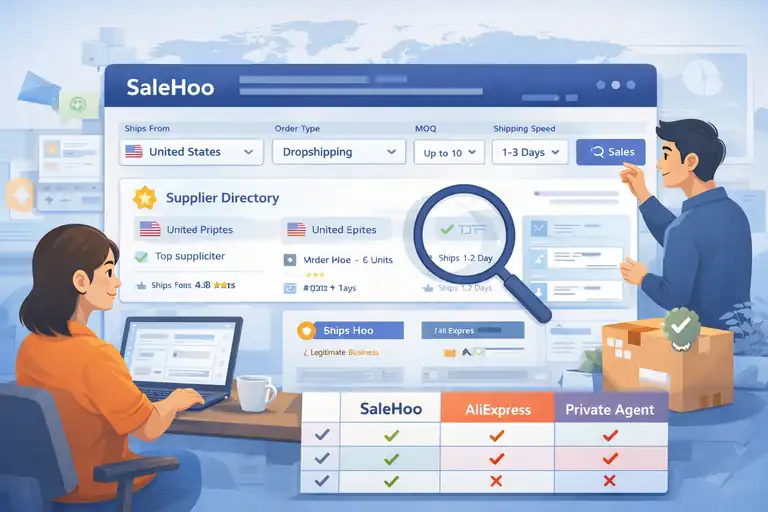
The supplier directory is the core reason most people use SaleHoo.
If you’re serious about learning how to sell on SaleHoo safely, this is where you avoid scams, poor quality products, and unreliable shipping partners.
How SaleHoo Verifies Suppliers And Why It Matters
SaleHoo doesn’t just list anyone who applies. Suppliers are reviewed for legitimacy, business registration, and track record before approval.
That verification matters because it reduces risks like:
- Fake wholesalers pretending to be manufacturers
- Suppliers disappearing after receiving payments
- Inconsistent product quality or surprise fees
While no platform can guarantee perfection, SaleHoo’s vetting process removes a large chunk of the risk beginners usually face when sourcing blindly online.
In my experience, this alone saves weeks of trial-and-error—and sometimes expensive mistakes.
Filtering Suppliers By Location, MOQ, And Shipping Speed
The directory filters are where SaleHoo becomes practical instead of overwhelming.
You can narrow suppliers by:
- Location: Useful if you want faster shipping or domestic suppliers.
- MOQ (Minimum Order Quantity): Critical if you’re dropshipping and don’t want bulk commitments.
- Shipping speed: Helps align expectations with your customers.
For example, if you’re selling to U.S. customers, filtering for U.S.-based suppliers often reduces delivery times from weeks to days. That difference alone can lower refunds and customer complaints.
Always filter before browsing. It’s the fastest way to surface suppliers that actually fit your business model.
Identifying Dropshipping-Friendly Wholesalers
Not every wholesaler on SaleHoo supports dropshipping, even if they sell single units.
Look for suppliers that explicitly mention:
- Dropshipping support
- No MOQ or low MOQ
- Blind shipping (no supplier branding)
I also check their average order processing time. A supplier who takes five days to ship can quietly kill your store’s reputation.
A simple rule I use: If a supplier is unclear about dropshipping policies, I move on. Clarity usually signals experience.
Avoiding Red Flags When Contacting Suppliers
Even with verified suppliers, how you evaluate them matters.
Watch for warning signs like:
- Slow or vague responses
- Refusal to provide product samples
- Unclear pricing or hidden fees
- Poor communication about returns
When reaching out, keep your message short and specific. Ask about processing times, return policies, and dropshipping terms upfront.
I’ve found that good suppliers answer clearly and quickly. Bad ones create friction early—and that friction usually gets worse after sales start.
Research Profitable Products Using SaleHoo Market Research
This is the stage where how to sell on SaleHoo stops being theory and starts becoming numbers-driven.
SaleHoo’s Market Research tool exists to help you avoid emotional product picks and instead rely on demand, competition, and pricing data that actually reflects buyer behavior.
Using SaleHoo Market Research Tool Effectively
SaleHoo Market Research is essentially a demand analysis tool. It pulls historical sales data, competition levels, and average pricing so you’re not guessing what might sell.
Here’s how I personally use it without overthinking:
- Start with broad keywords, not product names. For example, “pet travel” instead of “dog backpack.”
- Scan the demand score first to confirm buyers are actively searching.
- Check competition next, not last. High demand means nothing if everyone is already selling it.
One shortcut I rely on: I save products that look “almost right” instead of perfect. Often, small tweaks—like bundling or targeting a different audience—turn an average idea into a winner.
The tool isn’t about finding magic products. It’s about avoiding bad ones early.
Evaluating Demand, Competition, And Price Ranges
Most beginners focus only on demand. That’s a mistake.
What matters is balanced demand—enough buyers, but not so many sellers that you’re forced into price wars.
When reviewing SaleHoo data, I look for:
- Consistent demand trends, not sudden spikes
- Moderate competition scores, especially for newer stores
- Price gaps, where sellers cluster too low or too high
For example, if most listings are priced at $12 or $35, that gap often signals room for differentiation. You can test better positioning with improved branding or bundles.
Think of price range data as a conversation buyers are already having. You’re deciding where to join it.
Finding Low-Competition Products For Beginners
Low-competition doesn’t mean low-quality or low-interest. It usually means overlooked.
Beginner-friendly products often share these traits:
- Solve a specific problem, not a general one
- Appeal to niche audiences with clear intent
- Have simple variations instead of endless options
One pattern I’ve seen work well: accessories tied to growing hobbies. They tend to have steady demand but fewer established sellers.
SaleHoo makes these easier to spot because you can compare competition side-by-side instead of manually searching marketplaces.
Validating Product Ideas Before Selling
Before listing anything, validation saves you time and refunds.
My quick validation checklist looks like this:
- Supplier reliability confirmed in the directory
- Clear use case you can explain in one sentence
- Room for margin after ads and fees
- No obvious quality risks from reviews or specs
If a product passes all four, it’s usually safe to test.
I treat validation as permission to experiment—not a guarantee of success. The goal is lowering risk, not eliminating it.
Connect SaleHoo With Your Ecommerce Platform
Once you’ve chosen products, the next step in how to sell on SaleHoo is connecting everything so orders don’t turn into manual chaos.
This is where integrations and automation save you hours every week.
Selling On Shopify With SaleHoo Integration
Shopify is SaleHoo’s most seamless integration, especially for dropshipping beginners.
What the integration handles for you:
- Product importing directly into your store
- Supplier data syncing, including pricing
- Order forwarding to suppliers after checkout
In simple terms, when a customer orders, the supplier gets notified without you copying details manually.
My advice: Start with a small batch of products. Importing everything at once makes optimization harder later.
Using SaleHoo With WooCommerce Stores
WooCommerce works well with SaleHoo, but it requires slightly more setup.
You’ll usually need:
- A compatible import plugin
- Manual supplier mapping
- Clear stock update rules
The upside is flexibility. WooCommerce lets you customize pricing logic, shipping rules, and product layouts more deeply.
If you’re comfortable with WordPress already, this setup feels natural. If not, Shopify is usually faster to launch.
Understanding SaleHoo Dropship Automation
Automation sounds complex, but SaleHoo keeps it simple.
Dropship automation means:
- Orders are sent to suppliers automatically
- Tracking numbers are returned to your store
- Inventory updates reduce overselling
This doesn’t remove responsibility. You still monitor delays and customer questions. But it removes repetitive admin work.
I think of automation as buying time, not replacing involvement.
Managing Product Imports And Inventory Sync
Inventory sync prevents selling items that are out of stock.
Best practices I follow:
- Enable low-stock alerts instead of auto-hiding products
- Review pricing sync rules so margins don’t disappear
- Check supplier stock weekly, even with automation
No system is perfect. Regular check-ins keep small issues from becoming customer-facing problems.
List Products The Right Way For Higher Conversions
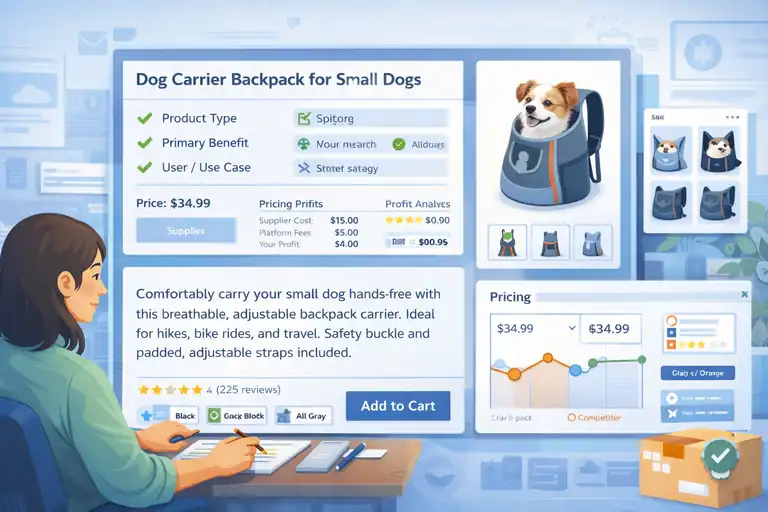
Product listings are where traffic turns into revenue—or confusion.
Knowing how to sell on SaleHoo also means knowing how to present products so buyers trust you enough to click “buy.”
Writing Product Titles That Match Buyer Search Intent
Your title should answer one question: What is this, and who is it for?
Effective titles usually include:
- Product type
- Primary benefit
- Intended user or use case
Avoid keyword stuffing. Buyers don’t search like SEO tools—they search for clarity.
If your title sounds awkward when read out loud, rewrite it.
Creating Descriptions That Build Trust And Reduce Returns
Descriptions aren’t sales letters. They’re expectation-setting tools.
I structure mine like this:
- What problem it solves, in plain language
- How it works, without hype
- What’s included, clearly listed
- Who it’s not for, when relevant
Honesty reduces returns. Overpromising increases them.
When buyers know exactly what they’re getting, they’re happier—even if the product is simple.
Pricing Products For Profit Without Overpricing
Pricing is emotional, especially early on.
I suggest starting with:
- Supplier cost
- Platform fees
- Shipping buffer
- Modest profit margin
Then adjust based on conversion data, not fear.
If no one clicks, pricing may be high. If many click but few buy, value perception might be off.
Let data guide changes, not gut reactions.
Optimizing Images And Variants For Better Sales
Images do most of the selling.
Strong listings usually include:
- Clear main image on a white background
- Context images showing real use
- Variant labels that make sense, not codes
If a customer can’t tell differences between variants instantly, they hesitate.
I always ask myself: Would I buy this without reading the description? If the answer is no, the images need work.
Manage Orders And Fulfillment Through SaleHoo Suppliers
This is the part of how to sell on SaleHoo where trust is either built or broken.
Order management isn’t glamorous, but it’s what keeps customers calm, refunds low, and suppliers willing to work with you long-term.
How Order Processing Works With SaleHoo Suppliers
SaleHoo itself doesn’t process orders. Instead, it connects you to suppliers who fulfill orders once you send them the details.
In practical terms, here’s what happens:
- A customer places an order on your store
- You forward the order to your chosen SaleHoo supplier
- The supplier ships the product directly to your customer
If you’re using dropship automation, much of this happens automatically. If not, you’ll place orders manually, usually through email or the supplier’s portal.
My personal rule: Always test one order yourself. Seeing the process end-to-end helps you catch delays, packaging issues, or communication gaps before customers do.
Communicating With Suppliers After A Sale
Good supplier communication is boring—and that’s a good thing.
After a sale, focus on clarity:
- Confirm the order was received
- Ask for estimated processing time
- Request tracking once shipped
Keep messages short and professional. Suppliers handle dozens of sellers, and clear communication gets faster replies.
I also recommend creating a simple message template. It saves time and reduces misunderstandings, especially when orders start stacking up.
Handling Shipping Times And Tracking Updates
Shipping is where expectations matter more than speed.
What works well:
- Set delivery estimates slightly longer than the supplier’s promise
- Share tracking numbers as soon as they’re available
- Proactively message customers if delays happen
According to ecommerce studies, customers are far more forgiving of delays when they’re informed early. Silence causes refunds, not slow shipping.
If a supplier regularly misses shipping windows, that’s a signal to reconsider the partnership.
Managing Refunds, Returns, And Customer Issues
Refunds are part of selling. Avoiding them entirely isn’t realistic.
What you can control:
- Clear return policies on product pages
- Knowing supplier return rules upfront
- Responding quickly when issues arise
I’ve found that quick, calm responses often turn frustrated buyers into repeat customers. Even when a refund is unavoidable, how you handle it shapes your brand.
Scale Your SaleHoo Store Without Risky Mistakes
Scaling is exciting—and dangerous. Many sellers fail not because SaleHoo doesn’t work, but because they scale emotionally instead of strategically.
Expanding Product Catalog Using Proven Data
Adding products should be boring and data-driven.
Before expanding, look for:
- Products with consistent sales over time
- Low refund or complaint rates
- Stable supplier performance
Instead of adding ten new products, I prefer adding two variations of one proven product. It’s safer and easier to manage.
Growth doesn’t come from more products. It comes from better ones.
Building Supplier Relationships For Better Pricing
Suppliers reward consistency.
Ways to build leverage:
- Place repeat orders with the same supplier
- Pay on time, every time
- Communicate clearly and respectfully
Over time, this often leads to better pricing, faster processing, or early access to new products.
I treat suppliers like partners, not vendors. That mindset pays off quietly but consistently.
Using Sales Data To Refine Product Selection
Your store tells you what to sell next—if you listen.
Review data such as:
- Conversion rates
- Refund reasons
- Customer questions
If buyers keep asking the same question, your listing needs work. If a product converts well but gets returns, quality or expectations may be off.
Data isn’t judgment. It’s feedback.
Common Beginner Mistakes To Avoid On SaleHoo
Some mistakes show up again and again:
- Adding too many products too fast
- Ignoring supplier communication delays
- Chasing trends without validation
- Competing only on price
If you avoid just these, you’re already ahead of most beginners learning how to sell on SaleHoo.
Decide If SaleHoo Is Right For Your Selling Goals
SaleHoo is a tool, not a business model. Knowing when it fits—and when it doesn’t—matters more than trying to force it to work.
Who SaleHoo Works Best For As A Selling Platform
SaleHoo tends to work best for:
- Beginners who want vetted suppliers
- Sellers focused on long-term stores, not quick flips
- People who value research over hype
If you like data, structure, and fewer surprises, SaleHoo fits well.
Comparing SaleHoo To Other Dropshipping Directories
Here’s a simple comparison to keep things grounded:
| Platform | Supplier Vetting | Research Tools | Automation |
| SaleHoo | Strong | Built-in | Moderate |
| AliExpress | Weak | None | High |
| Private agents | Varies | None | High |
SaleHoo trades speed for safety. That’s not good or bad—it’s a choice.
Understanding SaleHoo’s Limitations Before Scaling
SaleHoo isn’t perfect.
Limitations include:
- Smaller product catalogs than marketplaces
- Less automation than full dropship apps
- More manual supplier relationships
If you expect instant scaling with zero involvement, you’ll be frustrated. If you want control and stability, it makes more sense.
When To Upgrade Or Pivot Your Business Model
A pivot isn’t failure—it’s evolution.
You might outgrow SaleHoo when:
- You negotiate direct supplier contracts
- You move into private labeling
- You need advanced fulfillment infrastructure
I see SaleHoo as a strong foundation. Some people build entire businesses on it. Others use it as a stepping stone. Both are valid.
FAQ
How do beginners start selling on SaleHoo?
To start how to sell on SaleHoo, create an account, choose a plan that includes the supplier directory and market research tools, find verified dropshipping suppliers, and connect them to your ecommerce store. Most beginners use SaleHoo with Shopify or WooCommerce to list products and forward orders to suppliers.
Is SaleHoo good for dropshipping beginners?
Yes. SaleHoo is beginner-friendly because it provides vetted suppliers, product research data, and clear dropshipping policies. It helps new sellers avoid scams, unreliable suppliers, and low-quality products that often cause early failures.
Do you need a Shopify store to sell on SaleHoo?
No. You do not need Shopify to learn how to sell on SaleHoo. SaleHoo works with Shopify, WooCommerce, and other ecommerce platforms, as well as manual order processing if you prefer more control over supplier communication and fulfillment.

I’m Juxhin, the voice behind The Justifiable.
I’ve spent 6+ years building blogs, managing affiliate campaigns, and testing the messy world of online business. Here, I cut the fluff and share the strategies that actually move the needle — so you can build income that’s sustainable, not speculative.
Related posts:
 How the Salehoo Catalog Helps You Spot Winning Items Quickly
 Salehoo Stores Review: Are These Stores Worth It?
 How to Make Money Dropshipping: 7 Secrets to a $10K/Month
 How To Start A Dropshipping Business With No Money
 15 Trending Dropshipping Products That Sell Right Now
 Start Dropshipping Today: A Simple Guide for Complete Beginners