
Table of Contents
Some links on The Justifiable are affiliate links, meaning we may earn a small commission at no extra cost to you. Read full disclaimer.
HostGator VPS is one of those hosting options that gets tossed around when people want more power than shared hosting but aren’t quite ready for a dedicated server.
But is it really worth the money, and how do you figure out which VPS plan fits your needs without overspending?
That’s the puzzle I’m going to untangle here.
What Makes HostGator VPS Hosting Different From Shared Plans
When you compare HostGator VPS hosting to their shared hosting plans, the difference feels like the leap from renting a crowded dorm room to having your own apartment.
You still share the same building (the HostGator data center), but now you’ve got walls, locks, and space that are entirely yours.
Greater Control Over Resources And Performance
With HostGator shared hosting, your site lives alongside dozens or even hundreds of others on the same server. Everyone pulls from the same pool of CPU, memory, and storage — which means if your neighbor’s site has a traffic surge, yours can slow down.
VPS flips that story. Each plan (Snappy 2000, 4000, or 8000) gives you dedicated slices of RAM, vCPUs, and NVMe storage that only your site uses.
That control shows up most clearly when you tweak performance. On VPS, you can install server-side caching, adjust memory allocation, or even fine-tune PHP limits.
Shared hosting locks you into whatever’s pre-configured, but VPS lets you optimize for your own site’s needs — whether it’s a WooCommerce store or a busy blog.
Why VPS Offers More Reliability Than Shared Hosting
Reliability comes down to consistency. On shared hosting, uptime and speed vary because you’re tied to the activity of everyone else on the server. A VPS wall partitions your resources, so what another site does doesn’t affect you.
HostGator guarantees unmetered bandwidth across all VPS tiers, meaning you’re not throttled when your own traffic spikes.
If you’ve ever had your shared-hosting site crawl during a product launch or a viral moment, VPS hosting feels like stepping into stability. You can handle sudden bursts of visitors without panicking about downtime.
Security Features That Outperform Shared Hosting
Security on VPS isn’t just a layer deeper — it’s ownership. Shared hosting means one server configuration for all, so if a neighbor’s site is compromised, there’s a theoretical chance of spillover.
On VPS, you get root access, which allows you to configure firewalls, install monitoring tools, and lock down your environment however you see fit.
HostGator also includes a dedicated IP with every VPS plan. That’s more than a technical perk — it means your email reputation isn’t tied to other users. On shared hosting, spam from one site can cause all emails from the server to end up in spam folders.
VPS isolates you from that risk. Add to this free site migration, and moving into VPS feels like upgrading to a gated community.
Understanding HostGator VPS Pricing Tiers In Detail
Now that you know why VPS is different, the next challenge is figuring out which plan makes the most sense for you.
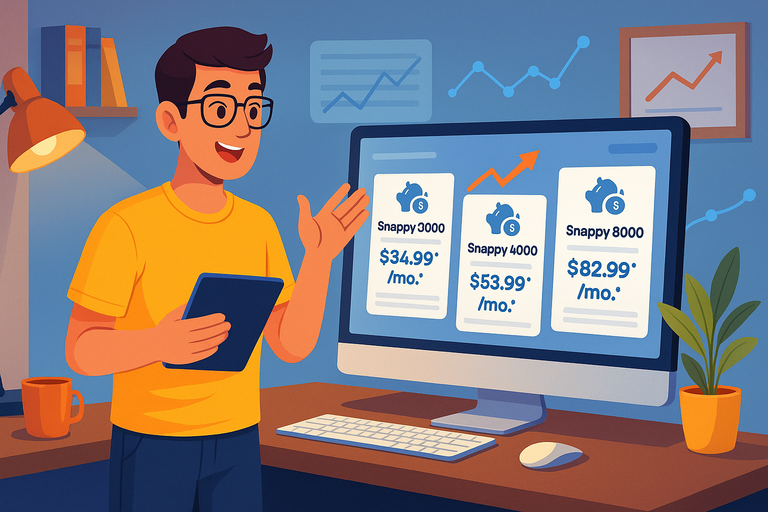
HostGator structures its VPS pricing into three main tiers — Snappy 2000, Snappy 4000, and Snappy 8000 — each one stepping up in power and cost.
How Snappy 2000 Balances Affordability And Flexibility
At $34.99 per month (renewing at $53.99), Snappy 2000 is the entry-level VPS. It comes with 2 vCPUs, 4 GB RAM, and 100 GB NVMe storage.
For smaller eCommerce stores, membership sites, or blogs with steady traffic, this plan provides a solid middle ground.
I recommend Snappy 2000 if you’ve outgrown shared hosting but aren’t pushing huge traffic yet.
It’s affordable, and the performance boost is immediate compared to shared hosting. Think of it as dipping your toe into VPS without overcommitting your budget.
The Real Value Of Snappy 4000 For Scaling Websites
Snappy 4000 is HostGator’s “sweet spot” plan, priced at $53.99 per month (renewing at $83.99). You get 4 vCPUs, 8 GB RAM, and 200 GB NVMe storage.
This is the option HostGator recommends — and for good reason. It doubles your resources compared to Snappy 2000, making it ideal for sites that are actively scaling.
I like Snappy 4000 for businesses running online stores, SaaS apps, or growing media sites where downtime means lost money. It’s also the most cost-effective balance between resources and price.
For many people, this plan becomes their “long-term home” before even thinking about dedicated hosting.
Ready to Scale Without Overpaying?
Discover why Snappy 4000 is the best value for growing websites.
Compare HostGator VPS Plans →
Why Snappy 8000 Suits High-Traffic And Resource-Heavy Projects
Snappy 8000 is the powerhouse, starting at $82.99 per month (renewing at $128.99). With 8 vCPUs, 16 GB RAM, and 450 GB NVMe storage, it’s designed for high-traffic sites, agencies managing multiple clients, or resource-heavy applications.
I’d only recommend Snappy 8000 if you know your site consistently pushes large traffic numbers or requires heavy processing.
For example, media-heavy websites, busy forums, or larger eCommerce sites during seasonal peaks can benefit from this plan. If you’re still in the growth stage, though, Snappy 4000 usually gives you enough breathing room before making the leap.
Quick recap: Snappy 2000 is for testing the VPS waters, Snappy 4000 is the balanced option for scaling, and Snappy 8000 is the serious workhorse.
Key Features Included In Every HostGator VPS Plan
Every HostGator VPS plan — whether it’s Snappy 2000, 4000, or 8000 — comes with a set of core features that make the upgrade worthwhile.
These are the things that don’t change across tiers, so no matter which plan you pick, you get the same foundation to build on.
Full Root Access And Customization Benefits
One of the most valuable perks of HostGator VPS hosting is full root access. In simple terms, root access is like having the keys to your own house instead of just renting a room.
You decide what software gets installed, how your server is configured, and which resources go where.
Here’s where this really shines in practice:
- You can fine-tune PHP memory limits if your WordPress site needs more headroom.
- Developers can install custom applications or modules that aren’t allowed on shared servers.
- You’re free to configure firewalls and monitoring tools tailored to your business needs.
I find this level of control especially helpful if you’re running an eCommerce store. Payment gateways and inventory systems often have specific security or performance requirements, and with root access, you don’t have to rely on a hosting company’s default setup.
You can build the environment your site truly needs.
Scalability Options To Grow With Your Business
One of the fears many people have when switching hosting is hitting a ceiling too soon. The nice thing about HostGator VPS is that it scales with you. As your site grows, you can bump up RAM, vCPUs, or storage without the nightmare of moving to an entirely different platform.
Think about it like this: If you start with Snappy 2000 and your traffic doubles in six months, you can upgrade to Snappy 4000 from your dashboard without downtime.
That kind of flexibility means you’re not locked into a plan that only fits today’s needs — you’ve got room to grow without rebuilding your site.
I suggest keeping an eye on your usage metrics in cPanel. If you see memory or CPU hitting the ceiling regularly, it’s a sign it might be time to scale up.
Built-In Tools For Website Management And Security
Every HostGator VPS plan includes a set of tools designed to make life easier. Even though you get root access, you don’t have to do everything the hard way.
- You get cPanel/WHM, which gives a graphical dashboard to manage sites, emails, and databases.
- Free site migration means you don’t have to stress about moving from shared hosting — HostGator’s team does the heavy lifting.
- Each plan includes a dedicated IP, which improves email deliverability and adds another layer of credibility for your domain.
On top of that, unmetered bandwidth is part of every VPS package. While “unmetered” doesn’t mean unlimited in a literal sense, it does mean you don’t get charged for traffic spikes.
This is especially comforting if you run campaigns or seasonal promotions where traffic jumps overnight.
Comparing HostGator VPS Costs To Other Hosting Types
To really understand HostGator VPS pricing, it helps to see how it stacks up against other popular hosting types.
The question isn’t just “Is VPS expensive?” but rather “Do I get value compared to the alternatives?”
VPS Pricing Versus Shared Hosting Costs
Shared hosting on HostGator can start as low as $3–$5 per month if you catch a deal. VPS, on the other hand, starts at $34.99 per month (Snappy 2000). On the surface, that’s a big jump. But the gap isn’t just about cost — it’s about what you’re actually getting.
On shared hosting, you’re limited in speed, resources, and security. VPS plans cost more because they guarantee dedicated RAM, CPU, and storage.
If you think about hosting as the backbone of your online business, the extra investment often pays off in stability and reduced downtime.
I’d put it this way: Shared hosting is great for personal blogs or small starter sites, but the moment your site generates income, VPS becomes a safer bet.
HostGator VPS Compared To Dedicated Servers
Dedicated hosting is where you lease an entire physical server. On HostGator, those plans can start above $100 per month and go much higher depending on configuration.
Here’s the tradeoff: Dedicated servers give you raw power, but you also take on the full burden of managing that machine. VPS hits the middle ground. It’s cheaper, easier to manage, and still gives you flexibility through virtualization.
For most small to medium-sized businesses, VPS is enough power without overpaying for capacity you don’t use. Dedicated hosting only makes sense once you’ve consistently maxed out VPS resources.
Cost Differences Between VPS And Managed WordPress Hosting
Managed WordPress hosting on HostGator is priced lower than VPS, usually starting in the $10–$15 range. The draw is convenience: HostGator handles updates, backups, and optimizations for you.
But it’s also restrictive — you’re limited to WordPress and don’t get the flexibility to install other applications.
With VPS, you pay more, but you gain freedom. You can host multiple CMS platforms, custom apps, or even client sites all from one plan. It’s the difference between having a hosted apartment (managed WordPress) and owning a condo (VPS).
If you know you’ll always stick with WordPress and want as little responsibility as possible, managed WordPress may save money. But if you like the idea of growth, customization, and handling multiple projects, VPS gives you more bang for your buck.
Factors That Influence The True Cost Of HostGator VPS
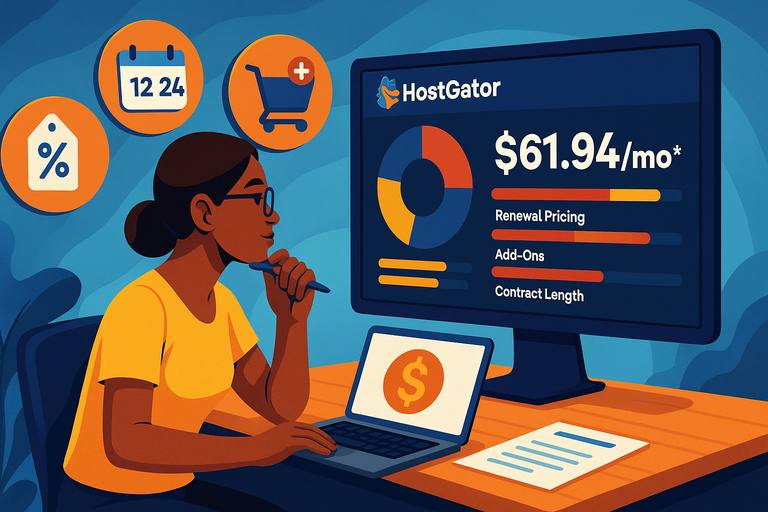
At first glance, HostGator VPS pricing looks straightforward: $34.99, $53.99, or $82.99 depending on the plan.
But the real cost goes deeper. What you end up paying long term depends on a mix of renewals, add-ons, and how you set up your contract.
Renewal Pricing And How It Impacts Long-Term Value
The introductory prices on HostGator VPS are tempting — but they’re only for the first billing cycle.
For example:
- Snappy 2000 starts at $34.99 but renews at $53.99.
- Snappy 4000 starts at $53.99 but renews at $83.99.
- Snappy 8000 starts at $82.99 but renews at $128.99.
That jump matters. If you budget based only on the intro rate, the renewal could feel like a nasty surprise.
My advice: Always calculate what the plan will cost you for a full year after renewal. That’s the “real” price of your VPS hosting, and it helps you avoid sticker shock down the road.
One strategy I recommend is locking in a longer billing cycle at checkout. If you can commit to 36 months, the discount sticks around longer, which saves a lot compared to paying month-to-month.
Lock In Your Discount Before Renewal Rates Rise!
Save more on your VPS hosting by choosing a longer billing cycle.
See Current HostGator VPS Deals →
Additional Services And Add-Ons That Affect The Bill
The base VPS plans are strong on their own, but many people end up adding extras. Some of these are optional, while others are almost essential depending on your site.
Common ones include:
- Backups: Automated daily backups are often worth paying for if your site changes frequently.
- SSL Certificates: A basic SSL is usually free, but premium SSLs with higher validation levels come at an extra cost.
- Security tools: Add-ons like SiteLock or CodeGuard can boost protection but will add to the bill.
I suggest making a list of “must-have” add-ons before you sign up. That way, you’re comparing apples to apples when looking at total cost.
The Role Of Contract Length And Discounts In Final Pricing
HostGator is generous with discounts — but they’re tied to contract length. A 36-month plan gives you the lowest monthly rate. Shorter commitments (12 months or month-to-month) raise the price noticeably.
If you’re testing VPS for the first time, a shorter contract gives you flexibility. But if you’re confident this is your long-term home, longer contracts are financially smarter.
Personally, I advise locking in two or three years if you’re running a stable business site. It cushions you from renewal price hikes and simplifies your budget planning.
When HostGator VPS Is The Smartest Choice For You
HostGator VPS isn’t the perfect fit for everyone, but there are clear signs and scenarios where it makes sense. Knowing when to step up to VPS can save you from headaches and wasted money.
Signs Your Site Has Outgrown Shared Hosting
You know it’s time to move on from shared hosting when:
- Your site slows down during traffic spikes.
- You’ve hit memory or storage limits even after optimizing.
- You need custom software or server settings that shared hosting won’t allow.
I’ve seen people cling to shared hosting long after it’s holding them back. If your website is part of your income, downtime or slowness is far costlier than the price jump to VPS.
Business Scenarios That Benefit From VPS Hosting
VPS shines in certain use cases:
- Ecommerce sites: Faster loading speeds improve sales conversions. VPS resources also handle traffic surges during promotions or holidays.
- Agencies and freelancers: If you manage multiple client sites, a VPS keeps them isolated yet under one roof.
- Membership or community platforms: Forums, learning platforms, and subscription sites often demand more consistent performance.
What I like most is the balance: VPS gives enough power for serious business operations without forcing you into the higher costs of a dedicated server.
Why Some Users Should Still Skip VPS And Go Bigger
That said, VPS isn’t always the right stop. If you’re running a large-scale app, a streaming platform, or an enterprise store with thousands of daily transactions, VPS might struggle under the load. In those cases, dedicated hosting — or even cloud hosting solutions — makes more sense.
A VPS is like a reliable SUV: roomy, dependable, and versatile. But if you’re hauling massive freight every day, you’ll need the semi-truck equivalent — a dedicated server.
Practical Tips For Choosing The Right HostGator VPS Plan
Picking the right VPS plan isn’t about grabbing the most expensive one “just in case.” It’s about matching your actual needs with the right balance of power and budget.
How To Match Traffic Levels To VPS Resources
The easiest way to choose a VPS is to think about how much traffic your site gets and what kind of content you serve.
- Snappy 2000 (2 vCPUs, 4 GB RAM): Works best if you’re handling under 50,000 monthly visitors and running lightweight sites or smaller online shops.
- Snappy 4000 (4 vCPUs, 8 GB RAM): This is the sweet spot for medium sites or eCommerce stores pulling steady traffic in the 50,000–150,000 range.
- Snappy 8000 (8 vCPUs, 16 GB RAM): Overkill for most, but ideal if you expect 200,000+ monthly visitors, run multiple heavy applications, or host client sites.
If you’re unsure, I usually suggest starting with Snappy 2000 and watching server usage in your HostGator dashboard. If CPU or memory consistently runs high, upgrading is painless.
Budgeting Smartly Without Sacrificing Performance
VPS is an investment. The trick is to make sure it pays for itself.
For example:
- If your site generates revenue (ads, sales, memberships), think about uptime. Every hour of downtime could cost more than the difference between Snappy 2000 and 4000.
- Look at the renewal rates — not just the intro pricing — so you’re not caught off guard later.
- Avoid overbuying. Paying $82.99 for Snappy 8000 when you only need Snappy 2000 wastes money that could go into marketing or content.
I advise treating your VPS like a business tool. Spend enough to ensure stability, but don’t lock yourself into a plan your site doesn’t need yet.
Questions To Ask Yourself Before Picking A VPS Plan
Before you hit “Choose Plan,” ask yourself:
- How much traffic does my site get now, and how fast is it growing?
- Am I running one site or multiple projects on this server?
- Do I need extra storage for media-heavy content?
- How much am I realistically willing to spend after renewals kick in?
- Is performance more critical than saving a few dollars each month?
Answering those honestly usually points you straight to the plan that fits.
Alternatives To HostGator VPS Worth Considering
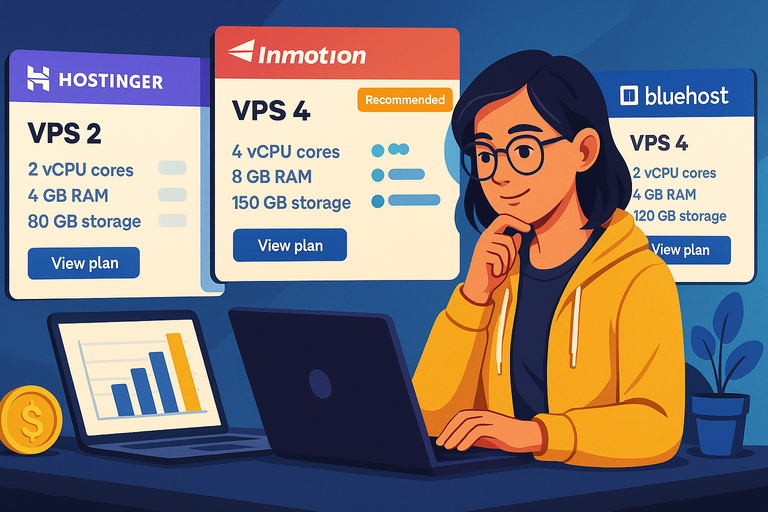
HostGator VPS is solid, but it’s not the only player in the game. Depending on your priorities — whether it’s budget, features, or simplicity — other hosts might suit you better.
When Hostinger VPS Might Be A Better Value
If your main concern is price, Hostinger tends to undercut HostGator. Their VPS plans often start lower, though you may get fewer resources compared to HostGator’s Snappy line.
The tradeoff? Hostinger’s interface is very beginner-friendly but doesn’t include cPanel by default. If you’re comfortable with a custom dashboard, it’s a cost-effective option. But if you want the familiarity of cPanel/WHM, HostGator still wins.
I suggest Hostinger VPS for side projects or budget-conscious site owners who don’t need the full toolkit HostGator offers.
How InMotion VPS Compares In Features And Price
InMotion Hosting positions itself more toward business users. Their VPS plans come with free SSD storage, advanced security tools, and some plans even include managed support — which means InMotion’s team helps handle server maintenance.
The pricing sits higher than HostGator, but if you’re someone who prefers to offload technical work to your host, InMotion can justify the cost.
I often recommend it to small business owners who don’t want to worry about managing every detail of their server.
Why Bluehost VPS Appeals To Beginners Looking For Simplicity
Bluehost VPS is often the first stop for beginners. The interface is streamlined, and their plans integrate easily with WordPress. If you’re mainly running a WordPress site and you want fewer moving parts, Bluehost makes things feel straightforward.
That said, Bluehost’s VPS pricing isn’t always the cheapest, and you may outgrow its limits quicker if you’re running resource-heavy projects. Still, I’d call it the “training wheels” option — simple, clean, and reliable enough for someone just stepping into VPS.
Pro Tips To Maximize Value From Your HostGator VPS
Once you’ve chosen your HostGator VPS, the real game is squeezing every bit of performance out of what you’re paying for.
Small tweaks and habits can save you money and headaches long term.
Optimizing Server Settings For Speed And Efficiency
Don’t just accept the default configuration. With root access, you can:
- Enable server-level caching to reduce load times.
- Adjust PHP memory limits based on your site’s needs.
- Disable unnecessary services to free up resources.
If you’re using WordPress, I recommend pairing server tweaks with a plugin like LiteSpeed Cache or W3 Total Cache. The combo often cuts page load times in half.
Using Free Tools To Save Costs On Security And Backups
You don’t need to pay for every add-on. Some free tools cover the essentials:
- Let’s Encrypt SSL: Free SSL certificates are available, so skip the upsell if you don’t need extended validation.
- UpdraftPlus or JetBackup: Both are great for scheduled backups without recurring costs.
- Wordfence or Immunify360 (free tier): Solid free security options to monitor threats.
I advise setting up these basics before spending on premium extras. That way, you know exactly what gaps (if any) you’re paying to fill.
Scheduling Upgrades Strategically To Avoid Overspending
The beauty of HostGator VPS is scalability, but timing upgrades is key.
My rule of thumb: Don’t upgrade just because of one traffic spike. Watch your CPU, RAM, and storage usage over at least a couple of weeks.
Take Control of Your Hosting Future
Get the right balance of performance, cost, and flexibility with HostGator VPS.
Start Your VPS Plan Today →
If high usage is consistent, then move up a plan. If it’s just a temporary campaign, you might ride it out and save money. I’ve seen too many people jump to Snappy 8000 only to realize they didn’t need it after their promotion ended.

I’m Juxhin, the voice behind The Justifiable.
I’ve spent 6+ years building blogs, managing affiliate campaigns, and testing the messy world of online business. Here, I cut the fluff and share the strategies that actually move the needle — so you can build income that’s sustainable, not speculative.
Related posts:
 HostGator VPS Pricing: Pros, Cons & Cost Breakdown
 How To Find The Best Hosting Company?
 HostPapa: Your One-Stop Solution for Affordable Web Hosting
 How to Create a Website with Hostinger
 The Ultimate Guide to UltraWebHosting: Features, Benefits, and Pricing
 Get Your Business Online with HostGator Domains: Affordable and Reliable Hosting Solutions