
Table of Contents
Some links on The Justifiable are affiliate links, meaning we may earn a small commission at no extra cost to you. Read full disclaimer.
A solid quillbot review for writers has to go beyond “it rewrites sentences” and answer the real question: does it actually make your daily writing better, faster, and cleaner without flattening your voice?
I spent time looking at QuillBot’s current feature set, pricing, app support, and real user feedback, and my honest take is this: It can be genuinely useful for writers, but only if you use it as an editor’s assistant, not as a replacement for judgment.
For some people, it will save hours each week. For others, it will quietly introduce awkward phrasing they then have to fix.
What QuillBot Is And Why Writers Keep Using It
QuillBot sits in that middle ground between a grammar checker and a full AI writing assistant. That matters because most writers do not need a machine to “be creative” for them.
They need help tightening drafts, reworking clunky sentences, spotting weak phrasing, and moving faster when momentum drops.
What QuillBot Actually Does For Writers
QuillBot is best known for paraphrasing, but its current suite is wider than that.
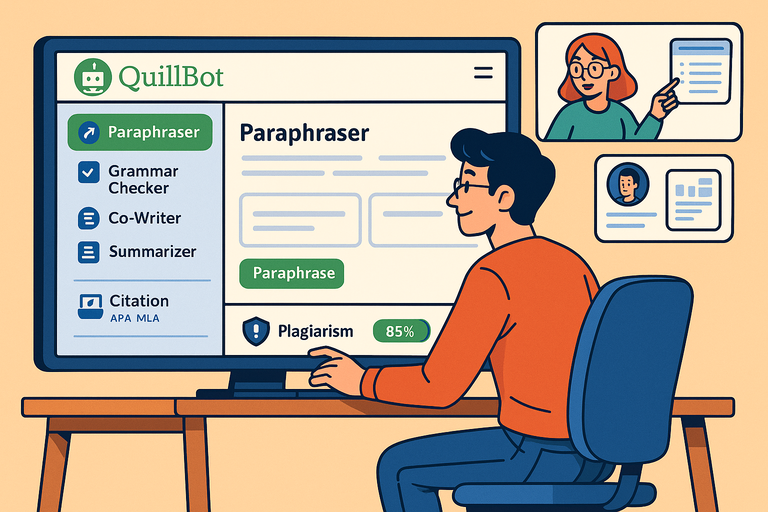
The platform includes a paraphraser, grammar checker, summarizer, plagiarism checker, AI detector, humanizer, translator, citation tools, and several writing-adjacent apps and extensions.
On the official site, QuillBot positions itself as an all-in-one writing solution rather than a single-purpose rewriter.
In plain English, that means you can use it to:
- Rewrite a sentence that sounds stiff
- Clean up grammar in a rushed draft
- Shorten a block of research notes
- Check whether wording is too close to a source
- Work inside extensions instead of jumping between tabs
That last part is more important than it sounds. In my experience, tools that live where you already write get used. Tools that require constant copy-paste usually become “maybe later” apps.
QuillBot has support across browser extensions, Word, Google Docs help resources, desktop apps, and mobile keyboard tools, which makes daily use more realistic.
Who QuillBot Helps Most
QuillBot is not equally useful for every kind of writer. I believe it helps three groups the most.
First, it helps fast-drafting writers. If you write quickly and edit later, QuillBot can catch messy phrasing and help you reshape rough lines without restarting from scratch.
Second, it helps non-native English writers and bilingual writers. When the idea is clear in your head but the sentence lands awkwardly, paraphrasing plus grammar suggestions can save real time.
Third, it helps content writers who produce lots of mid-length material like blog posts, email drafts, product descriptions, briefs, and social captions. That is where micro-efficiency matters. Saving five minutes per draft becomes meaningful over a week.
It is less impressive for highly stylized writing, literary prose, or nuanced opinion work where sentence rhythm and tone carry the piece. In those cases, you may spend as much time undoing QuillBot’s suggestions as accepting them.
The Core Promise: Speed Without Starting Over
The strongest reason writers keep using QuillBot is simple: it helps rescue sentences that are “almost there.” That is a real pain point. Most of us do not struggle only with blank-page syndrome. We struggle with half-good sentences that stall the draft.
Imagine you are writing a client article and one paragraph feels repetitive. You know what you mean, but every version sounds flat. QuillBot can give you three to five alternate routes quickly. Even if none are perfect, one often unlocks the better version you write yourself.
That is where the product earns its keep. Not by generating finished prose, but by reducing friction between the thought and the polished sentence.
How QuillBot Works In Daily Writing
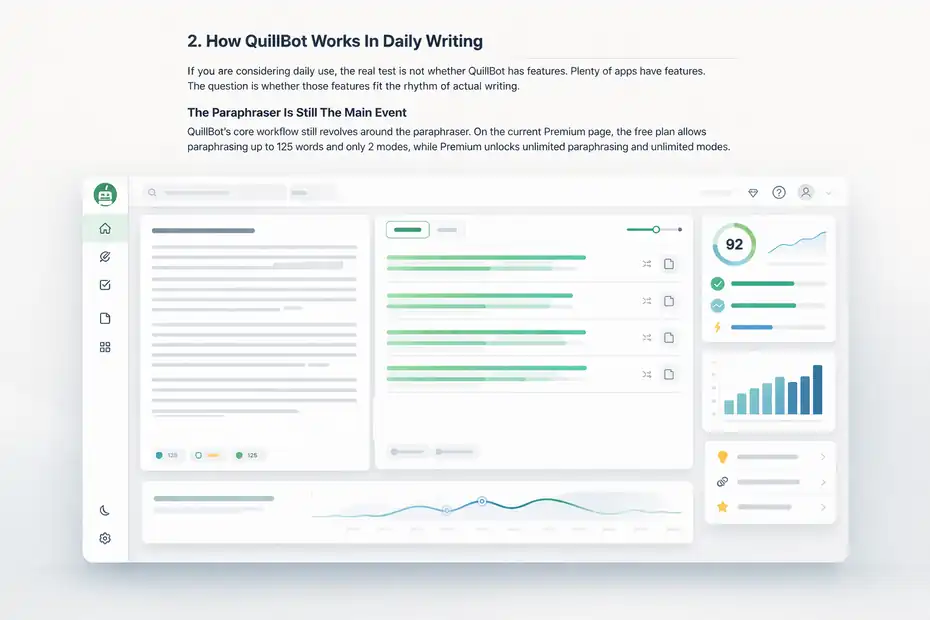
If you are considering daily use, the real test is not whether QuillBot has features. Plenty of apps have features.
The question is whether those features fit the rhythm of actual writing.
The Paraphraser Is Still The Main Event
QuillBot’s core workflow still revolves around the paraphraser. On the current Premium page, the free plan allows paraphrasing up to 125 words and only 2 modes, while Premium unlocks unlimited paraphrasing and unlimited modes.
For writers, this matters because the paraphraser is not just about avoiding repetition. It is useful for:
- Simplifying overcomplicated lines
- Creating alternate sentence structures
- Tightening intros and transitions
- Softening robotic AI-generated drafts
- Reworking material that sounds too similar to source notes
The best use case is sentence-level revision, not full-article rewriting. I would not trust any paraphraser to rewrite a 1,500-word draft and preserve precision, pacing, and voice. But I absolutely would use one on a stubborn paragraph or bloated sentence cluster.
That distinction is the difference between smart assistance and lazy dependence.
Grammar And Fluency Support Matter More Than People Admit
Many writers think they only need a grammar checker if they make obvious mistakes. I do not agree. Strong writers often need help with fluency more than correctness.
There is a big difference between:
“Technically correct”
and
“Effortless to read.”
QuillBot’s grammar tools are positioned around fixing errors, improving clarity, and strengthening phrasing, especially in its Premium plan. The browser extension also emphasizes detailed explanations and one-click correction workflows.
That makes it useful for late-stage polishing. For example, if your draft has too many long sentences in a row, or your transitions feel abrupt, QuillBot can surface options that improve readability. It will not replace a human editor, but it can catch the kind of friction that makes readers bounce.
For SEO writers, this is practical. Cleaner syntax usually means better engagement signals, stronger dwell time, and less reader fatigue, even if Google never “scores grammar” in the simplistic way people talk about online.
The Best Results Come From Layering, Not One-Click Fixing
The most effective daily workflow is layered:
- Draft in your own voice.
- Use QuillBot only on weak sections.
- Run grammar cleanup after structural edits.
- Do a final human pass for tone and precision.
That order matters. If you paraphrase too early, you can lose your own line of thought. If you grammar-check before restructuring, you end up polishing sentences you will delete anyway.
I suggest treating QuillBot like a second-pass writing partner. Let it help after the idea exists. Do not ask it to invent clarity you have not built yet.
That is also the safest way to avoid generic output. Most disappointing AI-assisted writing happens when the writer outsources too much too soon.
QuillBot Features That Matter Most For Writers
This is where many reviews get lazy. They list every feature equally, as if a novelist, SEO writer, academic, and copywriter all use the tool the same way. They do not.
So let me narrow this to the features that actually matter in a writer’s daily workflow.
Paraphrasing Modes And Sentence Control
The paraphrasing system is still QuillBot’s signature strength. Free users get 2 modes, while Premium users get 10+ or unlimited modes depending on the product page reference. The practical point is that Premium gives you far more control over how aggressively text changes.
That control matters because writers usually need one of three outcomes:
- A cleaner sentence with the same meaning
- A shorter sentence with less drag
- A more natural sentence that sounds less stiff
In real work, those are very different tasks. A weak paraphraser treats them the same and gives you “fancy synonym soup.” A better one lets you steer the result.
That said, one recurring complaint in user reviews is that QuillBot can sometimes choose heavy or odd synonyms, or miss context in certain sentences. Verified Capterra reviews mention both weird paraphrasing and the tendency toward overly fancy word choices in some outputs.
That lines up with what many writers eventually notice: QuillBot is helpful, but it still needs taste. You are the taste.
Grammar Checker, Summarizer, And Originality Tools
Writers often come for the paraphraser and stay for the surrounding toolkit. QuillBot’s Premium plan currently includes advanced grammar recommendations, custom summaries, plagiarism prevention features, and unlimited AI detector access.
These tools are most useful in specific scenarios.
The grammar checker helps when you are moving fast and need a clean pass before submission.
The summarizer helps when you are turning research into outlines, extracting key points from source material, or condensing long notes into briefings.
The plagiarism checker is especially relevant for academic writers, freelance writers handling research-heavy work, and agencies that need another originality checkpoint before publishing.
I would not call the AI detector a reason by itself to buy QuillBot, because detection tools in general are not perfect. But within a broader writing workflow, it can still serve as one signal among several. Just do not mistake “one signal” for “objective truth.”
Extensions And Cross-Platform Access
One underrated strength of QuillBot is access across platforms. It offers browser tools, Word integration, desktop apps for macOS and Windows, and a mobile keyboard app for iOS and Android.
Its help center also explicitly lists Google Docs support resources and Chrome extension troubleshooting.
For daily writers, this matters more than an extra novelty feature. A tool becomes valuable when you can use it:
- Inside a draft
- Inside email
- Inside browser-based editors
- Inside notes
- Inside your normal revision loop
I have seen writers pay for powerful software and barely use it because the workflow is annoying. QuillBot’s extension-first approach gives it an edge for convenience, especially if your writing life is split between docs, CMS platforms, Slack, and browser tabs.
QuillBot Pricing, Plans, And Value For Money
Pricing is where “worth it daily” becomes real. A tool can be useful and still not be worth paying for if the free version covers 80 percent of your needs.
What The Free Plan Gives You
QuillBot’s free plan is not useless. It includes paraphrasing up to 125 words, 2 paraphrase modes, basic grammar correction, limited AI detector access, basic summaries, and Basic-mode humanizing.
That is enough to test the product honestly.
If you write occasionally, the free plan may already do the job. You can clean up social posts, rewrite a few clunky sentences, or polish short messages without paying.
But if you write professionally, the 125-word paraphrasing limit becomes annoying very quickly. That is not just a convenience issue. It interrupts flow. And flow is exactly what writing tools are supposed to protect.
Several verified user reviews on Capterra mention the free version’s word limit as one of QuillBot’s most frustrating drawbacks.
What Premium Unlocks
QuillBot Premium is currently listed at $8.33 per month when billed annually on the official pricing page.
Capterra comparison pages also list QuillBot starting at $2.91 per month, which likely reflects a different billing structure or promotional entry point, so you should expect plan-dependent pricing rather than one flat universal number.
The meaningful Premium upgrades are:
- Unlimited paraphrasing
- Unlimited paraphrase modes
- Advanced grammar recommendations
- Advanced humanizing
- Custom summaries
- Unlimited AI detector access
- Plagiarism prevention features
For a daily writer, unlimited paraphrasing is the real upgrade. Everything else is secondary. If you are paying, you are paying mainly to remove friction.
I believe that is fair value for freelancers, content marketers, students who write constantly, and in-house writers handling multiple drafts a week. If the tool saves even 20 to 30 minutes across a day, it can pay for itself quickly.
My Honest Value Verdict
Here is my personal rule for writing software: I do not judge it by feature count. I judge it by whether I feel slower without it after two weeks.
By that standard, QuillBot can be worth using daily, but only for writers with volume. If you write one article a month, skip Premium. If you write every day, especially short-form and medium-form content, Premium becomes easier to justify.
The value is not “this tool writes for me.”
The value is “this tool reduces revision drag.”
That is a much more realistic promise, and in my opinion, a much more useful one.
QuillBot’s Biggest Strengths For Different Types Of Writers
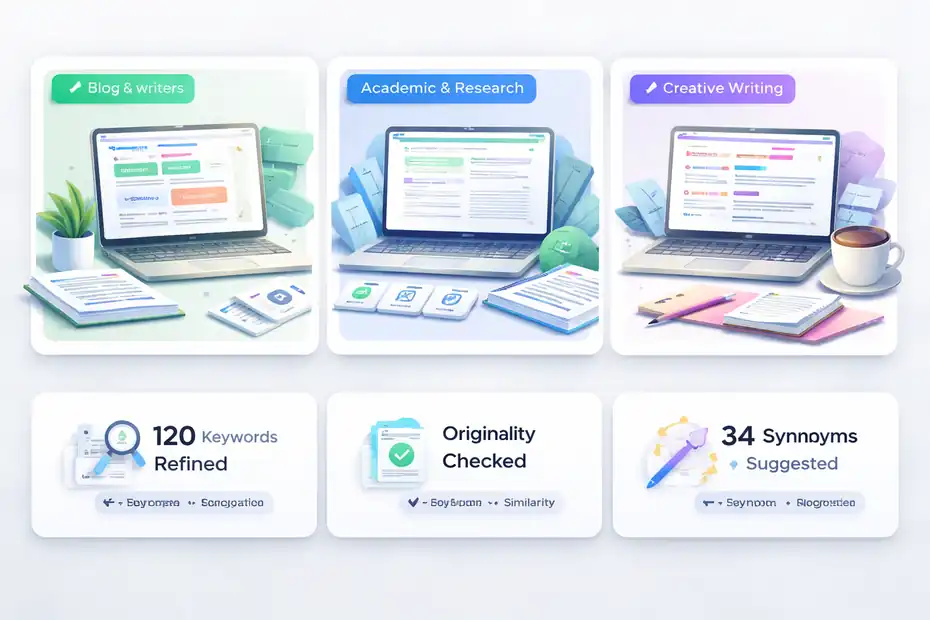
Not every writer needs the same thing from QuillBot. A helpful review should show where the tool actually shines instead of pretending it is universally brilliant.
For Blog Writers, Freelancers, And SEO Teams
This is probably QuillBot’s strongest audience. If you write blog intros, meta copy, subhead transitions, outreach emails, content briefs, or product descriptions, you constantly face the same problem: the idea is fine, but the sentence is stale.
QuillBot helps most when the draft is already there and needs variation, clarity, or compression. For SEO writers, that can mean:
- Reworking repetitive headings
- Tightening paragraph openings
- Simplifying keyword-heavy language
- Turning rough notes into cleaner copy
- Smoothing transitions between sections
Imagine you are writing five category-page descriptions in one afternoon. The main challenge is not creativity. It is staying clear and distinct without sounding repetitive. That is exactly the kind of work where QuillBot earns daily use.
I would still caution against using it to mass-spin web content. That is a terrible strategy. Search quality systems are better at spotting shallow rewritten material than many people think. Use QuillBot to refine originals, not to fake originality.
For Academic And Research-Heavy Writers
QuillBot is also appealing for students, researchers, and writers working from source material. The combination of paraphrasing, summarizing, plagiarism checking, and citation support is clearly built with that workflow in mind. QuillBot even has dedicated student plan messaging on its pricing page.
The benefit here is practical: you can move from notes to draft with less friction, then check whether your wording is distinct enough before submission.
Still, this is where I want to be very direct. A paraphraser is not a permission slip to stay too close to a source. If the underlying idea structure is copied, changing a few words does not magically make it original. Writers still need to understand, synthesize, and cite properly.
QuillBot can help with expression. It cannot do your thinking for you.
For Fiction, Essays, And Voice-Driven Writing
This is where the answer gets mixed. Can fiction writers or essayists use QuillBot? Yes. Should they rely on it heavily? Usually no.
Voice-driven writing depends on texture. Sometimes the awkwardness in a sentence is not a bug. It is part of your style. Paraphrasing tools tend to smooth edges, and smoothing edges is not always improvement.
I would use QuillBot in this kind of writing only for specific cleanup tasks:
- Untangling confusing syntax
- Shortening accidental repetition
- Testing alternate phrasings when stuck
I would not use it to broadly “improve” a personal essay or a narrative chapter. In those forms, the risk of sounding more generic is real.
Where QuillBot Falls Short And The Mistakes Writers Make
No review is useful if it only praises the tool. QuillBot has clear limitations, and some of them matter a lot if you care about precision, style, or originality.
It Can Sound Smarter Than It Actually Is
One of QuillBot’s classic habits is dressing up a sentence with bigger words that are technically related but tonally wrong. User reviews explicitly mention “heavy and fancy synonyms” and occasional context misses.
This is a problem because writers often mistake variation for improvement.
A sentence is not better because it is more “elevated.” It is better when it is clearer, more accurate, and better matched to the audience. If you are writing for real readers, plain and precise usually beats ornate and fuzzy.
That means every QuillBot suggestion needs a human filter. Not a quick glance. A real read.
Overuse Flattens Your Voice
This is the biggest practical mistake I see. A writer discovers that QuillBot can rescue weak sentences, then starts running every paragraph through it. The result is writing that becomes smoother but less specific, less surprising, and less recognizably theirs.
I suggest a simple rule: only use QuillBot where you can name the problem first.
For example:
- “This sentence is too long.”
- “This paragraph repeats itself.”
- “This transition sounds stiff.”
- “This wording is too close to the source.”
That keeps the tool targeted. If you use it vaguely, you get vague results.
It Does Not Replace Editing Judgment
QuillBot can generate options. It cannot decide:
- Which option is truest
- Which tone fits the audience
- Which word carries the right emotional weight
- Which sentence belongs in the piece at all
Those are editorial decisions, and they still belong to you.
This is why experienced writers often get more value from QuillBot than beginners. They know what they are looking for. Beginners sometimes accept the tool’s confidence as expertise. That is risky.
A useful AI writing tool does not remove judgment. It rewards it.
Best Ways To Use QuillBot Without Hurting Your Writing
This is the section I wish more reviews included, because the tool itself is only half the story. The other half is using it in a way that improves writing instead of quietly weakening it.
A Daily Workflow That Actually Makes Sense
Here is a workflow I would recommend for most writers.
- Draft first in your own language. Get the point down without worrying too much about polish.
- Identify only the problem spots. Do not run the whole draft through anything by default.
- Use paraphrasing for lines that are clunky, repetitive, or too close to source phrasing.
- Use grammar checks late, after the structure is stable.
- Read every suggestion out loud before keeping it.
Reading out loud sounds simple, but it is one of the fastest quality-control methods you have. Awkward AI-assisted phrasing reveals itself almost immediately when spoken.
This workflow keeps QuillBot in the role of assistant, which is where it is strongest.
Smart Use Cases Vs Bad Use Cases
Good use cases:
- Rewriting one awkward sentence
- Shortening bloated copy
- Testing alternate transitions
- Clarifying rough notes before editing
- Cleaning up a rushed first draft
Bad use cases:
- Rewriting whole articles to “make them unique”
- Mass-spinning SEO content
- Replacing source understanding with paraphrasing
- Accepting changes without checking meaning
- Letting the tool define your tone
That last one matters. Tone is not a checkbox. It is part of your positioning as a writer.
How To Tell If QuillBot Is Helping Or Hurting
Ask yourself three questions after using it:
- Is the new version clearer?
- Is the new version still accurate?
- Does the new version still sound like me, or at least like this brand?
If the answer to any of those is no, reject the suggestion.
I know that sounds obvious, but this is where daily-use tools create subtle damage. They make “almost good” changes so quickly that you stop questioning them. Over time, your writing becomes less intentional.
QuillBot is worth using daily only if you stay more intentional, not less.
QuillBot Vs The Alternatives And Final Verdict
QuillBot does not exist in a vacuum. Writers comparing tools usually want to know whether it is the best fit or just the most familiar name.
Where QuillBot Wins
QuillBot’s strongest advantages are convenience, paraphrasing utility, and low entry cost. Capterra currently shows QuillBot at 4.5 out of 5 from 155 reviews, with 4.6 for ease of use, and comparison pages show a relatively low starting price versus alternatives like ProWritingAid.
That combination matters. For many writers, “easy and cheap enough to use every day” beats “more powerful but heavier.”
It also helps that QuillBot is not trapped in one environment. Between browser access, Word support, desktop apps, and mobile tools, it is designed for working writers rather than only academic or desktop-only users.
Where Other Tools May Beat It
If your priority is deep stylistic editing, manuscript consistency, or high-level editing reports, some alternatives may suit you better.
For example, Capterra comparison pages show ProWritingAid and PerfectIt scoring higher in several categories, especially for value, functionality, and editorial-style use cases.
That does not make QuillBot bad. It just means QuillBot is more of a flexible sentence-level productivity tool than a full editorial environment.
I would frame it like this:
- Choose QuillBot if you want speed, paraphrasing, and daily convenience.
- Choose a heavier editing platform if you want deeper analysis and stricter style control.
Final Answer: Is QuillBot Worth Using Daily?
Yes, for many writers, QuillBot is worth using daily. But it is worth using daily for the right reason.
- Not because it can magically write better than you.
- Not because every suggestion is smart.
- Not because AI somehow replaces craft.
It is worth using daily because it can remove small but constant writing bottlenecks: awkward sentences, repetitive phrasing, weak transitions, rushed grammar mistakes, and note-to-draft friction.
My honest verdict is this: QuillBot is a very good assistant, a decent editor’s helper, and a poor substitute for writer judgment.
- If you write often and revise a lot, Premium is easier to justify.
- If you write occasionally, the free plan is probably enough.
- If your voice is your product, use QuillBot carefully.
- If speed is your pain point, QuillBot is one of the more practical daily-use tools in its price range.
So, in a real quillbot review for writers, my answer is simple: Yes, it is worth testing seriously, and yes, it can earn a permanent place in your workflow. Just do not hand it the steering wheel.
FAQ
What is QuillBot and how does it help writers?
QuillBot is an AI-powered writing assistant that helps writers rewrite sentences, improve clarity, and fix grammar issues. It’s especially useful for editing drafts, simplifying complex sentences, and improving flow without starting over, making it a practical daily tool for content writers and students.
Is QuillBot worth using daily for writers?
QuillBot is worth using daily if you write frequently and need help refining sentences, reducing repetition, or speeding up editing. It works best as a support tool during revision rather than a full writing solution, helping you polish drafts without replacing your unique writing style.
Does QuillBot improve writing quality or just rewrite content?
QuillBot can improve writing quality when used correctly, especially for clarity and readability. However, it mainly rewrites content rather than enhancing ideas. Writers still need to review suggestions carefully to ensure accuracy, tone, and meaning are preserved in the final version.
Is QuillBot free or paid for full features?
QuillBot offers a free plan with limited features, including basic paraphrasing and grammar checks. The Premium version unlocks unlimited paraphrasing, advanced modes, and additional tools, making it more suitable for writers who need consistent daily support and fewer usage restrictions.
Can QuillBot replace a human editor?
QuillBot cannot fully replace a human editor because it lacks judgment, context awareness, and creative understanding. While it can improve sentence structure and grammar, writers still need to review and refine content to ensure clarity, tone, and originality are maintained.

I’m Juxhin, the voice behind The Justifiable.
I’ve spent 6+ years building blogs, managing affiliate campaigns, and testing the messy world of online business. Here, I cut the fluff and share the strategies that actually move the needle — so you can build income that’s sustainable, not speculative.
Related posts:
 Paraphrasing Tool Quillbot Reviewed on 10 Texts
 Is QuillBot Subscription Worth It? Honest Review & Pricing Guide
 Quillbot Pricing Explained: Honest Breakdown of All Plans
 QuillBot Website Guide: How To Use Every Tool Feature
 The QuillBot Review: Is This AI Writing Tool Worth It?
 Best AI Tools Similar To QuillBot For Smarter Writing