
Table of Contents
Some links on The Justifiable are affiliate links, meaning we may earn a small commission at no extra cost to you. Read full disclaimer.
Later review for small business searches usually come from one place: you are busy, social media still matters, and you are tired of posting everything manually. I get it. Most small business owners do not need another flashy dashboard.
They need a tool that cuts admin work, keeps content organized, and gives them just enough data to make better decisions.
In this guide, I’ll walk you through what Later actually does, where it helps, where it falls short, and whether it deserves a spot in your workflow if time savings is the real goal.
What Later Is And Who It Is Really For
Later is a social media management platform built around planning, scheduling, publishing, and analyzing content across multiple social channels in one place.
Its current social media management positioning focuses on helping teams and business owners plan content, publish across platforms, monitor performance, and use Link in Bio features to turn social traffic into clicks and sales.
What Problem Later Solves For Small Businesses
For a small business, the real problem is usually not “how do I post on Instagram?” It is “how do I keep showing up on social media without letting it eat half my week?”
That is where Later makes the most sense. Instead of opening each platform one by one, you work from a shared content calendar. You can batch posts, queue them ahead of time, and review performance without bouncing between tabs. Later’s platform specifically highlights content planning, scheduling, analytics, and Link in Bio tools as core parts of the product.
I believe that matters more than fancy branding. For many small teams, time gets lost in tiny tasks: resizing captions, remembering post dates, checking whether a Reel already went live, and trying to find last month’s top-performing post. A system that reduces those repeated decisions can genuinely save hours over a month, even if it does not magically create better content for you.
A good example is a two-person bakery team. One person handles orders. The other tries to keep Instagram and TikTok alive between customer messages and inventory updates. Later helps when that team needs structure more than creativity. It gives them a place to map out content in advance so they are not starting from zero every morning.
The Small Business Profiles That Benefit Most
Later is not equally useful for every business model. In my experience, it is strongest for visually driven brands and lean teams that need consistency more than deep enterprise reporting.
It fits especially well if you run a boutique ecommerce store, salon, café, fitness studio, creator-led brand, service business with regular promotions, or a local business that depends on social proof and repeat visibility. Those businesses usually need a practical mix of scheduling, link tracking, and performance snapshots.
It is less impressive if your brand barely posts, gets most leads from referrals, or needs heavy-duty social listening and advanced workflows beyond what a typical small team uses. Later does have higher-tier monitoring and brand mention features on larger plans, but that value shows up more clearly once your operation is bigger and your content volume is higher.
A simple rule I suggest is this: If social media already affects discovery, customer trust, or revenue for your business, Later is worth evaluating. If social is still an afterthought, the tool will not fix the strategy gap for you.
How Later Works In A Real Small Business Workflow
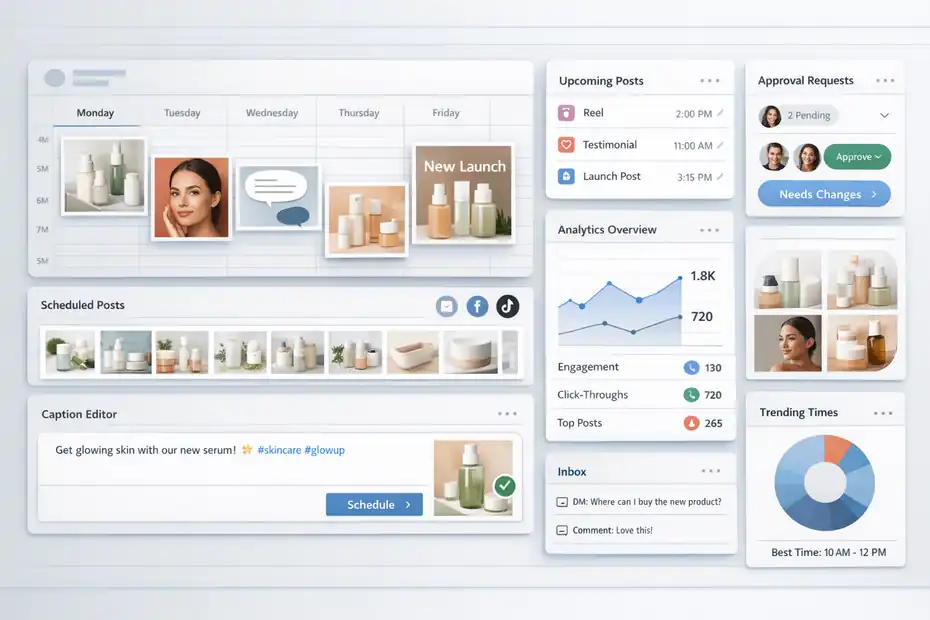
The biggest question behind any Later review for small business is not whether the feature list sounds good.
It is whether the product fits the way a small business actually works on a Tuesday afternoon when everything is already behind.
The Core Workflow: Plan, Schedule, Publish, Review
Later’s workflow is fairly straightforward. You connect your social profiles, build posts inside a content calendar, schedule them in advance, and then review analytics to see what worked. Depending on your plan, you also get features like smart scheduling, collaboration and approvals, inbox functionality, and more advanced reporting windows.
That may sound obvious, but the benefit is not the individual steps. The benefit is that the steps live in one operating system instead of scattered across notes apps, native social apps, spreadsheets, and screenshots.
Let me break it down for you with a realistic scenario. Imagine you run a skincare brand with one assistant. On Monday, you create three educational Reels, two testimonials, and one launch post.
In Later, you can map those posts across the week, organize captions, and line up publishing windows. Instead of asking “what do we post today?” every single morning, you ask “is this week’s plan still aligned with what is selling?” That is a much better question.
This is why scheduling tools often save more mental bandwidth than raw labor. The biggest gain is not always minutes. It is reduced context switching.
Where The Time Savings Actually Come From
Small businesses often overestimate how much time they spend posting and underestimate how much time they spend deciding. Later helps most with decision reduction.
The first time-saving layer is batching. You can create content in one focused session, then spread it across the week or month. The second layer is visibility.
A calendar view makes gaps obvious, so you stop discovering on Friday that nothing is scheduled for the weekend. The third layer is repeatability. Once you know your recurring post types, planning becomes faster every cycle.
Growth and Scale plans also introduce more meaningful workflow improvements. Growth includes smart scheduling with future trends, internal and external approvals, a social inbox, more posting capacity, more AI credits, and longer analytics windows.
Scale adds custom analytics, competitive benchmarking, brand health, brand mentions, unlimited posts, and priority support.
From what I’ve seen, the time savings become real when you use Later to support a repeatable content rhythm. If you only log in randomly and schedule a post here and there, it behaves like a convenience tool. If you run your weekly publishing system through it, it becomes an operations tool.
Later Features That Matter Most For Small Businesses
A long feature page is not the same thing as practical value. Small business owners usually need a short answer: which features will help me now, and which ones are just nice to have?
Scheduling And Calendar Management
Scheduling is still Later’s most obvious strength. The Starter plan supports up to 30 posts per profile, while Growth expands that to 180 posts per profile, which is enough for many active small brands running multiple channels.
That matters because consistency is hard when posting depends on memory. A calendar turns content into a visible system. You can see campaign pacing, avoid repetitive content clusters, and plan around launches or seasonal promos instead of reacting at the last second.
I suggest thinking of the calendar as a workload manager, not just a posting tool. For example, if you sell handmade candles, you can place educational content early in the week, product-focused posts before payday, and customer proof on weekends. That kind of spacing is much easier when content is visualized in one view.
This is also where small teams spot operational problems faster. If one product line dominates the whole month, or if you have three platforms but only one is getting consistent attention, the calendar makes the imbalance visible. Native apps rarely do that well.
The feature itself is not glamorous, but for many of us, visibility is what prevents chaos.
Analytics And Performance Reporting
Analytics is where Later becomes more than a scheduler. All plans include analytics, but the history depth changes by tier: Starter provides up to three months of performance data, Growth provides up to one year, and Scale provides up to two years plus custom analytics.
That difference matters more than it first appears. Three months can help you spot quick wins. A year lets you see seasonality, campaign patterns, and whether your strongest content themes actually repeat over time.
Later’s own small-business analytics guidance argues that the most useful metrics are not vanity counts alone, but signals like saves, profile visits, link clicks, and content-to-conversion patterns. I agree with that framing. Reach is useful. Revenue-related behavior is more useful.
Imagine you run a neighborhood gym. One motivational Reel gets 20,000 views, but a simple client transformation post gets fewer views and more trial sign-ups. A tool that helps you compare those outcomes in one reporting flow is more valuable than one that simply celebrates the highest view count.
Small businesses do not need endless dashboards. They need enough clarity to answer three questions: what should we repeat, what should we stop, and what is actually moving people closer to a sale?
Link In Bio And Traffic Conversion Features
Later’s Link in Bio is more useful than many people expect. According to the pricing documentation, it supports linked posts, featured media, banners, email collection, Mailchimp connection, Google Analytics tracking, SEO customization, and social links. Later describes it as a mini website built into your Instagram or TikTok profile that helps turn followers into customers.
For a small business, that matters because social traffic is often messy. Someone sees a Reel, taps your profile, gets curious, and then needs a clean path to product pages, booking links, lead magnets, or contact forms. If your bio link is weak, you lose that momentum.
A practical example is a wedding photographer. Instead of sending all traffic to a generic homepage, they can route profile visitors to a tailored page with portfolio categories, pricing info, inquiry forms, and featured testimonials. That shortens the path between interest and action.
I would not buy Later for Link in Bio alone. But when it is part of a broader publishing system, it becomes one more place where the platform can save time and reduce friction.
Later Pricing And What Small Businesses Actually Get
Pricing matters because software only saves time if the cost makes sense. A cheap tool that creates confusion is expensive. A slightly pricier tool that removes hours of weekly admin can be a bargain.
Starter Vs Growth Vs Scale
Later’s current annual-billing prices list Starter at $18.75 per month, Growth at $37.50 per month, and Scale at $82.50 per month, with a stated 14-day free trial and annual subscriptions promoted as 25% savings versus monthly billing. Starter includes 1 social set, 1 user, 30 posts per profile, Link in Bio, 5 AI credits, and up to 3 months of analytics.
Growth includes 2 social sets, 2 users, 180 posts per profile, smart scheduling, collaboration and approvals, social inbox, 50 AI credits, and up to 1 year of analytics. Scale includes 6 social sets, 4 users, custom analytics, competitive benchmarking, brand health, brand mentions, unlimited posts, 100 AI credits, and up to 2 years of analytics.
Here is the simple breakdown:
| Plan | Best For | Key Limits Or Benefits |
|---|---|---|
| Starter | Solo owners testing a system | 1 user, 30 posts per profile, shorter analytics history |
| Growth | Most small businesses with active posting | 2 users, 180 posts per profile, approvals, inbox, stronger workflow |
| Scale | Teams that need reporting depth and monitoring | Custom analytics, benchmarking, mentions, more users and profiles |
I believe Growth is where Later starts to feel like a serious small-business tool rather than a lightweight scheduler. Starter is useful, but it can feel tight if you publish frequently or share work with another person.
Is Later Worth The Price For A Small Business?
That depends on what your time is worth and how often you publish. If Later saves you two to four hours each month by reducing manual posting, caption scrambling, and reporting cleanup, the Growth plan can pay for itself pretty easily for many service businesses or ecommerce brands.
Let’s use a simple example. Say your effective hourly value is $35. If the tool saves just two hours monthly, that is $70 of recovered time. Growth is listed at $37.50 monthly on annual billing, so the math can work in your favor quickly.
But there is a catch. The value only appears when you use the platform consistently. If your team posts twice a month and never checks analytics, the subscription can become shelfware.
My honest take is this: Later is worth it when content is already part of your customer journey and you need structure. It is not worth it if you are still hoping a tool will create a strategy for you.
Can Later Actually Save You Time? My Honest Verdict
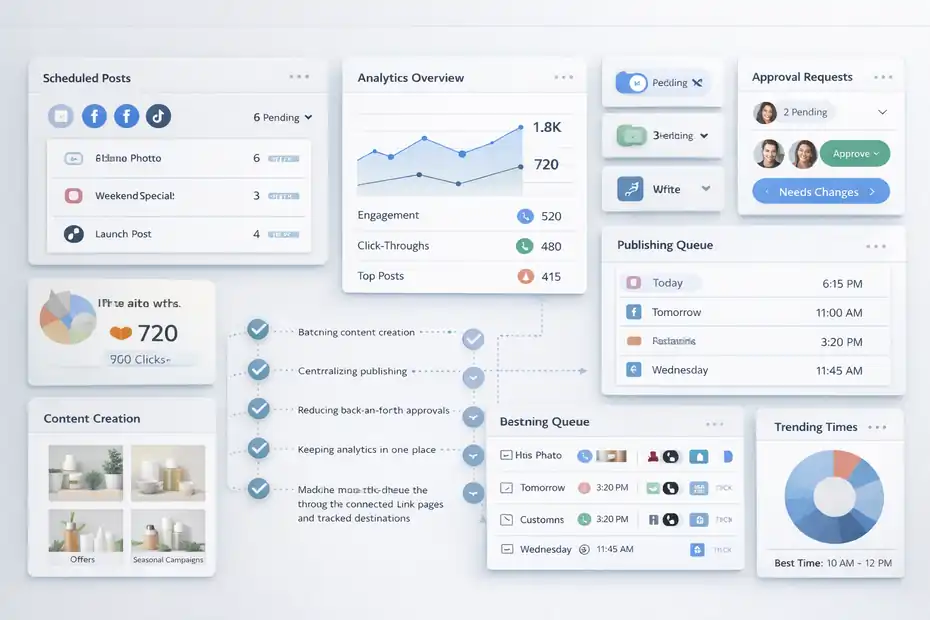
This is the heart of the article. The answer is yes, but only in specific ways.
When Later Saves A Lot Of Time
Later saves the most time when your business already has recurring content needs. Think weekly offers, educational posts, customer stories, seasonal campaigns, product launches, or event promotion.
The biggest wins usually come from five areas. First, batching content creation. Second, centralizing publishing. Third, reducing back-and-forth approvals. Fourth, keeping analytics in one place. Fifth, making bio traffic easier to manage through connected link pages and tracked destinations.
A café is a good example. The owner can schedule menu promos, weekend specials, behind-the-scenes clips, and user-generated content in one block instead of remembering to post every morning before opening. A salon can plan openings, last-minute appointment slots, before-and-after content, and product upsells without rebuilding the wheel each week.
This kind of consistency matters because small businesses live in the real world of interruptions. Staff call in sick. Inventory arrives late. A customer issue steals half the day. Scheduling does not remove those problems, but it stops social media from collapsing every time something urgent happens.
That is where Later genuinely saves time: it protects your marketing rhythm from daily chaos.
When Later Does Not Save Much Time
Later will not save much time if your bottleneck is content creation itself. If you do not know what to post, have no assets, and hate writing captions, the tool cannot solve the blank-page problem.
It also does not magically make weak content perform. You still need a message people care about, a decent offer, and some understanding of what your audience responds to. Scheduling bad content efficiently is still bad content.
Another friction point is overengineering. Some small businesses buy software before they build a simple content process. Then they spend more time setting up workflows than they would have spent just posting. I see this a lot with very early-stage businesses.
So here is my honest filter: Later saves time after you have a basic content engine, not before. You need at least a rough posting rhythm, a few content categories, and a reason to track results. Once that foundation exists, the software can remove a lot of repetitive work.
The Biggest Pros And Cons For Small Business Owners
A useful Later review for small business should not dodge the tradeoffs. Every tool has them.
The Pros That Matter In Day-To-Day Use
The first major advantage is consolidation. Later brings planning, scheduling, analytics, and bio-link conversion tools into one place. For small businesses, that alone can reduce admin friction.
The second advantage is usability. Third-party review summaries on G2 repeatedly emphasize time-saving scheduling and ease of use as recurring strengths among users.
The third advantage is tiered growth. Starter is accessible for solo owners, while Growth and Scale give you room to add collaboration, better analytics, and more strategic reporting as your marketing operation matures.
I also like that the product is fairly easy to explain to a non-technical business owner. That matters. Tools create hidden costs when only one person on the team understands them.
In practice, the best pros are not flashy. They are boring, useful things like clearer scheduling, fewer forgotten posts, cleaner handoffs, and easier visibility into what content deserves another round.
The Cons You Should Know Before Buying
The biggest downside is that Later can feel unnecessary if your content volume is low. A business posting a few times per month may not get enough return from it.
Another limitation is that the most meaningful workflow benefits sit above the entry plan. Starter is fine for testing, but some of the truly useful features for active teams, like approvals, inbox, higher post limits, and deeper analytics, are on Growth or higher.
There is also the usual reality of social tools: they are always partly dependent on platform APIs and platform rules. That means some publishing or reporting experiences may vary by network over time, even if the core system remains useful. This is not unique to Later, but it is worth remembering before expecting perfection from any scheduler.
My opinion is that Later’s downside is not that it is bad. It is that some businesses will pay for capability they are not ready to use.
Best Small Business Use Cases For Later
Not every business gets the same return from a scheduling platform. The smartest way to judge Later is by use case, not hype.
Ecommerce, Retail, And Product-Led Brands
If you sell physical products, Later makes the most sense when social content supports discovery and purchase. Link in Bio, linked posts, banner modules, and analytics tied to traffic behavior are especially relevant here.
Imagine a boutique clothing store launching a spring collection. With Later, the team can pre-schedule launch teasers, fit videos, customer try-ons, and best-seller reminders. Then they can route profile traffic to featured products instead of a cluttered homepage.
That shortens the customer path. It also lets you learn which content themes pull people toward product clicks instead of just likes.
I suggest ecommerce brands pay close attention to content-to-click patterns, not just reach. The post that gets fewer views but drives more visits to product pages often deserves more of your calendar.
Local Services, Personal Brands, And Appointment-Based Businesses
Later also works well for service businesses that need trust, consistency, and repeat exposure. Think dentists, real estate agents, coaches, med spas, photographers, accountants, and fitness studios.
These businesses usually win on familiarity. People buy after multiple impressions, not one viral post. A scheduler helps keep that visibility steady without forcing daily manual effort.
A real estate agent, for example, can map a weekly mix of neighborhood insights, client wins, listing highlights, and FAQ-style posts. A med spa can alternate educational Reels, seasonal offers, team credibility content, and booking prompts. A coach can connect thought-leadership posts with a bio page that routes visitors to lead magnets or consultations.
For these businesses, Later is less about becoming a creator brand and more about staying visible enough to remain the obvious choice when someone is ready to act.
Common Mistakes Small Businesses Make With Later
The tool can help, but plenty of teams use it poorly. That is usually a process problem, not a software problem.
Mistake 1: Scheduling Content Without A Real Strategy
The most common mistake is using Later as a posting machine instead of a decision system. Businesses fill the calendar, feel productive, and then wonder why nothing improves.
A better approach is to build content around a few recurring goals: awareness, trust, traffic, and conversion. That gives each post a job. When you review performance, you can judge success based on purpose instead of random engagement.
For example, a testimonial post may not be your highest-reach asset, but it may support booking decisions better than a funny trend clip. Without a strategy lens, that difference gets missed.
I advise keeping three to five content pillars and reviewing which ones drive the right actions. That is where Later’s analytics become useful rather than decorative.
Mistake 2: Tracking Vanity Metrics Instead Of Business Signals
Small businesses often obsess over follower counts and top-line views. Those metrics are not useless, but they are incomplete.
Later’s own analytics guidance emphasizes deeper signals such as saves, profile visits, link clicks, and conversion patterns, and I think that is the right mindset for a small business.
A home-cleaning business does not necessarily need viral reach. It needs local attention, trust, and inquiries. A niche ecommerce store may care more about clicks and assisted sales than comments. If you use the wrong scoreboard, you make the wrong decisions.
This is why I suggest a simple monthly review:
- Which posts drove meaningful actions?
- Which content themes produced repeated interest?
- Which offers generated clicks or bookings?
- Which posts looked strong but did nothing useful?
That kind of review turns Later into a real operating tool instead of a calendar with charts.
How To Get The Most Value From Later If You Decide To Use It
If you do subscribe, the setup matters. Good software used casually becomes an expense. Good software used intentionally becomes leverage.
A Simple 30-Day Setup Plan
Week 1: Connect your social profiles, build three to five content pillars, and map one month of promotions, offers, or themes.
Week 2: Batch-create two weeks of content. Keep it simple. You do not need a cinematic masterpiece. You need publishable assets tied to real business goals.
Week 3: Set up your bio page properly. Add clear destinations for products, services, booking, lead capture, or best content. If you already use Google Analytics or email collection, connect those relevant paths where appropriate. Later supports those capabilities inside Link in Bio.
Week 4: Review what happened. Do not just check reach. Look at profile visits, link behavior, and which content types created useful intent. Then adjust your next month’s calendar.
I believe this staged rollout works better than trying to activate every feature in one weekend. Small businesses get more value from consistent use than from perfect setup.
A Practical Measurement Framework
Use a three-layer measurement model.
Layer 1: Publishing consistency. Did you actually post what you planned?
Layer 2: Audience response. Which formats earned saves, shares, replies, or profile visits?
Layer 3: Business movement. Which posts led to clicks, bookings, inquiries, or product interest?
This matters because social media is crowded. Pew’s 2025 research shows that major platforms still reach large portions of U.S. adults, and broader digital usage studies continue to show heavy time spent across social networks. That means visibility is still valuable, but only if you can connect visibility to action.
Also, small businesses should not dismiss social too quickly.
Oxford Economics reporting tied to TikTok’s SMB research found strong sales impact among small businesses using the platform, including findings that 88% reported increased sales after promoting products or services on TikTok and 74% reported selling out of a product tied to promotion.
Platform-specific, yes. But it reinforces the broader point that social content can influence real revenue when used intentionally.
Final Verdict: Should A Small Business Choose Later?
Later can absolutely save a small business time, but it saves the right kind of time. It reduces manual posting, scattered workflows, approval bottlenecks, and messy reporting. It does not replace strategy, content quality, or audience understanding.
If you are a solo owner posting inconsistently, Starter may be enough to test whether scheduling helps. If you actively market on social and need a real operating system, Growth is probably the better fit. If your team needs stronger reporting, benchmarking, and monitoring, Scale is where Later becomes more strategic.
My overall opinion is simple: Later is a strong fit for small businesses that already know social media matters and want to run it with less chaos. If that sounds like you, it is not just another marketing tool. It can become the structure that keeps your content moving even when business gets messy.
FAQ
What is Later and how does it help small businesses?
Later is a social media scheduling and analytics platform that helps small businesses plan, publish, and track content in one place. It reduces manual posting and keeps your content organized, making it easier to stay consistent and save time on daily social media tasks.
Is Later worth it for small businesses?
Later is worth it if your business relies on consistent social media marketing. It helps streamline posting, improve organization, and track performance. If you post regularly and want to reduce time spent managing content manually, the investment can quickly pay off.
Can Later actually save time for small business owners?
Yes, Later can save time by allowing you to batch content, schedule posts in advance, and manage everything from one dashboard. The biggest time savings come from reducing daily decision-making and eliminating the need to post manually every day.
What are the main features of Later for small businesses?
Later offers content scheduling, a visual calendar, analytics, and a Link in Bio tool for driving traffic. These features help small businesses stay organized, track performance, and turn social media engagement into real website visits or sales.
What are the limitations of Later for small businesses?
Later may feel unnecessary for businesses that post infrequently or lack a clear content strategy. Some advanced features are only available on higher plans, so smaller teams may need to upgrade to unlock the full time-saving benefits.

I’m Juxhin, the voice behind The Justifiable.
I’ve spent 6+ years building blogs, managing affiliate campaigns, and testing the messy world of online business. Here, I cut the fluff and share the strategies that actually move the needle — so you can build income that’s sustainable, not speculative.
Related posts:
 Sprout Social Competitors You Didn’t Know Existed
 Honest Later Review For Instagram Marketing: Real Growth Or Hype?
 How to Do Online Marketing for Small Business in 2025
 Sprout Social Media Tools You’ll Actually Use
 How to Grow Your Business Online for Free — Step-by-Step Plan
 How to Grow Online Presence Fast: Proven Steps That Actually Work