
Table of Contents
Some links on The Justifiable are affiliate links, meaning we may earn a small commission at no extra cost to you. Read full disclaimer.
QuillBot Turnitin compatibility is a big concern for students who rely on paraphrasing tools but also want to avoid plagiarism flags. You’ve probably wondered—can Turnitin actually detect text rewritten with QuillBot?
That’s exactly what this guide will break down. We’ll go over how both tools work, how compatible they really are, and what students should know to use QuillBot safely and ethically without risking Turnitin detection.
Understanding How QuillBot and Turnitin Work
Before diving into compatibility, it helps to understand how both systems think—or, more precisely, how their algorithms process text.
This isn’t just technical trivia; it’s the foundation for knowing whether QuillBot content can pass Turnitin’s filters.
How QuillBot’s Paraphrasing Engine Rewrites Text
QuillBot is more than a thesaurus with flair. It’s a natural language processing (NLP) tool that uses machine learning to rephrase sentences while keeping the original meaning intact.
When you paste text into QuillBot and choose a mode like Standard or Fluency, the tool scans the syntax and semantics of each sentence, then reconstructs it using new words, phrases, and sometimes different sentence structures.
For example, if you input: “Artificial intelligence is transforming education.”
QuillBot might reword it to: “AI is changing how education works.”
It’s subtle, but Turnitin’s system can still detect that both sentences express the same underlying idea. That’s why understanding how much QuillBot changes—and how naturally it does so—matters.
Here’s what actually happens under the hood:
- Lexical changes: Replacing words with synonyms (e.g., “transforming” → “changing”).
- Syntactic shifts: Changing sentence structure (e.g., from active to passive voice).
- Semantic retention: Preserving the same meaning even with rephrasing.
The result? Text that reads differently but carries the same substance. This makes it smoother for human readers—but not necessarily invisible to Turnitin.
What Turnitin’s Plagiarism Detection Algorithm Actually Checks
Turnitin doesn’t just compare word-for-word matches. It uses pattern recognition and semantic analysis to look for meaning overlap, even when words change.
Its database is massive—over 1 billion student papers, academic journals, and web content.
Here’s what it looks for:
- Exact matches: When phrases or sentences match existing sources.
- Paraphrasing patterns: When sentence structure is changed but meaning remains the same.
- Stylometric inconsistencies: Shifts in tone or writing style suggesting AI or external help.
Turnitin’s newer AI detection system also looks for machine-generated phrasing patterns—like unnaturally even sentence length or overly formal transitions (for instance, “Moreover,” “In conclusion,” or “However” used too often).
In short, Turnitin doesn’t just “see” words—it understands their relationships. That’s why relying purely on QuillBot without editing can be risky.
Why Understanding Both Tools Is Key to Compatibility
When students ask, “Is QuillBot Turnitin-compatible?” what they’re really asking is whether Turnitin can spot AI-assisted paraphrasing. The truth is nuanced.
Turnitin’s strength lies in recognizing patterns of meaning. QuillBot’s strength lies in rewriting those patterns in natural human language. The overlap between the two determines detectability.
If you use QuillBot intelligently—meaning you review, tweak, and personalize the rephrased content—it can significantly reduce Turnitin similarity scores.
But if you paste entire essays through QuillBot and hit copy, you’re essentially rewrapping the same content in a new shell. Turnitin will catch that.
I believe the safest way to use QuillBot is as an assistant, not a ghostwriter. Let it polish awkward phrasing or simplify complex sentences, but always add your own edits afterward. That keeps your writing authentic while minimizing red flags.
Can Turnitin Detect QuillBot Paraphrasing?
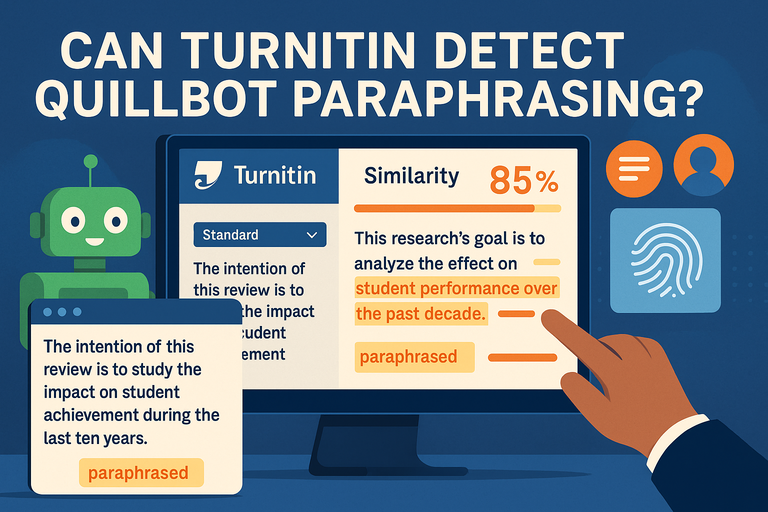
This is the question every student secretly asks. The short answer: sometimes, yes—and increasingly often. But how, and when, depends on how QuillBot is used and which Turnitin features are active.
How Turnitin Identifies Paraphrased or Reworded Text
Turnitin uses something called semantic fingerprinting—a method that maps meaning relationships in text. Even when QuillBot rephrases your work, if the logical sequence and argument structure stay the same, Turnitin can trace it.
Think of it like comparing fingerprints. You might wear gloves (QuillBot), but if the glove’s shape matches your handprint too closely (the original meaning), the system still knows it’s you.
Turnitin flags paraphrasing through:
- Sentence similarity patterns: Recognizing reworded but structurally identical sentences.
- Source overlap: Matching QuillBot’s rewritten text with indexed materials online.
- AI rhythm detection: Picking up formulaic or repetitive phrasing typical of paraphrasing tools.
In many cases, Turnitin won’t label the content as “plagiarized” but will show a high similarity score with the original source. That’s usually enough to raise eyebrows with instructors.
Scenarios Where QuillBot Text May Still Be Flagged
Even though QuillBot helps disguise direct copying, Turnitin may still detect:
- Minimal edits: When only a few words are changed (e.g., “important” to “significant”).
- Identical structure: When sentence order and logic remain unchanged.
- Repetitive tone: When paragraphs sound overly polished or too consistent for human writing.
- Common academic phrases: “The purpose of this study is…” or “In recent years…”—phrases overused across submissions.
I’ve seen cases where QuillBot-paraphrased text returned 25–40% similarity, simply because the base structure was left untouched. This shows that even “unique” wording isn’t enough if your idea flow mirrors the source.
To stay safe:
- Break large paragraphs into smaller chunks before paraphrasing.
- Mix QuillBot’s rewritten text with your own rewrites.
- Read your result out loud—if it sounds robotic or repetitive, Turnitin’s AI filter will notice.
Why Detection Rates Depend on the Mode Used in QuillBot
Not all QuillBot modes are equal when it comes to Turnitin detection. Each mode alters text differently.
Here’s how they stack up:
| QuillBot Mode | How It Works | Detection Risk |
| Standard | Makes light paraphrasing while maintaining meaning | Moderate |
| Fluency | Improves grammar and readability without heavy rewriting | Low |
| Formal | Adjusts tone for academic writing | Moderate–High |
| Creative | Completely rephrases and restructures sentences | Low but risky for accuracy |
| Expand / Shorten | Changes length while maintaining meaning | Moderate |
The Fluency mode often produces the best balance—it rewrites subtly while keeping natural tone and sentence variation, which Turnitin finds harder to trace.
But remember, low detection risk isn’t the same as invisibility. If you’re submitting academic work, I suggest running your QuillBot output through a draft Turnitin checker (many universities provide this) and reviewing flagged sections manually.
The Most Compatible QuillBot Modes For Turnitin
Not all QuillBot modes behave the same way when it comes to Turnitin detection. Some rewrite just enough to sound natural, while others overdo it and raise red flags.
Understanding these differences helps you use the tool safely and effectively.
How Each QuillBot Mode (Standard, Fluency, Formal, Creative) Affects Detection
Each mode in QuillBot has a distinct “personality.” Some focus on changing words, others on tone or structure. Here’s how each interacts with Turnitin’s plagiarism and AI detection systems:
- Standard Mode: This mode offers light paraphrasing. It changes words and phrases while keeping the meaning intact. I find it useful for short sentences or summaries, but it doesn’t disguise content deeply. Because it stays close to the original, Turnitin can sometimes match the structure and flag similarities.
- Fluency Mode: Designed to fix grammar and improve readability, Fluency makes your writing sound smoother without heavy rewriting. It’s ideal for essays or reports because it retains your tone while improving sentence flow. Since it doesn’t distort meaning or add robotic phrasing, Turnitin’s AI detection rarely flags it.
- Formal Mode: This one adjusts tone and vocabulary to make text more professional. While it’s great for research papers, it can sometimes create unnatural sentence uniformity. That consistency can trigger Turnitin’s stylometric checks, which look for sudden shifts in writing style.
- Creative Mode: Creative mode rephrases aggressively, rewriting entire structures. It produces text that’s often too polished or abstract, which can appear AI-generated. While it lowers direct similarity, it increases the risk of Turnitin’s AI detector noticing non-human phrasing patterns.
If you’re aiming for a natural rewrite that keeps your voice intact, Fluency strikes the right balance between improvement and authenticity.
Why The “Fluency” Mode Offers The Most Natural Paraphrasing
I often recommend Fluency mode for one simple reason—it enhances clarity without distorting meaning. Turnitin is trained to recognize unnatural phrasing or machine-style rhythm, and Fluency avoids both.
Here’s why it works well:
- It restructures sentences gently rather than completely rewriting them.
- It corrects grammar while keeping sentence variety intact.
- It mirrors human writing patterns, making your work flow naturally.
For example, if you input: “The data was analyzed to determine the most effective strategy.”
Fluency might output: “The data was reviewed to find the best strategy.”
That’s clean, human, and still true to your intent. It reads as if you simply improved your draft—which is exactly what professors expect.
I believe students using QuillBot should treat Fluency mode like an intelligent writing coach, not a disguise tool. It improves what’s already yours rather than rewriting it into something synthetic.
Risks Of Using “Creative” Or “Expand” Modes For Academic Work
While it’s tempting to use Creative or Expand modes for bigger rewrites, these can backfire.
- Creative Mode Risks: It often adds overly complex synonyms or rearranges text to sound unique but unnatural. Turnitin’s AI detector picks up on this robotic consistency. Professors can also spot it when tone suddenly shifts from human to mechanical.
- Expand Mode Risks: This mode inflates your text by adding filler phrases and explanations. While it might help you reach word count, it introduces redundant content and sometimes changes meaning entirely.
In my experience, Turnitin tends to flag these modes more often because they produce language patterns that don’t match a typical student’s writing style.
If you must use them, limit usage to non-critical sections—like expanding context in introductions or transitions—and always revise manually afterward.
How To Use QuillBot Safely Without Triggering Turnitin
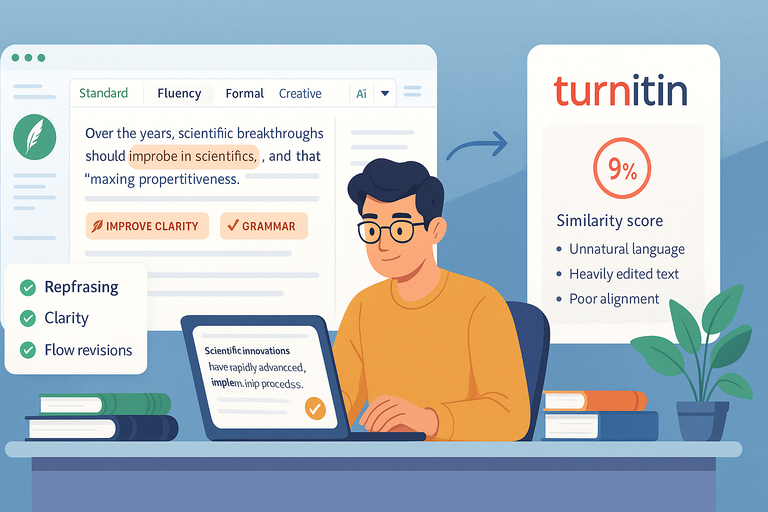
There’s a safe and smart way to use QuillBot without raising Turnitin flags. It’s about using AI to assist your thinking, not replace it.
Balancing AI Assistance With Original Writing
Think of QuillBot as a grammar and clarity tool, not a ghostwriter. The safest approach is to use it selectively—only on sentences that truly need improvement.
Here’s a workflow I suggest:
- Write your initial draft naturally.
- Run sections with clunky phrasing through QuillBot’s Fluency mode.
- Edit manually afterward to reintroduce your tone and personality.
By doing this, you maintain authorship of your work. Turnitin flags arise mainly when the majority of the paper looks algorithmically rewritten, not when a few sentences are polished.
Using QuillBot For Grammar And Clarity, Not Full Rewrites
If English isn’t your first language or you struggle with flow, QuillBot is a helpful assistant. But full rewrites can dilute your voice and introduce detectable AI structures.
You’ll get better results using it for:
- Grammar and punctuation fixes.
- Rewording awkward sentences.
- Improving transitions between ideas.
For example, paste just one paragraph into Fluency mode and compare it with your version. Merge the best parts. This hybrid method creates natural variation that Turnitin can’t map as a pattern.
Reviewing And Editing QuillBot Output Before Submission
Never submit QuillBot output directly. Always treat it as a first draft improvement.
Before submission:
- Read every sentence out loud—it should sound like something you’d actually say.
- Simplify or shorten phrases that feel robotic.
- Run a Turnitin draft check or Grammarly plagiarism scan to see similarity rates.
I advise reviewing the final draft manually for tone and clarity. Most flagged papers I’ve seen weren’t caught for copied content but for over-edited, unnatural language.
A five-minute personal edit is often the difference between a safe submission and a flagged one.
Common Myths About QuillBot And Turnitin
Many misconceptions about QuillBot Turnitin compatibility come from social media. Some are harmless misunderstandings, while others could risk your academic integrity. Let’s clear a few up.
The Myth Of “Undetectable” AI Paraphrasing
No paraphrasing tool is 100% undetectable. Turnitin’s algorithm continuously learns from new data, meaning patterns that once went unnoticed may be flagged later.
QuillBot may help reduce similarity, but it can’t erase meaning overlap. When Turnitin analyzes text, it detects semantic resemblance—the underlying idea, not just the words.
So, even if your sentences look different, Turnitin might still flag high similarity if your structure and flow remain identical to the source. I recommend always paraphrasing in your own voice after QuillBot to maintain originality.
Why Turnitin Doesn’t Ban QuillBot But Flags Misuse
Turnitin doesn’t outright ban tools like QuillBot because they aren’t inherently unethical—they’re writing aids. The issue arises when students rely on them to produce full papers instead of improving drafts.
Instructors can usually tell when text has been rewritten by AI because it lacks variation, nuance, or emotional tone. Turnitin’s AI writing detection system identifies these anomalies, marking sections that appear algorithmically generated.
In short, the tool isn’t the problem—it’s how you use it. When used responsibly, QuillBot can enhance learning, not replace it.
How Turnitin’s AI Writing Detection Differs From Plagiarism Detection
Turnitin actually runs two separate analyses:
- Plagiarism Detection: Compares your work with billions of online and academic sources.
- AI Writing Detection: Examines linguistic patterns, sentence structure, and rhythm to identify AI-generated content.
Here’s an example: If you paraphrase an article using QuillBot, Turnitin may show low plagiarism but high AI probability if your phrasing is too uniform.
That’s why I always stress manual revision. Reintroduce human irregularities—like varied sentence length, personal phrasing, or natural transitions. It makes your work sound like you, not a machine.
Ethical And Academic Risks Of Overusing QuillBot
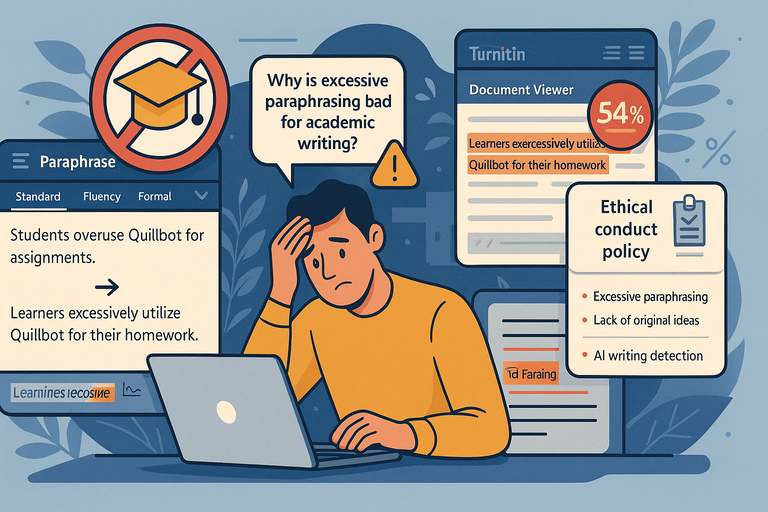
While QuillBot can be a lifesaver for students under deadline pressure, overusing it carries risks—both ethical and educational.
Universities are increasingly clear that paraphrasing tools fall under the same academic integrity standards as plagiarism.
The difference is subtle, but the consequences can be severe if you’re not careful.
Why Excessive Paraphrasing Violates Academic Integrity Policies
Most schools define plagiarism as presenting someone else’s ideas or words as your own, even when rewritten. That includes paraphrasing tools like QuillBot if you don’t credit the original source.
When you rely too heavily on QuillBot, you may unintentionally cross that line because:
- The ideas still come from another author, even if rephrased.
- Automated paraphrasing removes your personal voice.
- Instructors and Turnitin can detect patterns inconsistent with your past writing.
I’ve seen students lose marks not because they copied directly, but because their assignments sounded “too mechanical” or “out of character.” Professors notice these shifts, and some schools even run separate AI detection checks to flag them.
To stay safe, always cite the original source—even when you’ve paraphrased using QuillBot. A small credit note beats a potential plagiarism report every time.
The Long-Term Impact On Learning And Writing Skills
I believe one of the biggest hidden costs of overusing QuillBot is what it does to your learning curve. Writing isn’t just about producing text—it’s about thinking clearly, forming arguments, and developing your voice.
When QuillBot does most of the rewriting for you, you risk losing:
- Critical thinking skills: You process less information deeply.
- Writing style consistency: Your tone becomes less authentic.
- Confidence in expression: You start relying on automation over creativity.
Let’s be honest—it feels convenient at first. But in the long run, students who depend on AI tools often struggle in open-book exams or live writing assessments where tools aren’t allowed.
I suggest using QuillBot to refine your writing, not replace your reasoning.
How Schools Are Adapting To AI Writing Tools
Universities know that students use QuillBot, ChatGPT, and similar AI tools. Instead of banning them outright, many institutions are introducing AI usage policies and detection systems.
Some schools now:
- Require students to disclose when AI tools are used.
- Use AI detection within Turnitin to assess “machine-like” phrasing.
- Offer workshops on responsible AI-assisted writing.
For instance, the University of Sydney updated its academic integrity policy in 2024 to specify that “AI-generated paraphrasing without attribution constitutes misconduct.” This trend is spreading fast across Europe, the U.S., and Australia.
Schools aren’t trying to stop technology—they’re teaching digital responsibility. And that’s a shift students should welcome.
Expert Tips For Students Using QuillBot Responsibly
If you want to use QuillBot safely without risking Turnitin flags, the key is balance. Think of it as a helper for smoother writing, not a shortcut for entire essays.
Combine QuillBot With Manual Revision For Authentic Writing
The best approach is what I call AI-human co-editing. Use QuillBot’s Fluency mode to polish sentences, then take back control by revising tone and structure.
Here’s a simple workflow I recommend:
- Draft your content naturally.
- Run tricky sentences or dense sections through QuillBot.
- Edit the output manually—add your own examples, transitions, and phrasing.
This way, your final paper keeps your originality while benefiting from AI refinement. The end result reads as “you,” not a paraphrasing engine.
Use Turnitin Draft Checkers To Test Before Submission
Many universities let students run drafts through Turnitin before submitting the final version. Use this feature wisely.
Here’s what to check:
- Similarity percentage: Aim for under 15–20% for essays, unless citations push it higher.
- Highlighted sections: Review what Turnitin matched and see if meaning overlaps too closely with the source.
- AI-generated sections: If flagged, rewrite those in your natural voice.
If your institution doesn’t offer Turnitin previews, you can use Grammarly Premium’s plagiarism checker or tools like PlagScan for a pre-check. I advise this step especially when using QuillBot for academic writing.
Focus On Understanding Source Material, Not Just Rewriting It
Rewriting without comprehension leads to shallow work—and Turnitin often picks up on it. The more you understand the material, the more confidently and naturally you can paraphrase it yourself.
Here’s what works well:
- Read the original passage, then close it and rewrite it from memory.
- Use QuillBot only to refine your phrasing afterward.
- Always verify that your version still represents the author’s original intent.
When you understand your sources, you won’t need QuillBot as a crutch. Instead, it becomes an editing ally that sharpens your writing, not replaces your thought process.
Final Thoughts On QuillBot Turnitin Compatibility
QuillBot and Turnitin don’t have to be enemies. Used responsibly, QuillBot can help you become a clearer, more confident writer without crossing academic lines.
When QuillBot Is Helpful—And When It’s Risky
QuillBot is incredibly useful when:
- You’re improving grammar or fluency.
- You’re rewriting notes into your own words.
- You’re clarifying ideas before drafting.
It becomes risky when:
- You paraphrase entire essays word-for-word.
- You depend on it to sound “smarter” instead of genuine.
- You ignore citation and originality guidelines.
The difference lies in intention. If you’re using it to learn better, you’re fine. If you’re using it to bypass effort, Turnitin will catch up eventually.
The Smart Student’s Approach To AI Writing Tools
Smart students treat QuillBot, Grammarly, and ChatGPT as training partners. They use these tools to test ideas, simplify complex sentences, or check readability—never to produce entire submissions.
I believe the smartest way to work with AI is to blend human intuition with machine precision. Write first, refine second. This balance keeps your writing authentic while still leveraging technology for clarity and tone.
Pro Tip: Always Treat AI As A Writing Assistant, Not A Replacement
Here’s my final takeaway: AI tools like QuillBot should assist your creativity, not replace it. Every sentence that passes through your mind strengthens your skill, confidence, and academic integrity.
If you use QuillBot sparingly—mainly for grammar, structure, and readability—you’ll get all the benefits with none of the risks. Combine it with genuine understanding, manual edits, and responsible research, and Turnitin will have nothing to flag.
Because, ultimately, the best “detection-proof” strategy is simple: write like you.

I’m Juxhin, the voice behind The Justifiable.
I’ve spent 6+ years building blogs, managing affiliate campaigns, and testing the messy world of online business. Here, I cut the fluff and share the strategies that actually move the needle — so you can build income that’s sustainable, not speculative.
Related posts:
 How QuillBot Paraphrasing Helps You Avoid Plagiarism Easily
 How Long Is the Quillbot Trial? Full Details & Limitations
 Quillbot Plagiarism Checker Free: Can You Trust the Results?
 How to Use QuillBot Paraphrasing Tool Effectively
 Quillbot Alternative Review: Top 5 Choices
 Where to Find a Safe Quillbot Download—No Viruses, No Spam