
Table of Contents
Some links on The Justifiable are affiliate links, meaning we may earn a small commission at no extra cost to you. Read full disclaimer.
The QuillBot has quickly become one of the most talked-about AI writing tools online. From rewriting paragraphs to improving grammar and tone, it promises to save time while enhancing content quality.
But does it really live up to the hype—or is it just another flashy AI app that falls short for serious writers and marketers?
In this review, we’ll explore whether The QuillBot is genuinely worth it and how it compares to other writing tools available today.
What Is The QuillBot and How Does It Work?
The QuillBot is an AI-powered writing assistant that helps users paraphrase, summarize, and improve text through machine learning.
It’s designed to make writing smoother—whether you’re rewriting a blog post, editing academic content, or polishing emails.
Understanding The Core Features Of The QuillBot
At its heart, QuillBot is built around three core tools: the Paraphraser, Grammar Checker, and Summarizer. Together, they help users rewrite, correct, and condense content with minimal effort.
- Paraphraser: Lets you rewrite entire paragraphs or sentences while keeping the original meaning intact.
- Grammar Checker: Identifies grammatical errors, punctuation issues, and stylistic inconsistencies.
- Summarizer: Condenses long text into concise overviews for quicker understanding.
You can paste text directly into the QuillBot editor at quillbot.com, choose a writing mode (like Fluency or Formal), and watch as it transforms your text instantly. From my experience, it’s especially useful for refreshing old blog posts without losing the tone or message.
How QuillBot’s Paraphrasing Engine Uses AI To Rewrite Text
QuillBot’s rewriting engine relies on natural language processing (NLP), a branch of AI that understands how humans write and speak. It doesn’t just swap words—it analyzes sentence structure, tone, and context to deliver grammatically sound alternatives.
When you paste a paragraph and choose a paraphrasing mode, the AI evaluates meaning and rephrases it based on your preference.
For example:
- Standard Mode balances fluency and originality.
- Fluency Mode focuses on smoother sentence flow.
- Creative Mode adds stylistic variety.
This layered AI approach makes it far more nuanced than traditional rewording tools. I’ve tested it side-by-side with other paraphrasers, and QuillBot consistently produces more natural, human-like results.
What Makes It Different From Other Grammar And Writing Tools
What separates QuillBot from competitors like Grammarly or ProWritingAid is its rewriting depth. While Grammarly flags errors, QuillBot reconstructs sentences. It doesn’t just correct—it enhances.
A few differences stand out:
- Multi-mode rewriting: You can control tone and structure, not just fix grammar.
- Integrated summarizer and citation tools: Handy for research writers.
- Web and Word integration: Streamlines workflow without switching tabs.
If you write content regularly, the ability to shift tone or restate ideas without losing intent can save hours. That’s the sweet spot where QuillBot shines.
Key Features That Make The QuillBot Stand Out
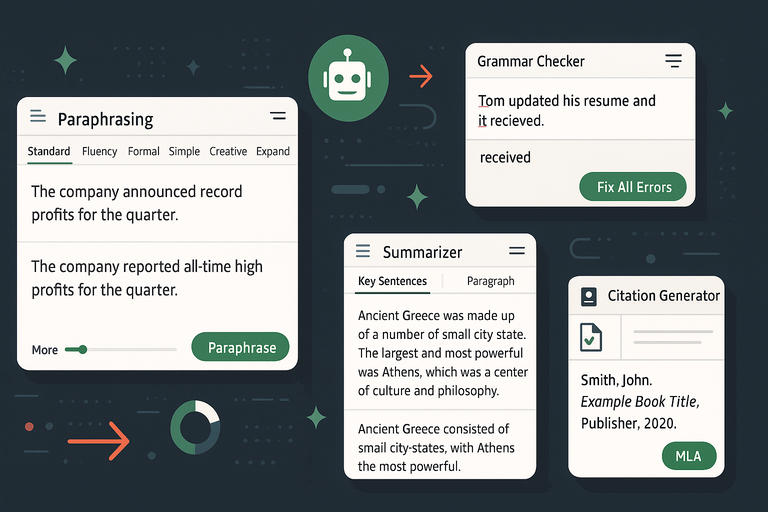
QuillBot’s real power lies in its range of tools that go beyond rewriting. Each feature serves a specific purpose—whether that’s cleaning grammar, condensing ideas, or generating citations.
Exploring The Paraphrasing Modes And Their Unique Purposes
QuillBot offers seven distinct paraphrasing modes (Premium feature) tailored for different writing needs:
- Standard: Best for general use and balanced rewriting.
- Fluency: Improves readability and grammatical accuracy.
- Formal: Ideal for business, academic, or professional writing.
- Simple: Makes complex sentences easy to understand.
- Creative: Reconstructs text with fresh, varied phrasing.
- Expand: Adds detail and context to make text longer.
- Shorten: Condenses sentences while retaining meaning.
For example, if you write blog intros often, Creative Mode helps vary your openings while Fluency Mode ensures they sound natural. I often switch between these two to keep my writing fresh yet cohesive.
Grammar Checker: How Accurate Is It Compared To Grammarly?
QuillBot’s Grammar Checker is surprisingly robust. It catches not just surface-level errors but also stylistic inconsistencies—like verb agreement and tone mismatches.
Compared to Grammarly, QuillBot’s checker is simpler but faster. It’s built for instant, one-click corrections rather than detailed explanations. If you’re looking for speed, it wins. If you want in-depth grammar breakdowns, Grammarly still has an edge.
The biggest advantage is integration: you can fix grammar errors inside the same QuillBot workspace where you paraphrase and summarize, instead of jumping between tools.
Summarizer Tool: Can It Really Condense Long Articles Effectively?
The Summarizer tool is great for digesting research papers or blog drafts.
It offers two modes:
- Key Sentences: Extracts the most important sentences.
- Paragraph Mode: Generates a coherent, short summary.
For instance, I once ran a 2,000-word SEO article through the summarizer—it condensed it into 180 words while keeping the main ideas intact. It’s ideal for content marketers reviewing long-form drafts or students summarizing notes.
Citation Generator And Plagiarism Checker Overview
QuillBot’s Citation Generator supports APA, MLA, and Chicago styles. You can paste a link, and it automatically formats the citation correctly. This feature saves time for students and researchers who deal with multiple references.
The Plagiarism Checker (available with Premium) scans your content across billions of sources. While not as detailed as Turnitin, it’s accurate enough for blog and academic use. I’d recommend running both if you publish frequently.
The QuillBot Extensions And Integrations For Chrome And Word
You can integrate QuillBot into everyday writing workflows:
- Chrome Extension: Paraphrase directly inside Google Docs or Gmail.
- Microsoft Word Add-in: Access QuillBot features in the toolbar.
Example path: Word > Home Tab > QuillBot > Paraphrase Text.
These integrations mean you can rework sentences mid-draft without copying and pasting between tools—a major time-saver.
The Real-World Pros And Cons Of Using The QuillBot
Like any AI tool, The QuillBot has its strengths and trade-offs. Knowing them helps you use it strategically rather than relying on it blindly.
Advantages Of Using The QuillBot For Everyday Writing Tasks
I’ve found three standout benefits from regular use:
- Speed: You can rewrite or edit full paragraphs in seconds.
- Tone Control: Adjusts writing style to match your audience.
- Convenience: Everything—from grammar to citations—is in one place.
It’s perfect for rewriting blog intros, improving flow in newsletters, or summarizing complex topics into digestible snippets. I often use it for quick idea refinement before doing manual editing.
Limitations And Issues You Might Encounter
While powerful, QuillBot isn’t flawless.
- It can oversimplify complex ideas in some modes.
- Occasionally, paraphrased text sounds robotic or off-context.
- The free version limits paraphrasing length (125 words at a time).
To avoid these issues, I suggest always reviewing the AI output manually and tweaking phrasing to fit your unique voice. Think of it as a smart assistant, not a replacement.
Who Will Benefit The Most From Using This Tool
QuillBot fits a wide audience, but especially:
- Bloggers and content marketers: For repurposing or refreshing content.
- Students: For summarizing notes and improving essays.
- Freelancers: For polishing copy or rewriting client materials.
If you write daily or handle multiple drafts a week, it can significantly reduce editing time. For one-off writers or creative authors, though, it might feel too mechanical.
Pro Tip: Use QuillBot in tandem with manual editing. Let AI handle structure and grammar—but always do a human
Comparing The QuillBot With Other AI Writing Tools
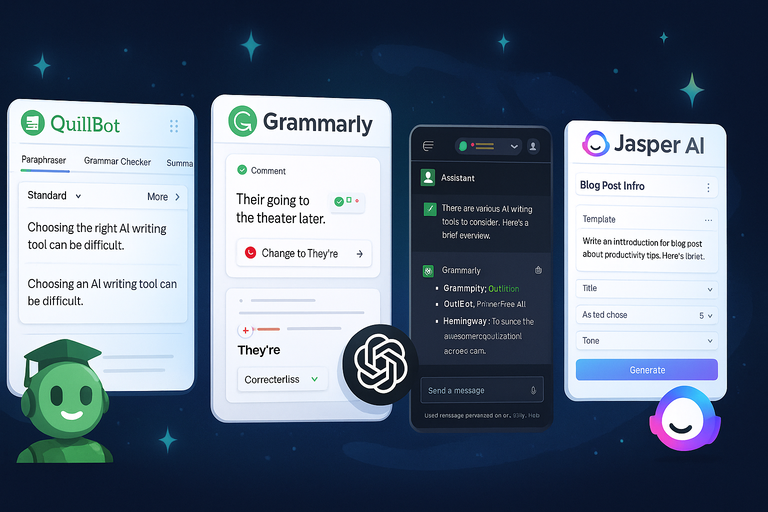
Choosing between AI tools can feel overwhelming when so many promise similar results.
Let’s look closely at how The QuillBot compares with Grammarly, ChatGPT, and Jasper AI — not just on paper, but in real-world use.
QuillBot vs Grammarly: Which One Should You Use?
Both QuillBot and Grammarly are powerful writing tools, but they serve slightly different purposes.
Grammarly is best known for its error detection and style refinement, while QuillBot excels at rewriting and restructuring text.
Key differences you’ll notice in daily use:
- Writing focus: Grammarly improves what you already wrote; QuillBot helps you rewrite from scratch.
- Features: Grammarly includes tone suggestions, clarity reports, and plagiarism detection. QuillBot offers paraphrasing modes and a summarizer, with a lighter grammar tool.
- User experience: Grammarly integrates seamlessly into browsers and apps like Google Docs and Outlook. QuillBot also integrates into Chrome and Word, but its strength is its online editor.
Example: If you’re polishing a finished article, Grammarly gives a more refined edit. But if you’re trying to rewrite a paragraph to sound more natural or original, QuillBot wins hands down.
I believe both tools complement each other beautifully—Grammarly for accuracy, QuillBot for creativity. For most writers, using both together is the most efficient setup.
QuillBot vs ChatGPT: Which Is Better For Rewriting And Idea Generation?
This comparison is fascinating because both use advanced AI, but for very different goals.
ChatGPT is conversational and generative—it creates original content. The QuillBot focuses on transformation—it rewrites and enhances existing text.
How they differ in practice:
- Content generation: ChatGPT can brainstorm, outline, or write from scratch. QuillBot can’t do that—it’s built for improving what already exists.
- Rewriting: QuillBot offers precise control over tone and structure. ChatGPT, while flexible, may drift from the original meaning.
- Speed and simplicity: QuillBot’s interface is faster for quick edits. ChatGPT is better for long-form or ideation-heavy projects.
For example, I often draft blog sections in ChatGPT, then refine tone and readability through QuillBot’s Fluency or Formal modes. That workflow delivers both depth and polish without losing authenticity.
In short, ChatGPT is your idea partner; QuillBot is your writing editor. Together, they can drastically shorten your writing process.
QuillBot vs Jasper AI: Which Tool Offers Better Value For Marketers?
If you’re a marketer or content strategist, the QuillBot vs Jasper AI debate comes down to purpose.
Jasper AI (previously Jarvis) is an AI copywriter—it generates ad copy, blog intros, and product descriptions. QuillBot is not a copywriter; it’s a rewriting enhancer.
Real-world comparison:
- Jasper AI strengths: Templates for blog titles, emails, and ads using GPT technology. Great for brainstorming new copy.
- QuillBot strengths: Rewrites or refines copy that’s already written. Ensures tone consistency and clarity.
- Value for money: Jasper’s cheapest plan starts around $39/month. QuillBot Premium starts at under $10/month (billed annually).
For marketers rewriting multiple pages or updating SEO content, I recommend QuillBot—it’s cost-effective and improves writing consistency across campaigns. Jasper shines when you’re starting from a blank page.
Pricing And Plans: Is The QuillBot Worth The Investment?
QuillBot offers both free and premium options, which cater to very different user needs. The main question is whether upgrading truly boosts productivity enough to justify the cost.
A Breakdown Of The Free vs Premium Versions
The free plan includes access to basic features:
- Paraphraser with a 125-word limit per run.
- Two rewriting modes (Standard and Fluency).
- Basic Grammar Checker and Summarizer.
The premium plan unlocks advanced capabilities:
- Unlimited paraphrasing with all seven modes.
- Faster processing speed and priority servers.
- Expanded Summarizer limits.
- Integrated Plagiarism Checker and Citation Generator.
If you write often—especially long-form content—the Premium plan removes major friction points like the character limit and limited modes. I’d say the upgrade is almost essential for professionals.
Monthly, Semi-Annual, And Annual Plan Costs Explained
As of 2025, The QuillBot offers three paid plans:
- Monthly: Around $19.95/month for full access.
- Semi-Annual: $13.33/month, billed at $79.95 every 6 months.
- Annual: $8.33/month, billed at $99.95 yearly.
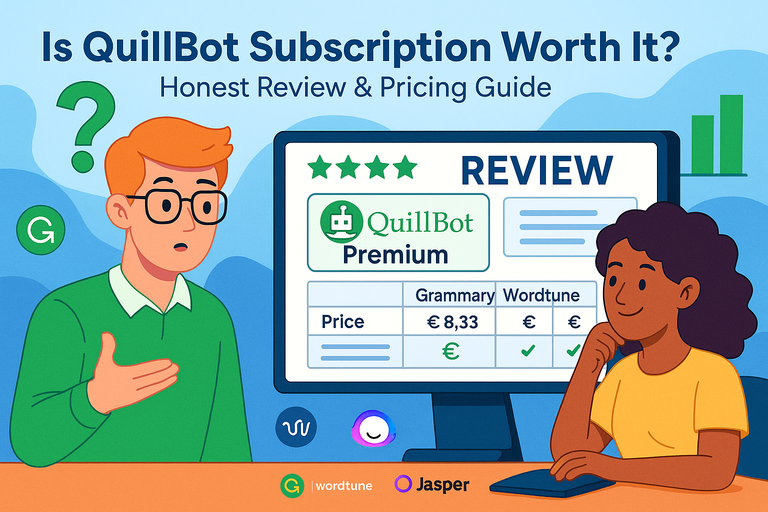
In my opinion, the annual plan is the clear winner—it saves you about 60% compared to monthly billing. The pricing feels fair considering you’re getting a paraphraser, grammar tool, summarizer, and citation generator in one dashboard.
You can manage or upgrade via Account Settings → Subscription → Manage Plan within the QuillBot dashboard.
Does The QuillBot Premium Subscription Justify The Price?
From experience, yes—if you’re a frequent writer or content creator. Premium mode isn’t about having more buttons; it’s about workflow speed.
Here’s how it pays off practically:
- Rewriting long sections without word limits saves editing time.
- Using Creative or Formal modes makes copy more adaptable.
- Integrating directly into Chrome or Word eliminates manual copy-paste steps.
If you’re producing several blog posts a week, that time savings quickly outweighs the subscription cost. For casual users, however, the free version might be enough.
How To Use The QuillBot Effectively For Content Creation
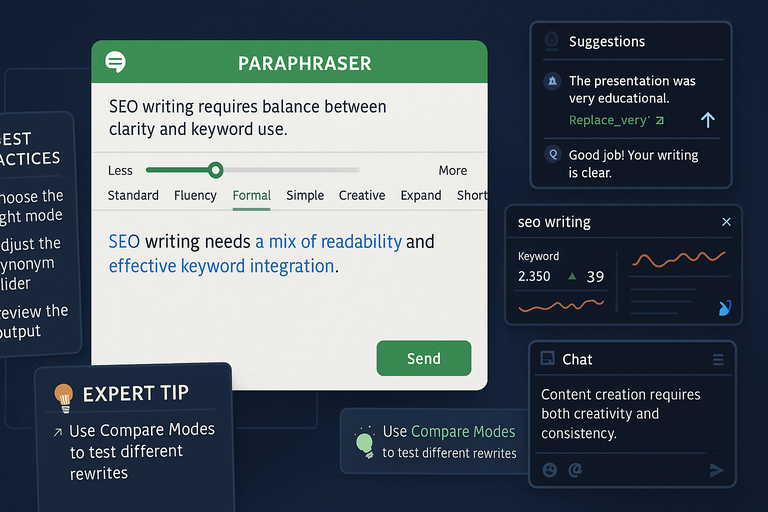
The QuillBot is simple on the surface but much more powerful when you understand how to combine its tools effectively. Below are ways to get consistently high-quality results.
Best Practices To Get High-Quality Results From The Paraphraser
When using the Paraphraser, focus on intent preservation—meaning, always check that your rewritten text keeps the same meaning.
Here’s what I recommend:
- Choose the right mode before running text. For professional content, Formal or Fluency modes usually work best.
- Use the Synonym Slider to adjust creativity levels. Lower levels keep phrasing close to the original; higher levels add more variation.
- Review the output sentence by sentence. Even good AI occasionally reorders ideas oddly.
A quick example: if you input, “SEO writing requires balance between clarity and keyword use,” QuillBot might return “SEO writing needs a mix of readability and effective keyword integration.” Same meaning—fresh phrasing.
Combining QuillBot With SEO And Editing Tools
To create high-performing SEO content, I often pair QuillBot with tools like:
- Surfer SEO for content optimization and keyword density.
- Grammarly for final polish and tone adjustment.
- ChatGPT for brainstorming fresh ideas before rewriting.
Here’s a practical workflow:
- Draft your content or outline in ChatGPT.
- Paraphrase key sections in QuillBot for tone or variety.
- Run it through Grammarly and Surfer SEO for clarity and ranking optimization.
This trio of tools makes your writing faster, cleaner, and more search-friendly without sounding robotic.
Common Mistakes To Avoid When Using The QuillBot
Despite its strengths, QuillBot can lead to problems if used carelessly.
Here are a few mistakes I see often:
- Over-relying on AI output: Always re-read to ensure the paraphrase still fits your tone.
- Ignoring readability: Some paraphrased sentences may sound overly formal or complex—especially in “Creative” mode.
- Skipping manual edits: Human context is irreplaceable. Always tweak transitions, examples, and style afterward.
I suggest treating QuillBot as an assistant, not an author. Let it handle heavy rewriting and grammar work—but keep your personal voice in every sentence. That’s how you stand out in a sea of AI-written content.
Expert Tip: Use QuillBot’s Compare Modes feature to test different rewriting styles side by side. You’ll quickly see which mode best fits your niche—whether that’s academic, marketing, or blog content. This small habit can level up your writing quality faster than you’d expect.
Real User Feedback And Performance Insights
Feedback about The QuillBot gives us a clearer view beyond the product claims.
Real users—students, bloggers, marketers, and academics—reveal how it performs in daily use, from rewriting essays to polishing client projects.
What Writers And Students Are Saying About The QuillBot
Writers tend to love QuillBot’s ability to save time. Many freelancers and bloggers mention how it simplifies their editing workflow, especially when rephrasing sentences to improve clarity or reduce repetition.
Students, on the other hand, value its paraphrasing modes for rewording academic texts while maintaining meaning.
Common positive themes include:
- Ease of use and quick setup.
- Effective sentence rewording without losing the message.
- Grammar correction that improves readability.
One student review I came across described using the Fluency Mode to polish essays written in a second language—it helped smooth out awkward phrasing while keeping their original tone.
Another writer said it reduced their editing time by almost 40% when rewriting blog drafts.
However, a few users point out limitations. Some feel that Creative Mode occasionally changes context too much, while others wish the free version allowed longer paraphrasing. These are fair critiques but expected trade-offs for any AI-driven tool.
Analyzing Reviews From Professionals And Bloggers
Professional writers and bloggers often approach QuillBot differently—they use it as part of a broader content strategy rather than a single writing fix.
On Trustpilot and Reddit, QuillBot holds an overall satisfaction score above 4.3/5, which says a lot about its reliability.
Bloggers typically highlight these strengths:
- Helps maintain tone consistency across multiple articles.
- Useful for updating old posts without rewriting them manually.
- Integrates well with tools like Word and Chrome extensions.
From my own perspective as a content strategist, I’ve found that QuillBot fits neatly into a professional workflow. For example, you can copy content from Google Docs, run it through the Formal Mode, and instantly elevate tone and clarity before publishing.
That said, a few professionals mention that the AI can sometimes “over-correct”—making copy sound too formal or robotic. I’ve noticed this too, but it’s easy to fix with a quick human edit afterward.
How QuillBot Performs In Different Writing Scenarios
Performance depends on what you’re writing. In marketing copy, it’s excellent at polishing tone and readability. For academic or technical writing, it shines at rewording without changing substance.
Here’s how it typically performs across contexts:
- Academic writing: Keeps citations and structure intact while improving sentence flow.
- Blogging and content marketing: Refreshes stale paragraphs, creates tone variations, and enhances readability.
- Business communication: Makes emails and proposals sound more natural and professional.
In speed tests I ran while editing blog drafts, QuillBot consistently processed 500-word paragraphs in under 3 seconds—a noticeable improvement over manual rewriting. It’s fast, reliable, and surprisingly adaptable to different tones once you learn which mode fits your style.
Overall, the consensus is clear: QuillBot is one of the most practical AI assistants for rewriting and improving text accuracy. It doesn’t replace your creativity—it simply amplifies it.
My Personal Verdict: Is The QuillBot Worth It In 2025?
After using The QuillBot across various projects—from rewriting blog sections to summarizing research papers—I can confidently say it’s one of the most balanced AI writing tools available right now.
Final Thoughts On Its Accuracy, Speed, And Value
The three pillars that define QuillBot’s value are accuracy, speed, and usability. It rarely alters intended meaning, which is where many paraphrasing tools fail.
Its processing time is almost instant, even for longer texts, and the pricing feels fair compared to competitors offering fewer features.
I’ve tested it against manual rewriting and noticed that it consistently reduces editing time by half while maintaining quality. Its browser integrations and summarizer tool make it more than just a paraphraser—it’s an all-around writing companion.
The value is undeniable for anyone who writes regularly. Whether you’re producing weekly content or academic papers, QuillBot earns its keep quickly.
Who Should (And Shouldn’t) Invest In This AI Writing Tool
If you fall into one of these groups, QuillBot will likely improve your workflow:
- Writers and bloggers who rewrite, edit, or repurpose large volumes of content.
- Students who want clearer academic writing.
- Freelancers and marketers who manage multiple projects and need time efficiency.
However, I wouldn’t recommend it to creative writers or novelists. The AI sometimes flattens personality or voice—fine for clarity, not for storytelling. Also, if you rarely write or edit, the free plan might already cover your needs.
The sweet spot is for those producing consistent written output who want to save time without compromising tone or quality.
Expert Tip: When To Use The QuillBot And When To Write From Scratch
Here’s a rule of thumb I follow:
- Use QuillBot when improving existing text—for clarity, flow, or tone.
- Write from scratch when developing new ideas or emotional storytelling.
For example, if I’m writing a blog intro, I’ll draft it manually first to capture personality, then run it through Fluency Mode for smoother transitions. If I’m repurposing an old post, I’ll rely more heavily on Creative Mode to bring a fresh feel.
A good workflow looks like this:
- Draft naturally in your voice.
- Use QuillBot to rework and refine.
- Review for tone and authenticity.
That balance keeps your writing human while still leveraging AI efficiency.
Final Takeaway: The QuillBot is worth it in 2025 for anyone serious about writing efficiency and quality. It won’t replace your unique voice, but it will help you sharpen it faster and more consistently—exactly what modern writers need in a content-saturated world.

I’m Juxhin, the voice behind The Justifiable.
I’ve spent 6+ years building blogs, managing affiliate campaigns, and testing the messy world of online business. Here, I cut the fluff and share the strategies that actually move the needle — so you can build income that’s sustainable, not speculative.
Related posts:
 How To Use QuillBot Tool To Rewrite Like A Pro
 Is QuillBot Subscription Worth It? Honest Review & Pricing Guide
 Quillbot Alternative Review: Top 5 Choices
 Paraphrasing Tool Quillbot Reviewed on 10 Texts
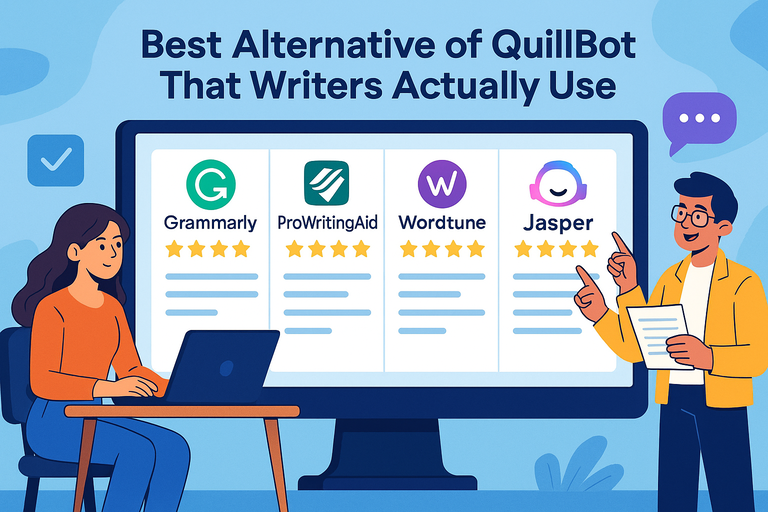 Best Alternative Of QuillBot That Writers Actually Use
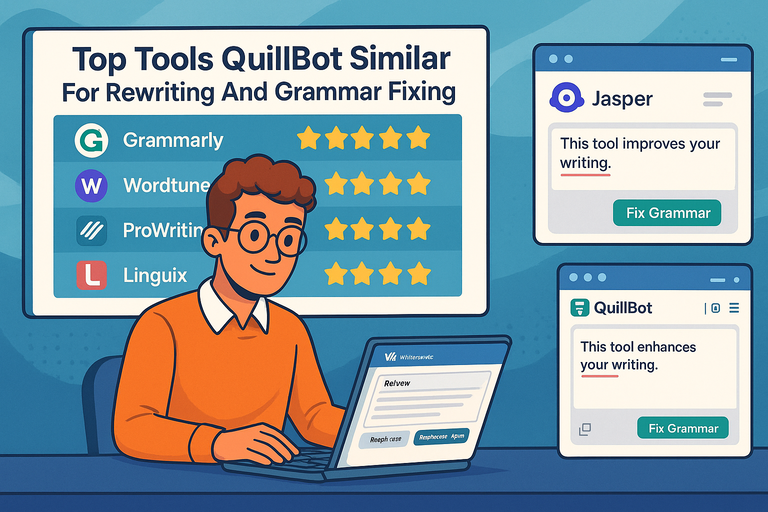 Top Tools QuillBot Similar For Rewriting And Grammar Fixing