
Table of Contents
Some links on The Justifiable are affiliate links, meaning we may earn a small commission at no extra cost to you. Read full disclaimer.
Ecommerce website design isn’t just about how good your site looks—it’s about how effectively it turns visitors into customers.
Have you ever wondered why some online stores seem to effortlessly guide shoppers to “Add to Cart,” while others lose them halfway through the process?
The answer lies in strategic design choices that subtly influence behavior, trust, and decision-making.
In this guide, I’ll walk you through proven ecommerce website design tips that can help you boost conversions, engage visitors longer, and ultimately drive more sales.
Create a User-Centered Homepage That Builds Trust
Your homepage is the digital storefront of your ecommerce business—it’s often the first (and sometimes the only) chance to make an impression that converts curiosity into confidence.
I like to think of it as a handshake: firm, friendly, and reassuring. A user-centered homepage helps visitors feel oriented, valued, and ready to explore.
Focus on Clear Navigation and Easy Access
When visitors land on your site, they should know exactly where to go next—without thinking too hard. A clean navigation bar, logical categories, and intuitive menus are your best allies here.
A simple way to test your navigation is to ask: Can a first-time visitor find a product within three clicks? If not, it’s time to simplify.
Best practices:
- Keep your top menu focused on 5–7 core categories (e.g., Men, Women, Accessories, Sale, Contact).
- Include a visible search bar at the top, ideally with autocomplete suggestions to speed up product discovery.
- Use breadcrumb navigation (those little clickable paths like Home > Shoes > Running Shoes) so users can backtrack easily.
A practical UI example: In Shopify, go to Online Store > Navigation > Main Menu and reorder items by priority. Test how it feels on mobile—this is where clutter usually kills usability.
Use High-Quality Visuals That Reflect Your Brand
Images do more than showcase products—they build identity. If your brand sells luxury watches, your visuals should evoke sophistication and precision; if it’s eco-friendly apparel, they should feel natural and warm.
I recommend investing in consistent lighting, neutral backgrounds, and minimal filters. Authenticity beats over-editing. Also, include lifestyle photos showing your products in real-world settings—it helps customers imagine ownership.
Example: A coffee brand might display a steaming cup on a rustic wooden table instead of just a sterile product shot. That one visual can elevate mood and storytelling instantly.
Statistically, ecommerce pages with high-quality images convert up to 30% better (Source: Shopify UX study, 2023). That’s not just art—it’s ROI.
Include Trust Signals Like Reviews and Secure Badges
People buy when they trust. You can earn that trust by displaying clear, credible proof that others have already had a positive experience.
Trust elements to include:
- Customer reviews and ratings: Even a few testimonials near your hero banner can anchor credibility.
- Security badges: Icons like “SSL Secure” or “Verified by Visa” reduce checkout hesitation.
- Visible contact details: A real phone number or live chat link shows there’s a human behind the brand.
Pro tip: Don’t hide reviews on a separate tab—integrate snippets right on the homepage or product sliders. It subtly builds assurance as users scroll.
Highlight Key Offers and Value Propositions
Every visitor subconsciously asks: Why should I buy from you and not someone else? That’s what your value proposition must answer—instantly.
Your homepage should spotlight what makes you different, using concise, benefit-driven language.
Examples:
- “Ethically sourced skincare, delivered carbon-free.”
- “Premium gear designed by athletes, for athletes.”
Make sure these are placed above the fold (the visible area before scrolling). Pair them with strong CTAs (Call-to-Actions) like Shop Now, Discover Your Fit, or Start Saving Today.
I suggest testing multiple headline versions using A/B testing tools like VWO or Optimizely. Even small word changes—say, “Free Shipping” vs. “Get Free Delivery”—can shift conversions dramatically.
Simplify Product Pages for Maximum Impact
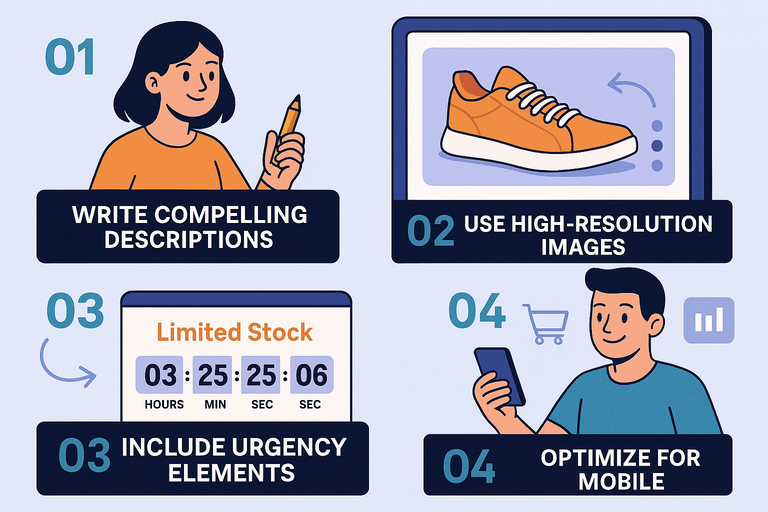
Your product page is where browsers turn into buyers—or bounce. Simplicity here doesn’t mean boring; it means clarity.
A clean, conversion-optimized product page removes friction and keeps the shopper emotionally connected to the item.
Write Compelling, Benefit-Focused Product Descriptions
A great description doesn’t just describe—it persuades. Instead of listing features, translate them into real-world benefits.
Example:
- Feature: “Made with breathable mesh.”
- Benefit: “Keeps your feet cool and dry during long runs.”
I often suggest using a simple structure: Lead with the main benefit, explain how it works, then end with an emotional trigger.
Mini-format guide:
- Opening hook: “Finally, a tote that fits everything—and still looks elegant.”
- Feature-to-benefit mapping: “Crafted from waterproof canvas to handle daily spills and surprises.”
- Close with emotional pull: “Perfect for workdays, gym runs, and spontaneous getaways.”
Keep it conversational, short, and easy to scan. Bullet points help immensely for quick readers.
Use High-Resolution Images With Zoom and Multiple Angles
Product visuals are your virtual touchpoints. Customers can’t feel or try your product, so your images must do the convincing.
Include at least 4–6 images per product, showing front, back, close-up, and lifestyle context. Add zoom-in functionality and 360° viewing where possible—it gives users the confidence that “what they see is what they’ll get.”
Platforms like Shopify and BigCommerce let you enable zoom effects under product settings. Always compress your images (using tools like TinyPNG or ShortPixel) to keep load times fast without losing quality.
Include Urgency and Scarcity Elements Strategically
Scarcity motivates action—but it needs to feel authentic, not manipulative.
Smart tactics:
- Low-stock indicators: “Only 3 left in stock.”
- Countdown timers: “Offer ends in 2 hours.”
- Social proof nudges: “12 people are viewing this item right now.”
Used sparingly, these can raise conversions by up to 9% according to Baymard Institute research. Just ensure the messaging aligns with your real inventory or promotions.
Optimize for Mobile Viewing and Fast Loading
With over 70% of ecommerce traffic now coming from mobile devices, designing mobile-first is non-negotiable.
Mobile optimization checklist:
- Use sticky Add to Cart buttons that follow users as they scroll.
- Keep product titles under two lines for smaller screens.
- Ensure fast load speeds—aim for under 3 seconds per page.
To check performance, I often use Google PageSpeed Insights. It shows exactly which images or scripts slow you down.
Here’s a simple UI path example if you’re using Shopify: Online Store > Themes > Customize > Theme Settings > Performance. That’s where you can toggle lazy loading or image compression.
Mobile shoppers are impatient—every second counts. A faster, clearer experience doesn’t just improve UX; it directly drives conversions.
Expert Tip: The secret to ecommerce website design that converts isn’t complexity—it’s empathy. The more your pages feel designed for people, not around products, the more trust and action you’ll inspire. Each button, word, and image should quietly answer: Is this making it easier for my customer to say yes?
Streamline The Checkout Process To Reduce Abandonment
Checkout is the moment of truth in ecommerce website design. It’s where excitement often meets friction. A slow or confusing checkout can make even the most eager shopper abandon their cart.
Simplifying this stage is one of the fastest ways to lift conversions and improve customer satisfaction.
Minimize The Number Of Checkout Steps
Every additional click increases the chance someone gives up. I suggest keeping your checkout flow as short and predictable as possible.
Here’s what a simplified flow might look like:
- Cart Review
- Shipping Information
- Payment Details
- Confirmation
That’s it. Four steps. Anything more—like requiring users to confirm an email before checkout—can drive them away.
If your platform allows it, try a one-page checkout. Shopify’s Shopify Plus plan, for example, lets you customize checkout.liquid to condense multiple steps. Fewer fields, faster payment, happier customers.
A Baymard Institute study found that 21% of users abandon carts due to long or complicated checkout processes. So, when in doubt, trim the fat.
Offer Multiple Payment And Delivery Options
People have strong preferences when it comes to payment. Limiting them to one or two methods can kill conversions. I always recommend offering a range of options that match your audience’s habits.
Common choices include:
- Credit/debit cards (Visa, Mastercard, etc.)
- Digital wallets (Apple Pay, Google Pay, PayPal)
- Buy-now-pay-later services (Klarna, Afterpay, Affirm)
A simple UI path example for Shopify users: Settings > Payments to enable or add new gateways.
The same applies to delivery. Offer flexible options like standard, express, and click-and-collect if possible. Customers love feeling in control of time and cost. Transparency here builds trust, especially when paired with accurate delivery estimates.
Provide Guest Checkout For Faster Transactions
Forcing account creation is one of the biggest conversion killers. Many people just want to buy quickly and move on. I always advise enabling guest checkout to remove that unnecessary barrier.
If you still want to encourage account sign-ups, do it after the purchase. Something like, “Create an account to track your order and earn rewards” works better once trust is established.
From experience, enabling guest checkout can increase conversions by up to 35%, particularly for first-time visitors. It’s an easy win that takes minutes to set up in most ecommerce platforms.
Add Progress Indicators And Reassuring Messages
Customers want to know where they are in the process. Progress indicators—like “Step 2 of 3: Shipping Details”—help manage expectations and reduce anxiety.
In your checkout UI, use a simple bar or step icons at the top. Many themes in WooCommerce or Shopify already include this feature, or you can add it with plugins like Checkout Wizard.
Also, sprinkle in short reassurance messages:
- “Secure payment protected by SSL.”
- “You can review your order before finalizing.”
- “Free returns within 30 days.”
These micro-messages act like tiny handshakes of trust, reassuring users they’re safe and supported until the end.
Use Persuasive Design Elements To Influence Action
Design psychology plays a huge role in ecommerce website design. Subtle choices in color, layout, and emphasis can nudge users toward completing a purchase without feeling pressured.
Apply Visual Hierarchy To Direct Attention
Visual hierarchy simply means arranging elements so the eye lands on what matters most first. Headings, images, and buttons should naturally guide the user toward your goal—typically the “Add to Cart” or “Buy Now” button.
Quick hierarchy principles:
- Use larger, bolder fonts for main CTAs.
- Keep secondary information (like policies or specs) smaller or lower on the page.
- Make sure images don’t overpower your calls to action.
One trick I’ve seen work wonders is using directional cues—like a model’s gaze subtly pointing toward the “Add to Cart” button in the product photo. The human brain follows lines of sight instinctively.
Use Contrasting Call-To-Action Buttons Strategically
A CTA button should never blend in. Choose a contrasting color that draws attention without clashing with your overall design.
If your brand uses muted tones (like soft blues or grays), try a warm color like orange or coral for CTAs. Conversely, if your site is bright, a deep navy or dark green can stand out powerfully.
Make sure your buttons use action-oriented text. Instead of “Submit,” say “Get Yours Now” or “Complete Purchase.” It’s subtle but adds emotional pull.
A quick test: Step back from your screen. If your CTA button doesn’t instantly catch your eye, it’s not bold enough.
Incorporate Social Proof Through Reviews And Testimonials
People trust people. Adding real customer feedback directly under your CTAs or near product details builds authenticity.
Include:
- Star ratings with a visible average (like 4.8/5 from 1200+ reviews).
- User photos for credibility.
- Verified purchase badges.
If possible, highlight reviews that address common buyer hesitations: “Fast delivery,” “True to size,” or “Great customer support.”
Shopify users can integrate apps like Loox or Judge.me to automate review collection and display. It’s low effort, high impact.
Leverage White Space To Improve Readability And Focus
White space (also called negative space) is simply the breathing room around elements. It helps your design feel calm, clean, and trustworthy.
I’ve seen sites try to cram everything above the fold—offers, banners, buttons, testimonials—and it backfires. Users get visually overwhelmed and leave.
Think of white space as design oxygen: it helps important elements stand out naturally. According to Crazy Egg, websites with well-structured white space see up to 20% higher user engagement.
When in doubt, simplify. Clarity always converts better than clutter.
Optimize Site Speed And Performance For Better UX
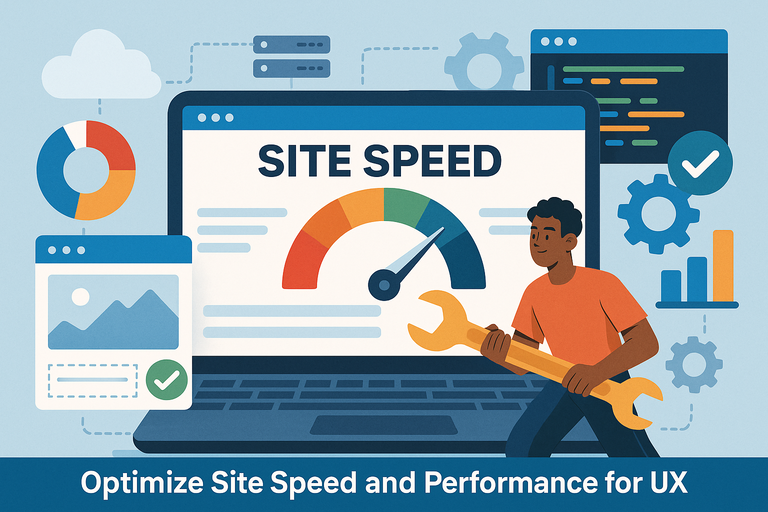
Even the most beautifully designed ecommerce website can fail if it loads slowly. A one-second delay can cut conversions by 7%. Performance isn’t just a technical factor—it’s a trust signal.
Compress Images Without Sacrificing Quality
Images often account for over half of a page’s total load weight. Compressing them can drastically improve speed without hurting quality.
I recommend tools like TinyPNG or ImageOptim. These remove unnecessary data while preserving visual clarity.
Rule of thumb:
- Keep hero images under 300 KB.
- Use modern formats like WebP for 30–40% smaller file sizes.
In Shopify, you can automate this under Settings > Files or through apps like Crush.pics.
Minimize Code And Use Reliable Hosting
Bloated code—extra JavaScript, unused CSS, or redundant plugins—slows down your site. I advise conductinWPengineg a regular cleanup using tools like GTmetrix.
Key steps:
- Defer non-critical scripts to load after main content.
- Remove unnecessary apps or plugins.
- Combine and minify CSS/JS files where possible.
Also, your hosting provider matters. Choose one with high uptime and fast response times. Platforms like WPengine or Hostinger are optimized for ecommerce performance.
Enable Browser Caching And Lazy Loading
Caching lets browsers store parts of your website locally so returning visitors experience faster load times.
In Shopify, caching is automatic. But for WooCommerce or custom sites, you can enable it using plugins like WP Rocket or Litespeed Cache.
Lazy loading delays the loading of off-screen images until users scroll to them, saving bandwidth and improving initial page load times.
A simple setting change—often just one toggle—can make your site feel twice as fast to mobile users.
Regularly Test And Monitor Site Performance
Optimization isn’t a one-time project—it’s a routine. I like to test client sites every month to spot slowdowns caused by new apps, large images, or code changes.
Use:
- Google PageSpeed Insights for detailed diagnostics.
- Pingdom Tools for load time benchmarking.
- Hotjar to see how speed impacts user interaction.
Track your Core Web Vitals—especially Largest Contentful Paint (LCP) and First Input Delay (FID)—as these directly influence Google rankings.
A site that loads quickly, feels responsive, and runs smoothly tells users (and search engines) that your brand respects their time.
Pro Tip: Every improvement you make to checkout flow, design psychology, or site performance compounds over time. Ecommerce website design that truly converts isn’t about tricks—it’s about reducing friction everywhere so your customers can glide smoothly from interest to purchase.
Personalize The Shopping Experience For Every User
Ecommerce website design becomes truly powerful when it feels personal—when shoppers sense that your site knows them. Personalization turns generic browsing into meaningful interaction.
From smart product suggestions to tailored emails, every touchpoint should make your visitor feel understood, not targeted.
Use AI-Based Product Recommendations
AI recommendations are like a digital sales assistant—always ready, always learning. They analyze user data such as browsing history, purchase patterns, and even session behavior to suggest products a person is likely to buy next.
If you’ve ever seen “You might also like…” or “Customers who bought this also bought…”—that’s machine learning in action.
I recommend starting with a simple AI plugin if you’re using Shopify, such as LimeSpot both of which can be configured under Apps > Recommendations.
Here’s how to make them effective:
- Start with relevance: Base recommendations on viewed or carted items.
- Avoid clutter: Don’t show too many products—4 to 6 is plenty.
- Test placement: Try adding AI blocks right below the “Add to Cart” button or at checkout for maximum visibility.
According to Barilliance, AI-driven product recommendations can increase conversion rates by up to 26%. It’s one of the most reliable upgrades you can make to your ecommerce site.
Offer Dynamic Content Based On User Behavior
Dynamic content adjusts in real time based on who’s browsing. Think of it like a storefront that rearranges itself depending on who walks in.
For example, if a user browses “running shoes,” your homepage banner could shift to show athletic apparel or training gear. Or, if someone’s a repeat visitor, your site might highlight loyalty discounts or restocked favorites.
In Shopify, you can use apps like Dynamic Yield or Nosto to set these rules. The setup often looks like this: Dashboard > Personalization Rules > Create Segment > Define Behavior (e.g., repeat buyer, cart abandoner).
This approach works because it meets users exactly where they are in their buying journey. It’s subtle but deeply effective—every interaction feels intentional.
Implement Personalized Email Follow-Ups
Emails are still one of the most powerful ways to nurture conversions. But generic blasts don’t work anymore. I always suggest segmenting your list and personalizing follow-ups based on user actions.
For instance:
- Cart abandoners: Send a friendly reminder within 24 hours, maybe with a small discount.
- First-time buyers: Follow up with a thank-you email and related product suggestions.
- Loyal customers: Offer early access to new collections.
Tools like Klaviyo or Omnisend integrate directly with most ecommerce platforms. In Klaviyo, the path is: Flows > Create Flow > Trigger (e.g., Added to Cart but No Purchase).
In my experience, personalized email automation can recover 15–20% of abandoned carts—a huge win with minimal manual effort.
Create Targeted Landing Pages For Returning Visitors
A returning visitor shouldn’t feel like a stranger. I suggest designing landing pages tailored to user segments or campaigns. For example, if someone clicked a “New Arrivals for Spring” ad last month, you can show them updated seasonal picks when they return.
Use UTM-based targeting with tools like Unbounce. It’s simple to set up: Create New Landing Page > Target by Source or Behavior > Add Personalized Elements (e.g., headline or offers).
This technique boosts engagement and reduces bounce rates since the experience feels tailor-made. It’s personalization that feels respectful, not intrusive.
Design For Mobile-First Users
Designing for mobile-first isn’t just good practice anymore—it’s survival. More than 70% of ecommerce traffic now comes from smartphones.
A mobile-optimized site isn’t about shrinking your desktop layout; it’s about rethinking user experience entirely for smaller screens and thumbs instead of cursors.
Ensure Responsive Layouts Across Devices
Responsive design automatically adjusts your site’s layout to fit different screen sizes. It keeps images from stretching, buttons from disappearing, and text from breaking awkwardly.
In Shopify or WooCommerce, you can preview this by selecting Online Store > Themes > Customize > Device Preview (Desktop, Tablet, Mobile).
Best practices:
- Use flexible grids (e.g., CSS Grid or Flexbox).
- Test font scaling to avoid zooming.
- Ensure clickable elements don’t overlap on smaller screens.
A truly responsive layout makes your store feel natural on any device—it’s invisible design that just works.
Simplify Navigation And Menu Options On Mobile
Mobile users hate complex menus. Replace multi-level dropdowns with simple expandable sections or icons.
I suggest implementing a hamburger menu (the three-line icon) that expands into clear categories. Keep it short—five main categories at most.
An example setup might be: Home, Shop, New Arrivals, Sale, Contact. Beneath those, you can tuck filters or subcategories.
A clean mobile menu reduces friction, helping users find what they want faster—and every second counts.
Prioritize Readable Fonts And Clickable Buttons
Tiny text and cramped buttons are conversion killers. Use fonts that are easy on the eyes (think Roboto, Open Sans, or Lato) and keep sizes at least 16px for body text.
For buttons, follow a simple rule: Make them thumb-friendly. The ideal size is around 48×48 pixels. And keep enough spacing between clickable items so users don’t tap the wrong one by accident.
I recommend testing your store in portrait mode—if you can’t navigate it comfortably with one thumb, your users probably can’t either.
Test User Flow On Various Screen Sizes
It’s easy to assume your site looks fine just because it works on your phone. But every device renders layouts differently. Test your ecommerce site across multiple screen sizes—especially mid-range Android phones and tablets, since that’s where inconsistencies often appear.
Use free tools like BrowserStack to simulate devices.
A simple trick I use: Watch real users interact with your mobile checkout (friends or colleagues are great test subjects). You’ll often notice friction points you wouldn’t catch otherwise—like overlapping pop-ups or confusing buttons.
Enhance Visual Storytelling With Strategic Branding

Good ecommerce website design doesn’t just show products—it tells a story about your brand. Visual storytelling builds emotion, trust, and recognition.
Every font, color, and image should align with the message you want your brand to convey.
Maintain Consistent Color Schemes And Fonts
Consistency is what transforms a store into a brand. Your color palette should reflect your identity: calm blues for reliability, bold reds for excitement, or earthy tones for sustainability.
Once you’ve chosen a palette, stick to it across every element—buttons, banners, backgrounds, and text. The same goes for fonts: pick two that complement each other (a headline font and a body font) and use them consistently.
I recommend testing combinations using Coolors.co before finalizing your brand style. This small design discipline creates subconscious trust and professionalism.
Use Emotional Imagery That Resonates With Buyers
Images aren’t decoration—they’re communication. People buy emotionally first, logically second.
If you sell fitness gear, show people using your products mid-action, not just posing with them. For home décor, showcase cozy rooms where your products create an atmosphere.
I once worked with a skincare brand that switched from sterile product photos to lifestyle shots showing radiant, smiling faces—and their engagement rate jumped 40% overnight.
Incorporate Video Demonstrations Where Relevant
Videos make your products come alive. They reduce uncertainty, increase time on site, and help customers visualize use.
Short 20–40 second clips work best—think of them as micro-tutorials or real-world tests. Show texture, scale, or how the item fits in daily life.
Shopify lets you upload videos directly under Product > Media > Add Media > Upload Video. Or you can embed YouTube/Vimeo links to save bandwidth.
Wyzowl reports that 84% of consumers say they’ve been convinced to buy a product after watching a brand video. That’s an opportunity too big to skip.
Showcase Brand Personality Through Copy And Design
Your tone of voice and design choices together form your digital personality. Are you playful and casual, or sleek and professional?
Every headline, product description, and call-to-action should sound like you. Even microcopy (those tiny bits like “Oops! Try again”) can reinforce your brand’s humanity.
If your brand sells sustainable products, let that shine through phrases like “crafted consciously” or “made to last.” It’s not just what you sell—it’s how you speak about it.
When visuals and words align, your store feels authentic. And authenticity, in ecommerce, is what turns first-time buyers into lifelong customers.
Pro Tip: Personalization, mobile-first design, and visual storytelling aren’t separate strategies—they’re layers of the same experience. When your ecommerce website design speaks directly to each shopper, works seamlessly on every screen, and looks like your brand’s heartbeat, conversions don’t just rise—they sustain.
Improve Conversion Through Data-Driven A/B Testing
Ecommerce website design isn’t just about creative instinct—it’s about measurable results. That’s where A/B testing comes in.
By testing two or more variations of a webpage element, you can see which one performs better before rolling it out site-wide. It’s like having a data-backed compass for every design decision.
Test CTA Button Colors, Copy, and Placement
Call-to-action (CTA) buttons are small but mighty. They often determine whether a shopper clicks “Buy Now” or closes the tab. Testing variations of color, wording, and placement can reveal surprising insights about buyer psychology.
For instance, changing a button from blue to orange may increase clicks because it stands out against the background. But don’t assume—test it. Use tools like VWO or Optimizely to create two versions of your page (A and B) and split your traffic between them.
Things to test:
- Color: Try contrasting tones that align with your brand.
- Text: Replace generic “Add to Cart” with emotional triggers like “Get Yours Today.”
- Placement: Move the CTA higher on mobile to keep it within thumb reach.
I’ve seen tests where moving the main button just 200 pixels higher improved conversions by 18%. Sometimes, small changes deliver huge wins.
Compare Different Product Page Layouts
Your product page layout shapes how users process information—images, descriptions, reviews, and pricing. Testing different layouts helps identify what keeps shoppers engaged.
Layout variations worth testing:
- Image-first layout vs. text-first layout (to see whether visuals or copy drive decisions).
- Single long page vs. tabbed sections (for detailed product specs).
- Sticky Add-to-Cart button vs. traditional button (for mobile convenience).
In Shopify, you can duplicate a product template under Online Store > Themes > Edit Code > Templates and test them using Google Optimize.
If I had to prioritize, I’d start by testing image placement and review visibility. Those are often the biggest influencers of conversion rate.
Experiment With Pricing Display and Discounts
How you show your price can matter as much as the price itself.
Try testing:
- Rounded pricing ($50) vs. psychological pricing ($49.99).
- Bundled offers vs. single-item pricing.
- Strike-through discounts (e.g., $89 → $69) vs. “Save 25%” messaging.
I once advised an apparel brand that increased their sales by 22% simply by changing “From $49” to “Starting at $49.” It reframed expectations without cutting profit.
A/B testing here doesn’t just measure numbers—it helps you understand perception.
Analyze Heatmaps To Understand User Behavior
Heatmaps visualize how users interact with your pages—where they click, scroll, or hover. They’re the silent storytellers of user frustration and interest.
Use tools like Hotjar to see this in action. You’ll notice patterns, like users ignoring sidebars or hovering over unclickable text.
When I reviewed a jewelry client’s heatmap, I noticed shoppers clicking on model images expecting more photos. We turned those images into clickable carousels, and engagement jumped 30%.
Heatmaps don’t just confirm what’s wrong—they inspire smarter A/B tests rooted in reality, not guesswork.
Build Post-Purchase Experiences That Drive Loyalty
Your customer journey doesn’t end at checkout—it evolves there. The post-purchase experience is where ecommerce website design turns one-time buyers into lifelong advocates.
Thoughtful follow-ups and easy support can make your store unforgettable.
Send Thank-You Pages With Related Product Suggestions
A thank-you page is a prime opportunity to nurture further engagement. Instead of a simple “Thanks for your order,” use it to showcase complementary items.
Example: If someone buys a camera, show them lenses, tripods, or cases.
In Shopify, go to Settings > Checkout > Order Status Page and embed personalized product blocks using apps like ReConvert Upsell & Cross Sell.
A well-optimized thank-you page can increase post-purchase revenue by up to 10%—and it feels natural, not pushy.
Automate Follow-Up Emails And Feedback Requests
Follow-up emails serve two purposes: appreciation and insight. Send a thank-you message a few days after delivery, and follow up later with a review request.
Suggested flow:
- Thank-you email: Sent immediately after purchase.
- Delivery confirmation: Includes tracking info.
- Feedback request: 5–7 days after arrival.
- Personal recommendation email: Based on past purchases.
Use tools like Klaviyo or Omnisend to automate this process under Flows > Post-Purchase Sequence.
When you genuinely thank your customers and invite feedback, it deepens trust—and data from those reviews strengthens future marketing.
Offer Loyalty Programs Or Discounts For Repeat Buyers
Rewarding loyalty gives customers a reason to come back. Even small incentives can make a big impact.
Ideas that work:
- Points-based systems: Earn points per purchase.
- Exclusive discounts: For repeat or high-value customers.
- Early access: Let loyal buyers shop new arrivals first.
Apps like Smile.io integrate easily with Shopify or WooCommerce, letting you set tiers and rewards.
I suggest starting small—maybe a 5% discount after two purchases. Loyalty builds gradually but pays off long-term.
Simplify Returns And Customer Support Access
A frustrating return process can undo all the goodwill you’ve built. Make returns simple, transparent, and clearly linked in your navigation.
Include:
- A straightforward returns policy (no fine print).
- Self-service portals where users can print labels.
- Chat or help widgets for immediate support.
In Shopify, go to Settings > Policies > Return Policy to customize your return experience.
According to Narvar, 96% of customers would shop again with a brand that provides an “easy” return process. It’s not just service—it’s smart design.
Use Analytics To Continuously Refine Design Decisions
Data is the quiet hero of ecommerce website design. It tells you what’s working, what’s not, and where your visitors quietly disappear.
Regularly analyzing your site helps you evolve with real-world behavior rather than assumptions.
Track Conversion Funnels And Drop-Off Points
Conversion funnels show the journey from visitor to buyer. They reveal where users leave before completing a purchase.
You can build these in Google Analytics by navigating to Admin > Goals > Funnel Visualization.
Look for patterns—like drop-offs between “Add to Cart” and “Checkout.” That’s usually a sign of too many fields, unexpected costs, or missing trust signals.
Once you pinpoint friction, you can fix it fast.
Measure User Engagement On Key Pages
Engagement metrics—like time on page, scroll depth, and bounce rate—tell you if users are truly interested.
For example:
- High time on page + high bounce rate means users read but don’t act—your CTA might be weak.
- Low time on page + high exit rate signals poor relevance or layout confusion.
In Google Analytics 4, check Reports > Engagement > Pages and Screens for insights.
Regularly reviewing this data helps you refine copy, visuals, and page flow for better results.
Use Heatmaps And Session Recordings For Insights
Heatmaps show general trends, but session recordings take you deeper. They replay user sessions so you can see where friction happens—like accidental clicks or confusing navigation.
Tools like Hotjar or FullStory make this easy. Watch ten sessions a week, and you’ll start noticing consistent behavior patterns that numbers alone can’t explain.
This kind of observation transforms “Why aren’t they buying?” into actionable answers.
Adjust Design Based On Real User Behavior
The best ecommerce designs evolve. Use what you’ve learned from A/B tests, heatmaps, and analytics to make iterative improvements.
Example: If users hover over delivery details before checkout, surface that info earlier on product pages.
If people click repeatedly on non-clickable images, make them interactive.
Design refinement is a cycle: Test → Analyze → Adapt → Repeat.
In my experience, sites that follow this cycle continuously outperform static ones by 20–30% in long-term conversion growth.
Pro Tip: The highest-performing ecommerce websites don’t rely on luck or trends—they rely on learning. Every test, every click, every scroll tells a story. When you listen to your data and design with empathy, your store becomes not just functional, but unstoppable.

I’m Juxhin, the voice behind The Justifiable.
I’ve spent 6+ years building blogs, managing affiliate campaigns, and testing the messy world of online business. Here, I cut the fluff and share the strategies that actually move the needle — so you can build income that’s sustainable, not speculative.
Related posts:
 Dropshipping Website Examples That Inspire and Convert
 How to Build a Dropshipping Business That Actually Makes Profit
 The Top 7 Signup Forms Trends of This Year: Increase Your Signups!
 How to Use Dsers Shopify for Seamless Dropshipping
 Ecommerce Website Design Tips That Boost Conversions Fast
 Start Dropshipping Today: A Simple Guide for Complete Beginners