
Table of Contents
Some links on The Justifiable are affiliate links, meaning we may earn a small commission at no extra cost to you. Read full disclaimer.
If you’ve ever dreamed of starting a blog but felt overwhelmed by the tech side of things, you’re not alone. I remember the first time I tried setting one up—it felt like I needed a web developer, a designer, and a magic wand.
That’s when I discovered the power of an easy blog maker. These tools don’t just simplify the process—they help you create, design, and even monetize your blog faster than ever before.
In this guide, I’ll walk you through the most effective easy blog maker tools that can help you start earning online without the steep learning curve.
Choosing The Right Easy Blog Maker For Fast Growth
Starting a blog can feel exciting at first—until you’re faced with too many tools that promise to “make blogging easy.”
The truth is, not every platform is built for beginners or fast monetization. Choosing the right easy blog maker from day one can save you time, money, and a lot of frustration.
The Importance of Picking a Beginner-Friendly Platform
If you’re new to blogging, ease of use is everything. I’ve seen so many people quit early because the setup process felt like decoding a puzzle.
A beginner-friendly blog maker:
- Doesn’t require coding or web design knowledge.
- Offers drag-and-drop customization so you can visually edit your site.
- Provides pre-made templates that look professional right out of the box.
From my experience, the learning curve matters more than features when you’re starting out. You need a tool that lets you create and publish within hours, not days. That quick win keeps your motivation high—and helps you move toward monetization sooner.
Features That Make a Blog Maker Truly “Easy”
Here’s what separates a truly easy blog maker from an average one:
- All-in-One Setup: You shouldn’t have to buy hosting separately or configure databases.
- Visual Editing Tools: Drag-and-drop editors eliminate coding headaches.
- Responsive Design Options: Your blog should automatically adjust to mobile devices.
- Built-In SEO Features: Meta descriptions, image optimization, and fast loading times are must-haves.
- Monetization Options: Look for built-in ad placements, affiliate widgets, or e-commerce integrations.
Think of it this way: the more a platform automates, the faster you can focus on content—and profits.
How the Right Tool Impacts Blog Profitability
The blog maker you choose directly affects how fast you can earn. A slow or confusing interface eats into creative time, while a smart platform accelerates it.
For example, a platform that integrates with email marketing tools or affiliate networks lets you build income streams faster. You can go from writing a post to adding affiliate links and collecting commissions in the same session.
Here’s the ripple effect of picking the right one:
- You launch faster.
- You publish consistently.
- You monetize earlier.
In short, your platform isn’t just a tool—it’s your profit engine.
WordPress.com: The Most Flexible Easy Blog Maker
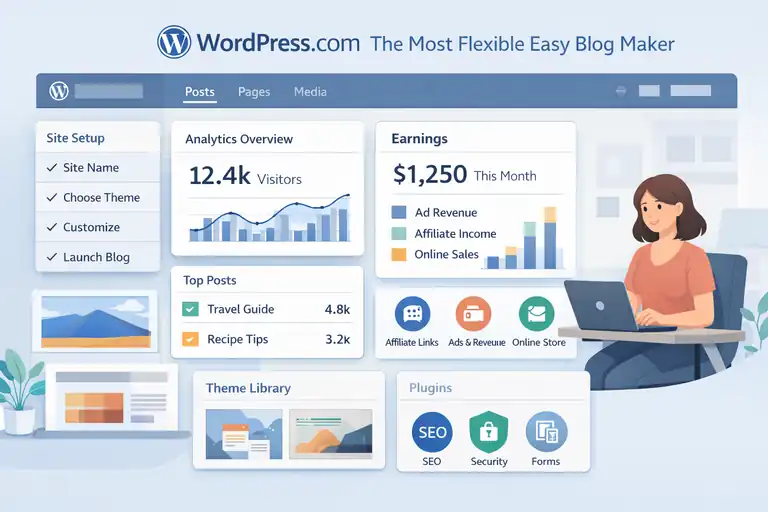
WordPress.com is the veteran in the blogging world for a reason. It gives beginners simplicity while offering advanced users the freedom to grow.
You can start small and scale to a full-fledged business without ever needing to switch platforms.
Why WordPress.com Balances Ease and Control
WordPress.com hits a sweet spot between user-friendliness and flexibility. You don’t need to worry about hosting, updates, or security—it’s all managed for you. But if you want more control later, you can upgrade to unlock custom themes, plugins, and monetization tools.
In my experience, this flexibility is a game-changer. You can start with a free plan, learn the ropes, and then grow into premium features as your blog earns.
What makes it stand out:
- Managed Hosting: Everything runs smoothly without technical setup.
- Customizable Themes: Choose from hundreds of pre-designed templates.
- Built-In Analytics: Track traffic without third-party tools.
It’s ideal for creators who want control without the overwhelm of full website management.
Quick Setup and Monetization Options for Bloggers
You can launch a WordPress.com blog in under 30 minutes. The setup wizard walks you through each step—from naming your blog to selecting a theme.
When it comes to earning, WordPress.com offers several built-in paths:
- WordAds: Their in-house ad network lets you earn from impressions and clicks.
- Affiliate Marketing: You can add links directly into posts.
- Product Sales: If you upgrade to the eCommerce plan, you can sell physical or digital goods.
The key is to start small—monetize your most-read posts first. Once you identify what drives traffic, expand those income sources.
Best Plugins to Speed Up Your Blogging Journey
If you upgrade to a plan that supports plugins, a few can supercharge your progress:
- Rank Math: Helps optimize each post for Google rankings.
- Jetpack: Improves security, performance, and backups in one tool.
- WPForms: Lets you add contact forms easily for brand partnerships or lead generation.
In my opinion, using these plugins early helps you operate like a professional blogger—even when you’re just starting out.
Wix: Drag-and-Drop Simplicity for Rapid Blog Creation
Wix is perfect for people who want a blog that looks amazing without ever touching code.
It’s one of the most visually intuitive platforms, and it’s surprisingly fast to set up. You can literally create a blog in an afternoon.
How Wix Simplifies Design with Pre-Made Templates
Wix makes design feel effortless. Instead of starting from a blank page, you choose from hundreds of templates tailored for blogging, travel, lifestyle, tech, and more.
Each template includes sections like About, Contact, and Blog Feed—already formatted. You just replace the demo content with your own.
A few things I love about Wix design:
- True Drag-and-Drop Editing: Move any element exactly where you want it.
- Mobile Optimization: Every template automatically adjusts for phones.
- Wix ADI (Artificial Design Intelligence): Just answer a few questions and it builds a blog for you—instantly.
It’s the ultimate “plug-and-play” blogging tool for non-tech creators.
Built-In Monetization Tools to Start Earning Fast
Wix understands that creators want to earn, not just post. That’s why it includes monetization features right inside the dashboard.
Here’s how you can start making money quickly:
- Wix Ads & Google AdSense Integration: Enable ads in a few clicks.
- Affiliate Links: Add them to posts or banners with no code.
- Wix Stores: Sell digital downloads, eBooks, or courses directly.
- Email Marketing: Use Wix’s built-in CRM to build and market to your audience.
You don’t have to install extra software or connect third-party systems—it’s all ready to go.
Tips to Optimize Your Wix Blog for Better Traffic
Once your blog is live, driving traffic becomes your next priority. Wix includes an SEO setup checklist to help your site rank faster.
Here’s what I suggest:
- Use the SEO Wiz Tool: It gives you a step-by-step SEO plan tailored to your niche.
- Add Keywords Naturally: Include your target phrase (like easy blog maker) in titles and meta descriptions.
- Optimize Images: Use descriptive filenames and alt text.
- Connect Google Analytics: Track your most visited posts and replicate what works.
Pro tip: Don’t just rely on organic traffic. Use Wix’s built-in email tools to re-engage readers with your latest posts.
Squarespace: Stylish and Easy Blog Maker for Creators
Squarespace is one of those platforms that instantly makes your blog look like it belongs in a design magazine. It’s not just about beauty, though—the real value lies in how it blends simplicity with professional polish.
If you want an easy blog maker that helps you stand out visually and build your brand, Squarespace hits that sweet spot.
Why Squarespace Appeals to Visual Storytellers
Squarespace was made for creators who care about aesthetics—photographers, designers, writers, and small business owners who want their content to feel curated.
What makes it so appealing is its design philosophy: everything is visual, intuitive, and balanced. You’re not just picking a “theme”; you’re crafting an experience.
A few reasons creative bloggers love it:
- Award-Winning Templates: These are modern, mobile-responsive, and ready to use.
- Visual Editing: You can move sections, adjust layouts, and edit text directly on the page.
- Integrated Image Tools: No Photoshop needed—resize, crop, and adjust filters inside Squarespace.
I once helped a lifestyle blogger switch from WordPress to Squarespace, and she gained 40% more engagement simply because her posts were more visually immersive.
Readers stayed longer because every post felt like a storybook.
Setting Up a Beautiful Blog in Minutes
Squarespace’s setup process feels surprisingly effortless. You don’t need to worry about hosting or third-party add-ons—it’s all built in.
Here’s how to launch a blog in under 30 minutes:
- Pick a Template: Choose one that fits your niche (food, travel, design, etc.).
- Customize the Layout: Drag, drop, and rearrange sections until it feels right.
- Add Your Branding: Upload your logo, pick fonts, and define your color palette.
- Connect a Custom Domain: Squarespace offers a free one-year domain with annual plans.
- Publish: Hit that publish button, and your site goes live instantly.
One tip I always give new users—start simple. Don’t over-design your first version. Focus on clarity and navigation; you can always refine visuals as you grow.
Turning Your Squarespace Blog into a Business
Once your blog is up, it’s time to turn it into something that earns. Squarespace makes this part refreshingly easy.
Here’s where it shines in monetization:
- Built-In E-commerce: Sell physical products, digital downloads, or services directly.
- Email Campaigns: Run newsletters without needing a separate platform.
- Affiliate Integration: Use buttons or banner blocks to embed affiliate links seamlessly.
- Analytics Dashboard: See which posts convert best and where your traffic comes from.
One creator I worked with used Squarespace’s email campaigns to sell mini courses directly from her blog. No third-party tools, no coding—just pure integration. Within three months, she’d built a consistent $1,500/month side income.
The beauty of Squarespace is that it scales with you. You start with a simple blog and end up running a full creative business—all in one dashboard.
Kit (Formerly ConvertKit): Blog + Email in One Platform
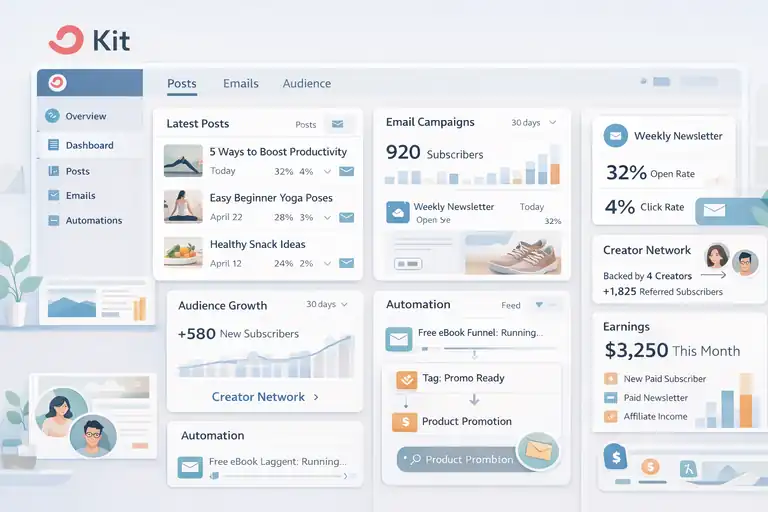
Kit (previously known as ConvertKit) is a unique player in the blogging world—it’s not just a blog maker; it’s a creator growth engine. It combines publishing, audience building, and email monetization all under one roof.
How Kit Combines Blogging and Email Marketing
What I love about Kit is how it bridges two crucial pieces: content and connection. You can publish blog posts and instantly send them as newsletters to your subscribers—all from the same platform.
Here’s how Kit makes it simple:
- One Dashboard: Manage posts, emails, and analytics without juggling tools.
- Customizable Templates: Each post doubles as a blog article and an email layout.
- SEO and Newsletter Integration: Your posts get indexed by Google while simultaneously reaching your subscribers’ inboxes.
If you’ve ever struggled with building an email list alongside your blog, Kit solves that pain point. Everything feels seamless—you write once, publish everywhere.
Using Kit’s Creator Network to Grow Faster
One of Kit’s most powerful features is its Creator Network. It’s like having a built-in referral system for creators.
Here’s how it works:
- You recommend other creators to your audience.
- They recommend you back to theirs.
- Both of you grow your email lists faster, organically.
I’ve seen creators double their subscribers in weeks just through smart collaborations. It’s a refreshing alternative to paid ads or complicated SEO tactics.
If you’re starting from zero, joining a few creators in your niche on Kit can give you the jumpstart you need to build an audience that actually engages.
Automating Income Streams Through Newsletters
This is where Kit really becomes exciting—it helps you turn your blog into recurring revenue through automated email funnels.
A simple setup might look like this:
- Create a Free Resource: Offer a mini eBook or checklist related to your blog topic.
- Set Up an Automation: Kit automatically sends follow-up emails to nurture readers.
- Promote Products or Affiliates: Add gentle, value-driven promotions inside your emails.
Kit also supports paid newsletters—a feature that’s quickly becoming a favorite among creators who want predictable monthly income.
In my view, Kit is ideal for those who want to blend storytelling, connection, and income in one platform. You don’t just blog—you build a community that buys from you.
Ghost: A Minimalist Blog Maker Built for Monetization
Ghost is like the minimalist’s dream tool for blogging—it strips away distractions and gives you what truly matters: publishing, growing an audience, and getting paid.
Why Ghost is Perfect for Writers and Creators
Ghost was originally designed by writers, for writers. It’s clean, focused, and optimized for performance. No bloated plugins, no unnecessary clutter.
Here’s why so many independent creators love it:
- Built for Speed: Pages load faster than WordPress or Squarespace.
- No Coding Hassle: You can edit layouts visually, but it still feels lightweight.
- Creator-Focused: Designed around memberships, newsletters, and paid subscriptions.
I often describe Ghost as the “Substack alternative you own.” You’re not renting a platform—you’re building an asset. That ownership gives creators long-term stability and freedom.
Setting Up Paid Subscriptions and Memberships
Ghost comes with built-in membership and payment tools powered by Stripe (a trusted online payment system). This means you can start charging subscribers directly without relying on third-party integrations.
Here’s how it works:
- Enable Memberships: Choose whether your content is free, paid, or a mix of both.
- Set Your Pricing: Offer monthly or yearly plans.
- Connect Stripe: Start accepting payments immediately.
For example, I know a tech blogger who switched to Ghost and started offering premium tutorials for $5/month. Within six months, he had over 600 paying members—that’s $3,000 a month just from loyal readers.
It’s proof that when you own your platform and audience, the income possibilities expand naturally.
Simplifying Content Creation with Ghost’s Editor
The Ghost editor is one of my favorite writing environments—it feels distraction-free, yet powerful.
Here’s what makes it special:
- Live Preview: See your content exactly as readers will.
- Markdown Support: Perfect for those who like simple, quick formatting.
- Media Embeds: Add videos, images, and even tweets effortlessly.
Because everything loads fast and looks professional, you can focus on writing without worrying about formatting or layout issues.
If writing is your main passion and you want an easy blog maker that lets you focus on storytelling and income, Ghost is one of the best-kept secrets in the blogging world.
Webflow: The Easy Blog Maker With Professional Power
Webflow is a unique mix of simplicity and creative freedom—it’s like having the power of a web designer without needing to touch code.
If you’re looking for an easy blog maker that feels professional, customizable, and fast, Webflow might surprise you.
How Webflow Merges Design Freedom With Ease
Most blog makers force you to pick between “easy” and “advanced.” Webflow gives you both. It’s built for creators who want to customize every detail, but it doesn’t punish beginners with a steep learning curve.
You can start with a pre-designed template, then tweak every section using Webflow’s visual editor. Think of it as Photoshop for websites—but way simpler.
Some reasons I recommend it to new bloggers who want creative control:
- Drag-and-Drop Builder: Edit pages visually without coding.
- Responsive Controls: Adjust how your blog looks on phones, tablets, or desktops.
- Hosting Included: You don’t need to buy or configure separate hosting.
When I first tested Webflow for a content creator client, we built a fully customized blog layout in less than a day—something that would have taken a developer a week. The visual editor made it not only doable but fun.
Using CMS Collections To Automate Your Blog
Webflow’s CMS Collections are a hidden gem. They let you automate how your blog content is displayed—perfect if you post often or manage different categories.
Here’s how it works:
- Create a CMS Collection: Define your content type (blog posts, tutorials, reviews, etc.).
- Add Custom Fields: Include fields like author name, images, or tags.
- Design Once, Publish Many: Every post uses your layout automatically.
It’s a time-saver. Instead of formatting every post manually, you can focus on writing. When you publish, Webflow automatically places your new content in the right section of your site.
One of my clients runs a multi-author lifestyle blog using this setup. She uploads each post into the CMS, and Webflow instantly updates all related pages—like the home feed, author pages, and category lists—without her touching a thing.
That kind of automation lets you scale your blog without extra management headaches.
Monetizing Your Webflow Blog Without Plugins
Webflow doesn’t rely on traditional plugins like WordPress. Instead, it gives you flexible options for adding monetization manually or through integrations.
Here are some practical ways to earn from your Webflow blog:
- Affiliate Marketing: Add affiliate links or banners using embedded blocks.
- Digital Products: Connect Webflow’s eCommerce feature to sell guides, templates, or courses.
- Email Opt-ins: Integrate with tools like Kit or Brevo for lead generation and newsletter monetization.
- Sponsored Content: Use CMS Collections to manage sponsored posts easily.
If you want even more freedom, connect Zapier or Make (formerly Integromat) to automate your revenue streams—like adding new subscribers or updating affiliate offers.
In short, Webflow is for creators who want the professional power of a designer and the simplicity of an easy blog maker.
Blogger: The Classic Free Easy Blog Maker for Beginners
Blogger might feel old-school, but it’s still one of the easiest ways to launch a blog fast. It’s simple, free, and perfect for anyone testing the waters before committing to a paid platform.
Why Blogger Still Works for Quick Blog Launches
Blogger is Google’s own blogging platform, so it naturally integrates with your Google account. You can start a blog in minutes—no technical steps, no hosting setup.
All you need is a Google account, a blog name, and a few clicks. Within minutes, your blog is live at a blogspot.com address.
What makes Blogger still relevant today:
- Zero Cost: Completely free to use with unlimited posts and storage.
- Built-In Google Integrations: Connects seamlessly with Google Analytics and AdSense.
- Beginner Friendly: Ideal if you just want to start writing without design distractions.
A friend of mine started her food blog on Blogger with no plan beyond “I want to share recipes.” Within three months, she was ranking on Google simply because Blogger handled the SEO basics automatically.
It’s proof that sometimes, simple tools still get the job done.
Monetizing With Google AdSense in a Few Clicks
Because Blogger is part of Google’s ecosystem, monetization is incredibly straightforward. You can connect your AdSense account directly from the dashboard and start earning from day one.
Here’s how to do it:
Enable AdSense: Click “Earnings” in your Blogger dashboard.
- Sign Up or Link Your Account: Google handles the verification automatically.
- Choose Placement: Decide where ads appear (sidebar, header, within posts).
Once approved, Google will display ads based on your readers’ interests—and you earn from impressions and clicks.
It’s one of the fastest ways to generate passive income from a blog without needing to set up anything technical.
Key Limitations To Know Before You Commit
While Blogger is great for beginners, it has clear trade-offs.
- Limited Design Options: The templates feel dated, and customization is minimal.
- Ownership Concerns: Google technically hosts your content, so if they shut down Blogger, your site disappears.
- Harder to Scale: As your blog grows, you may outgrow Blogger’s simplicity.
If your goal is to test blogging or share personal stories, Blogger is perfect. But if you plan to build a brand or monetize heavily, consider it your first stepping stone before upgrading to something like WordPress.com or Squarespace.
Wordable and Grammarly: Tools To Speed Up Blog Production
Creating a blog is one thing—keeping up with content production is another. This is where tools like Wordable and Grammarly save hours of time.
They don’t just make blogging easier; they make it faster, cleaner, and more professional.
How Wordable Streamlines Publishing From Google Docs
If you write in Google Docs, you’ll love Wordable. It lets you instantly export your content from Docs to platforms like WordPress or Webflow—formatted perfectly.
Here’s what that means in real terms:
- No More Manual Copy-Paste: Your headings, links, and spacing remain intact.
- Automatic Image Handling: Wordable uploads your images to your CMS automatically.
- Bulk Publishing: You can upload multiple posts in seconds.
One editor I worked with saved over five hours a week using Wordable for her content calendar. Instead of spending time fixing formatting errors, she just hit “Export,” and everything appeared beautifully inside WordPress—ready to publish.
It’s a small change that compounds into massive time savings.
Using Grammarly To Polish and Optimize Content Fast
Grammarly is more than a grammar checker—it’s your personal editor. It scans your writing for clarity, tone, engagement, and SEO-readiness.
Here’s how to use it effectively:
- Clarity Checks: Make sure sentences are concise and easy to follow.
- Tone Adjustments: Ensure your content sounds conversational and friendly.
- Engagement Boosts: Grammarly highlights overused words and suggests stronger alternatives.
- Plagiarism Detection: Helps you ensure your content is original and credible.
I often write drafts quickly, then run them through Grammarly to refine tone and readability. It’s like having a second pair of eyes—without the delay of waiting for feedback.
Why Writing Efficiency = Faster Blog Earnings
When you streamline your writing process, you open up more time for strategy and monetization. Every saved hour means you can publish another post, reach more readers, or test another income stream.
Here’s how efficiency directly translates to earnings:
- Faster Publishing: More posts = more traffic opportunities.
- Higher Quality: Better writing increases reader trust and engagement.
- Consistent Output: Regular posting signals to Google that your site is active.
Think of Wordable and Grammarly as your silent partners. They don’t just make writing easier—they make it profitable by letting you focus on what truly matters: creating content that connects and converts.
Expert Tips To Monetize Your Blog Faster With Any Tool
No matter which easy blog maker you use—WordPress, Squarespace, Wix, or Ghost—the principles of monetization stay the same. What changes is how you apply them.
Let me share a few tested strategies that can help you start earning faster, even with a new blog.
Building a Simple Content Funnel From Day One
One of the most common mistakes new bloggers make is focusing only on publishing—not on where readers go next. A simple funnel helps you turn casual readers into loyal fans and, eventually, buyers.
Here’s what a basic funnel might look like:
- Attract Visitors: Publish valuable, SEO-friendly posts around a specific topic.
- Capture Emails: Offer a free guide or checklist in exchange for their email.
- Nurture Trust: Send helpful follow-up emails using tools like Kit or Brevo.
- Make an Offer: Recommend an affiliate product, your own course, or a digital download.
When I built my first funnel, I used one blog post, one free resource, and three emails—and that small setup made my first $200 online. It doesn’t need to be fancy. It just needs to help readers take one simple next step.
Using Affiliate Links Without Overwhelming Readers
Affiliate marketing can be an incredible income stream, but it’s easy to overdo it. The key is balance and honesty.
Here’s how I approach it:
- Recommend What You Use: Only promote tools or products you’ve personally tested. Readers can tell when you’re being genuine.
- Add Context: Don’t just drop links—explain why a tool matters or how it helped you.
- Use Fewer, Stronger Links: One well-placed recommendation inside a story is far more effective than five banners screaming for attention.
- Disclose Transparently: Add a short line that says you may earn a commission. It builds trust and keeps you compliant.
For example, in one post I shared how using Grammarly improved my writing process. I linked to it naturally while explaining how it saves hours weekly. That one link has consistently earned commissions for years—proof that authenticity converts better than volume.
Tracking and Scaling Income With Analytics Tools
If you want to earn faster, you need to know what’s working. Analytics help you double down on profitable strategies and drop what doesn’t.
Here’s a quick system you can use:
- Google Analytics (or Webflow/Squarespace Analytics): Track which posts get the most visits and where the traffic comes from.
- Affiliate Dashboards: Monitor clicks, conversions, and top-performing products.
- Heatmaps (like Hotjar): See where readers spend time on your pages.
Once you spot patterns, focus your efforts on those winning posts. For instance, if a single blog post drives most of your affiliate sales, update it regularly, add new sections, or create spin-off content on related topics.
Data removes the guesswork—and that’s how small blogs grow into serious income streams.
Common Mistakes To Avoid When Using Easy Blog Makers
Even the best easy blog maker can’t save you from a few classic blogging mistakes. Avoiding them early on helps your site look more professional, load faster, and earn sooner.
Relying Too Much on Templates Without Customizing
Templates are a great starting point, but leaving them untouched makes your blog look generic. You don’t need design experience—just a few personal touches.
Here’s what I recommend:
- Customize Colors and Fonts: Match them to your personality or niche.
- Add a Logo and Favicon: Even a simple logo gives your site identity.
- Use Custom Images: Stock photos are fine, but mix in your own visuals.
- Tweak Layouts: Move sections, change button text, and make it feel yours.
I once helped a fitness blogger personalize a Wix template by changing colors, adding her story on the homepage, and simplifying navigation. That small refresh increased her subscriber rate by 35%. People respond to realness more than perfection.
Ignoring SEO Settings During Setup
This is one of the most common oversights. Many beginners skip SEO setup thinking they’ll “get to it later”—but early optimization can make a huge difference.
Here’s what to do right away:
- Add Meta Titles and Descriptions: Describe your posts clearly with keywords.
- Use Clean URLs: Short, descriptive slugs like yourdomain.com/easy-blog-maker help rankings.
- Optimize Images: Add descriptive alt text and compress them for faster loading.
- Submit Your Sitemap: Send it to Google Search Console so your site gets indexed faster.
Even if SEO sounds intimidating, most easy blog makers (like Squarespace and Wix) guide you through it step-by-step. Take those 10 minutes—it’ll pay off later.
Skipping Monetization Features Built Into the Tool
It’s surprising how many bloggers forget that their platform often includes monetization tools by default.
Here are a few built-in features worth exploring:
- WordPress.com: WordAds for ads and eCommerce upgrades for selling.
- Squarespace: Digital product sales and email marketing tools.
- Wix: Ad integration, affiliate widgets, and stores for downloads.
- Ghost: Paid memberships and newsletters.
When I switched from free tools to using these built-ins, I noticed a clear jump in passive earnings. The trick is to experiment early—don’t wait until your traffic explodes to start monetizing.
Pro Tip: Start Simple, Then Scale Your Blog for Profit
Every successful blog you see today started as a small, imperfect website. The difference is, those creators didn’t wait for perfect—they started with simple systems that could grow over time.
Why Starting Small Helps You Learn Faster
When you start small, mistakes don’t cost much. You get to experiment freely and learn what actually works for your audience.
In my own journey, I began with just five posts, one lead magnet, and one affiliate link. That small setup taught me how to track analytics, build trust, and earn without burning out.
The best part? It builds momentum. Each small win—your first subscriber, your first sale—fuels the next step.
Expanding From Blog to Brand Without Losing Focus
Once your blog starts earning, it’s tempting to jump into ten new ideas at once. But the smartest move is to expand strategically.
Try this approach:
- Identify What Works: Check which topics or offers drive most engagement.
- Double Down: Create complementary content or spin-off offers around those winners.
- Add a Brand Layer: Build consistent visuals, messaging, and an email list to stay connected with your readers.
I’ve seen creators turn a single blog post into a full digital product line simply by focusing on what resonated most with their readers. Growth happens naturally when you build on your strengths.
Best Practice: Reinvest Early Earnings Into Upgrades
When you start earning, resist the urge to cash it out immediately. Reinvest it into better tools that save time and boost quality.
Smart ways to reinvest:
- Upgrade Hosting or Plans: A faster site improves SEO and user experience.
- Invest in Tools: Grammarly, Wordable, or Kit can multiply your productivity.
- Outsource Small Tasks: Hire freelancers for design, formatting, or SEO help.
I like to think of every $100 earned as a chance to buy back time. The more you reinvest early, the faster your blog becomes a real business—one that earns predictably and sustainably.
FAQ
What is the best easy blog maker for beginners?
WordPress.com and Wix are top choices for beginners because they offer drag-and-drop tools, templates, and built-in monetization options.
How can an easy blog maker help me earn money faster?
An easy blog maker simplifies setup, SEO, and ad integration so you can focus on creating content and using monetization methods like ads, affiliates, or digital products.
Do I need technical skills to use an easy blog maker?
No. Most easy blog maker tools are designed for non-tech users with simple dashboards, visual editors, and guided setup processes.

I’m Juxhin, the voice behind The Justifiable.
I’ve spent 6+ years building blogs, managing affiliate campaigns, and testing the messy world of online business. Here, I cut the fluff and share the strategies that actually move the needle — so you can build income that’s sustainable, not speculative.
Related posts:
 Blog Monetization Strategies: 5 Proven Ways to Earn More
 How Do I Create My Own Blog and Get Paid Fast?
 What’s the Best Way to Create a Blog for Income?
 Blogging Platforms to Make Money for New Creators
 Setting Up a Blog Website That Earns From Day One
 Best Blog Hosting Sites for Making Money Easily