
Table of Contents
Some links on The Justifiable are affiliate links, meaning we may earn a small commission at no extra cost to you. Read full disclaimer.
If you’ve ever dreamed of sharing your ideas online or turning your passion into income, learning how to create a blog free might be the easiest way to start.
The best part? You don’t need upfront investment, technical skills, or any prior experience—just a bit of creativity and consistency. But how do you actually start a blog for free and make money without risk?
Let’s break it down step-by-step so you can get your blog up and running the right way.
Choose The Right Free Blogging Platform
When you decide to create a blog free, the first big decision is choosing where it will live.
The platform you choose will shape your blogging experience, your blog’s design flexibility, and even how you can earn money later. Let’s walk through this together step-by-step.
Pick A Beginner-Friendly Blogging Platform
If you’re just starting out, I suggest going for a platform that feels natural and intuitive. You shouldn’t need to learn code or spend hours figuring out how to publish a simple post.
Some of the most beginner-friendly free platforms include:
- WordPress.com: Offers drag-and-drop customization with prebuilt templates. Great if you want future flexibility.
- Blogger: Owned by Google, this is perfect for beginners who want a simple dashboard and integration with Google AdSense.
- Medium: Ideal if you only want to focus on writing, not design. Your posts are automatically optimized for readability.
- Wix: Visually driven with drag-and-drop functionality. Great for those who want a modern-looking site fast.
I personally recommend WordPress.com for long-term growth—it’s free, but scalable if you decide to expand later.
Understand The Limitations Of Free Blogging Tools
Free platforms are amazing for getting started, but they do come with strings attached.
You might not own your domain (it’ll look like yourname.wordpress.com), ads might appear that you can’t control, and customization options are limited.
Here’s what I advise you to keep in mind:
- You don’t fully own your site on most free plans.
- You can’t install custom plugins or advanced SEO tools.
- Monetization options are usually restricted until you upgrade.
Still, these platforms are perfect for testing your ideas before committing to paid plans.
Compare Top Free Platforms (WordPress.com, Blogger, Medium, Wix)
Let’s compare these four top platforms side by side for clarity:
| Platform | Best For | Monetization | Design Control | Ease of Use |
| WordPress.com | Long-term growth | Limited on free plan | High | Moderate |
| Blogger | Simple setup | Easy with AdSense | Medium | Very Easy |
| Medium | Writing-focused bloggers | Partner Program | Low | Very Easy |
| Wix | Visual, business-style blogs | Requires upgrade | High | Easy |
If your goal is to grow and earn income later, WordPress.com or Blogger are great starting points. Medium, on the other hand, is perfect if you only want to write without worrying about design.
Decide Based On Your Long-Term Goals And Monetization Plans
Think about where you want your blog to be in a year. Do you plan to monetize it? Build a personal brand? Or just share stories for fun?
- If you plan to monetize: Go with WordPress.com or Blogger.
- If writing is your focus: Medium gives you built-in readers through its Partner Program.
- If visuals matter (like photography or travel blogs): Wix offers easy design tools.
I’d say: start free, learn, grow—and once you see traction, move to a self-hosted WordPress.org site. That’s the natural next step most successful bloggers take.
Select A Profitable Blog Niche That Fits You
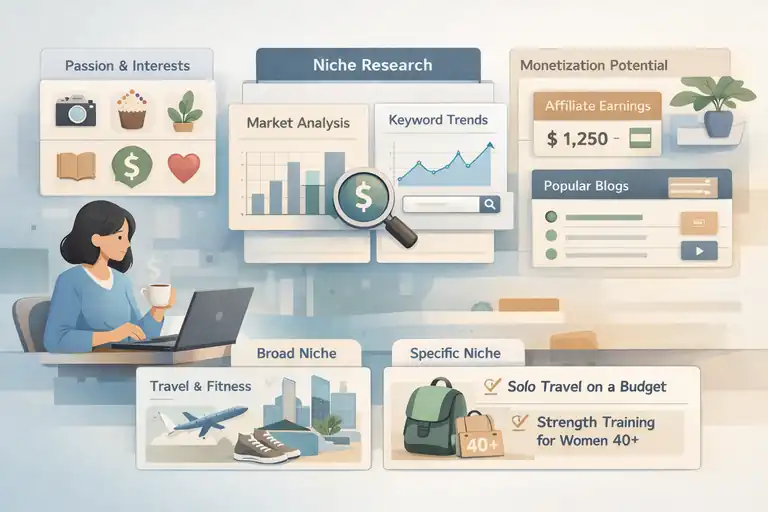
Choosing your blog’s topic is the foundation of your entire success.
A great niche not only attracts readers but also helps you stay consistent and motivated to post regularly.
Find A Topic You’re Passionate About And Can Write Consistently On
I believe passion is non-negotiable here. Blogging requires patience, and without genuine interest, burnout happens fast.
Start by asking yourself:
- What topics do I naturally enjoy talking or writing about?
- What could I teach someone for free without getting bored?
For example, if you love baking, a blog about budget-friendly home baking could resonate deeply with people looking to save money while enjoying desserts.
Research Niches With Monetization Potential
Passion matters—but profitability keeps you going. Look for topics where people spend money, such as personal finance, beauty, fitness, or online business.
You can gauge profitability by checking:
- The number of ads or affiliate products related to your topic.
- How many bloggers or YouTubers are already monetizing it.
- What people are searching for on Google.
A simple way to start is by typing your topic into Google and noticing what kinds of websites appear. If you see stores, blogs, and courses, that’s a good sign of monetization potential.
Validate Your Blog Idea With Free Tools (Google Trends, AnswerThePublic)
Before committing, test your idea with data. I use Google Trends to see if a topic is growing or fading. For example, “plant-based diet” shows a steady upward trend—good sign.
Then, AnswerThePublic helps you find real questions people are asking around that topic. If your niche generates lots of search questions, it means there’s audience interest.
Together, these tools prevent you from blogging into the void.
Avoid Overly Competitive Niches And Go For Specific Subtopics
Here’s where most beginners go wrong—they target niches that are too broad like “travel” or “fitness.” Instead, narrow it down.
For example:
- Instead of “Travel,” go for “Solo Travel on a Budget.”
- Instead of “Fitness,” try “Strength Training for Women Over 40.”
These subtopics attract more specific audiences, which means less competition and better engagement.
Set Up Your Blog Step-By-Step
Now that your platform and niche are ready, let’s actually get your blog live. Don’t worry—this part sounds more technical than it is.
Create Your Blog Account And Choose A Domain Name
When signing up, your domain name (like mytraveljourney.wordpress.com) will represent your brand. Keep it short, easy to spell, and relevant to your topic.
For example:
- savvysaverblog.wordpress.com (finance)
- veganmomskitchen.blogspot.com (food)
You can always upgrade to a custom domain later when you’re ready to invest.
Customize Your Blog Design With Free Themes
Every blogging platform offers free themes. I suggest picking one that’s clean and mobile-friendly.
On WordPress.com:
- Go to Appearance > Themes.
- Browse free options like “Twenty Twenty-Four.”
- Preview and activate it instantly.
Your design should focus on readability, not complexity. Simple designs perform better for readers and SEO.
Optimize Site Navigation For Better User Experience
Think of your blog like a house—visitors should find rooms (pages) easily.
Here’s how to structure your menu:
- Home
- About
- Blog (with categories)
- Contact
I suggest keeping no more than 5–6 menu items. Clear navigation keeps readers on your site longer, which improves engagement metrics.
Add Essential Pages (About, Contact, Privacy Policy)
Before you publish your first post, set up these key pages:
- About Page: Share who you are, what your blog is about, and how readers will benefit.
- Contact Page: Add a simple form or email address so brands or readers can reach out.
- Privacy Policy: Use free generators like TermsFeed or PrivacyPolicies.com to create one.
These pages make your blog look professional and build trust.
Write High-Quality Content That Attracts Readers
Once your blog is live, the real magic begins—writing posts that people actually want to read and share.
From what I’ve seen, great blogs don’t just inform; they connect, solve problems, and leave readers feeling like they learned something worth their time.
Plan Blog Posts Around Reader Needs And Search Intent
Before writing anything, ask yourself: What is my reader trying to find or solve? Every post should serve a purpose—whether it’s to teach, inspire, or guide.
Here’s how I plan my posts:
- Identify your audience’s common questions using Google search suggestions or Reddit threads.
- Turn each question into a blog post idea. For example, if people often ask “How do I start a food blog for free?”, that’s your next article.
- Group similar ideas into categories to form content pillars. This keeps your blog organized and builds topical authority over time.
I like to think of each post as a helpful conversation, not a lecture. Write as if you’re talking to one reader who needs your advice today.
Use Free Keyword Research Tools (Ubersuggest, Keyword Surfer)
You don’t need expensive SEO software to find what people are searching for. Free tools can reveal exactly what readers want.
- Ubersuggest: Enter your topic (like “budget travel”) and look at search volume, competition, and keyword ideas.
- Keyword Surfer: A Chrome extension that shows search volumes right inside Google results—perfect for quick checks.
Here’s a tip: instead of chasing high-volume keywords, target long-tail phrases like “how to create a blog free for beginners.” They’re easier to rank for and attract more engaged readers.
Once you’ve found your target keywords, include them naturally in:
- The blog title
- The first 100 words
- At least one subheading
- A few times throughout the article
Just don’t overdo it—your reader comes first, not the algorithm.
Structure Your Posts For SEO And Engagement
Good structure keeps readers hooked. I always suggest organizing your posts with short paragraphs, clear subheadings, and plenty of white space.
A simple structure that works:
- Start with a quick intro that empathizes with the reader’s problem.
- Offer actionable solutions (break into subheadings).
- Wrap up with a takeaway or next step.
Also, use internal links to your other posts. For example, if you mention “setting up your blog,” link to your earlier post about blog setup. This not only helps SEO but also keeps readers exploring your site.
Add Images And Free Visuals To Enhance Readability
Visuals can make your post easier to digest and more memorable. I often use free image sources like Unsplash, Pexels, or Pixabay.
You can also create your own infographics using Canva’s free templates. For example, a visual checklist of “5 Steps to Create a Free Blog” can turn a simple post into something shareable.
Keep visuals relevant. Avoid using random stock photos—each image should support or explain your point.
Promote Your Blog For Free To Gain Traffic
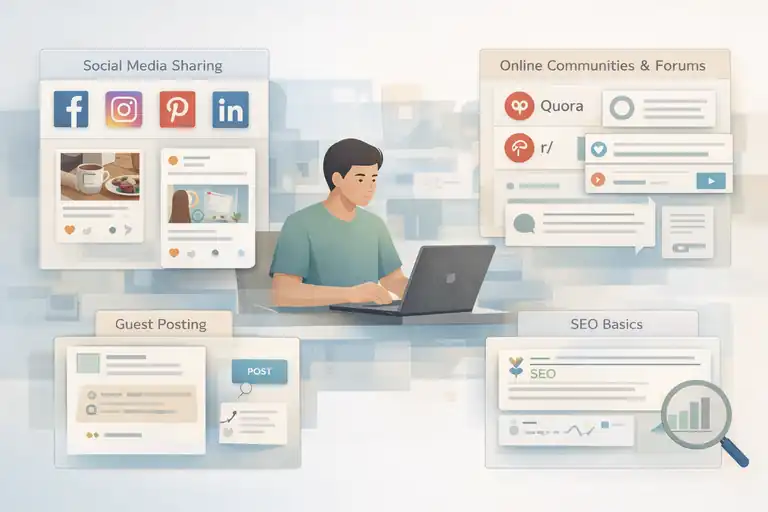
Publishing your post is just the beginning. To grow your blog, you’ll need to promote it strategically—but you can do it all without spending a cent.
Share Your Blog Posts On Social Media Platforms
Social media is your fastest free marketing tool. The key is consistency and community.
- Facebook: Join niche groups and share your posts (add context, not just links).
- Instagram: Share carousel posts or short reels summarizing your article.
- Pinterest: Create vertical pins using Canva—Pinterest is a goldmine for blog traffic.
- LinkedIn: Perfect for professional or educational content.
I suggest focusing on one or two platforms where your readers already hang out, rather than spreading yourself thin.
Join Online Communities And Forums Related To Your Niche
Forums and online communities are powerful if you use them right. Reddit, Quora, and niche Facebook groups can send you steady traffic when you contribute genuinely.
Instead of dropping links randomly, do this:
- Answer questions thoughtfully.
- Include a short reference to your blog only if it truly adds value.
- Engage regularly so people start recognizing your name.
For example, if you’re running a fitness blog, join the r/Fitness subreddit and share short insights with links back to your detailed posts.
Use Guest Posting And Commenting To Build Backlinks
Guest posting is one of the best ways to build credibility and backlinks (which help with SEO). You can reach out to small blogs in your niche and offer to write helpful posts for free.
When writing a guest post:
- Choose a blog with an audience similar to yours.
- Provide real value—don’t make it a sales pitch.
- Add one or two relevant links to your own site naturally.
Also, meaningful blog commenting works surprisingly well. Leave thoughtful comments that contribute to the discussion—people do click on your profile to learn more about you.
Learn Basic SEO To Grow Organically
SEO isn’t as scary as it sounds. Start with the basics:
- Use your main keyword in the title, URL, and first paragraph.
- Add alt text to all images.
- Write meta descriptions that encourage clicks.
- Use internal and external links.
You can track performance using Google Search Console—it’s free and shows which keywords bring traffic to your site.
In my experience, SEO is like a slow cooker—it takes time, but the results are worth it.
Monetize Your Blog Without Spending Money
Once your blog has consistent visitors, it’s time to turn that attention into income. You don’t need paid tools or premium subscriptions to start earning.
Apply For Free Ad Programs Like Google AdSense
Google AdSense lets you earn money by displaying ads on your blog. It’s free to apply, but you’ll need a few posts and a bit of traffic first.
Here’s how to apply:
- Go to the AdSense website and sign in with your Google account.
- Submit your blog for review.
- Once approved, ads will automatically appear where you place them.
AdSense works best for blogs with regular traffic. If you’re just starting, combine it with other monetization methods.
Use Affiliate Marketing To Earn Commissions
Affiliate marketing means promoting products or services and earning a commission when someone buys through your link.
Free affiliate networks you can join today include:
- Amazon Associates: Great for any niche with physical products.
- Impact and Awin: Perfect for digital products and services.
- Booking.com Partner Program: Ideal for travel bloggers.
I advise promoting only products you genuinely use or trust. Authenticity builds reader loyalty—and higher conversions.
Offer Digital Products Or Services You Can Create Yourself
If you have skills, turn them into digital offers. These could include:
- Ebooks or guides: Write using Google Docs and design covers in Canva.
- Templates or printables: Create with free tools like Notion.
- Online services: Offer coaching, design, or writing directly from your blog.
I know bloggers who started offering $25 digital templates and grew into full-time creators within months. You can do this too—with no upfront cost.
Leverage Email Marketing Using Free Tools (MailerLite, ConvertKit Free)
Email marketing helps you stay connected with your readers and promote your content or products directly.
Start simple:
- Use MailerLite or Aweber free plan to collect emails.
- Add a form to your sidebar or under each post.
- Send weekly updates, tips, or new posts.
Emails build trust over time, and when you have something to sell, it feels natural—not pushy.
Keep Your Blog Growing Consistently
Once your blog is up, the next challenge is maintaining steady growth. From what I’ve seen, consistency matters more than perfection. A blog doesn’t succeed overnight—it grows post by post, update by update.
Create A Content Calendar To Stay Consistent
Consistency builds trust. Readers return when they know you’ll show up regularly with something valuable. I recommend setting up a simple content calendar—it doesn’t have to be fancy.
You can do this using Google Sheets, Notion, or even a paper planner.
Here’s a simple method I use:
- Choose how often you’ll post (for example, once a week).
- Plan content themes for each month (e.g., January: SEO tips, February: Monetization ideas).
- Add post titles and deadlines to stay on track.
A visual schedule keeps you accountable and makes it easier to balance writing, editing, and promotion. I suggest giving yourself room to breathe—don’t overcommit in the beginning.
Track Analytics Using Free Tools (Google Analytics, Search Console)
Data helps you understand what’s working. Two free tools I always recommend are Google Analytics and Google Search Console.
- Google Analytics: Tracks your visitors, page views, and engagement. You can see which posts attract the most traffic or where readers drop off.
- Google Search Console: Shows which keywords bring visitors to your blog and highlights any technical issues affecting visibility.
To access these, you’ll just need to verify your blog URL. For example, on Blogger or WordPress.com, you can paste a verification code under Settings → Webmaster Tools.
Once you start checking these reports weekly, you’ll notice patterns—like which topics get the most clicks or which countries your readers come from. That data shapes your future posts.
Improve Content Based On What Performs Best
I believe one of the most underrated blogging habits is updating your old posts. Instead of constantly chasing new ideas, revisit what’s already performing.
Here’s how I do it:
- Use Google Search Console to find posts ranking on pages 2–3.
- Add new details, stats, or visuals to strengthen them.
- Optimize headlines and meta descriptions for better clicks.
For instance, if you have an article titled “5 Ways to Create a Blog Free,” and it’s ranking #12, try refreshing it with a new step or a comparison chart. Small updates can move it to page one.
Network With Other Bloggers To Learn And Collaborate
No one grows in isolation. Networking with other bloggers opens up guest posting opportunities, collaborations, and genuine support.
Ways to connect:
- Join Facebook groups or Discord communities for bloggers.
- Comment meaningfully on others’ blogs.
- Attend free online events or Twitter Spaces related to blogging.
When I first started, a single collaboration with another blogger doubled my traffic for the week. I suggest reaching out authentically—don’t lead with “Can you share my post?” Instead, start by offering value or feedback first.
Common Mistakes To Avoid When You Create A Blog Free
It’s easy to get excited and rush through the process, but avoiding these mistakes early on can save you months of frustration and wasted effort.
Ignoring SEO Basics And Keyword Research
I often see new bloggers write from the heart but forget to optimize for search engines. While passion matters, SEO ensures your words actually reach readers.
At minimum, make sure each post has:
- A focused keyword used naturally in the title and first paragraph.
- A short, descriptive URL.
- Internal links to related posts.
- A meta description that summarizes the article clearly.
You don’t have to master SEO overnight—just aim to make your posts easy for both people and Google to understand.
Choosing A Niche Based Only On Profitability
Chasing trends can backfire. If you pick a niche only because it seems profitable, you’ll likely lose motivation when results take time.
For example, if everyone’s blogging about cryptocurrency but you find it boring, you’ll struggle to stay consistent. I suggest combining interest with earning potential—that’s where sustainable blogging happens.
Posting Inconsistently Or Giving Up Too Early
This one’s tough. Growth in blogging is slow at first—it might take months before you see traction. But that doesn’t mean you’re failing.
Try setting small goals, like publishing one post per week for three months straight. Once you see patterns in traffic and engagement, you’ll feel more confident to continue.
I remind myself often: every successful blog you see today was once a quiet corner of the internet.
Not Learning The Basics Of Monetization Before Scaling
Before you invest in ads or advanced tools, learn how monetization works. Understand the difference between traffic-based income (like ads) and value-based income (like digital products or affiliate sales).
Learning early prevents frustration later when you scale. Even simple knowledge—like where to place ads or how affiliate links work—can make your future earnings smoother.
Pro Tips To Scale A Free Blog Into A Source Of Income
When your blog starts growing, you’ll want to take it to the next level. Scaling doesn’t mean spending money—it means being strategic about what you already have.
Gradually Upgrade To A Custom Domain And Hosting
Once your blog gains traction, moving from yourname.wordpress.com to a custom domain like yourname.com builds authority and trust.
I suggest doing this only after your blog has:
- Consistent monthly visitors
- A few monetized posts
- A clear direction for growth
Hosting doesn’t have to be expensive. Options like Hostinger, Namecheap, or Bluehost often start around $2–$3/month. Upgrading gives you control over plugins, SEO tools, and full ownership of your content.
Build An Email List Early Even On Free Plans
Even if you’re on a free plan, collecting emails is powerful. It’s one of the few assets you truly own.
You can start using:
- MailerLite’s free plan (up to 1,000 subscribers)
- ConvertKit Free (for up to 300 subscribers)
Here’s how I suggest doing it:
- Add a form at the end of each post inviting readers to join your list.
- Offer a freebie like a mini guide or checklist.
- Send regular updates or exclusive content.
This direct line of communication is more reliable than any social media algorithm.
Repurpose Your Content Into Videos Or Podcasts
Not everyone likes to read—some prefer listening or watching. Repurposing your best blog posts into YouTube videos, short-form reels, or even podcasts expands your reach without reinventing the wheel.
For example, if you wrote a guide about “how to create a blog free,” you can turn it into a 5-minute explainer video summarizing key steps. Then, link back to your full article in the video description.
This multiplies your content visibility and helps you reach entirely new audiences.
Diversify Income Streams For Stability
I always advise against relying on just one income source. Blogging income can fluctuate, so it’s smart to have several streams:
- Ads (Google AdSense or Ezoic) for passive income.
- Affiliate links for consistent commissions.
- Digital products or services for higher one-time revenue.
You can even explore partnerships or sponsored posts once your traffic grows. Think of it like building a financial safety net for your blog.
FAQ
How can I create a blog free and start earning money?
You can create a blog free using platforms like WordPress.com, Blogger, or Wix. Once you publish valuable content and grow traffic, you can earn through ads, affiliate links, or digital products.
Which is the best platform to create a blog free?
WordPress.com is the most flexible free blogging platform. It’s beginner-friendly, offers customization options, and can be easily upgraded later for monetization.
Can I make money from a free blog without investment?
Yes. You can monetize a free blog using Google AdSense, affiliate marketing, or selling digital products—all without spending money upfront.

I’m Juxhin, the voice behind The Justifiable.
I’ve spent 6+ years building blogs, managing affiliate campaigns, and testing the messy world of online business. Here, I cut the fluff and share the strategies that actually move the needle — so you can build income that’s sustainable, not speculative.
Related posts:
 The Best Way to Start a Blog That Actually Makes Money
 How to Create a Blog Site and Start Making Money
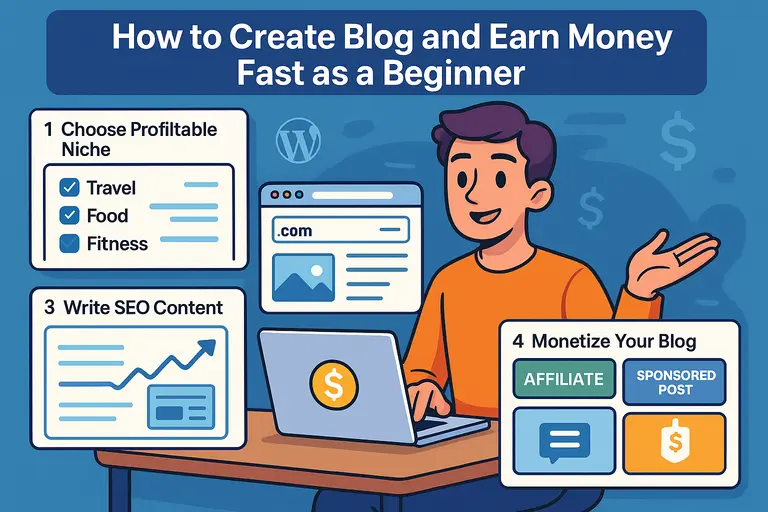 How to Create Blog and Earn Money Fast as a Beginner
 Start a Blog Website and Build a Profitable Side Income
 How to Build an Easy Blog That Makes Real Income
 How to Open a Blog for Income and Long-Term Growth