
Table of Contents
Some links on The Justifiable are affiliate links, meaning we may earn a small commission at no extra cost to you. Read full disclaimer.
If you’ve ever wondered how Doba inventory actually works and which products are truly worth listing, you’re not alone. I’ve spent a lot of time digging into dropshipping platforms, and Doba often sparks curiosity among new and seasoned sellers alike.
This guide is written for eCommerce entrepreneurs, Shopify sellers, and Amazon FBA beginners who want to understand whether Doba’s inventory system can streamline their operations or slow them down.
By the end, you’ll know how Doba sources, syncs, and updates inventory—and which items genuinely move fast enough to be profitable.
Understanding How Doba Inventory Works
Before you decide what’s worth listing, you really need to understand how Doba inventory functions behind the scenes.
From sourcing to syncing, Doba works differently than many dropshipping platforms, and those differences directly affect profit, reliability, and day-to-day workload.
How Doba Sources Its Products From Verified Suppliers
One thing I genuinely respect about Doba inventory is that it’s not a free-for-all marketplace. You’re not browsing random overseas vendors hoping they ship what they promise.
Here’s what’s actually happening:
- Doba works with pre-vetted suppliers, mostly U.S.-based wholesalers and manufacturers.
- Suppliers go through an approval process focused on fulfillment reliability, product quality, and data accuracy.
- You don’t contact suppliers directly. Doba acts as the middle layer, managing communication and order routing.
In practical terms, this means fewer surprises. From what I’ve seen, products tend to match descriptions more accurately than open marketplaces. Shipping times are also more predictable, which matters a lot if you’re selling on Amazon or promising fast delivery on Shopify.
That said, verification doesn’t equal exclusivity. Many suppliers also sell through other platforms, so competition is real. The advantage here isn’t uniqueness—it’s consistency and reduced risk.
The Process of Syncing Doba Inventory With Your Online Store
Doba inventory syncing is where things start to feel more “enterprise” than scrappy dropshipping.
Once connected to your store:
- Product data is pulled through Doba’s centralized catalog
- Inventory levels update automatically based on supplier feeds
- Orders are routed back to Doba for fulfillment without manual steps
Think of it like this: Doba becomes the traffic controller between your storefront and multiple warehouses. You list once, but Doba handles the complexity.
In my experience, this saves hours every week, especially once you scale beyond 50–100 SKUs. The trade-off is less customization freedom compared to fully manual sourcing.
How Doba Handles Real-Time Stock and Price Updates
This is one of the strongest parts of the Doba inventory system—and one of the most misunderstood.
Doba uses supplier data feeds that update inventory and pricing automatically. When a supplier changes stock levels or wholesale pricing:
- Your store reflects the change (depending on integration settings)
- You reduce the risk of selling out-of-stock items
- Pricing shifts can happen without manual approval
Now, here’s the honest part: “real-time” doesn’t always mean instant. Updates typically run on scheduled intervals, not millisecond-level changes.
My suggestion: If you’re selling high-volume or fast-moving items, always build in a small inventory buffer. That extra caution can save you from canceled orders and account warnings.
What Makes Doba’s Inventory Different From Other Dropshipping Platforms
Doba inventory isn’t about trend-hunting or viral products. It’s designed for sellers who value structure.
What stands out compared to platforms like Spocket or Syncee:
- Centralized supplier management, not fragmented vendor messaging
- Strong focus on U.S. fulfillment and consistent shipping times
- Built-in order automation without extra apps
Where it falls short is flexibility. You won’t find cutting-edge TikTok products here first. Instead, you’ll find stable SKUs that can be scaled predictably.
If you like systems, processes, and fewer daily fires to put out, this model makes sense.
Key Limitations of Doba’s Inventory Management System
No platform is perfect, and Doba inventory definitely has constraints you should know upfront.
Here are the big ones I’ve personally noticed:
- Monthly membership costs, even before you sell anything
- Limited branding control over packaging and inserts
- Less room for negotiating custom supplier terms
- Competitive catalogs with overlapping sellers
This doesn’t make Doba bad. It just means it’s not ideal for experimental sellers or those chasing ultra-high margins.
If your goal is long-term operational stability rather than fast-flip experimentation, the limitations are manageable.
Setting Up Your Store With Doba Inventory Integration
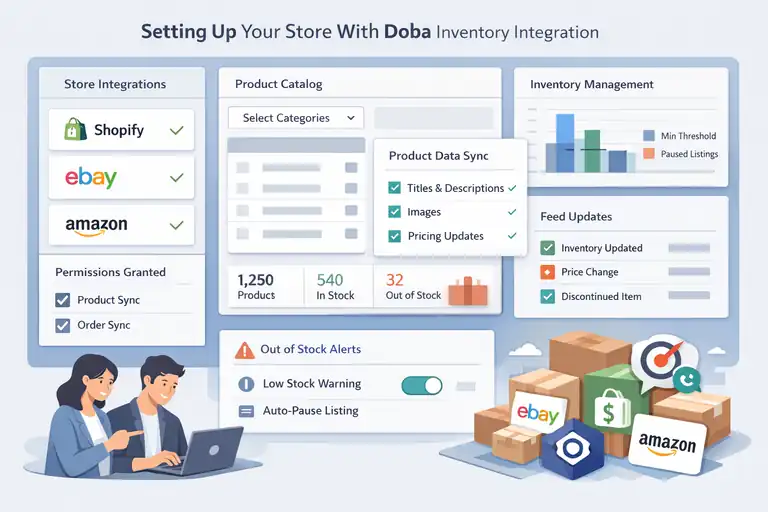
Once you understand how the system works, setup becomes the next real hurdle.
Doba inventory integration is powerful, but only if you configure it intentionally instead of rushing through defaults.
How to Connect Doba With Shopify, eBay, and Amazon
Doba supports direct integrations with major platforms, which is a huge plus if you sell across channels.
The basic flow looks like this:
- Connect your store inside the Doba dashboard
- Grant product and order permissions
- Select which catalog categories you want access to
Shopify tends to be the smoothest setup. Amazon and eBay require more rule-setting, especially around shipping templates and price floors.
My honest advice: Start with one platform only. Dial it in. Then expand. Multi-channel syncing adds complexity fast if you’re not careful.
Syncing Product Data, Images, and Descriptions Automatically
Doba inventory pulls in:
- Product titles
- Descriptions
- Images
- Specs like weight, dimensions, and variants
This is great for speed, but not always great for conversions.
What I usually do is treat Doba’s data as a baseline, not a finished listing. The descriptions are accurate, but often generic. Rewriting them in your own voice can easily improve conversion rates by 10–30%, especially on Shopify.
Quick win: Keep the specs. Rewrite the benefits.
Managing Inventory Levels and Avoiding Out-of-Stock Errors
Out-of-stock issues are where many dropshippers get burned. Doba inventory helps, but it’s not magic.
Best practices I recommend:
- Set minimum inventory thresholds
- Pause listings automatically when stock drops too low
- Avoid single-supplier dependency for top sellers
If you’re selling on Amazon, this matters even more. Stockouts can hurt account health, not just revenue.
Think defensively. It’s better to temporarily lose sales than lose platform trust.
How Doba’s Product Feed Helps Maintain Accurate Listings
The product feed is the quiet hero of the Doba inventory system.
It constantly updates:
- Inventory availability
- Wholesale price changes
- Product status (active, discontinued, limited)
This reduces manual checking and spreadsheet chaos. For sellers managing hundreds of SKUs, that alone can justify the platform cost.
Still, I always recommend reviewing feed changes weekly. Automation is powerful, but human oversight keeps you profitable.
Evaluating Product Categories Worth Listing From Doba
Not every product in Doba inventory is worth your time, and that’s the truth most platforms won’t say out loud.
Some categories quietly perform well month after month, while others look tempting but bleed margin once fees and shipping are factored in.
Let me walk you through what’s actually worth listing based on how Doba inventory behaves in the real world.
Top-Performing Niches Based on Doba Sales Trends
From what I’ve seen, Doba inventory tends to favor utility-driven products over hype-driven ones. These are items people search for because they need them, not because they saw a viral video.
Strong-performing niches usually share a few traits:
- Consistent demand across the year
- Simple use cases that don’t need heavy education
- Low return rates
Common examples inside Doba inventory include office supplies, basic home improvement tools, storage solutions, and everyday accessories.
A practical scenario: If you list a wire shelving unit or ergonomic desk accessory, you’re tapping into repeat demand from home offices, renters, and small businesses. These buyers aren’t impulse shoppers. They convert because the product solves a problem.
Doba’s own internal trend tools often highlight these categories because they produce steady order volume, even if they’re not flashy. In my opinion, boring products often make the most reliable money.
Why Electronics and Accessories Stand Out on Doba
Electronics is one of the most searched categories inside Doba inventory, but it needs to be approached carefully.
What works well:
- Accessories like chargers, mounts, adapters, and cables
- Replacement parts rather than complex devices
- Items under $100 retail
Why this category performs:
- High perceived value
- Frequent replacement cycles
- Strong compatibility-based searches
What I avoid are high-ticket electronics with warranty risk. Returns, defects, and customer expectations can quickly eat your margins.
A smart play is positioning accessories as solutions, not gadgets. For example, a car phone mount isn’t just a product. It’s a safety and convenience upgrade. That angle converts better and reduces price sensitivity.
Home, Kitchen, and Lifestyle Products That Consistently Sell
If I had to pick the safest category in Doba inventory, this would be it.
Home and kitchen products sell because:
- People buy them regardless of the economy
- They’re easy to understand visually
- They fit naturally into content marketing and ads
Top performers usually include:
- Storage and organization items
- Small kitchen tools
- Home comfort products like humidifiers or fans
These products also tend to have predictable shipping dimensions, which helps control costs.
One thing I’ve learned the hard way: Avoid fragile items unless the supplier has excellent packaging ratings. Broken items lead to refunds, and refunds destroy profit faster than slow sales.
Hidden Gems in the Pet Supplies and Fitness Categories
This is where Doba inventory quietly shines if you dig a little deeper.
Pet supplies work well because owners spend emotionally. They don’t just buy for function. They buy for comfort, safety, and happiness.
Fitness products perform best when they’re:
- Compact
- Beginner-friendly
- Easy to store at home
Think resistance bands, yoga accessories, or pet grooming tools.
A mini example: A simple pet nail grinder may not seem exciting, but it solves a recurring problem. Pet owners often repurchase or upgrade, which opens the door to repeat customers.
These categories often have less competition than electronics while maintaining solid margins.
Seasonal and Trend-Based Products to Watch in Doba Inventory
Seasonal products can be profitable, but only if you plan ahead.
Examples that work well:
- Heating and cooling products
- Holiday décor with simple designs
- Outdoor accessories during spring and summer
The key with Doba inventory is timing. Because you’re not controlling manufacturing, you need to list seasonal items early, not when demand peaks.
I usually recommend testing seasonal products with smaller batches and clear cutoff dates. Once the season passes, demand drops fast, and you don’t want dead listings cluttering your store.
Analyzing Doba’s Pricing and Profit Margin Potential
Margins are where Doba inventory either makes sense for you or doesn’t. The platform isn’t built for ultra-high markups, but it can work well if you understand the math and avoid common traps.
How Doba’s Wholesale Pricing Impacts Your Markup
Doba’s wholesale pricing is generally higher than sourcing directly from overseas suppliers, but that’s the trade-off for reliability and faster shipping.
Typical margin ranges I see:
- 20–40% on competitive items
- 40–60% on niche or bundled products
What helps improve margins:
- Bundling complementary items
- Adding value through content or positioning
- Avoiding race-to-the-bottom pricing
If you’re expecting 3x markups across the board, Doba inventory may feel limiting. But if you’re aiming for predictable profit and fewer headaches, the pricing can work.
Comparing Doba Margins to Competitors Like Spocket and Syncee
Here’s a simple comparison to put things into perspective:
| Platform | Typical Margins | Supplier Control | Shipping Speed |
| Doba | Medium | Low | Fast (U.S.) |
| Spocket | Medium–High | Medium | Fast–Moderate |
| Syncee | Variable | High | Varies |
Doba inventory trades margin flexibility for operational simplicity. Spocket offers slightly better margins in some niches, while Syncee gives more supplier control but requires more hands-on management.
I believe Doba fits sellers who value systems over sourcing freedom.
Evaluating Shipping Costs and Delivery Times for Profitability
Shipping is where profits quietly disappear.
With Doba inventory:
- Shipping is usually charged separately
- Rates vary by supplier and location
- Faster shipping often means higher costs
My rule of thumb: Always calculate landed cost before listing. That’s product cost plus shipping, platform fees, and payment processing.
If shipping eats more than 30% of your retail price, the product is risky unless conversion rates are exceptional.
Identifying Low-Margin Products to Avoid Listing
Some products look profitable at first glance but fail once real numbers are applied.
I typically avoid:
- Heavy or oversized items
- Ultra-competitive electronics
- Products with thin price bands
- Items with high return likelihood
A quick filter I use: If a product can’t support at least a 25% net margin after all costs, it’s not worth the operational effort.
Doba inventory rewards disciplined selection. The sellers who succeed aren’t listing everything. They’re listing intentionally.
Optimizing Your Doba Inventory Listings for Maximum Sales
Once your products are live, the real work begins. Doba inventory gives you structure and data, but sales only happen when listings are optimized for how real people browse, compare, and decide.
Small adjustments here can easily outperform adding dozens of new products.
How to Write Compelling Product Titles and Descriptions Using Doba Data
Doba provides ready-made titles and descriptions, which is convenient, but convenience rarely equals conversions.
Here’s how I approach it:
- Keep Doba’s core product terms for accuracy and SEO
- Rewrite titles to highlight the main benefit, not just the product name
- Use descriptions to answer common buyer doubts
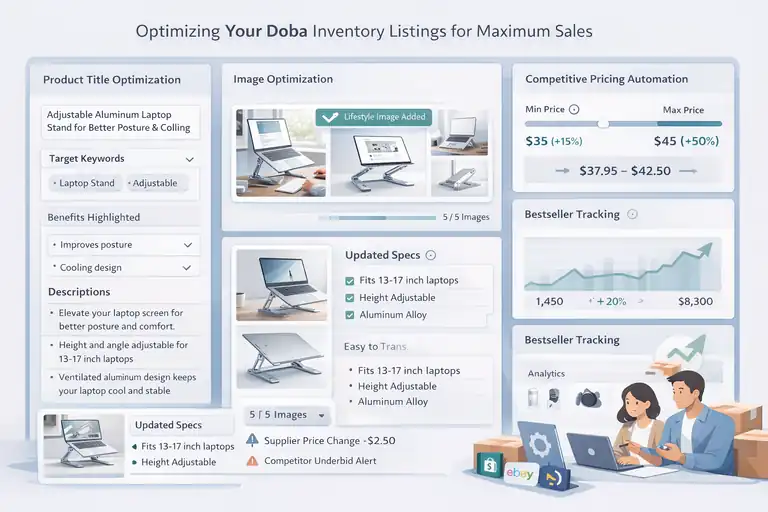
For example, instead of listing a product as: “Adjustable Laptop Stand Aluminum Alloy”
I’d shift it toward something like: “Adjustable Aluminum Laptop Stand for Better Posture and Cooling”
Same product. Clearer value.
In descriptions, I suggest breaking content into short blocks:
- What problem it solves
- Who it’s best for
- Key specs pulled from Doba data
This works because most shoppers skim first and read second. You’re guiding their eyes, not overwhelming them.
The Importance of Updating Images and Specifications Regularly
Images do more selling than words, especially in dropshipping.
Doba inventory images are usually clean, but they’re also widely used. That means differentiation matters.
Simple improvements that help:
- Reorder images so the most practical use case shows first
- Add one lifestyle image if possible
- Double-check specs like dimensions and compatibility
I’ve seen conversion rates jump simply by correcting outdated measurements or adding context like “Fits 13–17 inch laptops.”
Also, suppliers update products more often than you’d expect. Reviewing listings monthly helps catch silent changes before customers do.
Automating Price Adjustments to Stay Competitive
Pricing is where many sellers lose margin without realizing it.
Doba inventory pricing can change based on supplier updates, shipping, or availability. Automation helps you react faster than manual checks.
What works well:
- Set minimum and maximum price rules
- Use percentage-based markups instead of flat amounts
- Monitor competitor pricing weekly, not daily
In my experience, sellers who automate pricing protect margins better and stress less. Just remember to review rules occasionally so automation doesn’t undercut you during promotions or fee changes.
Tracking Bestsellers Using Doba Analytics and Store Reports
Doba’s analytics tools are simple, but useful if you actually look at them.
Key metrics I pay attention to:
- Order frequency per SKU
- Repeat purchases
- Supplier fulfillment consistency
Pair this with your store analytics, like Shopify or Amazon reports, to spot patterns.
A quick example: If one product has fewer visits but higher conversion, that’s a candidate for better placement or ads. Bestsellers aren’t always the most visible products. They’re the ones quietly converting.
Common Mistakes to Avoid When Using Doba Inventory
Doba inventory doesn’t fail sellers. Misuse does. Most issues I see come from trying to do too much, too fast, without respecting how the system is designed to work.
Overloading Your Store With Too Many Doba Products
This is the most common mistake, especially early on.
More products feel like progress, but they usually create:
- Confusing store navigation
- Higher management overhead
- Weaker brand positioning
I suggest starting with a focused catalog. Ten well-optimized products often outperform a hundred generic ones.
Depth beats breadth, especially when you’re still learning what converts.
Ignoring Supplier Ratings and Product Reviews
Not all Doba suppliers perform equally, even if they’re verified.
Before listing, always check:
- Fulfillment ratings
- Historical order issues
- Product-level feedback
A slightly higher wholesale cost from a reliable supplier is almost always worth it. Returns, complaints, and delays cost far more than a few extra dollars upfront.
Forgetting to Update Listings When Stock Changes
Automation helps, but it’s not perfect.
Stock changes can still slip through, especially during high-demand periods.
That’s why I recommend:
- Weekly inventory reviews
- Automatic pauses for low-stock items
- Manual checks for top sellers
This is especially important if you sell on marketplaces with strict performance metrics.
Mismanaging Pricing and Losing Profit Margins
Margins don’t disappear all at once. They leak.
Common causes:
- Ignoring shipping cost increases
- Forgetting platform fee changes
- Racing competitors to the bottom
My personal rule: If a product can’t maintain a healthy margin without constant price cuts, it doesn’t belong in the catalog.
Doba inventory works best when pricing is intentional, not reactive.
Comparing Doba to Other Leading Inventory Platforms
Choosing an inventory platform isn’t about finding “the best” one in general. It’s about finding the one that fits how you want to run your business day to day.
Doba inventory competes well in certain areas and clearly lags in others, so let’s look at how it stacks up against the platforms sellers usually compare it to.
Doba vs. Spocket: Inventory Scope and Supplier Quality
Spocket and Doba inventory are often compared because both lean heavily toward U.S. and EU suppliers.
Here’s the practical difference I’ve noticed:
- Doba focuses on a centralized catalog with strict supplier control
- Spocket offers more boutique-style suppliers with brand-friendly products
Spocket tends to shine if you care about packaging, branding, and slightly higher margins. Doba performs better if your priority is consistency and operational simplicity.
In real use, Doba inventory feels more “corporate supply chain,” while Spocket feels more “curated marketplace.” Neither is wrong. It depends on whether you want structure or flexibility.
Doba vs. Syncee: Automation and Data Accuracy
Syncee is powerful, but it comes with complexity.
Key differences that matter in practice:
- Syncee gives more direct supplier control
- Doba inventory handles more automation internally
- Data accuracy is more consistent on Doba for stock updates
If you enjoy tweaking feeds, negotiating suppliers, and building custom workflows, Syncee gives you that freedom. If you prefer fewer moving parts and less manual oversight, Doba inventory is easier to live with long term.
I’ve seen sellers burn out faster on Syncee simply because it demands more attention.
Doba vs. Modalyst: Product Diversity and Integration Options
Modalyst is strong in fashion and branded goods, while Doba inventory is broader but less trend-focused.
Comparison snapshot:
| Platform | Product Focus | Automation Level | Best For |
| Doba | General goods | High | Scale-focused sellers |
| Modalyst | Fashion & brands | Medium | Brand-driven stores |
If your store is niche-fashion or influencer-led, Modalyst can be a better fit. For general ecommerce stores selling practical products, Doba inventory is usually more stable.
Which Platform Offers the Best Long-Term Inventory Reliability
If reliability means:
- Fewer stock surprises
- Predictable fulfillment
- Less daily micromanagement
Then Doba inventory wins more often than not.
It’s not exciting. It’s not trendy. But it’s dependable. And in dropshipping, boring reliability often beats flashy potential.
Expert Tips to Succeed With Doba Inventory
Doba inventory rewards discipline. Sellers who treat it like a system instead of a shortcut tend to last longer and scale more comfortably.
Focus on a Niche Instead of Listing Everything
Doba gives you access to thousands of products, but access isn’t a strategy.
A focused niche helps you:
- Build clearer messaging
- Improve conversion rates
- Simplify inventory decisions
In my experience, niche stores also handle competition better because they’re not fighting on price alone.
Test Product Demand Before Going All-In
Before committing to a large catalog, test demand with a small set of products.
Simple ways to test:
- Launch 5–10 related SKUs
- Run small-budget ads or content
- Watch conversion rates, not just clicks
If something sells without heavy promotion, that’s your signal.
Use Analytics Tools to Refine Your Product Selection
Doba’s analytics plus your store data tell a story if you listen.
Look for:
- High conversion, low traffic products
- Repeat purchase behavior
- Supplier fulfillment consistency
Those patterns are more valuable than any trend report.
Build Supplier Relationships Through Doba for Better Deals
Even though Doba sits between you and suppliers, volume still matters.
As you scale, you can often:
- Request better pricing
- Get priority fulfillment
- Reduce handling delays
It’s not instant, but consistency earns leverage.
Continuously Optimize Listings Based on Performance Data
Optimization isn’t a one-time task.
I usually revisit top listings every 30–60 days to:
- Update titles
- Adjust pricing
- Refresh images
Small tweaks compound over time.
Final Thoughts on What’s Worth Listing From Doba
After working through how Doba inventory actually operates, the biggest takeaway is this: success comes from intention, not volume.
Criteria for Choosing Profitable Products in Doba Inventory
Before listing anything, I run through a simple checklist:
- Solves a clear problem
- Ships reliably at a reasonable cost
- Can support a sustainable margin
- Doesn’t rely on hype alone
If a product fails two or more of these, I skip it.
Why Quality Over Quantity Always Wins in Dropshipping
More products mean more complexity.
More complexity means:
- Higher error rates
- Weaker branding
- Slower decision-making
A smaller, well-managed catalog almost always outperforms a bloated one.
The Long-Term Value of Using Doba as a Scalable Inventory Source
Doba inventory isn’t for everyone, and that’s okay.
But if you value:
- Predictable fulfillment
- Cleaner operations
- Fewer daily fires to put out
It can be a solid foundation for a long-term ecommerce business.
My honest opinion: Doba works best when you treat it like infrastructure, not a shortcut to overnight success. When you do that, it becomes a quiet but reliable partner rather than a constant headache.
FAQ
How does Doba inventory work for dropshipping sellers?
Doba inventory connects your store to a centralized catalog of verified suppliers. When a customer places an order, Doba automatically routes it to the supplier for fulfillment, updates stock levels, and syncs tracking details back to your store.
What types of products are worth listing from Doba inventory?
The best products in Doba inventory are utility-focused items with steady demand, such as home organization, office supplies, pet accessories, and simple electronics accessories. These products typically have lower return rates and more predictable margins.
Is Doba inventory good for long-term ecommerce businesses?
Yes, Doba inventory works well for long-term sellers who prioritize reliable fulfillment, U.S.-based shipping, and automation over chasing trending products. It’s best suited for sellers building stable, scalable catalogs rather than quick-turn hype stores.

I’m Juxhin, the voice behind The Justifiable.
I’ve spent 6+ years building blogs, managing affiliate campaigns, and testing the messy world of online business. Here, I cut the fluff and share the strategies that actually move the needle — so you can build income that’s sustainable, not speculative.
Related posts:
 How the Salehoo Catalog Helps You Spot Winning Items Quickly
 Salehoo Stores Review: Are These Stores Worth It?
 Is SaleHoo Worth Joining? Real Buyers Share Results
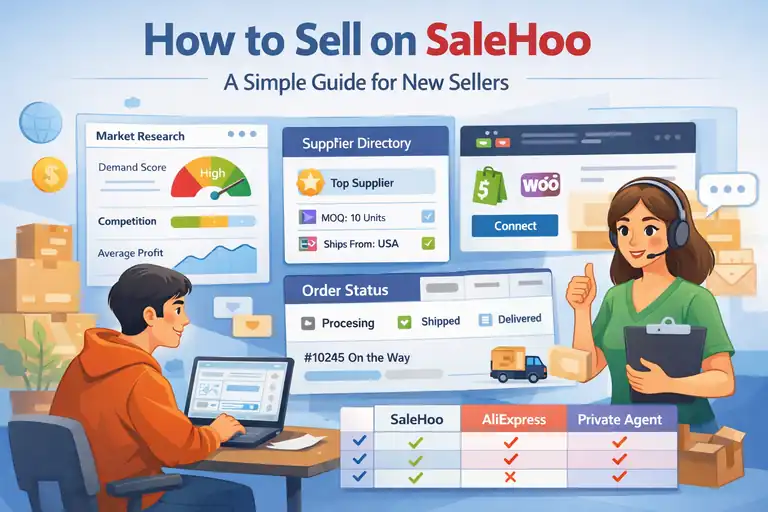 How to Sell on SaleHoo: A Simple Guide for New Sellers
 Is SaleHoo Worth the Money? Costs, Gains, and Risks
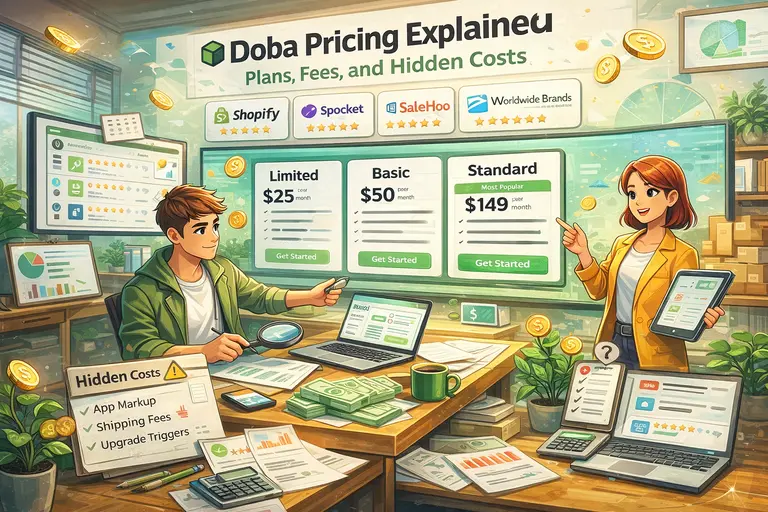 Doba Pricing Explained: Plans, Fees, and Hidden Costs