
Table of Contents
Some links on The Justifiable are affiliate links, meaning we may earn a small commission at no extra cost to you. Read full disclaimer.
How to rewrite blog content using QuillBot sounds simple at first, but doing it well is a lot more than pasting text and clicking “Paraphrase.” If you want your post to stay useful, sound human, and still support SEO, you need a process.
In my experience, QuillBot works best as a rewriting assistant, not a replacement for your judgment.
In this guide, I’ll walk you through the exact way experts use it to refresh blog posts, improve clarity, and protect the original meaning without turning the content into thin, robotic filler.
QuillBot’s current free and premium plans, rewrite modes, and workflow options also shape how you should use it today.
Understand What QuillBot Should Actually Do In Your Workflow
Rewriting works best when you treat QuillBot as a drafting partner.
It can speed up phrasing changes, but the strategy, structure, and final judgment still need to come from you.
QuillBot Is A Rewriter, Not A “Publish Button”
A lot of people get weak results because they expect QuillBot to “fix” a blog post automatically. That is usually where quality drops.
QuillBot’s core paraphrasing tool is built to rephrase sentences while keeping meaning and context intact, and it lets you control how much wording changes with tools like the Synonym Slider and different rewrite modes. That makes it useful for refinement, not blind replacement.
Here is the mindset I recommend:
- Goal: Improve clarity, freshness, readability, and tone.
- Not the goal: Spin an article into something “new enough” for search engines.
- Better approach: Rewrite ideas with stronger structure, better examples, and clearer intent.
Google’s guidance is still very clear on the bigger principle: Content should be helpful, reliable, original, and created for people. It specifically warns against simply copying or rewriting other sources without adding substantial value.
That matters here. If you use QuillBot to freshen your own article, improve weak sections, or reshape content for a new audience, that is one thing. If you use it to mechanically remix existing content and publish it as “new,” that is a much riskier move.
I believe this single mindset shift separates expert use from amateur use. Experts do not ask, “How much can I change?” They ask, “How can I make this more useful?”
Know When Rewriting Makes Sense And When It Does Not
Not every blog post should be rewritten. Sometimes the better move is a full refresh. Other times, a light polish is enough.
Rewriting makes sense when:
- The post is solid but clunky: The ideas are still good, but the writing feels stiff or repetitive.
- The audience changed: You want to simplify technical language for beginners or sound more formal for B2B readers.
- The post is underperforming on engagement: Readers bounce quickly, which often points to weak intros, hard-to-scan paragraphs, or confusing phrasing.
- You need format adaptation: For example, turning a long article section into a more concise summary.
Rewriting is usually the wrong move when:
- The information is outdated: Old facts need research, not paraphrasing.
- The search intent has shifted: A post may need a new angle, not new wording.
- The article lacks expertise: Better phrasing cannot fix shallow thinking.
Imagine you are running a small SaaS blog. Your “email onboarding tips” article still has useful advice, but it sounds wordy and dated. That is perfect for QuillBot-assisted rewriting.
But if the examples, metrics, and tools are from three years ago, you need to update the substance first.
From what I’ve seen, this is where many content teams waste time: they polish wording before fixing the actual value.
Prepare Your Blog Post Before You Rewrite Anything
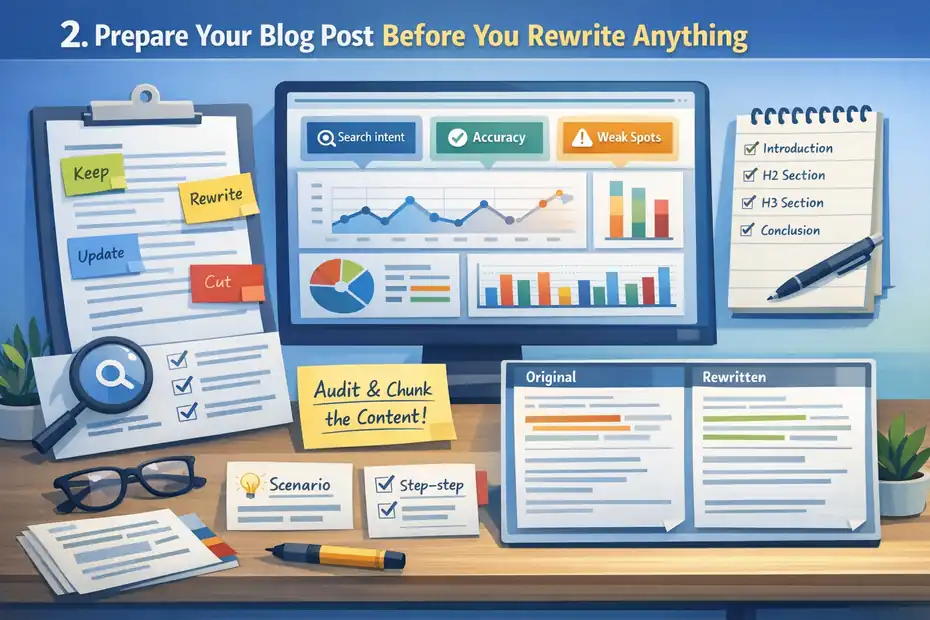
The quality of the output depends heavily on the quality of what you feed into the tool. A strong prep stage prevents awkward rewrites and saves you from endless cleanup later.
Audit The Post For Search Intent, Accuracy, And Weak Spots
Before you paste a single paragraph into QuillBot, read the article like an editor, not like the writer who already knows what it means.
Look for three things first:
- Intent mismatch: Does the post still answer what the reader is actually searching for?
- Information gaps: Are there missing examples, outdated claims, or vague advice?
- Writing friction: Where do sentences drag, repeat, or sound unnatural?
I suggest marking sections with simple tags as you go: “keep,” “rewrite,” “update,” “cut,” and “expand.” That tiny step makes the whole process faster because you stop treating every paragraph the same.
A useful rule is this: if a paragraph is factually weak, fix the facts before rewriting the language. If a paragraph is accurate but awkward, rewrite it. If it says nothing useful, cut it.
Google’s people-first content guidance emphasizes originality, completeness, and insight beyond the obvious. That means your rewrite should not just sound smoother. It should also feel more helpful and more complete than the previous version.
In practical terms, that may mean adding a quick scenario, a clearer step, or a more direct answer right after the rewritten paragraph. That is how you move from “rephrased content” to “better content.”
Break The Article Into Rewrite-Friendly Chunks
QuillBot’s workflow is smoother when you work section by section instead of dropping an entire post into the editor.
The official tool supports sentence-, paragraph-, and article-level text, but chunking is still the smarter method because it gives you more control and helps you protect meaning. The free version also limits inputs to 125 words at a time, while Premium removes those input limits.
I usually break a post into these units:
- Intro paragraph
- Each H2 intro
- Each H3 body section
- CTA or conclusion
- Meta assets if needed
This lets you match the rewrite style to the section’s purpose. Your introduction may need a stronger hook. A how-to section may need clearer steps. A conclusion may need more confidence and less fluff.
Here is a simple working framework:
| Section Type | Best Rewrite Goal | What To Watch For |
|---|---|---|
| Introduction | Stronger hook and clarity | Losing the keyword too early |
| Explanatory section | Simpler phrasing | Over-shortening important detail |
| Step-by-step section | Cleaner sequence | Turning steps vague |
| Conclusion | Sharper takeaway | Generic motivational language |
This chunking approach also helps you compare the original and rewritten versions side by side. In my experience, that is where the best editing decisions happen.
Choose The Right QuillBot Mode For The Job
This is where expert use becomes obvious. Different modes create very different outputs, and picking the wrong one can flatten your voice or distort your meaning.
Match Rewrite Modes To Specific Content Goals
QuillBot currently offers two free paraphrasing modes, Standard and Fluency, while Premium unlocks 10+ styles including Formal, Simple, Creative, Academic, Expand, Shorten, Humanize, and Custom.
Here is how I would actually use them for blog rewriting:
- Standard: Good for neutral rewording when your original is fine but repetitive.
- Fluency: Best when the draft is awkward, choppy, or slightly ungrammatical.
- Simple: Useful for beginner audiences, explainers, and readability upgrades.
- Formal: Better for B2B, legal-adjacent, or executive-facing content.
- Creative: Best used lightly for hooks or headline experiments, not entire posts.
- Academic: Usually too stiff for most blogs unless you are writing research-heavy content.
- Expand: Helpful when a paragraph feels underdeveloped, but review every line closely.
- Shorten: Great for tightening bloated sections and trimming intros.
- Humanize: Useful when a draft feels too synthetic or over-polished.
- Custom: Strong option when you know exactly what tone you want.
One of the biggest mistakes I see is using Creative or Expand across full articles. That can make the writing feel inflated or inconsistent. For most commercial blogs, the safest combination is usually Standard, Fluency, Simple, and Shorten, with Humanize used as a final pass when needed.
Experts are not loyal to one mode. They switch modes based on the paragraph’s job.
Use The Synonym Slider Without Breaking Meaning
QuillBot’s Synonym Slider changes how aggressively the tool swaps vocabulary. Move it left, and the rewrite stays closer to the source. Move it right, and the output gets more adventurous.
This is a small feature, but it matters a lot.
I recommend this practical rule:
- Low change setting: For factual passages, definitions, and nuanced arguments.
- Mid change setting: For typical blog paragraphs that need variety but must stay accurate.
- High change setting: Only for generic lines, weak transitions, or bland phrasing you already plan to heavily edit.
Here is a realistic example. Suppose your original line says:
Email onboarding helps new users understand the product faster and reach value sooner.
A low-to-mid rewrite may keep the same core idea but smooth the wording. A high-change rewrite might introduce vocabulary that sounds clever but subtly shifts the point. In SaaS, finance, health, or technical content, that kind of drift can create real problems.
I believe the safest way to use the slider is to earn more creativity only after the paragraph has already proven it can survive it. In other words, start conservative. If the output is too close to the original, then push it further.
Rewrite Blog Content Section By Section Like An Editor
This is the part most people skip. They paraphrase once, copy the result, and move on. Experts rewrite in layers.
Start With Meaning Preservation Before Style Improvement
The first pass should answer one question only: did the rewritten text preserve the actual meaning?
QuillBot describes its paraphraser as a way to find new ways to phrase sentences without changing their meaning or context. That is the target, but you still need to verify it manually. AI can preserve sentence logic most of the time while still softening, stretching, or slightly redirecting emphasis.
My workflow is simple:
- Read the original paragraph once.
- Rewrite it in QuillBot using the most appropriate mode.
- Compare line by line.
- Highlight any phrase where the promise, action, or claim changed.
- Fix those lines before doing any style edits.
This matters even more in instructional content. If the original says “use internal links to guide users toward supporting pages,” and the rewrite turns that into “add links to make articles more informative,” the idea has become weaker and less actionable.
A good expert test is this: could a reader take the same action after reading the rewrite? If the answer is no, the rewrite failed, even if it sounds better.
Once the meaning is safe, then you can improve rhythm, readability, and tone.
Then Improve Flow, Voice, And Readability
After the meaning is secure, the second pass focuses on how the writing feels to a real reader.
This is where experts add value that no paraphrasing tool can fully handle on its own. You want to fix things like:
- Repetitive sentence openings
- Long, crowded paragraphs
- Mechanical transitions
- Flat examples
- Weak emphasis
- Generic filler
I suggest reading the rewritten paragraph out loud. It is an old-school trick, but it still works. If you stumble over it, your reader probably will too.
For blog content, the strongest rewrites often include:
- A sharper first sentence
- One concrete example
- One trimmed sentence
- One improved transition
- One phrase that sounds like a real person wrote it
For many of us, the difference between “acceptable” and “excellent” writing is not grammar. It is rhythm. It is whether the paragraph feels easy to trust.
A quick example:
- Original: This tool can be used in order to make the content easier for users to understand.
- Better rewrite: Use this tool to make the content easier to understand.
- Best edited rewrite: Use this tool when a section feels clear to you but confusing to everyone else.
That last version adds perspective. That is the kind of finishing move experts make constantly.
Protect SEO While You Rewrite

This is where a lot of rewritten blog content quietly loses performance. Better wording does not always mean better rankings.
Keep Search Intent And Primary Terms Intact
When you rewrite for SEO, your job is not to force the exact keyword repeatedly. It is to make sure the page still clearly serves the same topic and search intent.
Google recommends using the words people would actually use to look for your content, especially in important places like the title and main heading. It also emphasizes helpful, reliable, people-first content rather than manipulation.
So when rewriting a post around the focus keyword how to rewrite blog content using QuillBot, protect these areas:
- The title
- The introduction
- The primary H1/H2 framing
- Image alt text if relevant
- Internal anchor phrasing
- Key sections that directly answer the query
Do not let paraphrasing erase your topical signals. This happens more than people realize. A tool may replace a straightforward phrase with something technically similar but less aligned with what users search.
For example, changing “rewrite blog content” to “restructure written web materials” is not smart. It sounds unnatural and weakens relevance.
My rule is simple: Preserve the language that carries intent, and rewrite the language that carries style.
Add Original Value So The Rewrite Is Worth Publishing
Google’s guidance on helpful content explicitly points creators toward original information, substantial coverage, and insight beyond the obvious. It also says AI-produced content can perform well when it is high quality and helpful, regardless of how it is produced.
That means the safest SEO move is not just paraphrasing. It is enhancement.
After rewriting each section, ask:
- Did I add a clearer example?
- Did I include a better explanation?
- Did I simplify a confusing concept?
- Did I update any stale references?
- Did I improve the structure for scanning?
This is where rewritten content becomes stronger content.
A realistic scenario: Let’s say your old post says, “Use rewriting tools to improve your post.” That is generic. A stronger version would explain which kind of section benefits most from rewriting, when not to use a rewrite mode, and how to review output before publishing. Now the page offers real editorial guidance, not just a prettier sentence.
In my experience, that is what gives refreshed posts a better chance to improve on-page engagement and stay useful longer.
Use Supporting QuillBot Features Only When They Actually Help
QuillBot is no longer just one paraphraser. It also offers grammar tools, summarizing, AI detection, extensions, apps, and more. But not every feature belongs in every rewrite workflow.
The Best Supporting Features For Blog Rewriting
QuillBot’s current ecosystem includes the paraphraser, grammar checker, summarizer, AI detector, humanizer-related functions, and access across browser extensions, a Word add-in, macOS, iOS, and Android.
Its product pages also describe Flow as a co-writer environment that combines note-taking, paraphrasing, summarizing, and other writing tasks.
Here are the features that actually help with blog rewrites:
- Grammar Checker: Useful after the paraphrasing pass to catch clarity and correctness issues.
- Shorten/Expand modes: Good when a section is too bloated or too thin.
- Humanize mode: Helpful if your draft sounds overly synthetic.
- Summarizer: Useful for turning long notes into concise section briefs before rewriting.
- Extension or Word add-in: Helpful if your blog workflow lives inside a browser CMS or classic Word-style drafting environment.
What I would not do is pile every feature into one editing session. That usually creates overprocessed writing. Choose one core rewrite pass, then one cleanup pass.
Free Vs Premium: When Upgrading Actually Matters
QuillBot’s official pricing page currently lists a free plan at $0 and Premium at $8.33 per month when billed annually. Free includes paraphrasing up to 125 words, two modes, basic grammar fixes, basic humanize access, basic summaries, and limited AI Detector access.
Premium adds unlimited paraphrasing, unlimited modes, advanced grammar recommendations, advanced humanize capability, custom summaries, unlimited AI Detector access, and plagiarism prevention support.
Here is the honest version:
- If you rewrite one short section at a time and do a lot manually, free can work.
- If you refresh blog content regularly, Premium is much more practical.
- If you manage long posts, multiple drafts, or client work, unlimited inputs and more modes make a real difference.
I would upgrade for workflow efficiency, not because Premium magically produces expert content. It does not. What it gives you is speed, flexibility, and fewer interruptions. That is valuable, but only if you already have a solid editorial process.
Avoid The Mistakes That Make Rewritten Content Feel Cheap
Most bad rewrites are not caused by the tool. They happen because the editor stops too early or rewrites for the wrong reason.
Common Errors That Hurt Quality And Trust
These mistakes show up constantly:
- Over-paraphrasing: Swapping too many words until the sentence sounds unnatural.
- Meaning drift: Changing the claim without noticing.
- Voice inconsistency: One section sounds casual, another sounds academic, another sounds machine-made.
- Thin-value refreshes: Rewriting wording without adding substance.
- Keyword dilution: Replacing terms that anchor the page to the query.
- Publishing without fact-checking: Especially dangerous when older posts include outdated claims.
Google’s helpful content documentation specifically flags the risk of simply rewriting existing sources without adding originality or insight. That warning applies whether the source is your own old draft or someone else’s article.
I think the biggest trap is chasing “uniqueness” at the sentence level while ignoring value at the page level. Readers do not care that 85% of the wording changed. They care whether the page solves the problem better.
That is why the best rewritten content usually includes some combination of better examples, clearer structure, fresher context, or stronger steps.
A Simple Quality Control Checklist Before Publishing
Before you publish, run this check:
- Intent check: Does the page still answer the same main query?
- Meaning check: Did any advice or claim change accidentally?
- Voice check: Does the whole article sound like one person wrote it?
- SEO check: Are the title, headings, and core phrases still aligned?
- Value check: Did you add anything genuinely useful?
Then do one final read for reader experience. Google Search Essentials emphasizes not just relevant wording but overall site and content quality, clarity, and usefulness.
A lot of publishers skip this because they assume the tool already “handled the writing.” That assumption is expensive.
Build An Advanced Rewrite System If You Refresh Content Often
Once you understand the basics, the next step is to turn rewriting into a repeatable content refresh system.
Create A Repeatable Editorial Process For Teams Or Large Blogs
If you manage multiple posts each month, do not approach every rewrite from scratch. Build a repeatable SOP.
A simple advanced workflow looks like this:
- Step 1: Audit old posts by traffic, rankings, conversions, and freshness.
- Step 2: Label each post as light rewrite, strategic refresh, or full rebuild.
- Step 3: Rewrite sections in chunks based on intent and mode selection.
- Step 4: Add new examples, updated stats, and clearer explanations.
- Step 5: Review for voice, SEO, and factual accuracy.
- Step 6: Republish, reindex if needed, and monitor performance.
This is where analytics matter. A rewritten post should be judged by outcomes such as time on page, CTR from search, internal click paths, scroll depth, and conversions, not just “how different it looks.”
Imagine you run a content site with 150 tutorial posts. Instead of rewriting randomly, you focus first on URLs with stable impressions but falling clicks.
That often signals title, clarity, or relevance issues rather than topic failure. QuillBot can help accelerate the editing stage, but the prioritization comes from strategy.
Know When To Rewrite, Refresh, Merge, Or Delete
Experts do not rewrite everything. They choose the right action.
Use this framework:
- Rewrite: The content is relevant and accurate, but the language is weak.
- Refresh: The topic still matters, but examples, screenshots, or facts need updates.
- Merge: Two thin posts compete on the same intent and should become one stronger page.
- Delete or redirect: The topic no longer fits your site or has no strategic value.
I suggest keeping a content tracking sheet with columns for target keyword, intent type, last update date, rewrite level, and post-update metrics.
This sounds simple, but it changes the way you work. You stop guessing and start learning which type of rewrite actually moves results.
That is the expert mindset again: not “Can QuillBot rewrite this?” but “Is rewriting the right move here?”
Final Thoughts On How To Rewrite Blog Content Using QuillBot
Rewriting content well is really an editorial skill supported by software. QuillBot gives you flexible paraphrasing modes, adjustable rewrite intensity, and a wider set of writing tools that can make the process faster and smoother.
The free version is enough for light work, while Premium becomes more useful when you handle longer drafts or frequent updates.
But the real win comes from how you use it.
If you remember only one thing from this guide, make it this: Use QuillBot to improve content, not just alter it. Protect meaning. Keep search intent clear. Add original value. Edit like a human.
That is how experts do it, and it is still the safest way to create blog content that reads better, serves readers properly, and has a stronger chance to hold up in search.
FAQ
What is the best way to rewrite blog content using QuillBot?
The best way to rewrite blog content using QuillBot is to work section by section, choose the right paraphrasing mode, and review meaning carefully. Focus on improving clarity and readability instead of just changing words. Always edit the output manually to maintain accuracy and a natural human tone.
Can QuillBot rewrite blog content without affecting SEO?
Yes, QuillBot can rewrite blog content without harming SEO if you preserve search intent and key phrases. Keep important keywords in headings and core sections, and avoid over-paraphrasing. The goal is to improve readability while maintaining topical relevance and usefulness for search engines.
Is QuillBot free for rewriting blog content?
QuillBot offers a free version with limited features, including basic paraphrasing modes and word limits. The premium version removes restrictions, provides more modes, and improves workflow efficiency. Free works for small edits, but premium is better for rewriting longer blog content consistently.
Does rewriting content with QuillBot make it original?
Rewriting content with QuillBot changes wording, but originality depends on added value. Simply paraphrasing is not enough for high-quality content. You should enhance explanations, update information, and include unique insights to make the rewritten blog post truly useful and original.
Which QuillBot mode is best for rewriting blog posts?
The best QuillBot mode depends on your goal. Standard and Fluency are ideal for general rewriting, Simple improves readability, and Shorten helps tighten content. Most experts switch between modes instead of relying on just one, ensuring each section is optimized for clarity and tone.

I’m Juxhin, the voice behind The Justifiable.
I’ve spent 6+ years building blogs, managing affiliate campaigns, and testing the messy world of online business. Here, I cut the fluff and share the strategies that actually move the needle — so you can build income that’s sustainable, not speculative.
Related posts:
 AI QuillBot: The Smart Writing Assistant That Rewrites Perfectly
 How to Start a Personal Blog That Stands Out Today!
 How Blogging Helps Your Business Thrive Online
 Quillbot Alternative Review: Top 5 Choices
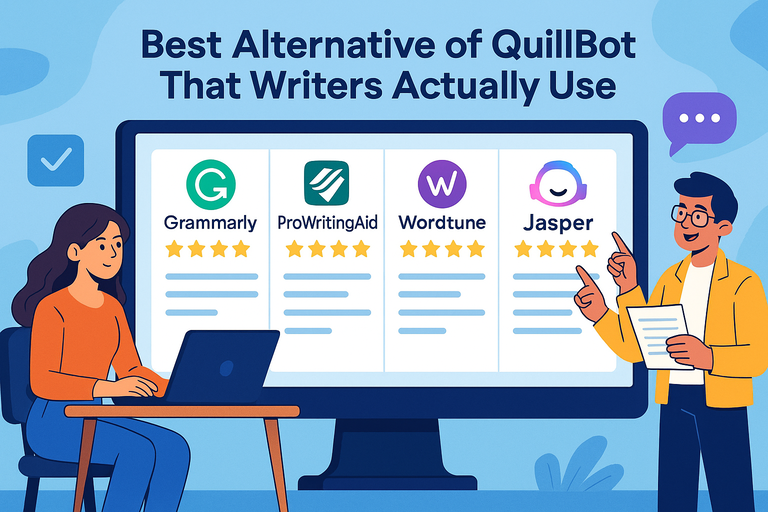 Best Alternative Of QuillBot That Writers Actually Use
 The QuillBot Review: Is This AI Writing Tool Worth It?