
Table of Contents
Some links on The Justifiable are affiliate links, meaning we may earn a small commission at no extra cost to you. Read full disclaimer.
If you’re asking whether is surveymonkey worth it for affiliate marketing is a real question or just a weird mismatch, I get it. On the surface, SurveyMonkey looks like a research tool, not something built for affiliates.
But that first impression misses the hidden value. In the right workflow, it can help you validate offers, segment visitors, improve email angles, and stop guessing what your audience actually wants.
The catch is simple: It is not an affiliate platform. It is a research and conversion support tool, and whether it is worth paying for depends entirely on how you use it.
What SurveyMonkey Actually Does For Affiliate Marketing
SurveyMonkey is worth judging by the role it plays in your funnel, not by whether it looks like a traditional affiliate tool.
That distinction matters, because many affiliates buy tools for the wrong job.
How It Fits Into An Affiliate Marketing Workflow
SurveyMonkey is fundamentally a survey and form platform. It lets you create surveys quickly, use AI to draft questions, apply survey logic, collect responses through web links, email, QR codes, website embeds, or social sharing, and connect the data to other apps through 200+ integrations.
It also offers SurveyMonkey Audience, which gives you access to a large research panel with 335 million-plus people across 130+ countries if you need responses from people outside your own audience.
For affiliate marketing, that means SurveyMonkey can help you in four practical ways.
- Audience Research: You can ask prospects what problem they want solved, what tools they already use, and what makes them hesitate before buying.
- Offer Validation: You can test interest before you build a full review page, ad campaign, or email sequence.
- Segmentation: You can ask one or two smart questions, then route people to different pages depending on intent or experience level.
- Message Optimization: You can test hooks, claims, bonuses, price framing, and trust signals before spending money on traffic.
In my experience, that is where the hidden potential sits. A lot of affiliates lose money because they optimize for clicks before they understand intent. SurveyMonkey helps fix that problem upstream.
Where It Does Not Replace Your Core Affiliate Stack
This is the part people need to hear clearly: SurveyMonkey does not replace your affiliate network, link tracker, landing page builder, email software, or analytics platform.
It is not designed to manage commissions, cloak affiliate links, build complex checkout funnels, or run attribution reporting for affiliate sales.
SurveyMonkey’s product positioning is built around surveys, forms, research, analytics, and workflow integrations, not affiliate campaign management.
So if you are hoping it will do the job of a tracking platform, the answer is no.
I would frame it like this: SurveyMonkey is a decision tool, not a revenue engine by itself. It helps you make better decisions about what to promote, how to position it, and which visitor should see which offer. That is valuable, but it only becomes profitable when you pair it with a real affiliate system.
That also explains why some marketers call it “not worth it” while others quietly get a lot from it. They are using it for different jobs.
When SurveyMonkey Is Worth Paying For
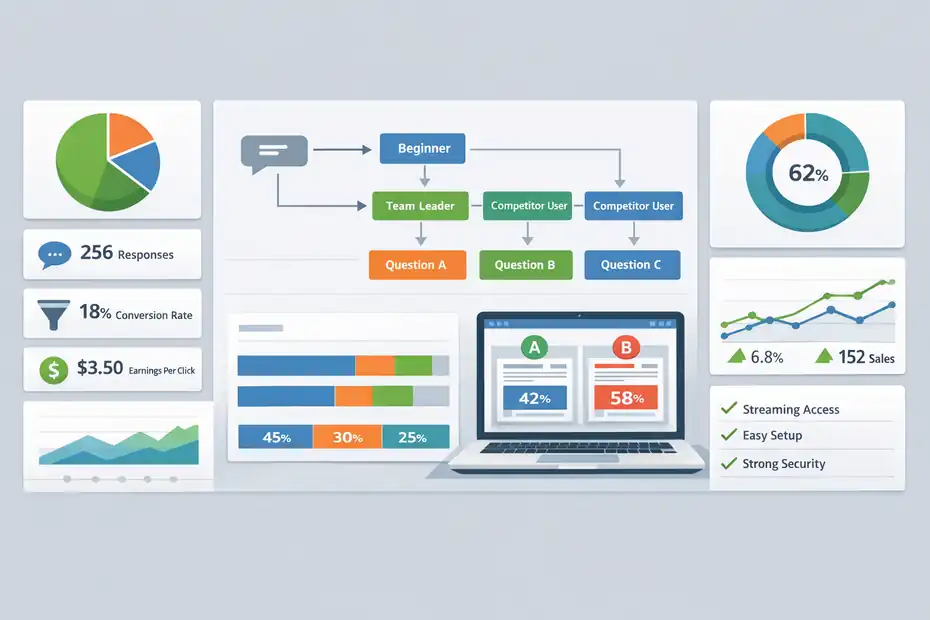
SurveyMonkey becomes worth the money when the cost of being wrong is higher than the cost of the tool. For affiliate marketers, that usually happens faster than expected.
It’s Worth It When You Need Better Audience Research, Not More Guesswork
Let me put this in a realistic scenario. Imagine you run a content site in the productivity software niche. You are choosing between promoting a project management tool, a note-taking app, and an AI meeting assistant.
Without research, you might write three long reviews, build comparison pages, and run email campaigns for all of them.
That sounds productive, but it is usually wasteful.
A short survey can tell you what matters first. Are readers more frustrated by team communication, deadline visibility, or meeting overload? Are they solo users or managers? Are they price-sensitive or speed-sensitive? That kind of data changes your content angle immediately.
SurveyMonkey is especially useful here because it supports advanced logic, skip paths, piping, and web distribution. That means the survey can feel more personalized instead of asking everyone the same generic questions.
If someone says they are a beginner, you can show beginner follow-up questions. If they say they already use a competitor, you can ask what they dislike about it.
I believe this is where the biggest affiliate upside lives: better positioning. Not prettier pages. Better positioning.
It’s Worth It When One Good Insight Could Lift Conversions
If you are already getting traffic, even a small improvement in conversion rate can justify the tool. SurveyMonkey’s paid plans include features like A/B testing for text and images, advanced logic, export options, and integrations that make it easier to turn responses into action.
The platform also supports redirecting respondents to different webpages based on answers, which can be useful for pre-sell flows or intent-based routing.
Here is a simple example.
You promote a VPN offer. You think privacy is the main reason people buy, so your review page leads with security. But your survey reveals that most of your audience really cares about streaming access and ease of setup. That single insight can change your headline, comparison table, email subject lines, and bonus offer.
That is not theoretical. It is exactly the type of mismatch that kills affiliate conversions.
If SurveyMonkey helps you discover one message shift that increases earnings per 100 clicks, it can pay for itself quickly. But this only holds true if you already have traffic or an audience to test on. If you are at absolute zero, the value is still there, just slower to realize.
The Features That Matter Most For Affiliates
Not every SurveyMonkey feature matters for affiliate marketing. A lot of the product is designed for HR, CX, and internal business research.
You want to focus on the features that actually improve marketing decisions.
Survey Logic, Branching, And A/B Testing Are The Real Power Features
SurveyMonkey’s logic tools let you skip irrelevant questions, branch people to different follow-ups, and personalize later questions using earlier answers. It also supports A/B tests that can randomly show different versions of a question, image, or text block to respondents.
For affiliate marketers, these features matter because they let you learn more without making the survey feel clunky.
A good example would be a supplement affiliate site. You could ask one opening question: “What are you trying to improve first?” Someone who chooses energy sees different follow-ups than someone who chooses sleep or focus. That gives you cleaner data and more relevant recommendations.
Here is how I would use those features:
- Step 1: Ask one intent question first, not five demographic questions.
- Step 2: Use logic so each user only sees relevant follow-ups.
- Step 3: Test two promise angles, such as “save time” versus “save money.”
- Step 4: Redirect different response groups to different content or offer pages.
That last part is underrated. SurveyMonkey can send respondents to different webpages based on answers, which makes it useful as a lightweight quiz-style segmentation layer before an affiliate offer.
This does not replace a full funnel builder, but for simple intent routing, it is genuinely useful.
Collection Options And Integrations Make Execution Easier
SurveyMonkey supports web links, email invitations, social sharing, QR codes, and website embeds or pop-ups for collecting responses.
It also offers integrations with tools like HubSpot, Mailchimp, Google Drive, Slack, and many more through its built-in integrations hub.
That matters because a survey only helps if you can actually get answers and move the data somewhere useful.
For affiliates, the practical collection channels are usually these:
- Website embeds or pop-ups: Best for blog traffic, review pages, and comparison pages.
- Web links: Best for email campaigns, communities, or DM outreach.
- Social sharing: Useful when validating interest quickly with an existing audience.
- Email invitations: Best when you already have a list and want cleaner feedback from subscribers.
And the integrations matter after the survey ends. If survey responses can move into your CRM or email workflow, you can act on them instead of leaving them in a spreadsheet forever.
That is where many marketers fail. They collect “insights” and do nothing with them. SurveyMonkey is worth more when your workflow is disciplined enough to turn answers into actual copy, content, or segmentation changes.
Pricing, Plans, And Real Return On Investment
Pricing is where the conversation gets more serious.
SurveyMonkey is not the cheapest tool in the world, so you need to match the plan cost to the revenue potential of your affiliate setup.
Current Plans And What They Mean For Affiliates
As of April 2026, SurveyMonkey’s official individual pricing page shows three visible individual paid options: Standard Monthly at $99 per month with 1,000 responses per month, Advantage Annual at $39 per month billed annually with 15,000 responses per year, and Premier Annual at $139 per month billed annually with 40,000 responses per year.
The free plan is more limited, including up to 10 questions per survey, while paid plans unlock unlimited questions and broader feature access.
SurveyMonkey Audience responses are sold separately, and the Audience product page says projects start at $1 per response.
| Plan | Official Price | Response Limit | Best Fit For Affiliate Marketers |
|---|---|---|---|
| Free | $0 | Limited features; free users can add up to 10 questions per survey | Early testing, tiny lists, basic validation |
| Standard Monthly | $99/month | 1,000 responses/month | Short-term campaign testing without annual commitment |
| Advantage Annual | $39/month billed annually | 15,000 responses/year | Best value for consistent audience research |
| Premier Annual | $139/month billed annually | 40,000 responses/year | Advanced testing, heavier traffic, larger research volume |
| SurveyMonkey Audience | Starts at $1/response | Separate purchase | Market research when you lack your own audience |
For most affiliates, the real decision is not between all plans. It is usually between free, Advantage, and “don’t use it at all.”
When The Math Works And When It Doesn’t
I suggest looking at cost per useful insight, not cost per response.
Let’s say you pay for Advantage Annual. If that helps you identify one higher-converting angle for a software review that earns even a few extra commissions a month, the tool can make financial sense. If it helps you avoid building five useless articles around the wrong problem, that is also a return.
But there are cases where the math is weak.
SurveyMonkey is probably not worth it if:
- You have no audience and no traffic.
- You do not plan to act on survey insights quickly.
- You only want it for a one-time curiosity check.
- You need affiliate tracking, not audience insight.
It becomes more attractive if:
- You run content sites in competitive niches.
- You already have email subscribers or traffic.
- You are testing multiple offers and need better positioning.
- You want cleaner data before spending on ads or content production.
In plain English, SurveyMonkey is not a starter shortcut. It is a multiplier for marketers who already have something worth optimizing.
How To Use SurveyMonkey For Affiliate Marketing Step By Step
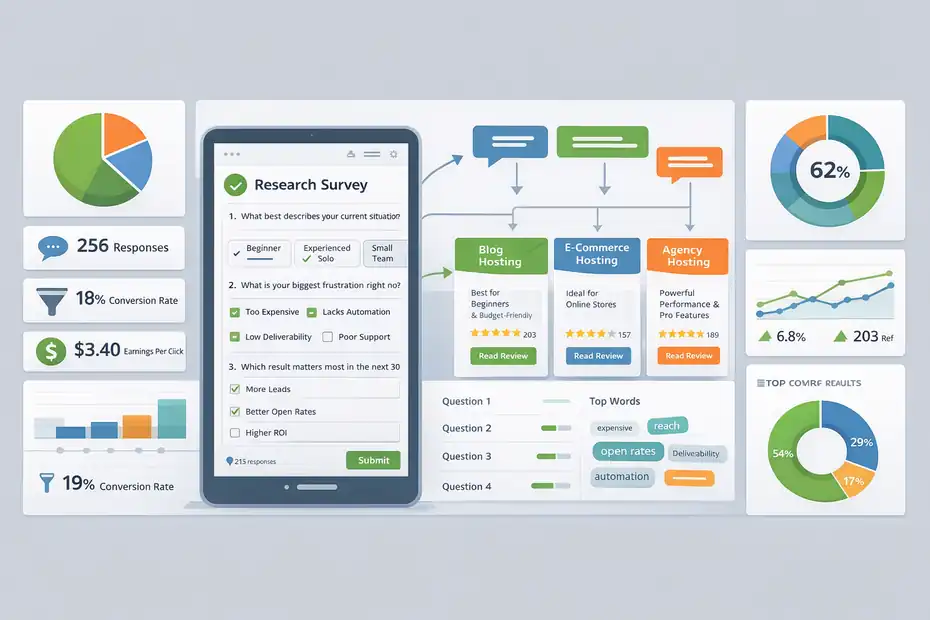
This is where the tool moves from “interesting” to practical. If you use it casually, you will get shallow answers.
If you structure it properly, it can improve content, funnels, and conversions.
Build A Research Survey Before You Build More Content
The best first use case is not lead generation. It is audience understanding.
Create a short survey focused on one decision. Not ten decisions. One.
For example, if you promote email marketing tools, your survey goal might be: “Understand the biggest reason readers are switching providers.” That keeps the survey tight and useful.
Here is a simple structure I recommend:
- Question 1: What best describes your current situation?
- Question 2: What is your biggest frustration right now?
- Question 3: Which result matters most in the next 30 days?
- Question 4: What is stopping you from choosing a tool today?
- Question 5: Optional open-ended question for extra detail.
Use logic so beginners and advanced users get different follow-ups. Keep the survey short enough to finish in under three minutes. SurveyMonkey’s templates, AI-assisted creation, question bank, and logic features can speed up setup here.
Once responses come in, look for repeated phrases. Those phrases often become better headlines than whatever you were planning to write.
This is one of my favorite shortcuts: borrow the audience’s exact wording, then turn it into copy.
Use It As A Lightweight Quiz Funnel For Segmentation
The second strong use case is segmentation. SurveyMonkey can generate shareable links, embed surveys on websites, and redirect users to different pages based on answers.
That means you can build a simple “find the best option for you” flow without overcomplicating it.
Imagine you run a hosting affiliate site. Your first question asks what kind of site the visitor wants to build: blog, online store, portfolio, or agency site. The next few questions narrow that down by budget, technical comfort, and traffic expectations.
At the end, each segment gets redirected to a tailored recommendation page.
That is useful because affiliate traffic is rarely one-size-fits-all. A beginner blogger and an agency owner should not hit the same page with the same copy.
A few practical tips make this work better:
- Tip 1: Ask intent and context questions first.
- Tip 2: Avoid too many open-ended questions in quiz-style flows.
- Tip 3: Keep the result page promise very clear.
- Tip 4: Match each segment to one strong recommendation, not five.
The cleaner the path, the more useful the survey becomes. Complexity feels smart, but clear routing usually converts better.
Common Mistakes That Make SurveyMonkey Feel Useless
A lot of marketers blame the tool when the real problem is survey design.
SurveyMonkey can absolutely feel underwhelming if you ask weak questions or collect the wrong kind of responses.
Asking Questions That Create Noise Instead Of Decisions
The biggest mistake is writing surveys that are “interesting” but not decision-oriented.
Questions like “What do you think about online privacy?” may produce opinions, but they do not help you decide what content angle, bonus, or offer positioning to use. Good affiliate surveys should reduce uncertainty around a specific decision.
You want questions that answer things like:
- What problem is most urgent?
- What outcome matters most?
- What objection blocks purchase?
- What alternative is being compared?
- What language does the reader naturally use?
SurveyMonkey gives you the mechanics to build stronger surveys, but it cannot choose your strategy for you. Its AI builder and question guidance can help draft surveys faster, yet the quality of the output still depends on the clarity of your goal.
In my experience, one great question beats five average ones. A survey that clarifies one major conversion blocker is more profitable than a longer survey full of “nice to know” details.
Collecting Bad Traffic Or Ignoring Privacy And Trust
Another major mistake is collecting responses from people who were never likely buyers. If you post a survey in random groups just to get volume, your data can become misleading.
SurveyMonkey Audience is useful when you need broader research, but for affiliate decisions, your own audience is often more valuable because they are closer to your actual buyer profile.
urveyMonkey does let you target Audience respondents with demographic filters and custom screening questions, but that still does not make them identical to your real site visitors.
The other issue is trust.
SurveyMonkey includes privacy and security features such as anonymous responses, password-protected surveys, and GDPR/CCPA-related compliance features. That is helpful, especially if you are collecting sensitive feedback or email-connected responses.
Still, you need to do your part. Be transparent about why you are collecting answers, how long it will take, and what the respondent gets from completing it. Better trust usually means better response quality.
Bad data plus low trust equals fake confidence. That is one of the most expensive mistakes in affiliate marketing.
Advanced Ways To Get More Value From SurveyMonkey
Once the basics are working, SurveyMonkey becomes more than a feedback form. It can turn into an optimization layer across content, email, and offer positioning.
Turn Response Patterns Into Better Pages, Emails, And Comparisons
SurveyMonkey provides real-time results, charts, exports, and higher-tier analysis options, including statistical significance and multi-survey analysis on broader plans.
For affiliates, the goal is not to become a data scientist. The goal is to spot patterns that change what you publish.
Here is a practical workflow:
- Step 1: Tag the top three recurring pain points in responses.
- Step 2: Rewrite your review intro to lead with the most urgent pain point.
- Step 3: Update comparison tables so they reflect the features people actually care about.
- Step 4: Build email subject lines from the exact objections respondents mention.
- Step 5: Create FAQ sections around hesitation points that appear repeatedly.
Imagine you run a finance affiliate site and your survey reveals that people are less worried about features than about approval speed. That means your article should not begin with rewards categories. It should begin with approval odds, timing, and qualification clarity.
That one shift can make your page feel immediately more relevant.
I believe this is the real hidden potential behind SurveyMonkey for affiliate marketing: it helps you stop writing from your assumptions and start writing from buyer language.
Use Research To Decide What Not To Promote
One underrated benefit of surveys is elimination.
Affiliate marketers often ask, “Which offer should I promote?” A better question is, “Which offer should I stop wasting time on?” SurveyMonkey is excellent for that type of filtering because it helps you validate interest early.
For example, you may be choosing whether to build a long funnel around a premium SEO tool. Your survey shows readers love the outcomes but hate the complexity and price. That does not always mean the offer is bad.
It may mean your traffic is better suited to a simpler beginner tool, a free trial angle, or an education-first bridge page.
That kind of insight protects your time.
SurveyMonkey also has an actual affiliate/partner program of its own, and its partner page says affiliates can earn up to 20% commission for referrals to paid plans.
That creates an interesting side angle: if your audience includes marketers, researchers, agencies, or operators who genuinely need survey software, SurveyMonkey itself can be both a research tool and a product you promote.
I would not build an entire business around that alone, but as an adjacent affiliate offer, it makes strategic sense.
Final Verdict: Is SurveyMonkey Worth It For Affiliate Marketing?
The short verdict is yes, but only in a specific way. SurveyMonkey is worth it for affiliate marketing when you use it to improve decisions, sharpen positioning, segment traffic, and validate offers before you spend more time or money.
It is not worth it if you expect it to function like an affiliate tracker, funnel builder, or all-in-one growth stack.
SurveyMonkey’s current platform focus is survey creation, research, analytics, workflows, and integrations, while its own affiliate program offers up to 20% commission for paid-plan referrals.
Who Should Use It, And Who Should Skip It
You should seriously consider SurveyMonkey if you already have one of these:
- An email list you can survey
- Existing blog traffic
- Multiple affiliate offers to compare
- A need to segment visitors before sending them to an offer
- A habit of testing copy and messaging
You should probably skip it if you are in one of these situations:
- You are brand new and still trying to get your first traffic
- You mostly need click tracking or attribution
- You will not act on the survey data
- Your niche is too low-value to justify paid research
If I were advising a new affiliate, I would not make SurveyMonkey their first paid tool. But if I were advising someone with traffic, a list, or active campaigns, I would absolutely consider it as a smart optimization tool.
The Honest Bottom Line
So, is surveymonkey worth it for affiliate marketing?
Yes, when your bottleneck is uncertainty.
If you do not know what your audience wants, what objection is blocking sales, or how to segment different buyer types, SurveyMonkey can help you uncover those answers quickly. Its logic features, collection methods, integrations, and paid research options give it more practical value than many affiliates assume at first glance.
But the hidden potential only shows up when you treat it like a research engine for conversions.
Not a magic button. Not a replacement for your affiliate stack. A research engine.
And honestly, that is enough.
FAQ
What is SurveyMonkey used for in affiliate marketing?
SurveyMonkey is used to collect audience insights, validate offers, and improve messaging before promoting affiliate products. It helps you understand user intent, objections, and preferences so you can create content and funnels that convert better instead of relying on assumptions.
Is SurveyMonkey worth it for affiliate marketing beginners?
SurveyMonkey may not be worth it for complete beginners with no traffic or audience. Its real value comes when you already have visitors or an email list, allowing you to gather meaningful data and optimize your affiliate strategy more effectively.
Can SurveyMonkey increase affiliate conversions?
Yes, SurveyMonkey can increase affiliate conversions by helping you identify what your audience actually wants. When you adjust your content, offers, and messaging based on real feedback, your pages become more relevant, which can lead to higher click-through and conversion rates.
How do affiliates use surveys to make money?
Affiliates use surveys to discover audience pain points, test product interest, and segment users. This allows them to recommend the right product to the right person, improving trust and increasing the chances that visitors will click and purchase through affiliate links.
Is SurveyMonkey better than other tools for affiliate research?
SurveyMonkey is strong for structured research and survey logic, but it is not a full affiliate tool. It works best as a support tool alongside your existing setup, helping you make smarter decisions rather than replacing tracking or funnel-building platforms.

I’m Juxhin, the voice behind The Justifiable.
I’ve spent 6+ years building blogs, managing affiliate campaigns, and testing the messy world of online business. Here, I cut the fluff and share the strategies that actually move the needle — so you can build income that’s sustainable, not speculative.
Related posts:
 How to Join an Affiliate Program
 Methods for Marketing Affiliate Websites – Simple Ways
 Affiliate Campaigns: Best Strategies to Boost Your Earnings
 How a Rental Car Affiliate Program Can Increase Your Income
 Affiliate Tools: Tips for Selecting the Right Platform
 What is Affiliate Marketing and How Can You Start Today?