
Table of Contents
Some links on The Justifiable are affiliate links, meaning we may earn a small commission at no extra cost to you. Read full disclaimer.
SurveyMonkey review for email list growth strategies is more interesting than it looks at first glance, because this is not a traditional email capture tool. It is a survey platform first, which means it can grow your list in a smarter way when you care about lead quality, segmentation, and conversion intent, not just raw subscriber volume.
In my experience, that tradeoff is exactly what makes it useful for some businesses and a poor fit for others.
Let me break down where SurveyMonkey helps, where it falls short, and whether it actually converts for list growth.
What SurveyMonkey Actually Does For Email List Growth
SurveyMonkey is built to create surveys and forms, distribute them through channels like email, web links, social, SMS, and website embeds, then analyze responses in real time. That matters for list growth because you are not only collecting an email address.
You are collecting intent data, preferences, objections, and qualification signals you can use later in your email marketing.
Why It Can Be Better Than A Basic Signup Form
A normal email signup box usually asks for one thing: an email address. That keeps friction low, which is great if your only goal is volume. SurveyMonkey changes the game by letting you ask a few strategic questions before or after the opt-in, which can help you learn what the subscriber actually wants.
Imagine you run a fitness newsletter. Instead of a plain “join my list” box, you could ask whether the visitor wants fat loss advice, home workouts, or strength training. That one step gives you segmentation data immediately. When you send tailored emails later, your click-through and conversion potential usually improve because the message feels relevant.
This is where SurveyMonkey shines. Its value is less about grabbing the largest number of emails and more about attracting subscribers you can understand and nurture.
SurveyMonkey also supports logic features like skip logic and advanced branching, so you can adapt questions based on earlier answers instead of forcing everyone through the same form. That creates a smoother experience and better-quality data.
Where It Is Not Naturally Strong
Here is the honest part. SurveyMonkey is not the first tool I would pick if your main goal is pure top-of-funnel subscriber volume from popups, lead boxes, and aggressive on-site conversion campaigns.
Dedicated email capture platforms often win on things like lightweight forms, coupon wheels, faster A/B testing for popup design, and native subscriber automation. SurveyMonkey can embed surveys on websites and send email invites, but its core identity is still “survey platform,” not “email growth engine.”
Even SurveyMonkey’s own messaging centers on surveys, forms, audience feedback, analytics, and integrations rather than list-building-first workflows.
Best-Fit Use Cases
If you ask me where SurveyMonkey fits best for email list growth strategies, it is in these situations:
- Lead qualification: You want fewer but better leads.
- Audience segmentation: You need to sort subscribers by need, budget, stage, or preference.
- Research-led lead magnets: You offer a quiz, assessment, application, or feedback form.
- B2B nurturing: You care more about pipeline quality than vanity signup numbers.
- Offer validation: You want survey responses that help shape your next product or campaign.
That is the core lens for this SurveyMonkey review for email list growth strategies: it converts best when your business benefits from learning before selling.
How SurveyMonkey Converts Visitors Into Subscribers
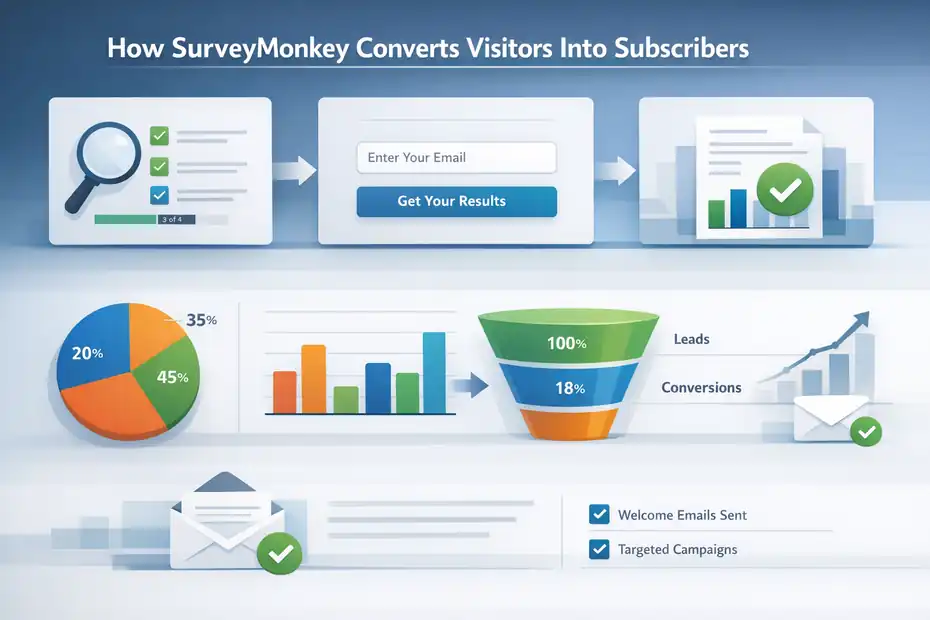
SurveyMonkey works best when you treat the survey itself as the conversion mechanism. In other words, the value exchange is not “give me your email for updates.”
It is “answer a few questions and get something useful back.” That shift can make the opt-in feel more natural, especially for skeptical visitors.
The Conversion Psychology Behind Survey-Led Growth
People often ignore generic newsletter boxes because the reward feels vague. A survey, quiz, or short assessment creates curiosity. People want to know the outcome. They also want to feel understood.
That is why a survey-led opt-in can outperform a bland “subscribe for news” message, even if it adds an extra step.
The best-performing strategy here is to promise a specific payoff. For example, a skincare brand might use a short routine finder. A coach might use a readiness assessment. A software consultant might use a diagnostic survey that identifies workflow bottlenecks.
In each case, the survey becomes the reason to participate, and the email field becomes part of the delivery process.
This matters because benchmarks for opt-in performance are rarely magical. Recent popup benchmark data found average conversion rates around 2.1% in one large dataset and 3.49% in another, with simpler forms and better targeting performing higher.
So a survey-led signup needs a clear payoff to justify the added friction. If the survey is too long or the reward is weak, you will likely lose conversions.
The Simple Funnel That Usually Works Best
In my experience, SurveyMonkey performs best for email capture when the funnel looks like this:
- Step 1: Present a sharp promise such as “Find Your Best Offer Strategy In 2 Minutes.”
- Step 2: Ask 3 to 7 meaningful questions.
- Step 3: Collect the email before showing full results, or offer to send detailed results by email.
- Step 4: Segment the lead based on responses.
- Step 5: Trigger a welcome sequence matched to that segment.
That sequence is more persuasive than a generic signup box because each question deepens commitment. The reader is not just subscribing. They are progressing through a mini journey.
SurveyMonkey helps here because it supports branching logic and multiple ways to distribute or embed the survey. It also supports integrations so response data can move into your broader workflow.
What Usually Hurts Conversion
Three things kill performance fast.
- Too many questions: Even a strong promise weakens when the survey feels like homework.
- Weak payoff: “Join our newsletter” is rarely enough to justify survey friction.
- No segmentation follow-up: If everyone gets the same email sequence after different answers, you waste the main advantage of using SurveyMonkey at all.
That last point matters more than many people realize. SurveyMonkey can help you gather nuanced response data, but the conversion value shows up later when you use that data inside your email strategy. Without that second step, you are paying the friction cost without collecting the full benefit.
Setting Up SurveyMonkey For Email List Growth The Right Way
If you want SurveyMonkey to convert, setup matters more than the software logo at the top of the page.
A good survey-led lead generation system is really a messaging problem, a UX problem, and a segmentation problem working together.
Start With One Conversion Goal
Before you write a single question, define the one action you want the user to take. In most cases, that action is not “finish survey.” It is “subscribe with intent” or “enter the right email sequence.”
That distinction changes how you design the experience. If your goal is email list growth, every question should help the visitor feel that giving you their email is worth it. I suggest choosing one clear goal from the start:
- Newsletter segmentation
- Lead qualification
- Quiz-based personalization
- Application or consultation lead capture
- Lead magnet delivery
Do not mix all five into one experience. When surveys try to collect too much, they become bloated and confusing.
A helpful rule is this: if a question will not change what email you send next, it probably does not belong. That keeps the survey lean and conversion-focused. You can always collect more data later after trust is established.
Keep The Survey Short But Smart
A short survey does not mean a shallow one. It means each question earns its place. SurveyMonkey supports skip logic and advanced branching, which lets you shorten the path for some users while showing extra detail only when relevant.
For example, a SaaS founder could ask:
- What best describes your business?
- How big is your team?
- What is your biggest growth bottleneck?
- Where should we send your tailored recommendations?
That is enough to segment by business type, maturity, and pain point without overwhelming the reader.
I recommend keeping list-growth surveys around 3 to 7 core questions. Once you push much beyond that, completion rates usually dip unless the payoff is unusually strong.
Survey benchmarks vary widely, but SurveyMonkey has long described 10% to 30% as a good range for online survey response rates, and broader recent sources still show that response rates depend heavily on audience and friction.
Place The Email Ask At The Right Moment
This is one of the biggest practical choices.
You can ask for the email at the beginning, in the middle, or before the result page. I usually prefer asking right before the payoff, because by then the visitor has invested effort and wants the result. That creates stronger motivation than asking cold at the start.
A simple framing works well: “Enter your email and I’ll send your tailored results, plus the exact next steps based on your answers.” That sounds specific and useful. It also feels less like a generic mailing list trap.
SurveyMonkey can support email collection as part of the form flow, but the key is your framing. The software gives you the mechanics. Conversion comes from making the email feel like the natural bridge to the promised outcome.
Which SurveyMonkey Features Matter Most For List Growth
Not every feature matters for email acquisition. Some are excellent for research but irrelevant for conversion.
For list growth, I would focus on distribution, logic, testing, results analysis, and integrations.
The Features That Actually Pull Their Weight
Here is a practical breakdown of the features that matter most in a SurveyMonkey review for email list growth strategies:
| Feature | Why It Matters For List Growth | My Take |
|---|---|---|
| Website Embed / Popup Options | Lets you place surveys directly on your site | Useful, but less specialized than dedicated popup tools |
| Email Collector / Email Invites | Good for sending surveys to existing audiences or warm leads | Better for engagement and reactivation than cold acquisition |
| Skip Logic | Reduces friction by sending people only where they need to go | Very valuable |
| Advanced Branching | Personalizes paths based on multiple conditions | Excellent for segmentation-heavy funnels |
| A/B Testing / Random Assignment | Helps test variants and reduce answer bias | Helpful, though not a complete CRO suite |
| Real-Time Results | Lets you spot drop-off patterns fast | Important for optimization |
| Integrations | Connects survey data to email and CRM workflows | Essential for serious lead generation |
These features are all part of SurveyMonkey’s current product positioning. The platform highlights website and app embeds, email sharing, A/B testing, real-time results, and 200+ integrations across workflows.
Why Logic Features Are The Real Standout
If I had to name one area where SurveyMonkey becomes genuinely useful for lead generation, it is logic.
Skip logic handles simpler paths. Advanced branching goes deeper by letting actions depend on answers, custom data, variables, and conditions. That means you can create a lead funnel where beginners see one path, advanced users see another, and enterprise leads get a more qualification-focused sequence.
That is powerful because personalization often boosts downstream performance more than flashy design changes. A survey that routes the right person to the right message will usually outperform a prettier but generic form.
The catch is complexity. Branching can make your setup harder to manage if you build too many rules too early. SurveyMonkey itself recommends finalizing your survey structure before layering on advanced branching, and I think that is solid advice.
What Sounds Nice But Matters Less
A lot of software reviews get distracted by extra features. For list growth, I would not overvalue things like exotic question types or analytics exports unless they directly improve your lead funnel.
Those features may matter later for research or reporting. But if your goal is “can this convert visitors into useful subscribers,” the best indicators are still simple:
- Can I create a compelling opt-in experience?
- Can I personalize the path?
- Can I connect the response data to my email system?
- Can I measure and improve the results?
SurveyMonkey can do all four. The real question is whether it does them better than tools built specifically for list growth. In many cases, the answer is “partly.”
SurveyMonkey Vs Dedicated Email Capture Tools
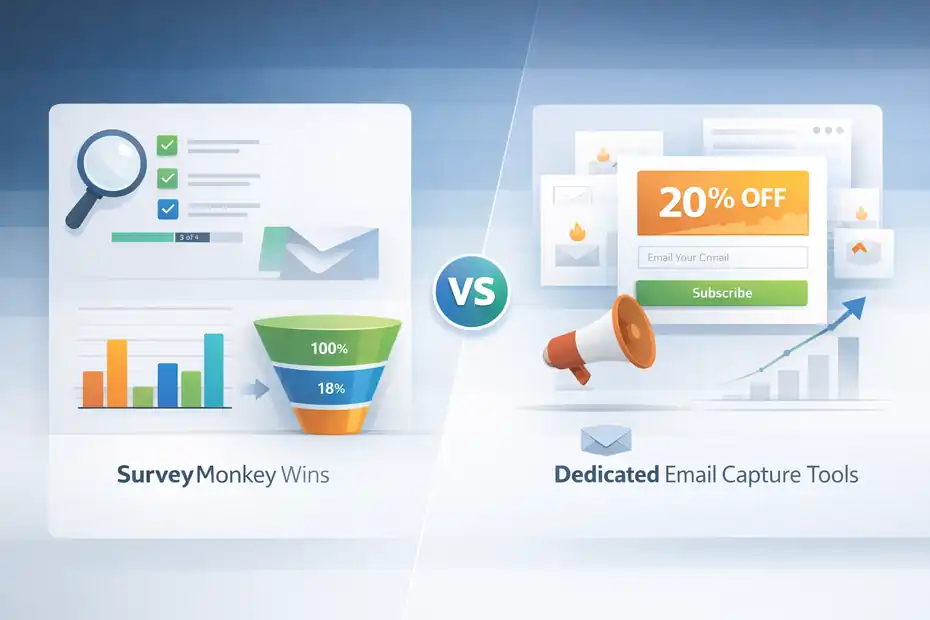
This is where a lot of people make the wrong comparison. They ask whether SurveyMonkey is a better email platform than an email platform.
That is not the right test. The better test is whether your strategy benefits more from data-rich opt-ins than from low-friction capture.
When SurveyMonkey Wins
SurveyMonkey wins when segmentation quality matters more than signup quantity.
Let’s say you sell high-ticket consulting, a cohort course, or B2B software. In those cases, one well-qualified lead can be worth more than fifty random subscribers. A survey helps you identify need, urgency, and fit before the first nurture email even goes out.
It can also be excellent for research-led funnels. For example, you could run a survey called “What Is Blocking Your Ecommerce Growth?” and use the answers to sort people into content streams for conversion optimization, retention, or paid acquisition. That gives your email program a relevance advantage from day one.
For businesses like that, SurveyMonkey can be a smart front-end filter rather than a mass-acquisition machine.
When A Dedicated Opt-In Tool Wins
A dedicated email capture tool usually wins when:
- You want aggressive popup testing
- You care about raw subscriber volume
- You need fast deployment
- You rely heavily on discount offers or exit-intent campaigns
- You want native email automation tightly connected to the form
That is especially true in ecommerce, where simple discount popups and welcome series can scale faster than survey-led flows. Recent popup benchmarks suggest average opt-in performance is often driven by trigger timing, simplicity, and minimal fields. In plain English, shorter often converts better.
My Practical Verdict On The Comparison
I believe SurveyMonkey is best used as a strategic layer, not always as the entire list-growth stack.
If your site already gets healthy traffic and your offer benefits from personalization, SurveyMonkey can improve lead quality and downstream email engagement. If you are still struggling to get basic opt-ins at all, you probably need a simpler capture mechanism first.
That is why I would not call SurveyMonkey the universal winner for email list growth strategies. I would call it a strong niche tool for businesses that win through relevance, segmentation, and trust-building. That is a meaningful difference.
Real-World Email List Growth Strategies Using SurveyMonkey
The best way to judge whether SurveyMonkey converts is to look at how it behaves inside real strategies.
On its own, a survey is just a form. In a smart funnel, it becomes a lead engine.
Strategy 1: The Quiz-Style Lead Magnet
This is the easiest approach to understand and often the most effective.
Create a short quiz that helps the reader diagnose something important. Examples:
- A freelancer: “What Is Your Client Acquisition Style?”
- A nutrition coach: “What Is Your Biggest Meal Planning Roadblock?”
- A SaaS company: “How Mature Is Your Reporting Workflow?”
The email becomes the delivery mechanism for the personalized result, not just a subscription request. That small shift matters psychologically because the reader is asking for something concrete.
SurveyMonkey supports the core mechanics needed here: survey creation, logic, embeds, and distribution. The value comes from the outcome design. The more specific the result, the better the perceived value.
Strategy 2: The Segmented Welcome Funnel
This is my favorite approach for service businesses and educators.
Instead of offering a single generic lead magnet, ask new subscribers what they want help with. Then use their answers to place them into the most relevant welcome sequence.
For instance, a marketing educator could segment new leads into SEO, paid ads, content strategy, or email automation. Even if the opt-in rate stays similar, the post-opt-in engagement usually improves because the emails feel built for the reader’s actual goal.
That matters because email benchmarks still show that engagement varies wildly by message relevance. One recent benchmark source reported average email open rates above 43% and click rates a little above 2% in 2025, while conversion guidance from multiple sources still places strong email conversion broadly in the low single digits.
Better segmentation gives you a realistic path to beating those averages.
Strategy 3: The Application Funnel For Higher-Ticket Offers
If you sell coaching, consulting, or demos, SurveyMonkey can act as a lightweight application form.
Instead of collecting every lead, you ask a few questions that reveal fit. Budget, timeline, team size, current challenge, and expected outcome are all useful. The result is not just a bigger email list. It is a better sales pipeline.
This can reduce wasted follow-up and improve close rates because you enter the conversation with context. In that kind of funnel, “conversion” should not be measured only as email captured. It should also be measured as reply quality, booked calls, and eventual revenue.
This is where SurveyMonkey’s survey-first nature becomes an advantage. It encourages thoughtful intake rather than just cheap signups.
Common Mistakes That Make SurveyMonkey Underperform
Most list-building failures with survey tools are not caused by the tool. They are caused by weak strategy and too much friction.
Mistake 1: Using A Survey Without A Strong Hook
No one wakes up hoping to complete your survey. People participate because they want an outcome, insight, recommendation, shortcut, or reward.
If your survey invitation says something bland like “Take our survey” or “Subscribe to receive updates,” expect weak results. A strong hook sounds more like a transformation. “Find the best plan for your stage.” “Get your tailored roadmap.” “See what is holding back your conversion rate.”
I recommend writing the payoff first, then building the survey around it. That keeps the experience anchored in reader value instead of your internal data needs.
Mistake 2: Asking Questions That Do Not Change The Follow-Up
This is one of the most common strategy mistakes. People add interesting questions because they are curious, not because the answer affects the next step.
Every extra question adds friction. If the answer does not change segmentation, messaging, or offer delivery, it is usually noise. Your survey should feel like a helpful shortcut, not a research burden.
A clean survey has momentum. Each question feels like progress toward a result. The moment the visitor senses wasted effort, conversion drops.
Mistake 3: Ignoring Optimization After Launch
SurveyMonkey gives you real-time results and analytics views, but many users launch once and never revisit the flow. That is a mistake because survey-led opt-ins need tuning just like landing pages do.
Watch for:
- Drop-off after a specific question
- Weak completion on mobile
- Low email submission relative to survey starts
- Segments that engage poorly after signup
Sometimes one wording change can lift conversions meaningfully. In my experience, the highest-impact fixes are usually simpler than people think: shorter intros, better result framing, fewer required fields, and clearer next-step expectations.
How To Optimize SurveyMonkey For Better Conversion Rates
Once your funnel is live, optimization becomes the difference between “interesting idea” and “reliable growth asset.”
SurveyMonkey gives you enough flexibility to improve performance, but you need a clear process.
Improve The Offer Before You Touch The Design
A lot of people try to optimize buttons and colors before fixing the actual promise. That is backward.
Your first optimization target should be the value proposition. Ask yourself: why would someone complete this survey today? Curiosity helps, but clarity converts better. The strongest offers usually combine specificity and usefulness.
For example, “Get personalized email tips” is weak. “See the 3 changes most likely to grow your list based on your current setup” is stronger. It tells the visitor what they will get and why it matters.
If your opt-in rates are low, test the hook first. If your starts are good but completions are low, test survey length and question clarity next. If completions are fine but email capture is weak, improve the result delivery message.
Use Branching To Reduce Friction
Advanced branching and skip logic are not just personalization features. They are conversion tools because they remove irrelevant steps.
Here is a simple example. If a respondent says they are a beginner, do not show advanced implementation questions. If they say they run an agency, do not ask ecommerce-specific product questions. Tailored paths feel shorter, even when the survey itself is complex.
That matters because simpler flows generally perform better. Popup benchmark data in 2025 also reinforced that fewer fields and better timing improve conversion. While a survey is not the same as a popup, the friction lesson still applies.
Match The Email Follow-Up To The Answer Pattern
This is the highest-leverage optimization move of all.
If someone tells you their biggest challenge is low traffic, do not send the same welcome sequence you send to someone struggling with poor email retention. Use the survey answers to shape the follow-up. That is where list growth turns into list value.
SurveyMonkey supports integrations and connected workflows, which is what makes this practical at scale. The platform now promotes 200+ integrations, and that matters because survey data only becomes revenue-producing when it reaches your email and CRM systems in useful form.
Pricing, Practical Value, And ROI Considerations
A tool can be “good” and still be a bad buy for your business. So the real question is not whether SurveyMonkey has useful features.
It is whether those features create enough list quality or conversion lift to justify the cost and effort.
What You Are Really Paying For
SurveyMonkey’s pricing structure changes over time, but its paid plans generally unlock more advanced features, collection options, analysis capabilities, and logic.
The official pricing pages position the product around creating surveys and forms, analyzing results, and scaling with premium capabilities rather than just collecting emails.
That means your ROI depends on business model.
If one qualified lead can be worth hundreds or thousands of dollars, SurveyMonkey can pay for itself quickly by improving fit and message relevance. If your business makes money on low-cost products and needs high-volume email acquisition, the return may be weaker compared with cheaper, conversion-first form tools.
A Simple ROI Lens To Use
I like to think about it this way:
| Scenario | SurveyMonkey Value Potential | Why |
|---|---|---|
| High-ticket services | High | Better lead qualification can save time and improve close quality |
| B2B SaaS | High | Segmentation and diagnostics support smarter nurture paths |
| Coaching / education | Medium to High | Quizzes and assessments can personalize onboarding |
| Ecommerce discount capture | Low to Medium | Usually beaten by simpler opt-in tools |
| Media newsletter growth | Medium | Can work for topic segmentation, but may reduce raw signup volume |
This table is not a universal truth, but it reflects how survey-led acquisition usually behaves in practice.
My Honest Value Judgment
I would not buy SurveyMonkey just to add a basic newsletter box to a website. That would be overkill.
I would consider it when the quality of subscriber intent changes the value of your email program. In that situation, the tool can earn its place because the extra data helps you sell more intelligently, not just market more loudly.
Final Verdict: Does SurveyMonkey Convert For Email List Growth?
Yes, but not in the way many people expect.
SurveyMonkey converts best when you use it to turn curiosity into qualified intent. It is strong for quizzes, assessments, applications, segmentation funnels, and feedback-led lead magnets. It is weaker as a pure mass-acquisition tool for simple email capture.
That distinction is the heart of this SurveyMonkey review for email list growth strategies. If your business depends on better subscriber quality, stronger personalization, and smarter follow-up, SurveyMonkey can absolutely convert. Its logic tools, collection options, real-time reporting, website embed capabilities, and broad integration ecosystem make that possible.
If, on the other hand, your only goal is to maximize raw signup volume with the least friction possible, a dedicated opt-in platform will often be the better fit. SurveyMonkey adds strategic depth, but it also adds friction. Whether that friction is worth it depends on how much you benefit from knowing more about each subscriber.
My verdict is simple: SurveyMonkey is not the best universal tool for email list growth, but it is a very good strategic tool for email list growth when segmentation quality matters. I would recommend it for B2B, consulting, coaching, education, SaaS, and other businesses where a well-qualified subscriber is far more valuable than a casual one.
And honestly, that is probably the fairest answer. It does convert. It just converts best when you ask it to do what it was built to do: learn about people first, then market to them better.
FAQ
What is SurveyMonkey used for in email list growth strategies?
SurveyMonkey is used to collect emails through surveys, quizzes, and assessments that also gather user intent data. Instead of just capturing contacts, it helps segment subscribers based on their answers, making follow-up emails more targeted and improving overall conversion quality.
Does SurveyMonkey increase email conversion rates?
SurveyMonkey can increase email conversion rates when used for quizzes or personalized surveys that offer clear value. While it may reduce raw signup volume compared to simple forms, it often improves engagement and conversions by delivering more relevant content to segmented subscribers.
Is SurveyMonkey better than traditional email signup forms?
SurveyMonkey is not always better than traditional signup forms, but it offers deeper segmentation and personalization. It works best when you need qualified leads and insights, while basic forms are better for high-volume list growth with minimal friction and faster opt-ins.
How do you use SurveyMonkey to collect emails effectively?
To collect emails effectively, create a short survey with a clear benefit, ask 3–7 targeted questions, and request the email before delivering results. Use responses to segment users and send personalized email sequences that match their needs and interests.
Who should use SurveyMonkey for email marketing?
SurveyMonkey is ideal for coaches, consultants, SaaS businesses, and educators who benefit from understanding their audience before selling. It is less effective for ecommerce or publishers focused on rapid list growth through simple discount offers or low-friction opt-ins.

I’m Juxhin, the voice behind The Justifiable.
I’ve spent 6+ years building blogs, managing affiliate campaigns, and testing the messy world of online business. Here, I cut the fluff and share the strategies that actually move the needle — so you can build income that’s sustainable, not speculative.
Related posts:
 Best Email Marketing Service: Master Email with These 4 Strategies
 Email Subscribers Skyrocket! 5 Secrets to Success Revealed
 SurveyMonkey Pros And Cons For Freelancers: Smart Tool Or Overpriced?
 SurveyMonkey Review For Affiliate Marketers: Can It Boost Conversions?
 SurveyMonkey Honest Review For Bloggers Collecting Emails: Smart Or Risky?
 Is SurveyMonkey Worth It For Affiliate Marketing: Hidden Potential