Table of Contents
Some links on The Justifiable are affiliate links, meaning we may earn a small commission at no extra cost to you. Read full disclaimer.
HostGator hosting review for beginners usually comes down to one simple question: Is it actually easy enough for your first website, or does the low entry price hide a mess later?
After looking at HostGator’s current plans, support setup, guarantees, and independent performance reports, I think the honest answer is mixed in a very beginner-specific way.
It can be a solid starting point if you want affordable shared hosting with cPanel, WordPress installs, and live support.
But you also need to go in with clear expectations about renewals, add-ons, and performance ceilings.
What HostGator Is And Why Beginners Look At It
HostGator sits in the part of the hosting market most beginners shop first: affordable shared hosting with familiar tools, a free domain on qualifying plans, one-click WordPress setup, SSL, and support that is available around the clock.
That combination matters because most new site owners are not comparing server architecture on day one. They are asking, “Can I get online without breaking anything?”
HostGator is clearly built to answer that question with a yes.
Its shared hosting pages emphasize beginner-friendly onboarding, free SSL, unmetered bandwidth, WordPress installs, and bundled basics rather than advanced developer features.
Shared Hosting Makes Sense For A First Site
If you are launching a blog, portfolio, local service website, or small affiliate site, shared hosting is often the most practical entry point. Shared hosting means your site lives on a server with other sites, which keeps costs lower because resources are shared. That is not glamorous, but for a beginner it is usually enough.
HostGator’s shared plans are positioned for modest traffic levels, and the plan descriptions now include rough visit guidance, storage, and website counts, which helps new users make a more realistic choice.
That is a useful improvement because many hosting companies still rely on vague “starter” language without showing what the plan is actually meant to handle.
What I like here is that HostGator does not force you into a custom control panel immediately. It still leans on cPanel, and that matters more than people admit.
For a beginner, cPanel gives you a standard layout you can search tutorials for almost anywhere online. If you run into a problem, there is a good chance someone else has solved the same thing before.
In my experience, that lowers stress a lot when you are setting up email, SSL, file manager access, or WordPress. HostGator’s help content also shows it continues to use the Jupiter cPanel theme and organizes features into clear categories for easier navigation.
The Honest Beginner Verdict In One Sentence
If I had to summarize HostGator for a first-time buyer in one sentence, I would say this: it is a decent beginner host when your priority is simple setup and low intro pricing, but it is not the strongest option if performance and bundled extras are your top concern.
That is where many reviews get too emotional in either direction. Some act like it is perfect because it is cheap. Others act like it is unusable because it is not the fastest host in its class.
Neither view is very helpful. Independent reviews in 2025 and 2026 show that HostGator tends to land in the middle: respectable uptime, mixed-to-average speed, beginner-friendly tooling, and weaker value once renewals and add-ons enter the picture.
That is why this review matters specifically for beginners. You do not need the “best host on earth.” You need the host that fits your first website, budget, patience level, and technical confidence. For many people, HostGator can do that job. You just should not buy it thinking the cheapest number on the page tells the full story.
Understanding HostGator Plans And What You Actually Get
The biggest mistake beginners make is buying a hosting plan based only on the starting price.
HostGator’s entry pricing looks attractive, but the real decision is about limits, renewals, included features, and whether the plan fits your site type.
Which Shared Plan Fits A Beginner Best
Based on HostGator’s current public plan pages, these are the shared hosting options most beginners will compare first. The figures below reflect the pricing and features shown publicly on April 9, 2026.
| Plan | Intro Price | Renewal Example | Websites | Storage | Best For |
|---|---|---|---|---|---|
| Hatchling | $2.75/mo | $24.19/mo on 1-month billing example | 10 | 10 GB SSD | One small first site |
| Baby | $3.95/mo | $18.69/mo on 1-year billing example | 50 | 50 GB SSD | Multiple small sites |
| Business | $5.95/mo | $24.19/mo on 1-year billing example | 100 | 100 GB SSD | Small business needing extra perks |
This is where I usually guide beginners away from purely buying the cheapest option. Hatchling looks great if you only want one basic site, but HostGator’s newer feature framing shows it supports up to 10 websites with 10 GB SSD storage and roughly 40K visits per month as an ideal range.
Baby jumps to 50 websites, 50 GB SSD, and a much higher ideal visit range, which makes it a safer choice if you think you may launch a second blog, landing page, or client site later.
Business adds more security and marketing extras, but many beginners do not need that on day one. In practical terms, Baby is often the plan where price and flexibility meet most cleanly.
The Real Cost Is Not The Front-Page Price
Here is the part I suggest you slow down and read twice before buying: the advertised monthly price is usually tied to a longer commitment, and the regular price can be dramatically higher. HostGator’s own hosting price chart shows regular monthly cost breakdowns that are far above the homepage intro rates.
For example, the Hatchling plan is promoted from $2.75 per month on the main shared hosting page, while the price chart shows much higher regular pricing depending on billing term.
That gap is not unique to HostGator, but beginners often experience it as a surprise because they mentally anchor on the first number they see.
I believe this is the single most important “honest truth” in any HostGator hosting review for beginners. The service may feel affordable at checkout, but your second bill can change how affordable it feels. Add-ons can widen that gap too.
HostGator includes some core features like SSL and a free domain for the first year on qualifying plans, but not every extra many beginners assume is bundled forever.
Some independent reviewers specifically call out backups and privacy-related costs as weaker spots in HostGator’s value compared with some competitors.
That does not make HostGator a bad product. It just means you should treat checkout like a budget decision, not a marketing decision.
Refunds, Guarantees, And What They Really Mean
HostGator publicly advertises a 99.9% uptime guarantee on shared hosting and also references a money-back guarantee, but there is an important detail here: the public pages are not perfectly consistent about the timeline.
One shared hosting page mentions a 45-day money-back guarantee, while the company’s Terms of Service and some product/help pages reference a 30-day money-back period.
When an official site shows conflicting policy language, I think the safest move is to rely on the Terms of Service and confirm the exact policy with support before purchase.
That kind of inconsistency is not a deal breaker, but it is the sort of thing beginners should notice. In plain English, a money-back guarantee helps lower the risk of trying the service, but it does not protect you from every extra purchase.
HostGator also states that refunds do not cover things like domain registration fees and certain additional services. So yes, the guarantee is useful. No, it does not mean every dollar you spend during signup is fully reversible.
I always recommend taking screenshots of the offer page, checking the order summary carefully, and asking support to clarify any “free for year one” or “trial” item before you submit payment.
Getting Started With HostGator As A Complete Beginner
Once you move past pricing, the next search intent is simple: What does setup actually feel like, and how hard is it to get a site online?
This is where HostGator is generally stronger than it is at pure value.
Buying Your Plan And Choosing A Domain
The first setup decision is whether you want a brand-new domain or already own one. HostGator’s shared hosting offers commonly include a free domain for the first year, which is helpful for first-time site owners who want one checkout instead of juggling a registrar and host separately.
For a beginner, that convenience matters. Fewer moving parts means fewer ways to misconfigure DNS, billing, or nameservers in the first week.
That said, I usually give beginners one caution here: convenience and control are not always the same thing. When you register the domain with the same company that hosts your website, setup is easier, but transferring later can feel more annoying if you ever want to move. That is not a HostGator-specific flaw. It is just a trade-off.
If your top goal is fast launch, bundling domain and hosting with HostGator is perfectly reasonable. If your top goal is long-term flexibility, using a separate domain registrar can still be smarter.
For most first-site owners, though, keeping it together initially is fine as long as you keep records of your renewal dates and login access.
A simple real-world scenario: Imagine you are starting a local lawn care website. You do not need complex infrastructure. You need a domain, SSL, WordPress, and a contact form. In that case, HostGator’s bundled path is probably the lowest-friction route from idea to live site. If you are building a serious content portfolio you plan to scale or sell later, I would think a little harder about separating domain ownership from hosting.
Setting Up WordPress And Using cPanel
For beginners, WordPress is usually the main reason they buy hosting in the first place. HostGator explicitly supports one-click WordPress installs on shared hosting, and its WordPress product pages also position the platform as easier to get running with optimized setup features.
That is good news because WordPress can feel confusing when you are first learning the difference between themes, plugins, hosting, and domains. A host that reduces that setup friction is doing real work for you.
The cPanel part matters too. HostGator’s support documentation shows the cPanel interface is organized around searchable categories, which is helpful when you are trying to find email accounts, file manager, redirects, databases, or SSL tools.
I still think cPanel looks a little old-school, but for beginners that can actually be a benefit. It is stable, widely documented, and less mysterious than some custom dashboards that try to be “simpler” while hiding important controls.
If you get stuck, you can search HostGator’s knowledge base or general cPanel tutorials without feeling locked into one brand’s terminology.
My practical recommendation is to keep your first session focused on just four actions: install WordPress, activate SSL, set your site title and permalink structure, and confirm your admin email works.
Do not spend your first hour obsessing over themes or logos. A beginner’s win is getting a secure, working site online with clean page URLs and access you can recover later.
Your First-Hour Checklist On HostGator
When I help someone launch a new site, I try to reduce the first hour into a tiny sequence that prevents the most common beginner errors. HostGator gives you the basics, but you still need to set them up correctly. Here is the sequence I would personally follow.
- Step 1: Confirm your domain is pointing correctly and your site loads over HTTPS, not just HTTP.
- Step 2: Log into WordPress and change the site title, tagline, timezone, and permalink structure.
- Step 3: Delete default plugins, themes, and sample content you do not need.
- Step 4: Install one backup solution and one security layer if they are not already handled the way you want.
- Step 5: Create a test page and a contact page so you know publishing works.
Why does this matter? Because beginners often get distracted by design before stability. A site with a beautiful homepage but broken SSL, messy URLs, no backups, and no contact form is not actually “launched.”
Some reviewers note that HostGator’s included security and backup value depends heavily on plan level and extras, so I would not assume your protection is complete just because the account is active.
Think of HostGator as the host, not the entire site management strategy. That mindset will save you headaches later.
What The Day-To-Day Beginner Experience Is Really Like
A hosting company can look good at checkout and still become annoying after week two. The daily experience is where beginner satisfaction usually lives or dies.
Ease Of Use After The Newness Wears Off
In day-to-day use, HostGator’s biggest beginner advantage is familiarity. cPanel is not trendy, but it is practical. WordPress installs are straightforward, the support center is large, and the platform gives you standard hosting tools instead of trying to reinvent every workflow.
For a new site owner, that can feel reassuring. You are not learning a host and a custom operating system at the same time. You are mostly learning standard website tasks.
There is also a psychological benefit here that many reviews miss. Beginners do not just need “features.” They need a lower panic level. A dashboard that lets you search functions, open file manager, manage email, and access WordPress without too much guessing creates momentum.
That is one reason HostGator remains relevant. Even when reviewers criticize its speed or extras, they often still acknowledge that setup and general usability are accessible.
Cybernews, for example, praised HostGator’s reliability and ease for small to medium websites in hands-on testing, even while the broader hosting market remains competitive.
The downside is that HostGator does not feel especially modern compared with hosts that have cleaner, more guided onboarding interfaces. Some beginners will prefer that old-school control. Others will see it as clutter.
From what I have seen, people who like to click around and learn do well with HostGator. People who want a super-polished, almost app-like experience may find it less elegant.
Support Quality And How Much That Should Matter
HostGator advertises 24/7/365 support and provides phone and chat access, along with a sizable knowledge base.
For a beginner, that is not a small feature. When your first site throws a DNS error or SSL issue at 10:30 p.m., knowing you can open chat matters more than one extra benchmark point on a comparison chart.
HostGator’s contact and help pages make support access very visible, which is exactly what a beginner-friendly company should do.
Still, support availability and support quality are not always the same thing. Independent reviews are mixed. Some users praise responsiveness; others complain about inconsistent answers or escalation friction.
That is pretty normal in mass-market hosting. Large providers handle huge ticket volume, which means your experience can vary depending on the issue and the rep.
I would not choose HostGator because I expect white-glove support. I would choose it because it gives a beginner a reasonable chance of getting quick help for common setup problems.
My advice is simple: Use live chat for clarification and simple account tasks, but document everything. Save transcripts. Take screenshots. If a support rep confirms a billing or migration detail, keep the record. That habit protects you with any host, and it is especially useful when the provider has multiple pages that may show different phrasing about guarantees or feature limits.
Speed, Uptime, And What A Beginner Should Expect
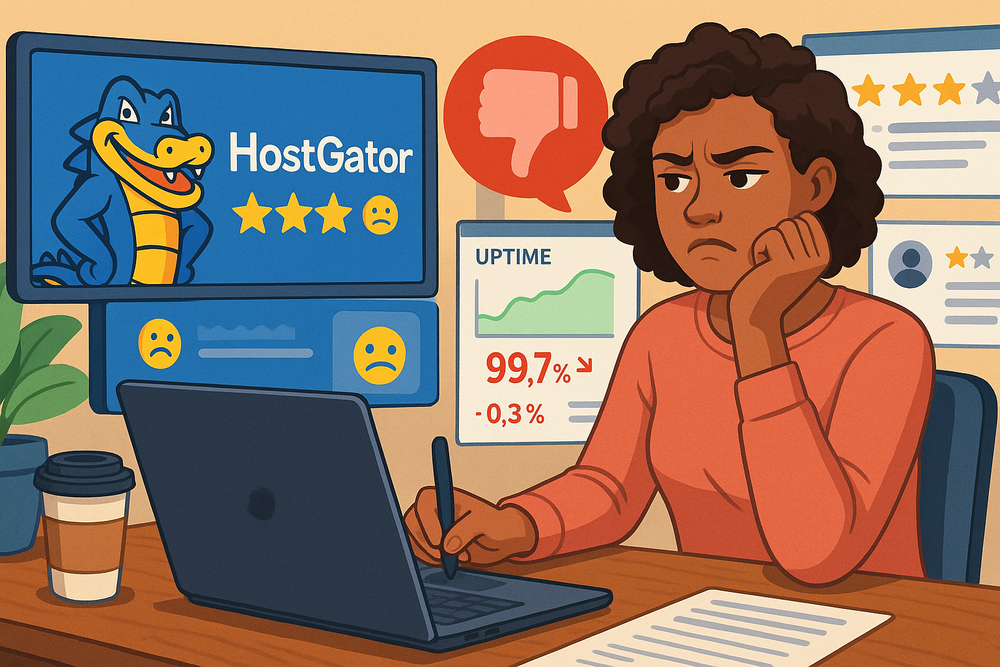
HostGator’s official promise is a 99.9% uptime guarantee on shared hosting. That is respectable and very standard in this market. Third-party assessments suggest uptime is generally decent, but speed is where the story gets more mixed.
Forbes Advisor cited a 99.98% uptime average for the 12 months ending August 2025, while also noting average server response speeds lagged behind some competitors. Other 2025 and 2026 tests show good raw reliability but less impressive global response times or value relative to newer competitors.
For a beginner, this translates into a pretty practical rule: HostGator is usually fine for low-to-moderate traffic sites, but it is not the host I would pick if speed is your main competitive edge. Imagine you are running a simple wedding photography site or a local consultant page. HostGator can probably do that job without drama.
Imagine you are building a content-heavy niche site where page speed and SEO are central to monetization from day one. In that case, the “good enough” part of HostGator may start feeling less comfortable over time.
This is why I think HostGator works best when your first goal is launch, not maximum performance tuning. Get online. Learn the workflow. Publish real pages. Then decide whether you need more horsepower later. That is a far better beginner strategy than overbuying complexity on day one.
The Biggest Pros Of HostGator For Beginners
The most useful review is not one that says “good” or “bad.” It is one that tells you exactly where a product helps a beginner move faster.
Low-Frustration Setup Is A Real Advantage
I think HostGator’s clearest strength is reducing beginner friction. Shared hosting, WordPress installs, SSL, domain offers, and cPanel access create a path that many first-time users can follow without needing to understand servers deeply.
That matters. Most people buying their first host are not trying to become system administrators. They are trying to publish a real website this week. HostGator’s onboarding and resource library are clearly designed around that outcome.
That simplicity is not trivial. In practice, a beginner-friendly host saves you from abandoned projects. I have seen plenty of people quit not because their business idea was bad, but because the setup stack felt too fragmented.
When hosting, SSL, WordPress, and basic support live in one place, you remove just enough friction to keep momentum going. That is especially important for solo creators, students, side-hustlers, and local businesses that do not have a technical team.
It Gives You Room To Learn Before You Upgrade
Another underrated advantage is that HostGator offers a progression path. You can begin on shared hosting, learn cPanel and WordPress basics, and only think about VPS or more specialized hosting later if your site outgrows the starter setup.
That is a healthy learning curve for beginners. HostGator itself positions shared hosting as right for beginners and smaller sites, while more advanced hosting types are framed for people who need more control.
I like that because it lets you pay for your current stage, not your fantasy stage. A lot of new site owners buy hosting like they are preparing for a million visitors before they even publish page one. That is usually wasted energy and budget.
HostGator gives you a conventional ladder: start simple, grow later. For many of us, that is exactly the right progression.
The Core Feature Bundle Is Good Enough For Many First Sites
HostGator’s shared plans include several features beginners genuinely need: SSL, cPanel, WordPress installation, unmetered bandwidth, and in many offers a free domain for the first year.
Business tiers add more extras, and the platform also points to migration tooling, CDN integration, and additional security features depending on plan.
No, this is not the richest bundle in hosting. But for a first blog, brochure site, or service business website, it covers the basics well enough to get live quickly.
That phrase “good enough” is actually a compliment here. Beginners do not always need the best developer stack or the fastest edge configuration. They need a package that is understandable, reasonably stable, and not too painful to manage.
HostGator often succeeds on that narrower mission, which is why it still earns consideration despite the market becoming more competitive.
The Biggest Cons You Should Know Before Buying
This is the section I would tell every beginner to read before entering a credit card.
HostGator is not a scam, but it is also not a magic bargain.
Renewal Pricing Can Change The Whole Value Equation
The front-page pricing is attractive. The longer-term cost is where you need to stay alert. HostGator’s public price chart shows regular billing levels that are substantially higher than the entry offers featured on the main shared hosting page.
This means the host may feel cheap at signup and much less cheap later. That is normal across the industry, but it still hits beginners the hardest because beginners are most likely to shop by promo price alone.
I strongly suggest you calculate your first 24 months, not your first checkout. Include hosting renewal, domain renewal, privacy if needed, backups if needed, and any premium security extras you actually want.
Once you do that, HostGator may still be worth it, but you will be making a real decision instead of a headline-price decision. That is the difference between feeling smart after purchase and feeling tricked later.
Some Important Extras Are Not As Generous As You Might Hope
A second weakness is that some protections beginners assume are automatic may require more attention or spend. Independent reviewers have specifically criticized HostGator for weaker backup inclusion and less generous privacy/security bundling on lower plans compared with some competitors.
HostGator does include key basics like SSL, and higher tiers add more, but I would not treat the starter plan as a complete site protection strategy by default.
This matters because beginners often overestimate what “hosting” covers. Hosting stores and serves your site. It does not automatically mean robust backup workflows, premium malware cleanup, or ideal privacy settings are all solved forever.
My advice is to build your own checklist rather than trusting the word “included.” You want to know what is included, for how long, and on which plan.
It Is Not The Strongest Choice For Speed-Focused Growth
HostGator’s uptime picture is decent. Its speed picture is more mixed. Third-party reviews from 2025 and 2026 show that while reliability can be solid, response times and broader performance competitiveness are not always leading the category.
That does not mean your site will be slow by default. It means HostGator is usually a better fit for “I need a stable beginner setup” than for “I want the sharpest performance platform in my budget range.”
So who should think twice? I would pause if you plan to build a high-growth content site, an SEO-heavy publishing project, or an e-commerce store where every second of load time affects revenue. In those cases, performance headroom and bundled optimization matter more.
For a first personal or small business site, HostGator remains more defensible. For a speed-sensitive growth project, the trade-off is harder to justify.
How To Make HostGator Work Better If You Do Choose It
If you buy HostGator, the goal is not just to get online. The goal is to avoid the classic beginner mistakes that make any hosting experience feel worse than it should.
Set Up The Basics That Protect Speed And Stability
Your first optimization layer should be boring, not clever. Turn on SSL correctly. Use lightweight themes. Remove unused plugins. Compress images before uploading. Keep WordPress, plugins, and themes updated.
Add a caching layer that fits your setup. These habits matter more on shared hosting because you are working within a more limited performance envelope.
I also recommend making peace with simplicity. A beginner site on HostGator does not need 27 plugins and a massive page builder stack just because you can install them. In my experience, many “hosting problems” are really website bloat problems.
If you keep the site lean, use decent images, and avoid unnecessary scripts, shared hosting can feel much better than the worst-case reviews suggest.
Avoid The Most Common Beginner Mistakes
These are the mistakes I see most often with first-time hosting buyers, and HostGator does not automatically save you from them.
- Mistake 1: Buying the cheapest plan without checking future site count, storage, or renewal costs.
- Mistake 2: Assuming backups and security are fully handled without verifying the plan details.
- Mistake 3: Launching without HTTPS, analytics, and a clean permalink structure.
- Mistake 4: Treating support like a replacement for documentation and personal records.
- Mistake 5: Waiting until renewal month to understand what you actually purchased.
A realistic example: Let’s say you start with one local business site, then six months later add a second microsite and an email workflow. Suddenly the cheapest starter choice may feel cramped or oddly priced. That is why I usually tell beginners to buy for the next 12 months, not just the next 12 days. HostGator can work well when you do that planning upfront. It feels much worse when you wing it.
Know When To Stay And When To Move
The smartest beginner move is not “pick the perfect host forever.” It is “pick a host that gets your first site live, then reevaluate based on actual needs.” HostGator is well suited to that mindset.
It can be your training ground, your first production host, or your affordable home for a modest site. But it does not have to be your forever host.
I would stay with HostGator if your site is stable, traffic is modest, support solves your issues, and your costs still make sense after renewal.
I would consider moving if your traffic grows quickly, speed becomes an SEO bottleneck, or the long-term value feels weak compared with alternatives in the same budget band.
That is not disloyalty. That is just good website ownership.
Final Verdict: Is HostGator Good For Beginners Or Not?
This final section answers the core search intent directly. A beginner does not need a vague review. A beginner needs a plain recommendation.
Who Should Choose HostGator
I would recommend HostGator to a beginner who wants affordable shared hosting, expects a fairly normal first website setup, values cPanel familiarity, and prefers having support available by chat or phone.
It is especially reasonable for blogs, personal sites, small service businesses, portfolios, and simple WordPress projects where ease of launch matters more than squeezing every last performance gain from the stack.
HostGator’s shared plans, WordPress access, support availability, and standard management tools make it a serviceable first step.
If that sounds like you, I would lean toward choosing the plan that gives you a little breathing room rather than the absolute cheapest plan. A slightly better-fit plan usually saves more frustration than it costs.
Who Should Probably Skip It
I would not make HostGator my first pick if your top priorities are best-in-class speed, unusually generous bundled extras, or long-term low-cost value after renewals.
I would also think twice if you already know your site will grow into something traffic-heavy, conversion-sensitive, or technically demanding.
Independent reviews show a pattern that supports this caution: decent reliability, mixed performance competitiveness, and value concerns once you move beyond the intro offer.
That does not mean HostGator is a bad host. It means it is a specific kind of host. It is a beginner-accessible, mainstream provider that helps many people launch successfully, but it is not the clear winner for every future scenario.
The Honest Truth
My honest conclusion is this: HostGator is good enough for many beginners, and sometimes that is exactly what you need. It gives you a practical path to get your first website live with familiar tools, solid support access, and low entry pricing. But you should buy it with eyes open.
Watch renewal costs, verify policy details, plan your backups and security consciously, and do not expect premium performance from a bargain shared plan.
If you treat HostGator as a beginner-friendly launch platform rather than a perfect all-in-one forever solution, it makes a lot more sense.
FAQ
What is HostGator hosting and is it good for beginners?
HostGator hosting is a shared hosting service designed to help beginners launch websites quickly using tools like WordPress and cPanel. It is good for beginners because it offers simple setup, affordable starting prices, and 24/7 support, though long-term value and performance may vary depending on your needs.
How much does HostGator cost for beginners?
HostGator offers beginner plans starting at low introductory prices, often under $5 per month. However, renewal rates are significantly higher after the first term. Beginners should review full pricing, including domain renewal, add-ons, and billing cycles, to understand the true long-term cost.
Is HostGator easy to use for a first website?
HostGator is considered beginner-friendly because it uses cPanel and provides one-click WordPress installation. The interface may look slightly outdated, but it is widely supported with tutorials. Most beginners can launch a basic website within an hour without needing advanced technical knowledge.
Does HostGator include everything beginners need?
HostGator includes essential features like SSL, hosting space, and WordPress setup. However, some important extras such as advanced backups, security tools, or domain privacy may require additional costs. Beginners should review what is included in their plan to avoid unexpected expenses.
Is HostGator fast and reliable for new websites?
HostGator offers reliable uptime close to 99.9%, which is suitable for beginner websites. However, speed performance is average compared to competitors. It works well for small sites, blogs, and local businesses, but may not be ideal for high-traffic or performance-focused projects.

I’m Juxhin, the voice behind The Justifiable.
I’ve spent 6+ years building blogs, managing affiliate campaigns, and testing the messy world of online business. Here, I cut the fluff and share the strategies that actually move the needle — so you can build income that’s sustainable, not speculative.