
Table of Contents
Some links on The Justifiable are affiliate links, meaning we may earn a small commission at no extra cost to you. Read full disclaimer.
A real hostgator features overview should do more than repeat sales copy. If you’re trying to figure out what HostGator actually gives you, what is included by default, and where the plan differences start to matter, this guide is for you.
I’m going to walk through the platform the way a practical buyer would: core hosting features, WordPress tools, server options, setup experience, limitations, and the upgrades that only make sense once your site grows.
The goal here is simple: help you see what you’re paying for and whether it fits the kind of website you want to build.
What HostGator Is Really Offering
HostGator sells more than one kind of hosting, so the first thing to understand in any hostgator features overview is that there is no single “HostGator plan.”
The company offers shared hosting, managed WordPress hosting, VPS hosting, and dedicated servers, and the feature set changes a lot depending on which route you choose.
Shared hosting is positioned as the affordable entry point, WordPress hosting adds WordPress-focused performance and convenience, VPS gives you more control and isolated resources, and dedicated hosting is the full-control option for larger or more customized workloads.
What You Get Across Most Plans
If you strip away the marketing language, HostGator’s value starts with a few basics that show up repeatedly across its main hosting products.
Shared plans include an easy-to-use control panel, unmetered bandwidth, unlimited subdomains, unlimited FTP accounts, unlimited email accounts, free SSL, a 99.9% uptime guarantee, and a 45-day money-back guarantee.
On the broader HostGator site, the company also highlights a free domain for the first year on qualifying terms and says WordPress can be installed as part of the setup experience.
That sounds generous, and in many ways it is. For a beginner launching a basic business site, portfolio, local service site, or small blog, those core inclusions cover most of what you need on day one.
You get hosting space, a control panel, SSL for security, email capability, and enough flexibility to install a common CMS like WordPress without paying for ten add-ons first.
In my experience, that matters more than flashy “enterprise” wording. A simple package that lets you publish quickly is often more useful than a bloated one full of features you will never touch.
The Fastest Way To Think About The Plans
Here is the practical version I suggest using when comparing HostGator plans:
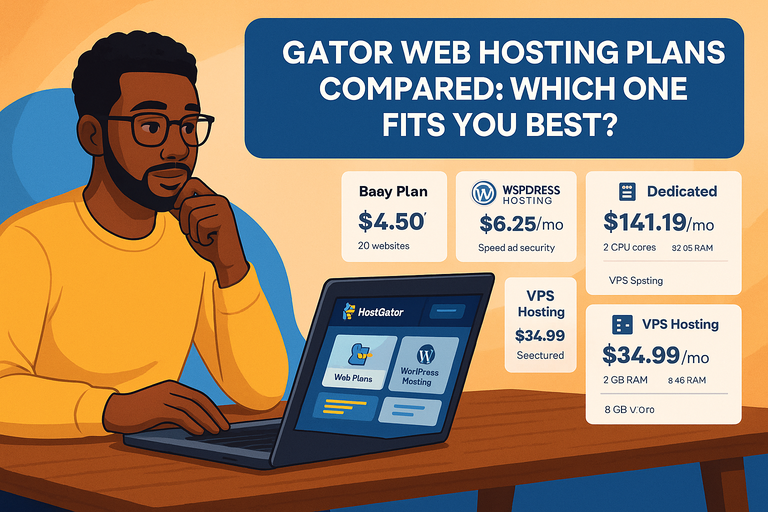
| Hosting Type | Best For | Main Feature Angle | What Stands Out |
|---|---|---|---|
| Shared Hosting | New sites, small businesses, blogs | Low-cost essentials | cPanel, SSL, unmetered bandwidth, email, subdomains |
| WordPress Hosting | WordPress-first users | Simpler WP management | Speed focus, free SSL, migration tooling, support |
| VPS Hosting | More control, custom software | Isolated resources | AMD EPYC, DDR5 RAM, NVMe, root-level flexibility |
| Dedicated Hosting | High-control or heavier projects | Full server access | 100% server control, custom optimization, NVMe options |
The table is a good snapshot, but the real decision comes down to this: do you need convenience, control, or raw headroom? Shared hosting is the convenience play. VPS is the control play.
Dedicated is the headroom play. WordPress hosting sits in the middle for people who want less setup friction and more platform-specific polish.
Where Buyers Usually Misread The Offer
A lot of people read “unmetered” or “unlimited” and assume there are no practical limits. That is not how hosting works. What those terms usually mean in practice is that HostGator is not charging you by the gigabyte in the same way a cloud infrastructure provider might.
But performance, account suitability, and server fairness rules still exist. HostGator even states in its VPS comparison materials that VPS is not the right answer for overly resource-intensive accounts or heavy traffic by default, which is a useful reminder that every hosting tier has intended use cases.
I think that is the healthiest way to read the whole product line. HostGator gives you a wide runway, especially at the low end, but you still need to pick the right environment for your site’s behavior. A brochure-style affiliate review often skips that nuance.
A better review tells you this: HostGator can be a very workable choice, but only if you match the hosting type to the website you are actually running.
Shared Hosting Features Most People Will Use First
This is the part of the hostgator features overview that matters to most buyers, because shared hosting is where many people start.
HostGator’s shared plans are designed to help you launch a standard website without handling server administration yourself.
That means the core features are built around usability, not deep infrastructure control.
Control Panel, Bandwidth, Email, And Everyday Management
HostGator’s shared hosting page lists a flexible control panel, unmetered bandwidth, unlimited subdomains, unlimited FTP accounts, and unlimited email accounts as part of the shared feature set.
In plain English, that means you can manage files, databases, domains, and email from a familiar interface rather than working from the command line. HostGator also uses a customized cPanel theme called Jupiter, which groups features into clearer categories for easier navigation.
For a beginner, that matters a lot. Imagine you’re running a small local roofing business and want a brochure-style site with a contact form, branded email, and maybe a blog later. You do not need root access or a custom server stack.
You need a dashboard that lets you create email addresses, manage files, install WordPress, and point your domain without feeling like you accidentally opened the engine room of a cargo ship. Shared hosting is built for exactly that.
A small but useful detail here is that email is not hidden away as some strange premium-only feature. HostGator provides documentation for creating and managing email accounts through the customer portal and cPanel tools, and it also offers broader email hosting guidance for professional branded inboxes.
For many small businesses, that’s one of the most practical benefits because it helps you move from a generic inbox to something like hello@yourdomain.com without introducing another vendor on day one.
SSL, Free Domain, And What “Included” Really Means
HostGator includes a free SSL certificate with hosting and provides instructions for enabling Let’s Encrypt SSL and forcing HTTPS. It also says all hosting plans come with a free SSL certificate, which is one of those features that sounds basic now but is still essential.
SSL encrypts the connection between your site and its visitors, helps your browser show the secure padlock, and is part of the baseline people expect from a legitimate business site.
The free domain offer is useful too, but this is one area where I always recommend reading the condition carefully. HostGator says the free domain applies when you sign up for qualifying 12, 24, or 36 month Shared, WordPress, or Cloud plans, and the free registration applies to the initial term only.
After the first year, the domain renews at the regular rate. That does not make it a bad deal. It just means “free” is introductory, not forever.
Here’s the practical takeaway: Included features are valuable when they remove friction at launch. SSL does that. A first-year domain does that. cPanel does that. But you still want to budget for renewals and understand that your long-term cost is never just the shiny promo number on the landing page.
I believe that mindset alone saves buyers from half the disappointment they feel later.
One-Click Installs And Why They Matter More Than They Sound
HostGator supports one-click and Softaculous-based script installation through cPanel. Its Softaculous documentation says the installer supports many scripts and can be used to install WordPress, Joomla, PrestaShop, phpBB, and other applications.
It also supports auto-updates, email notifications, demos, and up to two backups within Softaculous itself.
That may sound like a small convenience feature, but it quietly changes how approachable hosting feels. Installing a CMS manually means handling files, databases, configuration details, and permissions.
A one-click flow removes most of that. If you’re building your first site, that difference is huge. You can go from account purchase to a live WordPress dashboard without needing to know what phpMyAdmin is on the first day.
HostGator even has a separate help article for one-click WordPress installation on new shared hosting accounts, which tells you this is clearly part of the onboarding path they expect many users to take.
I would not call one-click installers glamorous, but I would absolutely call them useful. They reduce setup errors, lower the technical barrier, and help you spend your energy on building pages and content instead of wrestling with installation steps.
For beginners, that’s one of the most meaningful features in the entire shared hosting package.
WordPress Features And The Extra Convenience Layer
If your site will be built on WordPress, this part of the hostgator features overview is where things get more interesting. HostGator’s WordPress hosting is framed as an optimized hosting environment with better speed, advanced security, free migrations, free SSL certificates, and 24/7/365 support.
The point is not just hosting space. The point is reducing WordPress-specific setup and maintenance friction.
What Managed WordPress Actually Changes
The phrase “managed WordPress hosting” gets thrown around a lot, so let me make it simple. In HostGator’s case, the product page emphasizes faster performance, uptime, support, and WordPress-specific convenience.
That means the hosting environment is intended to make WordPress easier to get running and maintain than a generic plan would.
HostGator’s own comparison language says WordPress hosting is specifically optimized for WordPress websites and offers features that improve performance, security, and ease of use.
For some users, that difference will feel minor. For others, it is the whole reason to choose the plan. Imagine you are a solo consultant launching a lead-generation website with a blog, landing pages, and maybe a downloadable guide.
You are not trying to become a server admin. You want WordPress to behave nicely, support to be available, and migrations to be less painful. That is where WordPress-specific hosting earns its keep.
I usually tell readers this: if you know you are committed to WordPress and want the smoother path, WordPress hosting makes sense. If you are still experimenting and might run a different CMS later, shared hosting is more flexible as a starting point.
That is not a rule, but it is a solid way to think about it.
Migration, SSL, Support, And Launch Simplicity
HostGator has a WordPress self-service migration tool powered by InstaWP, designed to help users move WordPress sites from other hosts.
The company describes it as reducing complexity and making migration more accessible for users with different skill levels.
On top of that, WordPress hosting includes a free SSL certificate, 99.9% uptime, and 24/7/365 support according to the plan page.
That package matters because moving a WordPress site is usually where non-technical users start sweating. You have plugins, themes, database tables, media files, DNS settings, and the constant fear of breaking your live site.
A migration tool does not remove every risk, but it turns the process from “hire someone and hope” into “follow a guided workflow.” That is a meaningful upgrade in everyday usability.
I also like that HostGator’s support promise is easy to find and consistent across multiple official pages. That does not guarantee every support chat will be perfect, of course, but availability matters when your login page suddenly goes blank at midnight.
For many small businesses, good-enough support at the right moment is more valuable than fancy benchmarking claims they will never personally verify.
WordPress Hosting Vs Shared Hosting: How To Choose Without Overthinking It
The simplest decision filter is this:
- Choose Shared Hosting If: You want the lowest-friction entry price, you may run something other than WordPress, or you are comfortable doing a little more setup yourself.
- Choose WordPress Hosting If: Your site is definitely WordPress, you want a smoother migration path, and you care more about convenience than maximum flexibility.
That is the clean version, but here is the deeper reality. Shared hosting can run WordPress just fine for many small sites. In fact, HostGator supports one-click WordPress installation on shared hosting and offers Softaculous-based installs there too.
So this is not a case where shared hosting means “WordPress won’t work.” It means the WordPress plan is designed to make the experience more specialized and easier to manage.
From what I’ve seen, buyers make the best decision when they stop asking, “Which is more powerful?” and start asking, “Which one reduces unnecessary work for the site I’m actually building?” That usually leads to a much smarter purchase.
VPS And Dedicated Features For More Control
Once traffic, custom software needs, or admin requirements increase, the basic shared setup starts to feel tight. That is where VPS and dedicated hosting come into the hostgator features overview.
These products are less about easy launch and more about control, customization, and access to higher-end hardware.
What HostGator VPS Gives You
HostGator’s VPS hosting page highlights AMD EPYC processors, DDR5 RAM, NVMe storage, 10 Gbps port speed, and unmetered data transfer.
Its knowledge base also says VPS is useful for installing custom software, creating advanced configurations, sending emails without shared server limitations, and hosting things like live streaming media.
It additionally notes that VPS offers an easier upgrade path than shared hosting when your needs evolve.
Those are meaningful upgrades, but I think the biggest feature here is not actually the hardware list. It is the operational freedom. VPS gives you a more isolated environment, root SSH access, and the ability to work with custom server-level configurations that are simply outside the normal shared-hosting playbook.
HostGator’s comparison documentation also mentions scheduled automated backups and root SSH in the VPS context.
That said, there is an important nuance buyers should not ignore: HostGator explicitly says VPS is not a solution for overly resource-intensive accounts or heavy traffic by default.
I appreciate that honesty because it stops people from treating VPS like a magic fix. VPS is a step up, not unlimited infrastructure. If your site is truly hammering resources, you may be looking at dedicated or a different architecture altogether.
What Dedicated Hosting Adds On Top
Dedicated hosting is where HostGator moves from “more resources” to “your own server environment.” The company describes this tier with language around 100% server control, limitless customization, optimization, and resource management.
Its NVMe dedicated documentation lists configurations with AMD EPYC CPUs, DDR5 RAM, NVMe storage, unmetered bandwidth, and OS options that include AlmaLinux 9 or Windows.
For the right buyer, that changes everything. If you manage high-value client websites, need strict performance isolation, want full system-level customization, or simply dislike sharing server resources with other tenants, dedicated hosting can make a lot of sense.
It is also the clearer fit when your technical team wants maximum control over performance tuning, firewall behavior, software stack choices, or deployment workflows.
But I would be careful here. Dedicated hosting is not “better” in a universal sense. It is better only when your workload or management needs justify it. Otherwise, it can become a more expensive and more complicated environment than you really need.
In my experience, buyers sometimes upgrade because they want peace of mind, when what they actually need is a cleaner application setup and better caching. That is a very different problem.
Which Upgrade Path Makes Sense
Here is the practical comparison I’d use:
| Need | Better Fit |
|---|---|
| Low-cost launch with basic site needs | Shared Hosting |
| WordPress-first workflow and easier migration | WordPress Hosting |
| Custom software, root access, more isolation | VPS Hosting |
| Full server ownership and maximum customization | Dedicated Hosting |
This progression is simple, but it is exactly how many sites evolve. A brochure site starts on shared hosting. A growing content site or app with custom requirements may move to VPS. A larger operation with admin needs, bigger resource expectations, or stricter control requirements may outgrow VPS and land on dedicated.
HostGator’s own documentation supports that ladder by separating convenience features from hardware-and-control features quite clearly.
Setup, Support, And The Real Day-One Experience
Features on a pricing page are one thing. Living with the platform is another. This section matters because many buyers are not just shopping for specs.
They are shopping for a hosting experience that won’t waste their weekend.
What The Setup Flow Feels Like
HostGator’s setup ecosystem revolves around the customer portal, cPanel, and guided articles for tasks like WordPress installation, SSL activation, email setup, and migrations.
If you are on shared hosting, you can use one-click WordPress installation or Softaculous to get a site running quickly. If you are setting up email, HostGator documents the portal and cPanel path clearly. If you need SSL, there is a defined sequence for enabling Let’s Encrypt and forcing HTTPS.
That kind of documentation matters more than people think. A hosting company can have decent raw features and still create a frustrating experience if every basic task feels hidden.
HostGator does a respectable job of documenting common actions, and that reduces the setup tax for beginners. I would not call the experience magical, but I would call it workable and familiar, which is honestly what most people need.
If I were advising a first-time site owner, I’d say this: Plan your launch in a simple order. Buy hosting, connect the domain, enable SSL, install WordPress, create branded email, and only then start customizing themes and plugins. Doing it in that order prevents a lot of messy backtracking later. HostGator’s feature stack supports that sequence fairly well.
Support Availability And Why It Still Matters
HostGator says support is available 24/7, and its contact and help pages specifically mention around-the-clock access through phone and chat. The company also points users toward its knowledge base and blog for step-by-step guidance.
That combination is important because support is not just about opening a ticket. Many of us want three levels of help: a searchable guide for simple fixes, live chat for account-level issues, and phone support when something feels urgent or confusing. HostGator’s public support structure is built around that mix.
I’ll be honest: I never tell readers to choose a host based only on “24/7 support” because nearly every company says some version of that now. What matters more is whether the platform gives you enough self-service help to avoid support entirely for routine tasks.
On that front, HostGator’s documentation library is one of the more practically useful parts of the product. It makes the feature set easier to use, not just easier to advertise.
Migrations: Helpful, But Read The Fine Print
Migration is one of those features that often gets described too loosely in reviews. HostGator offers a WordPress self-service migration tool, and it also offers professional migration services.
The professional migration help pages say site migration can cost $149.99 for a single website, while email migration is listed separately at $99 for one email account in one help article.
Another HostGator help page says new customers on qualifying 12-month VPS or Dedicated terms can receive limited free site migration service within 30 days of signup, while 1-month VPS or Dedicated terms may incur the $149.99 fee.
That means “migration available” is true, but the exact cost and convenience depend on what you are moving and which hosting product you chose. I strongly recommend treating migration as a plan-specific feature, not a universal freebie. That small mindset shift helps you compare hosts more honestly.
Common Misunderstandings And Feature Gaps To Watch
A good hostgator features overview should not just praise the platform. It should also show where buyers can get tripped up.
That does not mean HostGator is hiding anything unusual. It means hosting products are often more conditional than the hero banners make them sound.
“Unlimited” And “Unmetered” Do Not Mean Infinite
This is the oldest misunderstanding in hosting, and it still catches people. HostGator’s shared plans advertise unmetered bandwidth and unlimited subdomains, FTP accounts, and email accounts.
Those are real features, but they do not mean your account can behave like an unconstrained enterprise server. Platform suitability, performance characteristics, and fair-use expectations still apply.
You can think of it this way: HostGator is reducing billing friction, not removing physics. If your site becomes resource-hungry, slow plugin-heavy, poorly cached, or unexpectedly viral, plan limits will start to show themselves even if the word “unlimited” appears on the feature list. I believe it is smarter to view those labels as convenience language, not engineering promises.
This matters because a lot of disappointment comes from buying the wrong class of hosting, not a “bad” host. A well-built small site on shared hosting can perform nicely.
A messy high-traffic site with bloated plugins may struggle even if the plan page looked generous. Features help, but site behavior still wins.
Intro Offers, Guarantees, And Renewal Reality
HostGator advertises a 45-day money-back guarantee on shared hosting, while its WordPress page mentions a 30-day guarantee. Its current Terms of Service also describe a 30-day money-back guarantee framework for qualifying accounts.
That mismatch is exactly why I recommend checking the product-specific page and terms at the moment you buy, rather than relying on a generic comparison post from last year.
The same logic applies to domain offers and promotional pricing. A free domain can be useful, but only on qualifying terms and only for the first year. Introductory prices can be appealing, but renewals happen at the regular rate.
None of that is unusual in hosting, but it does mean your long-term cost picture can look very different from the top-of-page promo.
My advice is simple: When comparing hosts, calculate the first-year cost, the renewal cost, the migration cost, and the extra services you may need. That is the real comparison, and it is far more useful than staring at a giant “starting at” banner.
Features That Sound Big But May Not Matter To You
Not every feature deserves equal weight. AMD EPYC processors, DDR5 RAM, and NVMe storage are meaningful on VPS and dedicated plans, but they are not the first thing a beginner should obsess over.
Likewise, 10 Gbps port speed sounds impressive, but if your site is a five-page local business website, it should be low on your priority list.
For many buyers, the features that matter most are much less glamorous: easy setup, SSL, email, CMS installation, decent uptime promises, and accessible support.
That is why I usually tell people to rank features by the problems they solve, not by how technical they sound. A feature is only valuable if it changes your day-to-day experience or your site’s ability to grow.
How To Get The Most Value From HostGator
Once you understand what’s included, the next step is using the platform well. The right setup can make a mid-tier hosting plan feel more than sufficient.
The wrong setup can make a decent host feel worse than it is.
The Best Use Cases For HostGator
From what I’ve seen, HostGator makes the most sense for a few specific buyer profiles. First, it works well for beginners who want a familiar control panel and enough included basics to launch without buying a half-dozen extras.
Second, it suits small businesses that need branded email, a secure site, and a practical path to WordPress. Third, it can work for growing users who want to step into VPS or dedicated later without changing providers immediately.
A simple example: If you are launching a service business site with ten pages, a blog, and contact forms, shared hosting or WordPress hosting is usually enough. If you later add a membership area, custom application behavior, or heavier server-level needs, that is when VPS starts making more sense. That staged growth path is one of the stronger practical arguments for HostGator’s broader product lineup.
Simple Optimization Moves That Make A Big Difference
You do not need a server engineering background to improve outcomes on HostGator. A few simple decisions go a long way:
- Use The Right Plan First: Do not force a growing custom workload onto shared hosting just because it is cheaper.
- Enable SSL Early: Get HTTPS working before you start indexing pages or collecting form submissions.
- Keep WordPress Lean: Fewer plugins, better themes, and cleaner media habits usually help more than flashy upgrades.
- Use Guided Tools: Softaculous, one-click installs, and migration tools reduce avoidable mistakes.
- Organize Email And Domains Properly: Clean setup at launch saves support headaches later.
None of those tips are glamorous, but they are the ones that keep a site stable. In my experience, the buyers who get the most out of HostGator are not the ones chasing every advanced feature. They are the ones who match the plan to the project and keep the site itself disciplined.
Final Verdict: What You Actually Get
So, what do you actually get in a real hostgator features overview?
You get a hosting platform with a broad range of products, beginner-friendly shared features, WordPress-specific convenience tools, upgrade paths into VPS and dedicated environments, free SSL, support availability, and migration options that can be helpful but are sometimes conditional.
Shared hosting gives you the essentials. WordPress hosting adds ease. VPS adds control. Dedicated adds full server ownership and customization.
My honest opinion is that HostGator is strongest when you evaluate it as a practical hosting ecosystem, not as a magical all-in-one solution. If you want an accessible launch path, familiar tools, and room to upgrade, it has a solid case.
If you expect every feature to be unlimited, permanently free, or equally valuable on every plan, you will probably be disappointed. Read the plan details, choose for your real workload, and you will have a much clearer picture of whether HostGator fits.
FAQ
What is included in a HostGator features overview?
A HostGator features overview includes shared hosting tools like cPanel access, free SSL, unmetered bandwidth, email hosting, and one-click app installs. It also covers WordPress hosting, VPS, and dedicated server options, giving users flexibility depending on their website size, traffic, and technical needs.
Is HostGator good for beginners?
Yes, HostGator is beginner-friendly because it offers an easy-to-use control panel, one-click WordPress installation, and guided setup. It also provides 24/7 support and helpful documentation, making it easier for users with no technical experience to launch and manage a website confidently.
What is the difference between shared and WordPress hosting in HostGator?
Shared hosting provides general website hosting with flexibility to run different platforms, while WordPress hosting is optimized specifically for WordPress sites. WordPress plans focus on better performance, easier management, and migration tools, making them ideal for users committed to WordPress.
Does HostGator offer free domain and SSL?
HostGator offers a free domain for the first year on qualifying plans and includes a free SSL certificate with all hosting packages. The SSL secures your website with HTTPS, while the domain promotion helps reduce initial setup costs, although renewals apply after the first year.
When should you upgrade from shared hosting to VPS?
You should upgrade from shared hosting to VPS when your website needs more control, better performance, or handles higher traffic. VPS provides dedicated resources and root access, making it suitable for custom applications, growing businesses, or sites that outgrow shared hosting limitations.

I’m Juxhin, the voice behind The Justifiable.
I’ve spent 6+ years building blogs, managing affiliate campaigns, and testing the messy world of online business. Here, I cut the fluff and share the strategies that actually move the needle — so you can build income that’s sustainable, not speculative.
Related posts:
 Why InMotion Hosting WordPress Sites Run So Smooth
 Comparing All InMotion Hosting Plans (With Features)
 HostGator Reviews: Why Some Users Are Disappointed
 Hostinger Hosting Plans 2025: Best Value for Your Budget
 Gator Web Hosting Plans Compared: Which One Fits You Best?
 InMotion Hosting Worth It For Small Business Websites?