
Table of Contents
Some links on The Justifiable are affiliate links, meaning we may earn a small commission at no extra cost to you. Read full disclaimer.
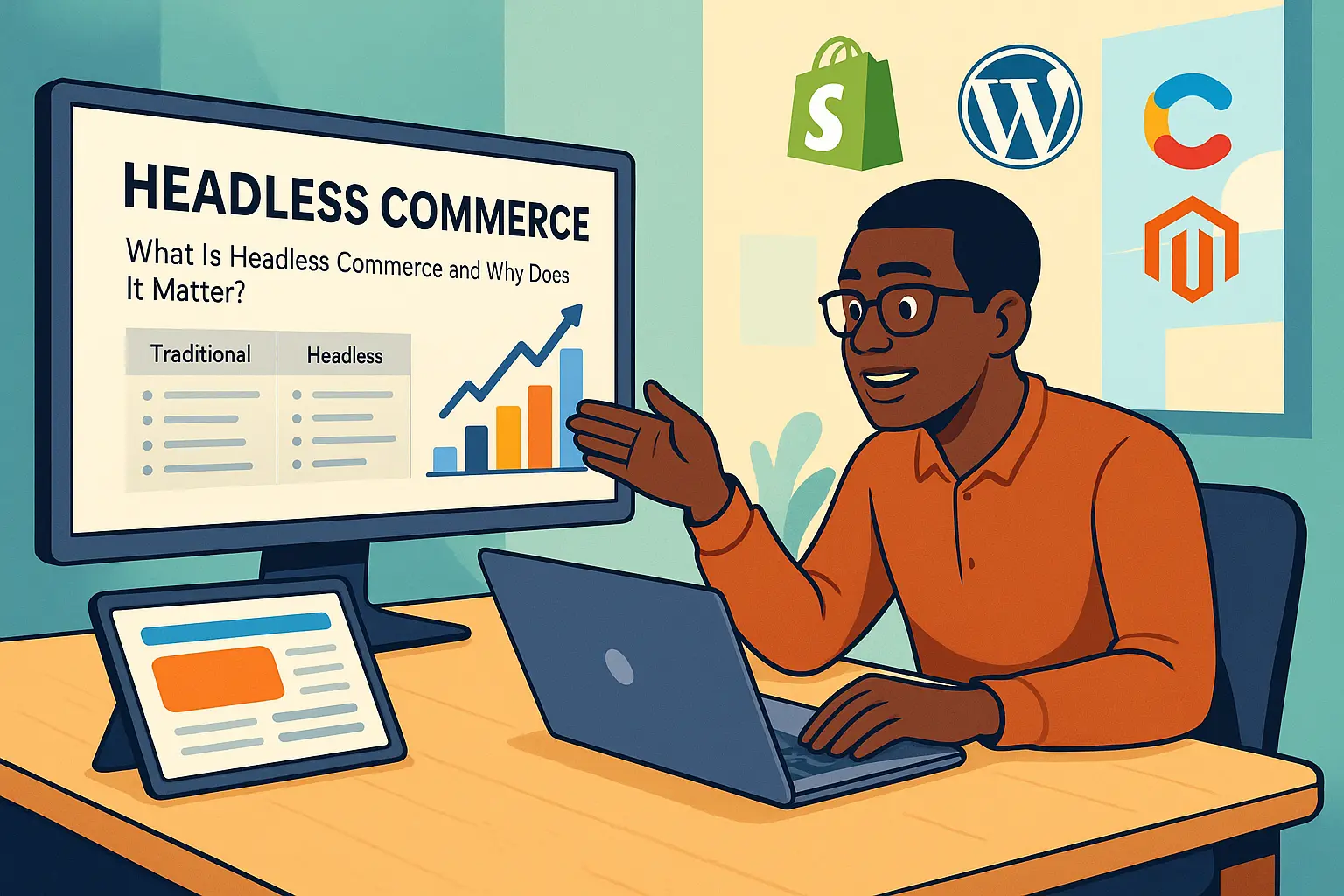
What is headless commerce, and why does it suddenly seem like every serious ecommerce brand is talking about it? If you are new to online selling, the term can sound more complicated than it really is.
At its core, headless commerce simply means separating the part of your store customers see from the part that manages products, checkout, and orders behind the scenes. That setup gives you more freedom to design faster, more flexible shopping experiences.
In this guide, I’ll walk you through what it means, how it works, when it makes sense, and when it absolutely does not.
What Headless Commerce Actually Means
Headless commerce sounds technical, but the core idea is surprisingly simple. You split your ecommerce store into two parts: the frontend and the backend. Once you see that separation clearly, the whole model becomes much easier to understand.
Traditional Ecommerce Vs Headless Commerce
In a traditional ecommerce setup, the storefront and the backend are tightly connected. Your theme, product pages, cart, checkout, and admin system all live inside one platform. For many beginners, that is a good thing because it keeps setup simple and reduces moving parts.
Headless commerce removes that tight coupling. Your backend still manages products, inventory, pricing, customers, and orders, but the customer-facing storefront is built separately. That frontend pulls data from the backend through APIs, which are basically connectors that let different systems talk to each other.
Here is the easiest way to think about it:
| Model | Frontend | Backend | Best For |
|---|---|---|---|
| Traditional Commerce | Built into the platform | Built into the platform | Small stores, simple launches, limited custom needs |
| Headless Commerce | Built separately | Managed by a commerce engine | Custom experiences, multi-channel brands, advanced growth |
The biggest difference is control. Traditional commerce gives you speed and convenience. Headless commerce gives you flexibility and customization. I usually tell beginners to imagine a traditional platform like renting a furnished apartment. Headless is more like building your own house on land you chose yourself. You get more freedom, but you also take on more responsibility.
That is why headless commerce is not “better” in every case. It is simply a different architecture with different trade-offs.
Frontend, Backend, And APIs Explained In Plain English
Let me break this down in the most practical way possible.
The frontend is what your customer sees. That includes the homepage, product pages, navigation, search experience, mobile layout, and anything users click, scroll, or interact with. In a headless setup, teams often build this with custom frameworks or modern storefront tools instead of relying entirely on a default theme.
The backend is the business engine. It stores your catalog, pricing rules, discounts, inventory, customer records, shipping logic, and order data. Platforms like Shopify, Commercetools, or WooCommerce can play this role depending on the business model and technical setup.
APIs are what connect those layers. When a shopper opens a product page, the frontend requests product data from the backend through an API. When the shopper adds an item to cart, the frontend sends that action back to the backend through another API call. The same thing happens with checkout, account access, and order confirmation.
A simple mental model helps here:
- Frontend: The shop window and in-store experience.
- Backend: The stock room, cash register, and operations desk.
- API: The staff member carrying information between the two.
That separation is the whole point of headless commerce. Because the frontend is no longer locked into the backend’s design system, you can build different experiences for web, mobile apps, kiosks, smart devices, or even in-store screens without rebuilding your commerce logic from scratch.
How Headless Commerce Works In Real Life
Once you understand the split between frontend and backend, the next question is usually, “Okay, but what actually happens when someone shops?” This is where headless commerce starts to feel practical instead of abstract.
What Happens When A Customer Visits A Headless Store
Imagine someone lands on your product page from Google. In a traditional store, the ecommerce platform usually renders that page directly. In a headless setup, the custom frontend requests product data from the commerce backend and displays it to the shopper.
A simplified flow looks like this:
- Page Request: The shopper opens a category or product page.
- Data Fetch: The frontend asks the backend for product details, stock, images, pricing, and variants.
- Render: The frontend displays that information in the custom design.
- Interaction: The shopper filters, searches, adds to cart, and starts checkout.
- Transaction: The backend validates pricing, creates the cart, processes the order, and stores customer data.
What makes this powerful is that the same backend can feed more than one customer experience. You could have one frontend for your main website, another for a mobile app, and another for a B2B ordering portal. The backend remains the source of truth while the frontend changes based on channel and audience.
This is where many growing brands get excited. They stop thinking of the store as one website and start thinking of commerce as a service that can power multiple digital experiences. That shift matters when your business grows beyond a single theme-based storefront.
At the same time, every extra layer adds complexity. If the connection between systems fails, the customer can feel it. That is why planning the flow carefully matters more in headless commerce than in simpler setups.
The Core Pieces Inside A Headless Commerce Stack
Most headless commerce stacks include several separate systems working together. You do not always need all of them on day one, but it helps to know what is commonly involved.
A typical stack includes these parts:
- Commerce Engine: Handles products, carts, inventory, pricing, promotions, checkout, and orders.
- Frontend Framework: Displays the storefront customers actually use.
- Content System: Manages landing pages, blog content, banners, and editorial blocks. Many teams use a headless CMS such as Contentful, Storyblok, or Contentstack.
- Search Layer: Improves product discovery and filtering. Algolia is often used for this when search speed and relevance matter.
- Payments And Services: Handles checkout-related actions like card processing, fraud tools, tax, or shipping integrations. Stripe is one example many brands know.
- Hosting And Deployment: Runs the storefront and delivers it quickly to users. Teams often deploy on Vercel or Netlify.
I think this is where beginners either get excited or overwhelmed. On one hand, you can build exactly what you want. On the other, you are now coordinating a small ecosystem instead of one all-in-one platform.
That is the trade-off in one sentence: headless commerce turns your store into a modular system. Modular systems are flexible, but they require more decisions, more testing, and more technical ownership.
Why Brands Choose Headless Commerce
Not every store needs headless architecture, but there are real reasons companies move in this direction. Usually, it comes down to growth, speed, design freedom, and channel expansion.
The Biggest Benefits Of Going Headless
The most obvious benefit is frontend freedom. You are not boxed into a theme system that controls layout rules, performance limitations, or template structure. Your team can build the storefront experience around how customers actually shop rather than around what the platform allows.
Here are the biggest advantages in practical terms:
- Better design flexibility: You can create unique product pages, landing pages, and navigation flows without fighting theme limitations.
- Improved performance potential: A well-built headless frontend can load faster and feel smoother, especially on mobile.
- Stronger multi-channel support: The same commerce backend can support websites, apps, marketplaces, digital displays, and other touchpoints.
- Cleaner content management: Marketing teams can manage content separately from commerce logic.
- Easier experimentation: Developers can test new interfaces, checkout paths, or region-specific experiences without rebuilding the whole backend.
For example, imagine you run a skincare brand and want educational content, quizzes, bundles, subscriptions, and regional storefronts with different messaging. In a traditional setup, that can become messy fast. In a headless model, you can structure content and commerce separately, then present them in a more intentional way.
I also think headless is especially appealing for brands that treat ecommerce as a brand experience, not just a digital catalog. When merchandising, storytelling, and conversion flow all matter deeply, having frontend control becomes a strategic asset rather than just a developer preference.
That said, the benefits only show up when the build is done well. Headless does not magically fix poor UX, weak product strategy, or slow operations.
The Real Drawbacks Most Beginners Underestimate
This is the part people skip when they get excited by case studies. Headless commerce can absolutely create a better shopping experience, but it also introduces more complexity, more cost, and more dependency on technical execution.
The first issue is implementation. In a traditional platform, many features are already available through built-in settings or apps. In headless, you may need custom development for things that used to be one-click. That includes search behavior, promotions display, account areas, content blocks, and sometimes even basic merchandising logic.
The second issue is maintenance. When your stack includes separate systems, problems become harder to diagnose. Is the issue with the CMS, the frontend, the product API, or the deployment environment? Troubleshooting is rarely as simple as checking one admin dashboard.
Common downsides include:
- Higher development costs
- Longer setup time
- More testing requirements
- More moving parts to maintain
- Greater dependence on developers or technical partners
I suggest beginners pay special attention to team readiness. A headless build is not just a software choice. It is an operational choice. If your team is small, non-technical, and trying to launch quickly, headless can create friction instead of momentum.
In my experience, many stores do not fail because headless is bad. They fail because they adopted enterprise-style architecture before they had enterprise-style needs. That is a costly mismatch, and it happens more often than people admit.
When Headless Commerce Makes Sense
This is probably the most important section for a beginner. The real question is not “what is headless commerce?” The real question is “should I actually use it for my store?”
Good Fit: Situations Where Headless Commerce Helps
Headless commerce makes sense when your business is outgrowing the limits of a standard theme-based store. That usually happens when customer experience, content, and technical requirements become more advanced.
You may be a good fit for headless if:
- You need custom user journeys: For example, complex product builders, visual configurators, or educational shopping flows.
- You sell across multiple channels: Such as direct-to-consumer, B2B portals, mobile apps, and in-store screens.
- You publish content-heavy commerce experiences: Like editorial buying guides, interactive lookbooks, or personalized landing pages.
- You operate in multiple markets: Different storefronts, languages, or regional merchandising strategies can benefit from frontend flexibility.
- You have technical resources: An internal dev team or strong agency partner makes a huge difference.
Imagine you sell furniture online. Customers need room-based inspiration, financing information, delivery logic, custom fabric options, and local availability. A generic template may feel too rigid. A headless build lets you shape a more guided, content-rich path to purchase.
This is also why larger brands lean headless when they care deeply about speed and experience. A one-size-fits-all frontend often becomes a ceiling. Headless removes that ceiling, but only if the brand has a clear reason to push beyond it.
I believe the best headless projects start with a business problem, not with a technology trend. When the business case is real, the extra complexity has a purpose.
Bad Fit: When You Should Probably Keep It Simple
For a lot of ecommerce beginners, headless is simply too much too soon. That is not a criticism. It is actually good news because it means you can focus on revenue, product-market fit, and customer acquisition instead of architectural complexity.
You probably do not need headless commerce if:
- You are launching your first store
- Your catalog is small and straightforward
- Your theme already does what you need
- You do not have a technical team
- Your biggest bottleneck is traffic or conversion, not platform flexibility
Let’s say you sell handmade candles with 20 products and a small monthly marketing budget. In that case, the better move is usually a clean storefront, strong product pages, better photography, email capture, and checkout optimization. Headless will not fix the fact that your traffic is low or your offer is unclear.
This is the part I wish more beginners heard early. Simplicity scales further than most people think. A well-run traditional store can take you very far before architecture becomes the limiting factor.
Many founders assume “more custom” automatically means “more professional.” It does not. Professional ecommerce is about solving customer friction and operating efficiently. Sometimes the smartest decision is choosing the simpler setup that your team can actually manage well.
If you are still early, I would treat headless as a future option, not a starting requirement.
How To Get Started With Headless Commerce
If you do decide headless might be right for you, the best approach is not jumping straight into tools. Start with business goals, customer experience needs, and technical boundaries. Otherwise, the project can drift fast.
Step 1: Define The Business Problem Before The Tech Stack
The biggest headless mistake happens before development even starts. Teams choose architecture before they define the problem they are trying to solve. That leads to expensive builds that look modern but do not improve revenue, conversion, or customer experience in meaningful ways.
Start with questions like these:
- What is not working in the current store?
- Where is the customer experience breaking down?
- What business goals require more flexibility?
- Do we need speed, customization, channel expansion, or all three?
Your answers shape the architecture. For example, if your main issue is slow landing pages and limited content flexibility, you may only need a lighter composable setup. If you need app-like shopping experiences, advanced localization, and custom merchandising logic, the case for headless becomes stronger.
I recommend writing a simple project brief with four columns: business goal, customer problem, required feature, and expected outcome. This prevents vague decisions like “we want a more modern stack” and replaces them with concrete priorities like “we need localized storefront content that marketing can update without developer help.”
That clarity matters because headless projects involve trade-offs. Every custom feature has a cost in build time, testing, and maintenance. When your priorities are clear from the start, you can separate essential functionality from nice-to-have ideas that bloat the project.
A good headless setup begins with constraints, not ambition. That is how you keep the build useful instead of just impressive.
Step 2: Choose Your Architecture And Content Model Carefully
Once the business case is clear, you can map the structure of the system. This is where you decide what each part of the stack is responsible for and how content will move between them.
At a basic level, you need to define:
- Where product and order data lives
- Where content pages and marketing blocks live
- How search, filtering, and checkout will work
- Who on your team updates what
- How changes are published safely
This is not glamorous work, but it is what makes the storefront usable after launch. If your content model is sloppy, marketing will struggle to update pages. If your product logic is unclear, merchandising gets messy. If ownership is vague, every update turns into a support request for developers.
A practical beginner-friendly approach is to separate structured commerce data from flexible content. Product title, SKU, price, stock, and variants stay in the commerce backend. Storytelling content, landing page blocks, guides, and campaign content live in the CMS. That split keeps the system clean.
You also need to think about component reuse. For example, if your team creates product education sections, review banners, FAQ blocks, and promo grids, build them as repeatable components instead of one-off page designs. That makes future updates faster and cheaper.
This is where headless either becomes efficient or painful. A clean architecture makes the system feel empowering. A messy one turns every content update into a mini engineering project.
Step 3: Plan Migration, Testing, And Rollout Like A Real Operation
The build itself gets most of the attention, but migration and rollout are where risk shows up. If you are moving from a traditional storefront to a headless one, the key challenge is preserving what already works while improving what does not.
Your rollout plan should include:
- Content migration: Product pages, collections, blog posts, metadata, and landing pages
- SEO continuity: URLs, redirects, canonical logic, structured data, and internal linking
- Functional testing: Cart behavior, checkout, search, account flows, and mobile responsiveness
- Performance checks: Load speed, image handling, caching, and third-party scripts
- Team training: Who updates content, publishes pages, and handles errors after launch
I strongly suggest a phased rollout whenever possible. You do not have to rebuild everything at once. Some brands start with content-heavy landing pages or a specific region before replacing the full storefront. That reduces risk and helps the team learn the new workflow gradually.
A realistic scenario: A growing apparel brand keeps its backend stable, launches a headless homepage and product discovery experience first, then expands the new setup to collection pages and campaign content after early testing shows stronger engagement. That is usually smarter than a massive all-at-once migration.
Headless commerce rewards careful execution. The less dramatic the launch feels internally, the more likely it is that customers will just experience a smoother store without ever noticing the architectural change behind it.
Tools And Platforms You May See In A Headless Setup
Tools matter here because headless commerce is, by nature, a stack decision. Still, the goal is not to collect trendy software. The goal is to assign the right tool to the right job.
Common Categories In A Headless Commerce Stack
Here is a simple breakdown of the types of tools often involved:
| Category | Job In The Stack | Examples |
|---|---|---|
| Commerce Backend | Products, carts, checkout, orders | Shopify, Commercetools, WooCommerce, Magento Adobe Commerce |
| Content System | Landing pages, content blocks, editorial pages | Contentful, Storyblok, Contentstack |
| Search And Discovery | Site search, filtering, relevance | Algolia |
| Payment Layer | Payment processing and related services | Stripe |
| Deployment Layer | Frontend hosting and release workflows | Vercel, Netlify |
You do not need every category on day one, and you definitely do not need the most expensive option in each category. What matters is compatibility, maintainability, and whether your team can actually operate the system.
For example, Magento Adobe Commerce may suit larger, more complex commerce operations, while WordPress.org might still play a content role in some broader ecosystems. The point is not that one tool wins universally. The point is that each tool should solve a specific operational need inside the architecture.
I think this is where many teams go wrong: they evaluate tools based on popularity instead of workflow fit. A simpler stack that your team understands will usually outperform an impressive stack that nobody can maintain confidently.
A Beginner-Friendly Example Of A Headless Approach
Let’s make this more tangible. Imagine a mid-sized brand that wants a more custom storefront, better content flexibility, and stronger mobile performance without rebuilding every backend process from zero.
A practical setup could look like this:
- Commerce backend: Shopify for products, inventory, and checkout
- Content layer: Contentful for landing pages and modular campaign content
- Search: Algolia for faster product discovery
- Payments: Stripe where relevant to the workflow
- Hosting: Vercel for frontend deployment
- Email and retention: Klaviyo if lifecycle messaging is part of the customer journey
This kind of setup can work well when the brand has clear merchandising goals and enough technical support to manage the integrations. It is modular without being wildly fragmented.
Now compare that to a beginner with five products and no developer. That store would likely be better off staying in a traditional setup and improving core ecommerce fundamentals first.
So when people ask me what the best headless stack is, I usually push back a little. There is no universal best stack. There is only the best stack for your team, your budget, your roadmap, and your operational reality.
That answer is less exciting than a top-10 tools list, but it is far more honest.
Common Headless Commerce Mistakes To Avoid
Headless commerce can create amazing customer experiences, but it also gives you more ways to make expensive mistakes.
Most problems do not come from the concept itself. They come from poor planning and unrealistic expectations.
Mistake 1: Rebuilding Everything Without A Clear Revenue Goal
This is probably the most common issue. Teams decide to “go headless” because it sounds advanced, then launch a full rebuild without tying the project to measurable business outcomes.
That is risky for two reasons. First, custom projects expand easily. A homepage redesign turns into a platform migration, then a CMS overhaul, then a search rebuild, then a personalization layer. Second, when the project is not anchored to revenue metrics, nobody knows what success should look like beyond “the site looks better.”
I recommend choosing a few hard outcomes before the build starts:
- Improve mobile conversion rate
- Reduce page load time on high-traffic landing pages
- Increase content publishing speed
- Support multi-region merchandising
- Boost search-driven revenue
These goals change the conversation. Instead of “we want headless,” you get “we need a system that improves mobile browsing speed and gives marketing control over campaign content.” That is a much stronger foundation.
In most cases, customers do not care what architecture powers the store. They care whether the store is fast, easy to use, and trustworthy. If your headless project does not improve those things, then it is probably not doing its job.
Technology should support growth strategy, not replace it.
Mistake 2: Ignoring SEO, Content Workflows, And Day-To-Day Operations
A beautiful frontend means very little if the team cannot run it efficiently after launch. This is where many headless projects feel strong during development and frustrating in real operations.
SEO is one area where mistakes show up fast. If page rendering, metadata, internal linking, structured data, redirects, and canonical rules are not handled properly, search performance can drop during migration. That is why SEO planning cannot be treated as a final checklist item. It needs to be built into the architecture from the start.
Operational workflows matter just as much. Ask simple but important questions:
- Can marketers launch pages without developers?
- Can merchandisers update campaign modules safely?
- Can editors preview content before publishing?
- Can the support team troubleshoot common customer issues?
If the answer to those questions is no, the build may be technically impressive but operationally weak.
I have seen teams spend heavily on headless builds only to recreate bottlenecks they were trying to remove. Marketing becomes slower because every landing page change needs engineering support. SEO gets harder because metadata control is fragmented. Merchandising suffers because product logic is spread across systems.
The best headless setups feel smooth not only for customers, but also for the internal team running the business every day.
How To Optimize A Headless Store After Launch
Launching the storefront is just the starting point. The real payoff comes from optimization, because headless architecture gives you more room to improve customer experience over time.
Improve Speed, SEO, And Conversion First
After launch, focus on the fundamentals before chasing advanced features. A headless setup can be incredibly fast, but only if you manage scripts, images, caching, page structure, and third-party tools carefully.
Start with these priorities:
- Audit performance regularly: Check homepage, collection pages, and product pages on mobile first.
- Simplify frontend weight: Remove unnecessary scripts and heavy visual effects.
- Protect technical SEO: Make sure metadata, headings, internal links, and structured data stay consistent across templates.
- Watch conversion paths: Track add-to-cart rate, checkout start rate, and drop-off points by device type.
- Improve merchandising: Use better filtering, clearer category structures, and stronger product page content.
A good rule is this: Speed and clarity usually beat novelty. Fancy animations and deeply custom interactions can look great in demos, but if they slow down product discovery or distract from checkout, they hurt the business.
This is one reason I like headless for optimization-focused teams. You can tune the customer experience more precisely than you often can inside rigid theme systems. But that only helps if your team uses analytics to guide decisions instead of guessing.
The winning approach is simple: improve the browsing experience, improve page performance, and improve the path to purchase before layering in more complexity.
Use Headless Flexibility To Scale Smarter Over Time
Once the core store is stable, headless starts showing its long-term value. This is where flexibility becomes a growth advantage instead of just a technical feature.
You can use that flexibility to:
- Launch region-specific storefront content
- Create tailored experiences for wholesale and retail customers
- Run richer campaign landing pages
- Test new search and navigation models
- Support app, kiosk, or marketplace-adjacent experiences from the same commerce core
For example, a brand might use one backend for products and orders but serve different frontend experiences for the US, UK, and wholesale buyers. Each audience gets different messaging and merchandising while the backend remains centralized. That is much harder to manage elegantly in a rigid all-in-one setup.
This is also where headless pairs well with broader composable commerce thinking. Instead of replacing everything whenever you outgrow a feature, you can evolve parts of the stack strategically.
Still, I would scale in layers. Do not add personalization, advanced search logic, regional content, and experimental interfaces all at once. Expand only after the team can maintain the current system confidently. Flexibility is valuable, but discipline is what keeps that flexibility profitable.
Final Verdict: Is Headless Commerce Right For You?
Headless commerce is not just a buzzword. It is a real architectural approach that separates the storefront from the ecommerce backend so brands can create more flexible, custom shopping experiences. When the business needs are real, it can be a powerful way to improve performance, content control, and multi-channel growth.
But for most beginners, the smartest answer is not “yes” or “no.” It is “not yet” or “only if there is a clear reason.”
If you are early in your ecommerce journey, focus first on product-market fit, conversion basics, clear merchandising, and a store your team can manage confidently. If you are already feeling the limits of a traditional setup and you need more design freedom, content flexibility, or channel control, headless commerce becomes much more compelling.
That is the honest version. Headless is powerful, but only when it solves a real business problem. If you treat it as a strategy tool instead of a status symbol, you will make far better decisions.

I’m Juxhin, the voice behind The Justifiable.
I’ve spent 6+ years building blogs, managing affiliate campaigns, and testing the messy world of online business. Here, I cut the fluff and share the strategies that actually move the needle — so you can build income that’s sustainable, not speculative.
Related posts:
 Best Tools For Headless Commerce: 17 Platforms Worth Your Attention
 How To Start A Dropshipping Business With No Money
 What Is Headless Commerce and Why Does It Matter?
 Start Dropshipping Today: A Simple Guide for Complete Beginners
 Why Ecommerce Marketing Is Not Working: 15 Common Reasons Explained
 Creating An Online Store That Can Scale: The Best Foundation To Build Now