
Table of Contents
Some links on The Justifiable are affiliate links, meaning we may earn a small commission at no extra cost to you. Read full disclaimer.
This Freshsales sales CRM software review examines whether the platform delivers enough value to justify moving beyond spreadsheets or switching from another CRM.
Freshsales combines contact management, pipeline tracking, built-in communication, automation, and AI-assisted sales tools in one workspace, but its best features are not available on every plan.
The real question is not whether it can manage leads; it can. The question is whether its workflow, pricing, reporting, and automation fit the way your team actually sells. This guide breaks down that decision so you can choose confidently before committing time, data, and budget.
What Freshsales Is and Where It Fits
Freshsales is a sales-focused CRM from Freshworks designed to organize prospects, conversations, activities, and deals in one system. Its strongest appeal is giving growing teams useful sales automation without immediately forcing them into a highly complex enterprise setup.
How Does Freshsales Work as a Sales CRM?
Freshsales acts as the operating system for a sales team. Instead of storing prospects in one spreadsheet, emails in individual inboxes, call notes in another app, and forecasts in a manager’s document, the CRM connects those records around contacts, accounts, activities, and deals. A rep can open a contact and see recent communication, tasks, notes, lifecycle information, and related opportunities without rebuilding the story manually.
The pipeline view turns active deals into a visual process. You can define stages that reflect how your team sells, move opportunities as they progress, assign ownership, track value, and use activities to keep follow-up work visible. That structure matters because a CRM is valuable only when it changes behavior. If reps still rely on memory or private notes, the software becomes an expensive database.
Freshsales also includes built-in communication options such as email, phone, and chat, depending on configuration and plan. This reduces context switching and helps activity history stay attached to the correct record. For a small or midsize sales team, that combination can be more useful than a larger feature catalog that requires extensive administration before anyone sees value.
Which Teams Get the Most Value From Freshsales?
Freshsales tends to fit teams that already have a repeatable sales process but need better visibility and automation. A founder-led sales operation with five people, for example, may have outgrown spreadsheets because leads are getting missed, follow-ups are inconsistent, and nobody can reliably answer what is likely to close this month. Freshsales can give that team structure without requiring a dedicated CRM administrator from day one.
It is also attractive when sales reps communicate heavily by email and phone. Keeping messages, calls, tasks, and deal movement close together makes adoption easier because the CRM becomes part of daily selling rather than an extra reporting chore. Pro-level capabilities such as sequences, contact scoring, deal insights, territory management, and multiple sales pipelines can become meaningful when a team starts dividing responsibility by region, product, or customer segment.
I would look most closely at Freshsales if you have roughly defined stages, multiple reps, and enough lead volume that manual follow-up is creating risk. The product is less compelling if your business needs a deeply customized enterprise data model from the start or if marketing automation is the main priority rather than sales execution.
Freshsales Core Features That Affect Daily Sales Work
The feature list matters less than how quickly those features reduce manual work and improve pipeline visibility. Freshsales is strongest when the core contact, deal, and communication tools are configured around a consistent sales routine.
How Well Does Freshsales Handle Contacts, Accounts, and Deals?
At the foundation, Freshsales provides contact and account management, lifecycle stages, activity timelines, record views, tasks, appointments, notes, and deal tracking. These are standard CRM functions, but implementation quality determines whether they become useful. I recommend mapping fields to actual sales decisions rather than importing every column from an old spreadsheet simply because the data exists.
For example, a B2B software team may need company size, use case, current solution, decision date, and deal value. It may not need 25 legacy fields that nobody uses. Keeping records lean improves data completion and makes filtering more useful. Freshsales supports custom fields, and higher plans add more advanced customization, so you can adapt the system as your process matures.
The deal pipeline is especially important. A strong setup uses stages that represent buyer progress, not internal activity. “Demo completed” can be useful, but “qualified need confirmed” or “commercial review” may be more predictive if those milestones reflect real buyer commitment. Freshsales can display deals in a Kanban-style view, making stalled opportunities easier to spot.
The practical benefit is shared context. Managers get a clearer picture of pipeline health, while reps can see exactly what needs attention without rebuilding a private task list.
Are Built-In Email, Phone, and Chat Actually Useful?
Freshsales includes built-in communication capabilities that can reduce the gap between selling and record keeping. Connecting email allows conversations to sit alongside CRM records, while phone functionality can support calls, logs, and recordings. Chat can bring website conversations into the same customer context. The value is not simply having more channels; it is keeping those channels tied to the correct person and opportunity.
Consider a rep who receives a pricing question by email, schedules a call, and later receives a chat message from the same prospect. In a fragmented setup, those interactions may live in three places. In a connected CRM workflow, the rep can review the history before responding and avoid asking the prospect to repeat information.
There is still a configuration burden. Teams should test email synchronization rules, permissions, call availability, local telephony requirements, and the way shared conversations are logged before rolling the setup out broadly. If your company has strict compliance or recording requirements, validate those controls in advance.
Built-in communication is most valuable when it replaces duplicate data entry. If reps still have to copy every interaction manually, adoption usually declines. Make the CRM the easiest place to see the next action, not just the place management expects activity to be logged.
How Effective Are Tasks, Workflows, and Sales Sequences?
Freshsales includes task management and workflow automation, while more advanced automation appears as you move up the plans. On the Growth tier, basic workflows can handle simpler triggers and actions. Pro adds capabilities such as sales sequences, auto-assignment rules, and more advanced workflow options, making it much better suited to a team with consistent outbound or follow-up processes.
A useful workflow might assign a new inbound lead to the correct rep based on territory, create a follow-up task, and notify the owner when the record meets specific criteria. A sales sequence can then standardize a planned series of emails, calls, or other touches. That is different from sending a generic email blast. A sequence should support a salesperson’s process while stopping or changing when the prospect engages.
The mistake is automating a process before proving it works manually. If your team does not know which leads deserve immediate attention or what a good follow-up cadence looks like, automation simply scales confusion. Build a small workflow around a measurable bottleneck first, such as slow response time or missed follow-ups.
I recommend treating automation as process enforcement, not decoration. Every rule should remove a known manual step or reduce a specific sales risk.
Freddy AI and Sales Intelligence: Where the Value Is Real
Freshsales uses Freddy AI across several sales tasks, but the capabilities vary by plan and by the amount of useful data available. The most important question is whether AI helps your team prioritize and act, rather than merely generating another score to ignore.
Does Contact Scoring Help Reps Prioritize Better?
On the Pro plan, Freshsales includes Freddy-powered contact scoring. The system can evaluate signals associated with engagement and fit, producing a score that helps reps decide where to focus attention. Freshworks documentation describes contact scores on a 0-to-99 scale, with contributing factors and recommendations that help users understand why one contact may deserve attention before another.
This becomes useful when a team has more leads than it can treat equally. Imagine 200 new contacts entering the CRM in a week. Without prioritization, reps may work the list chronologically or chase familiar company names. Scoring can surface contacts showing stronger buying signals, provided the underlying tracking and business logic are meaningful.
The limitation is important: a score is not a substitute for qualification. A highly engaged student, competitor, or existing customer can produce activity without representing a real opportunity. Your team still needs clear fit criteria and should review which behaviors affect scoring.
I would use contact scoring as a routing and attention signal. Test whether high-scoring contacts actually convert at a better rate, then adjust the signals if the ranking does not match reality. AI is most valuable when it sharpens judgment rather than replacing it.
Are Freddy Deal Insights Reliable Enough to Influence Forecasting?
Freshsales Pro includes deal insights that analyze CRM data and activity patterns to flag opportunities with labels such as likely to close, trending, at risk, or gone cold. This is potentially useful because traditional pipeline reviews often depend heavily on a rep’s subjective confidence. An activity-based signal can force a useful conversation when the stated forecast and observed behavior disagree.
However, deal intelligence depends on data quality and volume. Freshworks notes that its machine-learning model needs sufficient closed-won history and an adequate win pattern before deal insights can be enabled for an account. A new CRM with 30 recently imported opportunities should not be expected to produce the same predictive value as an established account with consistent historical data.
The best use is as a second opinion. If a rep says an opportunity is strong but activity has dropped sharply, the manager can ask what changed. If a deal is trending upward, the team can verify whether the prospect is actually moving through decision milestones.
Enterprise adds forecasting insights, which makes the higher tier more relevant for organizations that need stronger management visibility. Still, no AI forecast compensates for inaccurate close dates, missing values, or inconsistent stage definitions. Clean sales process data remains the prerequisite.
Freshsales Pricing and the Real Cost of Ownership
Freshsales looks affordable at entry level, but the right pricing decision depends on the features your team must use every week. The most common buying mistake is comparing headline seat prices while ignoring the plan jump required for automation, reporting, AI, or governance.
What Do Freshsales Plans Cost in 2026?
At the time of this review, the Freshsales pricing comparison lists a Free plan for up to three users. Paid plans shown with annual billing are Growth at $9 per user per month, Pro at $39 per user per month, and Enterprise at $59 per user per month. Freshworks can change pricing or packaging, so check the current Freshsales plans before purchasing.
| Plan | Annual-Billing Price | Best Fit | Notable Step-Up |
|---|---|---|---|
| Free | $0, up to 3 users | Very small teams testing CRM basics | Core contact and account management |
| Growth | $9/user/month | Startups and SMB sales teams | Communication tools, custom fields, basic workflows |
| Pro | $39/user/month | Growing teams with repeatable processes | Scoring, deal insights, sequences, territories, multiple pipelines |
| Enterprise | $59/user/month | Larger or controlled environments | Forecasting insights, field permissions, custom modules, sandbox, audit logs |
The important pricing story is the jump from Growth to Pro. Growth is inexpensive, but many scaling teams will eventually want sequences, more advanced workflow control, multiple pipelines, and Freddy-powered insights. If those are central to your buying reason, evaluate Freshsales as a $39-per-user product from the beginning rather than anchoring your decision on the $9 tier.
Is Growth Enough, or Will You Need Pro?
Growth can be a sensible choice when your team mainly needs a shared CRM, a visible pipeline, connected communication, templates, custom fields, and basic workflow automation. A small consultative sales team with one pipeline and moderate lead volume may operate effectively there for a long time. Paying for Pro before you need its features does not improve your sales process.
Pro becomes easier to justify when complexity increases. Multiple pipelines matter when different products or customer types require different sales stages. Territory management matters when ownership needs to follow geographic or segment rules. Sales sequences matter when reps repeatedly execute structured prospecting or follow-up cadences. Contact scoring and deal insights matter when volume is high enough that prioritization becomes difficult.
A useful test is to list the five sales tasks currently consuming the most manual effort. If Growth resolves four of them, start there. If two or three require Pro features, calculate the Pro cost before migrating.
For a 10-person sales team, the annual-billing rate difference between Growth and Pro is $30 per user per month, or $3,600 per year across 10 seats. That difference should be compared with the hours saved, missed opportunities reduced, and additional tools replaced—not with the cheaper plan in isolation.
How to Set Up Freshsales Without Creating a Mess
A CRM rollout succeeds when the system reflects a clear sales process and makes correct behavior easier. The best setup is usually smaller than teams expect: fewer fields, fewer stages, fewer automations, and stronger rules about what must be kept accurate.
What Should You Prepare Before Importing Data?
Do not start by uploading every contact you have. First decide what a valid CRM record looks like. Define the fields salespeople actually need, which values are required, who owns each record type, and how duplicates will be handled. This avoids importing years of inconsistent spreadsheet habits into a cleaner interface.
Next, map your lifecycle and pipeline concepts separately. A contact lifecycle stage describes the relationship with a person or account, while a deal stage describes progress toward a specific sale. Mixing those concepts creates confusing reports. For example, “customer” can be a lifecycle state, while “proposal” belongs in the opportunity pipeline.
Clean your source data before migration. Normalize country names, job titles where practical, phone formats, ownership, and date formats. Remove obvious duplicates and archive records that have no realistic business value. Keep a copy of the original export so you can trace mistakes.
I also suggest defining three data rules before launch: which fields are mandatory at qualification, what must be updated before a deal changes stage, and when an inactive record should be closed or recycled. Those rules create reporting consistency later. A CRM becomes trustworthy because the team agrees on data behavior, not because the import completed successfully.
How Should You Design Pipelines and Fields?
Start with the buyer’s journey and work backward. Each pipeline stage should represent a meaningful change in probability or commitment. A weak pipeline uses stages such as “email sent,” “called,” and “follow-up,” which describe seller activity. A stronger pipeline uses stages such as qualified, discovery complete, solution confirmed, commercial review, and decision pending, assuming those milestones match your actual process.
Keep the number of stages manageable. Too many stages make movement feel arbitrary, while too few hide risk. Each stage should have a simple exit condition. For example, a deal moves from discovery to solution evaluation only after the team has confirmed the problem, stakeholders, and basic buying timeline.
Fields deserve the same discipline. Create a custom field only when its value supports segmentation, routing, personalization, forecasting, qualification, or reporting. If a field will never influence an action or decision, it may not belong in the CRM.
Freshsales supports custom fields on paid plans and more advanced customization at higher tiers. Use that flexibility gradually. Begin with the minimum data model that supports your sales motion, then add fields when a repeated business question cannot be answered. This keeps forms shorter and improves completion quality.
How Do You Get Reps to Adopt Freshsales Consistently?
Adoption improves when the CRM gives reps immediate value. If the first training session focuses entirely on manager reporting, the system can feel like surveillance. Instead, show sellers how Freshsales helps them see follow-ups, recover context, manage deals, reuse templates, automate repetitive actions, and avoid losing opportunities.
Create a short operating standard rather than a 40-page manual. It should explain when to create a deal, which fields must be completed, how activities are logged, when a stage changes, and what “closed lost” requires. Then configure the CRM to reinforce those rules wherever possible.
Managers must use the same system. If pipeline reviews happen from exported spreadsheets because leadership does not trust the CRM, reps quickly learn that data quality is optional. Run weekly reviews directly from Freshsales and correct bad records during the discussion.
A phased rollout works well. Start with one team or pipeline, fix issues, then expand. Measure adoption through behavior: percentage of active deals with next activities, stale opportunities, missing close dates, and overdue tasks. The goal is not maximum login frequency. The goal is reliable sales execution with less manual coordination.
Integrations, Reporting, and Practical Limitations
A CRM rarely operates alone, so fit depends on how well it connects with the rest of your revenue workflow. Freshsales provides a marketplace, APIs, webhooks, mobile apps, and reporting tools, but buyers should test the specific paths their team depends on.
Are Freshsales Integrations Broad Enough for a Growing Team?
Freshsales connects with a range of communication, collaboration, document, accounting, and productivity applications through the Freshworks Marketplace. It also supports APIs and webhooks for custom connections.
For common sales stacks, this may be enough, and tools such as Zapier can add another automation layer when a direct integration does not cover a simple workflow. Freshsales also offers iOS and Android apps, so field reps can access records away from a desk; mobile-heavy teams should still test their exact workflow before committing.
Do not evaluate integrations by logo count. Test the actual data flow. If your website form creates a contact, does it also preserve source, campaign, owner, and consent information? If accounting data is needed in the CRM, does the connector expose the fields salespeople need? If a sync fails, who receives an alert?
For collaboration, Freshsales supports contextual use with Slack, which can help teams discuss deals without losing the CRM as the system of record. The distinction matters: messaging should support the deal record, not replace it.
Before committing, make a list of “must work on day one” integrations and “nice later” integrations. Test the first group during the trial. A CRM that handles 95% of your stack but fails on the one system that drives lead assignment can create more manual work than it removes.
How Strong Are Freshsales Reports and Dashboards?
Freshsales includes dashboards and reporting, with custom reports available on Pro. For many small and midsize teams, that is sufficient to monitor pipeline value, activities, conversions, and team performance. The challenge appears when an organization wants highly specialized analytics, complex attribution, or reporting that combines many sources beyond core CRM data.
This is one area where current user feedback is mixed. Reviewers often praise ease of use and sales organization while some describe reporting as less flexible than they want. That distinction is important because reporting needs expand quickly. A founder may initially need pipeline by stage, while a revenue operations team may later want conversion by segment, source, cohort, rep, product, and time period.
Before choosing a plan, write down the five management questions the CRM must answer. Build those reports during the trial with realistic data. Do not accept “the platform has reporting” as sufficient proof.
Also separate operational reporting from business intelligence. Freshsales should help your team manage day-to-day sales performance. If you need multi-system financial modeling or sophisticated attribution, you may eventually use a dedicated analytics layer. Judge the CRM on whether it exports and structures data cleanly enough to support that next step.
Freshsales Versus Popular CRM Alternatives
Freshsales is most persuasive when its combination of usability, built-in communication, automation, and mid-market pricing matches your sales motion. Comparing it with alternatives reveals where those trade-offs become meaningful.
Freshsales vs HubSpot: Which Is Better for a Broader Revenue Platform?
HubSpot is often the stronger choice when a company wants sales, marketing, service, content, and data tools organized around one broader customer platform. Its ecosystem is extensive, and teams can start with free CRM tools before moving into paid hubs. The trade-off is that advanced sales capabilities can become materially more expensive as requirements grow.
Freshsales is easier to evaluate as a focused sales CRM. Its Growth plan is inexpensive, while Pro brings sequences, AI scoring, deal insights, territory management, and multiple pipelines at a price point that can appeal to growing sales organizations. For a company whose main problem is sales execution rather than building an all-in-one inbound marketing ecosystem, that narrower focus may be a benefit.
The decision should follow your growth model. Choose Freshsales when you want a structured sales workspace with built-in communication and do not need HubSpot’s broader platform depth. Choose HubSpot when marketing automation, content, service, and cross-team customer operations are central to the plan and you are prepared for the cost structure that may accompany advanced tiers.
Do not decide based on the free version alone. Model the features and seat count you expect to need 12 to 24 months from now.
Freshsales vs Zoho CRM: Which Offers More Flexibility?
Zoho CRM is a strong alternative for buyers who prioritize customization, a wide business software ecosystem, and multiple pricing tiers. Zoho supports extensive automation, analytics, AI through Zia, custom layouts, functions, and broader configuration options that can appeal to companies with unusual workflows.
Freshsales can feel more approachable when the objective is to get a sales team running quickly. Its interface and integrated communication features are frequently highlighted as strengths, while the plan structure is relatively easy to understand. Pro is the point where many scaling features become available without moving into the deepest enterprise tier.
Zoho can be the better fit when you expect CRM customization to become a major operational capability and you are comfortable investing more time in configuration. Freshsales may be preferable when simplicity and adoption carry more weight than having the largest possible configuration surface.
A useful comparison exercise is to build the same workflow in both trials: import 50 records, create your stages, route a lead, automate one follow-up, build one management report, and complete a rep’s daily task list. The winner is the platform that supports your real process with less friction, not the one with the longest feature sheet.
Freshsales vs Pipedrive: Which Is Better for Pipeline-Centric Teams?
Pipedrive has long emphasized visual pipeline management and salesperson usability. Its current plans combine pipeline tools with AI features, email synchronization, automation, sequences, reporting, and a large integration catalog as you move through higher tiers. Teams that want a deal-centric experience may find its workflow immediately familiar.
Freshsales competes by combining pipeline management with built-in email, phone, chat, automation, and Freddy AI capabilities. The difference often comes down to the surrounding sales motion. If communication channels inside the CRM and Freshworks ecosystem connections are important, Freshsales can be compelling. If your team primarily wants a polished, pipeline-first sales workspace with a broad integration ecosystem, Pipedrive deserves a close comparison.
Pricing should be evaluated feature for feature. Pipedrive’s entry annual plan is higher than Freshsales Growth, but plan boundaries differ, so comparing the cheapest tiers alone is misleading. Identify exactly when each platform unlocks the automation, email, forecasting, or reporting capabilities you require.
During a trial, ask reps to complete the same sequence of actions in both systems. Adoption differences often show up in small details such as navigation, activity planning, record editing, and pipeline review rather than headline features.
How to Measure Freshsales ROI and Scale What Works
The value of CRM software should show up in behavior and outcomes, not merely in completed setup. Freshsales becomes worth the investment when it helps your team respond faster, keep data cleaner, follow up more consistently, and manage pipeline with better information.
Which Metrics Should You Track After Implementation?
Start with adoption and process quality before jumping directly to revenue attribution. In the first month, measure whether reps are creating and updating records correctly. Useful indicators include active deals with a scheduled next activity, overdue tasks, deals with missing close dates, stale opportunities, duplicate records, and the percentage of qualified leads with complete required fields.
Then move to funnel metrics. Track lead response time, stage conversion rates, average time in stage, sales cycle length, win rate, pipeline coverage, and forecast accuracy where your process supports them. These measures help you identify whether the CRM is changing execution rather than simply recording it.
For example, imagine your team previously lost inbound leads because assignment was manual. After implementing Freshsales routing and task automation, response time should improve. If it does not, the problem may be staffing, notification design, or rep behavior rather than the software. That diagnosis is more useful than claiming “CRM ROI” from a generic revenue increase.
Establish a pre-implementation baseline wherever possible. Even four weeks of spreadsheet data can help. Without a baseline, teams often mistake normal sales variation for software impact.
How Should You Optimize Automations and Sales Processes Over Time?
Treat your CRM configuration as a living operating system. Once a month, review automations, required fields, lost-reason data, pipeline stages, and reports with both managers and reps. Look for places where the system creates unnecessary clicks or where users repeatedly bypass the intended process.
Automation should be audited for false positives and dead ends. If an assignment rule sends too many leads to the wrong owner, correct the criteria. If a sequence generates replies but prospects complain about irrelevant messaging, revise the targeting and content. If Freddy scores do not correlate with conversion, examine the underlying signals and data completeness.
Pipeline stages also need maintenance. A stage where deals remain for months may be too broad, or the exit condition may be unclear. A stage almost nobody uses may be unnecessary. Do not change the process every week, but do not preserve a weak design simply because it was part of the original rollout.
As your team grows, add complexity only when a recurring problem demands it. This is when Pro features such as territories, multiple pipelines, sequences, and scoring—or Enterprise controls such as custom modules and permissions—can create measurable operational leverage.
When Should You Upgrade, Integrate More, or Switch CRMs?
Upgrade when a plan limitation is creating recurring manual work or risk that costs more than the additional subscription. If reps maintain separate spreadsheets because Growth cannot support the pipeline structure you need, Pro may be cheaper than the workaround. If governance or custom data requirements become critical, Enterprise may be justified.
Add integrations when they eliminate duplicate entry or create a reliable flow between systems. Do not connect every tool simply because a connector exists. Each integration adds maintenance and another potential failure point. Prioritize systems that directly affect lead capture, communication, contracting, billing, or management reporting.
Switch CRMs only when the mismatch is structural. Minor interface preferences rarely justify migration. More serious reasons include reporting that cannot answer essential questions, missing integrations that require constant manual work, inadequate governance, unacceptable performance at your data scale, or a pricing model that becomes inefficient as the organization grows.
Before switching, calculate migration costs and identify whether the real issue is software or process discipline. If the same poor data and undefined stages will move into the next CRM, the outcome will not improve.
Is Freshsales Worth the Investment?
Freshsales is worth considering when your sales team needs more structure than spreadsheets can provide but does not want the complexity or cost of a heavier enterprise CRM. Growth offers an inexpensive entry point, while Pro is likely the more realistic long-term choice for teams that need sequences, multiple pipelines, territory management, contact scoring, and deal intelligence.
The strongest reasons to choose it are practical: centralized sales context, built-in communication, approachable pipeline management, useful automation, and a clear path into more advanced controls. The main cautions are reporting depth, integration fit, mobile experience, and the possibility that growing teams will need Pro or Enterprise sooner than the headline entry price suggests.
The best next step is to trial Freshsales with your real pipeline, reports, integrations, and a small group of reps. If it removes daily friction and produces cleaner, more actionable sales data, the investment is much easier to justify.

I’m Juxhin, the voice behind The Justifiable.
I’ve spent 6+ years building blogs, managing affiliate campaigns, and testing the messy world of online business. Here, I cut the fluff and share the strategies that actually move the needle — so you can build income that’s sustainable, not speculative.
Related posts:
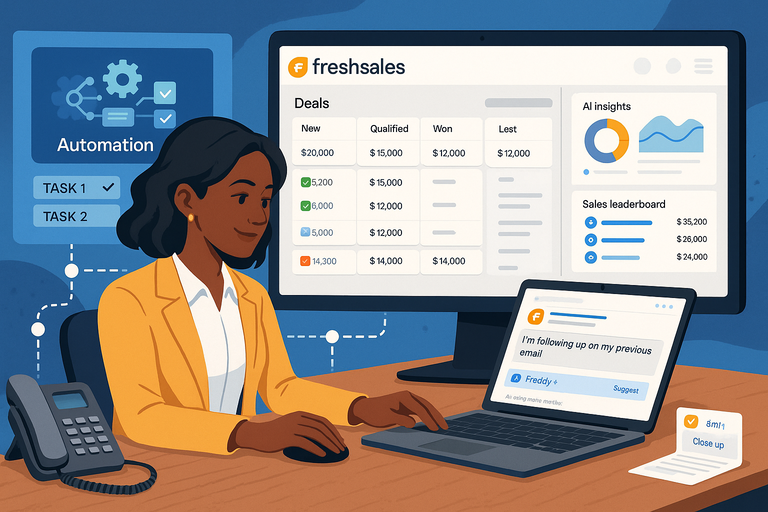 Freshsales CRM Explained: How It Helps You Close Faster
 Why CRM Freshworks Stands Out From Other Platforms
 Freshsales Pricing Breakdown: Which Plan Is Best for You?
 Freshsales CRM Platform Overview: Everything You Need To Know
 Is HubSpot Worth It for Small Business or Just Too Expensive to Scale?
 Freshsales CRM Performance Review: Speed, Automation, Results